Page 2 - Type
Thank you for choosing to buy one of our products. Your appliance is made tohigh standards and is easy to use. Nevertheless, please take the time to readthese operating instructions in order to familiarise yourself with the applianceand get the best use out of it. Please follow the safety precaution...
Page 3 - Contents
Contents 1 Safety precautions 5 1.1 Symbols used ........................................................................................................ 5 1.2 General safety precautions ................................................................................. 6 1.3 Appliance-specific saf...
Page 5 - Safety precautions; Symbols used; Information and precautions that should be observed.
1 Safety precautions 1.1 Symbols used Denotes important safety precautions.Failure to observe said precautions can result in injury or in damageto the appliance or fittings! Information and precautions that should be observed. Information on disposal Information about the operating instructions ▸ In...
Page 6 - Safety precautions; General safety precautions
1 Safety precautions 1.2 General safety precautions ▪ Read the operating instructions before using the appliance forthe first time! ▪ This appliance can be used by children aged 8 and aboveand by persons with reduced physical, sensory or mental cap-abilities, or lack of experience and/or knowledge, ...
Page 7 - Instructions for use; Before using for the first time
1 Safety precautions ▪ WARNING: The appliance and its accessible parts get hotduring use. Be careful not to touch the heating elements. ▪ Under no circumstances use a steam cleaner to clean the ap-pliance. ▪ Do not place metal objects such as knives, forks, spoons, lidsor aluminium foil on the hob a...
Page 8 - Note on use; Keep pets away from the appliance.; Caution: Risk to life
1 Safety precautions ▪ Any repairs, modifications or manipulations to the appliance, especially anyelectrically live parts, may only be carried out by the manufacturer, its Cus-tomer Services or a similarly qualified person. Repairs if carried out incor-rectly may cause serious injury, damage to the...
Page 9 - How to avoid damaging the appliance; Under no circumstances place hot pots or pans on the display!
1 Safety precautions How to avoid damaging the appliance ▪ Under no circumstances place hot pots or pans on the display! ▪ In case of overheating, switch the hotplate off and allow it to cool downcompletely. Do not put any dishes on it. Under no circumstances use coldwater to cool it down quickly. ▪...
Page 10 - Disposal; Packaging; The
2 Disposal Packaging ▪ All packaging materials (cardboard, plastic film (PE) and polystyrene (EPS))are marked and should be collected for recycling and disposed of in an en-vironmentally friendly way. Disconnection ▪ Disconnect the appliance from the mains. With a fixed appliance, this is tobe carri...
Page 11 - Using for the first time; Where is the identification plate?; Identification plate with serial number (FN)
3 Using for the first time The appliance must be installed and connected to the electricity sup-ply in accordance with the separate installation instructions. Have aqualified fitter/electrician carry out the necessary work. During the first few hours of use, a cooking zone can give off an un-pleasan...
Page 12 - Your appliance; Appliance overview; adjustable cooking zones
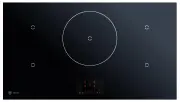
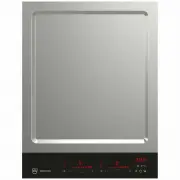
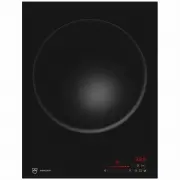
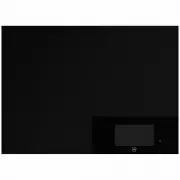
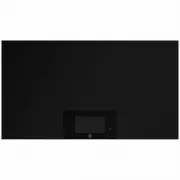
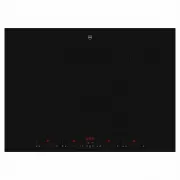
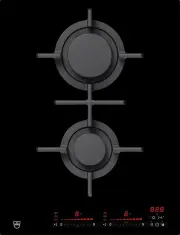
4 Your appliance 4.1 Appliance overview GK46TIMASC, GK46TIMASZ ▪ 4 adjustable cooking zones GK46TIMPSZ ▪ 4 adjustable cooking zones GK57TIMSZ, GK57TIMSZO ▪ 5 adjustable cooking zones (central cooking zone ø 280 mm) 12
Page 13 - Operating and display elements; Buttons; Multi-function button; Displays
4 Your appliance 4.2 Operating and display elements Buttons ON/OFF button, pause function ▪ Appliance ON/OFF ▪ Pause cooking Multi-function button ▪ Operating time ▪ Timer ▪ Automatic boost ▪ Wipe protection ▪ Keeping warm, melting, simmering ▪ User settings Slider ▪ Select cooking zones ▪ Set time ...
Page 15 - Cookware; Suitable cookware
4 Your appliance – the appliance switches off after 10 seconds if no other cooking zone is in use. 4.6 Cookware Suitable cookware Only cookware with a magnetic base (ø 10 cm to 22 cm) is suitable for usewith the induction hob.This can be tested in the following ways: ▪ A magnet sticks anywhere on th...
Page 16 - Your appliance; OptiGlass; Illumination
4 Your appliance 4.7 OptiGlass Applies to GK57TIMSZOHobs with OptiGlass have an additional coating on the glass surface.This coating makes the surface harder, tougher and more scratch resistantthan non-coated glass surfaces. Under normal circumstances, significantly fewer scratches should oc-cur on ...
Page 17 - Operating the appliance; Switching the appliance on and off
5 Operating the appliance 5.1 Switching the appliance on and off All the appliances are operated in the same way. ▸ To switch the appliance on: Hold the button depressed for 1 second. – «0» illuminates in all the power level displays. – If no other button is pressed, the appliance switches off after...
Page 18 - Overview of power levels; Power level; Switching a cooking zone off
5 Operating the appliance 5.3 Overview of power levels Power level Cooking method Use 1 Melting, gentle warming Butter, chocolate, gelatine, sauces 2 3 Swelling Rice 4 Continued cooking, reducing, stewing, steaming Vegetables, potatoes, sauces, fruit, fish 5 6 Continued cooking, braising Pasta, soup...
Page 19 - Bridging function; Switching the bridging function on; Melting, keeping warm and simmering
5 Operating the appliance 5.6 Bridging function The bridging function allows the two right cooking zones or the two left cook-ing zones to be switched on together and to be regulated together. Switching the bridging function on ▸ Use the slider to select the far left or far right cooking zone and ke...
Page 20 - ok; Switching melting, keeping warm and simmering on; PowerPlus
5 Operating the appliance Switching melting, keeping warm and simmering on ▸ Use the slider to select the desired cooking zone. ▸ Touch the button. – The «Cooking zone dependent functions» menuappears. The cooking zoneselected is indicated by illuminating in the layout. ▸ Use the slider to select , ...
Page 22 - Operating the appliance; Switching AutoCook on; ▸ Press the slider below
5 Operating the appliance 5.9 AutoCook Do not leave food cooking unattended while using AutoCook. Risk ofboiling over, burning on and igniting! With AutoCook, a cooking zone works at power level 9 for a certain duration(see table). When this duration is up, it automatically switches back to the pre-...
Page 23 - Operating time; Setting operating time
5 Operating the appliance 5.10 Operating time Do not leave the hob unattended during use. Risk of boiling over,burning on and igniting! With the operating time function, the cooking zone switches off automaticallyafter a set time (1 min. to 1 hr. 59 mins.).An operating time can be set for each indiv...
Page 25 - Setting the timer
5 Operating the appliance 5.11 Timer The timer functions like an egg timer (1 min.–9 h 59 min.). It can be used at any time and independently of all other functions. Setting the timer In order to set the timer, no cooking zone may be selected. ▸ Touch the button. – The «Cooking zone dependent functi...
Page 27 - Timer finished; Pause cooking; Switching pause cooking on
5 Operating the appliance Timer finished When the timer finishes, – an acoustic signal is emitted – flashes above the button. – 0h00 flashes in the display. ▸ Press to switch off the acoustic signal and the display. 5.12 Pause cooking With this function, the power level of all the cooking zones that...
Page 28 - Wipe protection; Switching wipe protection on
5 Operating the appliance 5.13 Wipe protection This function prevents the power level from being changed accidentally, for in-stance when wiping the control panel with a cloth. Switching wipe protection on To set wipe protection, the cooking zones may be active. However no cookingzone may be selecte...
Page 29 - User settings; Accessing the user settings
6 User settings The following user settings can be set and stored individually: User settings Function Possible settings Childproof lock On Off* Language German* French Italian English Individual settings Brightness Levels 1–9 Level 5* Loudness Levels 1–9 Level 5* Button signal On Off* Recommended v...
Page 30 - Activating/deactivating function; Childproof lock; Overriding the childproof lock off; Language
6 User settings Activating/deactivating function ▸ Use the slider to select a function. – The function illuminates brightly and appears. ▸ Press the slider below . – The settings screen for the function appears. The function is activatedor deactivated. ▸ Use the slider to select the desired setting....
Page 31 - Brightness; Changing the brightness settings
6 User settings 6.4 Brightness The preferred brightness level for the display can be set in the user settings. Changing the brightness settings ▸ Access the user settings (see page 29). ▸ Use the slider to select . – illuminates brightly and appears. ▸ Press the slider below . – The «Individual sett...
Page 32 - Loudness; Changing the volume settings; Button signal
6 User settings 6.5 Loudness The preferred loudness for the acoustic signals can be set in the user settings. Changing the volume settings ▸ Access the user settings (see page 29). ▸ Use the slider to select . – illuminates brightly and appears. ▸ Press the slider below . – The «Individual settings»...
Page 33 - Recommended value for the timer; Setting and changing the recommended value for the timer; Factory settings
6 User settings 6.7 Recommended value for the timer The recommended value for the timer can be set in the user settings. If, at alater stage, the operating time or the timer are set, the recommended value forthe timer appears as the default setting. Setting and changing the recommended value for the...
Page 34 - Care and maintenance
7 Care and maintenance Clean the appliance only when it has completely cooled down.Risk of burns! Always clean the hob after use. This prevents food residue from burning on.Dried-on or burned-on food residue is harder to clean off.Use of improper cleaning techniques can result in damage to the marki...
Page 35 - Care and maintenance; Cleaning; special cleaning sponge for glass ceramic hobs.; Unsuitable cleaning agents may attack and damage the coating.
7 Care and maintenance Cleaning For good results, follow these cleaning instructions.▸ To clean thoroughly, remove most of the soiling using a hob scraper or a special cleaning sponge for glass ceramic hobs. ▸ Add a few drops of a suitable cleaning fluid to the cold hob surface and rub over the surf...
Page 36 - What to do if ...
8 Trouble-shooting What to do if … … the appliance is not working and the display is dark? Possible cause Solution ▪ The fuse or circuit breaker for electrical installations in the home isdefective. ▸ Change the fuse.▸ Reset the circuit breaker. ▪ The fuse or circuit breaker keeps blowing. ▸ Call Cu...
Page 39 - Technical data; Product fiche; In accordance with EU Regulation No. 66/2014
9 Technical data 9.1 Product fiche In accordance with EU Regulation No. 66/2014 Model number GK 31080 Type designation GK GK46TIMPSZ Number of cooking zones 4 Heating technology Induction cooking zone Dimensions of cookingzone cm 18 × 20 18 × 20 18 × 20 18 × 20 Energy consumption per cooking zone Wh...
Page 41 - Index
Index A Appliance overview ...................................... 12Appliance-specific safety precautions ............................................... 6 AutoCook........................................................ 22 Switching off before time ................. 22 Automatic boost Switching on...
Page 43 - Appliance; Your repair order
10 Service & Support The «Troubleshooting» chapter provides valuable information for dealing with minor operating faults. This saves you the time, effort and potential cost of having to call out a service technician. Information on the V-ZUG warranty can be found at www.vzug.com →Service →Warran...
Page 44 - Quick instructions; Switching the appliance on; ▸ Hold the button depressed for 1 second.; Selecting a cooking zone; ▸ Press the required cooking zone on; To switch appliance off; ▸ Hold the button depressed for 2 seconds.
Quick instructions Please first read the safety precautions in the operating instructions! Switching the appliance on ▸ Hold the button depressed for 1 second. Selecting a cooking zone ▸ Press the required cooking zone on the slider. 0 0 0 0 ▸ Press or swipe the slider to set the power level while t...