Page 2 - Type
Thank you for choosing to buy one of our products. Your appliance is made tohigh standards and is easy to use. Nevertheless, please take the time to readthese operating instructions in order to familiarise yourself with the applianceand get the best use out of it. Please follow the safety precaution...
Page 3 - Contents
Contents 1 Safety precautions 5 1.1 Symbols used ............................................................................................. 5 1.2 General safety precautions ...................................................................... 6 1.3 Appliance-specific safety precautions .........
Page 5 - Safety precautions; Symbols used
1 Safety precautions 1.1 Symbols used Denotes important safety precautions.Failure to observe said precautions can result in injury or in dam-age to the appliance or fittings! Information and precautions that should be observed. Information on disposal Information about the operating instructions ▸ ...
Page 6 - General safety precautions
1 Safety precautions 1.2 General safety precautions ▪ Read the operating instructions before using the appliance forthe first time! ▪ This appliance can be used by children aged 8 and aboveand by persons with reduced physical, sensory or mental cap-abilities, or lack of experience and/or knowledge, ...
Page 7 - Appliance-specific safety precautions; Never use a steam cleaner.
1 Safety precautions 1.3 Appliance-specific safety precautions ▪ WARNING: If the surface is cracked or there is damage to thematerial thickness, the appliance must be switched off anddisconnected from the electricity supply in order to avoid apossible electric shock. ▪ WARNING: During use, the appli...
Page 8 - Instructions for use; Before using for the first time; Note on use
1 Safety precautions 1.4 Instructions for use Before using for the first time ▪ The appliance must be installed and connected to the electricity supply inaccordance with the separate installation instructions. Have a qualified fitter/electrician carry out the necessary work. Correct use ▪ The applia...
Page 9 - How to avoid damaging the appliance
1 Safety precautions Caution: Risk of burns! ▪ Overheated fat and oil can easily catch fire. Never attempt to extinguishburning oil or fat with water. Danger of explosion! Smother the flames with afire blanket. Keep doors and windows closed. Caution: Risk of injury! ▪ Keep pets away from the device....
Page 11 - Disposal; Packaging
2 Disposal Packaging ▪ All packaging materials (cardboard, plastic film (PE) and polystyrene (EPS))are marked and should, if possible, be collected for recycling and disposedof in an environmentally friendly way. Disconnection ▪ Disconnect the appliance from the mains. With a fixed appliance, this i...
Page 12 - Using for the first time; Where is the identification plate?
3 Using for the first time The appliance must be installed and connected to the electricitysupply in accordance with the separate installation instructions.Have a qualified fitter/electrician carry out the necessary work. During the first few hours of use, a cooking zone can give off an un-pleasant ...
Page 13 - Your appliance; Appliance overview
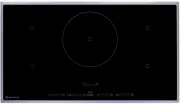
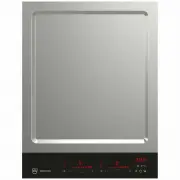
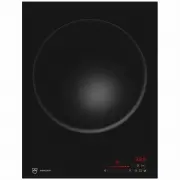
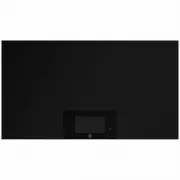
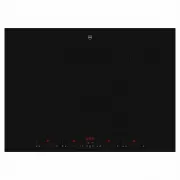
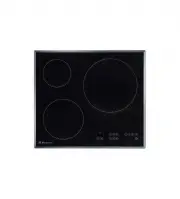
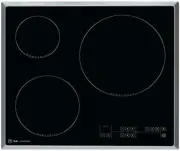
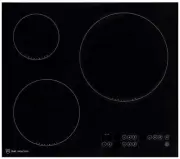
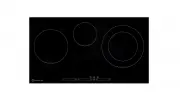
4 Your appliance 4.1 Appliance overview GK46TIMS, GK46TIMSC, GK46TIMSF, GK46TIMSU, GK46TIMXSC,GK46TIMXSF ▪ 4 adjustable cooking zones GK56TIMS, GK56TIMSC, GK56TIMSF ▪ 4 adjustable cooking zones ▪ 1 cooking zone ø 280 mm 13
Page 14 - Operating and display elements; Buttons
4 Your appliance 4.2 Operating and display elements GK46TI … GK56TI … Buttons Appliance ON/OFF Slider (for setting the power levels) PowerPlus Pause cooking ON/OFF and restore function Operating timeFunction as + button in operating time / timer mode TimerFunction as - button in operating time / tim...
Page 15 - Displays
4 Your appliance GK46TI … 1 4 3 5 6 7 8 9 10 2 GK56TI … 1 4 3 5 6 7 8 9 10 2 Displays 1 Melting function activated 2 Cooking zone power level 3 Operating time activated 4 Cooking zone indicator lights for the operating time 5 Bridging function activated 6 Operating time / timer 7 Timer activated 8 W...
Page 16 - How induction hobs function; Flexible cooking
4 Your appliance 4.3 How induction hobs function Induction hobs work very differently from conventional hobs or hot plates. Theinduction coils under the glass ceramic plate produce a rapidly changing mag-netic field which directly heats up the magnetic base of the cookware.The glass ceramic plate is...
Page 17 - Pan detection
4 Your appliance 4.5 Pan detection Every cooking zone is equipped with pan detection. This recognises cookwarewith a magnetisable base that is suitable for use with induction hobs. ▪ If the cookware is removed during operation or unsuitable cookware isused, – the selected power level flashes alterna...
Page 18 - Cookware; Suitable cookware
4 Your appliance 4.6 Cookware Suitable cookware Only cookware with a full magnetic base is suitable for use with the inductionhob. This can be checked in the follow ways: ▪ A magnet sticks anywhere on the base of the cookware. ▪ On the hob, the power level set illuminates and does not alternate with...
Page 19 - Operating the appliance; Switching the appliance on and off
5 Operating the appliance 5.1 Switching the appliance on and off All the appliances are operated in the same way. ▸ To switch the appliance on: Depress the button for 1 second. – flashes in all the power level displays. – If no other entry is made, the appliance switches off again after about10 seco...
Page 20 - Overview of power levels; Power level
5 Operating the appliance 5.3 Overview of power levels Power level Cooking method Use Melting Melting butter, chocolate or honey at around 40 °C L Keeping warm Sauces, keeps food ready for serving at around 65 °C 1 Melting, gentle warming Butter, chocolate, gelatine, sauces 2 3 Swelling Rice 4 Conti...
Page 21 - Switching the melting function on
5 Operating the appliance 5.4 Switching a cooking zone off ▸ Touch power level «0» on the slider. – If no other entry is made and the other cooking zones are switched off,the appliance switches off after 10 seconds. 5.5 Residual heat indicator After a cooking zone is switched off, remains illuminate...
Page 22 - Simmer function; Switching the simmer function on; Switching PowerPlus on
5 Operating the appliance 5.8 Simmer function With the simmer function, sausages, dumplings and stuffed pasta, for instance,can be cooked below boiling point at about 94 °C. Switching the simmer function on ▸ Press the level on the slider for 4 seconds. – Three cross pieces are illuminated in the po...
Page 23 - Power management
5 Operating the appliance Power management GK46TIMS, GK46TIMSC, GK46TIMSF, GK46TIMSU, GK46TIMXSC, GK46-TIMXSF A B 1 2 3 4 PowerPlus cannot be used with both cooking zones of a group ( A or B ) at the same time. If PowerPlus is activated with both cooking zones of a group, thenthe power output is r...
Page 25 - Bridging function; Switching the bridging function on
5 Operating the appliance 5.10 Bridging function The bridging function allows two individual cooking zones lying one behind theother to be switched on together and to be adjusted together. Switching the bridging function on ▸ Press the button for the required side. – The indicator light for the butt...
Page 26 - Automatic boost; Switching the automatic boost on; Switching the automatic boost off before time
5 Operating the appliance 5.11 Automatic boost Do not leave the hob unattended when using the automatic boost.Risk of boiling over, burning on and igniting! All the cooking zones are equipped with a selectable automatic boost. Withthis function, a cooking zone works at power level for a certain leng...
Page 27 - Operating time; Setting the operating time
5 Operating the appliance 5.12 Operating time Do not leave the hob unattended during use. Risk of boiling over,burning on and igniting! With the operating time function, a Cooking zone switches off automaticallyafter a set time 1 min.–1 h 59 min.. Setting the operating time ▸ Set the required cookin...
Page 29 - Timer; Setting the timer
5 Operating the appliance 5.13 Timer The timer functions like an egg timer (1 min.–9 h 59 min.). It can be used at any time and independently of all other functions. Setting the timer ▸ Switching the appliance on ▸ Press the button. – The symbol illuminates. – flashes in the display. ▸ Use the butto...
Page 30 - Childproof lock; Switching the childproof lock on
5 Operating the appliance 5.14 Childproof lock The childproof lock is to prevent the appliance from being accidentallyswitched on. Switching the childproof lock on ▸ Switch the appliance on. Ensure all cooking zones are switched off. ▸ Touch the and buttons at the same time. – An acoustic signal is ...
Page 31 - Switching the childproof lock off; Restore function
5 Operating the appliance Switching the childproof lock off ▸ Switch on the appliance.No cooking zone must be in operation. ▸ Touch the and buttons at the same time. – An acoustic signal is emitted. ▸ Press the button again. – A double acoustic signal is emitted. – On all power level displays, flash...
Page 32 - Wipe protection
5 Operating the appliance 5.17 Wipe protection This function prevents the power level from being changed accidentally, for in-stance when wiping the control panel with a cloth. ▸ Press the button. – The indicator light for the button illuminates. ▸ Wipe protection is switched off by pressing the but...
Page 33 - User settings; User setting
6 User settings The following user settings can be individually set and saved: User setting Setting value Factory set- ting P0 Loudness of acoustic signal 0 Low 2 1 Medium 2 High P1 Acoustic signal at end of operating time / timer 0 No acoustic signal 2 1 Automatically off after10 seconds 2 Automati...
Page 35 - Care and maintenance
7 Care and maintenance Preferably, do not clean the appliance until it is cold.Burns hazard! Clean the hob after every use in order to prevent food residues from burningon. Cleaning dried-on and burnt-on dirt requires more effort.If the appliance is not cleaned correctly, the appearance and surface ...
Page 36 - What to do if ...
8 Trouble-shooting What to do if … … the appliance is not working and the displays are not illuminated? Possible cause Solution ▪ The fuse or circuit breaker forelectrical installations in thehome is defective. ▸ Change the fuse. ▸ Reset the circuit breaker. ▪ The fuse or circuit breakerkeeps blowin...
Page 39 - Technical data; Product fiche; In accordance with EU Regulation No. 66/2014
9 Technical data 9.1 Product fiche In accordance with EU Regulation No. 66/2014 Model number GK 88A, 31014, 31002 Type designation GK GK46TIMS/C/U/F, GK46TIMXSC/F Number of cooking zones 4 Heating technology Induction cooking zone Cooking zone dimensions cm 18 × 20 18 × 20 18 × 20 18 × 20 Energy con...
Page 40 - Index
10 Index A Appliance Switching on and off ......................... 19 Appliance-specific safety precautions ................................................................. 7 Automatic boost ....................................... 26 Switching off before time ................. 26Switching on ......
Page 42 - Notes
Page 43 - Requesting repairs
12 Service & Support The «Troubleshooting» chapter provides valuable information for dealing with minor operating faults. This saves you the time, effort and potential cost of having to call out a service technician. Information on the V-ZUG warranty can be found at www.vzug.com →Service →Warran...
Page 44 - Quick instructions; To switch appliance on
Quick instructions Please first read the safety precautions in the operating instructions! To switch appliance on ▸ Hold the button depressed for 1 second. To select cooking zone ▸ Press the slider for the desired cooking zone or slide your finger along it to set the power level. Alternatively ▸ Pre...