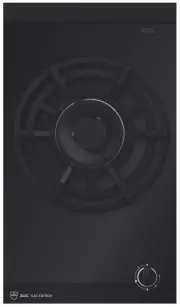
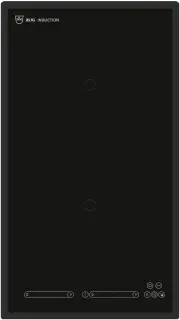
Page 2 - Type
Thank you for choosing to buy one of our products. Your appliance is made tohigh standards and is easy to use. Nevertheless, please take the time to readthese operating instructions in order to familiarize yourself with the applianceand get the best use out of it. Please follow the safety precaution...
Page 3 - Contents
Contents 1 Safety precautions 4 1.1 Symbols used.............................................................................................. 4 1.2 General safety precautions ....................................................................... 5 1.3 Appliance-specific safety precautions ..........
Page 4 - Safety precautions; Symbols used
1 Safety precautions 1.1 Symbols used Denotes important safety precautions.Failure to observe said precautions can result in injury or in damageto the appliance or fittings! Information and precautions that should be observed. Information on disposal Information about the operating instructions ► In...
Page 5 - General safety precautions
1 Safety precautions 1.2 General safety precautions • Read the operating instructions before using the appliance forthe first time! • This appliance can be used by children aged 8 and aboveand by persons with reduced physical, sensory or mental cap-abilities, or lack of experience and/or knowledge, ...
Page 6 - Appliance-specific safety precautions; Never use a steam cleaner.
1 Safety precautions 1.3 Appliance-specific safety precautions • WARNING: If the surface is cracked or there is damage to thematerial thickness, the appliance must be switched off anddisconnected from the electricity supply in order to avoid apossible electric shock. • WARNING: During use, the appli...
Page 7 - Instructions for use; Before using for the first time; Note on use
1 Safety precautions 1.4 Instructions for use Before using for the first time • The appliance must be installed and connected to the electricity supply inaccordance with the separate installation instructions. Have a qualified fitter/electrician carry out the necessary work. Correct use • The applia...
Page 8 - How to avoid damaging the appliance
1 Safety precautions Caution: Risk of burns! • Overheated fat and oil can easily catch fire. Never attempt to extinguishburning oil or fat with water. Danger of explosion! Smother the flames with afire blanket. Keep doors and windows closed. Caution: Risk of injury! • Keep pets away from the device....
Page 10 - Packaging; Disposal
2 Disposal Packaging • All packaging materials (cardboard, plastic film (PE) and polystyrene (EPS))are marked and should, if possible, be collected for recycling and disposedof in an environmentally friendly way. Disconnection • Disconnect the appliance from the mains. With a fixed appliance, this i...
Page 11 - Using for the first time; Where is the identification plate located?
3 Using for the first time The appliance must be installed and connected to the electricity sup-ply in accordance with the separate installation instructions. Have aqualified fitter/electrician carry out the necessary work. Unpleasant odours can develop during the initial operating hours of acooking...
Page 12 - Your appliance; Appliance overview
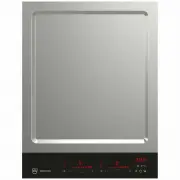
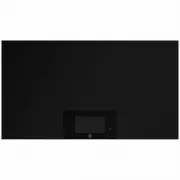
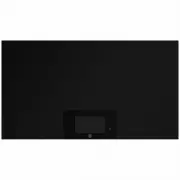
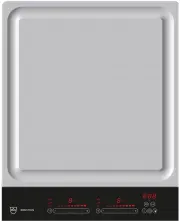
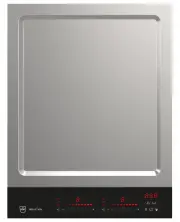
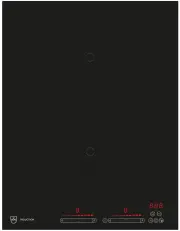
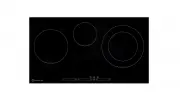
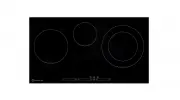
4 Your appliance 4.1 Appliance overview GK16TIYSF Frying surface with 2 separately heatable frying zones, total surface 316 × 334 mm GK26TIYSF Frying surface with 2 separately heatable frying zones, total surface 479 × 334 mm 4.2 Accessories • Wok cover, 250 mm in diameter • 2 spatulas 12
Page 13 - Operating and display elements; Buttons
4 Your appliance 4.3 Operating and display elements GK16TIYSF/GK26TIYSF 1 2 3 4 5 6 7 8 9 10 11 Buttons Appliance ON/OFF Wipe protection ON/OFF Slider (for setting the powerlevels) Bridging switch Operating time Temperature selector Timer Displays 1 Heating-up/cooling-down/residual-heat indicator 2 ...
Page 14 - Operating the appliance; Switching the appliance on and off
5 Operating the appliance 5.1 Switching the appliance on and off Operation is roughly the same for all appliances. ► Switching on the appliance: Hold button down for 1 second. – flashes in the temperature display. – If there is no further input, the appliance switches off after 10 secondsfor safety ...
Page 15 - Overview of frying temperatures; Cooking; Switching the frying zone off
5 Operating the appliance 5.3 Overview of frying temperatures Cooking method Frying temperature Use Keep warm 70 Prepared food under the wok cover Gentle frying 160 Vegetables 170 Fruit Roasting 180 Fish and seafood, sausages, tofu, grilled cheese 190 Omelettes , egg dishes, fried rice and noodles 2...
Page 16 - Bridging function; Switching the bridging function on
5 Operating the appliance 5.6 Bridging function The bridging function allows two individual cooking zones lying one behind theother to be switched on together and to be adjusted together. Switching the bridging function on ► Press the button for the required side. – The indicator light for the butto...
Page 17 - Operating time; Setting the operating time
5 Operating the appliance 5.7 Operating time Do not leave the hob unattended during use. Risk of boiling over,burning on and igniting! With the operating time function, a Frying zone switches off automatically aftera set time 1 min.–1 h 59 min.. Setting the operating time ► Activate the required fry...
Page 19 - Timer; Setting the timer
5 Operating the appliance 5.8 Timer The timer functions like an egg timer (1 min.–9 h 59 min.). Setting the timer ► Switch the appliance on. ► Press the button. – flashes in the display. ► Use any slider to set the required duration of the timer. To increase the duration of the timer, press and hold...
Page 20 - Childproof lock; Switching the childproof lock on
5 Operating the appliance 5.9 Childproof lock The childproof lock is to prevent the appliance from being accidentallyswitched on. Switching the childproof lock on ► Switch the appliance on. Ensure all frying zones are switched off. ► Press the and buttons at the same time. – An acoustic signal is em...
Page 21 - Wipe protection
5 Operating the appliance 5.10 Wipe protection This function prevents unintentional changes to the power level if, for example,a cloth is wiped over the control panel. ► Press the button. – The illuminated point for the button is illuminated. ► Wipe protection turns off automatically after 30 second...
Page 22 - User settings; User setting
6 User settings The following user settings can be individually set and saved: User setting Setting value Factory setting P0 Loudness of acoustic signal 0 Low 2 1 Medium 2 High P1 Acoustic signal at end of operating time / timer 0 No acoustic signal 2 1 Automatically off after10 seconds 2 Automatica...
Page 24 - Care and maintenance
7 Care and maintenance Preferably, do not clean the appliance until it is cold.Burns hazard! Clean the hob after every use in order to prevent food residues from burningon. Cleaning dried-on and burnt-on dirt requires more effort.If the appliance is not cleaned correctly, the appearance and surface ...
Page 28 - Index
9 Index A Appliance Switching on and off.......................... 14 Appliance-specific safety precautions .... 6 B Bridging function ...................................... 16 Switching off........................................ 16Switching on ....................................... 16 C Care and ...
Page 30 - Notes
Page 31 - Requesting repairs
11 Service & Support The «Troubleshooting» chapter provides valuable information for dealing with minor operating faults. This saves you the time, effort and potential cost of having to call out a service technician. Information on the V-ZUG warranty can be found at www.vzug.com →Service →Warran...
Page 32 - Quick instructions; To switch appliance on; To select frying zone; To switch appliance off
Quick instructions Please first read the safety precautions in the operating instructions! To switch appliance on ► Hold the button depressed for 1 second. To select frying zone ► Press the slider for the required frying zone or slide your finger along it to setthe frying temperature. To switch fryi...