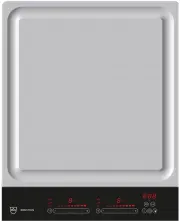
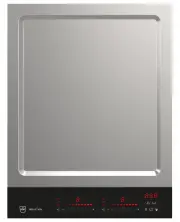
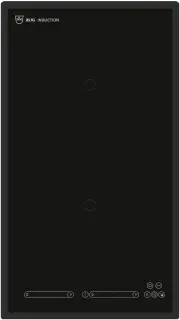
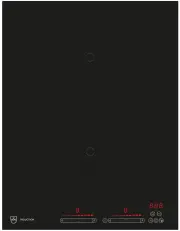
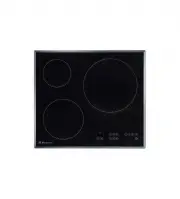
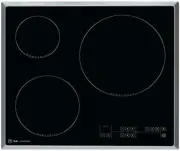
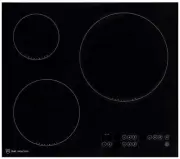
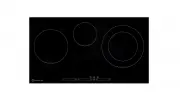
Page 2 - Type
Thank you for choosing to buy one of our products. Your appliance is made tohigh standards and is easy to use. Nevertheless, please take the time to readthese operating instructions in order to familiarise yourself with the applianceand get the best use out of it. Please follow the safety precaution...
Page 3 - Contents
Contents 1 Safety precautions 5 1.1 Symbols used ........................................................................................................ 5 1.2 General safety precautions ................................................................................. 6 1.3 Appliance-specific saf...
Page 5 - Safety precautions; Symbols used; Information and precautions that should be observed.
1 Safety precautions 1.1 Symbols used Denotes important safety precautions.Failure to observe said precautions can result in injury or in damageto the appliance or fittings! Information and precautions that should be observed. Information on disposal Information about the operating instructions ▸ In...
Page 6 - Safety precautions; General safety precautions
1 Safety precautions 1.2 General safety precautions ▪ Read the operating instructions before using the appliance forthe first time! ▪ This appliance can be used by children aged 8 and aboveand by persons with reduced physical, sensory or mental cap-abilities, or lack of experience and/or knowledge, ...
Page 7 - Appliance-specific safety precautions; Before using for the first time
1 Safety precautions 1.3 Appliance-specific safety precautions ▪ WARNING: If the surface has a crack running through thethickness of the material, switch the appliance off and discon-nect it from the mains to avoid possible electric shock. ▪ WARNING: The appliance and its accessible parts get hotdur...
Page 8 - Correct use; Use original spare parts only.; Note on use; Keep pets away from the appliance.
1 Safety precautions Correct use ▪ The appliance is designed for use in the home for preparing food. No liabil-ity is assumed for any damage caused by improper use or incorrect hand-ling. ▪ Any repairs, modifications or manipulations to the appliance, especially anyelectrically live parts, may only ...
Page 9 - Caution: Risk to life; Do not climb on to the appliance.
1 Safety precautions Caution: Risk to life ▪ Packaging materials, e.g. plastic film and polystyrene, can be dangerous forchildren. Danger of suffocation! Keep packaging material away from chil-dren. How to avoid damaging the appliance ▪ In case of overheating, switch the hotplate off and allow it to...
Page 10 - Disposal; Packaging; The
2 Disposal Packaging ▪ All packaging materials (cardboard, plastic film (PE) and polystyrene (EPS))are marked and should be collected for recycling and disposed of in an en-vironmentally friendly way. Disconnection ▪ Disconnect the appliance from the mains. With a fixed appliance, this is tobe carri...
Page 11 - Using for the first time; Where is the identification plate?; Identification plate with serial number (FN)
3 Using for the first time The appliance must be installed and connected to the electricity sup-ply in accordance with the separate installation instructions. Have aqualified fitter/electrician carry out the necessary work. During the first few hours of use, a cooking zone can give off an un-pleasan...
Page 12 - Your appliance; Appliance overview; Wok cooking zone ø 300 mm; Accessories supplied; Original wok pan with lid
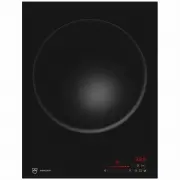
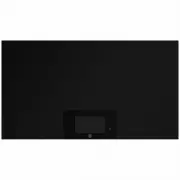
4 Your appliance 4.1 Appliance overview GK16TIWSZ ▪ Wok cooking zone ø 300 mm Accessories supplied ▪ Original wok pan with lid ▪ Rack ▪ Wok stand 12
Page 13 - Operating and display elements; Buttons
4 Your appliance 4.2 Operating and display elements Never rest objects on the operating elements! This can cause damageto the appliance and unintended operating errors. 5 6 8 9 11 10 4 3 1 2 7 Buttons Appliance ON/OFF Slider (for setting the power level) PowerPlus Wipe protection ON/OFF Pause cookin...
Page 15 - Your appliance; Original wok pan; over the edge of the wok bowl.
4 Your appliance 4.5 Original wok pan Only use the original wok pan supplied. Other pans can cause mal-function of or damage to the appliance. The original wok pan was especially designed for this appliance. It is made ofa special material with particular inductive heat transfer properties. As a res...
Page 16 - Operating the appliance; Switching the appliance on and off
5 Operating the appliance 5.1 Switching the appliance on and off All the appliances are operated in the same way. ▸ To switch the appliance on: Depress the button for 1 second. – flashes in all the power level displays. – If no other entry is made, the appliance switches off again after about10 seco...
Page 17 - Overview of power levels; Power level; Melting function; Switching the melting function on; Keep warm function
5 Operating the appliance 5.5 Overview of power levels Power level Cooking method Use Melting Butter, chocolate, gelatine, sauces, approx. 40 °C Keep warm Keeps food warm, approx. 65 °C Simmering Water temperature stays below boiling point, approx. 94 °C 1 Melting, gentle warming Butter, chocolate, ...
Page 18 - Simmer function; Switching the simmer function on; PowerPlus; Switching PowerPlus on
5 Operating the appliance Switching the keep warm function on ▸ Touch the button 2×. – The symbol illuminates. – illuminates in the power level display. Switching the keep warm function off ▸ Use the slider to set any power level or switch off via « ». 5.8 Simmer function Always remove the pan lid w...
Page 19 - Operating time; Setting the operating time
5 Operating the appliance 5.10 Operating time Do not leave the hob unattended during use. Risk of boiling over,burning on and igniting! With the operating time function, the cooking zone switches off automaticallyafter a set time (1 min. – 1 hr 59 mins.). Setting the operating time ▸ Select a cookin...
Page 20 - End of the operating time; Timer; Setting the timer
5 Operating the appliance End of the operating time When the operating time is up – the cooking zone switches off. – an acoustic signal is emitted – and flash above the slider. Touch the or button to switch off the acoustic signal and the display. – If no buttons are pressed, the acoustic signal swi...
Page 21 - Childproof lock; Switching the childproof lock on
5 Operating the appliance 5.12 Childproof lock The childproof lock is to prevent the appliance from being accidentallyswitched on. Switching the childproof lock on ▸ Switch the appliance on. Ensure all cooking zones are switched off. ▸ Touch the and buttons at the same time. – An acoustic signal is ...
Page 23 - User settings; User setting
6 User settings The following user settings can be set and stored individually: User setting Setting value Factory setting P0 Acoustic signal loudness 0 Low 2 1 Medium 2 High P1 Acoustic signal at end of operating time / timer 0 No acoustic signal 2 1 Automatically off after10 seconds 2 Automaticall...
Page 24 - Changing user settings; Saving entry
6 User settings 6.1 Changing user settings ▸ With the appliance switched off, simultaneously hold the and but- tons depressed for 3 seconds. – An acoustic signal is emitted. ▸ Touch both sliders left of display 3 . For appliances with only one slider, simply touch the available slider. – An acoustic...
Page 25 - Care and maintenance
7 Care and maintenance Clean the appliance only when it has completely cooled down.Risk of burns! Always clean the hob after use. This prevents food residue from burning on.Dried-on or burned-on food residue is harder to clean off.Use of improper cleaning techniques can result in damage to the marki...
Page 26 - Care and maintenance; Cleaning; special cleaning sponge for glass ceramic hobs.
7 Care and maintenance Cleaning For good results, follow these cleaning instructions.▸ To clean thoroughly, remove most of the soiling using a hob scraper or a special cleaning sponge for glass ceramic hobs. ▸ Add a few drops of a suitable cleaning fluid to the cold hob surface and rub over the surf...
Page 27 - Cleaning the original wok pan
7 Care and maintenance 7.1 Cleaning the original wok pan ▸ Clean with a dish cloth or non-abrasive pad, water and a suitable detergent. Avoid cleaning the surface with abrasive cleaning agents, scouringpads, wire wool etc. as such products will damage the surface. ▸ Soak the original wok pan in wate...
Page 28 - What to do if ...
8 Trouble-shooting What to do if … … the appliance is not working and all the displays are dark? Possible cause Solution ▪ The fuse or circuit breaker forelectrical installations in thehome is defective. ▸ Change the fuse.▸ Reset the circuit breaker. ▪ The fuse or circuit breakerkeeps blowing. ▸ Cal...
Page 31 - Index
9 Index A Accessories supplied ................................... 12 Appliance Switching on and off ......................... 16 Appliance overview ...................................... 12Appliance-specific safety precautions ............................................... 7 C Care and maintenanc...
Page 33 - Notes
Page 35 - Your repair order
11 Service & Support The «Troubleshooting» chapter provides valuable information for dealing with minor operating faults. This saves you the time, effort and potential cost of having to call out a service technician. Information on the V-ZUG warranty can be found at www.vzug.com →Service →Warran...
Page 36 - Quick instructions; Switching the appliance on
Quick instructions Please first read the safety precautions in the operating instructions! Switching the appliance on ▸ Hold the button depressed for 1 second. To set a cooking zone ▸ Press or swipe the slider to set the power level. Or: ▸ Touch to heat a large quantity of water quickly. To switch c...