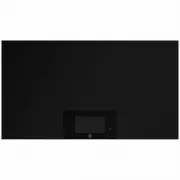
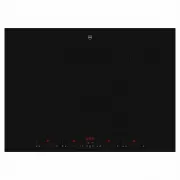
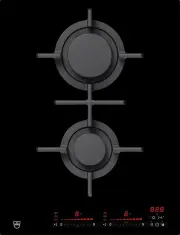
Page 2 - Type
Thank you for choosing to buy one of our products. Your appliance is made tohigh standards and is easy to use. Nevertheless, please take the time to readthese operating instructions in order to familiarise yourself with the applianceand get the best use out of it. Please follow the safety precaution...
Page 3 - Contents
Contents 2 1 Safety precautions 5 1.1 Symbols used ........................................................................................................ 5 1.2 General safety precautions ................................................................................. 6 1.3 Appliance-specific ...
Page 5 - Safety precautions; Symbols used; Information and precautions that should be observed.
1 Safety precautions 1.1 Symbols used Denotes important safety precautions.Failure to observe said precautions can result in injury or in damageto the appliance or fittings! Information and precautions that should be observed. Information on disposal Information about the operating instructions ▸ In...
Page 6 - Safety precautions; General safety precautions
1 Safety precautions 1.2 General safety precautions ▪ Read the operating instructions before using the appliance forthe first time! ▪ This appliance can be used by children aged 8 and aboveand by persons with reduced physical, sensory or mental cap-abilities, or lack of experience and/or knowledge, ...
Page 7 - Appliance-specific safety precautions
1 Safety precautions 1.3 Appliance-specific safety precautions ▪ WARNING: If the surface is cracked or the control panel glassis damaged, switch the appliance off and disconnect it fromthe mains to avoid possible electric shock. ▪ Accessible parts can get hot during use. Children under 8years of age...
Page 8 - Instructions for use; Before using for the first time; Use original spare parts only.; Note on use
1 Safety precautions 1.4 Instructions for use Before using for the first time ▪ The appliance must be installed and connected to the electricity supply inaccordance with the separate installation instructions. Have a qualified fitter/electrician carry out the necessary work. Correct use ▪ NOTE: This...
Page 9 - Caution: Burns hazard; Use of unsuitable protective guards can cause accidents.; Caution: Risk to life; Under no circumstances place hot objects on the display!
1 Safety precautions Caution: Fire hazard! ▪ The frying zones become very hot. Do not rest any objects on the teppanyaki. ▪ Do not store or use corrosive, chemical or flammable cleaning agents orproducts underneath or near to this household appliance. Caution: Burns hazard ▪ Overheated fat and oil c...
Page 10 - Disposal; Packaging; The
2 Disposal Packaging ▪ All packaging materials (cardboard, plastic film (PE) and polystyrene (EPS))are marked and should, if possible, be collected for recycling and disposedof in an environmentally friendly way. Disconnection ▪ Disconnect the appliance from the mains. With a fixed appliance, this i...
Page 11 - Using for the first time; Where is the identification plate?; Connection plate
3 Using for the first time The appliance must be installed and connected to the electricity sup-ply in accordance with the separate installation instructions. Have aqualified fitter/electrician carry out the necessary work. A frying zone can give off an unpleasant smell during the first fewhours of ...
Page 12 - Your appliance; Appliance overview; Cooking bell, 250 mm in diameter
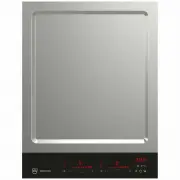
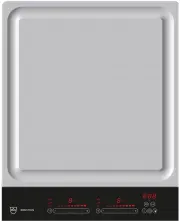
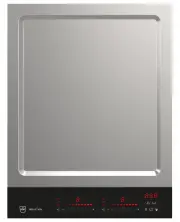
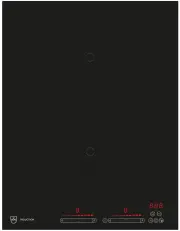
4 Your appliance 4.1 Appliance overview GK17TIYSZ Frying area with 2 separately heatable frying zones GK27TIYSZ Frying area with 2 separately heatable frying zones 4.2 Accessories supplied ▪ Cooking bell, 250 mm in diameter ▪ 2 spatulas 12
Page 13 - Operating and display elements; Buttons
4 Your appliance 4.3 Operating and display elements 1 2 3 5 6 7 8 9 10 11 12 4 Buttons Appliance ON/OFF Timer/Function as minus button Slider (for setting the power level) Pause cooking ON/OFF and restore function Operating time/Function as plus button Multi-function button/Temperature selector Wipe...
Page 14 - Operating the appliance; Switching the appliance on and off
5 Operating the appliance 5.1 Switching the appliance on and off All the appliances are operated in the same way. ▸ To switch the appliance on: Depress the button for 1 second. – flashes in the temperature display. – If no other entry is made, the appliance switches off again after about10 seconds f...
Page 15 - Overview of frying temperatures; Cooking; Switching the frying zone off
5 Operating the appliance 5.3 Overview of frying temperatures Cooking method Frying temperature °C Use 180 Temperature selector for fish 160 Temperature selector for vegetables 200 Temperature selector for meat Keep warm 70 Prepared food under the cooking bell Gentle frying 160 Vegetables 170 Fruit ...
Page 18 - Operating time; Setting the operating time
5 Operating the appliance 5.10 Operating time Do not leave the hob unattended during use. Risk of boiling over,burning on and igniting! With the operating time function, a Frying zone switches off automatically aftera set time 1 min.–1 h 59 min.. Setting the operating time ▸ Select the required fryi...
Page 20 - Timer; Setting the timer
5 Operating the appliance 5.11 Timer The timer functions like an egg timer (1 min.–9 h 59 min.). It can be used at any time and independently of all other functions. Setting the timer ▸ Switch the appliance on. ▸ Touch the button. – The symbol illuminates. – flashes in the display. ▸ Use the button ...
Page 21 - Childproof lock; Switching the childproof lock on
5 Operating the appliance 5.12 Childproof lock The childproof lock is to prevent the appliance from being accidentallyswitched on. Switching the childproof lock on ▸ Switch the appliance on.Ensure all frying zones are switched off. ▸ Touch the and buttons at the same time. – An acoustic signal is em...
Page 22 - Wipe protection
5 Operating the appliance 5.13 Wipe protection This function prevents the power level from being changed accidentally, for in-stance when wiping the control panel with a cloth. ▸ Touch the button. – The indicator light for the button illuminates. ▸ Wipe protection is switched off by touching the but...
Page 23 - User settings; User setting
6 User settings The following user settings can be set and stored individually: User setting Setting value Factory setting P0 Acoustic signal volume 0 Low 2 1 Medium 2 High P1 Acoustic signal at end of operating time/timer 0 No acoustic signal 2 1 Automatically off after10 seconds 2 Automatically of...
Page 25 - Care and maintenance; Cleaning the operating unit; ▸ Clean the operating unit using glass cleaner.
7 Care and maintenance Clean the appliance only when it has completely cooled down.Burns hazard! Always clean the appliance after use. This prevents food residue from burningon. Dried-on or burned-on food is harder to clean off.Use of improper cleaning techniques can result in damage to the markings...
Page 26 - OptiClean; Switching OptiClean on
7 Care and maintenance 7.1 OptiClean This programme allows the frying surface to be covered with water andsoaked at a temperature of 70 °C for 10 minutes. This softens up crusty de-posits, making them easier to remove. Switching OptiClean on ▸ Pour 0.3 l (GK17TIYSZ) or 0.5 l (GK27TIYSZ) water on to ...
Page 27 - What to do if ...
8 Trouble-shooting What to do if … … the appliance is not working and all the displays are dark? Possible cause Solution ▪ The fuse or circuit breaker inthe house wiring system hastripped. ▸ Change the fuse.▸ Reset the circuit breaker. ▪ The fuse or circuit breakerkeeps blowing. ▸ Call Customer Serv...
Page 30 - Accessories; Cutting board
9 Accessories Please give product family of the appliance and exact designation of the ac-cessory when ordering parts. ▪ Cutting board 30
Page 31 - Technical data; Product fiche
10 Technical data 10.1 Product fiche Model number 31076 Type designation GK17TIYSZ Number of frying zones 2 Frying surfaces A B A B: 31 × T: 17.7 cm B B: 31 × T: 17.7 cm Model number 31077 Type designation GK27TIYSZ Number of frying zones 2 Frying surfaces A B A B: 49.8 × T: 17.7 cm B B: 49.8 × T: 1...
Page 32 - Index
11 Index A Accessories ................................................... 30Accessories supplied ................................... 12 Appliance Switching on and off ......................... 14 Appliance-specific safety precautions ............................................... 7 B Bridging fun...
Page 34 - Notes
Page 35 - Your repair order
13 Service & Support The «Troubleshooting» chapter provides valuable information for dealing with minor operating faults. This saves you the time, effort and potential cost of having to call out a service technician. Information on the V-ZUG warranty can be found at www.vzug.com →Service →Warran...
Page 36 - Quick instructions; To switch appliance on; ▸ Hold the button depressed for 1 second.; To select frying zone; the frying temperature.; To switch frying zone off; ▸ Touch « » on the slider.; To switch appliance off; ▸ Touch the button.
Quick instructions Please first read the safety precautions in the operating instructions! To switch appliance on ▸ Hold the button depressed for 1 second. To select frying zone ▸ Touch the slider for the required frying zone or slide your finger along it to set the frying temperature. To switch fry...