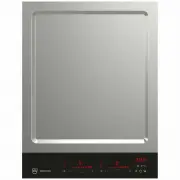
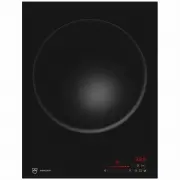
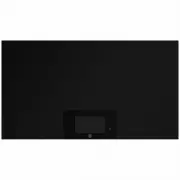
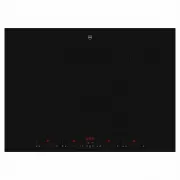
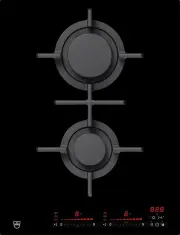
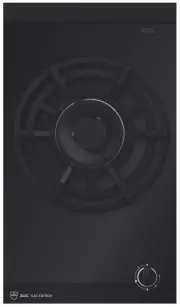
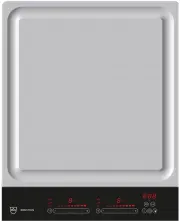
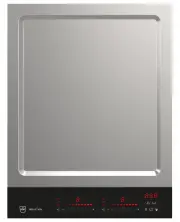
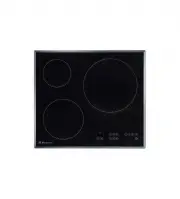
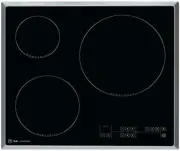
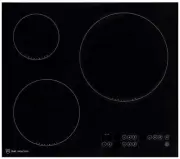
Page 2 - Model designation
Thank you for choosing to buy one of our products. Your appliance is made to highstandards and is easy to use. Nevertheless, please take the time to read these operatinginstructions in order to familiarize yourself with the appliance and get the best use out ofit. Please follow the safety precaution...
Page 3 - Contents
3 Contents 1 Safety precautions 4 1.1 Symbols used......................................................... 4 1.2 General safety precautions .................................. 4 1.3 Appliance-specific safety precautions ............... 4 1.4 Instructions for use ....................................
Page 4 - Safety precautions; Symbols used; Information on disposal; General safety precautions
4 1 Safety precautions 1.1 Symbols used Denotes important safety precau-tions.Failure to observe said precautionscan result in injury or in damage tothe appliance or fittings! Information and precautions thatshould be observed. Information on disposal Information about the Operating In-structions ▸ ...
Page 5 - Safety precautions; Instructions for use; Before using for the first time; Use original spare parts only.
1 Safety precautions 5 disconnect it from the mainsto avoid possible electricshock. ▪ WARNING: The applianceand its accessible parts gethot during use. Be careful notto touch the heating ele-ments. ▪ Under no circumstances usea steam cleaner to clean theappliance. ▪ Do not place metal objectssuch as...
Page 6 - Note on use; Keep pets away from the appliance.; Caution: Risk to life; Do not climb on to the appliance.
1 Safety precautions 6 ▪ The appliance corresponds to recog-nized technology standards and the rel-evant safety regulations. However,proper use of the appliance is essentialto avoid damage and accidents. Pleasetherefore follow the precautions given inthese operating instructions. ▪ The heated surfac...
Page 7 - Hob; Status display
2 Using for the first time The appliance must be installed and connected to the electricity supply in accord-ance with the separate installation instructions. Have a qualified fitter/electriciancarry out the necessary work. During the first few hours of use, the appliance can give off an unpleasant ...
Page 8 - Hotplate display; Setting range
3 Appliance description Hotplate display The power levels selected and settings options appear in the hotplate display. Thepower level, colour and type of edge show the activity of the hotplate. 굴ʲ 4 2 3 1 1 Power level «0»: Hotplate switched off 2 Orange: Selected in display 3 Grey: Not selected in...
Page 10 - Cookware; Operating the appliance; Operating the display
4 Operating the appliance 3.7 Cookware Suitable cookware Only cookware with a full magnetic base is suitable for use with the induction hob. This can be checked in the following ways: ▪ A magnet sticks anywhere on the base of the cookware. ▪ The cookware can be selected in the display and be reposit...
Page 11 - Swipe; Scroll; Switching the appliance on
4 Operating the appliance Swipe ▸ Move your finger from left to right or from right to left. – Other possible values and settingsappear. 'DWH 1RWLILFDWLRQV $VVLVWDQFHIXQFWLRQV 'LVSOD\ &ORFN 6LJQDOVDQGWRQHV &KLOGSURRIORFN /DQJXDJH 굸 굗 8VHUVHWWLQJV Scroll ▸ Move your finger from top to bottom ...
Page 12 - Operating the appliance; MemoryFunction; Saving settings
4 Operating the appliance 4.4 MemoryFunction If the cookware is moved or lifted, the settings from the old hotplate are saved and auto-matically taken over for the new hotplate. Saving settings The hotplate display is shown when the cookware is being moved or lifted. If the cook-ware is not placed b...
Page 13 - Teppan Yaki function; ▸ Place the Teppan Yaki plate to the left or
4 Operating the appliance 4.5 Teppan Yaki function The PowerPlus , AutoPowerPlus and ProfessionalMode are not available when theTeppan Yaki plate is being used. A maximum of two Teppan Yaki plates can be used onthe hob. ▸ Place the Teppan Yaki plate to the left or right of the display, flush with th...
Page 14 - PowerPlus; Switching PowerPlus on; AutoPowerPlus; Switching AutoPowerPlus on
4 Operating the appliance 4.6 PowerPlus If PowerPlus is switched on, the hotplate selected works at extra high power for a max-imum of 15 minutes. The hotplate then reverts to the power level originally selected.PowerPlus can be used, for instance, to heat a large quantity of water quickly. Switchin...
Page 15 - Cancelling AutoPowerPlus; ProfessionalMode; Switching the ProfessionalMode on; Switching the ProfessionalMode off
4 Operating the appliance Once the temperature has been reached, – the hotplate will continue to operate at this temperature. – an acoustic signal is emitted. Cancelling AutoPowerPlus ▸ Touch the button.▸ Touch the button. – goes out in the hotplate display and AutoPowerPlus is cancelled. – The hotp...
Page 16 - GourmetGuide; Starting a function
4 Operating the appliance Or:▸ Select a hotplate in the display.▸ Touch the button.▸ Touch the button. – goes out in the hotplate display – the ProfessionalMode is switched off. – The hotplate reverts to the set power level. 4.9 GourmetGuide The GourmetGuide encompasses several functions that make p...
Page 17 - Operating time; Setting and starting the operating time
4 Operating the appliance Or:▸ Select a hotplate in the display.▸ Touch the button.▸ Touch the button. – A note on the function selected appears in the display. – The following appears in the display: «Press the button to cancel the function.» ▸ Touch the button. – The function selected goes out in ...
Page 18 - Switching the operating time off before time; Restore function; Switching pause cooking on; Wipe protection; Switching wipe protection on
4 Operating the appliance Switching the operating time off before time ▸ Select a hotplate in the display.▸ Touch the button.▸ Touch the button. – The countdown to the operating time remaining appears in the display. ▸ Touch the button. – The hours, minutes and seconds counter appears in the display...
Page 19 - Timer; Setting and starting the timer
4 Operating the appliance 4.14 Timer The timer functions like an egg timer. It can be used at any time and independently of allother functions. Setting and starting the timer ▸ Touch the button. – The hours, minutes and seconds counter appears in the display. ▸ Scroll to set the desired duration. – ...
Page 20 - EcoManagement; Consumption indicator when cooking; Switching a hotplate off; When the timer is switched on
4 Operating the appliance 4.15 EcoManagement EcoManagement provides information on the energy consumption of the appliance.The information can be shown before, during and after cooking and promotes the sus-tainable use of energy. Consumption indicator when cooking The consumption indicator shows how...
Page 21 - User settings; Overview of user settings; Brightness
5 User settings 5 User settings 5.1 Overview of user settings ▪ Language ▪ Childproof lock ▪ Display ▪ V-ZUG-Home * ▪ Date ▪ Appliance information ▪ Clock ▪ EcoManagement ▪ Notifications ▪ Factory settings ▪ Signals and tones ▪ Service functions ▪ Assistance functions * Depending on model 5.2 Adjust...
Page 22 - Time; Notifications; Acoustic signals; Assistance functions
5 User settings 5.5 Date The date can be called up and changed. 5.6 Clock Time The time can be displayed in theEuropean 24-hour or the US 12-hourformat (a.m./p.m.). ▪ 12 h format ▪ 24 h format (factory setting) Daylight saving time adjustment The switch between summer and wintertime happens automati...
Page 23 - Childproof lock; Consumption indicator
5 User settings ProfessionalMode The power level of an item of cookwarecan be changed by moving it further for-ward or further back on the hob. Thehighest power corresponds to power level«9», the lowest power to power level «1». ▪ : High power at the front / low power at the back ▪ : Low power at th...
Page 24 - Care and maintenance
6 Care and maintenance 5.13 Factory settings User settings that have been changedcan be restored to factory settings. Thefollowing user settings cannot be re-stored: ▪ Language ▪ Date ▪ Time ▪ Maximum power consumption ▪ Childproof lock ▪ EcoManagement consumption informa-tion 5.14 Service functions...
Page 25 - Cleaning; «Homepage»; Error messages; Message
7 Trouble-shooting Cleaning For good results, follow these cleaning instructions.▸ To clean thoroughly, remove most of the soiling using a hob scraper or a special cleaning sponge for glass ceramic hobs. ▸ Add a few drops of a suitable cleaning fluid to the cold hob surface and rub over the surface ...
Page 27 - After a power failure; Other possible problems; Problem
7 Trouble-shooting 7.2 After a power failure The user settings remain unchanged. Problem Solution Power failure ▸ Hold the button depressed until the following appears in the display: «Power failure». ▸ Reset the date and time if required (see page 22). 7.3 Other possible problems Problem Possible c...
Page 28 - Accessories; Product fiche; In accordance with EU Regulation No. 66/2014
8 Accessories Problem Possible cause Solution The display cannotbe operated. ▪ Magnetic fields are disturb-ing the display. ▪ There is an object or liquidon the display. ▸ Hold the button depressed for 3 seconds. ▸ Hold the button depressed until the displays appear. Hotplates overlap inthe display....
Page 29 - Tips and tricks; Energy-efficient cooking
10 Tips and tricks 9.2 EcoStandby To prevent unnecessary energy consumption, the appliance is equipped with the auto-matic energy-saving EcoStandby function. Power consumption can be reduced to a minimum provided the following condi-tions are met: ▪ The «V-ZUG-Home mode » user setting is selected. ▪...
Page 30 - Disposal; Packaging; For more information, please contact the local authorities.
11 Disposal 11 Disposal 11.1 Packaging Never allow children to play with packaging material due to the danger of injury orsuffocation. Store the packaging material in a safe location or dispose of it in anenvironmentally-friendly way. 11.2 Safety Render the appliance unusable to prevent accidents ca...
Page 31 - Index
12 Index A Acoustic signals ............................................... 22Alarm tones ....................................................... 22Appliance disposal .......................................... 30Appliance-specific safety precautions .....................................................
Page 33 - Notes
Page 35 - Appliance; Where is the identification plate?
14 Service & Support The «Trouble-shooting» section gives you valuable tips on how to deal with minormalfunctions yourself, saving you the time and trouble of calling out a service tech-nician and any cost that goes along with it. Information on the V-ZUG warranty can be found at www.vzug.com →S...
Page 36 - Quick instructions; To switch appliance on
Quick instructions Please first read the safety precautions in the operating instructions! To switch appliance on ▸ Hold the button depressed until the displays appear. Using cookware on the hob ▸ Place the cookware on the hob so that the base of cookware stands fully on the hob. – The hotplate dete...