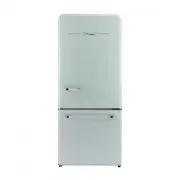
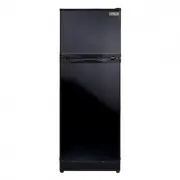
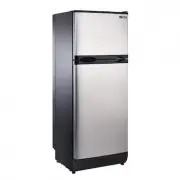
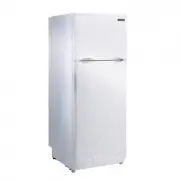
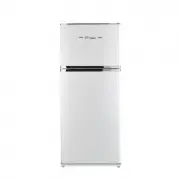
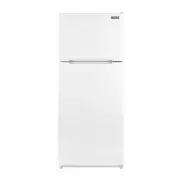
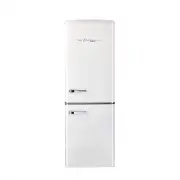
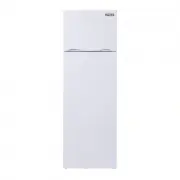
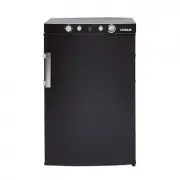
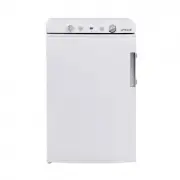
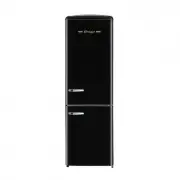
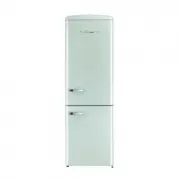
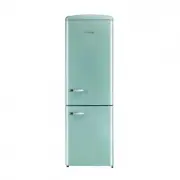
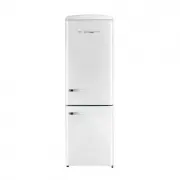
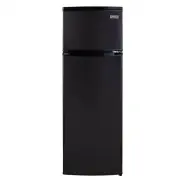
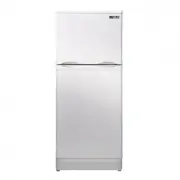
Page 2 - Congratulations on your purchase!; We are proud of our quality products and we believe in the; Read this owner’s manual:; Immediately contact the retailer that sold you the; ENVIRONMENTAL PROTECTION
2 TABLE OF CONTENTS 03 Safety and warning information 06 Important safety notes 09 Dimensions 10 Product features 11 Installation13 Door installation instructions 14 Installing the water line 15 Leveling the refrigerator NEED HELP? WELCOME Congratulations on your purchase! We are proud of our qualit...
Page 3 - SAFETY AND WARNING INFORMATION
3 SAFETY AND WARNING INFORMATION Basic safety symbol This guide contains many important safety messages. Always read and obey all safety messages. This is the safety alert symbol. It alerts you to safety messages that inform you of hazards that can kill or hurt you or others or cause damage to the p...
Page 4 - Safety and warning information; PROP 65 WARNING; CALIFORNIA PROPOSITION 65 WARNING
4 SAFETY AND WARNING INFORMATION Safety and warning information The appliance is not intended for use by persons (including chil-dren) with reduced physical, sensory or mental capabilities or lack of experience and knowledge unless they have been given super-vision instruction concerning use of the ...
Page 5 - WARNING
5 SAFETY AND WARNING INFORMATION These warnings are provided in the interest of your safety. Please ensure that you understand them all before installing or using this fridge. Your safety is of paramount importance. If you are unsure about any of these meanings or warnings, contact your local produc...
Page 6 - IMPORTANT SAFETY NOTES
6 IMPORTANT SAFETY NOTES • Do not use a submerged fridge as it may cause electrical shock or fire.• Do not install the fridge in a wet place or a place which water or rain can reach the appliance. Deterioration of insulation or electrical parts may cause electric leakage. Please check the fridge rec...
Page 7 - Risk of fire/flammable materials
7 IMPORTANT SAFETY NOTES • Repair or replace immediately, all electric service cords that have become frayed or otherwise damaged. • Do not use a cord that shows cracks or abrasion damage along its length, the plug or the con- nector end. • Do not place unpackaged foods directly on the shelves of th...
Page 8 - rized service parts.”; REFRIGERANT AND FOAM DISPOSAL
8 IMPORTANT SAFETY NOTES WARNING: • When handling, installing and operating the appliance, care should be taken to avoid damage to the refrigerant tubing and ensure that none of the componentsof the refrigerant circuit be-comes damaged. • Service shall only be performed by authorized service personn...
Page 9 - OUTLINE DIMENSION; DIMENSIONS; DOOR OPEN DIMENSION
9 OUTLINE DIMENSION Select a good location to place your appliance where it is flat and easy to use. Avoid placing the unit near heat sources, direct sunlight or moisture. DIMENSIONS DOOR OPEN DIMENSION
Page 10 - PRODUCT FEATURES; mind you to close the door.; PARTS
10 PRODUCT FEATURES FEATURES: 1: Control panel2: LED light3: Wine rack4: Shelves5: Crisper6: Ice maker7: Freezer drawer8: Freezer compartment9: Freezer light10: Adjustable door shelf11: Fridge door PRODUCT FEATURES • Energy saving and noise reduction • Quick freeze optimal refrigeration system• Intu...
Page 11 - INSTALLATION INSTRUCTIONS; there is proper air circulation, and electrical connections.
11 INSTALLATION INSTRUCTIONS BEFORE USE Remove all packages, including the foam backing at the bottom of refrigerator and the tapes fixing accessories in the box. Place the refrigerator to a proper position, and adjust the feet to level. It is better to clean the refrigerator before use. Remove the ...
Page 12 - PROHIBIT
12 INSTALLATION INSTRUCTIONS straight out from the outlet. • Immediately discontinue use of a damaged supply cord. If the supply cord is damaged, it must be replaced by a qualified service professional with an authorized service part from the manu-facturer. • When moving the refrigerator away from t...
Page 13 - DOOR HANDLE INSTALLATION; Make sure the screw goes into the center hole of the handle - Fig 4
13 DOOR HANDLE INSTALLATION DOOR HANDLE INSTALLATION TOOLS REQUIRED 1x 2.5mm Allen key - (fridge handle)1x 4mm Allen key - (freezer handle)2x screws for 4mm Allen key - (freezer handle) FRIDGE DOOR HANDLE 1. Twist on supplied screw caps (x2) on to existing screws on the fridge door - Fig 1.2. Place ...
Page 14 - INSTALLING THE WATER LINE; INSTALLING THE WATER LINE TO YOUR ICE MAKER; Water line installation differs based on copper versus PVC, ABS,; CONNECTING TO THE WATER SUPPLY LINE
14 INSTALLING THE WATER LINE INSTALLING THE WATER LINE TO YOUR ICE MAKER WARNING: Connect to potable water supply only.The water supply system must be installed and connected by a professional technician. NOTE: In order for the ice maker to operate properly a water line is required. The maximum inle...
Page 15 - Ensure that the water line does not get pinched or bent when; LEVELING THE REFRIGERATOR
15 INSTALLING THE WATER LINE 4. Flush the tubing. Turn the main water supply on and fl ush out the tubing until the water is clear. Then, shut the water off at the water valve after about a quart of water has fl ushed through the tubing. NOTE: Ensure that the water line does not get pinched or bent ...
Page 16 - OPERATION; • Press °F / °C to switch
16 OPERATION STARTING Connect the power cord, and turn on the power switch. Upon startup for the fi rst time, the screen will display respective set temperature values (the tem-perature of refrigerating chamber is set as 38 ,temperature of freezing chamber -2 ) . USING THE CONTROLS a. °F / °Cb. Quic...
Page 17 - REFRIGERATOR (FRIDGE) COMPARTMENT TEMPERATURE; FREEZER COMPARTMENT TEMPERATURE; Such as °C scenario,each press advances the setting by one de-; ADDITIONAL FEATURES; previous temperature setting.; QUICK COOL
17 REFRIGERATOR (FRIDGE) COMPARTMENT TEMPERATURE 1. Press Fridge once to turn on the temperature control. 2. Press Freezer repeatedly to cycle through the available temperature settings, from 5°F to -10°F or from -15°C to -23°C. NOTE: Such as °C scenario,each press advances the setting by one de- gr...
Page 18 - When the refrigerator is in Quick Cool mode, appears in the display.; ENERGY SAVING; When the refrigerator is in Energy Saving mode, is illuminated.; DOOR OPEN ALARM; When the ice maker dumps ice into the; CAUTION; ON
18 warm room temperatures.The Quick Cool feature lowers the temperature in the refrigerator compartment to 35°F (2°C).• Press Quick Cool once to turn On/Off the Quick Cool feature. NOTE: When the refrigerator is in Quick Cool mode, appears in the display. • If not manually turned off, the Quick Cool...
Page 19 - HELPFUL HINTS AND TIPS; sist in refrigeration of the refrigerating chamber.; CLEANING
19 HELPFUL HINTS AND TIPS ENERGY SAVING TIPS • Make sure to keep the refrigerator away from heat sources and direct sunlight.• Before storing hot foods, cool them to room temperature and then put into refrigerator. • Close the door timely, reduce the opening frequency and shorten the opening time. •...
Page 21 - TROUBLE SHOOTING; DEW DROPS
21 TROUBLE SHOOTING NOTE: Before calling for service, review this list as it may save you both time and expense. This list includes common occurrences that are not the result of defective workmanship or materials in this appliance. DEW DROPS When external air flows into the cool inner surface of the...
Page 23 - WARRANTY
23 Unique Appliances Ltd. (hereafter “Unique”) warrants that this UNIQUE fridge is free from manufacturer’s defects in material and workmanship under normal usage and service under the following terms. TERMS OF WARRANTY Plastic parts are warranted for thirty (30) days from the date of purchase, with...
Page 24 - RATING LABEL; XXXXXXXXXXXXXXXXXXXXXXX
24 RATING LABEL © Unique Appliances Ltd. All rights reserved. Designed and manufactured by: Unique Appliances Ltd., 2245 Wyecroft Road #5, Oakville, Ontario, Canada, L6L 5L7. © Unique Appliances Ltd. Tous droits réservés. .d tL s e c n ai lp p A e u qi n U : r a p é u qi r b af t e u ç n o C2245 Wye...
Page 25 - (available during regular business; Website; Scan the QR Code; PRODUCT REGISTRATION
25 For questions related to the operation, safety or the purchase of your fridge, please contact your dealer for more information. For general information, contact our customer service department: APPLIANCE INFORMATION (manual copy - keep with your records) To make care and servicing of your fridge ...
Page 26 - © 2022 Unique Appliances Ltd., 2245 Wyecroft Road,
© 2022 Unique Appliances Ltd., 2245 Wyecroft Road, Oakville, Ontario, Canada, L6L 5L7 www.uniqueappliances.com