Page 2 - TABLE OF CONTENTS
2 TABLE OF CONTENTS Safety Information 3 Important Safeguards 3-4 Location of Parts 5 Installation Instructions 6-11 Locating your Appliance 6-7 Electrical Connection 7 Reversing the Door Swing of your Appliance 7-11 Operating your Appliance 12-17 Interior Features 17-19 Shelves 17 Door Shelves 17 W...
Page 3 - SAFETY INFORMATION; IMPORTANT SAFEGUARDS
3 SAFETY INFORMATION Your safety and the safety of others are very important. We have provided many important safety messages in this manual and on your appliance. Always read and obey all safety messages. This is the Safety Alert Symbol. The symbol alerts you to potential hazards that can kill or i...
Page 4 - - SAVE THESE INSTRUCTIONS
4 • The more coolant there is in an appliance, the larger the room it should be installed in. In the event of a leakage, if the appliance is in a small room, there is the danger of combustible gases building up. For every ounce of coolant, at least 325 cubic feet of room space is required. The amoun...
Page 5 - LOCATION OF PARTS
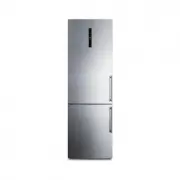
5 LOCATION OF PARTS A: Refrigerator 1. Control light 2. LED lighting 3. Multiflow column 4. Glass shelves 5. FreshZone drawer 6. CrispZone fruit and vegetables drawer with humidity control 7. Bottom door shelves 8. Bottle shelves B: Freezer 9. Top freezing and storage drawer 10. Deep SpaceBox drawer...
Page 6 - INSTALLATION INSTRUCTIONS; Locating your Appliance
6 INSTALLATION INSTRUCTIONS Locating your Appliance • Install the appliance in a dry and well ventilated room. The appliance will operate correctly if the environment temperature is in the interval specified in the table. The appliance class is indicated on the rating label with the basic informatio...
Page 7 - Electrical Connection
7 • Appliance installation should be carried out by at least two people to avoid any personal injury or damage to the appliance. • The appliance must stand level or tilted slightly to the back. It should be stable and placed a solid base. At the front, the appliance is fitted with two adjustable fee...
Page 12 - OPERATING YOUR APPLIANCE; Control Panel; Turning the Appliance On/Off
12 OPERATING YOUR APPLIANCE Control Panel Turning the Appliance On/Off When you connect the appliance to the main power source for the first time, the appliance will be in standby mode (switched off, but powered). • To switch on the appliance, press the (A) key. A The appliance will beep, and the te...
Page 13 - Adjusting the Temperature in the Appliance; Adjusting the Temperature in Standby Mode
13 Adjusting the Temperature in the Appliance • The appliance temperature is preset at the factory to the recommended setting, i.e. 40 °F for the refrigerator compartment and 0 °F for the freezer compartment. • After the appliance is switched on, it may take several hours for the set temperature to ...
Page 14 - Intensive Freezing
14 Intensive Freezing Use this setting after switching on the appliance for the first time, before cleaning, or before inserting a large amount of food. • To activate the intensive freezing function, press the C key. You will hear a beep, indicators B1 and C1 will light up. • After 30 seconds, the d...
Page 16 - High Temperature Alarm; Switching off the alarm
16 High Temperature Alarm • If the temperature inside the appliance is too high, then an acoustic alarm will be activated (intermittent tone). • HI will flash on the B3 display unit, and the symbol for the part of the appliance where the temperature is too high (B1 or B2) will be lit. • Every time y...
Page 17 - Power Supply Alarm; INTERIOR FEATURES; Shelves
17 Power Supply Alarm If the temperature in the appliance reached the alarm level during the power outage, then the high temperature alarm will be activated when power supply is restored. Acoustic alarm will be sounded, and PF will flash on the display unit B3. To acknowledge and turn off the acoust...
Page 19 - FreshZone Drawer; Turning the FreshZone Drawer into a Fruit and Vegetable Drawer; MultiFlow Fan
19 FreshZone Drawer In the FreshZone compartment, food stays fresh longer than in a conventional refrigerator, retaining more flavor and nutrients. Decay and loss of mass are slowed down; therefore, fruit and vegetables remain fresh and natural longer. For optimum performance, the drawer should be f...
Page 20 - STORAGE TIPS; Avoid Food Contamination; Thawing Frozen Food
20 STORAGE TIPS • Correct use of the appliance, appropriate packaging, maintaining the right temperature, and observing the food hygiene standards have a decisive impact on the quality of food storage. • Observe the expiry dates for the food, indicated on the packaging. • Food stored in the refriger...
Page 21 - CLEANING AND CARE; Defrosting; Refrigerator; Freezer
21 CLEANING AND CARE CAUTION: Before cleaning, unplug the appliance from the power mains – switch off the appliance (see chapter Switching the Appliance On/Off) and unplug the power cord from the wall outlet. • Use a soft cloth to clean all surfaces. Cleaners that contain abrasive substances, acids,...
Page 22 - TROUBLESHOOTING
22 TROUBLESHOOTING Many common freezer problems can be solved easily, without incurring the cost of a service call. Listed below are several possible causes for common problems. Problem: Cause or remedy: Appliance is connected to the power mains but it does not work. Make sure there is voltage in th...
Page 24 - LIMITED WARRANTY
24 LIMITED WARRANTY ONE-YEAR LIMITED WARRANTY Within the 48 contiguous United States, for one year from the date of purchase, when this appliance is operated and maintained according to instructions attached to or furnished with the product, warrantor will pay for factory -specified parts and repair...