Page 2 - EN; Contents; SUMMIT
2 EN Contents Grounding Instructions ...................................................................................................................... 3 Important safety instructions ............................................................................................................ 4 P...
Page 3 - GROUNDING INSTRUCTIONS
3 EN GROUNDING INSTRUCTIONS This appliance must be connected to a grounded, metallic, permanent wiring system, or an equipment grounding conductor should be run with the circuit conductors and connected to the equipment grounding terminal or lead on the appliance. Warning! IMPROPER USE OF THE GROUND...
Page 5 - To reduce the risk of fire in the oven cavity:; cooking utensils, or food in the cavity when not in use.
5 EN IMPORTANT SAFETY INSTRUCTIONS To reduce the risk of fire in the oven cavity: Do not overcook food. Carefully attend appliance when paper, plastic, or other combustible materials are placed inside the oven to facilitate cooking. Remove wire twist-ties from paper or plastic bags before placin...
Page 6 - (a) Do not attempt to operate this oven with the door open since open
6 EN PRECAUTIONS TO AVOID POSSIBLE EXPOSURE TO EXCESSIVE MICROWAVE ENERGY (a) Do not attempt to operate this oven with the door open since open – door operation can result in harmful exposure to microwave energy. It is important not to defeat or tamper with the safety interlocks. (b) Do not place an...
Page 7 - Microwave safety
7 EN Microwave safety Warning! Never leave the oven unwatched, especially when using paper, plastic or other combustible materials. These materials can char and may catch fire. FIRE RISK! Warning! Do not heat pure alcohol or alcoholic drinks in the microwave. FIRE RISK! Warning! Do not heat li...
Page 8 - This oven is exclusively for domestic use!
8 EN Microwave safety This oven is exclusively for domestic use! Use the oven only for preparing meals. Avoid damaging the oven or other dangerous situations by following these instructions: Do not switch on the oven without the turntable support , the turntable ring and the respective plate being...
Page 9 - The advantages of microwaves; How a microwave oven works
9 EN The advantages of microwaves In conventional ovens, heat radiated by electrical elements or gas burners slowly penetrates the food from outside to inside. On account of this a major amount of energy is wasted heating the air, the oven components and the food containers. In a microwave oven, hea...
Page 10 - Description of your oven
10 EN Description of your oven 1. – Control Panel 5. – Hot Air output 9. – Rectangular Glass Tray 2. – Door window glass 6. – Turntable Support 10. – Rectangular Rack 3. – Lateral supports 7. – Turntable ring 4. – Catches 8. – Turntable plate 1. – Function selection keys 4a.- Power/Weight indication...
Page 12 - Basic settings; Setting the clock
12 EN Basic settings Setting the clock After your microwave oven is first plugged in or after a power failure, the clock display will flash to indicate that the time shown is not correct. To set the clock, proceed as follows: 1. Press the Clock key for 3 seconds (not necessary on first plug-in or af...
Page 13 - Stopping the rotating plate
13 EN Basic settings Stopping the rotating plate 1. To stop the rotating plate, press the “ + ” key and the “ Stop ” key at the same time 2. To start plate rotation again, press the “ + ” key and the “ Stop ” key at the same again.
Page 14 - Basic Functions; Microwaves; Microwave oven
14 EN Basic Functions Microwaves Use this function to cook and heat vegetables, potatoes, rice, fish and meat. 1. Press the Microwave function key. The function key lights up. 2. Press the Power Selection key to change the microwave power. The respective light will start to flash. If you do not pres...
Page 15 - Broiler
15 EN Basic Functions Broiler Use this function to brown the top of food quickly. 1 . Press the function key Grill . The function key lights up. 2. Press the Time Selection key to change the operating time. The correspondent light will start to flash. 3. Press key “ - ” and “ + ”, to change the func...
Page 18 - Program
18 EN Basic Functions Defrosting by weight (automatic) Use this function to defrost meat, poultry, fish, fruit and bread quickly. 1 . Press the function key Defrosting by weight . The function key lights up. 2. Press the Food Type selection key to change the food type. The respective lights will fla...
Page 19 - Special functions; Special Function Auto 1: Heating food
19 EN Special functions Special Function Auto 1: Heating food Use this function to heat various types of food. 1 . Press the function key Auto 1 . The function key lights up. 2. Press the Food Type selection key to change the food type. The respective lights will flash. 3. Press key “ - ” and “ + ”,...
Page 20 - Special Function Auto 2: Cooking; Preparation instructions:
20 EN Special functions Special Function Auto 2: Cooking Use this function to cook fresh food. 1 . Press the function key Auto 2 . The function key lights up. 2. Press the Food Type selection key to change the food type. The respective lights will flash. 3. Press key “ - ” and “ + ”, to change the p...
Page 21 - Special Function Auto 3: Defrosting & Toasting
21 EN Special functions Special Function Auto 3: Defrosting & Toasting Use this function to defrost and toast various types of food. 1. Press the function key Auto 3 . The function key lights up. 2. Press the Food Type selection key to change the food type. The respective lights will flash. 3. P...
Page 22 - Interrupting a cooking cycle
22 EN When the oven is working... Interrupting a cooking cycle You can stop the cooking process at any time by pressing the Stop key once or by opening the oven door. In both cases: Microwave emission is stopped immediately. The grill is de-activated but is still very hot. Danger of burning! T...
Page 23 - Defrosting
23 EN Defrosting The table below shows different defrosting and standing times (in order to ensure the food temperature is evenly distributed) for different types and weights of food, plus recommendations. Food Weight (oz.) Defrosting time (min) Standing time (min) Recommendation Portions of meat, v...
Page 24 - General instructions for defrosting
24 EN Defrosting General instructions for defrosting 1. When defrosting, use only dishes that are appropriate for microwaves (china, glass, suitable plastic). 2. The defrost function by weight and the tables refer to the defrosting of raw food. 3. The defrosting time depends on the quantity and thic...
Page 25 - Cooking with a Microwave oven; before
25 EN Cooking with a Microwave oven Warning! Read the section “Microwave Safety” before cooking with your microwave. Follow these recommendations when cooking with your microwave: Before heating or cooking foods with peel or skin (e.g. apples, tomatoes, potatoes, sausages) prick them so that they ...
Page 26 - Cooking with a microwave oven; Tables and suggestions
26 EN Cooking with a microwave oven Tables and suggestions – Cooking vegetables Food Quantity (oz.) Addition of liquids (tablespoons) Power (Watt) Time (min.) Standing Time (min.) Instructions Cauliflower Broccoli Mushrooms 17-18 10-11 8-9 7 4 2 800 800 800 9-11 6-8 6-8 2-3 2-3 2-3 Cut into slices. ...
Page 27 - Cooking with the Broiler
27 EN Cooking with the Broiler For good results with the Broiler, use the grid iron supplied with the oven. Fit the grid iron in such a way that it doesn’t come into contact with the metal surfaces of the oven cavity since if it does there is a danger of electric arcing which may damage the oven. IM...
Page 29 - Roasting and baking; Table and advice
29 EN Roasting and baking Table and advice – Preparing meat and cake Microwave / Convection Food Quantity (oz.) Power (W) Temperature Time (Min.) Standing time (min.) Instructions Roast beef 35-53 400 392ºF 30-40 20 Do not put lid on container Turn once Pork loin / Cutlet or bones Pork roast 28-36 2...
Page 30 - Advice to roast - bake
30 EN Roasting and baking Advice to roast - bake Turn the pieces of meat halfway through the cooking time. When the roasted meat is ready you should let it stand for 20 minutes in the oven with this switched off and closed. This will ensure the juices in the meat are well distributed. The roasting t...
Page 31 - Baking
31 EN Baking Table and advice – Baking/ Convection Type Container Level Temperature Time (min.) Walnut cake Spring-form type tin Turntable 320 ºF 30/35 Fruit tart Spring-form type tin Ø 11’’ Turntable, small round grille 320 ºF 35/45 Ring cake Spring-form type tin Turntable 320ºF 30/45 Spicy cakes a...
Page 32 - What kind of ovenware can be used?; metal pans and dishes or; metallic decoration or; ideal; How to test ovenware you want to use
32 EN What kind of ovenware can be used? Microwave function For the microwave function, keep in mind that microwaves are reflected by metal surfaces. Glass, china, clay, plastic, and paper let microwaves pass. For this reason, metal pans and dishes or containers with metal parts or decorations canno...
Page 33 - Table of Ovenware
33 EN What kind of ovenware can be used? Table of Ovenware The table below gives you a general idea of what type of ovenware is suitable for each situation. Operating mode Type of ovenware Microwave Broiler / Convection Combined functions Defrosting / heating Cooking Glass and china 1) Home use, not...
Page 34 - Oven Cleaning and Maintenance; reducing the; Front surface; Oven interior; Do not use
34 EN Oven Cleaning and Maintenance Cleaning is the only maintenance normally required. Warning! Your microwave oven should be cleaned regularly, with all food remains being removed. If the microwave is not kept clean its surfaces may deteriorate, reducing the oven’s working life and possibly result...
Page 35 - Oven ceiling; The mica cover; Accessories
35 EN Oven Cleaning and Maintenance Oven ceiling If the oven ceiling is dirty, the Broiler can be lowered to make cleaning easier. To avoid the danger of burning, wait until the Broiler is cold before lowering it. Proceed as follows: 1. Turn the Broiler support by 90º (1) . 2. Lower the Broiler gent...
Page 36 - What should I do if the oven doesn’t work?; Substitution of light bulb
36 EN What should I do if the oven doesn’t work? WARNING! Any type of repair must only be done by a specialized technician. Any repair done by a person not authorized by the manufacturer is dangerous. You do not need to contact Technical Assistance to resolve the following questions: The display i...
Page 37 - Technical characteristics; Specifications
37 EN Technical characteristics Specifications AC Voltage ................................................................................ (see characteristics plate) Power required .......................................................................... 3400 W Broiler power. ..................
Page 38 - Installation instructions; Before installation
38 EN Installation instructions Before installation Check that the input voltage indicated on the rating plate is the same as the voltage of the power outlet you are going to use. If required by the National Electrical Code (or Canadian Electrical Code), this appliance must be installed on a separat...
Page 39 - Electrical connections
39 EN Installation instructions In Canada: Wiring must conform to Cana dian Electrical Code C22.1- latest edition. You can obtain a copy of the Canadian Electrical Code by writing to: Canadian Standards Association 178 Rexdale Boulevard Rexdale (Toronto), Ontario, Canada M9W 1R3 4. Wire size (Copper...
Page 40 - After installation; The oven only functions
40 EN Installation instructions 4-Wire branch circuit (for US and CANADA) Refer to the following Figure: Disconnect ground from neutral at free end of conduit. Connect the green GROUND wire from the oven to the GROUND wire in the junction box (bare or green colored wire). Connect the red and b...
Page 41 - Installation dimensions
41 Installation dimensions EN Push oven completely into the cabinet and center it. Open microwave door and fasten the appliance to the cabinet using the four screws provided. Insert the screws through the front holes.
Page 44 - Limited Warranty; ONE-YEAR LIMITED WARRANTY; ITEMS WARRANTOR WILL NOT PAY FOR:; DISCLAIMER OF IMPLIED WARRANTIES
Limited Warranty FELIX STORCH, INC. 770 Garrison Avenue Bronx, NY 10474 Phone: (718) 893-3900 Fax: (844) 478-8799 www.summitappliance.com For parts and accessory ordering, troubleshooting and helpful hints, visit: www.summitappliance.com/support P r i n t e d i n P o r t u g a l ONE-YEAR LIMITED WAR...
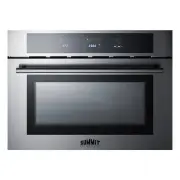


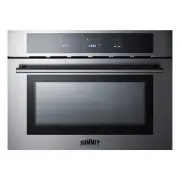 Summit Appliance CMV24SS
User Manual
Summit Appliance CMV24SS
User Manual
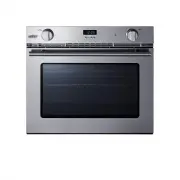 Summit Appliance SGWOGD27
User Manual
Summit Appliance SGWOGD27
User Manual
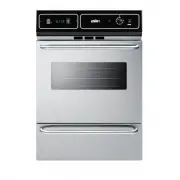 Summit Appliance TEM721BKW
User Manual
Summit Appliance TEM721BKW
User Manual
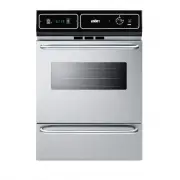 Summit Appliance TTM7212BKW
User Manual
Summit Appliance TTM7212BKW
User Manual
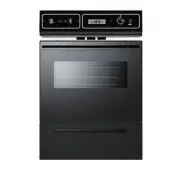 Summit Appliance TTM7212DK
User Manual
Summit Appliance TTM7212DK
User Manual
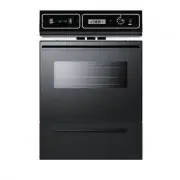 Summit Appliance TTM7212KW
User Manual
Summit Appliance TTM7212KW
User Manual
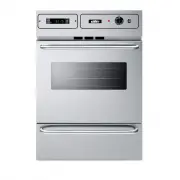 Summit Appliance TTM7882BKW
User Manual
Summit Appliance TTM7882BKW
User Manual
 Summit Appliance WEM715KW
User Manual
Summit Appliance WEM715KW
User Manual
 Summit Appliance WTM7212KW
User Manual
Summit Appliance WTM7212KW
User Manual
 Summit Appliance WTM721EKW
User Manual
Summit Appliance WTM721EKW
User Manual