Page 2 - CAUTION
2 GB Made in Thailand This product is classified as a Class 1 Laser product under IEC/EN 60825-1:2007 and IEC/EN 60825-1:2014. Emission Duration: Continuous Laser Output: Less than 55.8 μW Wavelength: 775 nm to 800 nm The nameplate indicating operating voltage, etc., is located on the bottom o...
Page 3 - Important notice
3 GB Caution IN NO EVENT SHALL SONY BE LIABLE FOR ANY INCIDENTAL, INDIRECT OR CONSEQUENTIAL DAMAGES OR OTHER DAMAGES INCLUDING, WITHOUT LIMITATION, LOSS OF PROFITS, LOSS OF REVENUE, LOSS OF DATA, LOSS OF USE OF THE PRODUCT OR ANY ASSOCIATED EQUIPMENT, DOWNTIME, AND PURCHASER’S TIME RELATED TO OR ARI...
Page 4 - Table of Contents
4 GB Table of Contents Guide to Parts and Controls . . . . . . . . . . . . . . . . . . . 5 Getting Started Resetting the Unit . . . . . . . . . . . . . . . . . . . . . . . . . . . 7Setting the Clock . . . . . . . . . . . . . . . . . . . . . . . . . . . . 7Checking the Battery Voltage . . . . . . . ....
Page 5 - Guide to Parts and Controls; Main unit
5 GB Guide to Parts and Controls (browse) (page 13) Enter the browse mode during playback.(Not available when a USB device in Android mode or iPod is connected.) PTY (program type) Select PTY in RDS. SRC (source) Turn on the power.Change the source. OFF Press and hold for 1 second to turn the so...
Page 7 - Resetting the Unit; Press DSPL and CALL; Setting the area/region; Setting the Clock; To display the clock; Checking the Battery Voltage; Getting Started
7 GB Resetting the Unit Before operating the unit for the first time, after replacing the car battery, or changing the connections, you must reset the unit. 1 Press DSPL and CALL for more than 2 seconds. Note Resetting the unit will erase the clock setting and some stored contents. Setting the area/...
Page 8 - To disconnect using NFC; If passkey; To start playback
8 GB To disconnect using NFC Touch the N-Mark part of the unit with the N-Mark part of the smartphone again. Notes When making the connection, handle the smartphone carefully to prevent scratches. One-touch connection is not possible when the unit is already connected to two NFC compatible devic...
Page 9 - To install the microphone; Connecting a USB Device; Turn down the volume on the unit.
9 GB Icons in the display: To connect the last-connected device from this unit Activate the BLUETOOTH function on the BLUETOOTH device.To connect with the audio device, press SRC to select [BT AUDIO] and press (play/pause). To connect with the cellular phone, press CALL. Note While streaming BLUET...
Page 10 - Listening to the Radio
10 GB Connecting Other Portable Audio Device 1 Turn off the portable audio device. 2 Turn down the volume on the unit. 3 Connect the portable audio device to the AUX input jack (stereo mini jack) on the unit with a connecting cord (not supplied) * . * Be sure to use a straight type plug. 4 Press SRC...
Page 11 - To receive emergency announcements; Press PTY during FM reception.; Type of programs
11 GB Using Radio Data System (RDS) AF continuously retunes the station to the strongest signal in a network, and TA provides current traffic information or traffic programs (TP) if received. 1 Press MENU, rotate the control dial to select [GENERAL], then press it. 2 Rotate the control dial to selec...
Page 12 - Playing a Disc; Playing a USB Device; To stop playback; To remove the device; Playing a BLUETOOTH Device; Adjust the volume on this unit.; Playback
12 GB Playing a Disc 1 Insert the disc (label side up). Playback starts automatically. Playing a USB Device In these Operating Instructions, “iPod” is used as a general reference for the iPod functions on an iPod and iPhone, unless otherwise specified by the text or illustrations. For details on the...
Page 13 - Searching and Playing Tracks; To exit the Quick-BrowZer mode; Repeat play and shuffle play
13 GB To match the volume level of the BLUETOOTH device to other sources Start playback of the BLUETOOTH audio device at a moderate volume, and set your usual listening volume on the unit.Press MENU, then select [SOUND] [BTA VOLUME] (page 19). Searching and Playing Tracks Not available when a USB ...
Page 14 - Receiving a Call; To reject the call; Making a Call; From the phonebook
14 GB To use a cellular phone, connect it with this unit. You can connect two cellular phones to the unit. For details, see “Preparing a BLUETOOTH Device” (page 7). Receiving a Call 1 Press CALL when a call is received with a ringtone. The phone call starts. Note The ringtone and talker’s voice are ...
Page 15 - To cancel voice dialing; To adjust the talker’s voice volume; If the device number appears; By voice tags
15 GB You can make a call by saying the voice tag stored in a connected cellular phone that has a voice dialing function. 1 Press CALL. When two cellular phones are connected to the unit, rotate the control dial to select either phone, then press it. 2 Rotate the control dial to select [VOICE DIAL],...
Page 16 - Selecting the source or application; To select the source; Making sound and display settings; To deactivate voice recognition; Using Siri Eyes Free; Activate the Siri function on the iPhone.; To deactivate Siri Eyes Free
16 GB Selecting the source or application You can operate to select the desired source or application on iPhone/Android smartphone. To select the source Press SRC repeatedly. Alternatively, press SRC, rotate the control dial to select the desired source, then press ENTER. To display the source list ...
Page 17 - Canceling the DEMO Mode; Basic Setting Operation; To return to the previous display; Settings
17 GB Notes The iPhone may not recognize your voice depending on usage conditions. (For example, if you are in a moving car.) Siri Eyes Free may not function properly, or the response time may lag in locations where iPhone signals are difficult to receive. Depending on the iPhone’s operating c...
Page 20 - Updating the Firmware; Precautions; Moisture condensation; Additional Information
20 GB BLUETOOTH Setup (BLUETOOTH) PAIRING (pairing) (page 8) Connects up to two BLUETOOTH devices: [DEVICE 1], [DEVICE 2].[DEVICE 1] or [DEVICE 2] will be changed to the paired device name after pairing is complete. AUDIO DEV (audio device) Selects the audio device. [*] appears on the device paired ...
Page 22 - Specifications
22 GB Specifications Tuner section FM Tuning range: When [AREA] is set to [EUROPE]:87.5 MHz – 108.0 MHzWhen [AREA] is set to [RUSSIA]:FM1/FM2: 87.5 MHz – 108.0 MHz (at 50 kHz step) FM3: 65 MHz – 74 MHz (at 30 kHz step) Antenna (aerial) terminal: External antenna (aerial) connector Usable sensitivity...
Page 23 - libFLAC; Copyrights
23 GB Power requirements: 12 V DC car battery (negative ground (earth)) Rated current consumption: 10 ADimensions: Approx. 178 mm × 100 mm × 177 mm (7 1 / 8 in × 4 in × 7 in) (w/h/d) Mounting dimensions: Approx. 182 mm × 111 mm × 159 mm (7 1 / 4 in × 4 3 / 8 in × 6 3 / 8 in) (w/h/d) Mass: Approx. 1....
Page 24 - Troubleshooting; General
24 GB Troubleshooting The following checklist will help you remedy problems you may encounter with your unit.Before going through the checklist below, check the connection and operating procedures.For details on using the fuse and removing the unit from the dashboard, see “Connection/Installation” (...
Page 25 - NFC function
25 GB CD playback The disc does not play. Defective or dirty disc. The CD-R/CD-RW is not for audio use (page 21). MP3/WMA files cannot be played. The disc is incompatible with the MP3/WMA format and version. For details on playable discs and formats, visit the support site on the back cover. M...
Page 27 - Sony | Music Center operation; Messages; For USB device playback:
27 GB Sony | Music Center operation Application name is mismatched with the actual application in “Sony | Music Center”. Launch the application again from the “Sony | Music Center” application. While running the “Sony | Music Center” application via BLUETOOTH, the display automatically switches to...
Page 28 - For BLUETOOTH function:
28 GB USB NO MUSIC: There is no playable file. Connect a USB device containing playable files (page 22). USB NO SUPPORT: The USB device is not supported. For details on the compatibility of your USB device, visit the support site on the back cover. USB OVERLOAD: The USB device is overloaded. D...
Page 29 - For firmware update operation:
29 GB For firmware update operation: FILE ERROR: The updater is not stored in the USB device. Store the updater in the USB device, then try again (page 20). UPDATE ERROR PRESS ENTER: Firmware update is not completed properly. Press ENTER to clear the message, then try again.During the update, do...
Page 30 - Cautions; Mounting angle adjustment; Parts List for Installation; Connection/Installation
30 GB Cautions Run all ground (earth) leads to a common ground (earth) point. Do not get the leads trapped under a screw, or caught in moving parts (e.g., seat railing). Before making connections, turn the car ignition off to avoid short circuits. Connect the power supply lead to the unit ...
Page 31 - Connection
31 GB Connection *1 Not supplied*2 Speaker impedance: 4 Ω – 8 Ω × 4*3 RCA pin cord (not supplied)*4 Depending on the type of car, use an adaptor for a wired remote control (not supplied).For details on using the wired remote control, see “Using the wired remote control” (page 33). *5 Whether in use ...
Page 32 - Subwoofer Easy Connection; Memory hold connection; Common connection; Making connections
32 GB If you have a power antenna (aerial) without a relay box, connecting this unit with the supplied power supply lead may damage the antenna (aerial). To the car’s speaker connector To the car’s power connector Subwoofer Easy Connection You can use a subwoofer without a power amplifier when...
Page 33 - Installation; Installing the microphone
33 GB After matching the connections and switching power supply leads correctly, connect the unit to the car’s power supply. If you have any questions and problems connecting your unit that are not covered in this manual, consult the car dealer. To capture your voice during handsfree calling, you ne...
Page 34 - Mount the unit onto the bracket; Mounting the unit in a Japanese car; Resetting the unit; Fuse replacement
34 GB 2 Mount the unit onto the bracket . Note If the catches are straight or bent outwards, the unit will not be installed securely and may spring out. Mounting the unit in a Japanese car You may not be able to install this unit in some makes of Japanese cars. In such a case, consult your Sony de...
Page 36 - ACHTUNG
2 DE Für mögliche spätere Service-Anfragen, notieren Sie sich bitte vor der Installation Ihres Gerätes hier die Seriennummer: S/N: ___________________________Hinweis: Die 7-stellige Seriennummer finden Sie oben auf der Verpackung des Gerätes oder unten auf dem Gerät selber. Hergestellt in Thailand D...
Page 37 - Wichtiger Hinweis
3 DE Haftungsausschluss für von Dritten angebotene Dienste Von Dritten angebotene Dienste können ohne vorherige Ankündigung geändert, ausgesetzt oder eingestellt werden. Sony übernimmt in diesen Fällen keine Haftung. Vorsicht UNTER KEINEN UMSTÄNDEN ÜBERNIMMT SONY DIE HAFTUNG FÜR INDIREKTE, NEBEN-, F...
Page 38 - Inhalt
4 DE Inhalt Lage und Funktion der Teile und Bedienelemente . . . . . . . . . . . . . . . . . . . . . . . . . . . . . . . . . . . . . . . 5 Vorbereitungen Zurücksetzen des Geräts . . . . . . . . . . . . . . . . . . . . . 7Einstellen der Uhr . . . . . . . . . . . . . . . . . . . . . . . . . . . 7Überp...
Page 39 - Hauptgerät
5 DE Lage und Funktion der Teile und Bedienelemente (Suchen) (Seite 14) Wechseln in den Suchmodus während der Wiedergabe.(Nicht verfügbar, wenn ein USB-Gerät im Android-Modus oder ein iPod angeschlossen ist.) PTY (Programmtyp) Auswählen von PTY bei einem RDS-Sender. SRC (Tonquelle) Einschalten d...
Page 41 - Zurücksetzen des Geräts; Drücken Sie DSPL und CALL; Einstellen des Landes bzw. der Region; Einstellen der Uhr; So lassen Sie die Uhrzeit anzeigen; Vorbereitungen
7 DE Zurücksetzen des Geräts Bevor Sie das Gerät zum ersten Mal benutzen oder wenn Sie die Autobatterie ausgetauscht oder die Verbindungen gewechselt haben, müssen Sie das Gerät zurücksetzen. 1 Drücken Sie DSPL und CALL länger als 2 Sekunden. Hinweis Wenn Sie das Gerät zurücksetzen, werden die einge...
Page 42 - So trennen Sie die Verbindung mit NFC
8 DE Bei einem Smartphone, auf dem das Android-Betriebssystem 4.0 oder niedriger installiert ist, muss die App „NFC Easy Connect“, die über Google Play erhältlich ist, heruntergeladen werden. Die App ist möglicherweise nicht in allen Ländern/Regionen herunterladbar. 1 Aktivieren Sie die NFC-Funktion...
Page 43 - eingegeben werden muss,; So starten Sie die Wiedergabe; So installieren Sie das Mikrofon
9 DE 7 Wenn am BLUETOOTH-Gerät ein Passwort * eingegeben werden muss, geben Sie [0000] ein. * Das Passwort wird bei manchen Geräten auch „Kennwort“, „PIN-Code“, „PIN-Nummer“ oder „Passcode“ usw. genannt. Nach erfolgreichem Pairing leuchtet stetig. 8 Wählen Sie dieses Gerät an dem BLUETOOTH-Gerät, zu...
Page 44 - Anschließen eines USB-Geräts
10 DE Wenn ein iPhone/iPod mit installiertem iOS5 oder höher an den USB-Anschluss angeschlossen wird, wird automatisch ein Pairing mit diesem Gerät ausgeführt und die Verbindung zum iPhone/iPod wird hergestellt.Wenn Sie das automatische BLUETOOTH-Pairing aktivieren wollen, müssen Sie [AUTO PAIR] unt...
Page 45 - Stellen Sie Sender ein.; Radioempfang
11 DE Radioempfang Wenn Sie Radio hören wollen, drücken Sie SRC, um [TUNER] auszuwählen. 1 Drücken Sie MODE, um den Frequenzbereich zu wechseln (FM1, FM2, FM3, MW oder LW). 2 Drücken Sie MENU, drehen Sie den Steuerregler, um [GENERAL] auszuwählen, und drücken Sie anschließend den Steuerregler. 3 Dre...
Page 46 - So empfangen Sie Katastrophenwarnungen; Programmtypen
12 DE Das Radiodatensystem (RDS) Mit AF wird der Sender mit den stärksten Signalen in einem Netzwerk ständig neu eingestellt, während mit TA gegebenenfalls aktuelle Verkehrsinformationen bzw. Verkehrsfunksender (TP) empfangen werden. 1 Drücken Sie MENU, drehen Sie den Steuerregler, um [GENERAL] ausz...
Page 47 - Wiedergeben von Discs; So stoppen Sie die Wiedergabe; So trennen Sie die Verbindung zum Gerät; Wiedergabe
13 DE Wiedergeben von Discs 1 Legen Sie eine CD mit der beschrifteten Seite nach oben ein. Die Wiedergabe beginnt automatisch. Wiedergabe mit einem USB-Gerät In dieser Bedienungsanleitung wird „iPod“ als allgemeiner Begriff für die iPod-Funktionen bei einem iPod und iPhone verwendet, sofern nicht im...
Page 48 - der Suchkategorien anzuzeigen.; Drücken Sie
14 DE 3 Starten Sie am Audiogerät die Wiedergabe. 4 Stellen Sie die Lautstärke an diesem Gerät ein. Hinweise Bei manchen Audiogeräten werden Informationen wie Titel, Titelnummer, verstrichene Spieldauer und Wiedergabestatus möglicherweise nicht an diesem Gerät angezeigt. Auch wenn die Tonquelle ...
Page 49 - Entgegennehmen eines Anrufs; So weisen Sie einen Anruf zurück; Tätigen eines Anrufs; Über das Telefonbuch
15 DE Wenn Sie ein Mobiltelefon zusammen mit diesem Gerät nutzen wollen, verbinden Sie es mit diesem Gerät. Sie können zwei Mobiltelefone an dieses Gerät anschließen. Erläuterungen dazu finden Sie unter „Vorbereiten eines BLUETOOTH-Geräts“ (Seite 7). Entgegennehmen eines Anrufs 1 Drücken Sie CALL, w...
Page 50 - So brechen Sie die Sprachwahl ab; Mit Wahlwiederholung
16 DE 1 Drücken Sie CALL. Wenn zwei Mobiltelefone mit diesem Gerät verbunden sind, drehen Sie zum Auswählen des gewünschten Mobiltelefons den Steuerregler und drücken ihn dann. 2 Drehen Sie den Steuerregler, um [REDIAL] auszuwählen, und drücken Sie anschließend den Steuerregler. Das Telefongespräch ...
Page 51 - Wenn die Gerätenummer angezeigt wird; Weitere nützliche Funktionen
17 DE Sony | Music Center mit iPhone/Android™-Smartphone Für ein iPhone müssen Sie die neueste Version der Anwendung „Sony | Music Center“ vom App Store herunterladen, für ein Android-Smartphone von auf Google Play. Hinweise Befolgen Sie zu Ihrer eigenen Sicherheit die vor Ort geltende Straßenverk...
Page 52 - So deaktivieren Sie die Spracherkennung; Verwenden von Siri Eyes Free; So deaktivieren Sie Siri Eyes Free
18 DE Verwenden der Spracherkennung (nur Android-Smartphone) 1 Halten Sie VOICE gedrückt, um die Spracherkennung zu aktivieren. 2 Sprechen Sie den gewünschten Sprachbefehl in das Mikrofon. So deaktivieren Sie die Spracherkennung Drücken Sie VOICE. Hinweise Die Spracherkennung steht unter Umständen...
Page 53 - Beenden des DEMO-Modus; Grundlegende Einstellschritte; Einstellungen
19 DE Beenden des DEMO-Modus Sie können die Demo, die bei ausgeschalteter Tonquelle und eingeblendeter Uhrzeit angezeigt wird, abbrechen. 1 Drücken Sie MENU, drehen Sie den Steuerregler, um [GENERAL] auszuwählen, und drücken Sie anschließend den Steuerregler. 2 Drehen Sie den Steuerregler, um [DEMO]...
Page 57 - Aktualisieren der Firmware; Sicherheitsmaßnahmen; Feuchtigkeitskondensation; Weitere Informationen
23 DE Aktualisieren der Firmware Zum Aktualisieren der Firmware rufen Sie die Support-Website auf, die auf der hinteren Umschlagseite angegeben ist, und gehen nach den online angezeigten Anweisungen vor. Hinweise Zum Aktualisieren der Firmware ist ein USB-Gerät (nicht mitgeliefert) erforderlich. S...
Page 58 - Technische Daten; Tuner; Der iPod
24 DE • Folgende iPod-Modelle können angeschlossen werden. Aktualisieren Sie Ihr iPod-Modell vor dem Gebrauch anhand der neuesten Software. Kompatible iPhone-/iPod-Modelle • Die Verwendung des „Made for Apple“- Markenemblems bedeutet, dass ein Zubehör speziell für den Anschluss an das(die) Apple-Pro...
Page 59 - Drahtlose Kommunikation; Endverstärker; Urheberrechte
25 DE USB-Player Schnittstelle: USB (Full-Speed)Maximale Stromstärke: 1 AHöchstzahl an erkennbaren Ordnern und Dateien: Ordner (Alben): 256Dateien (Titel) pro Ordner: 256 Kompatibles Android Open Accessory-Protokoll (AOA): 2.0 Entsprechender Codec: MP3 (.mp3) Bitrate: 8 Kbps – 320 Kbps (Unterstützt ...
Page 60 - Störungsbehebung; Allgemeines
26 DE IOS ist ein Markenzeichen oder ein eingetragenes Markenzeichen von Cisco in den USA und anderen Ländern und wird in Lizenz verwendet. Google, Android und Google Play sind Marken von Google LLC. libFLAC Copyright (C) 2000-2009 Josh CoalsonCopyright (C) 2011-2013 Xiph.Org Foundation Die Redistri...
Page 61 - RDS; Wiedergabe mit einem USB-Gerät
27 DE Das Display bzw. die Beleuchtung blinkt. Das Gerät wird nicht ausreichend mit Strom versorgt. Überprüfen Sie, ob die Autobatterie das Gerät mit ausreichend Strom versorgt. (Die Betriebsspannung beträgt 12 V Gleichstrom.) Die Funktionstasten funktionieren nicht.Die CD lässt sich nicht auswe...
Page 64 - Meldungen
30 DE Sony | Music Center-Bedienung Der Name der Anwendung entspricht nicht der tatsächlichen Anwendung in „Sony | Music Center“. Starten Sie die Anwendung von der Anwendung „Sony | Music Center“ aus erneut. Beim Ausführen der Anwendung „Sony | Music Center“ über BLUETOOTH wechselt das Display aut...
Page 66 - Beim Aktualisieren der Firmware:
32 DE Beim Verwenden der Lenkradfernbedienung: ERROR: Beim Registrieren der Funktion ist ein Fehler aufgetreten. Starten Sie die Registrierung ab der Funktion neu, bei der der Fehler auftrat (Seite 20). TIMEOUT: Das Registrieren der Funktion ist aufgrund einer Zeitüberschreitung fehlgeschlagen. ...
Page 67 - Vorsichtsmaßnahmen; Einstellen des Montagewinkels; Teileliste für die Installation; Anschluss/Installation
33 DE Vorsichtsmaßnahmen Schließen Sie alle Masseleitungen an einen gemeinsamen Massepunkt an. Achten Sie darauf, dass die Leitungen nicht unter einer Schraube oder zwischen beweglichen Teilen, wie z. B. in einer Sitzschiene, eingeklemmt werden. Schalten Sie, bevor Sie irgendwelche Anschlüsse ...
Page 68 - Anschluss
34 DE Anschluss *1 Nicht mitgeliefert*2 Lautsprecherimpedanz: 4 Ω – 8 Ω × 4*3 Cinchkabel (nicht mitgeliefert)*4 Verwenden Sie je nach Fahrzeugtyp einen Adapter für eine per Kabel angeschlossene Fernbedienung (nicht mitgeliefert).Einzelheiten zum Verwenden der Kabelfernbedienung finden Sie unter „Ver...
Page 69 - Lautsprecheranschluss
35 DE Wenn Sie eine Motorantenne ohne Relaiskästchen verwenden und dieses Gerät mit der mitgelieferten Stromversorgungsleitung anschließen, kann die Antenne beschädigt werden. An den Lautsprecheranschluss des Fahrzeugs An den Stromanschluss des Fahrzeugs Einfaches Anschließen eines Tiefsttonla...
Page 70 - Stromanschlussdiagramm; Installieren des Mikrofons
36 DE Stellen Sie die Position des Hilfsstromanschlusses bei Ihrem Fahrzeug fest und nehmen Sie die Anschlüsse entsprechend dem Fahrzeug richtig vor. Normaler Anschluss Wenn die Position der roten und gelben Leitung vertauscht ist Bei einem Fahrzeug mit Zündschloss ohne Zubehörposition ACC oder I St...
Page 71 - Führen Sie die beiden Löseschlüssel; Abnehmen der Halterung
37 DE Installation Nehmen Sie vor dem Installieren des Geräts die Halterung vom Gerät ab. 1 Führen Sie die beiden Löseschlüssel ein, bis sie mit einem Klicken einrasten. Ziehen Sie die Halterung nach unten und das Gerät zum Herausziehen nach oben. Informationen zum Vorgehen bei japanischen Fah...
Page 74 - ATTENTION
2 FR Fabriqué en Thaïlande Ce produit est classifié comme produit laser de classe 1 selon les normes IEC/EN 60825-1:2007 et IEC/EN 60825-1:2014. Durée d’émission : continue Sortie laser : inférieure à 55,8 μW Longueur d’onde : 775 nm à 800 nm La plaque signalétique reprenant la tension d’alime...
Page 75 - Remarque importante
3 FR Avis d’exclusion de responsabilité relatif aux services proposés par des tiers Les services proposés par des tiers peuvent être modifiés, suspendus ou clôturés sans avis préalable. Sony n’assume aucune responsabilité dans ce genre de situation. Attention SONY NE PEUT ÊTRE, EN AUCUN CAS, TENU PO...
Page 76 - Table des matières
4 FR Table des matières Emplacement des commandes . . . . . . . . . . . . . . . . 5 Préparation Réinitialisation de l’appareil . . . . . . . . . . . . . . . . . . . 7Réglage de l’horloge . . . . . . . . . . . . . . . . . . . . . . . . 7Contrôle de la tension de la batterie . . . . . . . . . . . . 7P...
Page 77 - Emplacement des commandes; Appareil principal
5 FR Emplacement des commandes (Recherche) (page 13) Permet d’accéder au mode de recherche pendant la lecture.(Non disponible quand un périphérique USB en mode Android ou un iPod est connecté.) PTY (Type d’émission) Sélectionnez PTY dans RDS. SRC (Source) Permet de mettre l’appareil sous tension...
Page 79 - Réinitialisation de l’appareil; Appuyez sur DSPL et CALL; Réglage de la zone/région; Réglage de l’horloge; Pour afficher l’horloge; Préparation
7 FR Réinitialisation de l’appareil Avant la première mise en service de l’appareil ou après avoir remplacé la batterie du véhicule ou modifié les raccordements, vous devez réinitialiser l’appareil. 1 Appuyez sur DSPL et CALL pendant plus de 2 secondes. Remarque La réinitialisation de l’appareil rem...
Page 80 - Déconnexion à l’aide de NFC; Si la saisie d’une clé d’accès; Pour démarrer la lecture
8 FR 1 Activez la fonction NFC sur le smartphone. Pour plus de détails, reportez-vous au mode d’emploi fourni avec le smartphone. 2 Touchez le repère en forme de lettre N de l’appareil avec le repère en forme de lettre N du smartphone. Assurez-vous que s’allume sur l’affichage de l’appareil. Déconne...
Page 81 - Pour déconnecter le périphérique appairé; Installation du micro
9 FR Pour déconnecter le périphérique appairé Exécutez les étapes 2 à 4 pour procéder à la déconnexion une fois que cet appareil et le périphérique BLUETOOTH ont été appairés. Pour utiliser un périphérique appairé, il est nécessaire d’établir une connexion avec cet appareil. Certains périphériques a...
Page 82 - Procédez à la syntonisation.; Utilisation de la radio
10 FR Connexion d’un périphérique USB 1 Baissez le volume sur le périphérique. 2 Raccordez le périphérique USB à l’appareil. Pour connecter un iPod/iPhone, utilisez le câble de connexion USB pour iPod (non fourni). Connexion d’un autre périphérique audio portatif 1 Mettez le périphérique audio porta...
Page 83 - Réception de messages d’urgence; Types d’émissions
11 FR Utilisation du système RDS (Système de radiocommunication de données) AF règle en permanence la station sur le signal le plus fort du réseau et TA propose les messages et les programmes de radioguidage (TP) disponibles. 1 Appuyez sur MENU, tournez la molette de réglage pour sélectionner [GENER...
Page 84 - Lecture d’un disque; Lecture d’un périphérique USB; Réglez le volume sur cet appareil.; Pour arrêter la lecture; Avertissement concernant l’iPhone; Lecture
12 FR Lecture d’un disque 1 Insérez le disque (étiquette vers le haut). La lecture commence automatiquement. Lecture d’un périphérique USB Dans ce mode d’emploi, « iPod » est utilisé pour faire référence, de manière générale, aux fonctions iPod d’un iPod ou d’un iPhone, sauf mention contraire figura...
Page 85 - Recherche et lecture de plages; pour afficher la liste des; Pour quitter le mode Quick-BrowZer; Appuyez sur; Lecture répétée et aléatoire
13 FR 3 Utilisez le périphérique audio pour commencer la lecture. 4 Réglez le volume sur cet appareil. Remarques Selon le périphérique audio utilisé, des informations telles que le titre, le numéro/la durée de la plage et l’état de la lecture peuvent ne pas être affichées sur cet appareil. Même ...
Page 86 - Recevoir un appel; Pour rejeter l’appel; Passer un appel; À partir du répertoire téléphonique
14 FR Pour utiliser un téléphone portable, connectez-le à cet appareil. Vous pouvez connecter deux téléphones portables à cet appareil. Pour de plus amples détails, reportez-vous à la section « Préparation d’un périphérique BLUETOOTH » (page 7). Recevoir un appel 1 Appuyez sur CALL lorsqu’un appel e...
Page 87 - Pour annuler la numérotation vocale; Par recomposition
15 FR 1 Appuyez sur CALL. Lorsque deux téléphones portables sont connectés à l’appareil, tournez la molette de réglage pour sélectionner l’un des téléphones, puis appuyez dessus. 2 Tournez la molette de réglage pour sélectionner [REDIAL], puis appuyez dessus. L’appel téléphonique commence. Vous pouv...
Page 88 - Si le numéro du périphérique apparaît; Sélection de la source ou de l’application; Sélection de la source; Réglage du son et de l’affichage
16 FR Sony | Music Center avec iPhone/smartphone Android™ Il est nécessaire de télécharger la toute dernière version de l’application « Sony | Music Center » à partir de l’App Store pour un iPhone ou de Google Play pour un smartphone Android. Remarques Pour votre sécurité, respectez la réglementat...
Page 89 - Désactivation de la reconnaissance vocale; Utilisation de Siri Eyes Free; Activez la fonction Siri sur l’iPhone.; Désactivation de Siri Eyes Free
17 FR Utilisation de la reconnaissance vocale (smartphone Android uniquement) 1 Appuyez sur VOICE et maintenez enfoncé pour activer la reconnaissance vocale. 2 Prononcez la commande vocale de votre choix dans le micro. Désactivation de la reconnaissance vocale Appuyez sur VOICE. Remarques Il est p...
Page 90 - Désactivation du mode DEMO; Appuyez deux fois sur; Réglages de base; Pour revenir à l’affichage précédent; Réglages
18 FR Désactivation du mode DEMO Vous pouvez désactiver l’écran de démonstration qui s’affiche lorsque la source est désactivée et que l’horloge est affichée. 1 Appuyez sur MENU, tournez la molette de réglage pour sélectionner [GENERAL], puis appuyez dessus. 2 Tournez la molette de réglage pour séle...
Page 94 - Mise à jour du firmware; Précautions; Condensation; Informations complémentaires
22 FR Mise à jour du firmware Pour mettre à jour le firmware, consultez le site d’assistance à l’adresse mentionnée sur la couverture arrière, puis suivez les instructions en ligne. Remarques La mise à jour du firmware nécessite l’utilisation d’un périphérique USB (non fourni). Stockez le programm...
Page 95 - Spécifications; Radio; Lecteur CD; À propos de l’iPod
23 FR • Vous pouvez raccorder cet appareil aux modèles d’iPod suivants. Mettez vos périphériques iPod à jour avec le logiciel le plus récent avant toute utilisation. Modèles d’iPhone/iPod compatibles • L’utilisation du badge Made for Apple signifie qu’un accessoire a été conçu pour être raccordé spé...
Page 96 - Communication NFC
24 FR Lecteur USB Interface : USB (haute vitesse)Courant maximal : 1 ANombre maximum de dossiers et fichiers susceptibles d’être reconnus : dossiers (albums) : 256Fichiers (plages) par dossier : 256 Protocole AOA (Android Open Accessory) compatible : 2.0 Codec correspondant : MP3 (.mp3) Débit binair...
Page 98 - Dépannage; Généralités; Réception radio
26 FR Dépannage La liste de contrôles suivante vous aidera à remédier aux problèmes que vous pourriez rencontrer avec cet appareil.Avant de passer en revue la liste de contrôles ci-dessous, vérifiez les procédures de raccordement et d’utilisation.Pour plus de détails sur l’utilisation du fusible et ...
Page 99 - Lecture de CD; Lecture de périphériques USB
27 FR PTY affiche [- - - - - - - -]. La station actuellement captée n’est pas une station RDS. Les données RDS n’ont pas été reçues. La station ne spécifie pas le type d’émission. Le nom du service de l’émission clignote. Il n’existe aucune fréquence alternative pour la station actuelle. A...
Page 100 - Fonction NFC; Fonction BLUETOOTH
28 FR Fonction NFC La connexion One-Touch (NFC) n’est pas possible. Si le smartphone ne répond pas au contact. Vérifiez que la fonction NFC du smartphone est activée. Rapprochez le repère en forme de lettre N du smartphone du repère en forme de lettre N de cet appareil. Si le smartphone se t...
Page 101 - Fonctionnement de Sony | Music Center
29 FR Le son est saccadé pendant la lecture d’un périphérique audio BLUETOOTH. Réduisez la distance entre l’appareil et le périphérique audio BLUETOOTH. Si le périphérique audio BLUETOOTH est rangé dans un étui qui interrompt le signal, sortez-le pendant la durée de son utilisation. Plusieurs ...
Page 102 - Pour la lecture de CD :; Pour la lecture de périphériques USB :; Pour la transmission RDS :
30 FR Messages Les messages suivants peuvent s’afficher ou clignoter pendant le fonctionnement. INVALID L’opération sélectionnée n’est peut-être pas valide. READ : lecture des informations en cours. Attendez que la lecture des informations soit terminée et la lecture commence automatiquement. Ce...
Page 103 - Pour utiliser la télécommande au volant :
31 FR NO SUPPORT : l’opération choisie n’est pas autorisée ou prise en charge. Assurez-vous que le périphérique BLUETOOTH prend en charge HFP (Profil mains libres). UNKNOWN : un nom ou un numéro de téléphone ne peut pas être affiché. WITHHELD : le numéro de téléphone est masqué par l’appelant. Pou...
Page 104 - Attention; Réglage de l’angle de fixation; Raccordement/Installation
32 FR Attention Acheminez tous les fils de masse jusqu’à un point de masse commun. Veillez à ce qu’aucun fil ne soit coincé sous une vis ou happé par des pièces mobiles (par exemple, une glissière de siège). Avant d’effectuer les raccordements, coupez le contact du véhicule pour éviter les cou...
Page 105 - Raccordement
33 FR Raccordement *1 Non fourni*2 Impédance des haut-parleurs : 4 Ω – 8 Ω × 4*3 Cordon à broches RCA (non fourni)*4 Selon le type de véhicule, utilisez un adaptateur pour la télécommande filaire (non fournie).Pour plus d’informations sur l’utilisation de la télécommande filaire, reportez-vous à la ...
Page 106 - Connexion aisée d’un caisson de graves; Raccordement des haut-parleurs; Raccordement ordinaire; Raccordements
34 FR Si vous disposez d’une antenne électrique dépourvue de relais, vous risquez de l’endommager si vous raccordez cet appareil à l’aide du câble d’alimentation fourni . Vers le connecteur des haut-parleurs du véhicule Vers le connecteur d’alimentation du véhicule Connexion aisée d’un caisson...
Page 108 - Insérez les deux clés de déblocage; Positionnez le support; Retrait du support
36 FR Installation Avant d’installer l’appareil, retirez le support fixé à l’appareil. 1 Insérez les deux clés de déblocage jusqu’à ce qu’elles émettent un déclic, enfoncez le support , puis dégagez l’appareil en le tirant vers le haut. Pour les voitures japonaises, consultez la section « Mont...
Page 109 - Remplacement du fusible
37 FR Lorsque vous remplacez le fusible, veillez à utiliser un fusible dont l’intensité nominale correspond à la valeur indiquée sur le fusible usagé. Si le fusible saute, vérifiez le branchement de l’alimentation et remplacez-le. Si le nouveau fusible saute également, il est possible que l’appareil...
Page 110 - ATTENZIONE
2 IT Fabbricato in Thailandia Questo prodotto è classificato come prodotto laser di classe 1 secondo gli standard IEC/EN 60825-1:2007 e IEC/EN 60825-1:2014. Durata emissione: continua Uscita laser: meno di 55,8 μW Lunghezza d’onda: da 775 nm a 800 nm La targhetta indicante la tensione operativ...
Page 111 - Avviso importante
3 IT Dichiarazione di non responsabilità relativa a servizi offerti da terze parti I servizi offerti da terze parti possono essere cambiati, sospesi o interrotti senza preavviso. Sony declina ogni responsabilità in questo genere di situazioni. Attenzione IN NESSUN CASO SONY SI ASSUMERÀ ALCUNA RESPON...
Page 112 - Indice
4 IT Indice Guida alle parti e ai comandi . . . . . . . . . . . . . . . . . . 5 Operazioni preliminari Azzeramento dell’apparecchio . . . . . . . . . . . . . . . . 7Impostazione dell’orologio . . . . . . . . . . . . . . . . . . . 7Controllo della tensione della batteria . . . . . . . . . . 7Preparaz...
Page 113 - Guida alle parti e ai comandi; Unità principale
5 IT Guida alle parti e ai comandi (sfoglia) (pagina 14) Per impostare il modo sfoglia durante la riproduzione.(Non disponibile quando è collegato un dispositivo USB in modalità Android o un iPod.) PTY (tipo di programma) Per selezionare PTY in RDS. SRC (sorgente) Per accendere l’apparecchio.Per...
Page 115 - Azzeramento dell’apparecchio; Premere DSPL e CALL; Impostazione dell’area/regione; Impostazione dell’orologio; Per visualizzare l’orologio; Operazioni preliminari
7 IT Azzeramento dell’apparecchio Prima di utilizzare l’apparecchio per la prima volta, dopo la sostituzione della batteria dell’auto o dopo avere effettuato modifiche ai collegamenti, è necessario azzerare l’apparecchio stesso. 1 Premere DSPL e CALL per più di 2 secondi. Nota In seguito all’azzeram...
Page 116 - Per disconnettere utilizzando NFC
8 IT 1 Attivare la funzione NFC sullo smartphone. Per informazioni dettagliate consultare le istruzioni per l’uso fornite con lo smartphone. 2 Toccare l’area con il contrassegno N sull’apparecchio con l’area del contrassegno N dello smartphone. Verificare che il simbolo si illumini sul display dell’...
Page 117 - Per avviare la riproduzione; Per installare il microfono
9 IT 7 Se sul dispositivo BLUETOOTH viene richiesta l’immissione di un codice passkey * , immettere [0000]. * Il codice passkey può essere definito “Passcode”, “codice PIN”, “numero PIN” o “Password” e così via, a seconda del dispositivo. Una volta completata l’associazione, il simbolo rimane illumi...
Page 118 - Abbassare il volume sull’apparecchio.
10 IT Quando un iPhone/iPod con iOS5 o successivo viene collegato alla porta USB, l’apparecchio viene associato e connesso all’iPhone/iPod automaticamente.Per attivare l’associazione BLUETOOTH automatica, verificare che [AUTO PAIR] in [BLUETOOTH] sia impostato su [ON] (pagina 21). 1 Attivare la funz...
Page 119 - Eseguire la sintonizzazione.; Ricezione dei notiziari di emergenza; Ascolto della radio
11 IT Ascolto della radio Per ascoltare la radio, premere SRC per selezionare [TUNER]. 1 Premere MODE per cambiare banda (FM1, FM2, FM3, MW o LW). 2 Premere MENU, ruotare la manopola di controllo per selezionare [GENERAL], quindi premere la manopola. 3 Ruotare la manopola di controllo per selezionar...
Page 120 - Funzione Local Link (solo per il Regno Unito); Premere PTY durante la ricezione FM.; Tipi di programmi; Riproduzione di un disco; Riproduzione
12 IT Funzione Local Link (solo per il Regno Unito) Questa funzione consente di selezionare altre stazioni locali della stessa area, anche se non sono memorizzate in corrispondenza dei tasti numerici.Durante la ricezione FM, premere un tasto numerico (da 1 a 6) in corrispondenza del quale è memorizz...
Page 121 - Per interrompere la riproduzione; Per rimuovere il dispositivo; Ricerca e riproduzione dei brani
13 IT Non è supportata la riproduzione dei file riportati di seguito.MP3/WMA/FLAC: file protetti da copyright file DRM (gestione dei diritti digitali) file audio multicanale MP3/WMA: file con compressione senza perdita di dati Prima di eseguire una connessione, selezionare la modalità USB ...
Page 122 - per; Per annullare il modo Quick-BrowZer; Premere; Ricevere una chiamata; Per rifiutare una chiamata; Inviare una chiamata; Dalla rubrica
14 IT Non disponibile quando è collegato un dispositivo USB in modalità Android o un iPod. 1 Durante la riproduzione di un CD o di un dispositivo USB, premere (sfoglia) * per visualizzare l’elenco delle categorie di ricerca. Quando viene visualizzato l’elenco dei brani, premere più volte (indietro) ...
Page 123 - Per annullare la composizione vocale; Dal registro delle chiamate
15 IT 4 Ruotare la manopola di controllo per selezionare un nome nell’elenco dei nomi, quindi premere la manopola. 5 Ruotare la manopola di controllo per selezionare un numero nell’elenco dei numeri, quindi premere la manopola. La chiamata telefonica ha inizio. 1 Premere CALL. Quando all’apparecchio...
Page 124 - Per regolare il volume della suoneria; Se viene visualizzato il numero di dispositivo; Funzioni utili
16 IT Operazioni disponibili durante una chiamata Per regolare il volume della suoneria Ruotare la manopola di controllo mentre si riceve una chiamata. Per regolare il volume della voce del chiamante Ruotare la manopola di controllo durante la chiamata. Per regolare il volume per il chiamante (regol...
Page 125 - Per terminare la connessione; Selezione della sorgente o applicazione; Per selezionare la sorgente; Impostazioni di audio e visualizzazione; Per disattivare il riconoscimento vocale; Utilizzo di Siri Eyes Free; Attivare la funzione Siri sull’iPhone.; Per disattivare Siri Eyes Free
17 IT Per terminare la connessione 1 Premere MENU, ruotare la manopola di controllo per selezionare [SONY APP], quindi premere la manopola. 2 Ruotare la manopola di controllo per selezionare [CONNECT], quindi premere la manopola. Selezione della sorgente o applicazione È possibile selezionare la sor...
Page 126 - Disattivazione del modo DEMO; Premere due volte; Per tornare al display precedente; Impostazioni
18 IT Note A seconda delle condizioni in cui viene utilizzato, è possibile che l’iPhone non riconosca la voce. (Per esempio se viene utilizzato in un’automobile in movimento). È possibile che Siri Eyes Free non funzioni correttamente o che si verifichino ritardi nella risposta in aree in cui il ...
Page 130 - Aggiornamento del firmware; Precauzioni; Formazione di condensa; Informazioni aggiuntive
22 IT Impostazioni Sony | Music Center (SONY APP) AUTO LAUNCH (avvio automatico) Consente di attivare l’avvio automatico di “Sony | Music Center”: [ON], [OFF]. Se è selezionato [ON], “Sony | Music Center” si collegherà automaticamente una volta completata la connessione BLUETOOTH. CONNECT (connessio...
Page 131 - Ordine di riproduzione dei file audio
23 IT Questo apparecchio è stato progettato per la riproduzione di dischi conformi allo standard CD (Compact Disc). I DualDisc e alcuni dischi audio codificati mediante tecnologie di protezione dei diritti d’autore non sono conformi allo standard Compact Disc (CD), pertanto potrebbe non essere pos...
Page 132 - Caratteristiche tecniche; Sintonizzatore; Lettore CD; Lettore USB; Comunicazione NFC
24 IT Caratteristiche tecniche Sintonizzatore FM Gamma di frequenze: Quando [AREA] è impostato su [EUROPE]:87,5 MHz – 108,0 MHzQuando [AREA] è impostato su [RUSSIA]:FM1/FM2: 87,5 MHz – 108,0 MHz (incrementi di 50 kHz) FM3: 65 MHz – 74 MHz (incrementi di 30 kHz) Terminale dell’antenna: Connettore del...
Page 133 - Informazioni su copyright
25 IT Amplificatore di potenza Uscita: uscite diffusoriImpedenza diffusori: 4 Ω – 8 ΩPotenza di uscita massima: 55 W × 4 (a 4 Ω) Generali Uscite: Terminale delle uscite audio (FRONT, REAR, SUB)Antenna elettrica/terminale di controllo dell’amplificatore di potenza (REM OUT) Ingressi: Terminale di ing...
Page 134 - Generali
26 IT libFLAC Copyright (C) 2000-2009 Josh CoalsonCopyright (C) 2011-2013 Xiph.Org Foundation Sono permessi la ridistribuzione e l’utilizzo in forma sorgente o binaria, con o senza modifiche, solo se vengono rispettate le seguenti condizioni: – Le ridistribuzioni del codice sorgente devono mantenere...
Page 135 - Riproduzione di CD
27 IT Il display/l’illuminazione lampeggia. L’alimentazione non è sufficiente. Verificare che la batteria dell’auto fornisca sufficiente alimentazione all’apparecchio. (I requisiti di alimentazione sono 12 V CC.) I tasti per le operazioni non funzionano.Il disco non viene espulso. Il collegame...
Page 136 - Funzione NFC; Funzione BLUETOOTH
28 IT Non è possibile riprodurre un file audio. I dispositivi USB formattati con file system diversi da FAT16 o FAT32 non sono supportati.* * Questo apparecchio supporta FAT16 e FAT32, tuttavia è possibile che alcuni dispositivi USB non supportino tutti questi FAT. Per ulteriori informazioni, cons...
Page 138 - Funzionamento di Sony | Music Center; Messaggi
30 IT Funzionamento di Sony | Music Center Il nome dell’applicazione non corrisponde con l’applicazione inclusa in “Sony | Music Center”. Avviare nuovamente l’applicazione dall’applicazione “Sony | Music Center”. Quando l’applicazione “Sony | Music Center” è in esecuzione tramite BLUETOOTH, il dis...
Page 140 - Aggiornamento del firmware:
32 IT Funzionamento del telecomando da volante: ERROR: si è verificato un errore durante la registrazione della funzione. Riavviare la registrazione dalla funzione con cui si è verificato l’errore (pagina 19). TIMEOUT: la registrazione della funzione non è stata effettuata entro l’intervallo previ...
Page 141 - Attenzione; Regolazione dell’angolo di montaggio; Collegamenti e installazione
33 IT Attenzione Portare tutti i cavi di messa a terra a un punto di massa comune. Evitare che i cavi rimangano bloccati da una vite o incastrati nelle parti mobili (ad esempio nelle guide scorrevoli dei sedili). Prima di effettuare i collegamenti, spegnere il motore dell’automobile onde evita...
Page 142 - Connessioni
34 IT Connessioni *1 Non in dotazione*2 Impedenza diffusori: 4 Ω – 8 Ω × 4*3 Cavo a piedini RCA (non in dotazione)*4 A seconda del tipo di auto, utilizzare un adattatore per il telecomando cablato (non in dotazione).Per ulteriori informazioni sull’uso del telecomando cablato, consultare “Uso del tel...
Page 143 - Collegamento semplice del subwoofer; Collegamento dei diffusori
35 IT Quando si collega l’apparecchio con il cavo di alimentazione in dotazione si potrebbe danneggiare l’antenna elettrica, se questa non dispone di scatola a relè. Al connettore del diffusore dell’auto Al connettore di alimentazione dell’auto Collegamento semplice del subwoofer È possibile u...
Page 144 - Installazione del microfono
36 IT Controllare il connettore di alimentazione ausiliaria dell’automobile e far corrispondere correttamente i collegamenti dei cavi a seconda dell’automobile. Collegamento normale Se le posizioni dei cavi rosso e giallo sono invertite Se l’auto è sprovvista della posizione ACC (accessoria) Dopo av...
Page 145 - Installazione; Inserire entrambe le chiavi di rilascio; Rimozione della staffa
37 IT Installazione Prima di installare l’apparecchio, rimuovere la staffa dall’apparecchio. 1 Inserire entrambe le chiavi di rilascio finché non scattano in posizione, quindi abbassare la staffa , infine sollevare l’apparecchio per estrarlo. Per le auto giapponesi, consultare “Montaggio dell’...
Page 146 - Sostituzione del fusibile
38 IT Per la sostituzione del fusibile, assicurarsi di utilizzare un fusibile dello stesso amperaggio di quello indicato sull’originale. Se il fusibile si brucia, controllare i collegamenti dell’alimentazione e sostituire il fusibile. Se dopo la sostituzione il fusibile si brucia di nuovo, è possibi...
Page 148 - tratamiento selectivo de residuos)
2 ES Fabricado en Tailandia Este producto tiene la clasificación de producto láser de Clase 1 en virtud de las normas IEC/EN 60825-1:2007 e IEC/EN 60825-1:2014. Duración de la emisión: continua Potencia del láser: inferior a 55,8 μW Longitud de onda: de 775 nm a 800 nm La placa de característi...
Page 149 - Aviso importante
3 ES Nota legal acerca de los servicios prestados por otros proveedores Los servicios prestados por otros proveedores están sujetos a cambios, anulaciones o interrupciones sin previo aviso. Sony no asume responsabilidad alguna en estas situaciones. Precaución SONY NO SERÁ RESPONSABLE EN NINGÚN CASO ...
Page 150 - Tabla de contenidos
4 ES Tabla de contenidos Guía de elementos y controles . . . . . . . . . . . . . . . . 5 Procedimientos iniciales Reinicio de la unidad . . . . . . . . . . . . . . . . . . . . . . . . 7Ajuste del reloj. . . . . . . . . . . . . . . . . . . . . . . . . . . . . . 7Comprobación de la tensión de la bater...
Page 151 - Guía de elementos y controles; Unidad principal
5 ES Guía de elementos y controles (buscar) (página 13) Acceda al modo de búsqueda durante la reproducción.(No disponible si hay conectado un dispositivo USB en modo Android o un iPod). PTY (tipo de programa) Seleccione PTY en RDS. SRC (fuente) Encienda la unidad.Cambie de fuente. OFF Mantenga e...
Page 153 - Reinicio de la unidad; Pulse DSPL y CALL; Ajuste de la región; Ajuste del reloj; Para mostrar el reloj; Active la función NFC en el smartphone.; Procedimientos iniciales
7 ES Reinicio de la unidad Debe reiniciar la unidad antes de utilizarla por primera vez, después de sustituir la batería del vehículo o de cambiar las conexiones. 1 Pulse DSPL y CALL durante más de 2 segundos. Nota Si pulsa el botón de reinicio, se borrará el ajuste del reloj y algunos contenidos al...
Page 154 - Para desconectar utilizando NFC; Para iniciar la reproducción
8 ES 2 Junte la parte con la marca N de la unidad con la parte de la marca N del smartphone. Asegúrese de que se encienda en la pantalla de la unidad. Para desconectar utilizando NFC Junte de nuevo la parte con la marca N de la unidad con la parte de la marca N del smartphone. Notas Al establecer ...
Page 155 - Para instalar el micrófono; Conexión de un dispositivo USB; Baje el volumen de la unidad.
9 ES Para utilizar un dispositivo emparejado, debe establecerse una conexión con esta unidad. Algunos dispositivos emparejados se conectan automáticamente. 1 Pulse MENU, gire el dial de control para seleccionar [BLUETOOTH] y, a continuación, púlselo. 2 Gire el dial de control para seleccionar [BT SI...
Page 156 - Efectúe la sintonización.; Escuchar la radio
10 ES Conexión de otros dispositivos de audio/vídeo portátiles 1 Apague el dispositivo de audio portátil. 2 Baje el volumen de la unidad. 3 Conecte el dispositivo de audio portátil al conector para entrada AUX (minitoma estéreo) de la unidad con un cable de conexión (no suministrado) * . * Asegúrese...
Page 157 - Para recibir anuncios de emergencia; Tipos de programas
11 ES Utilización del sistema de datos de radio (RDS) AF resintoniza continuamente la emisora que tiene la señal más intensa de la red y TA proporciona información actualizada sobre el tráfico o programas de tráfico (TP) si la recibe. 1 Pulse MENU, gire el dial de control para seleccionar [GENERAL] ...
Page 158 - Reproducción de un disco; Para detener la reproducción; Para expulsar el dispositivo; Ajuste el volumen en esta unidad.; Reproducción
12 ES Reproducción de un disco 1 Inserte el disco (etiqueta hacia arriba). La reproducción se inicia automáticamente. Reproducción de un dispositivo USB En este Manual de instrucciones, “iPod” se utiliza como referencia general para las funciones de iPod en el iPod y el iPhone, a menos que se indiqu...
Page 159 - para ver la lista de; Para salir del modo Quick-BrowZer; Pulse; Reproducción aleatoria y repetición
13 ES Notas Según el dispositivo de audio, es posible que información como el título, el número o tiempo de la pista y el estado de la reproducción no se visualicen en la unidad. Incluso si cambia la fuente de la unidad, la reproducción del dispositivo de audio no se detendrá. [BT AUDIO] no ap...
Page 160 - Recibir una llamada; Para rechazar la llamada; Realizar una llamada; Desde la agenda telefónica
14 ES Para utilizar un teléfono móvil, conéctelo a la unidad. Puede conectar dos teléfonos móviles a la unidad. Para obtener más información, consulte “Preparación de un dispositivo BLUETOOTH” (página 7). Recibir una llamada 1 Presione CALL cuando recibe una llamada con un tono de timbre. La llamada...
Page 161 - Para cancelar la marcación por voz; Inicie la aplicación “Sony | Music Center”.; Mediante etiquetas de voz
15 ES Puede hacer una llamada mencionando la etiqueta de voz almacenada en un teléfono móvil conectado que cuente con la función de marcación por voz. 1 Pulse CALL. Cuando dos teléfonos móviles estén conectados a la unidad, gire el dial de control para seleccionar alguno y luego púlselo. 2 Gire el d...
Page 162 - Selección de la fuente o aplicación; Utilización de Siri Eyes Free; Active la función Siri en el iPhone.
16 ES Si aparece el número de dispositivo Asegúrese de que aparezca el número (por ejemplo, 123456) y, luego, seleccione [Sí] en el iPhone o smartphone con sistema Android. Para finalizar la conexión 1 Pulse MENU, gire el dial de control para seleccionar [SONY APP] y, a continuación, púlselo. 2 Gire...
Page 163 - Cancelación del modo DEMO; Para volver a la pantalla anterior; Ajustes
17 ES Notas Puede que el iPhone no reconozca su voz según las condiciones de uso. (Por ejemplo, si se encuentra en un automóvil en movimiento). Es posible que Siri Eyes Free no funcione correctamente, o que el tiempo de respuesta se retrase en lugares donde la recepción del iPhone no sea buena. ...
Page 167 - Actualización del firmware; Precauciones; Condensación de humedad; Información adicional
21 ES Configuración de Sony | Music Center (SONY APP) AUTO LAUNCH (inicio automático) Activa el inicio automático de “Sony | Music Center”: [ON], [OFF]. Si [ON] está seleccionado, “Sony | Music Center” se conectará automáticamente una vez completada la conexión BLUETOOTH. CONNECT (conexión) Activa y...
Page 168 - Acerca del iPod
22 ES Discos que NO se pueden reproducir en esta unidad Discos con etiquetas, autoadhesivos o cinta adhesiva o papeles adheridos. Si utiliza este tipo de discos, puede provocar un fallo de funcionamiento o daños en el disco. Discos con formas no convencionales (por ejemplo, formas de corazón, ...
Page 169 - Especificaciones; Sección del sintonizador; Sección del reproductor de CD
23 ES Especificaciones Sección del sintonizador FM Rango de sintonización: Si [AREA] está ajustado en [EUROPE]:87,5 MHz – 108,0 MHzSi [AREA] está ajustado en [RUSSIA]:FM1/FM2: 87,5 MHz – 108,0 MHz (en pasos de 50 kHz) FM3: 65 MHz – 74 MHz (en pasos de 30 kHz) Terminal de antena: Conector de antena e...
Page 170 - Comunicación NFC; Sección del amplificador de potencia; Derechos de autor
24 ES Comunicación NFC Banda de frecuencias y especificación de potencia máxima NFC: 13,56 MHz < 60 dBμA/m a 10 m Sección del amplificador de potencia Salidas: salidas de altavozImpedancia de altavoz: 4 Ω – 8 ΩSalida de potencia máxima: 55 W × 4 (a 4 Ω) General Salidas: Terminal de salidas de aud...
Page 171 - Solución de problemas
25 ES libFLAC Copyright (C) 2000-2009 Josh CoalsonCopyright (C) 2011-2013 Fundación Xiph.Org Se permite su redistribución y uso en formatos de fuente y binario, con o sin modificaciones, siempre y cuando se cumplan las siguientes condiciones: – Las redistribuciones del código fuente deben respetar e...
Page 172 - Reproducción de CD
26 ES La pantalla/iluminación parpadea. La alimentación no es suficiente. Compruebe que la batería del vehículo proporcione suficiente potencia a la unidad. (La potencia necesaria es de 12 V CC). Los botones de las operaciones no funcionan.El disco no se expulsa. La conexión no es correcta. ...
Page 173 - Reproducción de dispositivo USB; Función NFC; Función BLUETOOTH
27 ES Reproducción de dispositivo USB No puede reproducir contenidos a través de un concentrador USB. La unidad no puede reconocer dispositivos USB a través de un concentrador USB. Un dispositivo USB tarda más en reproducirse. El dispositivo USB contiene archivos con una estructura de árbol comp...
Page 175 - Funcionamiento de Sony | Music Center; Mensajes; Reproducción de dispositivo USB:
29 ES Funcionamiento de Sony | Music Center El nombre de la aplicación no coincide con la aplicación que figura en “Sony | Music Center”. Inicie la aplicación de nuevo desde la aplicación “Sony | Music Center”. Mientras se ejecuta la aplicación “Sony | Music Center” a través de BLUETOOTH, la panta...
Page 176 - Funcionamiento de RDS:
30 ES USB ERROR: el dispositivo USB device no puede reproducirse. Conecte de nuevo el dispositivo USB. USB NO DEVICE: no hay ningún dispositivo USB conectado o no se reconoce. Asegúrese de que el dispositivo USB o el cable USB esté correctamente conectado. USB NO MUSIC: no hay ningún archivo rep...
Page 177 - Operación de actualización del firmware:
31 ES Para la utilización del mando a distancia en el volante: ERROR: se ha producido un error durante el registro de la función. Vuelva a empezar el registro a partir de la función en la que se produjo el error (página 18). TIMEOUT: la función no se ha registrado porque se ha agotado el tiempo. ...
Page 178 - Ajuste del ángulo de montaje
32 ES Precauciones Dirija todos los cables de masa a un punto de masa común. Evite que los cables queden atrapados bajo un tornillo o en piezas móviles (p. ej., rieles de asientos). Antes de establecer conexiones, apague el motor del automóvil para evitar cortocircuitos. Conecte el cable de ...
Page 179 - Conexión
33 ES Conexión *1 No suministrado*2 Impedancia de altavoz: 4 Ω – 8 Ω × 4*3 Cable con clavija RCA (no suministrado)*4 En función del tipo de vehículo, use un adaptador para un control remoto con cable (no suministrado).Para obtener información detallada sobre el uso del control remoto con cable, cons...
Page 180 - Conexión fácil de subwoofer; Conexión del soporte de la memoria; Conexión común; Establecimiento de conexiones
34 ES Si tiene una antena motorizada sin caja de relés, la conexión de esta unidad con el cable de conexión de alimentación suministrado puede dañar la antena. Al conector del altavoz del vehículo Al conector de alimentación del vehículo Conexión fácil de subwoofer Puede utilizar un subwoofer ...
Page 181 - Instalación del micrófono
35 ES Posiciones de los cables rojo y amarillo invertidas Para los vehículos sin posición ACC Después de establecer las conexiones y cambiar los cables de alimentación correctamente, conecte la unidad a la fuente de alimentación del vehículo. Si desea realizar alguna consulta o solucionar algún prob...
Page 182 - Instalación; Introduzca las dos llaves de desbloqueo; Desmontaje del soporte
36 ES Instalación Antes de instalar la unidad, desmonte el soporte de la unidad. 1 Introduzca las dos llaves de desbloqueo hasta que encajen, baje el soporte y tire de la unidad hacia arriba para separarla. Para los vehículos japoneses, consulte “Montaje de la unidad en un vehículo japonés” (p...
Page 183 - Sustitución de fusibles
37 ES Cuando sustituya el fusible, asegúrese de usar uno que coincida con el valor del amperaje indicado en el fusible original. Si se funde el fusible, compruebe la conexión de la alimentación y sustituya el fusible. Si se vuelve a fundir el fusible después de sustituirlo, puede que haya una avería...
Page 184 - Аудиосистема Bluetooth®
2 RU Этот продукт имеет класс 1 лазерного излучения согласно стандартам IEC/EN 60825-1:2007 и IEC/EN 60825-1:2014. Длительность излучения: постоянное Мощность лазера: менее 55,8 мкВт Длина волны: 775 нм–800 нм Табличка с указанием рабочего напряжения и других характеристик находится на нижней ...
Page 185 - Вызовы экстренных служб; Важное примечание
3 RU Внимание! КОМПАНИЯ SONY НИ ПРИ КАКИХ УСЛОВИЯХ НЕ НЕСЕТ ОТВЕТСТВЕННОСТИ ЗА ЛЮБОЙ СЛУЧАЙНЫЙ, КОСВЕННЫЙ, ПОБОЧНЫЙ ИЛИ ДРУГИЕ ВИДЫ УЩЕРБА, ВКЛЮЧАЯ (БЕЗ ОГРАНИЧЕНИЙ) УПУЩЕННЫЕ ДОХОДЫ, УПУЩЕННУЮ ВЫРУЧКУ, ПОТЕРЮ ДАННЫХ, НЕВОЗМОЖНОСТЬ ИСПОЛЬЗОВАНИЯ ПРОДУКТА ИЛИ ЛЮБОГО СВЯЗАННОГО С НИМ ОБОРУДОВАНИЯ, ПРО...
Page 186 - Содержание
4 RU Содержание Справочник по деталям и органам управления. . . . . . . . . . . . . . . . . . . . . . . . . . . . . 5 Начало работы Перезагрузка устройства . . . . . . . . . . . . . . . . . . . . 7Установка часов. . . . . . . . . . . . . . . . . . . . . . . . . . . . 7Проверка напряжения в аккумулят...
Page 187 - Справочник по деталям и органам управления; Основное устройство
5 RU Справочник по деталям и органам управления (обзор) (стр. 15) Переход в режим обзора при воспроизведении.(Недоступно, если подключен iPod или устройство USB в режиме Android.) PTY (тип программы) Выбор типа программы (PTY) в RDS. SRC (источник) Включение питания.Смена источника. OFF Нажмите ...
Page 189 - Перезагрузка устройства; Установка страны/региона; Установка часов; Для отображения часов; Начало работы
7 RU Перезагрузка устройства Перед первым использованием устройства, после замены автомобильного аккумулятора или повторного подсоединения кабелей необходимо перезагрузить устройство. 1 Нажмите и удерживайте кнопки DSPL и CALL более 2 секунд. Примечание Перезагрузка устройства приведет к удалению на...
Page 190 - Для отключения с помощью NFC
8 RU Если на смартфоне установлена ОС Android 4.0 или более ранней версии, необходимо загрузить приложение “NFC Easy Connect” из Google Play. В некоторых странах или регионах это приложение может быть недоступно. 1 Активируйте функцию NFC на смартфоне. Дополнительные сведения см. в руководствах, пос...
Page 191 - Включение функции воспроизведения; Установка микрофона
9 RU Примечание Во время подключения к устройству BLUETOOTH другому устройству не удастся обнаружить данный аппарат. Чтобы устройство смогло обнаружить аппарат, включите режим сопряжения и выполните поиск данного аппарата на другом устройстве. Включение функции воспроизведения Подробные сведения см....
Page 192 - Подключение устройства USB; Уменьшите громкость на аппарате.
10 RU При подключении устройства iPhone или iPod с iOS5 или более поздней версии к порту USB данный аппарат автоматически выполнит сопряжение с таким устройством.Чтобы включить функцию автоматического сопряжения по каналу BLUETOOTH, в разделе [BLUETOOTH] задайте для параметра [AUTO PAIR] значение [O...
Page 193 - Прослушивание радио
11 RU Выравнивание уровня громкости подключенного устройства с другими источниками Запустите воспроизведение на переносном аудиоустройстве с умеренной громкостью и установите на аппарате обычную громкость прослушивания.Нажмите кнопку MENU, затем выберите [SOUND] [AUX VOLUME] (стр. 22). Прослушиван...
Page 194 - Для приема экстренных сообщений; Тип программ
12 RU 1 Выберите диапазон, затем нажмите номерную кнопку (1–6). Системы радиоданных (RDS) Функция AF выполняет постоянную перенастройку радиостанций, имеющих самый сильный сигнал в сети, а функция TA обеспечивает прием сообщений или программ (TP) о текущей ситуации на дорогах, если их прием возможен...
Page 195 - Воспроизведение диска; Воспроизведение
13 RU Данные CT, передаваемые с сигналами RDS, используются для установки часов устройства. 1 Установите для настройки [CT] в меню [GENERAL] параметр [CT-ON] (стр. 21). Воспроизведение диска 1 Вставьте диск (этикеткой вверх). Воспроизведение начнется автоматически. Воспроизведение устройства USB В д...
Page 196 - Для остановки воспроизведения
14 RU Смартфоны с установленной ОС Android 4.1 или более поздней версии поддерживают Android Open Accessory 2.0 (AOA 2.0). Однако, некоторые смартфоны могут не полностью поддерживать AOA 2.0, даже если установлена ОС Android 4.1 или более поздняя версия.Для получения подробных сведений о совместим...
Page 197 - отобразить список категорий поиска.; Для выхода из режима Quick-BrowZer; Нажмите кнопку
15 RU Поиск и воспроизведение композиций Недоступно, если подключено устройство USB в режиме Android. 1 Чтобы выбрать нужный режим воспроизведения, во время воспроизведения нажмите кнопку (повтор) или (случайная последовательность) несколько раз. Воспроизведение в выбранном режиме может начаться не ...
Page 198 - Прием входящего вызова; Отклонение вызова; Совершение вызова
16 RU Чтобы использовать мобильный телефон, подключите его к данному аппарату. К аппарату можно подключить два мобильных телефона. Подробные сведения см. в разделе “Подготовка устройства BLUETOOTH” (стр. 7). Прием входящего вызова 1 При входящем звонке с мелодией вызова нажмите кнопку CALL. Начнется...
Page 199 - Отмена голосового набора номера
17 RU 1 Нажмите кнопку CALL. Если к аппарату подключены два мобильных телефона, то поворачивая дисковый регулятор, выберите любой из телефонов, а затем нажмите дисковый регулятор. 2 Поворачивая дисковый регулятор, выберите [REDIAL], а затем нажмите дисковый регулятор. Начнется телефонный разговор. В...
Page 200 - Если отображается номер устройства; Полезные функции
18 RU Использование Sony | Music Center на iPhone или смартфоне с ОС Android™ Вам потребуется скачать последнюю версию приложения “Sony | Music Center” из App Store (для iPhone) или из Google Play (для смартфона с ОС Android). Примечания Ради собственной безопасности соблюдайте местные законы и пр...
Page 201 - Выключение функции Siri Eyes Free
19 RU 2 Произнесите ответ на сообщение, используя функцию распознавания речи. В приложении “Sony | Music Center” отобразится список шаблонов сообщений. 3 Поворачивая дисковый регулятор, выберите необходимое сообщение, а затем нажмите дисковый регулятор. Сообщение будет отправлено. Настройка параметр...
Page 202 - Отмена режима DEMO; Дважды нажмите кнопку; Для возврата к предыдущему дисплею; Параметры
20 RU Если включить функцию Siri Eyes Free во время воспроизведения аудио, то данный аппарат может переключиться на аудиоисточник BLUETOOTH, даже если вы не указали дорожу, которую необходимо воспроизвести. При подключении iPhone к порту USB функция Siri Eyes Free может работать неправильно или ...
Page 206 - Меры предосторожности; Конденсация влаги; Дополнительная информация
24 RU Настройка приложения Sony | Music Center (SONY APP) AUTO LAUNCH (автоматический запуск) Включение автоматического запуска приложения “Sony | Music Center”: [ON] или [OFF]. При выборе параметра [ON] приложение “Sony | Music Center” будет запускаться автоматически, когда установлено подключение ...
Page 208 - Технические характеристики; Тюнер; Раздел проигрывателя CD; Проигрыватель USB
26 RU Использование значка “Изготовлено для Apple” означает, что аксессуар разработан специально для подключения к продуктам Apple, указанным в значке, и сертифицирован разработчиком на соответствие стандартам качества Apple. Apple не несет ответственности за работу этого устройства или его соотве...
Page 209 - Беспроводная связь; NFC связь
27 RU Соответствующий кодек: MP3 (.mp3) Скорость передачи данных: 8 Кбит/с – 320 Кбит/с (поддержка VBR (переменная скорость передачи данных)) Частота дискретизации: 16 кГц – 48 кГц WMA (.wma) Скорость передачи данных: 32 Кбит/с – 192 Кбит/с (поддержка VBR (переменная скорость передачи данных)) Часто...
Page 210 - Авторские права
28 RU Если неисправность не удается устранить следуя данной инструкции – обратитесь в ближайший авторизованный SONY центр по ремонту и обслуживанию. Словесный товарный знак и логотипы Bluetooth® являются зарегистрированными товарными знаками корпорации Bluetooth SIG, Inc. и используются Sony Corpora...
Page 211 - Общая информация; Прием радиостанций
29 RU Поиск и устранение неисправностей Приводимый ниже проверочный перечень поможет устранить большинство проблем, которые могут возникнуть при эксплуатации устройства.Перед ознакомлением с нижеприведенной таблицей обратитесь к разделам по подключению и эксплуатации устройства.Для получения дополни...
Page 212 - Воспроизведение дисков CD
30 RU RDS Не удается принять услуги RDS (когда для параметра [AREA] задано значение [RUSSIA]). Выбран диапазон FM3. Выберите FM1 или FM2. Услуги RDS недоступны в данном регионе. После нескольких секунд прослушивания включается функция SEEK. Станция не передает данные TP или передает слишком ...
Page 215 - Сообщения; Воспроизведение дисков CD:; Воспроизведение с устройства USB:; Функционирование RDS:
33 RU Сообщения Во время работы устройства могут отображаться или мигать следующие сообщения. INVALID Выбранная операция может не поддерживаться. READ: идет считывание. Дождитесь завершения считывания. Воспроизведение начнется автоматически. Это может занять некоторое время в зависимости от стру...
Page 217 - Регулировка угла установки; Установка/подключение
35 RU Внимание! Подведите все заземляющие провода к общей точке заземления. Не допускайте попадания проводов под винты или между подвижными деталями (например, между направляющими сидений). Во избежание короткого замыкания перед установкой соединений выключите зажигание автомобиля. Сначала п...
Page 218 - Подключение
36 RU Подключение *1 Не входит в комплект поставки.*2 Полное сопротивление громкоговорителей: 4 Ω – 8 Ω × 4 *3 Кабель с разъемами RCA (не входит в комплект поставки). *4 В зависимости от типа автомобиля, возможно, потребуется использовать адаптер для проводного пульта дистанционного управления (не в...
Page 219 - Простое подключение сабвуфера; Подключение громкоговорителей
37 RU Если используется внешняя антенна с электроприводом без релейного блока, подсоединение этого устройства с помощью прилагаемого провода питания может привести к повреждению антенны. К разъему громкоговорителя автомобиля К разъему электропитания автомобиля Простое подключение сабвуфера Саб...
Page 221 - Установка; Вставьте оба ключа для демонтажа; Установите кронштейн; Отсоединение кронштейна
39 RU Установка Перед монтажом устройства отсоедините кронштейн от устройства. 1 Вставьте оба ключа для демонтажа до щелчка, потяните кронштейн вниз, а затем потяните устройство вверх, чтобы отсоединить его. Для японских автомобилей см. раздел “Установка устройства в японских автомобилях” (стр...
Page 228 - Printed in Thailand; App per smartphone; Приложение для смартфонов
©2017 Sony Corporation Printed in Thailand App. de smartphone Support by Sony app - Trouvez des infos et recevez des notifications au sujet de votre produit : App per smartphone App Support by Sony - Trovate informazioni e ricevete notifiche sul vostro prodotto: Smartphone app Support by Sony app - F...
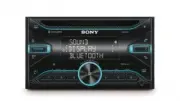


 Sony KDL-32EX520
User Manual
Sony KDL-32EX520
User Manual
 Sony STR-DH750
User Manual
Sony STR-DH750
User Manual
 Sony XBR-55HX929
User Manual
Sony XBR-55HX929
User Manual
 Sony SS-TSB122
User Manual
Sony SS-TSB122
User Manual
 Sony HDR-XR260V
User Manual
Sony HDR-XR260V
User Manual
 Sony HDR-CX560V
User Manual
Sony HDR-CX560V
User Manual
 Sony BDV-N7200W
User Manual
Sony BDV-N7200W
User Manual
 Sony KDL-50W800B
User Manual
Sony KDL-50W800B
User Manual
 Sony KDL-46NX810
User Manual
Sony KDL-46NX810
User Manual
 Sony KDL-40R450A
User Manual
Sony KDL-40R450A
User Manual
 Sony SS-F7000
User Manual
Sony SS-F7000
User Manual
 Sony KDL-32EX720
User Manual
Sony KDL-32EX720
User Manual
 Sony SA-WCT380
User Manual
Sony SA-WCT380
User Manual