Page 2 - Shooting; Shooting still images
Charging by connecting to a computer Battery life and number of recordable images Supplying power from a wall outlet (wall socket) Notes on the battery pack Notes on charging the battery pack Inserting a memory card (sold separately) Inserting/removing a memory card Memory cards that can be used Not...
Page 6 - Recording movies; Shooting movies
Shutter settings Release w/o Lens Release w/o Card Silent Shooting (still image) e-Front Curtain Shutter Reducing blur SteadyShot (still image) Lens compensation Lens Comp. Noise reduction Long Exposure NR (still image) High ISO NR (still image) Face detection Regist. Faces Priority Face Registratio...
Page 7 - Viewing
Shoot Mode (S&Q) Setting the image quality and recording format Movie recording formats File Format (movie) Record Setting (movie) Settings for movie recording Proxy Recording Audio Recording Audio Level Display Audio Rec Level Audio Out Timing Wind Noise Reduct. Picture Profile Gamma Disp. Assi...
Page 9 - Customizing the camera; Customization features of the camera
Viewing images on a TV using an HDMI cable Customizing the camera Customization features of the camera Registering frequently used functions Camera Set. Memory Customizing the functions of the ring/dial Dial/Wheel Setup Dial / Wheel Lock Customizing MENU (My Menu) Add Item Sort Item Delete Item Dele...
Page 10 - Using network functions; Functions available with a smartphone (Imaging Edge Mobile)
Select REC Folder New Folder Recover Image DB Camera settings Audio signals Power Setting Option NTSC/PAL Selector HDMI Settings: HDMI Resolution HDMI Settings: 24p/60p Output (movie) (Only for 1080 60p compatible models) HDMI Settings: HDMI Info. Display HDMI Settings: TC Output (movie) HDMI Settin...
Page 11 - Using a computer; Recommended computer environment; List of MENU items; Using MENU items
Transferring images to a smartphone Selecting images on the smartphone to transfer Send to Smartphone Func. Reading location information from a smartphone Location Info. Link Set. Using a remote commander with Bluetooth communication Bluetooth Rmt Ctrl Changing the network settings Airplane Mode Wi-...
Page 12 - Camera Settings1
Camera Settings1 File Format (still image) JPEG Quality (still image) JPEG Image Size (still image) Aspect Ratio (still image) Panorama: Size Panorama: Direction Long Exposure NR (still image) High ISO NR (still image) Color Space (still image) Lens Comp. Shoot Mode (still image) Superior Auto Img. ...
Page 13 - Camera Settings2
Metering Mode Face Priority in Multi Metering Exposure step Flash Mode Flash Comp. Exp.comp.set Wireless Flash External Flash Set. White Balance Priority Set in AWB D-Range Optimizer (DRO) Auto HDR Creative Style Picture Effect Picture Profile Soft Skin Effect Focus Magnifier Focus Magnif. Time Init...
Page 15 - Network
Remote Zoom Speed DISP Button Zebra Setting Grid Line Exposure Set. Guide Live View Display Auto Review Assigning frequently used functions to buttons (Custom Key) Using Fn (Function) button (Function menu) Dial/Wheel Setup Dial/Wheel Ev Comp Func. of Touch Operation: Touch Shutter Func. of Touch Op...
Page 17 - My Menu
TC/UB Settings HDMI Settings: HDMI Resolution HDMI Settings: 24p/60p Output (movie) (Only for 1080 60p compatible models) HDMI Settings: HDMI Info. Display HDMI Settings: TC Output (movie) HDMI Settings: REC Control (movie) HDMI Settings: CTRL FOR HDMI 4K Output Select (movie) USB Connection USB LUN...
Page 18 - Precautions/This product; Cleaning the image sensor; If you have problems
5-028-017-13(1) Copyright 2021 Sony Corporation Precautions/This product Precautions On cleaning Cleaning the image sensor Cleaning Mode Number of recordable images Recordable movie times Using the AC Adaptor/battery charger abroad License Specifications Trademarks If you have problems Troubleshooti...
Page 19 - Help Guide; How to use the “Help Guide”; Hint; Finding your desired information; Method A: Searching by keyword; Screen displayed on a computer
Help Guide Interchangeable Lens Digital Camera ZV-E10 How to use the “Help Guide” The “Help Guide” is a “Web Instruction Manual” that has been designed to describe the functions and operating methodsof this camera. Use the “Help Guide” to search for any information that you require in order to make ...
Page 20 - To print only the page currently being displayed, click the [
Viewing information about related features “Related Topic” at the bottom of each page lists sections that contain information related to the description page currentlybeing displayed. For a deeper understanding of the currently displayed page, refer to the listed sections as well. Printing all the p...
Page 22 - Identifying parts; When the lens is removed; Shutter button
Help Guide Interchangeable Lens Digital Camera ZV-E10 Identifying parts When the lens is removed Shutter button 1. For shooting: W/T (zoom) lever For viewing: (Index) lever/Playback zoom lever 2. Self-timer lamp/Recording lamp 3. Lens release button 4. Lens 5. Mount 6. Image sensor* 7. Lens contacts...
Page 26 - Note; Battery insertion slot
Using the wind screen (supplied) Use the wind screen to reduce wind noise picked up by the internal microphone when recording a movie.Attach the wind screen to the Multi Interface Shoe. Note When attaching the wind screen, make sure that the wind screen does not get caught in the Multi Interface Sho...
Page 27 - Using the control wheel; Related Topic; Assigning frequently used functions to buttons (Custom Key)
Help Guide Interchangeable Lens Digital Camera ZV-E10 Using the control wheel You can select setting items by turning or pressing the top/bottom/left/right side of the control wheel. Your selection isdetermined when you press the center of the control wheel.The DISP (Display Setting), (Exposure Comp...
Page 28 - Add Item; Press the MENU button to display the menu screen.; Select a MENU tab
Help Guide Interchangeable Lens Digital Camera ZV-E10 Using MENU items You can change settings related to all the camera operations including shooting, playback, and operating method. Youcan also execute camera functions from the MENU. Related Topic Add Item Display From My Menu 5-028-017-13(1) Copy...
Page 30 - If you press the
Hint You can also assign shooting functions to the focus hold button on the lens. However, some lenses do not have a focus holdbutton. Related Topic Using Fn (Function) button (Function menu) 5-028-017-13(1) Copyright 2021 Sony Corporation If you press the (Product Showcase Set) button in the still ...
Page 33 - How to use the keyboard; For example: If you want to enter “abd”
Help Guide Interchangeable Lens Digital Camera ZV-E10 How to use the keyboard When manual character entry is required, a keyboard is displayed on the screen. Move the cursor on desired key using the control wheel, then press the center to enter. To cancel input, select [Cancel]. 5-028-017-13(1) Copy...
Page 34 - List of icons on the monitor; Icons on the shooting screen; Shooting mode/Scene recognition
Help Guide Interchangeable Lens Digital Camera ZV-E10 List of icons on the monitor The displayed contents and their positions shown below are just a guideline, and may differ from the actual display.Descriptions are given below the indications of the icons. Icons on the shooting screen Shooting mode...
Page 37 - Icons on the playback screen; Single-image playback
Icons on the playback screen Single-image playback Histogram display Focus Cancel Guide display for canceling focusing Control wheel function Control dial function Bracket indicator Spot metering area Exposure Setting Guide Shutter speed indicator Aperture indicator Histogram Digital level gauge STB...
Page 40 - Switching the screen display (while shooting/during playback); You can change the display contents on the screen.; Histogram display
Help Guide Interchangeable Lens Digital Camera ZV-E10 Switching the screen display (while shooting/during playback) You can change the display contents on the screen. Histogram display A histogram shows the luminance distribution, displaying how many pixels there are by luminance. It shows darkertow...
Page 41 - DISP Button
(A) : Pixel count (B) : Brightness Note [Histogram] is not displayed during panorama shooting. The information in the histogram display does not indicate the final photograph. It is information about image displayed on thescreen. The final result depends on the aperture value, etc. The histogram dis...
Page 42 - Menu item details; MENU →
Help Guide Interchangeable Lens Digital Camera ZV-E10 DISP Button Allows you to set the screen display modes that can be selected using DISP (Display Setting) in shooting mode. Menu item details Graphic Display : Shows basic shooting information. Graphically shows the shutter speed and aperture valu...
Page 43 - Checking the camera and the supplied items; The number in parentheses indicates the number of pieces.
Help Guide Interchangeable Lens Digital Camera ZV-E10 Checking the camera and the supplied items The number in parentheses indicates the number of pieces. Camera (1)AC Adaptor (1)The type of the AC Adaptor may differ depending on the country/region. Power cord (mains lead) (1)* (supplied in some cou...
Page 45 - Specifications; Minimum focus; Supplied items; Zooming/Focusing ring
Help Guide Interchangeable Lens Digital Camera ZV-E10 E PZ 16–50mm F3.5–5.6 OSS (Power zoom) Specifications Focal length: 16 mm – 50 mmEquivalent 35 mm-format focal length *1 : 24 – 75 mm Lens groups – elements: 8 – 9Angle of view *1 : 83° – 32° Minimum focus *2 : 0.25 – 0.3 m (0.82 – 1 ft.) Maximum...
Page 46 - Inserting/removing the battery pack; To remove the battery pack; and remove the battery; Open the battery/memory card cover by sliding the switch on it.
Help Guide Interchangeable Lens Digital Camera ZV-E10 Inserting/removing the battery pack To remove the battery pack Make sure that the access lamp is not lit, and turn off the camera. Then, slide the lock lever (A) and remove the battery pack. Be careful not to drop the battery pack. Open the batte...
Page 48 - Charging the battery pack while it is inserted in the camera
Help Guide Interchangeable Lens Digital Camera ZV-E10 Charging the battery pack while it is inserted in the camera Note If the charge lamp flashes when the battery pack is not fully charged, remove the battery pack or disconnect the USB cable fromthe camera and then re-insert it to recharge. If the ...
Page 49 - Using the AC Adaptor/battery charger abroad
When charging is finished, disconnect the AC Adaptor from the wall outlet (wall socket). Be sure to use only genuine Sony brand battery packs, USB cables (supplied) and AC Adaptors (supplied). Related Topic Notes on the battery packNotes on charging the battery pack Using the AC Adaptor/battery char...
Page 50 - Charging by connecting to a computer; Notes on the battery pack
Help Guide Interchangeable Lens Digital Camera ZV-E10 Charging by connecting to a computer The battery pack can be charged by connecting the camera to a computer using a USB cable. Note If the product is connected to a laptop computer that is not connected to a power source, the laptop battery level...
Page 51 - Battery life and number of recordable images; Number of images when shooting still images; Actual shooting of movies
Help Guide Interchangeable Lens Digital Camera ZV-E10 Battery life and number of recordable images Number of images when shooting still images Approx. 440 images Battery life when shooting movies The above estimates for battery life and number of recordable images apply when the battery pack has bee...
Page 52 - Supplying power from a wall outlet (wall socket)
Help Guide Interchangeable Lens Digital Camera ZV-E10 Supplying power from a wall outlet (wall socket) Use the supplied AC adaptor to shoot and play back images while power is supplied from a wall outlet (wall socket). Thisconserves the camera's battery power. Note The camera will not activate if th...
Page 53 - Notes on using the battery pack; The remaining battery indicator appears on the screen.; Effective use of the battery pack
Help Guide Interchangeable Lens Digital Camera ZV-E10 Notes on the battery pack Notes on using the battery pack Be sure to use only battery packs specified for this product.The correct remaining battery indicator may not be displayed under some operating or environmental conditions.Do not expose the...
Page 55 - Notes on charging the battery pack
Help Guide Interchangeable Lens Digital Camera ZV-E10 Notes on charging the battery pack The supplied AC Adaptor is dedicated to this product. Do not connect with other electronic devices. Doing so maycause a malfunction.Make sure to use a genuine Sony AC Adaptor.If the product's charge lamp flashes...
Page 56 - Inserting/removing a memory card
Help Guide Interchangeable Lens Digital Camera ZV-E10 Inserting/removing a memory card Explains how to insert a memory card (sold separately) to the product. Hint When you use a memory card with the camera for the first time, it is recommended that you format the card on the camera formore stable pe...
Page 57 - To remove the memory card; Open the memory card cover and make sure that the access lamp; Memory cards that can be used
To remove the memory card Open the memory card cover and make sure that the access lamp (A) is not lit, then push in the memory card lightly once to remove it. Related Topic Memory cards that can be used Notes on memory cardFormat 5-028-017-13(1) Copyright 2021 Sony Corporation 57
Page 58 - SD memory cards; Notes on memory card; Memory Stick PRO Duo, Memory Stick PRO-HG Duo
Help Guide Interchangeable Lens Digital Camera ZV-E10 Memory cards that can be used When using microSD memory cards or Memory Stick Micro media with this camera, be sure to use the appropriateadaptor. SD memory cards Memory Stick media Note When an SDHC memory card is used to record an XAVC S movie ...
Page 59 - About Memory Stick PRO Duo media and Memory Stick PRO-HG Duo media:
Help Guide Interchangeable Lens Digital Camera ZV-E10 Notes on memory card If you repeatedly shoot and delete images for a long time, fragmentation of data in a file in the memory card mayoccur, and movie recording may be interrupted in the middle of shooting. If this happens, save your images to ac...
Page 60 - Attaching/removing a lens; Turn off the camera before attaching or removing the lens.
Help Guide Interchangeable Lens Digital Camera ZV-E10 Attaching/removing a lens Turn off the camera before attaching or removing the lens. Remove the body cap (A) from the camera and the rear lens cap (B) from the rear of the lens. It is recommended that you attach the front lens cap when you have d...
Page 61 - To remove the lens; Keep pressing the lens release button; Lens hood; Be sure to hold the lens straight when attaching it.
To remove the lens Keep pressing the lens release button (A) and turn the lens in the direction of the arrow until it stops. After removing the lens, attach the body cap to the camera and the lens caps to the front and rear of the lens to preventdust and debris from entering the camera and lens. Len...
Page 62 - Mount Adaptor
Help Guide Interchangeable Lens Digital Camera ZV-E10 Mount Adaptor Using a Mount Adaptor (sold separately), you can attach an A-mount lens (sold separately) to this product. For details, refer to the operating instructions supplied with the Mount Adaptor. Note When a setting other than [Continuous ...
Page 63 - Available with SAM/SSM lens only; Available focus area:; Focus Area
Help Guide Interchangeable Lens Digital Camera ZV-E10 LA-EA3/LA-EA5 Mount Adaptor If you use the LA-EA3 Mount Adaptor (sold separately) or LA-EA5 Mount Adaptor (sold separately), the followingfunctions are available. Autofocus: Available with SAM/SSM lens only AF system: Phase Detection AF AF/MF sel...
Page 64 - Available
Help Guide Interchangeable Lens Digital Camera ZV-E10 LA-EA4 Mount Adaptor If you use the LA-EA4 Mount Adaptor (sold separately), the following functions are available. Autofocus: Available AF system: Phase Detection AF, which is controlled by the dedicated AF sensor inside the Mount Adaptor AF/MF s...
Page 65 - Setting language, date and time; On maintaining the date and time
Help Guide Interchangeable Lens Digital Camera ZV-E10 Setting language, date and time The setting screen for language, date and time is displayed automatically when you turn on this product for the first time,initialize this product or when the internal rechargeable backup battery has discharged. On...
Page 67 - The descriptions of the item are displayed.
Help Guide Interchangeable Lens Digital Camera ZV-E10 In-Camera Guide The [In-Camera Guide] displays descriptions of MENU items, Fn (Function) items, and settings. 5-028-017-13(1) Copyright 2021 Sony Corporation Select the MENU or Fn item for which you want to see a description, and then press the (...
Page 70 - Focus Mode; Selects the focus method to suit the movement of the subject.; The subject is in focus and the focus is locked.; Subjects on which it is difficult to focus using auto focus
Help Guide Interchangeable Lens Digital Camera ZV-E10 Focus Mode Selects the focus method to suit the movement of the subject. Menu item details (Single-shot AF): The product locks the focus once focusing is complete. Use this when the subject is motionless. (Automatic AF): [Single-shot AF] and [Con...
Page 71 - Manual Focus
Note [Automatic AF] is available only when you are using a lens that supports phase detection AF. When [Continuous AF] or [Automatic AF] is set, the angle of view may change little by little while focusing. This does not affectthe actual recorded images. Only [Continuous AF] and [Manual Focus] are a...
Page 72 - Expand Flexible Spot :; Examples of the focusing frame display; The focusing frame differs as follows.; When focusing on a larger area
Help Guide Interchangeable Lens Digital Camera ZV-E10 Focus Area Selects the focusing area. Use this function when it is difficult to focus properly in the auto focus mode. Menu item details Wide : Focuses on a subject covering the whole range of the screen automatically. When you press the shutter ...
Page 73 - To move the focus area
When [Focus Area] is set to [Wide] or [Zone], the focusing frame may switch between “When focusing on a largerarea” and “When focusing on a smaller area” depending on the subject or situation.When you attach an A-mount lens with a Mount Adaptor (LA-EA3 or LA-EA5) (sold separately), the focusing fram...
Page 74 - Focus Area Limit
Note [Focus Area] is locked to [Wide] in the following situations: Each mode in scene selection The focus area may not light up during continuous shooting or when the shutter button is pressed all the way down at once. When movie recording mode or slow-motion/quick-motion recording mode is selected ...
Page 75 - The types of focus areas marked with
Help Guide Interchangeable Lens Digital Camera ZV-E10 Focus Area Limit By limiting the types of available focus area settings in advance, you can more quickly select settings for [Focus Area]. The available settings are limited to [Wide], [Zone], [Flexible Spot: L], [Tracking: Zone], and [Tracking: ...
Page 76 - Phase detection AF
Help Guide Interchangeable Lens Digital Camera ZV-E10 Phase detection AF When there are phase detection AF points within the auto focus area, the product uses the combined autofocus of thephase detection AF and contrast AF. Note Phase detection AF is available only when an applicable lens is attache...
Page 77 - Focus Standard; Select MENU →
Help Guide Interchangeable Lens Digital Camera ZV-E10 Focus Standard If you assign [Focus Standard] to the desired custom key, you can recall useful functions such as moving the focusingframe quickly, etc., depending on the focus area settings. When [Focus Area] is set to [Zone], [Flexible Spot], [E...
Page 78 - Switches the focusing mode while the button is held down.
Help Guide Interchangeable Lens Digital Camera ZV-E10 AF/MF control You can easily switch the focusing mode from auto to manual and vice versa while shooting without changing yourholding position. Menu item details AF/MF Control Hold : Switches the focusing mode while the button is held down. AF/MF ...
Page 79 - Focus Magnifier
Help Guide Interchangeable Lens Digital Camera ZV-E10 AF w/ shutter (still image) Selects whether to focus automatically when you press the shutter button halfway down. Select [Off] to adjust the focusand the exposure separately. Menu item details On: The auto focus operates when you press the shutt...
Page 80 - AF On
Help Guide Interchangeable Lens Digital Camera ZV-E10 AF On You can focus without pressing the shutter button halfway down. The settings for [Focus Mode] will be applied. Hint Set [ AF w/ shutter] to [Off] when you do not want to perform auto focusing using the shutter button. Set [ AF w/ shutter] a...
Page 81 - Item
Help Guide Interchangeable Lens Digital Camera ZV-E10 Focusing on eyes (Face/Eye AF Set.) [Face/Eye AF Set.] is used to determine whether or not the camera focuses with priority on faces/eyes. The function to detect animal eyes when shooting movies can be used if the camera's system software (firmwa...
Page 85 - The magnification scale changes each time you press the center.; Press the shutter button halfway down to focus.; The camera exits the magnified display after shooting.
Help Guide Interchangeable Lens Digital Camera ZV-E10 AF in Focus Mag. (still image) You can focus on the subject more accurately using auto-focus by magnifying the area where you want to focus. Whilethe magnified image is displayed, you can focus on a smaller area than the flexible spot. Hint Use o...
Page 87 - For movie shooting:
Help Guide Interchangeable Lens Digital Camera ZV-E10 Tracking subject (Tracking function) This camera has the function of tracking which tracks the subject, and keeps marking it with the focusing frame.You can set the start position to track by selecting from focusing areas, or by specifying by tou...
Page 88 - Focus Hold; MENU→
Help Guide Interchangeable Lens Digital Camera ZV-E10 Focus Hold Locks the focus while the key to which the Focus Hold function has been assigned is pressed. Related Topic Assigning frequently used functions to buttons (Custom Key) 5-028-017-13(1) Copyright 2021 Sony Corporation MENU→ (Camera Settin...
Page 89 - Focus Frame Color; Displays the frame indicating the focusing area in white.
Help Guide Interchangeable Lens Digital Camera ZV-E10 Focus Frame Color You can specify the color of the frame indicating the focusing area. If the frame is difficult to see because of the subject,make it more visible by changing its color. Menu item details White: Displays the frame indicating the ...
Page 90 - Adjusts focus before you press the shutter button halfway down.
Help Guide Interchangeable Lens Digital Camera ZV-E10 Pre-AF (still image) The product automatically adjusts focus before you press the shutter button halfway down. During focusing operations,the screen may shake. Menu item details On: Adjusts focus before you press the shutter button halfway down. ...
Page 91 - AF Area Auto Clear; The focus area is displayed all the time.
Help Guide Interchangeable Lens Digital Camera ZV-E10 AF Area Auto Clear Sets whether the focus area should be displayed all the time or should disappear automatically shortly after focus isachieved. Menu item details On: The focus area disappears automatically shortly after focus is achieved. Off: ...
Page 92 - Displays the focus area that is in focus.
Help Guide Interchangeable Lens Digital Camera ZV-E10 Disp. cont. AF area You can set whether or not to display the area that is in focus when [Focus Area] is set to [Wide] or [Zone], in[Continuous AF] mode. Menu item details On: Displays the focus area that is in focus. Off: Does not display the fo...
Page 95 - Peaking Setting
Help Guide Interchangeable Lens Digital Camera ZV-E10 Direct manual focus (DMF) You can make fine adjustments manually after performing auto focusing, letting you focus on a subject more quickly thanwhen using the manual focus from the beginning. This is convenient in situations such as macro shooti...
Page 96 - To use the focus magnifier function by touch operation; Touch Operation; Press the; Press the shutter button fully down to shoot the image.
Help Guide Interchangeable Lens Digital Camera ZV-E10 Focus Magnifier You can check the focus by enlarging the image before shooting.Unlike with [ MF Assist], you can magnify the image without operating the focus ring. To use the focus magnifier function by touch operation You can magnify the image ...
Page 99 - Set the duration for which an image is to be magnified using the [; Magnifies the images for 2 seconds.
Help Guide Interchangeable Lens Digital Camera ZV-E10 Focus Magnif. Time Set the duration for which an image is to be magnified using the [ MF Assist] or [Focus Magnifier] function. Menu item details 2 Sec: Magnifies the images for 2 seconds. 5 Sec: Magnifies the images for 5 seconds. No Limit: Magn...
Page 101 - Sets whether to display peaking.
Help Guide Interchangeable Lens Digital Camera ZV-E10 Peaking Setting Sets the peaking function, which enhances the outline of in-focus areas during shooting with Manual Focus or DirectManual Focus. Menu item details Peaking Display: Sets whether to display peaking. Peaking Level: Sets the level of ...
Page 102 - Drive Mode; Normal shooting mode.; WB bracket; Select; You can also set the drive mode by selecting MENU →
Help Guide Interchangeable Lens Digital Camera ZV-E10 Drive Mode Select the appropriate mode for the subject, such as single shooting, continuous shooting or bracketing shooting. Menu item details Single Shooting : Normal shooting mode. Cont. Shooting : Shoots images continuously while you press and...
Page 104 - You can also set the continuous shooting by selecting MENU →
Help Guide Interchangeable Lens Digital Camera ZV-E10 Cont. Shooting Shoots images continuously while you press and hold down the shutter button. Menu item details Continuous Shooting: Hi+ : Images are shot continuously at the maximum speed while you press and hold down the shutter button. Continuou...
Page 105 - Audio signals; Press; You can also set the drive mode by selecting MENU→; Adjust the focus and shoot the image.
Help Guide Interchangeable Lens Digital Camera ZV-E10 Self-timer Shoots an image using the self-timer after a designated number of seconds have elapsed since the shutter button waspressed. Use the 5-second/10-second self-timer when you are going to be in the picture, and use the 2-second self-timert...
Page 107 - Bracket Settings
Help Guide Interchangeable Lens Digital Camera ZV-E10 Cont. Bracket Shoots multiple images while automatically shifting the exposure from base to darker and then to lighter. You can selectan image that suits your purpose after recording. Menu item details For example, the camera shoots a total of th...
Page 108 - Single Bracket; Press the shutter button for each image.
Help Guide Interchangeable Lens Digital Camera ZV-E10 Single Bracket Shoots multiple images while automatically shifting the exposure from base to darker and then to lighter. You can selectthe image that suits your purpose after recording. Since a single picture is taken each time you press the shut...
Page 109 - Indicator during bracket shooting
Help Guide Interchangeable Lens Digital Camera ZV-E10 Indicator during bracket shooting On the [Display All Info.] or [Histogram] screen, you can use the bracket indicator to confirm the bracket shootingsettings. Ambient light* bracketing 3 images shifted by 0.3 EV steps Exposure compensation ±0.0 E...
Page 110 - MK
Help Guide Interchangeable Lens Digital Camera ZV-E10 WB bracket Shoots a total of three images, each with different color tones according to the selected settings for white balance, colortemperature and color filter. Menu item details White Balance Bracket: Lo: Records a series of three images with...
Page 111 - DRO Bracket
Help Guide Interchangeable Lens Digital Camera ZV-E10 DRO Bracket You can record a total of three images, each at a different degree of D-Range Optimizer value. Menu item details DRO Bracket: Lo: Records a series of three images with small changes in the D-Range Optimizer value (Lv 1, Lv 2, and Lv 3...
Page 112 - Selftimer during Bracket:
Help Guide Interchangeable Lens Digital Camera ZV-E10 Bracket Settings You can set the self-timer in bracket shooting mode, and the shooting order for exposure bracketing and white balancebracketing. Menu item details Selftimer during Bracket: Sets whether to use the self-timer during bracket shooti...
Page 113 - The product starts the self-timer shooting after three seconds.
Help Guide Interchangeable Lens Digital Camera ZV-E10 Self-portrait/ -timer You can change the angle of the monitor and shoot images while watching the monitor. Hint If you want to use a drive mode other than the 3-second self-timer mode, first set [Self-portrait/ -timer] to [Off], and then face the...
Page 114 - Sets the number of shots for interval shooting. (1 shot to 9999 shots)
Help Guide Interchangeable Lens Digital Camera ZV-E10 Interval Shoot Func. You can automatically shoot a series of still images with the shooting interval and number of shots that you set inadvance (Interval shooting). You can then create a movie from the still images produced by interval shooting u...
Page 115 - Cont. PB for Interval
[AEL hold][ AEL hold] [AF/MF Control Hold] If you set [Display as Group] to [On], still images shot with the interval shooting function will be displayed in groups. Still images shot with interval shooting can be played back continuously on the camera. If you intend to create a movie using thestill ...
Page 116 - Sets whether or not to activate touch operations on the monitor.; Activates the touch operation.
Help Guide Interchangeable Lens Digital Camera ZV-E10 Touch Operation Sets whether or not to activate touch operations on the monitor. Menu item details On: Activates the touch operation. Off: Deactivates the touch operation. Related Topic Func. of Touch Operation: Touch ShutterFunc. of Touch Operat...
Page 117 - When the subject you touched is in focus, a still image is recorded.
Help Guide Interchangeable Lens Digital Camera ZV-E10 Func. of Touch Operation: Touch Shutter The camera automatically focuses on the point you touch and shoots a still image. Set MENU → (Setup) → [Touch Operation] to [On] in advance. Hint You can operate the shooting functions below by touching the...
Page 119 - The camera will focus on the touched subject.; (Focus Cancel) icon or press the center of the control
Help Guide Interchangeable Lens Digital Camera ZV-E10 Func. of Touch Operation: Touch Focus [Touch Focus] allows you to specify a position where you want to focus using touch operations. This function is availablewhen [Focus Area] is set to a parameter other than [Flexible Spot], [Expand Flexible Sp...
Page 121 - Press the shutter button all the way down to shoot images.
Help Guide Interchangeable Lens Digital Camera ZV-E10 Func. of Touch Operation: Touch Tracking You can use touch operations to select a subject you want to track in the still image and movie recording modes. Select MENU → (Setup) → [Touch Operation] → [On] in advance. Hint To cancel tracking, touch ...
Page 122 - Sets the file format for still images.; The image is recorded in the JPEG format.; About RAW images
Help Guide Interchangeable Lens Digital Camera ZV-E10 File Format (still image) Sets the file format for still images. Menu item details RAW: Digital processing is not performed on this file format. Select this format to process images on a computer forprofessional purposes. RAW & JPEG: A RAW im...
Page 123 - Selects the JPEG image quality when [
Help Guide Interchangeable Lens Digital Camera ZV-E10 JPEG Quality (still image) Selects the JPEG image quality when [ File Format] is set to [RAW & JPEG] or [JPEG]. Menu item details Extra fine/Fine/Standard: Since the compression rate increases from [Extra fine] to [Fine] to [Standard], the fi...
Page 126 - Same aspect ratio as 35 mm film
Help Guide Interchangeable Lens Digital Camera ZV-E10 Aspect Ratio (still image) Menu item details 3:2: Same aspect ratio as 35 mm film 4:3: The aspect ratio is 4:3. 16:9: The aspect ratio is 16:9. 1:1: The horizontal and vertical ratio is equal. 5-028-017-13(1) Copyright 2021 Sony Corporation MENU ...
Page 128 - Pan the camera from the left to the right.
Help Guide Interchangeable Lens Digital Camera ZV-E10 Panorama: Direction Sets the direction to pan the camera when shooting panoramic images. Menu item details Right: Pan the camera from the left to the right. Left: Pan the camera from the right to the left. Up: Pan the camera from the bottom to th...
Page 129 - Allows you to shoot a panoramic image by compositing the images.; Intelligent Auto
Help Guide Interchangeable Lens Digital Camera ZV-E10 Shoot Mode (still image) You can set the shooting mode for still image shooting according to the subject you wish to shoot or the function youwish to adjust. Menu item details Auto mode: Allows you to shoot still images of any subject under any c...
Page 130 - The camera shoots with automatic scene recognition.; About Scene Recognition
Help Guide Interchangeable Lens Digital Camera ZV-E10 Intelligent Auto The camera shoots with automatic scene recognition. Note The product will not recognize the scene when you shoot images with zoom functions other than optical zoom. The product may not properly recognize the scene under certain s...
Page 131 - Superior Auto
Help Guide Interchangeable Lens Digital Camera ZV-E10 Superior Auto The camera shoots with automatic scene recognition. This mode takes clear images of dark or backlit scenes. For low-lit or backlit scenes, if necessary the camera may shoot multiple images and create a composite image, etc., torecor...
Page 132 - Saves one appropriate image selected by the product.
Help Guide Interchangeable Lens Digital Camera ZV-E10 Superior Auto Img. Extract. Sets whether or not to save all the images that were shot continuously in [Superior Auto]. Menu item details Auto: Saves one appropriate image selected by the product. Off: Saves all of the images. Note Even if you set...
Page 133 - Scene Recognition
Help Guide Interchangeable Lens Digital Camera ZV-E10 About Scene Recognition Scene Recognition operates in [Intelligent Auto] or [Superior Auto] in the still image shooting mode, or [Intelligent Auto] inthe movie recording mode. This function allows the product to automatically recognize the shooti...
Page 134 - Program Auto; Program Shift; (Program Auto) on the screen changes to
Help Guide Interchangeable Lens Digital Camera ZV-E10 Program Auto Allows you to shoot with the exposure adjusted automatically (both the shutter speed and the aperture value). You can set shooting functions such as [ISO]. Program Shift When you are not using a flash, you can change the shutter spee...
Page 135 - Aperture Priority; Aperture Preview
Help Guide Interchangeable Lens Digital Camera ZV-E10 Aperture Priority You can shoot by adjusting the aperture and changing the range in focus, or by defocusing the background. Note The brightness of the image on the screen may differ from the actual image being shot. Related Topic Aperture Preview...
Page 136 - Shutter Priority
Help Guide Interchangeable Lens Digital Camera ZV-E10 Shutter Priority You can express the movement of a moving subject in various ways by adjusting the shutter speed, for example, at theinstant of the movement with high speed shutter, or as a trailing image with low speed shutter. Hint Use a tripod...
Page 137 - Manual Exposure; Images become brighter.; Adjust the focus and shoot the subject.
Help Guide Interchangeable Lens Digital Camera ZV-E10 Manual Exposure You can shoot with the desired exposure setting by adjusting both the shutter speed and aperture. Hint You can change the shutter speed and aperture (F-value) combination without changing the set exposure value (Manual shift).Assi...
Page 138 - Bulb shooting; As long as the shutter button is pressed, the shutter remains open.
Help Guide Interchangeable Lens Digital Camera ZV-E10 Bulb shooting You can shoot a trailing image of the movement of a subject with long exposure.Bulb shooting is suitable for shooting trails from stars or fireworks, etc. Hint When shooting fireworks, etc., focus at infinity in manual focus mode. I...
Page 140 - Sweep Panorama; This part will not be shot.; Press the shutter button fully down.
Help Guide Interchangeable Lens Digital Camera ZV-E10 Sweep Panorama Allows you to create a single panoramic image from multiple images shot while panning the camera. Press the Still/Movie/S&Q button to select the still image shooting mode. 1 MENU → (Camera Settings1) → [ Shoot Mode] → [Sweep Pa...
Page 141 - Guidance bar
Note If the entire angle of the panoramic shot is not achieved within the set time, a gray area occurs in the composite image. If thishappens, move the product faster to record the full panoramic image. When [Wide] is selected for [Panorama: Size], the entire angle of the panoramic shot may not be a...
Page 143 - Scene Selection; Allows you to shoot with preset settings according to the scene.; Shoots the red of the sunset beautifully.
Help Guide Interchangeable Lens Digital Camera ZV-E10 Scene Selection Allows you to shoot with preset settings according to the scene. Menu item details Portrait: Blurs background and sharpens the subject. Accentuates the skin tones softly. Sports Action: Shoots a moving subject at a fast shutter sp...
Page 149 - Assigns the exposure compensation function to the control wheel.
Help Guide Interchangeable Lens Digital Camera ZV-E10 Dial/Wheel Ev Comp You can adjust the exposure compensation using the control dial or the control wheel. Menu item details Off: Does not assign the exposure compensation function to the control dial or control wheel. Wheel: Assigns the exposure c...
Page 150 - You can set whether to display a guide when you change the exposure.; Does not display the guide.
Help Guide Interchangeable Lens Digital Camera ZV-E10 Exposure Set. Guide You can set whether to display a guide when you change the exposure. Menu item details Off: Does not display the guide. On: Displays the guide. 5-028-017-13(1) Copyright 2021 Sony Corporation MENU → (Camera Settings2) → [Expos...
Page 151 - Exposure step
Help Guide Interchangeable Lens Digital Camera ZV-E10 Exposure step You can adjust the setting increment for the shutter speed, aperture, and exposure compensation values. Menu item details 0.3EV / 0.5EV 5-028-017-13(1) Copyright 2021 Sony Corporation MENU → (Camera Settings1) → [Exposure step] → de...
Page 152 - Metering Mode; AE lock
Help Guide Interchangeable Lens Digital Camera ZV-E10 Metering Mode Selects the metering mode that sets which part of the screen to measure for determining the exposure. Menu item details Multi: Measures light on each area after dividing the total area into multiple areas and determines the proper e...
Page 153 - Face Priority in Multi Metering; The camera measures brightness based on detected faces.
Help Guide Interchangeable Lens Digital Camera ZV-E10 Face Priority in Multi Metering Sets whether the camera measures brightness based on detected faces when [Metering Mode] is set to [Multi]. Menu item details On: The camera measures brightness based on detected faces. Off: The camera measures bri...
Page 154 - The exposure is locked, and; Focus on the subject again and press the shutter button.
Help Guide Interchangeable Lens Digital Camera ZV-E10 AE lock When the contrast between the subject and background is high, such as when shooting a backlit subject or a subjectnear a window, meter the light at a spot where the subject appears to have the appropriate brightness and lock theexposure b...
Page 156 - Zebra Setting; Sets whether to display the zebra pattern.
Help Guide Interchangeable Lens Digital Camera ZV-E10 Zebra Setting Sets a zebra pattern, which appears over part of an image if the brightness level of that part meets the IRE level that youhave set. Use this zebra pattern as a guide to adjust the brightness. Menu item details Zebra Display: Sets w...
Page 157 - Product Showcase Set; Shoots in the ordinary shooting mode.
Help Guide Interchangeable Lens Digital Camera ZV-E10 Product Showcase Set The camera settings are optimally configured for situations such as movie shooting for product reviews. The cameratends to focus on objects that are closer to it. Menu item details On: Shoots with optimal settings for product...
Page 158 - Background Defocus
Help Guide Interchangeable Lens Digital Camera ZV-E10 Background Defocus You can change the level of defocus in the background simply by pressing the button while shooting still images ormovies. Note [Background Defocus] is not available in the following shooting modes: [Sweep Panorama]Each mode in ...
Page 159 - Corrects the brightness automatically.
Help Guide Interchangeable Lens Digital Camera ZV-E10 D-Range Optimizer (DRO) By dividing the image into small areas, the product analyzes the contrast of light and shadow between the subject andthe background, and creates an image with the optimal brightness and gradation. Menu item details D-Range...
Page 160 - Auto HDR
Help Guide Interchangeable Lens Digital Camera ZV-E10 Auto HDR Shoots three images using different exposures and combines the images with correct exposure, the bright parts of anunderexposed image, and the dark parts of an overexposed image to create images with a greater range of gradation(High Dyn...
Page 161 - ISO; Sets the ISO sensitivity automatically.; You can also select MENU →
Help Guide Interchangeable Lens Digital Camera ZV-E10 ISO Sensitivity to light is expressed by the ISO number (recommended exposure index). The larger the number, the higherthe sensitivity. Menu item details ISO AUTO: Sets the ISO sensitivity automatically. ISO 50 – ISO 51200: Sets the ISO sensitivi...
Page 162 - The zoom features available with this product; When a power zoom lens is mounted:; Optical zoom range; JPEG; Clear Image Zoom range
Help Guide Interchangeable Lens Digital Camera ZV-E10 The zoom features available with this product The zoom feature of the product provides a higher magnification zoom by combining various zoom features. The icondisplayed on the screen changes, according to the selected zoom feature. When a power z...
Page 163 - Zoom Range
Related Topic Zoom Range About zoom scale Focus Area 5-028-017-13(1) Copyright 2021 Sony Corporation 163
Page 164 - You can select the zoom setting of the product.
Help Guide Interchangeable Lens Digital Camera ZV-E10 Zoom Range You can select the zoom setting of the product. Menu item details Optical zoom only: Limits the zoom range to the optical zoom. You can use the Smart Zoom function if you set [ JPEG Image Size] to [M] or [S]. ClearImage Zoom : Select t...
Page 165 - Zoom Lever Speed; Zoom Speed
Help Guide Interchangeable Lens Digital Camera ZV-E10 Zoom Lever Speed Sets the zoom speed when using the W/T (zoom) lever of the camera. This can be set separately for shooting standbyand movie recording. Menu item details Zoom Speed : Sets the zoom speed during shooting standby. (1 (Slow) to 8 (Fa...
Page 166 - Fixed Speed
Help Guide Interchangeable Lens Digital Camera ZV-E10 Custom Key Z. Speed Sets the zoom speed when using the custom key to which [Zoom Operation (T)] / [Zoom Operation (W)] is assigned.This can be set separately for shooting standby and movie recording. Menu item details Fixed Speed : Sets the zoom ...
Page 167 - Remote Zoom Speed; Sets the zoom speed during shooting standby when [; Sets the zoom speed during movie recording when [
Help Guide Interchangeable Lens Digital Camera ZV-E10 Remote Zoom Speed Sets the zoom speed when performing zoom operations using the remote commander (sold separately) or [SmartphoneConnect]. This can be set separately for shooting standby and movie recording. Menu item details Speed Type: Sets whe...
Page 168 - About zoom scale; JPEG Image Size
Help Guide Interchangeable Lens Digital Camera ZV-E10 About zoom scale The zoom scale that is used in combination with the zoom of the lens changes according to the selected image size. When [ Aspect Ratio] is [3:2] Related Topic The zoom features available with this product Zoom RangeJPEG Image Siz...
Page 169 - White Balance; Priority Set in AWB
Help Guide Interchangeable Lens Digital Camera ZV-E10 White Balance Corrects the tone effect of the ambient light condition to record a neutral white subject in white. Use this function whenthe color tones of the image did not come out as you expected, or when you want to change the color tones on p...
Page 172 - Creative Style; For shooting the beautiful red of the setting sun.
Help Guide Interchangeable Lens Digital Camera ZV-E10 Creative Style Allows you to set the desired image processing and finely adjust contrast, saturation and sharpness for each imagestyle. You can adjust exposure (shutter speed and aperture) as you like with this function, unlike with the shooting ...
Page 174 - Picture Effect
Help Guide Interchangeable Lens Digital Camera ZV-E10 Picture Effect Select the desired effect filter to achieve more impressive and artistic images. Menu item details Off: Disables the [Picture Effect] function. Toy Camera: Creates a soft image with shaded corners and reduced sharpness. Pop Color: ...
Page 176 - Soft Skin Effect
Help Guide Interchangeable Lens Digital Camera ZV-E10 Soft Skin Effect Sets the effect used for shooting the skin smoothly in the Face Detection function. Menu item details Off: Does not use the [Soft Skin Effect] function. On: Uses the [Soft Skin Effect]. You can set the effect level by pressing th...
Page 178 - Does not release the shutter when a lens is not attached.
Help Guide Interchangeable Lens Digital Camera ZV-E10 Release w/o Lens Sets whether or not the shutter can be released when no lens is attached. Menu item details Enable: Releases the shutter when no lens is attached. Select [Enable] when attaching the product to an astronomical telescope,etc. Disab...
Page 179 - Releases the shutter even if no memory card has been inserted.
Help Guide Interchangeable Lens Digital Camera ZV-E10 Release w/o Card Sets whether the shutter can be released when no memory card has been inserted. Menu item details Enable: Releases the shutter even if no memory card has been inserted. Disable: Does not release the shutter when no memory card ha...
Page 180 - You can shoot images without the shutter sound.
Help Guide Interchangeable Lens Digital Camera ZV-E10 Silent Shooting (still image) You can shoot images without the shutter sound. Menu item details On: You can shoot images without the shutter sound. Off: [ Silent Shooting] is deactivated. Note Use the [ Silent Shooting] function on your own respo...
Page 181 - e-Front Curtain Shutter; Uses the electronic front curtain shutter function.
Help Guide Interchangeable Lens Digital Camera ZV-E10 e-Front Curtain Shutter The electronic front curtain shutter function shortens the time lag between when the shutter button is pressed and theshutter is released. Menu item details On: Uses the electronic front curtain shutter function. Off: Does...
Page 182 - Sets whether or not to use the SteadyShot function.; We recommend that you set the camera to [Off] when using a tripod.
Help Guide Interchangeable Lens Digital Camera ZV-E10 SteadyShot (still image) Sets whether or not to use the SteadyShot function. Menu item details On: Uses [ SteadyShot]. Off: Does not use [ SteadyShot]. We recommend that you set the camera to [Off] when using a tripod. Note You cannot set the Ste...
Page 185 - Activates high ISO noise reduction normally.
Help Guide Interchangeable Lens Digital Camera ZV-E10 High ISO NR (still image) When shooting with high ISO sensitivity, the product reduces noise that becomes more noticeable when the productsensitivity is high. Menu item details Normal: Activates high ISO noise reduction normally. Low: Activates h...
Page 186 - Regist. Faces Priority; Focuses without giving higher priority to registered faces.
Help Guide Interchangeable Lens Digital Camera ZV-E10 Regist. Faces Priority Sets whether to focus with higher priority on faces registered using [Face Registration]. Menu item details On: Focuses with higher priority on faces registered using [Face Registration]. Off: Focuses without giving higher ...
Page 189 - Deletes a registered face.
Help Guide Interchangeable Lens Digital Camera ZV-E10 Face Registration (Delete) Deletes a registered face. Note Even if you execute [Delete], the data for registered face will remain in the product. To delete the data for registered faces fromthe product, select [Delete All]. 5-028-017-13(1) Copyri...
Page 190 - Shoot after you have turned on the flash and it is fully charged.
Help Guide Interchangeable Lens Digital Camera ZV-E10 Using flash (sold separately) In dark environments, use the flash to light up the subject while shooting. Also use the flash to prevent camera-shake. For details on the flash, refer to the instruction manual for the flash. Note The light of the f...
Page 191 - Flash Mode
Related Topic Flash Mode Wireless Flash 5-028-017-13(1) Copyright 2021 Sony Corporation 191
Page 192 - You can set the flash mode.; The flash does not operate.; Wireless Flash
Help Guide Interchangeable Lens Digital Camera ZV-E10 Flash Mode You can set the flash mode. Menu item details Flash Off: The flash does not operate. Autoflash: The flash works in dark environments or when shooting towards bright light. Fill-flash: The flash works every time you trigger the shutter....
Page 194 - FEL lock
Help Guide Interchangeable Lens Digital Camera ZV-E10 FEL lock The flash level is automatically adjusted so that the subject gets the optimum exposure during normal flash shooting. Youcan also set the flash level in advance. FEL: Flash Exposure Level Hint By setting [FEL Lock hold], you can hold the...
Page 198 - Does not use the wireless flash function.
Help Guide Interchangeable Lens Digital Camera ZV-E10 Wireless Flash There are two methods for wireless flash shooting: light-signal flash shooting that uses the light of the flash attached tothe camera as a signal light, and radio-signal flash shooting that uses wireless communication. To perform r...
Page 205 - About USB cable connections; will return to the movie recording mode.
Help Guide Interchangeable Lens Digital Camera ZV-E10 Livestreaming video and audio (USB Streaming) (movie) You can connect a computer, etc. to the camera and use the camera video and audio for livestreaming or web-conferencing services. About USB cable connections If the power of the camera is turn...
Page 207 - You can set the shooting mode for movie recording.; Allows you to shoot movies with automatic scene recognition.
Help Guide Interchangeable Lens Digital Camera ZV-E10 Shoot Mode (movie) You can set the shooting mode for movie recording. Menu item details Intelligent Auto: Allows you to shoot movies with automatic scene recognition. Program Auto: Allows you to shoot with the exposure adjusted automatically (bot...
Page 208 - Allows you to shoot after adjusting the aperture value manually.
Help Guide Interchangeable Lens Digital Camera ZV-E10 Shoot Mode (S&Q) You can set the shooting mode for slow-motion/quick-motion recording. You can change the shooting settings andplayback speed in [ S&Q Settings]. Menu item details Program Auto: Allows you to shoot with the exposure adjust...
Page 209 - Movie recording formats; XAVC S recording format
Help Guide Interchangeable Lens Digital Camera ZV-E10 Movie recording formats The following movie recording formats are available with this camera. What is XAVC S? Records movies in high definition such as 4K by converting them into MP4 movies using the MPEG-4 AVC/H.264 codec.MPEG-4 AVC/H.264 is cap...
Page 210 - Selects the movie file format.
Help Guide Interchangeable Lens Digital Camera ZV-E10 File Format (movie) Selects the movie file format. Menu item details XAVC S 4K: Records movies in 4K resolution (3840×2160). XAVC S HD: Records movies in HD resolution (1920×1080). 5-028-017-13(1) Copyright 2021 Sony Corporation MENU → (Camera Se...
Page 211 - Selects the frame rate and bit-rate for movie recording.
Help Guide Interchangeable Lens Digital Camera ZV-E10 Record Setting (movie) Selects the frame rate and bit-rate for movie recording. Menu item details When [ File Format] is set to [XAVC S 4K] When [ File Format] is set to [XAVC S HD] MENU → (Camera Settings2) → [ Record Setting] → desired setting....
Page 213 - Proxy Recording; Proxy movies are simultaneously recorded.
Help Guide Interchangeable Lens Digital Camera ZV-E10 Proxy Recording Sets whether to simultaneously record low-bit-rate proxy movies when recording movies. Since proxy movies are smallin file size, they are suitable for transferring to smartphones or uploading to websites. Menu item details On : Pr...
Page 214 - Audio Recording; Does not record sound.
Help Guide Interchangeable Lens Digital Camera ZV-E10 Audio Recording Sets whether to record sounds when shooting movies. Select [Off] to avoid recording the sounds of the lens and thecamera operating. Menu item details On: Records sound (stereo). Off: Does not record sound. 5-028-017-13(1) Copyrigh...
Page 215 - Audio Level Display; Sets whether to display the audio level on the screen.; Displays the audio level.
Help Guide Interchangeable Lens Digital Camera ZV-E10 Audio Level Display Sets whether to display the audio level on the screen. Menu item details On: Displays the audio level. Off: Does not display the audio level. Note The audio level is not displayed in the following situations: When [Audio Recor...
Page 216 - Audio Rec Level; Turns up the audio recording level.
Help Guide Interchangeable Lens Digital Camera ZV-E10 Audio Rec Level You can adjust the audio recording level while checking the level meter. Menu item details +: Turns up the audio recording level. -: Turns down the audio recording level. Reset: Resets the audio recording level to the default sett...
Page 217 - Audio Out Timing
Help Guide Interchangeable Lens Digital Camera ZV-E10 Audio Out Timing You can set echo cancellation during audio monitoring and prevent undesirable deviations between video and audioduring HDMI output. Menu item details Live: Outputs audio without delay. Select this setting when audio deviation is ...
Page 218 - Does not reduce wind noise.
Help Guide Interchangeable Lens Digital Camera ZV-E10 Wind Noise Reduct. Sets whether or not to reduce wind noise by cutting the low-range sound of the input audio from the built-in microphone. Menu item details On: Reduces wind noise. Off: Does not reduce wind noise. Note Setting this item to [On] ...
Page 219 - Picture Profile; Customizing the picture profile; Using the preset of the picture profile; Example setting of natural color tone using the [ITU709] gamma.; HDR movie recording
Help Guide Interchangeable Lens Digital Camera ZV-E10 Picture Profile Allows you to change the settings for the color, gradation, etc. For details on “Picture Profile,” refer tohttps://helpguide.sony.net/di/pp/v1/en/index.html. Customizing the picture profile You can customize the picture quality by...
Page 230 - How to reset the time code
Help Guide Interchangeable Lens Digital Camera ZV-E10 TC/UB Settings The time code (TC) and the user bit (UB) information can be recorded as data attached to movies. Menu item details TC/UB Disp. Setting: Sets the display for the counter, time code, and user bit. TC Preset: Sets the time code. UB Pr...
Page 233 - Sets whether or not to display markers set using [; Markers are displayed. The markers are not recorded.
Help Guide Interchangeable Lens Digital Camera ZV-E10 Marker Display (movie) Sets whether or not to display markers set using [ Marker Settings] on the monitor while shooting movies. Menu item details On: Markers are displayed. The markers are not recorded. Off: No marker is displayed. Note The mark...
Page 234 - Sets the markers to be displayed while shooting movies.
Help Guide Interchangeable Lens Digital Camera ZV-E10 Marker Settings (movie) Sets the markers to be displayed while shooting movies. Menu item details Center: Sets whether or not to display the center marker in the center of the shooting screen. [Off]/[On] Aspect: Sets the aspect marker display. [O...
Page 235 - Displays a red frame to indicate that recording is in progress.
Help Guide Interchangeable Lens Digital Camera ZV-E10 Emph disp dur REC (movie) Sets whether or not to display a red frame around the edges of the camera’s monitor while recording a movie. You caneasily check whether the camera is in standby or recording, even when you are looking at the camera moni...
Page 236 - REC Lamp; The recording lamp lights up during recording.
Help Guide Interchangeable Lens Digital Camera ZV-E10 REC Lamp You can choose whether or not the recording lamp lights up during recording. Menu item details On: The recording lamp lights up during recording. Off: The recording lamp does not light up during recording. Hint Set [REC Lamp] to [Off] if...
Page 237 - Disables movie recording using the shutter button.
Help Guide Interchangeable Lens Digital Camera ZV-E10 Movie w/ shutter You can start or stop recording movies by pressing the shutter button instead of the MOVIE (Movie) button. Menu item details On: Enables movie recording using the shutter button when the camera is set to the movie recording mode ...
Page 240 - Playing back still images; Plays back the recorded images.; Recover Image DB
Help Guide Interchangeable Lens Digital Camera ZV-E10 Playing back still images Plays back the recorded images. Hint The product creates an image database file on a memory card to record and play back images. An image that is not registered inthe image database file may not be played back correctly....
Page 241 - Enlarging an image being played back (Enlarge Image)
Help Guide Interchangeable Lens Digital Camera ZV-E10 Enlarging an image being played back (Enlarge Image) Enlarges the image being played back. Use this function to check the focus of the image, etc. Hint You can also enlarge an image being played back using MENU. You can change the initial magnifi...
Page 242 - Rotating recorded images automatically (Display Rotation); Selects the orientation when playing back recorded images.; Images are always displayed horizontally.
Help Guide Interchangeable Lens Digital Camera ZV-E10 Rotating recorded images automatically (Display Rotation) Selects the orientation when playing back recorded images. Menu item details Auto: When you rotate the camera, the displayed image rotates automatically by detecting the orientation of the...
Page 243 - Rotates a recorded image counter-clockwise.; Display the image to be rotated, then select MENU →
Help Guide Interchangeable Lens Digital Camera ZV-E10 Rotating an image (Rotate) Rotates a recorded image counter-clockwise. Note Even if you rotate a movie file, it will be played back horizontally on the monitor of the camera. You may not be able to rotate images shot using other products. When vi...
Page 244 - Playing back panoramic images
Help Guide Interchangeable Lens Digital Camera ZV-E10 Playing back panoramic images The product automatically scrolls a panoramic image from end to end. Note Panoramic images shot using other products may be displayed in a different size from the actual size, or may not scroll correctly. 5-028-017-1...
Page 245 - Displays an image with the standard magnification.
Help Guide Interchangeable Lens Digital Camera ZV-E10 Enlarge Initial Mag. Sets the initial magnification scale when playing back enlarged images. Menu item details Standard. Mag.: Displays an image with the standard magnification. Previous Mag.: Displays an image with the previous magnification. Th...
Page 246 - Enlarge Initial Position; Sets the initial position when enlarging an image in playback.; Enlarges the image from the point of focus during shooting.
Help Guide Interchangeable Lens Digital Camera ZV-E10 Enlarge Initial Position Sets the initial position when enlarging an image in playback. Menu item details Focused Position: Enlarges the image from the point of focus during shooting. Center: Enlarges the image from the center of the screen. Rela...
Page 247 - Playing back movies; Plays back the recorded movies.; Available operations during movie playback; : Sound volume adjustment; Switching between still images and movies (View Mode)
Help Guide Interchangeable Lens Digital Camera ZV-E10 Playing back movies Plays back the recorded movies. Available operations during movie playback You can perform slow playback and sound volume adjustment, etc. by pressing the down side of the control wheel. : Playback : Pause : Fast-forward : Fas...
Page 248 - Volume Settings; Sets the sound volume for movie playback.; Adjusting the volume during playback
Help Guide Interchangeable Lens Digital Camera ZV-E10 Volume Settings Sets the sound volume for movie playback. Adjusting the volume during playback Press the bottom side of the control wheel while playing back movies to display the operation panel, then adjust thevolume. You can adjust the volume w...
Page 249 - Photo Capture; Display the movie that you want to capture as a still image.; The scene is saved as a still image.
Help Guide Interchangeable Lens Digital Camera ZV-E10 Photo Capture Captures a chosen scene in a movie to save as a still image. First shoot a movie, then pause the movie during playbackto capture decisive moments that tend to be missed when shooting still images, and save them as still images. Rela...
Page 250 - Playing back images on the image index screen (Image Index); You can display multiple images at the same time in playback mode.; To change the number of images to be displayed; Select the desired image and press the center of the control wheel.; To display a desired image quickly
Help Guide Interchangeable Lens Digital Camera ZV-E10 Playing back images on the image index screen (Image Index) You can display multiple images at the same time in playback mode. To change the number of images to be displayed MENU → (Playback) → [Image Index] → desired setting. Menu item details 9...
Page 251 - Setting the method for jumping between images (Image Jump Setting); Selects the dial or wheel to use for jumping between images.; Rating
Help Guide Interchangeable Lens Digital Camera ZV-E10 Setting the method for jumping between images (Image Jump Setting) Sets which dial and method to use for jumping between images during playback. This function is useful when you wantto find one of many recorded images. You can also quickly find p...
Page 252 - Displays the images by date.
Help Guide Interchangeable Lens Digital Camera ZV-E10 Switching between still images and movies (View Mode) Sets the View Mode (image display method). Menu item details Date View: Displays the images by date. Folder View(Still): Displays only still images. XAVC S HD View: Displays only XAVC S HD-for...
Page 253 - Display as Group; Does not display images as a group.
Help Guide Interchangeable Lens Digital Camera ZV-E10 Display as Group Sets whether or not to display continuously shot images or images shot using interval shooting as a group. Menu item details On: Displays images as a group. Select a group and press the center of the control wheel to play back im...
Page 254 - PB Speed for Interval
Help Guide Interchangeable Lens Digital Camera ZV-E10 Cont. PB for Interval Continuously plays back images shot using interval shooting.You can create movies from still images produced by interval shooting using the computer software Imaging EdgeDesktop (Viewer). You cannot create movies from the st...
Page 255 - Sets the playback speed for still images during [Cont. PB for
Help Guide Interchangeable Lens Digital Camera ZV-E10 PB Speed for Interval Sets the playback speed for still images during [Cont. PB for Interval]. Hint You can also change the playback speed by turning the control dial or the control wheel during [Cont. PB for Interval]. Related Topic Cont. PB for...
Page 256 - Playing back images using slideshow (Slide Show); Automatically plays back images continuously.
Help Guide Interchangeable Lens Digital Camera ZV-E10 Playing back images using slideshow (Slide Show) Automatically plays back images continuously. Menu item details Repeat: Select [On], in which images are played back in a continuous loop, or [Off], in which the product exits the slideshowwhen all...
Page 257 - Cancel All in this Folder:
Help Guide Interchangeable Lens Digital Camera ZV-E10 Protecting images (Protect) Protects recorded images against accidental erasure. The (Protect) mark is displayed on protected images. Menu item details Multiple Img.: Applies the protection of the selected multiple images.(1) Select the image to ...
Page 258 - ) to make it easier to find; The image rating selection screen will appear.; Select the level of
Help Guide Interchangeable Lens Digital Camera ZV-E10 Rating You can assign ratings to recorded still images on a scale of the number of stars ( - ) to make it easier to find images.Combining this function with [Image Jump Setting] allows you to find a desired image quickly. Hint You can also assign...
Page 259 - Sets the available number of stars (
Help Guide Interchangeable Lens Digital Camera ZV-E10 Rating Set(Custom Key) Sets the available number of stars ( ) when rating images with the key to which you have assigned [Rating] using [ Custom Key]. Related Topic RatingAssigning frequently used functions to buttons (Custom Key) 5-028-017-13(1)...
Page 260 - Specifying images to be printed (Specify Printing); Clears all DPOF marks.
Help Guide Interchangeable Lens Digital Camera ZV-E10 Specifying images to be printed (Specify Printing) You can specify in advance on the memory card which still images you want to print out later. The (print order) icon will appear on the specified images. DPOF refers to “Digital Print Order Forma...
Page 261 - Deleting a displayed image; Deleting multiple selected images (Delete); Display the image you want to delete.
Help Guide Interchangeable Lens Digital Camera ZV-E10 Deleting a displayed image You can delete an image displayed. Once you have deleted an image, you cannot restore it. Confirm the image to bedeleted beforehand. Note The protected images cannot be deleted. Related Topic Deleting multiple selected ...
Page 262 - Deletes all images in the selected folder.; All Images in This Group:; Deletes all images in the selected group.; Format
Help Guide Interchangeable Lens Digital Camera ZV-E10 Deleting multiple selected images (Delete) You can delete multiple selected images. Once you have deleted an image, you cannot restore it. Confirm the image tobe deleted beforehand. Menu item details Multiple Img.: Deletes the selected images.(1)...
Page 264 - Viewing images on a TV using an HDMI cable; “BRAVIA” Sync; Turn off both this product and the TV.; Images shot with the product appear on the TV screen.; Select an image using the right/left sides of the control wheel.
Help Guide Interchangeable Lens Digital Camera ZV-E10 Viewing images on a TV using an HDMI cable To view images stored on this product using a TV, an HDMI cable (sold separately) and an HD TV equipped with anHDMI jack are required. For details, refer to the operating instructions supplied with the c...
Page 266 - To assign frequently used functions to buttons (
Help Guide Interchangeable Lens Digital Camera ZV-E10 Customization features of the camera The camera has various customization features such as registration of functions and shooting settings to custom keys.You can combine your preferred settings to customize the camera for easier operation.For det...
Page 267 - To change the shooting settings quickly according to the scene (
To change the shooting settings quickly according to the scene ( Camera Set. Memory) You can register the appropriate shooting settings* for scenes to the camera or a memory card, and recall the shootingsettings when shooting. Related Topic Assigning frequently used functions to buttons (Custom Key)...
Page 268 - Items that can be registered
Help Guide Interchangeable Lens Digital Camera ZV-E10 Camera Set. Memory Allows you to register often-used modes or camera settings. You can register one to the camera and up to four to thememory card (M1 through M4). Registered settings can be recalled when shooting. You can register individually i...
Page 269 - SS
Help Guide Interchangeable Lens Digital Camera ZV-E10 Dial/Wheel Setup You can switch the functions of the control dial and the control wheel. Menu item details SS F/no.: You can change the shutter speed using the control wheel, and change the aperture value using the control dial. F/no. SS: You can...
Page 270 - Locks the control dial and control wheel.
Help Guide Interchangeable Lens Digital Camera ZV-E10 Dial / Wheel Lock You can set whether the dial and wheel will be locked by pressing and holding the Fn (Function) button. Menu item details Lock: Locks the control dial and control wheel. Unlock: Does not lock the control dial or control wheel ev...
Page 271 - You can register the desired menu items to; Sort Item
Help Guide Interchangeable Lens Digital Camera ZV-E10 Add Item You can register the desired menu items to (My Menu) under MENU. Hint You can add up to 30 items to (My Menu). Note You cannot add the following items to (My Menu). Any item under MENU → (Playback) Related Topic Sort Item Delete ItemUsin...
Page 272 - You can rearrange the menu items added to
Help Guide Interchangeable Lens Digital Camera ZV-E10 Sort Item You can rearrange the menu items added to (My Menu) under MENU. Related Topic Add Item 5-028-017-13(1) Copyright 2021 Sony Corporation MENU → (My Menu) → [Sort Item]. 1 Select an item that you want to move using the top/bottom/left/righ...
Page 273 - Delete Item; You can delete menu items added to; Delete Page
Help Guide Interchangeable Lens Digital Camera ZV-E10 Delete Item You can delete menu items added to (My Menu) of MENU. Hint To delete all the items on a page, select MENU → (My Menu) → [Delete Page]. You can delete all the items added to (My Menu) by selecting MENU → (My Menu) → [Delete All]. Relat...
Page 274 - You can delete all the menu items added to a page under
Help Guide Interchangeable Lens Digital Camera ZV-E10 Delete Page You can delete all the menu items added to a page under (My Menu) in MENU. Related Topic Add Item Delete All 5-028-017-13(1) Copyright 2021 Sony Corporation MENU → (My Menu) → [Delete Page]. 1 Select a page that you want to delete usi...
Page 275 - Delete All; You can delete all the menu items added to
Help Guide Interchangeable Lens Digital Camera ZV-E10 Delete All You can delete all the menu items added to (My Menu) in MENU. Related Topic Add Item Delete Page 5-028-017-13(1) Copyright 2021 Sony Corporation MENU → (My Menu) → [Delete All]. 1 Select [OK]. 2 275
Page 276 - Display From My Menu; You can set My Menu to appear first when you press the MENU button.; My Menu appears first when you press the MENU button.
Help Guide Interchangeable Lens Digital Camera ZV-E10 Display From My Menu You can set My Menu to appear first when you press the MENU button. Menu item details On: My Menu appears first when you press the MENU button. Off: The most recently displayed menu appears when you press the MENU button. Rel...
Page 277 - Auto Review; Does not display the Auto Review.
Help Guide Interchangeable Lens Digital Camera ZV-E10 Auto Review You can check the recorded image on the screen right after the shooting. You can also set the display time for AutoReview. Menu item details 10 Sec/5 Sec/2 Sec: Displays the recorded image on the screen right after shooting for the se...
Page 280 - Live View Display
Help Guide Interchangeable Lens Digital Camera ZV-E10 Live View Display Sets whether or not to apply the effects of settings such as exposure compensation, white balance, [Creative Style], and[Picture Effect] to images on the screen. Menu item details Setting Effect ON: Displays Live View in conditi...
Page 281 - Grid Line; Does not display the grid line.
Help Guide Interchangeable Lens Digital Camera ZV-E10 Grid Line Sets whether the grid line is displayed or not. The grid line will help you to adjust the composition of images. Menu item details Rule of 3rds Grid: Place main subjects close to one of the grid lines that divide the image into thirds f...
Page 282 - Monitor Brightness; Adjust the brightness of the screen.; Adjusts the brightness within the range of –2 to +2.
Help Guide Interchangeable Lens Digital Camera ZV-E10 Monitor Brightness Adjust the brightness of the screen. Menu item details Manual: Adjusts the brightness within the range of –2 to +2. Sunny Weather: Sets the brightness appropriately for shooting outdoors. Note The [Sunny Weather] setting is too...
Page 283 - Display Quality; You can change the display quality.; Displays in high quality.
Help Guide Interchangeable Lens Digital Camera ZV-E10 Display Quality You can change the display quality. Menu item details High: Displays in high quality. Standard: Displays in standard quality. Note When [High] is set, battery consumption will be higher than when [Standard] is set. When the temper...
Page 284 - Bright Monitoring
Help Guide Interchangeable Lens Digital Camera ZV-E10 Bright Monitoring Allows you to adjust the composition when shooting in dark environments. By extending the exposure time, you cancheck the composition on the monitor even in dark locations such as under the night sky. Note During [Bright Monitor...
Page 286 - You can specify the first three characters of the file name.
Help Guide Interchangeable Lens Digital Camera ZV-E10 File/Folder Settings (still image) Sets file names for still images to be shot, and specifies folders for storing the shot still images. Menu item details File Number: You can set how to assign file numbers to still images.[Series]: Does not rese...
Page 287 - Configure settings for the file names of recorded movies.; Series Counter Reset:
Help Guide Interchangeable Lens Digital Camera ZV-E10 File Settings (movie) Configure settings for the file names of recorded movies. Menu item details File Number: You can set how to assign file numbers to movies.[Series]: Does not reset file numbers even if the memory card is changed.[Reset]: Rese...
Page 289 - Select REC Folder; the folder on the memory card to which images are to be recorded.
Help Guide Interchangeable Lens Digital Camera ZV-E10 Select REC Folder If [Folder Name] under [ File/Folder Settings] is set to [Standard Form] and there are 2 folders or more, you can select the folder on the memory card to which images are to be recorded. Note You cannot select the folder when [F...
Page 290 - New Folder
Help Guide Interchangeable Lens Digital Camera ZV-E10 New Folder Creates a new folder on the memory card for recording still images. A new folder is created with a folder number onegreater than the largest folder number currently used. Images are recorded in the newly created folder. Note When you i...
Page 292 - Selects whether the product produces a sound or not.; Sounds are not produced.
Help Guide Interchangeable Lens Digital Camera ZV-E10 Audio signals Selects whether the product produces a sound or not. Menu item details On: Sounds are produced for example when the focus is achieved by pressing the shutter button halfway down. Off: Sounds are not produced. Note If [Focus Mode] is...
Page 293 - Power Setting Option; You can perform camera power settings.; Power Save Start Time:; Setting the power-save start time; Setting the power-save linkage with the monitor; Disables power-save linkage with the monitor.
Help Guide Interchangeable Lens Digital Camera ZV-E10 Power Setting Option You can perform camera power settings. Menu item details Power Save Start Time: Sets time intervals to automatically switch to the power-save mode when you are not performing operations to preventwearing down the battery pack...
Page 294 - Setting the auto power-off temperature; Sets the standard temperature for the camera to turn off.
Setting the auto power-off temperature Standard: Sets the standard temperature for the camera to turn off. High: Sets the temperature at which the camera turns off to higher than [Standard]. Notes when [Auto Power OFF Temp.] is set to [High] Do not shoot while holding the camera in your hand. Use a ...
Page 295 - Plays back movies recorded with the product on a NTSC/PAL system TV.
Help Guide Interchangeable Lens Digital Camera ZV-E10 NTSC/PAL Selector Plays back movies recorded with the product on a NTSC/PAL system TV. Note When you perform [NTSC/PAL Selector], and the setting is changed from the default one, a message "Running on NTSC." or"Running on PAL." wi...
Page 296 - HDMI Settings: HDMI Resolution
Help Guide Interchangeable Lens Digital Camera ZV-E10 HDMI Settings: HDMI Resolution When you connect the product to a High Definition (HD) TV with HDMI terminals using an HDMI cable (sold separately),you can select HDMI Resolution to output images to the TV. Menu item details Auto: The product auto...
Page 297 - Movies are output as 60p.
Help Guide Interchangeable Lens Digital Camera ZV-E10 HDMI Settings: 24p/60p Output (movie) (Only for 1080 60p compatible models) You can set 1080/24p or 1080/60p as the HDMI output format when [ Record Setting] is set to [24p 50M ], [24p 60M] or [24p 100M]. Menu item details 60p: Movies are output ...
Page 299 - Time code is output to other devices.
Help Guide Interchangeable Lens Digital Camera ZV-E10 HDMI Settings: TC Output (movie) Sets whether or not to layer the TC (time code) information on the output signal via the HDMI terminal when outputtingthe signal to other professional-use devices. This function layers the time code information on...
Page 301 - HDMI Settings: CTRL FOR HDMI; You can operate this product with a TV’s remote control.
Help Guide Interchangeable Lens Digital Camera ZV-E10 HDMI Settings: CTRL FOR HDMI When connecting this product to a “BRAVIA” Sync-compatible TV using an HDMI cable (sold separately), you canoperate this product by aiming the TV remote control at the TV. Menu item details On: You can operate this pr...
Page 302 - USB Connection
Help Guide Interchangeable Lens Digital Camera ZV-E10 USB Connection Selects the USB connection method when this product is connected to a computer, etc.Select MENU → (Network) → [Smartphone Connect] → [Smartphone Connection] → [Off] beforehand. Also, set MENU → (Network) → [PC Remote Function] → [P...
Page 303 - USB LUN Setting; Enhances compatibility by limiting of USB connection functions.
Help Guide Interchangeable Lens Digital Camera ZV-E10 USB LUN Setting Enhances compatibility by limiting of USB connection functions. Menu item details Multi: Normally, use [Multi]. Single: Set [USB LUN Setting] to [Single] only if you cannot make a connection. 5-028-017-13(1) Copyright 2021 Sony Co...
Page 304 - USB Power Supply
Help Guide Interchangeable Lens Digital Camera ZV-E10 USB Power Supply Sets whether to supply power via the USB cable when the product is connected to a computer or an USB device. Menu item details On: Power is supplied to the product via a USB cable when the product is connected to a computer, etc....
Page 305 - Language
Help Guide Interchangeable Lens Digital Camera ZV-E10 Language Selects the language to be used in the menu items, warnings and messages. 5-028-017-13(1) Copyright 2021 Sony Corporation MENU → (Setup) → [ Language] → desired language. 1 305
Page 306 - Sets the date and time.
Help Guide Interchangeable Lens Digital Camera ZV-E10 Date/Time Setup The Clock Set screen is displayed automatically when you turn on this product for the first time or when the internalrechargeable backup battery has fully discharged. Select this menu when setting the date and time after the first...
Page 307 - Area Setting; Sets the area where you are using the product.
Help Guide Interchangeable Lens Digital Camera ZV-E10 Area Setting Sets the area where you are using the product. 5-028-017-13(1) Copyright 2021 Sony Corporation MENU → (Setup) → [Area Setting] → desired area. 1 307
Page 308 - Version
Help Guide Interchangeable Lens Digital Camera ZV-E10 Version Displays the version of this product’s software. Check the version when updates for this product’s software are released,etc.Also displays the version of the lens if a lens compatible with firmware updates is attached.The version of the M...
Page 309 - Setting Reset; Camera Settings Reset:; Initializes the main shooting settings to the default settings.
Help Guide Interchangeable Lens Digital Camera ZV-E10 Setting Reset Resets the product to the default settings. Even if you perform [Setting Reset], the recorded images are retained. Menu item details Camera Settings Reset: Initializes the main shooting settings to the default settings. Initialize: ...
Page 311 - Smartphone Connect; You can adjust settings related to smartphone connection.; Smartphone Connection:; Cnct. while Power OFF
Help Guide Interchangeable Lens Digital Camera ZV-E10 Smartphone Connect You can adjust settings related to smartphone connection. Menu item details Smartphone Connection: Sets whether to connect the camera and a smartphone. ([On] / [Off]) Connection: Displays the QR Code or SSID used to connect the...
Page 312 - Connecting the camera and a smartphone using the QR Code; The smartphone is connected to the camera.
Help Guide Interchangeable Lens Digital Camera ZV-E10 Connecting the camera and a smartphone using the QR Code You can connect your smartphone to the camera using the QR Code. You can connect to the camera with the sameoperation on any Android smartphone, iPhone, or iPad. To connect the camera and y...
Page 316 - Menu Item Details; Advance Preparation
Help Guide Interchangeable Lens Digital Camera ZV-E10 Cnct. while Power OFF Sets whether or not to accept Bluetooth connections from a smartphone while the camera is turned off. When [ Cnct. while Power OFF] is set to [On], you can browse images on the camera's memory card and transfer images from t...
Page 317 - Bluetooth Settings
Bluetooth Settings 5-028-017-13(1) Copyright 2021 Sony Corporation 317
Page 318 - Using a smartphone as a remote commander
Help Guide Interchangeable Lens Digital Camera ZV-E10 Using a smartphone as a remote commander With Imaging Edge Mobile, you can shoot images while checking the shooting range of the camera on the screen of thesmartphone.Connect the camera and smartphone by referring to "Related Topic" at th...
Page 319 - Selecting images on the smartphone to transfer
Help Guide Interchangeable Lens Digital Camera ZV-E10 Selecting images on the smartphone to transfer With Imaging Edge Mobile, when transferring images saved on the camera to the smartphone, you can select images totransfer and perform transfer operations on your smartphone.Connect the camera and sm...
Page 320 - Send to Smartphone Func.; Size of Sending Image:; The QR Code is displayed on the monitor of the camera.
Help Guide Interchangeable Lens Digital Camera ZV-E10 Send to Smartphone Func. You can transfer images to a smartphone by selecting images on the camera.The following is the procedure for transferring the image currently displayed on the camera. Menu item details Send to Smartphone: Selects images a...
Page 322 - Preparation in advance; : Operations performed on the smartphone
Help Guide Interchangeable Lens Digital Camera ZV-E10 Location Info. Link Set. You can use the application Imaging Edge Mobile to obtain location information from a smartphone that is connectedwith your camera using Bluetooth communication. You can record the obtained location information when shoot...
Page 323 - Supported smartphones; Refer to the support page for the latest information.
Menu item details Location Info. Link: Sets whether to obtain the location information by linking with a smartphone. Auto Time Correct.: Sets whether to automatically correct the date setting of the camera using information from a linked smartphone. Auto Area Adjust.: Sets whether to automatically c...
Page 325 - Bluetooth Rmt Ctrl; instruction manual for the Bluetooth remote commander as well.; Enables Bluetooth remote commander operation.
Help Guide Interchangeable Lens Digital Camera ZV-E10 Bluetooth Rmt Ctrl You can operate the camera using a Bluetooth remote commander (sold separately). For details on compatible remotecommander, visit the Sony web site in your area, or consult your Sony dealer or local authorized Sony service faci...
Page 327 - Airplane Mode
Help Guide Interchangeable Lens Digital Camera ZV-E10 Airplane Mode When you board an airplane, etc., you can temporarily disable all the wireless-related functions including Wi-Fi. 5-028-017-13(1) Copyright 2021 Sony Corporation MENU → (Network) → [Airplane Mode] → desired setting. If you set [Airp...
Page 329 - Other setting items; Displays the PIN code you enter into the connected device.; Select the desired access point.; When the desired access point is not displayed on the screen:; Select [Manual Setting] and set the access
Help Guide Interchangeable Lens Digital Camera ZV-E10 Wi-Fi Settings: Access Point Set. You can register your access point manually. Before starting the procedure, check the SSID name of the access point,security system, and password. The password may be preset in some devices. For details, see the ...
Page 330 - If you are entering the IP address manually, enter the set address.
Select [Auto] or [Manual]. IP Address: If you are entering the IP address manually, enter the set address. Subnet Mask/Default Gateway: If you have set [IP Address Setting] to [Manual], enter each address according to your network environment. Note To give the registered access point priority in the...
Page 332 - Operating the camera from a computer (PC Remote Function)
Help Guide Interchangeable Lens Digital Camera ZV-E10 Wi-Fi Settings: SSID/PW Reset This product shares connection information with devices that have permission to connect when connecting to asmartphone or establishing a Wi-Fi Direct connection with a computer. If you want to change which devices ha...
Page 333 - Displays the BD address of the camera.
Help Guide Interchangeable Lens Digital Camera ZV-E10 Bluetooth Settings Controls the settings for connecting the camera to a smartphone or Bluetooth remote commander via a Bluetoothconnection. If you want to pair the camera and smartphone in order to use the location information link function, refe...
Page 334 - Edit Device Name
Help Guide Interchangeable Lens Digital Camera ZV-E10 Edit Device Name You can change the device name for Wi-Fi Direct, [PC Remote], or Bluetooth connections. Related Topic Wi-Fi Settings: WPS PushWi-Fi Settings: Access Point Set. Operating the camera from a computer (PC Remote Function) How to use ...
Page 336 - Resets all the network settings to default settings.
Help Guide Interchangeable Lens Digital Camera ZV-E10 Reset Network Set. Resets all the network settings to default settings. 5-028-017-13(1) Copyright 2021 Sony Corporation MENU → (Network) → [Reset Network Set.] → [Enter]. 1 336
Page 338 - Connecting to a computer; Insert a sufficiently charged battery pack into the camera.
Help Guide Interchangeable Lens Digital Camera ZV-E10 Connecting to a computer Note Do not turn on/off or restart the computer, or wake the computer from sleep mode when a USB connection has been establishedbetween the computer and the camera. Doing so may cause a malfunction. Before turning on/off ...
Page 339 - Disconnecting the camera from the computer
Help Guide Interchangeable Lens Digital Camera ZV-E10 Disconnecting the camera from the computer Perform steps 1 and 2 below before performing the following operations: Disconnecting the USB cable.Removing a memory card.Turning off the product. Note On Mac computers, drag and drop the memory card ic...
Page 340 - Imaging Edge Desktop; Installing Imaging Edge Desktop on your computer; Installing Catalyst Browse/Catalyst Prepare on your computer; Download and install the software by accessing the following URL:
Help Guide Interchangeable Lens Digital Camera ZV-E10 Introduction to computer software (Imaging Edge Desktop/Catalyst) Imaging Edge Desktop Imaging Edge Desktop is a software suite that includes functions such as remote shooting from a computer, andadjusting or developing RAW images recorded with t...
Page 341 - Importing images to the computer; Example: Folder tree during USB Mass Storage connection
Help Guide Interchangeable Lens Digital Camera ZV-E10 Importing images to the computer You can import images from the camera to a computer by connecting the camera to the computer with a USB cable, orby inserting the memory card of the camera into the computer.Open the folder in which the images you...
Page 342 - PC Remote Cnct Method:; How to connect the camera and the computer; You can now operate the camera using Imaging Edge Desktop (Remote).
Help Guide Interchangeable Lens Digital Camera ZV-E10 Operating the camera from a computer (PC Remote Function) Uses a Wi-Fi or USB connection, etc. to control the camera from a computer, including such functions as shooting andstoring images on the computer.Select MENU → (Network) → [Smartphone Con...
Page 343 - Pairing information is deleted when you initialize the camera.
Connect the camera and the computer via Wi-Fi using a wireless access point. The camera and the computer need to bepaired in advance.Select MENU→ (Network) → [Wi-Fi Settings] → [WPS Push] or [Access Point Set.] to connect the camera to the wireless access point. Connect the computer to the same wire...
Page 523 - Confirm that the battery has been charged sufficiently.; Hold the camera slightly face downward so that the dust falls out.
Help Guide Interchangeable Lens Digital Camera ZV-E10 Cleaning Mode If dust or debris gets inside the camera and adheres to the surface of the image sensor (the part that converts the light toan electric signal), it may appear as dark spots on the image, depending on the shooting environment. If thi...
Page 524 - Troubleshooting
Related Topic Troubleshooting 5-028-017-13(1) Copyright 2021 Sony Corporation 524
Page 557 - Precautions; XAVC S movies can be played back only on XAVC S-supported devices.
Help Guide Interchangeable Lens Digital Camera ZV-E10 Precautions Refer also to “Notes on use” in the Startup Guide (supplied) for this product. On the data specifications described in this manual The data on performance and specifications in this manual are based on an ordinary ambient temperature ...
Page 561 - On cleaning; Cleaning the lens
Help Guide Interchangeable Lens Digital Camera ZV-E10 On cleaning Cleaning the lens Do not use a cleaning solution containing organic solvents, such as thinner, or benzine.When cleaning the lens surface, remove dust with a commercially available blower. In case of dust that sticks to thesurface, wip...
Page 564 - Number of recordable images; The number of images that can be recorded on a memory card; File Format; JPEG Standard
Help Guide Interchangeable Lens Digital Camera ZV-E10 Number of recordable images When you insert a memory card into the camera and turn the camera on, the number of images that can be recorded(should you continue to shoot using the current settings) is displayed on the screen. Note When “0” (the nu...
Page 565 - Recordable movie times; The recording times when [; Notes on continuous movie recording; XAVC S 4K
Help Guide Interchangeable Lens Digital Camera ZV-E10 Recordable movie times The table below shows the approximate total recording times using a memory card formatted with this camera. Thevalues may vary depending on the shooting conditions and the type of memory card used. (h (hour), min (minute)) ...
Page 568 - License; Notes on the License; On GNU GPL/LGPL applied software; This offer is valid to anyone in receipt of this information.
Help Guide Interchangeable Lens Digital Camera ZV-E10 License Notes on the License This product comes with software that are used based on licensing agreements with the owners of that software. Basedon requests by the owners of copyright of these software applications, we have an obligation to infor...
Page 569 - Camera
Help Guide Interchangeable Lens Digital Camera ZV-E10 Specifications Camera [System] Camera Type Interchangeable Lens Digital Camera Lens Sony E-mount lens [Image sensor] Image format APS-C size (23.5 mm × 15.6 mm), CMOS image sensor Effective pixel number of camera Approx. 24 200 000 pixels Total p...
Page 571 - Rechargeable battery pack NP-FW50
115.2 × 64.2 × 44.8 mm4 5/8 × 2 5/8 × 1 13/16 in. Mass (Approx.) 343 g (12.1 oz) (including battery pack, SD card) Microphone Stereo Speaker Monaural Exif Print Compatible DPOF Compatible PRINT Image Matching III Compatible [Wireless LAN] Supported format IEEE 802.11 b/g/n Frequency band 2.4 GHz Sec...
Page 572 - Trademarks; Memory Stick and
Help Guide Interchangeable Lens Digital Camera ZV-E10 Trademarks Memory Stick and are trademarks or registered trademarks of Sony Corporation. XAVC S and are registered trademarks of Sony Corporation. Mac is a trademark of Apple Inc., registered in the United States and other countries.iPhone and iP...
Page 573 - Initialize the settings.
Help Guide Interchangeable Lens Digital Camera ZV-E10 Troubleshooting If you experience trouble with the product, try the following solutions. Related Topic Setting Reset 5-028-017-13(1) Copyright 2021 Sony Corporation Remove the battery pack, wait for about one minute, re-insert the battery pack, t...
Page 574 - Warning messages; Memory Card Error; An incompatible memory card is inserted.
Help Guide Interchangeable Lens Digital Camera ZV-E10 Warning messages Set Area/Date/Time. Set the area, date and time. If you have not used the product for a long time, charge the internal rechargeablebackup battery. Power insufficient. The image sensor cleaning function will not operate because th...
Page 575 - You tried to mark RAW images with a DPOF mark.; Image DataBase File error
Check that a lens is mounted. For an unsupported lens, set "Release w/o Lens" in the menu to "Enable". The lens is not attached properly, or the lens is not attached. If the message appears when a lens is attached,reattach the lens. If the message appears frequently, check whether th...
Page 577 - Recommended pages; ZV-E10 lens compatibility information
Help Guide Interchangeable Lens Digital Camera ZV-E10 Recommended pages Looking for valuable information, such as essential points on shooting (Tutorials) This website introduces convenient functions, ways of usage, and setting examples. Refer to the website when youset up your camera. (Another wind...


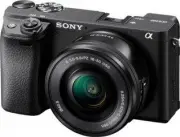 Sony A6400 + SEL-P1650 Black (ILCE-6400L/B)
User Manual
Sony A6400 + SEL-P1650 Black (ILCE-6400L/B)
User Manual
 Sony A6600 Body Black (ILCE-6600/B)
User Manual
Sony A6600 Body Black (ILCE-6600/B)
User Manual
 Sony A7R Mark IV Body (ILCE-7RM4)
User Manual
Sony A7R Mark IV Body (ILCE-7RM4)
User Manual
 Sony Alpha 6500 (ILCE-6500)
User Manual
Sony Alpha 6500 (ILCE-6500)
User Manual
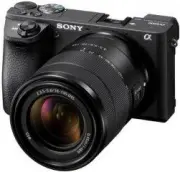 Sony Alpha 6500 + 18-135mm (ILCE-6500M/B)
User Manual
Sony Alpha 6500 + 18-135mm (ILCE-6500M/B)
User Manual
 Sony Alpha 7 III
User Manual
Sony Alpha 7 III
User Manual
 Sony Alpha 7 IV
User Manual
Sony Alpha 7 IV
User Manual
 Sony Alpha 7C
User Manual
Sony Alpha 7C
User Manual
 Sony Alpha 7C Body Silver
User Manual
Sony Alpha 7C Body Silver
User Manual
 Sony Alpha a6400 + E 16-55 mm f/2.8 G (ILCE6400G.CEC)
User Manual
Sony Alpha a6400 + E 16-55 mm f/2.8 G (ILCE6400G.CEC)
User Manual
 Sony Alpha a6500 body (ILCE6500B.CEC)
User Manual
Sony Alpha a6500 body (ILCE6500B.CEC)
User Manual
 Sony Cyber-shot DSC-H55 Black
User Manual
Sony Cyber-shot DSC-H55 Black
User Manual
 Sony Cyber-shot DSC-HX10 Black
User Manual
Sony Cyber-shot DSC-HX10 Black
User Manual
 Sony Cyber-shot DSC-RX10
User Manual
Sony Cyber-shot DSC-RX10
User Manual
 Sony Cyber-shot DSC-W710 Pink
User Manual
Sony Cyber-shot DSC-W710 Pink
User Manual
 Sony DCZV1/B
User Manual
Sony DCZV1/B
User Manual
 Sony DSC-F77
Manual
Sony DSC-F77
Manual