Page 2 - Preparing the camera; Checking the camera and the supplied items
Rear side Top side/Side view Bottom Lens FE 28-70 mm F3.5-5.6 OSS (Supplied with ILCE-7M3K) Basic operations Using the control wheel Using the multi-selector Using MENU items Using the Fn (Function) button How to use the Quick Navi screen How to use the keyboard Icons and indicators List of icons on...
Page 3 - Shooting; Shooting still images
Attaching a lens Attaching/removing a lens Attaching the lens hood Attaching accessories Mount Adaptor LA-EA1/LA-EA3 Mount Adaptor LA-EA2/LA-EA4 Mount Adaptor Vertical grip Setting language, date and time In-Camera Guide Shooting Shooting still images Focusing Focus Mode Auto focus Focus Area Phase ...
Page 4 - Manual focus
Eye-Start AF (still image) AF Track Sens (still image) Priority Set in AF-S Priority Set in AF-C AF Illuminator (still image) AF Area Auto Clear Disp. cont. AF area AF Micro Adj. AF System (still image) Aperture Drive in AF (still image) Manual focus Manual Focus Direct manual focus (DMF) Focus Magn...
Page 7 - Recording movies
Picture Effect Color Space (still image) Shutter settings Anti-flicker Shoot. (still image) Release w/o Lens Release w/o Card Silent Shooting (still image) e-Front Curtain Shut. Reducing blur SteadyShot SteadyShot Settings Lens compensation Lens Comp. Noise reduction Long Exposure NR (still image) H...
Page 8 - Viewing; Viewing images
Shooting movies Movie w/ shutter Movie recording formats File Format (movie) Record Setting (movie) S&Q Settings Proxy Recording Audio Recording Audio Level Display Audio Rec Level Audio Out Timing Wind Noise Reduct. Picture Profile Gamma Disp. Assist Auto Slow Shut. (movie) AF drive speed (movi...
Page 9 - Customizing the camera; Registering frequently used functions
Enlarge Init. Mag. Enlarge Initial Pos. Playing back movies Volume Settings Photo Capture Playing back images on the image index screen (Image Index) Setting the method for jumping between images (Image Jump Setting) Switching between still images and movies (View Mode) Display as Group Cont. PB for...
Page 11 - Camera settings
Format File Number Set File Name Display Media Info. Rec. Media Settings: Prioritize Rec. Media Rec. Media Settings: Recording Mode Rec. Media Settings: Auto Switch Media Select REC Folder New Folder Folder Name Recover Image DB Camera settings Audio signals Pwr Save Start Time Auto Pwr OFF Temp. IR...
Page 12 - Using network functions
Area Setting Copyright Info Version Demo Mode Initializing the camera Setting Reset Using network functions Connecting this product and a Smartphone PlayMemories Mobile Controlling the camera using an Android smartphone (NFC One-touch remote) Controlling the camera using an Android smartphone (QR co...
Page 13 - Using a computer; Recommended computer environment; List of MENU items; Using MENU items
Wi-Fi Settings: Access Point Set. Wi-Fi Settings: Disp MAC Address Wi-Fi Settings: SSID/PW Reset Edit Device Name Importing root certification to the camera (Imp Root Certificate) Reset Network Set. Using a computer Recommended computer environment Importing images for use on a computer PlayMemories...
Page 16 - Camera Settings2
Peaking Setting Anti-flicker Shoot. (still image) Face Registration (New Registration) Face Registration (Order Exchanging) Face Registration (Delete) Regist. Faces Priority Camera Settings2 Movie: Exposure Mode S&Q Motion: Exposure Mode File Format (movie) Record Setting (movie) S&Q Setting...
Page 17 - Network
SteadyShot Settings Clear Image Zoom/Digital Zoom (Zoom) Zoom Setting Zoom Ring Rotate DISP Button (Monitor/Finder) FINDER/MONITOR Zebra Setting Grid Line Exposure Set. Guide Live View Display Displaying continuous shooting remaining time indicator (Cont. Shoot. Length) Auto Review Custom Key (still...
Page 18 - Playback
Wi-Fi Settings: Access Point Set. Wi-Fi Settings: Disp MAC Address Wi-Fi Settings: SSID/PW Reset Bluetooth Settings Loc. Info. Link Set. Bluetooth Rmt Ctrl Edit Device Name Importing root certification to the camera (Imp Root Certificate) Reset Network Set. Playback Protecting images (Protect) Rotat...
Page 19 - Setup
Setup Monitor Brightness Viewfinder Bright. Finder Color Temp. Gamma Disp. Assist Volume Settings Delete confirm. Display Quality Pwr Save Start Time Auto Pwr OFF Temp. NTSC/PAL Selector Cleaning Mode Touch Operation Touch Panel/Pad Touch Pad Settings Demo Mode TC/UB Settings IR Remote Ctrl HDMI Set...
Page 20 - My Menu; Precautions/This product; Precautions
Language Date/Time Setup Area Setting Copyright Info Format File Number Set File Name Rec. Media Settings: Prioritize Rec. Media Rec. Media Settings: Recording Mode Rec. Media Settings: Auto Switch Media Select REC Folder New Folder Folder Name Recover Image DB Display Media Info. Version Setting Re...
Page 21 - If you have problems
4-732-947-15(1) Copyright 2018 Sony Corporation Using the AC Adaptor/battery charger abroad AVCHD format License Specifications Trademarks List of default setting values If you have problems Troubleshooting Warning messages 21
Page 22 - Help Guide; Front side; Infrared remote sensor; When the lens is removed; Mounting index
Help Guide Interchangeable Lens Digital Camera ILCE-7M3 α7III Front side 4-732-947-15(1) Copyright 2018 Sony Corporation ON/OFF (Power) switch/Shutter button 1. Front dialYou can quickly adjust the settings for each shooting mode. 2. Infrared remote sensor 3. Lens release button 4. Wi-Fi/Bluetooth a...
Page 23 - Rear side; Eyepiece Cup; To remove the eyepiece cup; Viewfinder
Help Guide Interchangeable Lens Digital Camera ILCE-7M3 α7III Rear side Eyepiece Cup To remove the eyepiece cup Push the grips at the bottom of the eyepiece cup to the left and right and lift up the cup. Remove the eyepiece cup when attaching an angle viewfinder (sold separately). Also, select MENU ...
Page 25 - Image sensor position mark
Help Guide Interchangeable Lens Digital Camera ILCE-7M3 α7III Top side/Side view Image sensor position mark The image sensor is the sensor that converts light into an electric signal. The mark shows the location of the image sensor. When you measure the exact distance between the camera and the subj...
Page 27 - Notes on USB terminals
Notes on USB terminals You can use either the USB Type-C terminal or the Multi/Micro USB Terminal for supplying power, charging the battery,and USB communications. However, you cannot conduct these operations with both terminals simultaneously. The battery charging time does not change according to ...
Page 28 - Bottom; Battery insertion slot
Help Guide Interchangeable Lens Digital Camera ILCE-7M3 α7III Bottom 4-732-947-15(1) Copyright 2018 Sony Corporation Battery insertion slot 1. Battery cover 2. Tripod socket holeUse a tripod with a screw less than 5.5 mm (7/32 inches) long. Otherwise, you cannot firmly secure the camera, anddamage t...
Page 29 - Focusing ring
Help Guide Interchangeable Lens Digital Camera ILCE-7M3 α7III Lens FE 28-70 mm F3.5-5.6 OSS (Supplied with ILCE-7M3K) 4-732-947-15(1) Copyright 2018 Sony Corporation Focusing ring 1. Zoom ring 2. Focal-length scale 3. Focal-length index 4. Lens contactsDo not touch this part directly. 5. Mount index...
Page 30 - Using the control wheel; Related Topic; Focus Standard
Help Guide Interchangeable Lens Digital Camera ILCE-7M3 α7III Using the control wheel You can select setting items by turning or pressing the top/bottom/left/right side of the control wheel. Your selection isdetermined when you press the center of the control wheel.The DISP (Display Setting), / (Dri...
Page 31 - Using the multi-selector; Focus Area
Help Guide Interchangeable Lens Digital Camera ILCE-7M3 α7III Using the multi-selector Put your finger right on top of the multi-selector to manipulate it more precisely.When [Focus Area] is set to [Zone], [Flexible Spot], or [Expand Flexible Spot], you can move the focus area bypressing the multi-s...
Page 32 - Hint; Press the MENU button to display the menu screen.; Select an icon at the top of the screen
Help Guide Interchangeable Lens Digital Camera ILCE-7M3 α7III Using MENU items You can change settings related to all the camera operations including shooting, playback, and operating method. Youcan also execute camera functions from the MENU. Hint You can display the menu screen by assigning the [M...
Page 33 - Add Item
Related Topic Add Item Custom Key (still image/movie/playback) Version 4-732-947-15(1) Copyright 2018 Sony Corporation 33
Page 34 - To adjust settings from the dedicated setting screens; Some functions can be fine-tuned using the rear dial.
Help Guide Interchangeable Lens Digital Camera ILCE-7M3 α7III Using the Fn (Function) button You can register frequently used functions to the Fn (Function) button and recall them while shooting. Up to 12 frequentlyused functions can be registered to the Fn (Function) button. To adjust settings from...
Page 36 - How to use the Quick Navi screen; MENU →; Auto mode/Scene Selection mode; Select the desired setting by turning the front dial.
Help Guide Interchangeable Lens Digital Camera ILCE-7M3 α7III How to use the Quick Navi screen The Quick Navi screen is a function optimized for shooting with the viewfinder, that lets you control settings directly. To adjust settings from the dedicated setting screens Select the desired function in...
Page 37 - Note; Switching the screen display (while shooting/during playback)
Note Items that are gray on the Quick Navi screen are not adjustable. When using [Creative Style], [Picture Profile], etc., some of the setup tasks can only be accomplished on a dedicated screen. Related Topic Switching the screen display (while shooting/during playback) 4-732-947-15(1) Copyright 20...
Page 38 - How to use the keyboard; For example: If you want to enter “abd”
Help Guide Interchangeable Lens Digital Camera ILCE-7M3 α7III How to use the keyboard When manual character entry is required, a keyboard is displayed on the screen. Move the cursor on desired key using the control wheel, then press the center to enter. To cancel input, select [Cancel]. 4-732-947-15...
Page 39 - List of icons on the monitor; Icons on the shooting screen; Monitor mode
Help Guide Interchangeable Lens Digital Camera ILCE-7M3 α7III List of icons on the monitor The displayed contents and their positions in the illustrations are just guidelines, and may differ from the actual displays. Icons on the shooting screen Monitor mode Viewfinder mode Shooting mode/Scene recog...
Page 42 - Icons on the playback screen; Single-image playback
Icons on the playback screen Single-image playback Prioritize Rec. Media Focus indicator/exposure settings Focus indicator 1/250 Shutter speed F3.5 Aperture value Exposure compensation/Metered Manual ISO400 ISO AUTO ISO sensitivity AE lock/FEL lock 5. Guides/other Lock-on AF Lock-on AF Cancel Guide ...
Page 44 - Latitude/longitude information
4-732-947-15(1) Copyright 2018 Sony Corporation HLG HDR recording (Hybrid Log-Gamma) Refer to “Icons on the shooting screen” for other icons displayed in this area. Image information Latitude/longitude information 2018-1-1 10:37AM Date of recording 100-0003 Folder number - file number Histogram (Lum...
Page 45 - You can change the display contents on the screen.
Help Guide Interchangeable Lens Digital Camera ILCE-7M3 α7III Switching the screen display (while shooting/during playback) You can change the display contents on the screen. Press the DISP (Display Setting) button. To switch the information displayed on the viewfinder, press the DISP button while l...
Page 46 - Histogram display
Histogram display A histogram shows the luminance distribution, displaying how many pixels there are by luminance. It shows darkertoward the left and brighter toward the right.The histogram changes depending on the exposure compensation.A peak at the right or left end of the histogram indicates that...
Page 48 - Menu item details
Help Guide Interchangeable Lens Digital Camera ILCE-7M3 α7III DISP Button (Monitor/Finder) Allows you to set the screen display modes that can be selected using DISP (Display Setting) in shooting mode. Menu item details Graphic Display : Shows basic shooting information. Graphically shows the shutte...
Page 50 - Supplied with all models
Help Guide Interchangeable Lens Digital Camera ILCE-7M3 α7III Checking the camera and the supplied items First check the model name of your camera. The accessories supplied differ depending on the model.The number in parentheses indicates the number of pieces. Supplied with all models Camera (1)AC A...
Page 52 - Inserting/removing the battery pack; To remove the battery pack; and remove the battery; Open the battery cover.
Help Guide Interchangeable Lens Digital Camera ILCE-7M3 α7III Inserting/removing the battery pack To remove the battery pack Make sure that the access lamp is not lit, and turn off the camera. Then, slide the lock lever (A) and remove the battery pack. Be careful not to drop the battery pack. 4-732-...
Page 53 - Charging the battery pack while it is inserted in the camera
Help Guide Interchangeable Lens Digital Camera ILCE-7M3 α7III Charging the battery pack while it is inserted in the camera Note If the charge lamp flashes when the battery pack is not fully charged, remove the battery pack or disconnect the USB cable fromthe camera and then re-insert it to recharge....
Page 54 - Notes on the battery pack
Do not continuously or repeatedly charge the battery pack without using it if it is already fully charged or close to fully charged.Doing so may cause a deterioration in battery performance. When charging is finished, disconnect the AC Adaptor from the wall outlet (wall socket). Be sure to use only ...
Page 55 - Charging by connecting to a computer
Help Guide Interchangeable Lens Digital Camera ILCE-7M3 α7III Charging by connecting to a computer The battery pack can be charged by connecting the camera to a computer using a USB cable. Note If the product is connected to a laptop computer that is not connected to a power source, the laptop batte...
Page 56 - Battery life and number of recordable images; Screen mode
Help Guide Interchangeable Lens Digital Camera ILCE-7M3 α7III Battery life and number of recordable images Note The above estimates for battery life and number of recordable images apply when the battery pack has been fully charged. Thebattery life and number of images may decrease depending on the ...
Page 57 - Supplying power from a wall outlet (wall socket)
Help Guide Interchangeable Lens Digital Camera ILCE-7M3 α7III Supplying power from a wall outlet (wall socket) Use the supplied AC adaptor to shoot and play back images while power is supplied from a wall outlet (wall socket). Thisconserves the camera's battery power. Note The camera will not activa...
Page 58 - Notes on using the battery pack; The remaining battery indicator appears on the screen.; Effective use of the battery pack
Help Guide Interchangeable Lens Digital Camera ILCE-7M3 α7III Notes on the battery pack Notes on using the battery pack Be sure to use only battery packs specified for this product.The correct remaining battery indicator may not be displayed under some operating or environmental conditions.Do not ex...
Page 60 - Notes on charging the battery pack
Help Guide Interchangeable Lens Digital Camera ILCE-7M3 α7III Notes on charging the battery pack The supplied AC Adaptor is dedicated to this product. Do not connect with other electronic devices. Doing so maycause a malfunction.Make sure to use a genuine Sony AC Adaptor.If the product's charge lamp...
Page 61 - Inserting/removing a memory card; When using two memory cards, insert the second one into the slot 2.; Memory card types that can be inserted into the memory card slots
Help Guide Interchangeable Lens Digital Camera ILCE-7M3 α7III Inserting/removing a memory card Explains how to insert a memory card (sold separately) to the product. Hint Open the memory card cover. 1 Insert the SD card into the slot 1. When using two memory cards, insert the second one into the slo...
Page 62 - To remove the memory card; Open the memory card cover and make sure that the access lamp; Memory cards that can be used
When you use a memory card with the camera for the first time, it is recommended that you format the card on the camera formore stable performance of the memory card. You can change the memory card slot for recording by selecting MENU → (Setup) → [Rec. Media Settings] → [Prioritize Rec. Media]. To r...
Page 63 - SD memory cards; Memory Stick PRO Duo/ Memory Stick PRO-HG Duo; Memory card
Help Guide Interchangeable Lens Digital Camera ILCE-7M3 α7III Memory cards that can be used When using microSD memory cards or Memory Stick Micro media with this camera, be sure to use the appropriateadaptor. SD memory cards Memory Stick media Note Use the slot 1 when you are using a UHS-II memory c...
Page 64 - Notes on memory card
Fully charge the battery pack before attempting to recover the database files on the memory card. Related Topic Notes on memory card Number of recordable images Recordable movie times Rec. Media Settings: Recording Mode 4-732-947-15(1) Copyright 2018 Sony Corporation Memory card File system SDXC mem...
Page 65 - About Memory Stick PRO Duo media and Memory Stick PRO-HG Duo media:
Help Guide Interchangeable Lens Digital Camera ILCE-7M3 α7III Notes on memory card If you repeatedly shoot and delete images for a long time, fragmentation of data in a file in the memory card mayoccur, and movie recording may be interrupted in the middle of shooting. If this happens, save your imag...
Page 66 - Attaching/removing a lens; Turn off the camera before attaching or removing the lens.
Help Guide Interchangeable Lens Digital Camera ILCE-7M3 α7III Attaching/removing a lens Turn off the camera before attaching or removing the lens. Remove the body cap (A) from the camera and the rear lens cap (B) from the rear of the lens. It is recommended that you attach the front lens cap when yo...
Page 67 - To remove the lens; Keep pressing the lens release button; Attaching the lens hood
To remove the lens Keep pressing the lens release button (A) and turn the lens in the direction of the arrow until it stops. After removing the lens, attach the body cap to the camera and the lens caps to the front and rear of the lens to preventdust and debris from entering the camera and lens. Not...
Page 69 - Mount Adaptor
Help Guide Interchangeable Lens Digital Camera ILCE-7M3 α7III Mount Adaptor Using a Mount Adaptor (sold separately), you can attach an A-mount lens (sold separately) to this product. For details, refer to the operating instructions supplied with the Mount Adaptor. Note When a setting other than [Con...
Page 70 - Available with SAM/SSM lens only; Available focus area:
Help Guide Interchangeable Lens Digital Camera ILCE-7M3 α7III LA-EA1/LA-EA3 Mount Adaptor If you use the LA-EA1 Mount Adaptor (sold separately) or LA-EA3 Mount Adaptor (sold separately), the followingfunctions are available. Full frame shooting: LA-EA1: Not availableLA-EA3: Available with full frame...
Page 71 - Available
Help Guide Interchangeable Lens Digital Camera ILCE-7M3 α7III LA-EA2/LA-EA4 Mount Adaptor If you use the LA-EA2 Mount Adaptor (sold separately) or LA-EA4 Mount Adaptor (sold separately), the followingfunctions are available. Full frame shooting: LA-EA2: Not availableLA-EA4: Available with full frame...
Page 72 - Vertical grip; How to remove the battery cover
Help Guide Interchangeable Lens Digital Camera ILCE-7M3 α7III Vertical grip You can attach a vertical grip (sold separately) to this product and record vertically oriented images. When attaching thevertical grip, remove the battery cover in advance. For details, refer to the operating instructions f...
Page 73 - Setting language, date and time; On maintaining the date and time
Help Guide Interchangeable Lens Digital Camera ILCE-7M3 α7III Setting language, date and time The setting screen for language, date and time is displayed automatically when you turn on this product for the first time,initialize this product or when the internal rechargeable backup battery has discha...
Page 75 - The descriptions of the item are displayed.
Help Guide Interchangeable Lens Digital Camera ILCE-7M3 α7III In-Camera Guide The [In-Camera Guide] displays descriptions of MENU items, Fn (Function) items, and settings.Assign the [In-Camera Guide] function to the desired key in advance using [ Custom Key] or [ Custom Key]. Related Topic Custom Ke...
Page 76 - Select the desired shooting mode by turning the mode dial.; When the image is in focus, a beep sounds and the indicator (such as; Press the shutter button fully down.
Help Guide Interchangeable Lens Digital Camera ILCE-7M3 α7III Shooting still images To shoot images with the focus locked on the desired subject (Focus-lock) Shoots images with the focus locked on the desired subject in auto focus mode. Select the desired shooting mode by turning the mode dial. 1 Ad...
Page 77 - List of mode dial function
Hint When the product cannot focus automatically, the focus indicator flashes and the beep does not sound. Either recompose theshot or change the focus setting. In [Continuous AF] mode, lights up and the beep indicating that the focus has been achieved does not sound. An icon indicating that data is...
Page 78 - Focus Mode; Selects the focus method to suit the movement of the subject.; The subject is in focus and the focus is locked.; Subjects on which it is difficult to focus using auto focus
Help Guide Interchangeable Lens Digital Camera ILCE-7M3 α7III Focus Mode Selects the focus method to suit the movement of the subject. Menu item details (Single-shot AF): The product locks the focus once focusing is complete. Use this when the subject is motionless. (Automatic AF): [Single-shot AF] ...
Page 79 - Manual Focus
Note [Automatic AF] is available only when you are using a lens that supports phase detection AF. When [Continuous AF] or [Automatic AF] is set, the angle of view may change little by little while focusing. This does not affectthe actual recorded images. Only [Continuous AF] and [Manual Focus] are a...
Page 80 - Expand Flexible Spot :; Examples of the focusing frame display; The focusing frame differs as follows.; When focusing on a larger area
Help Guide Interchangeable Lens Digital Camera ILCE-7M3 α7III Focus Area Selects the focusing area. Use this function when it is difficult to focus properly in the auto focus mode. Menu item details Wide : Focuses on a subject covering the whole range of the screen automatically. When you press the ...
Page 81 - To move the focus area; Touch Operation
When [Focus Area] is set to [Wide] or [Zone], the focusing frame may switch between “When focusing on a largerarea” and “When focusing on a smaller area” depending on the subject or situation.When you attach an A-mount lens with a Mount Adaptor (LA-EA1 or LA-EA3) (sold separately) and [ AF System] i...
Page 83 - Phase detection AF
Help Guide Interchangeable Lens Digital Camera ILCE-7M3 α7III Phase detection AF When there are phase detection AF points within the auto focus area, the product uses the combined autofocus of thephase detection AF and contrast AF. Note Phase detection AF is available only when an applicable lens is...
Page 84 - Pressing the key moves the focusing frame back to the center.
Help Guide Interchangeable Lens Digital Camera ILCE-7M3 α7III Focus Standard If you assign [Focus Standard] to the desired custom key, you can recall useful functions such as focusing on a subjectin the center of the screen automatically in accordance with the focus area settings. When [Focus Area] ...
Page 85 - Focus Settings; When the focus mode is set to auto focus or Direct Manual Focus; Selects the focus area.; When the focus mode is set to Manual Focus; You can set the area to be magnified when focusing manually.
Help Guide Interchangeable Lens Digital Camera ILCE-7M3 α7III Focus Settings Configures the focus functions using the front dial/rear dial or the control wheel. When the focus mode is set to auto focus or Direct Manual Focus You can adjust the focus area settings and the position of the focusing fra...
Page 88 - Switches the focusing mode while the button is held down.
Help Guide Interchangeable Lens Digital Camera ILCE-7M3 α7III AF/MF control You can easily switch the focusing mode from auto to manual and vice versa while shooting without changing yourholding position. Menu item details AF/MF Control Hold : Switches the focusing mode while the button is held down...
Page 89 - AF On
Help Guide Interchangeable Lens Digital Camera ILCE-7M3 α7III AF w/ shutter (still image) Selects whether to focus automatically when you press the shutter button halfway down. Select [Off] to adjust the focusand the exposure separately. Menu item details On: The auto focus operates when you press t...
Page 94 - The magnification scale changes each time you press the center.; Press the shutter button halfway down to focus.; The focus will be achieved at point of in the center of the screen.; Press the shutter button all the way down to shoot.; The camera exits the magnified display after shooting.
Help Guide Interchangeable Lens Digital Camera ILCE-7M3 α7III AF in Focus Mag. (still image) You can focus on the subject more accurately using auto-focus by magnifying the area where you want to focus. Whilethe magnified image is displayed, you can focus on a smaller area than the flexible spot. Hi...
Page 95 - Focus Magnifier
Related Topic Focus Magnifier Custom Key (still image/movie/playback) 4-732-947-15(1) Copyright 2018 Sony Corporation 95
Page 96 - Press the center again to stop tracking.; Press the shutter button fully down to shoot the image.
Help Guide Interchangeable Lens Digital Camera ILCE-7M3 α7III Center Lock-on AF When you press the center of the control wheel, the camera detects the subject positioned in the center of the screenand continues to track the subject. Hint If you assign the [Focus Standard] function to the key of your...
Page 98 - Focus Hold
Help Guide Interchangeable Lens Digital Camera ILCE-7M3 α7III Focus Hold Locks the focus while the key to which the Focus Hold function has been assigned is pressed. Related Topic Custom Key (still image/movie/playback) 4-732-947-15(1) Copyright 2018 Sony Corporation MENU→ (Camera Settings2)→[ Custo...
Page 99 - How to register focus area
Help Guide Interchangeable Lens Digital Camera ILCE-7M3 α7III Registering the current focus area (AF Area Regist.) (still image) You can move the focusing frame to a preassigned position temporarily using a custom key. This function is useful whenshooting scenes in which the subject’s movements are ...
Page 100 - Deletes the focusing frame position that was registered using [
Help Guide Interchangeable Lens Digital Camera ILCE-7M3 α7III Deleting a registered AF Area (Del. Reg. AF Area) Deletes the focusing frame position that was registered using [ AF Area Regist.]. Related Topic Registering the current focus area (AF Area Regist.) (still image) 4-732-947-15(1) Copyright...
Page 101 - Adjusts focus before you press the shutter button halfway down.
Help Guide Interchangeable Lens Digital Camera ILCE-7M3 α7III Pre-AF (still image) The product automatically adjusts focus before you press the shutter button halfway down. During focusing operations,the screen may shake. Menu item details On: Adjusts focus before you press the shutter button halfwa...
Page 106 - The AF illuminator lights up automatically in dark surroundings.
Help Guide Interchangeable Lens Digital Camera ILCE-7M3 α7III AF Illuminator (still image) The AF illuminator supplies fill light to focus more easily on a subject in dark surroundings. In the time between pressingthe shutter button halfway down and locking the focus, the red AF illuminator lights u...
Page 107 - AF Area Auto Clear; The focus area is displayed all the time.
Help Guide Interchangeable Lens Digital Camera ILCE-7M3 α7III AF Area Auto Clear Sets whether the focus area should be displayed all the time or should disappear automatically shortly after focus isachieved. Menu item details On: The focus area disappears automatically shortly after focus is achieve...
Page 108 - Displays the focus area that is in focus.
Help Guide Interchangeable Lens Digital Camera ILCE-7M3 α7III Disp. cont. AF area You can set whether or not to display the area that is in focus when [Focus Area] is set to [Wide] or [Zone], in[Continuous AF] mode. Menu item details On: Displays the focus area that is in focus. Off: Does not displa...
Page 110 - Focuses with Phase Detection AF. The focusing speed is very fast.
Help Guide Interchangeable Lens Digital Camera ILCE-7M3 α7III AF System (still image) Sets the focus detection system (Phase Detection AF/Contrast AF) when you attach an A-mount lens using an LA-EA1/LA-EA3 Mount Adaptor (sold separately). Menu item details Phase Detection AF: Focuses with Phase Dete...
Page 111 - Uses the standard aperture drive system.; Version
Help Guide Interchangeable Lens Digital Camera ILCE-7M3 α7III Aperture Drive in AF (still image) You can reduce the sound from the aperture drive when shooting using a compatible lens. This function can be used when the camera's system software (firmware) is Ver. 2.00 or later. Menu item details Sta...
Page 113 - Peaking Setting
Help Guide Interchangeable Lens Digital Camera ILCE-7M3 α7III Direct manual focus (DMF) You can make fine adjustments manually after performing auto focusing, letting you focus on a subject more quickly thanwhen using the manual focus from the beginning. This is convenient in situations such as macr...
Page 114 - To use the focus magnifier function by touch operation; Initial Focus
Help Guide Interchangeable Lens Digital Camera ILCE-7M3 α7III Focus Magnifier You can check the focus by enlarging the image before shooting.Unlike with [ MF Assist], you can magnify the image without operating the focus ring. To use the focus magnifier function by touch operation You can magnify th...
Page 117 - Set the duration for which an image is to be magnified using the [; Magnifies the images for 2 seconds.
Help Guide Interchangeable Lens Digital Camera ILCE-7M3 α7III Focus Magnif. Time Set the duration for which an image is to be magnified using the [ MF Assist] or [Focus Magnifier] function. Menu item details 2 Sec: Magnifies the images for 2 seconds. 5 Sec: Magnifies the images for 5 seconds. No Lim...
Page 119 - Sets whether to display peaking.
Help Guide Interchangeable Lens Digital Camera ILCE-7M3 α7III Peaking Setting Sets the peaking function, which enhances the outline of in-focus areas during shooting with Manual Focus or DirectManual Focus. Menu item details Peaking Display: Sets whether to display peaking. Peaking Level: Sets the l...
Page 120 - Drive Mode; Normal shooting mode.; WB bracket; Select; You can also set the drive mode by selecting MENU →
Help Guide Interchangeable Lens Digital Camera ILCE-7M3 α7III Drive Mode Select the appropriate mode for the subject, such as single shooting, continuous shooting or bracketing shooting. Menu item details Single Shooting: Normal shooting mode. Cont. Shooting: Shoots images continuously while you pre...
Page 122 - You can also set the continuous shooting by selecting MENU →
Help Guide Interchangeable Lens Digital Camera ILCE-7M3 α7III Cont. Shooting Shoots images continuously while you press and hold down the shutter button. Menu item details Continuous Shooting: Hi+ : Images are shot continuously at the maximum speed while you press and hold down the shutter button. C...
Page 124 - Does not display the indicator.
Help Guide Interchangeable Lens Digital Camera ILCE-7M3 α7III Displaying continuous shooting remaining time indicator (Cont. Shoot. Length) Sets whether to display an indicator of the remaining time for which continuous shooting can be performed at the sameshooting speed. Menu item details Always Di...
Page 125 - Audio signals; Press; You can also set the drive mode by selecting MENU→; Adjust the focus and shoot the image.
Help Guide Interchangeable Lens Digital Camera ILCE-7M3 α7III Self-timer Shoots an image using the self-timer after a designated number of seconds have elapsed since the shutter button waspressed. Use the 5-second/10-second self-timer when you are going to be in the picture, and use the 2-second sel...
Page 127 - Bracket Settings
Help Guide Interchangeable Lens Digital Camera ILCE-7M3 α7III Cont. Bracket Shoots multiple images while automatically shifting the exposure from base to darker and then to lighter. You can selectan image that suits your purpose after recording. Menu item details For example, the camera shoots a tot...
Page 128 - Single Bracket; Press the shutter button for each image.
Help Guide Interchangeable Lens Digital Camera ILCE-7M3 α7III Single Bracket Shoots multiple images while automatically shifting the exposure from base to darker and then to lighter. You can selectthe image that suits your purpose after recording. Since a single picture is taken each time you press ...
Page 129 - Indicator during bracket shooting
Help Guide Interchangeable Lens Digital Camera ILCE-7M3 α7III Indicator during bracket shooting Viewfinder Ambient light* bracketing 3 images shifted by 0.3 EV steps Exposure compensation ±0.0 EV Monitor (Display All Info. or Histogram) Ambient light* bracketing 3 images shifted by 0.3 EV steps Expo...
Page 131 - MK
Help Guide Interchangeable Lens Digital Camera ILCE-7M3 α7III WB bracket Shoots a total of three images, each with different color tones according to the selected settings for white balance, colortemperature and color filter. Menu item details White Balance Bracket: Lo: Records a series of three ima...
Page 132 - DRO Bracket
Help Guide Interchangeable Lens Digital Camera ILCE-7M3 α7III DRO Bracket You can record a total of three images, each at a different degree of D-Range Optimizer value. Menu item details DRO Bracket: Lo: Records a series of three images with small changes in the D-Range Optimizer value (Lv 1, Lv 2, ...
Page 133 - Selftimer during Brkt:
Help Guide Interchangeable Lens Digital Camera ILCE-7M3 α7III Bracket Settings You can set the self-timer in bracket shooting mode, and the shooting order for exposure bracketing and white balancebracketing. Menu item details Selftimer during Brkt: Sets whether to use the self-timer during bracket s...
Page 134 - Sets the number of shots for interval shooting. (1 shot to 9999 shots)
Help Guide Interchangeable Lens Digital Camera ILCE-7M3 α7III Intvl. Shoot. Func. You can automatically shoot a series of still images with the shooting interval and number of shots that you set inadvance (Interval shooting). You can then create a movie from the still images produced by interval sho...
Page 135 - Imaging Edge
[AF/MF Control Hold][Regist. AF Area hold] Still images shot with interval shooting are displayed as a group on the playback screen. Still images shot with interval shooting can be played back continuously on the camera. If you intend to create a movie using thestill images, you can preview the resu...
Page 136 - Sets whether or not to activate touch operations on the monitor.; Activates the touch operation.
Help Guide Interchangeable Lens Digital Camera ILCE-7M3 α7III Touch Operation Sets whether or not to activate touch operations on the monitor. Menu item details On: Activates the touch operation. Off: Deactivates the touch operation. Related Topic Touch FocusTouch Pad Settings Touch Panel/Pad 4-732-...
Page 138 - Touch Focus; You can focus on the desired position by touching the monitor.
Help Guide Interchangeable Lens Digital Camera ILCE-7M3 α7III Touch Focus You can select a subject on which to focus using touch operations in the still image and movie recording modes. Specifying the position where you want to focus in the still image mode You can focus on the desired position by t...
Page 140 - Touch Pad Settings
Help Guide Interchangeable Lens Digital Camera ILCE-7M3 α7III Touch Pad Settings You can adjust settings related to touch pad operations during viewfinder shooting. Menu item details Operation in V Orien.: Sets whether to enable touch pad operations during vertically oriented viewfinder shooting. Yo...
Page 142 - When recording in the APS-C-equivalent size
Help Guide Interchangeable Lens Digital Camera ILCE-7M3 α7III JPEG Image Size (still image) The larger the image size, the more detail will be reproduced when the image is printed on large-format paper. Thesmaller the image size, the more images can be recorded. Menu item details When recording in t...
Page 144 - Selects the JPEG image quality when [
Help Guide Interchangeable Lens Digital Camera ILCE-7M3 α7III JPEG Quality (still image) Selects the JPEG image quality when [ File Format] is set to [RAW & JPEG] or [JPEG]. Menu item details Extra fine/Fine/Standard: Since the compression rate increases from [Extra fine] to [Fine] to [Standard]...
Page 145 - Same aspect ratio as 35 mm plate film
Help Guide Interchangeable Lens Digital Camera ILCE-7M3 α7III Aspect Ratio (still image) Menu item details 3:2: Same aspect ratio as 35 mm plate film 16:9: An aspect ratio suitable for viewing on a TV that supports high definition 4-732-947-15(1) Copyright 2018 Sony Corporation MENU → (Camera Settin...
Page 146 - Sets the file format for still images.; The image is recorded in the JPEG format.; About RAW images
Help Guide Interchangeable Lens Digital Camera ILCE-7M3 α7III File Format (still image) Sets the file format for still images. Menu item details RAW: Images before processing are recorded in this file format. Select this format to process images on a computer forprofessional purposes. RAW & JPEG...
Page 147 - Selects the file type for RAW images.; Records images in compressed RAW format.
Help Guide Interchangeable Lens Digital Camera ILCE-7M3 α7III RAW File Type (still image) Selects the file type for RAW images. Menu item details Compressed: Records images in compressed RAW format. Uncompressed: Records images in uncompressed RAW format. When [Uncompressed] is selected for [ RAW Fi...
Page 149 - Angle of view; Angle of view equivalent to full frame; Angle of view equivalent to APS-C size/Super 35mm; When recording movies
Help Guide Interchangeable Lens Digital Camera ILCE-7M3 α7III Angle of view The angle of view switches to the equivalent of full frame or APS-C/Super 35mm, depending on the setting for [APS-C/Super 35mm] and the attached lens. The angle of view is also different for still image shooting and movie sh...
Page 151 - Available functions; Allows you to shoot with automatic scene recognition.; Aperture Priority; Turn the mode dial to select the desired shooting mode.
Help Guide Interchangeable Lens Digital Camera ILCE-7M3 α7III List of mode dial function You can switch the shooting mode according to the subject or purpose of shooting. Available functions (Intelligent Auto): Allows you to shoot with automatic scene recognition. P (Program Auto): Allows you to sho...
Page 152 - Scene Selection
S&Q Motion: Exposure Mode Scene Selection 4-732-947-15(1) Copyright 2018 Sony Corporation 152
Page 153 - Intelligent Auto; The camera shoots with automatic scene recognition.; About Scene Recognition; Set the mode dial to; The shooting mode will be set to; Point the camera at the subject.
Help Guide Interchangeable Lens Digital Camera ILCE-7M3 α7III Intelligent Auto The camera shoots with automatic scene recognition. Note The product will not recognize the scene when you shoot images with zoom functions other than optical zoom. The product may not properly recognize the scene under c...
Page 154 - Scene Recognition
Help Guide Interchangeable Lens Digital Camera ILCE-7M3 α7III About Scene Recognition Scene Recognition operates in [Intelligent Auto] mode. This function allows the product to automatically recognize the shooting conditions and shoot the image. Scene Recognition When the product recognizes certain ...
Page 155 - Program Auto; Program Shift
Help Guide Interchangeable Lens Digital Camera ILCE-7M3 α7III Program Auto Allows you to shoot with the exposure adjusted automatically (both the shutter speed and the aperture value). You can set shooting functions such as [ISO]. Program Shift When you are not using a flash, you can change the shut...
Page 156 - Aperture Preview; Select the desired value by turning the front/rear dial.
Help Guide Interchangeable Lens Digital Camera ILCE-7M3 α7III Aperture Priority You can shoot by adjusting the aperture and changing the range in focus, or by defocusing the background. Note The brightness of the image on the screen may differ from the actual image being shot. Related Topic Aperture...
Page 157 - Shutter Priority
Help Guide Interchangeable Lens Digital Camera ILCE-7M3 α7III Shutter Priority You can express the movement of a moving subject in various ways by adjusting the shutter speed, for example, at theinstant of the movement with high speed shutter, or as a trailing image with low speed shutter. Hint Use ...
Page 158 - Manual Exposure; You can change the setting of the front/rear dial using MENU →; Adjust the focus and shoot the subject.
Help Guide Interchangeable Lens Digital Camera ILCE-7M3 α7III Manual Exposure You can shoot with the desired exposure setting by adjusting both the shutter speed and aperture. Hint You can change the shutter speed and aperture (F-value) combination without changing the set exposure value by rotating...
Page 159 - Bulb shooting; As long as the shutter button is pressed, the shutter remains open.
Help Guide Interchangeable Lens Digital Camera ILCE-7M3 α7III Bulb shooting You can shoot a trailing image of the movement of a subject with long exposure.Bulb shooting is suitable for shooting trails from stars or fireworks, etc. Hint When shooting fireworks, etc., focus at infinity in manual focus...
Page 161 - Allows you to shoot with preset settings according to the scene.; Shoots the red of the sunset beautifully.; Turn the front dial to select the desired setting.
Help Guide Interchangeable Lens Digital Camera ILCE-7M3 α7III Scene Selection Allows you to shoot with preset settings according to the scene. Menu item details Portrait: Blurs background and sharpens the subject. Accentuates the skin tones softly. Sports Action: Shoots a moving subject at a fast sh...
Page 164 - You can set the exposure mode for movie shooting.; Allows you to shoot after adjusting the aperture value manually.; Press the MOVIE button again to stop recording.
Help Guide Interchangeable Lens Digital Camera ILCE-7M3 α7III Movie: Exposure Mode You can set the exposure mode for movie shooting. Menu item details Program Auto: Allows you to shoot with the exposure adjusted automatically (both the shutter speed and the aperture value). Aperture Priority: Allows...
Page 166 - Images become brighter.; Monitor
Help Guide Interchangeable Lens Digital Camera ILCE-7M3 α7III Exposure Comp. Normally, exposure is set automatically (auto exposure). Based on the exposure value set by auto exposure, you canmake the entire image brighter or darker if you adjust [Exposure Comp.] to the plus side or minus side, respe...
Page 167 - To set the exposure compensation value using the MENU; Exposure step
To set the exposure compensation value using the MENU You can adjust the exposure compensation value within a range of -5.0 EV to +5.0 EV when the exposure compensationdial is set to “0.”MENU→ (Camera Settings1) → [Exposure Comp.] → desired setting. Note You cannot perform the exposure compensation ...
Page 168 - Maintains the settings.
Help Guide Interchangeable Lens Digital Camera ILCE-7M3 α7III Reset EV Comp. Sets whether to maintain the exposure value set using [Exposure Comp.] when you turn off the power when theexposure compensation dial position is set to “0.” Menu item details Maintain: Maintains the settings. Reset: Resets...
Page 169 - Dial Ev Comp; Does not enable exposure compensation with the front or rear dial.
Help Guide Interchangeable Lens Digital Camera ILCE-7M3 α7III Dial Ev Comp You can adjust the exposure using the front dial or rear dial when the exposure compensation dial is set to “0.” You canadjust the exposure in a range of -5.0 EV to +5.0 EV. Menu item details Off: Does not enable exposure com...
Page 170 - You can set whether to display a guide when you change the exposure.; Does not display the guide.
Help Guide Interchangeable Lens Digital Camera ILCE-7M3 α7III Exposure Set. Guide You can set whether to display a guide when you change the exposure. Menu item details Off: Does not display the guide. On: Displays the guide. 4-732-947-15(1) Copyright 2018 Sony Corporation MENU → (Camera Settings2) ...
Page 172 - Metering Mode; AE lock
Help Guide Interchangeable Lens Digital Camera ILCE-7M3 α7III Metering Mode Selects the metering mode that sets which part of the screen to measure for determining the exposure. Menu item details Multi: Measures light on each area after dividing the total area into multiple areas and determines the ...
Page 173 - Auto HDR
Auto HDR 4-732-947-15(1) Copyright 2018 Sony Corporation 173
Page 174 - Face Prty in Mlti Mtr; The camera measures brightness based on detected faces.
Help Guide Interchangeable Lens Digital Camera ILCE-7M3 α7III Face Prty in Mlti Mtr Sets whether the camera measures brightness based on detected faces when [Metering Mode] is set to [Multi]. Menu item details On: The camera measures brightness based on detected faces. Off: The camera measures brigh...
Page 175 - Spot Metering Point; The spot metering position coordinates with the focus area.
Help Guide Interchangeable Lens Digital Camera ILCE-7M3 α7III Spot Metering Point Sets whether to coordinate the spot metering position with the focus area when [Focus Area] is set to [Flexible Spot] or[Expand Flexible Spot]. Menu item details Center: The spot metering position does not coordinate w...
Page 176 - The exposure is locked, and
Help Guide Interchangeable Lens Digital Camera ILCE-7M3 α7III AE lock When the contrast between the subject and background is high, such as when shooting a backlit subject or a subjectnear a window, meter the light at a spot where the subject appears to have the appropriate brightness and lock theex...
Page 177 - Fixes the exposure when you press the shutter button halfway down.
Help Guide Interchangeable Lens Digital Camera ILCE-7M3 α7III AEL w/ shutter (still image) Sets whether to fix the exposure when you press the shutter button halfway down. Select [Off] to adjust the focus and the exposure separately. Menu item details Auto: Fixes the exposure after adjusting the foc...
Page 178 - Highlight
Help Guide Interchangeable Lens Digital Camera ILCE-7M3 α7III Exposure Std. Adjust Adjusts this camera's standard for the correct exposure value for each metering mode. Metering Mode The set standard value will be applied when you select the corresponding metering mode in MENU → (Camera Settings1) →...
Page 180 - Zebra Setting; Sets whether to display the zebra pattern.
Help Guide Interchangeable Lens Digital Camera ILCE-7M3 α7III Zebra Setting Sets a zebra pattern, which appears over part of an image if the brightness level of that part meets the IRE level that youhave set. Use this zebra pattern as a guide to adjust the brightness. Menu item details Zebra Display...
Page 181 - Corrects the brightness automatically.
Help Guide Interchangeable Lens Digital Camera ILCE-7M3 α7III D-Range Opt. (DRO) By dividing the image into small areas, the product analyzes the contrast of light and shadow between the subject andthe background, and creates an image with the optimal brightness and gradation. Menu item details D-Ra...
Page 183 - ISO; Sets the ISO sensitivity automatically.; You can also select MENU→
Help Guide Interchangeable Lens Digital Camera ILCE-7M3 α7III ISO Sensitivity to light is expressed by the ISO number (recommended exposure index). The larger the number, the higherthe sensitivity. Menu item details ISO AUTO: Sets the ISO sensitivity automatically. ISO 50 – ISO 204800: Sets the ISO ...
Page 185 - The zoom features available with this product; When a power zoom lens is mounted:; Optical zoom range; JPEG; Clear Image Zoom range
Help Guide Interchangeable Lens Digital Camera ILCE-7M3 α7III The zoom features available with this product The zoom feature of the product provides a higher magnification zoom by combining various zoom features. The icondisplayed on the screen changes, according to the selected zoom feature. When a...
Page 186 - Zoom Setting
To use another zoom function than the optical zoom for movies, assign [Zoom] to the desired key using [ Custom Key]. Related Topic Clear Image Zoom/Digital Zoom (Zoom) Zoom Setting About zoom scale 4-732-947-15(1) Copyright 2018 Sony Corporation 186
Page 187 - Press the center of the control wheel to exit.
Help Guide Interchangeable Lens Digital Camera ILCE-7M3 α7III Clear Image Zoom/Digital Zoom (Zoom) When you use a zoom function other than the optical zoom, you can exceed the zoom range of the optical zoom. Related Topic Zoom SettingThe zoom features available with this product Custom Key (still im...
Page 188 - You can select the zoom setting of the product.
Help Guide Interchangeable Lens Digital Camera ILCE-7M3 α7III Zoom Setting You can select the zoom setting of the product. Menu item details Optical zoom only: Limits the zoom range to the optical zoom. You can use the Smart Zoom function if you set [ JPEG Image Size] to [M] or [S]. On:ClearImage Zo...
Page 189 - About zoom scale
Help Guide Interchangeable Lens Digital Camera ILCE-7M3 α7III About zoom scale The zoom scale that is used in combination with the zoom of the lens changes according to the selected image size. When [ Aspect Ratio] is [3:2] Related Topic Clear Image Zoom/Digital Zoom (Zoom) The zoom features availab...
Page 190 - Zoom Ring Rotate
Help Guide Interchangeable Lens Digital Camera ILCE-7M3 α7III Zoom Ring Rotate Assigns zoom in (T) or zoom out (W) functions to the zoom ring rotation direction. Available only with power zoom lensesthat support this function. Menu item details Left(W)/Right(T): Assigns zoom out (W) function to left...
Page 191 - White Balance; When; Capturing a basic white color in [Custom Setup] mode
Help Guide Interchangeable Lens Digital Camera ILCE-7M3 α7III White Balance Corrects the tone effect of the ambient light condition to record a neutral white subject in white. Use this function whenthe color tones of the image did not come out as you expected, or when you want to change the color to...
Page 192 - Priority Set in AWB
Help Guide Interchangeable Lens Digital Camera ILCE-7M3 α7III Priority Set in AWB Selects which tone to prioritize when shooting under lighting conditions such as incandescent light when [White Balance]is set to [Auto]. Menu item details Standard: Shoots with standard auto white balance. The camera ...
Page 194 - Creative Style; You can call up the same style with slightly different settings.
Help Guide Interchangeable Lens Digital Camera ILCE-7M3 α7III Creative Style Allows you to set the desired image processing and finely adjust contrast, saturation and sharpness for each imagestyle. You can adjust exposure (shutter speed and aperture) as you like with this function, unlike with [Scen...
Page 196 - Picture Effect; Creates a soft image with shaded corners and reduced sharpness.
Help Guide Interchangeable Lens Digital Camera ILCE-7M3 α7III Picture Effect Select the desired effect filter to achieve more impressive and artistic images. Menu item details Off: Disables the [Picture Effect] function. Toy Camera: Creates a soft image with shaded corners and reduced sharpness. Pop...
Page 199 - Does not reduce influences caused by flickering.
Help Guide Interchangeable Lens Digital Camera ILCE-7M3 α7III Anti-flicker Shoot. (still image) Detects flickering/blinking from artificial light sources such as fluorescent lighting and times the shooting of images tomoments when flickering will have less of an impact.This function reduces differen...
Page 200 - Does not release the shutter when a lens is not attached.
Help Guide Interchangeable Lens Digital Camera ILCE-7M3 α7III Release w/o Lens Sets whether or not the shutter can be released when no lens is attached. Menu item details Enable: Releases the shutter when no lens is attached. Select [Enable] when attaching the product to an astronomical telescope,et...
Page 201 - Releases the shutter even if no memory card has been inserted.
Help Guide Interchangeable Lens Digital Camera ILCE-7M3 α7III Release w/o Card Sets whether the shutter can be released when no memory card has been inserted. Menu item details Enable: Releases the shutter even if no memory card has been inserted. Disable: Does not release the shutter when no memory...
Page 202 - You can shoot images without the shutter sound.
Help Guide Interchangeable Lens Digital Camera ILCE-7M3 α7III Silent Shooting (still image) You can shoot images without the shutter sound. Menu item details On: You can shoot images without the shutter sound. Off: [ Silent Shooting] is deactivated. Note Use the [ Silent Shooting] function on your o...
Page 203 - Uses the electronic front curtain shutter function.
Help Guide Interchangeable Lens Digital Camera ILCE-7M3 α7III e-Front Curtain Shut. The electronic front curtain shutter function shortens the time lag between when the shutter button is pressed and theshutter is released. Menu item details On: Uses the electronic front curtain shutter function. Off...
Page 204 - SteadyShot; Sets whether or not to use the SteadyShot function.
Help Guide Interchangeable Lens Digital Camera ILCE-7M3 α7III SteadyShot Sets whether or not to use the SteadyShot function. Menu item details On: Uses [SteadyShot]. Off: Does not use [SteadyShot]. We recommend that you set [Off] when using a tripod, etc. 4-732-947-15(1) Copyright 2018 Sony Corporat...
Page 205 - SteadyShot Settings; Check the focal-length index
Help Guide Interchangeable Lens Digital Camera ILCE-7M3 α7III SteadyShot Settings You can shoot with an appropriate SteadyShot setting for the attached lens. Menu item details Auto: Performs the SteadyShot function automatically according to the information obtained from the attached lens. Manual: P...
Page 208 - Activates high ISO noise reduction normally.
Help Guide Interchangeable Lens Digital Camera ILCE-7M3 α7III High ISO NR (still image) When shooting with high ISO sensitivity, the product reduces noise that becomes more noticeable when the productsensitivity is high. Menu item details Normal: Activates high ISO noise reduction normally. Low: Act...
Page 209 - Regist. Faces Priority; Focuses without giving higher priority to registered faces.
Help Guide Interchangeable Lens Digital Camera ILCE-7M3 α7III Regist. Faces Priority Sets whether to focus with higher priority on faces registered using [Face Registration]. Menu item details On: Focuses with higher priority on faces registered using [Face Registration]. Off: Focuses without giving...
Page 212 - Deletes a registered face.
Help Guide Interchangeable Lens Digital Camera ILCE-7M3 α7III Face Registration (Delete) Deletes a registered face. Note Even if you execute [Delete], the data for registered face will remain in the product. To delete the data for registered faces fromthe product, select [Delete All]. 4-732-947-15(1...
Page 213 - Shoot after you have turned on the flash and it is fully charged.
Help Guide Interchangeable Lens Digital Camera ILCE-7M3 α7III Using flash (sold separately) In dark environments, use the flash to light up the subject while shooting. Also use the flash to prevent camera-shake. For details on the flash, refer to the instruction manual for the flash. Note The light ...
Page 214 - Flash Mode
Related Topic Flash Mode Wireless Flash 4-732-947-15(1) Copyright 2018 Sony Corporation 214
Page 215 - Red Eye Reduction; The flash is always fired to reduce the red-eye phenomenon.
Help Guide Interchangeable Lens Digital Camera ILCE-7M3 α7III Red Eye Reduction When using the flash, it is fired two or more times before shooting to reduce the red-eye phenomenon. Menu item details On: The flash is always fired to reduce the red-eye phenomenon. Off: Does not use Red Eye Reduction....
Page 216 - You can set the flash mode.; The flash does not operate.; Wireless Flash
Help Guide Interchangeable Lens Digital Camera ILCE-7M3 α7III Flash Mode You can set the flash mode. Menu item details Flash Off: The flash does not operate. Autoflash: The flash works in dark environments or when shooting towards bright light. Fill-flash: The flash works every time you trigger the ...
Page 218 - FEL lock
Help Guide Interchangeable Lens Digital Camera ILCE-7M3 α7III FEL lock The flash level is automatically adjusted so that the subject gets the optimum exposure during normal flash shooting. Youcan also set the flash level in advance. FEL: Flash Exposure Level Hint By setting [FEL Lock hold], you can ...
Page 222 - Does not use the wireless flash function.; Setting of the AEL button; We recommend that you set MENU →; Press the AEL button on the camera to perform a test flashing.
Help Guide Interchangeable Lens Digital Camera ILCE-7M3 α7III Wireless Flash There are two methods for wireless flash shooting: light-signal flash shooting that uses the light of the flash attached tothe camera as a signal light, and radio-signal flash shooting that uses wireless communication. To p...
Page 223 - Shooting movies; Press the MOVIE button to start recording.
Help Guide Interchangeable Lens Digital Camera ILCE-7M3 α7III Shooting movies You can record movies by pressing the MOVIE (Movie) button. Hint You can assign the start/stop movie recording function to a preferred key. MENU → (Camera Settings2) → [ Custom Key] → set [MOVIE] to the preferred key. When...
Page 224 - MOVIE Button
Note The sound of the lens and the product in operation may be recorded during movie recording. You can turn the sound off by selecting MENU → (Camera Settings2) → [Audio Recording] → [Off]. When shooting, the sound of the shoulder strap hooks (triangular hook) could be recorded, depending on the si...
Page 225 - Disables movie recording using the shutter button.
Help Guide Interchangeable Lens Digital Camera ILCE-7M3 α7III Movie w/ shutter You can start or stop recording movies by pressing the shutter button, which is bigger and easier to press than theMOVIE (Movie) button. Menu item details On: Enables movie recording using the shutter button when the shoo...
Page 226 - Movie recording formats; XAVC S/AVCHD recording format; AVCHD format
Help Guide Interchangeable Lens Digital Camera ILCE-7M3 α7III Movie recording formats The following movie recording formats are available with this camera. What is XAVC S? Records movies in high definition such as 4K by converting them into MP4 movies using the MPEG-4 AVC/H.264 codec.MPEG-4 AVC/H.26...
Page 227 - Selects the movie file format.; AVCHD
Help Guide Interchangeable Lens Digital Camera ILCE-7M3 α7III File Format (movie) Selects the movie file format. Menu item details Note When [ File Format] is set to [AVCHD], the file size of movies is limited to approx. 2 GB. If the movie file size reaches approx. 2 GB during recording, a new movie...
Page 228 - Selects the frame rate and bit-rate for movie recording.
Help Guide Interchangeable Lens Digital Camera ILCE-7M3 α7III Record Setting (movie) Selects the frame rate and bit-rate for movie recording. Menu item details When [ File Format] is set to [XAVC S 4K] When [ File Format] is set to [XAVC S HD] MENU → (Camera Settings2) → [ Record Setting] → desired ...
Page 231 - Recordable movie times; Frame Rate
When [NTSC/PAL Selector] is set to PAL When [ Frame Rate] is set to [120fps]/[100fps], you cannot set [ Record Setting] to [60p]/[50p]. Note In slow-motion recording, the shutter speed becomes faster and you may not be able to obtain the proper exposure. If thishappens, decrease the aperture value o...
Page 232 - Proxy Recording; Proxy movies are simultaneously recorded.
Help Guide Interchangeable Lens Digital Camera ILCE-7M3 α7III Proxy Recording Sets whether to simultaneously record low-bit-rate proxy movies when recording XAVC S movies. Since proxy moviesare small in file size, they are suitable for transferring to smartphones or uploading to websites. Menu item ...
Page 233 - Audio Recording; Does not record sound.
Help Guide Interchangeable Lens Digital Camera ILCE-7M3 α7III Audio Recording Sets whether to record sounds when shooting movies. Select [Off] to avoid recording the sounds of the lens and thecamera operating. Menu item details On: Records sound (stereo). Off: Does not record sound. 4-732-947-15(1) ...
Page 234 - Audio Level Display; Sets whether to display the audio level on the screen.; Displays the audio level.
Help Guide Interchangeable Lens Digital Camera ILCE-7M3 α7III Audio Level Display Sets whether to display the audio level on the screen. Menu item details On: Displays the audio level. Off: Does not display the audio level. Note The audio level is not displayed in the following situations: When [Aud...
Page 235 - Audio Rec Level; Turns up the audio recording level.
Help Guide Interchangeable Lens Digital Camera ILCE-7M3 α7III Audio Rec Level You can adjust the audio recording level while checking the level meter. Menu item details +: Turns up the audio recording level. -: Turns down the audio recording level. Reset: Resets the audio recording level to the defa...
Page 236 - Audio Out Timing
Help Guide Interchangeable Lens Digital Camera ILCE-7M3 α7III Audio Out Timing You can set echo cancellation during audio monitoring and prevent undesirable deviations between video and audioduring HDMI output. Menu item details Live: Outputs audio without delay. Select this setting when audio devia...
Page 237 - Does not reduce wind noise.
Help Guide Interchangeable Lens Digital Camera ILCE-7M3 α7III Wind Noise Reduct. Sets whether or not to reduce wind noise by cutting the low-range sound of the input audio from the built-in microphone. Menu item details On: Reduces wind noise. Off: Does not reduce wind noise. Note Setting this item ...
Page 238 - Picture Profile; Customizing the picture profile; Using the preset of the picture profile; Example setting of natural color tone using the [ITU709] gamma.; HDR movie recording
Help Guide Interchangeable Lens Digital Camera ILCE-7M3 α7III Picture Profile Allows you to change the settings for the color, gradation, etc. For details on “Picture Profile,” refer tohttp://helpguide.sony.net/di/pp/v1/en/index.html. Customizing the picture profile You can customize the picture qua...
Page 244 - You can switch focusing speed when using autofocus in movie mode.; Sets the AF drive speed to normal.
Help Guide Interchangeable Lens Digital Camera ILCE-7M3 α7III AF drive speed (movie) You can switch focusing speed when using autofocus in movie mode. Menu item details Fast: Sets the AF drive speed to fast. This mode is suitable for shooting active scenes, such as sports. Normal: Sets the AF drive ...
Page 245 - You can set the AF sensitivity in movie mode.
Help Guide Interchangeable Lens Digital Camera ILCE-7M3 α7III AF Track Sens (movie) You can set the AF sensitivity in movie mode. Menu item details Responsive: Sets the AF sensitivity to high. This mode is useful when recording movies in which the subject is moving quickly. Standard: Sets the AF sen...
Page 249 - Starts movie recording when you press the MOVIE button in any mode.
Help Guide Interchangeable Lens Digital Camera ILCE-7M3 α7III MOVIE Button Sets whether or not to activate the MOVIE (Movie) button. Menu item details Always: Starts movie recording when you press the MOVIE button in any mode. Movie Mode Only: Starts movie recording when you press the MOVIE button o...
Page 250 - Sets whether or not to display markers set using [; Markers are displayed. The markers are not recorded.
Help Guide Interchangeable Lens Digital Camera ILCE-7M3 α7III Marker Display (movie) Sets whether or not to display markers set using [ Marker Settings] on the monitor or the viewfinder while shooting movies. Menu item details On: Markers are displayed. The markers are not recorded. Off: No marker i...
Page 251 - Sets the markers to be displayed while shooting movies.
Help Guide Interchangeable Lens Digital Camera ILCE-7M3 α7III Marker Settings (movie) Sets the markers to be displayed while shooting movies. Menu item details Center: Sets whether or not to display the center marker in the center of the shooting screen. [Off]/[On] Aspect: Sets the aspect marker dis...
Page 253 - Video Light Mode; The video light automatically turns on when it is dark.
Help Guide Interchangeable Lens Digital Camera ILCE-7M3 α7III Video Light Mode Sets the illumination setting for the HVL-LBPC LED light (sold separately). Menu item details Power Link: The video light turns on/off in sync with the ON/OFF operation of this camera. REC Link: The video light turns on/o...
Page 254 - Plays back the recorded images.; Recover Image DB; Press the
Help Guide Interchangeable Lens Digital Camera ILCE-7M3 α7III Playing back still images Plays back the recorded images. Hint The product creates an image database file on a memory card to record and play back images. An image that is not registered inthe image database file may not be played back co...
Page 255 - Enlarging an image being played back (Enlarge Image); Display the image you want to enlarge, and then press the
Help Guide Interchangeable Lens Digital Camera ILCE-7M3 α7III Enlarging an image being played back (Enlarge Image) Enlarges the image being played back. Use this function to check the focus of the image, etc. Hint You can also enlarge an image being played back using MENU. You can change the initial...
Page 256 - Rotating recorded images automatically (Display Rotation); Selects the orientation when playing back recorded images.; Images are always displayed horizontally.
Help Guide Interchangeable Lens Digital Camera ILCE-7M3 α7III Rotating recorded images automatically (Display Rotation) Selects the orientation when playing back recorded images. Menu item details Auto: When you rotate the camera, the displayed image rotates automatically by detecting the orientatio...
Page 257 - Rotates a recorded still image counter-clockwise.; Display the image to be rotated, then select MENU →
Help Guide Interchangeable Lens Digital Camera ILCE-7M3 α7III Rotating an image (Rotate) Rotates a recorded still image counter-clockwise. Note You cannot rotate the movies. You may not be able to rotate images shot using other products. When viewing rotated images on a computer, the images may be d...
Page 258 - Displays an image with the standard magnification.
Help Guide Interchangeable Lens Digital Camera ILCE-7M3 α7III Enlarge Init. Mag. Sets the initial magnification scale when playing back enlarged images. Menu item details Standard. Mag.: Displays an image with the standard magnification. Previous Mag.: Displays an image with the previous magnificati...
Page 259 - Sets the initial position when enlarging an image in playback.; Enlarges the image from the point of focus during shooting.
Help Guide Interchangeable Lens Digital Camera ILCE-7M3 α7III Enlarge Initial Pos. Sets the initial position when enlarging an image in playback. Menu item details Focused Position: Enlarges the image from the point of focus during shooting. Center: Enlarges the image from the center of the screen. ...
Page 260 - Playing back movies; Plays back the recorded movies.; Available operations during movie playback; : Sound volume adjustment; Switching between still images and movies (View Mode)
Help Guide Interchangeable Lens Digital Camera ILCE-7M3 α7III Playing back movies Plays back the recorded movies. Available operations during movie playback You can perform slow playback and sound volume adjustment, etc. by pressing the down side of the control wheel. : Playback : Pause : Fast-forwa...
Page 261 - Volume Settings; Sets the sound volume for movie playback.; Adjusting the volume during playback
Help Guide Interchangeable Lens Digital Camera ILCE-7M3 α7III Volume Settings Sets the sound volume for movie playback. Adjusting the volume during playback Press the bottom side of the control wheel while playing back movies to display the operation panel, then adjust thevolume. You can adjust the ...
Page 262 - Photo Capture; Display the movie that you want to capture as a still image.; The scene is saved as a still image.
Help Guide Interchangeable Lens Digital Camera ILCE-7M3 α7III Photo Capture Captures a chosen scene in a movie to save as a still image. First shoot a movie, then pause the movie during playbackto capture decisive moments that tend to be missed when shooting still images, and save them as still imag...
Page 263 - Playing back images on the image index screen (Image Index); You can display multiple images at the same time in playback mode.; To change the number of images to be displayed; Select the desired image and press the center of the control wheel.; To display a desired image quickly
Help Guide Interchangeable Lens Digital Camera ILCE-7M3 α7III Playing back images on the image index screen (Image Index) You can display multiple images at the same time in playback mode. To change the number of images to be displayed MENU → (Playback) → [Image Index] → desired setting. Menu item d...
Page 264 - Setting the method for jumping between images (Image Jump Setting); Selects the dial to use for jumping between images.; Rating
Help Guide Interchangeable Lens Digital Camera ILCE-7M3 α7III Setting the method for jumping between images (Image Jump Setting) Sets which dial and method to use for jumping between images during playback. You can quickly find protected imagesor images set with a particular rating. Menu item detail...
Page 265 - Displays the images by date.
Help Guide Interchangeable Lens Digital Camera ILCE-7M3 α7III Switching between still images and movies (View Mode) Sets the View Mode (image display method). Menu item details Date View: Displays the images by date. Folder View(Still): Displays only still images. AVCHD View: Displays only AVCHD-for...
Page 266 - Display as Group; Displays images as a group.
Help Guide Interchangeable Lens Digital Camera ILCE-7M3 α7III Display as Group Sets whether or not to display continuously shot images or images shot using interval shooting as a group. Menu item details On: Displays images as a group. Off: Does not display images as a group. Hint The following imag...
Page 267 - PB Speed for Intvl
Help Guide Interchangeable Lens Digital Camera ILCE-7M3 α7III Cont. PB for Intvl. Continuously plays back images shot using interval shooting.You can create movies from still images produced by interval shooting using the computer software Imaging Edge. Youcannot create movies from the still images ...
Page 268 - Sets the playback speed for still images during [Cont. PB for
Help Guide Interchangeable Lens Digital Camera ILCE-7M3 α7III PB Speed for Intvl Sets the playback speed for still images during [Cont. PB for Intvl.]. This function can be used when the camera’s system software (firmware) is Ver. 3.00 or later. Hint You can also change the playback speed by turning...
Page 269 - Selecting which memory card to play back (Select PB Media); Selects the memory card slot to be played back.
Help Guide Interchangeable Lens Digital Camera ILCE-7M3 α7III Selecting which memory card to play back (Select PB Media) Selects the memory card slot to be played back. Menu item details Slot 1: Selects the slot 1. Slot 2: Selects the slot 2. Note No image is played back when no memory card is inser...
Page 270 - Copying images from one memory card to another (Copy)
Help Guide Interchangeable Lens Digital Camera ILCE-7M3 α7III Copying images from one memory card to another (Copy) You can copy images from a memory card in a slot that is selected using [Select PB Media] to a memory card in anotherslot. Hint You can select the type of images to be displayed by sel...
Page 271 - Playing back images using slideshow (Slide Show); Automatically plays back images continuously.
Help Guide Interchangeable Lens Digital Camera ILCE-7M3 α7III Playing back images using slideshow (Slide Show) Automatically plays back images continuously. Menu item details Repeat: Select [On], in which images are played back in a continuous loop, or [Off], in which the product exits the slideshow...
Page 272 - Cancel All in this Folder:
Help Guide Interchangeable Lens Digital Camera ILCE-7M3 α7III Protecting images (Protect) Protects recorded images against accidental erasure. The mark is displayed on protected images. Menu item details Multiple Img.: Applies or cancels the protection of the selected multiple images.(1) Select the ...
Page 273 - You can assign ratings to recorded images on a scale from; The image rating selection screen will appear.; Select the number of
Help Guide Interchangeable Lens Digital Camera ILCE-7M3 α7III Rating You can assign ratings to recorded images on a scale from to to make it easier to find images. Combining this function with [Image Jump Setting] allows you to find a desired image quickly. Hint You can also assign ratings when play...
Page 274 - Sets the available number of
Help Guide Interchangeable Lens Digital Camera ILCE-7M3 α7III Rating Set(Cust Key) Sets the available number of when rating images with the key to which you have assigned [Rating] using [ Custom Key]. Related Topic Rating Custom Key (still image/movie/playback) 4-732-947-15(1) Copyright 2018 Sony Co...
Page 275 - Specifying images to be printed (Specify Printing); mark is displayed in the check box. To cancel
Help Guide Interchangeable Lens Digital Camera ILCE-7M3 α7III Specifying images to be printed (Specify Printing) You can specify in advance on the memory card which still images you want to print out later. The (print order) icon will appear on the specified images. DPOF refers to “Digital Print Ord...
Page 276 - Deleting a displayed image; Deleting multiple selected images (Delete); Display the image you want to delete.
Help Guide Interchangeable Lens Digital Camera ILCE-7M3 α7III Deleting a displayed image You can delete an image displayed. Once you have deleted an image, you cannot restore it. Confirm the image to bedeleted beforehand. Note The protected images cannot be deleted. Related Topic Deleting multiple s...
Page 277 - All Images in This Group:
Help Guide Interchangeable Lens Digital Camera ILCE-7M3 α7III Deleting multiple selected images (Delete) You can delete multiple selected images. Once you have deleted an image, you cannot restore it. Confirm the image tobe deleted beforehand. Menu item details Multiple Img.: Deletes the selected im...
Page 279 - Viewing images on a TV using an HDMI cable; “BRAVIA” Sync; Turn off both this product and the TV.; Images shot with the product appear on the TV screen.; Select an image using the right/left sides of the control wheel.
Help Guide Interchangeable Lens Digital Camera ILCE-7M3 α7III Viewing images on a TV using an HDMI cable To view images stored on this product using a TV, an HDMI cable (sold separately) and an HD TV equipped with anHDMI jack are required. “BRAVIA” Sync By connecting this product to a TV that suppor...
Page 281 - Items that can be registered
Help Guide Interchangeable Lens Digital Camera ILCE-7M3 α7III Memory (Camera Settings1/Camera Settings2) Allows you to register up to 2 often-used modes or product settings to the product and up to 4 (M1 through M4) to thememory card. You can recall the settings using just the mode dial. Items that ...
Page 283 - Registering shooting settings to a custom key (Reg Cust Shoot Set); The setting screen for the selected number will be displayed.
Help Guide Interchangeable Lens Digital Camera ILCE-7M3 α7III Registering shooting settings to a custom key (Reg Cust Shoot Set) You can register shooting settings (such as exposure, focus setting, drive mode, etc.) to a custom key in advance andtemporarily recall them while holding down the key. Si...
Page 288 - Dial Setup; You can switch the functions of the front/rear dial.; Tv
Help Guide Interchangeable Lens Digital Camera ILCE-7M3 α7III Dial Setup You can switch the functions of the front/rear dial. Menu item details Tv Av: The front dial is used to change the shutter speed and the rear dial to change the aperture value. Av Tv: The front dial is used to change the apertu...
Page 291 - Lock Operation Parts
Help Guide Interchangeable Lens Digital Camera ILCE-7M3 α7III Lock Operation Parts You can set whether the multi-selector, dials, and wheel can be locked by pressing and holding down the Fn (Function)button. Menu item details Off: Does not lock the multi-selector, front dial, rear dial, or control w...
Page 292 - You can register the desired menu items to; Sort Item
Help Guide Interchangeable Lens Digital Camera ILCE-7M3 α7III Add Item You can register the desired menu items to (My Menu) under MENU. Hint You can add up to 30 items to (My Menu). Note You cannot add the following items to (My Menu). Any item under MENU → (Playback) [View on TV] Related Topic Sort...
Page 293 - You can rearrange the menu items added to
Help Guide Interchangeable Lens Digital Camera ILCE-7M3 α7III Sort Item You can rearrange the menu items added to (My Menu) under MENU. Related Topic Add Item 4-732-947-15(1) Copyright 2018 Sony Corporation MENU → (My Menu) → [Sort Item]. 1 Select an item that you want to move using the top/bottom/l...
Page 294 - Delete Item; You can delete menu items added to; Delete Page
Help Guide Interchangeable Lens Digital Camera ILCE-7M3 α7III Delete Item You can delete menu items added to (My Menu) of MENU. Hint To delete all the items on a page, select MENU → (My Menu) → [Delete Page]. You can delete all the items added to (My Menu) by selecting MENU → (My Menu) → [Delete All...
Page 295 - You can delete all the menu items added to a page under
Help Guide Interchangeable Lens Digital Camera ILCE-7M3 α7III Delete Page You can delete all the menu items added to a page under (My Menu) in MENU. Related Topic Add Item Delete All 4-732-947-15(1) Copyright 2018 Sony Corporation MENU → (My Menu) → [Delete Page]. 1 Select a page that you want to de...
Page 296 - Delete All; You can delete all the menu items added to
Help Guide Interchangeable Lens Digital Camera ILCE-7M3 α7III Delete All You can delete all the menu items added to (My Menu) in MENU. Related Topic Add Item Delete Page 4-732-947-15(1) Copyright 2018 Sony Corporation MENU → (My Menu) → [Delete All]. 1 Select [OK]. 2 296
Page 297 - Auto Review; Does not display the Auto Review.
Help Guide Interchangeable Lens Digital Camera ILCE-7M3 α7III Auto Review You can check the recorded image on the screen right after the shooting. You can also set the display time for AutoReview. Menu item details 10 Sec/5 Sec/2 Sec: Displays the recorded image on the screen right after shooting fo...
Page 300 - Live View Display; icon is displayed on the Live View screen.
Help Guide Interchangeable Lens Digital Camera ILCE-7M3 α7III Live View Display Sets whether or not to show images altered with effects of the exposure compensation, white balance, [Creative Style],or [Picture Effect] on the screen. Menu item details Setting Effect ON: Displays Live View in conditio...
Page 301 - Grid Line; Does not display the grid line.
Help Guide Interchangeable Lens Digital Camera ILCE-7M3 α7III Grid Line Sets whether the grid line is displayed or not. The grid line will help you to adjust the composition of images. Menu item details Rule of 3rds Grid: Place main subjects close to one of the grid lines that divide the image into ...
Page 303 - Monitor Brightness; Adjust the brightness of the screen.; Adjusts the brightness within the range of –2 to +2.
Help Guide Interchangeable Lens Digital Camera ILCE-7M3 α7III Monitor Brightness Adjust the brightness of the screen. Menu item details Manual: Adjusts the brightness within the range of –2 to +2. Sunny Weather: Sets the brightness appropriately for shooting outdoors. Note The [Sunny Weather] settin...
Page 304 - Adjusts the brightness automatically.
Help Guide Interchangeable Lens Digital Camera ILCE-7M3 α7III Viewfinder Bright. When using an electronic viewfinder, this product adjusts the brightness of the electronic viewfinder according to thesurrounding environment. Menu item details Auto: Adjusts the brightness automatically. Manual: Select...
Page 305 - Adjusts the color temperature of the electronic viewfinder.
Help Guide Interchangeable Lens Digital Camera ILCE-7M3 α7III Finder Color Temp. Adjusts the color temperature of the electronic viewfinder. Menu item details -2 to +2: When you select “-,” the viewfinder screen changes to a warmer color, and when you select “+,” it changes to a coldercolor. 4-732-9...
Page 306 - Display Quality; You can change the display quality.; Displays in high quality.
Help Guide Interchangeable Lens Digital Camera ILCE-7M3 α7III Display Quality You can change the display quality. Menu item details High: Displays in high quality. Standard: Displays in standard quality. Note When [High] is set, battery consumption will be higher than when [Standard] is set. When th...
Page 307 - Bright Monitoring
Help Guide Interchangeable Lens Digital Camera ILCE-7M3 α7III Bright Monitoring Allows you to adjust the composition when shooting in dark environments. By extending the exposure time, you cancheck the composition on the viewfinder/monitor even in dark locations such as under the night sky. Note Dur...
Page 308 - Format
Help Guide Interchangeable Lens Digital Camera ILCE-7M3 α7III Format When you use a memory card with this camera for the first time, we recommend that you format the card using thecamera for stable performance of the memory card. Note that formatting permanently erases all data on the memorycard, an...
Page 309 - File Number; Selects how to assign file numbers to still images.
Help Guide Interchangeable Lens Digital Camera ILCE-7M3 α7III File Number Selects how to assign file numbers to still images. Menu item details Series: The product will assign numbers to files sequentially up to "9999" without resetting. Reset : The product resets numbers when a file is reco...
Page 310 - Set File Name
Help Guide Interchangeable Lens Digital Camera ILCE-7M3 α7III Set File Name You can specify the first three characters of the file name for images you shoot. Note Only capital letters, numbers, and underscores can be entered. However, an underscore cannot be used as the first character. The three ch...
Page 312 - Selects media in the slot 1.
Help Guide Interchangeable Lens Digital Camera ILCE-7M3 α7III Rec. Media Settings: Prioritize Rec. Media Selects the memory card slot on which to record. [Slot 1] is the default setting. If you do not intend to change the settingsand will only use one memory card, use the slot 1. Menu item details S...
Page 313 - Records a still image and a movie to both memory cards.
Help Guide Interchangeable Lens Digital Camera ILCE-7M3 α7III Rec. Media Settings: Recording Mode You can select the method for recording an image, such as recording the same image simultaneously to two memorycards or recording different types of images to two memory cards. Menu item details Standar...
Page 314 - When recording the same image simultaneously to two memory cards:
Help Guide Interchangeable Lens Digital Camera ILCE-7M3 α7III Rec. Media Settings: Auto Switch Media If a memory card in use becomes full or you have forgotten to insert a memory card into a slot, you can record images tothe other memory card. Menu item details On: The camera automatically starts re...
Page 317 - Select REC Folder
Help Guide Interchangeable Lens Digital Camera ILCE-7M3 α7III Select REC Folder If [Folder Name] is set to [Standard Form] and there are 2 folders or more, you can select the folder on the memory cardto which images are to be recorded. Note You cannot select the folder when [Folder Name] is set to [...
Page 318 - New Folder
Help Guide Interchangeable Lens Digital Camera ILCE-7M3 α7III New Folder Creates a new folder on the memory card for recording still images. A new folder is created with a folder number onegreater than the largest folder number currently used. Images are recorded in the newly created folder. Note Wh...
Page 319 - Folder Name
Help Guide Interchangeable Lens Digital Camera ILCE-7M3 α7III Folder Name Still images are recorded in a folder that is automatically created inside the DCIM folder on the memory card. You canchange the way folder names are assigned. Menu item details Standard Form: The folder name form is as follow...
Page 321 - Selects whether the product produces a sound or not.; Sounds are not produced.
Help Guide Interchangeable Lens Digital Camera ILCE-7M3 α7III Audio signals Selects whether the product produces a sound or not. Menu item details On: Sounds are produced for example when the focus is achieved by pressing the shutter button halfway down. Off: Sounds are not produced. Note If [Focus ...
Page 322 - Pwr Save Start Time
Help Guide Interchangeable Lens Digital Camera ILCE-7M3 α7III Pwr Save Start Time Sets time intervals to automatically switch to power save mode when you are not performing operations to preventwearing down the battery pack. To return to shooting mode, perform an operation such as pressing the shutt...
Page 323 - Sets the standard temperature for the camera to turn off.
Help Guide Interchangeable Lens Digital Camera ILCE-7M3 α7III Auto Pwr OFF Temp. Sets the temperature of the camera at which the camera turns off automatically during shooting. When it is set to [High],you can continue shooting even when the temperature of the camera gets hotter than normal. Menu it...
Page 324 - IR Remote Ctrl; Allows infrared remote commander operation.
Help Guide Interchangeable Lens Digital Camera ILCE-7M3 α7III IR Remote Ctrl You can operate this product and shoot images using the SHUTTER button, 2SEC button (2 second delay shutter), andSTART/STOP button (or Movie button (RMT-DSLR2 only)) on the Wireless Remote Commander RMT-DSLR1 (soldseparatel...
Page 325 - Plays back movies recorded with the product on a NTSC/PAL system TV.
Help Guide Interchangeable Lens Digital Camera ILCE-7M3 α7III NTSC/PAL Selector Plays back movies recorded with the product on a NTSC/PAL system TV. Note If you insert a memory card that has previously been formatted with a different video system, a message telling you that you mustreformat the card...
Page 326 - HDMI Settings: HDMI Resolution
Help Guide Interchangeable Lens Digital Camera ILCE-7M3 α7III HDMI Settings: HDMI Resolution When you connect the product to a High Definition (HD) TV with HDMI terminals using an HDMI cable (sold separately),you can select HDMI Resolution to output images to the TV. Menu item details Auto: The prod...
Page 327 - Movies are output as 60p.
Help Guide Interchangeable Lens Digital Camera ILCE-7M3 α7III HDMI Settings: 24p/60p Output (movie) (Only for 1080 60i compatible models) You can set 1080/24p or 1080/60p as the HDMI output format when [ Record Setting] is set to [24p 50M], [24p 60M] or [24p 100M]. Menu item details 60p: Movies are ...
Page 329 - Time code is output to other devices.
Help Guide Interchangeable Lens Digital Camera ILCE-7M3 α7III HDMI Settings: TC Output (movie) Sets whether or not to layer the TC (time code) information on the output signal via the HDMI terminal when outputtingthe signal to other professional-use devices. This function layers the time code inform...
Page 331 - HDMI Settings: CTRL FOR HDMI; You can operate this product with a TV’s remote control.
Help Guide Interchangeable Lens Digital Camera ILCE-7M3 α7III HDMI Settings: CTRL FOR HDMI When connecting this product to a “BRAVIA” Sync-compatible TV using an HDMI cable (sold separately), you canoperate this product by aiming the TV remote control at the TV. Menu item details On: You can operate...
Page 332 - USB Connection; The memory card in memory card slot 1 is the connection target.
Help Guide Interchangeable Lens Digital Camera ILCE-7M3 α7III USB Connection Selects the USB connection method when this product is connected to a computer, etc.Select MENU → (Network) → [Ctrl w/ Smartphone] → [Ctrl w/ Smartphone] → [Off] beforehand. Menu item details Auto: Establishes a Mass Storag...
Page 333 - USB LUN Setting; Enhances compatibility by limiting of USB connection functions.
Help Guide Interchangeable Lens Digital Camera ILCE-7M3 α7III USB LUN Setting Enhances compatibility by limiting of USB connection functions. Menu item details Multi: Normally, use [Multi]. Single: Set [USB LUN Setting] to [Single] only if you cannot make a connection. 4-732-947-15(1) Copyright 2018...
Page 334 - USB Power Supply
Help Guide Interchangeable Lens Digital Camera ILCE-7M3 α7III USB Power Supply Sets whether to supply power via the USB cable when the product is connected to a computer or an USB device. Menu item details On: Power is supplied to the product via a USB cable when the product is connected to a comput...
Page 335 - Saves still images only on the computer.
Help Guide Interchangeable Lens Digital Camera ILCE-7M3 α7III PC Remote Settings: Still Img. Save Dest. Sets whether to save still images stored in both the camera and the computer during PC Remote shooting. This settingis useful when you want to check recorded images on the camera without leaving t...
Page 336 - Transfers both RAW and JPEG files to the computer.
Help Guide Interchangeable Lens Digital Camera ILCE-7M3 α7III PC Remote Settings: RAW+J PC Save Img Selects the file type for images to be transferred to the computer in PC Remote shooting. When shooting still images using PC Remote, the application on the computer does not display the image until t...
Page 337 - Language
Help Guide Interchangeable Lens Digital Camera ILCE-7M3 α7III Language Selects the language to be used in the menu items, warnings and messages. 4-732-947-15(1) Copyright 2018 Sony Corporation MENU → (Setup) → [ Language] → desired language. 1 337
Page 338 - Sets the date and time.
Help Guide Interchangeable Lens Digital Camera ILCE-7M3 α7III Date/Time Setup The Clock Set screen is displayed automatically when you turn on this product for the first time or when the internalrechargeable backup battery has fully discharged. Select this menu when setting the date and time after t...
Page 339 - Area Setting; Sets the area where you are using the product.
Help Guide Interchangeable Lens Digital Camera ILCE-7M3 α7III Area Setting Sets the area where you are using the product. 4-732-947-15(1) Copyright 2018 Sony Corporation MENU → (Setup) → [Area Setting] → desired area. 1 339
Page 340 - Copyright Info; Writes copyright information onto the still images.; Write Copyright Info:; icon will appear on the shooting screen.
Help Guide Interchangeable Lens Digital Camera ILCE-7M3 α7III Copyright Info Writes copyright information onto the still images. Menu item details Write Copyright Info: Sets whether to write copyright information. ([On]/[Off]) If you select [On], an icon will appear on the shooting screen. Set Photo...
Page 342 - Demo Mode; Does not show the demonstration.
Help Guide Interchangeable Lens Digital Camera ILCE-7M3 α7III Demo Mode The [Demo Mode] function displays the movies recorded on the memory card automatically (demonstration), when thecamera has not been operated for a certain time. Normally select [Off]. Menu item details On: The movie playback dem...
Page 343 - Setting Reset; Camera Settings Reset:; Initializes the main shooting settings to the default settings.; List of default setting values
Help Guide Interchangeable Lens Digital Camera ILCE-7M3 α7III Setting Reset Resets the product to the default settings. Even if you perform [Setting Reset], the recorded images are retained. Menu item details Camera Settings Reset: Initializes the main shooting settings to the default settings. Init...
Page 344 - PlayMemories Mobile
Help Guide Interchangeable Lens Digital Camera ILCE-7M3 α7III PlayMemories Mobile Using the smartphone application PlayMemories Mobile, you can shoot an image while controlling the camera using asmartphone or transfer the images recorded on the camera to the smartphone. Download and install the appl...
Page 345 - About “NFC”; Activate the NFC function of the smartphone.; The NFC function is available only when the; Touch the smartphone to the product.
Help Guide Interchangeable Lens Digital Camera ILCE-7M3 α7III Controlling the camera using an Android smartphone (NFC One-touch remote) You can connect this product to an NFC-enabled Android smartphone by touching them together and then operate theproduct using the smartphone. Make sure that [Ctrl w...
Page 347 - Controlling the camera using an Android smartphone (QR code); QR code
Help Guide Interchangeable Lens Digital Camera ILCE-7M3 α7III Controlling the camera using an Android smartphone (QR code) You can control this product using your smartphone by connecting your smartphone to the camera using the QR code. Make sure that [Ctrl w/ Smartphone] is set to [On] by selecting...
Page 348 - The smartphone is connected to the product.
Hint Once the QR code has been read, this product's SSID (DIRECT-xxxx) and password are registered to the smartphone. Thisenables you to easily connect the smartphone to the product via Wi-Fi at a later date by selecting the SSID. (Set [Ctrl w/Smartphone] to [On] in advance.) Note Radio wave interfe...
Page 349 - Controlling the camera using an Android smartphone (SSID); QR code is displayed on the monitor of this product.
Help Guide Interchangeable Lens Digital Camera ILCE-7M3 α7III Controlling the camera using an Android smartphone (SSID) You can control this product using your smartphone by connecting your smartphone to the camera using the SSID andpassword. Make sure that [Ctrl w/ Smartphone] is set to [On] by sel...
Page 351 - Controlling the camera using an iPhone or iPad (QR code)
Help Guide Interchangeable Lens Digital Camera ILCE-7M3 α7III Controlling the camera using an iPhone or iPad (QR code) You can connect an iPhone or iPad to the camera using the QR code and operate the camera using the iPhone or iPad. Make sure that [Ctrl w/ Smartphone] is set to [On] by selecting ME...
Page 352 - The profile will be installed to the iPhone or iPad.
Hint Once the QR code has been read, this product's SSID (DIRECT-xxxx) and password are registered to the iPhone or iPad. Thisenables you to easily connect the iPhone or iPad to the product via Wi-Fi at a later date by selecting the SSID. (Set [Ctrl w/Smartphone] to [On] in advance.) Install the pro...
Page 354 - Controlling the camera using an iPhone or iPad (SSID)
Help Guide Interchangeable Lens Digital Camera ILCE-7M3 α7III Controlling the camera using an iPhone or iPad (SSID) You can control the camera using an iPhone or iPad by connecting the iPhone or iPad to the camera using the SSID andpassword. Make sure that [Ctrl w/ Smartphone] is set to [On] by sele...
Page 356 - Snd to Smrtphn Func: Send to Smartphone; Select on This Device:; If you press the
Help Guide Interchangeable Lens Digital Camera ILCE-7M3 α7III Snd to Smrtphn Func: Send to Smartphone You can transfer still images, XAVC S movies, slow-motion movies, or quick-motion movies to a smartphone and viewthem. The application PlayMemories Mobile must be installed on your smartphone. Menu ...
Page 358 - Transfers only proxy movies.
Help Guide Interchangeable Lens Digital Camera ILCE-7M3 α7III Snd to Smrtphn Func: Sending Target (proxy movies) When transferring XAVC S video to a smartphone with [Send to Smartphone], you can set whether to transfer the low-bit-rate proxy movie or the high-bit-rate original movie. Menu item detai...
Page 359 - Sending images to an Android smartphone (NFC One-touch Sharing)
Help Guide Interchangeable Lens Digital Camera ILCE-7M3 α7III Sending images to an Android smartphone (NFC One-touch Sharing) With just one touch, you can connect this product and an NFC-enabled Android smartphone, and send an imagedisplayed on the product screen directly to the smartphone. You can ...
Page 360 - Airplane Mode
RAW images are converted to JPEG format when they are sent. You cannot send AVCHD format movies. You cannot transfer XAVC S 4K movies or the original data of XAVC S HD movies recorded in [120p]/[100p] to a smartphone.You can only transfer proxy movies. Depending on the smartphone, the transferred mo...
Page 361 - Send to Computer; Installing PlayMemories Home
Help Guide Interchangeable Lens Digital Camera ILCE-7M3 α7III Send to Computer You can transfer images stored in the product to a computer connected to a wireless access point or wireless broadbandrouter and easily make backup copies using this operation. Before starting this operation, install Play...
Page 362 - Importing root certification to the camera (Imp Root Certificate)
Help Guide Interchangeable Lens Digital Camera ILCE-7M3 α7III FTP Transfer Func. You can set up image transferring using an FTP server or transfer images to the FTP server. Basic knowledge of FTPservers is required.For details, refer to the “FTP Help Guide.” https://rd1.sony.net/help/di/ftp/h_zz/ Re...
Page 363 - View on TV; Slideshow settings; Selects the group of images to be shown.
Help Guide Interchangeable Lens Digital Camera ILCE-7M3 α7III View on TV You can view images on a network-enabled TV by transferring them from the product without connecting the product andTV with a cable. For some TVs, you may need to perform operations on the TV. For details, refer to the operatin...
Page 365 - Preparation in advance; : Operations performed on the smartphone
Help Guide Interchangeable Lens Digital Camera ILCE-7M3 α7III Loc. Info. Link Set. You can use the application PlayMemories Mobile to obtain location information from a smartphone that is connectedwith your camera using Bluetooth communication. You can record the obtained location information when s...
Page 366 - Supported smartphones
Menu item details Location Info. Link: Sets whether to obtain the location information by linking with a smartphone. Auto Time Correct.: Sets whether to automatically correct the date setting of the camera using information from a linked smartphone. Auto Area Adjust.: Sets whether to automatically c...
Page 367 - PlayMemories Home
Related Topic PlayMemories Home PlayMemories MobileSnd to Smrtphn Func: Send to Smartphone Bluetooth Settings Bluetooth Rmt Ctrl 4-732-947-15(1) Copyright 2018 Sony Corporation For the latest information, refer to the support site. * For the Bluetooth version, refer to the website for your smartphon...
Page 368 - Bluetooth Rmt Ctrl; Enables Bluetooth remote commander operation.
Help Guide Interchangeable Lens Digital Camera ILCE-7M3 α7III Bluetooth Rmt Ctrl You can operate the camera using a Bluetooth remote commander RMT-P1BT (sold separately). Select MENU → (Network) → [Bluetooth Settings] → [Bluetooth Function] → [On] in advance. Refer to the instruction manual for theB...
Page 369 - Bluetooth Settings
While [Bluetooth Rmt Ctrl] is set to [On], the camera will not switch to the power-saving mode. Change the setting to [Off] whenyou are done using the Bluetooth remote commander. Related Topic Bluetooth Settings Version 4-732-947-15(1) Copyright 2018 Sony Corporation 369
Page 372 - Other setting items; Displays the PIN code you enter into the connected device.; Select the desired access point.; When the desired access point is not displayed on the screen:; Select [Manual Setting] and set the access
Help Guide Interchangeable Lens Digital Camera ILCE-7M3 α7III Wi-Fi Settings: Access Point Set. You can register your access point manually. Before starting the procedure, check the SSID name of the access point,security system, and password. The password may be preset in some devices. For details, ...
Page 373 - If you are entering the IP address manually, enter the set address.
Select [Auto] or [Manual]. IP Address: If you are entering the IP address manually, enter the set address. Subnet Mask/Default Gateway/Primary DNS Server/Second DNS Server: If you have set [IP Address Setting] to [Manual], enter each address according to your network environment. Note To give the re...
Page 374 - Displays the MAC address of this product.
Help Guide Interchangeable Lens Digital Camera ILCE-7M3 α7III Wi-Fi Settings: Disp MAC Address Displays the MAC address of this product. 4-732-947-15(1) Copyright 2018 Sony Corporation MENU → (Network) → [Wi-Fi Settings] → [Disp MAC Address]. 1 374
Page 375 - Connection] with a device that has
Help Guide Interchangeable Lens Digital Camera ILCE-7M3 α7III Wi-Fi Settings: SSID/PW Reset This product shares the connection information for [Send to Smartphone] and [ Connection] with a device that has permission to connect. If you want to change the device that is permitted to connect, reset the...
Page 376 - Edit Device Name
Help Guide Interchangeable Lens Digital Camera ILCE-7M3 α7III Edit Device Name You can change the device name for the Wi-Fi Direct or Bluetooth connection. Related Topic Wi-Fi Settings: WPS PushWi-Fi Settings: Access Point Set. How to use the keyboard 4-732-947-15(1) Copyright 2018 Sony Corporation ...
Page 378 - Resets all the network settings to default settings.
Help Guide Interchangeable Lens Digital Camera ILCE-7M3 α7III Reset Network Set. Resets all the network settings to default settings. 4-732-947-15(1) Copyright 2018 Sony Corporation MENU → (Network) → [Reset Network Set.] → [Enter]. 1 378
Page 380 - With PlayMemories Home, you can do the following:
Help Guide Interchangeable Lens Digital Camera ILCE-7M3 α7III PlayMemories Home With PlayMemories Home, you can do the following: You can import images shot with this product to your computer.You can play back the images imported to your computer.You can share your images using PlayMemories Online.Y...
Page 381 - To the Multi/Micro USB Terminal
Help Guide Interchangeable Lens Digital Camera ILCE-7M3 α7III Installing PlayMemories Home Note Log on as Administrator. It may be necessary to restart your computer. When the restart confirmation message appears, restart the computer following theinstructions on the screen. DirectX may be installed...
Page 382 - Connecting to a computer; Insert a sufficiently charged battery pack into the camera.
Help Guide Interchangeable Lens Digital Camera ILCE-7M3 α7III Connecting to a computer Note Do not turn on/off or restart the computer, or wake the computer from sleep mode when a USB connection has been establishedbetween the computer and the camera. Doing so may cause a malfunction. Before turning...
Page 384 - Disconnecting the camera from the computer
Help Guide Interchangeable Lens Digital Camera ILCE-7M3 α7III Disconnecting the camera from the computer Perform steps 1 and 2 below before performing the following operations: Disconnecting the USB cable.Removing a memory card.Turning off the product. Note On Mac computers, drag and drop the memory...
Page 385 - You can display and search images.; Installing Imaging Edge on your computer; Download and install the software by accessing the following URL:
Help Guide Interchangeable Lens Digital Camera ILCE-7M3 α7III Imaging Edge Imaging Edge is a software suite that includes functions such as remote shooting from a computer, and adjusting ordeveloping RAW images recorded with the camera. Viewer: You can display and search images. Edit: You can edit i...
Page 386 - Selecting a disc to be created; Creating Blu-ray Discs from high-definition image quality movies
Help Guide Interchangeable Lens Digital Camera ILCE-7M3 α7III Selecting a disc to be created You can create a disc that can be played back on other devices from a movie recorded on this camera. What devices can play back the disc depends on the disc type. Select a disc type suitable for the playback...
Page 387 - Creating DVD discs from standard image quality movies
Creating DVD discs from standard image quality movies 4-732-947-15(1) Copyright 2018 Sony Corporation 387
Page 388 - A. How to create using a computer
Help Guide Interchangeable Lens Digital Camera ILCE-7M3 α7III Creating Blu-ray Discs from high-definition image quality movies You can create Blu-ray Discs that can be played back on Blu-ray Disc playback devices (such as Sony Blu-ray Discplayers or the PlayStation 3, etc.). A. How to create using a...
Page 542 - Sets the condition for connecting the camera to a smartphone.
Help Guide Interchangeable Lens Digital Camera ILCE-7M3 α7III Ctrl w/ Smartphone Sets the condition for connecting the camera to a smartphone. Menu item details Ctrl w/ Smartphone: Sets whether to connect the camera and a smartphone using Wi-Fi. ([On]/[Off]) Connection: Displays the QR code or SSID ...
Page 549 - Displays the BD address of the camera.
Help Guide Interchangeable Lens Digital Camera ILCE-7M3 α7III Bluetooth Settings Controls the settings for connecting the camera to a smartphone or Bluetooth remote commander via a Bluetoothconnection. If you want to pair the camera and smartphone in order to use the location information link functi...
Page 588 - Cleaning Mode; Confirm that the battery has been charged sufficiently.; The image sensor vibrates a little to shake off the dust.; Turn off the product following the instructions on the screen.
Help Guide Interchangeable Lens Digital Camera ILCE-7M3 α7III Cleaning Mode If dust or debris gets inside the camera and adheres to the surface of the image sensor (the part that converts the light toan electric signal), it may appear as dark spots on the image, depending on the shooting environment...
Page 589 - Troubleshooting
Hold the camera slightly face downward so that the dust falls out. Do not subject the product to any shock during cleaning. When cleaning the image sensor with a blower, do not blow too hard. If you blow the sensor too hard, the inside of the productmay be damaged. If the dust remains even after you...
Page 635 - XAVC S movies can be played back only on XAVC S-supported devices.; On the monitor and viewfinder
reached the ambient temperature.If moisture condensation occurs, turn off the product and wait about an hour for the moisture to evaporate. Note thatif you attempt to shoot with moisture remaining inside the lens, you will be unable to record clear images. On image data compatibility This product co...
Page 636 - On cleaning; Cleaning the lens
Help Guide Interchangeable Lens Digital Camera ILCE-7M3 α7III On cleaning Cleaning the lens Do not use a cleaning solution containing organic solvents, such as thinner, or benzine.When cleaning the lens surface, remove dust with a commercially available blower. In case of dust that sticks to thesurf...
Page 639 - Number of recordable images; The number of images that can be recorded on a memory card; File Format; Standard
Help Guide Interchangeable Lens Digital Camera ILCE-7M3 α7III Number of recordable images When you insert a memory card into the camera and set the ON/OFF (Power) switch to “ON,” the number of images thatcan be recorded (should you continue to shoot using the current settings) is displayed on the sc...
Page 640 - The recording times for when [
Help Guide Interchangeable Lens Digital Camera ILCE-7M3 α7III Recordable movie times The table below shows the approximate total recording times using a memory card formatted with this camera. Thevalues may vary depending on the shooting conditions and the type of memory card used. The recording tim...
Page 641 - Notes on continuous movie recording; icon appears, the temperature of the camera has risen.
Notes on continuous movie recording High-quality movie recording and high-speed continuous shooting require large amounts of power. Therefore, if youcontinue to shoot, the temperature inside the camera will rise, especially that of the image sensor. In such cases, thecamera will turn off automatical...
Page 642 - Using the AC Adaptor/battery charger abroad
Help Guide Interchangeable Lens Digital Camera ILCE-7M3 α7III Using the AC Adaptor/battery charger abroad You can use the battery charger (sold separately) and the AC Adaptor (supplied) in any country or region where thepower supply is within 100 V to 240 V AC and 50 Hz/60 Hz. Depending on the count...
Page 644 - License; Notes on the License; On GNU GPL/LGPL applied software
Help Guide Interchangeable Lens Digital Camera ILCE-7M3 α7III License Notes on the License This product comes with software that are used based on licensing agreements with the owners of that software. Basedon requests by the owners of copyright of these software applications, we have an obligation ...
Page 645 - Specifications; Camera
Help Guide Interchangeable Lens Digital Camera ILCE-7M3 α7III Specifications Camera [System] Camera Type Interchangeable Lens Digital Camera Lens Sony E-mount lens [Image sensor] Image format 35 mm full frame (35.6 mm × 23.8 mm), CMOS image sensor Effective pixel number of camera Approx. 24 200 000 ...
Page 646 - 200-zone evaluative metering
–4.0 m -1 to +3.0 m -1 [Monitor] LCD monitor 7.5 cm (3.0 type) TFT drive, touch panel Total number of dots 921 600 dots [Exposure control] Metering method 1 200-zone evaluative metering Metering Range –3 EV to +20 EV (at ISO 100 equivalent with F2.0 lens) ISO sensitivity (Recommended exposure index)...
Page 648 - Rechargeable battery pack NP-FZ100
Compatible [Wireless LAN] Supported format IEEE 802.11 b/g/n Frequency band 2.4 GHz Security WEP/WPA-PSK/WPA2-PSK Connection method Wi-Fi Protected Setup™ (WPS)/Manual Access method Infrastructure mode [NFC] Tag type NFC Forum Type 3 Tag compliant [Bluetooth communications] Bluetooth standard Ver. 4...
Page 650 - Trademarks; Memory Stick and
Help Guide Interchangeable Lens Digital Camera ILCE-7M3 α7III Trademarks Memory Stick and are trademarks or registered trademarks of Sony Corporation. XAVC S and are registered trademarks of Sony Corporation. AVCHD and AVCHD logotype are trademarks of Panasonic Corporation and Sony Corporation.Mac i...
Page 651 - To reset settings to the default values; MENU items
Help Guide Interchangeable Lens Digital Camera ILCE-7M3 α7III List of default setting values The following are the default setting values. To reset settings to the default values Select MENU → (Setup) → [Setting Reset] → [Camera Settings Reset] or [Initialize] → [Enter]. The items that can be reset ...
Page 661 - MENU items Default setting value
4-732-947-15(1) Copyright 2018 Sony Corporation MENU items Default setting value Delete Page ― Delete All ― 661
Page 662 - Initialize the settings.
Help Guide Interchangeable Lens Digital Camera ILCE-7M3 α7III Troubleshooting If you experience trouble with the product, try the following solutions. Related Topic Setting Reset 4-732-947-15(1) Copyright 2018 Sony Corporation Remove the battery pack, wait for about one minute, re-insert the battery...
Page 663 - Warning messages; Memory Card Error; An incompatible memory card is inserted.
Help Guide Interchangeable Lens Digital Camera ILCE-7M3 α7III Warning messages Set Area/Date/Time. Set the area, date and time. If you have not used the product for a long time, charge the internal rechargeablebackup battery. Power insufficient. The image copying or the image sensor cleaning functio...
Page 664 - You tried to mark RAW images with a DPOF mark.; Image DataBase File error
Check that a lens is mounted. For an unsupported lens, set "Release w/o Lens" in the menu to "Enable". The lens is not attached properly, or the lens is not attached. If the message appears when a lens is attached,reattach the lens. If the message appears frequently, check whether th...
Page 666 - Recommended pages; Auto Switch Media
Help Guide Interchangeable Lens Digital Camera ILCE-7M3 α7III Recommended pages Auto Switch Media If you use two memory-card slots, you can automatically switch to recording with the other memory card when thememory card in use becomes full. How to tag the location information on the images You can ...


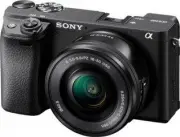 Sony A6400 + SEL-P1650 Black (ILCE-6400L/B)
User Manual
Sony A6400 + SEL-P1650 Black (ILCE-6400L/B)
User Manual
 Sony A6600 Body Black (ILCE-6600/B)
User Manual
Sony A6600 Body Black (ILCE-6600/B)
User Manual
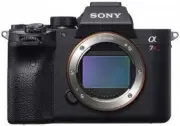 Sony A7R Mark IV Body (ILCE-7RM4)
User Manual
Sony A7R Mark IV Body (ILCE-7RM4)
User Manual
 Sony Alpha 6500 (ILCE-6500)
User Manual
Sony Alpha 6500 (ILCE-6500)
User Manual
 Sony Alpha 6500 + 18-135mm (ILCE-6500M/B)
User Manual
Sony Alpha 6500 + 18-135mm (ILCE-6500M/B)
User Manual
 Sony Alpha 7 III
User Manual
Sony Alpha 7 III
User Manual
 Sony Alpha 7 IV
User Manual
Sony Alpha 7 IV
User Manual
 Sony Alpha 7C
User Manual
Sony Alpha 7C
User Manual
 Sony Alpha 7C Body Silver
User Manual
Sony Alpha 7C Body Silver
User Manual
 Sony Alpha a6400 + E 16-55 mm f/2.8 G (ILCE6400G.CEC)
User Manual
Sony Alpha a6400 + E 16-55 mm f/2.8 G (ILCE6400G.CEC)
User Manual
 Sony Alpha a6500 body (ILCE6500B.CEC)
User Manual
Sony Alpha a6500 body (ILCE6500B.CEC)
User Manual
 Sony Cyber-shot DSC-H55 Black
User Manual
Sony Cyber-shot DSC-H55 Black
User Manual
 Sony Cyber-shot DSC-HX10 Black
User Manual
Sony Cyber-shot DSC-HX10 Black
User Manual
 Sony Cyber-shot DSC-RX10
User Manual
Sony Cyber-shot DSC-RX10
User Manual
 Sony Cyber-shot DSC-W710 Pink
User Manual
Sony Cyber-shot DSC-W710 Pink
User Manual
 Sony DCZV1/B
User Manual
Sony DCZV1/B
User Manual
 Sony DSC-F77
Manual
Sony DSC-F77
Manual