Page 2 - WARNING; CAUTION
2 BDP-S6700 4-579-670- 42 (1) master page=left E:\SONY DVD\SD160010\4579670421_GB\020WAR.fm WARNING To reduce the risk of fire or electric shock, do not expose this appliance to dripping or splashing, and do not place objects filled with liquids, suchas vases, on the appliance. To avoid electrical s...
Page 3 - Precautions; On placement
3 BDP-S6700 4-579-670- 42 (1) master page=right E:\SONY DVD\SD160010\4579670421_GB\020WAR.fm Precautions This equipment has been tested and found to comply with the limits set out in the EMC Directive using a connection cable shorter than 3 metres. On placement • Place the player in a location with ...
Page 7 - Gracenote
7 BDP-S6700 4-579-670- 42 (1) master page=right E:\SONY DVD\SD160010\4579670421_GB\020WAR.fm • Opera ® Devices SDK from Opera Software ASA. Copyright 1995-2015 Opera Software ASA. All rights reserved. • All other trademarks are trademarks of their respective owners. • Other system and product names ...
Page 8 - Software License Information
8 BDP-S6700 4-579-670- 42 (1) master page=left E:\SONY DVD\SD160010\4579670421_GB\020WAR.fm received; this lies within your sole responsibility. The Gracenote service uses a unique identifier to track queries for statistical purposes. The purpose of a randomly assigned numeric identifier is to allow...
Page 9 - Contents; Getting Started
9 BDP-S6700 4-579-670- 42 (1) master page=right E:\SONY DVD\SD160010\4579670421_GB\010COVTOC.fm Contents 2 WARNING 3 Precautions Getting Started 10 Guide to Parts and Controls 15 Step 1: Connecting the Player 16 Step 2: Preparing for Network Connection 16 Step 3: Easy Setup Playback 18 Playing a Dis...
Page 10 - Guide to Parts and Controls; Door tray; Connect a USB device to this jack.; Remote sensor; Front panel
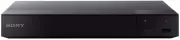
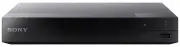
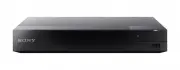
10 BDP-S6700 4-579-670- 42 (1) master page=left E:\SONY DVD\SD160010\4579670421_GB\030STU.fm Getting Started Guide to Parts and Controls A Door tray B Z (open/close) C 1 (on/standby) Turns on the player, or sets to standby mode. D Power indicator Lights up when the player isturned on. E (USB) jack C...
Page 11 - Ventilation holes; Rear panel
11 BDP-S6700 4-579-670- 42 (1) master page=right E:\SONY DVD\SD160010\4579670421_GB\030STU.fm Getting Star ted A Ventilation holes B DIGITAL OUT (COAXIAL) jack C HDMI OUT jack D LAN (100) terminal E DC IN 12 V (AC adaptor input) jack Rear panel
Page 12 - Opens or closes the disc tray.; TOP MENU; Returns to the previous display.; Enters the selected item.; Remote
12 BDP-S6700 4-579-670- 42 (1) master page=left E:\SONY DVD\SD160010\4579670421_GB\030STU.fm The available functions of the remote are different depending on the disc or the situation. z N , TV 2 + , and AUDIO buttons have a tactile dot. Use the tactile dot as a reference when operating the player. ...
Page 13 - HOME
13 BDP-S6700 4-579-670- 42 (1) master page=right E:\SONY DVD\SD160010\4579670421_GB\030STU.fm Getting Star ted HOME Enters the player’s home screen. BLUETOOTH (page 23) • Scan device list will appear if this player has no paired Bluetooth device. • Connect to the last connected device if this player...
Page 15 - Step 1: Connecting the Player; Connect the player to your TV with a High Speed HDMI Cable.; Connecting to your TV
15 BDP-S6700 4-579-670- 42 (1) master page=right E:\SONY DVD\SD160010\4579670421_GB\030STU.fm Getting Star ted Step 1: Connecting the Player Do not connect the mains lead until you have made all the connections. Connect the player to your TV with a High Speed HDMI Cable. Select one of the following ...
Page 16 - Wired Setup; When turned on for the first time
16 BDP-S6700 4-579-670- 42 (1) master page=left E:\SONY DVD\SD160010\4579670421_GB\030STU.fm Step 2: Preparing for Network Connection If you are not going to connect the player to a network, proceed to “Step 3: Easy Setup” (page 16). Use a LAN cable to connect to the LAN (100) terminal on the player...
Page 17 - Press; Home screen display
17 BDP-S6700 4-579-670- 42 (1) master page=right E:\SONY DVD\SD160010\4579670421_GB\030STU.fm Getting Star ted 3 Press 1 to turn on the player. 4 Turn on the TV and set the input selector on your TV by pressing t button on the remote. This will show the signal from the player on your TV screen. 5 Pe...
Page 18 - Playback; Playing a Disc; • Connect the player to a network
18 BDP-S6700 4-579-670- 42 (1) master page=left E:\SONY DVD\SD160010\4579670421_GB\040PLY.fm Playback Playing a Disc For “Playable discs”, see page 41. 1 Switch the input selector on your TV so that the signal from the player appears on your TV screen. 2 Press Z , and place a disc on the disc tray. ...
Page 19 - Play
19 BDP-S6700 4-579-670- 42 (1) master page=right E:\SONY DVD\SD160010\4579670421_GB\040PLY.fm Play back You can enjoy a Blu-ray 3D Disc with the “Blu-ray 3D” logo. 1 Prepare for Blu-ray 3D Disc playback. • Connect the player to your 3D-compatible devices using a High Speed HDMI Cable. • Set [3D Outp...
Page 20 - Playing via a Network
20 BDP-S6700 4-579-670- 42 (1) master page=left E:\SONY DVD\SD160010\4579670421_GB\040PLY.fm Playing from a USB Device For “Playable types of files”, see page 42. 1 Connect the USB device to the USB jack on the player (page 10). Refer to the instruction manual supplied with the USB device before con...
Page 21 - Using “Video & TV SideView”
21 BDP-S6700 4-579-670- 42 (1) master page=right E:\SONY DVD\SD160010\4579670421_GB\040PLY.fm Play back “Video & TV SideView” is a free mobile application for remote devices (such as smartphone, etc.). By using “Video & TV SideView” with this player, you can easily enjoy the player by using ...
Page 22 - Connecting to a mobile device; Select; Using
22 BDP-S6700 4-579-670- 42 (1) master page=left E:\SONY DVD\SD160010\4579670421_GB\040PLY.fm Connecting to a mobile device 1 Connect the player to a network (page 16). 2 Set [Auto Home Network Access Permission] in [Network Settings] to [On]. 3 Connect your mobile device to the same SSID (network) b...
Page 23 - to adjust the volume.; To disconnect the Bluetooth device; – Disable the Bluetooth function on the
23 BDP-S6700 4-579-670- 42 (1) master page=right E:\SONY DVD\SD160010\4579670421_GB\040PLY.fm Play back Listening to Audio from a Bluetooth Device To listen to an audio source from a Bluetooth device (e.g. headphone) via this player, you need to pair the Bluetooth device with this player. Pairing is...
Page 24 - Available Options; Common options
24 BDP-S6700 4-579-670- 42 (1) master page=left E:\SONY DVD\SD160010\4579670421_GB\040PLY.fm Available Options Various settings and playback operations are available by pressing OPTIONS. The available items differ depending on the situation. Common options x [Repeat Setting]: Sets the repeat mode. x...
Page 25 - Music only
25 BDP-S6700 4-579-670- 42 (1) master page=right E:\SONY DVD\SD160010\4579670421_GB\040PLY.fm Play back x [Chapter Search]: Searches for a chapter and starts playback from the beginning. x [Audio]: Switches the language track when multilingual tracks are recorded on BD-ROMs/DVD VIDEOs. Selects the s...
Page 26 - Settings and Adjustments
26 BDP-S6700 4-579-670- 42 (1) master page=left E:\SONY DVD\SD160010\4579670421_GB\060ADJ.fm Settings and Adjustments Using the Settings Displays Select [Setup] on the home screen when you need to change the settings of the player.The default settings are underlined. 1 Select [Setup] on the home scr...
Page 32 - Turns off the function.
32 BDP-S6700 4-579-670- 42 (1) master page=left E:\SONY DVD\SD160010\4579670421_GB\060ADJ.fm x [HDMI Settings] By connecting Sony components that are compatible with HDMI functions with a High Speed HDMI Cable, operation is simplified. [Control for HDMI] [On]: The following BRAVIA Sync features are ...
Page 35 - Additional Information; Troubleshooting; Picture
35 BDP-S6700 4-579-670- 42 (1) master page=right E:\SONY DVD\SD160010\4579670421_GB\070ADD.fm Additional Information Additional Information Troubleshooting If you experience any of the following difficulties while using the player, use this troubleshooting guide to help remedy the problem before req...
Page 36 - Disc
36 BDP-S6700 4-579-670- 42 (1) master page=left E:\SONY DVD\SD160010\4579670421_GB\070ADD.fm , The device connected to the HDMI OUT jack does not support the audio format of the player. Check the audio settings (page 29). The HD Audio (Dolby Digital Plus, Dolby TrueHD, DTS-HD High Resolution Audio, ...
Page 37 - Network connection
37 BDP-S6700 4-579-670- 42 (1) master page=right E:\SONY DVD\SD160010\4579670421_GB\070ADD.fm Additional Information There is no options menu during Internet streaming. , Options menu is not available during Internet streaming. The player cannot connect to the network. , Check the network connection...
Page 39 - Others
39 BDP-S6700 4-579-670- 42 (1) master page=right E:\SONY DVD\SD160010\4579670421_GB\070ADD.fm Additional Information Playback does not start from the beginning of content. , Press OPTIONS, and select [Play from start]. Playback does not start from the resume point where you last stopped playing. , T...
Page 40 - Specifications; System; Supplied accessories
40 BDP-S6700 4-579-670- 42 (1) master page=left E:\SONY DVD\SD160010\4579670421_GB\070ADD.fm Specifications Specifications and design are subject to change without notice. System Laser: Semiconductor laser Inputs and outputs (Jack name: Jack type/Output level/Load impedance) DIGITAL OUT (COAXIAL): P...
Page 41 - Discs that cannot be played; Playable discs; DVD
41 BDP-S6700 4-579-670- 42 (1) master page=right E:\SONY DVD\SD160010\4579670421_GB\070ADD.fm Additional Information *1 Since the Blu-ray Disc specifications are new and evolving, some discs may not be playable depending on the disc type and the version.The audio output differs depending on the sour...
Page 42 - Video; Playable types of files; Codec; Format
42 BDP-S6700 4-579-670- 42 (1) master page=left E:\SONY DVD\SD160010\4579670421_GB\070ADD.fm Video Playable types of files Codec Container Extension With Audio MPEG-1 Video *1 PS .mpg, .mpeg Dolby Digital, DTS, LPCM, MPEG MKV .mkv Dolby Digital, LPCM, AAC, MP3, Vorbis MPEG-2 Video *2 PS *3 .mpg, .mp...
Page 43 - Music
43 BDP-S6700 4-579-670- 42 (1) master page=right E:\SONY DVD\SD160010\4579670421_GB\070ADD.fm Additional Information Music Photo *1 The player may not play this file format on a DLNA server. *2 The player can only play standard definition video on a DLNA server. *3 The player does not play DTS forma...
Page 44 - No Security; About wireless LAN security
44 BDP-S6700 4-579-670- 42 (1) master page=left E:\SONY DVD\SD160010\4579670421_GB\070ADD.fm • To avoid data corruption or damage to the USB memory or devices, turn off the player when connecting or removing the USB memory or devices. • The player may not play high bit rate video files on DATA CDs s...
Page 45 - Language code list; Code Language
45 BDP-S6700 4-579-670- 42 (1) master page=right E:\SONY DVD\SD160010\4579670421_GB\070ADD.fm Additional Information For details, see [BD/DVD Viewing Settings] (page 30).The language spellings conform to the ISO 639: 1988 (E/F) standard. Language code list Code Language 1027 Afar 1028 Abkhazian 1032...
Page 46 - Parental control/area code; Code Area
46 BDP-S6700 4-579-670- 42 (1) master page=left E:\SONY DVD\SD160010\4579670421_GB\070ADD.fm For details, see [Parental Control Area Code] (page 31). Parental control/area code Code Area 2044 Argentina 2047 Australia 2046 Austria 2057 Belgium 2070 Brazil 2090 Chile 2092 China 2093 Colombia 2115 Denm...