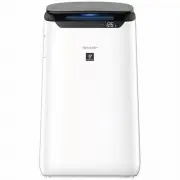
Page 2 - The higher the PCI density is, the more effective PCI has.; TRAP DUST; Unique Airflow
A unique Combination of Air Treatment Technologies Triple Filteration System + Plasmacluster High Density Plasmacluster 25000 The higher the PCI density is, the more effective PCI has. Triple Filteration System TRAP DUST Pre-filter traps dust larger than approx 240 micron particles. DECREASES ODORS ...
Page 3 - CONTENTS; Please read before operating your new Air Purifier
1 The air purifier draws in room air through the air inlet, circulates it through a Pre- Filter, a Deodorizing Filter and a HEPA Filter inside the main unit, and then discharges it through the air outlet. The HEPA Filter can remove 99.97% of dust particles as small as 0.3 microns that pass through t...
Page 4 - IMPORTANT SAFETY INSTRUCTIONS; WARNING; Service Center or similarly qualified
2 IMPORTANT SAFETY INSTRUCTIONS Always follow basic safety precautions when using electrical appliances, including the following: WARNING – Always observe the following to reduce the risk of electrical shock, fire, or injury: • Read all instructions before using the main unit. • Use only a 220 - 240...
Page 6 - CARE AND MAINTENANCE; Plasmacluster Ion Generating Unit
4 CARE AND MAINTENANCE 1. Remove the unit cover, and pull out the unit holder. 2. Remove dusts from the electrode section. 3. Insert the unit holder in the Main Unit, and install the unit cover. Back Panel 1. Add a small amount of neutral detergent to water and soak for about 10 minutes. CAUTION Do ...
Page 7 - REPLACEMENT; HEPA FILTER / DEODORIZING FILTER; RESET
5 REPLACEMENT LIFE OF FILTERS Filter life varies depending on the room environment, usage conditions, and location of the Main Unit. Lifespan of HEPA filter and Deodorizing filter and replacement suggestions are based on purifying a room in which 5 cigarettes are smoked per day and the Main Unit's d...
Page 8 - PART NAMES; MAIN UNIT
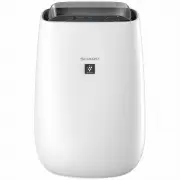
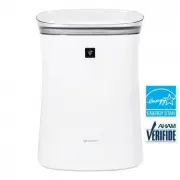
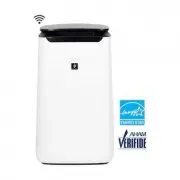
6 PART NAMES MAIN UNIT (FRONT) (BACK) 11 13 10 8 9 15 14 12 16 17 1 2 3 4 5 6 7 1 Operation Panel 2 Air Outlet (Front / Back) 3 Cleanliness Monitor 4 Front Display 5 Main Unit 6 Handle (2 Locations: Left and Right) 7 Front Louver 8 Back Panel (Pre-Filter) 9 Air Inlet 10 Deodorizing Filter 11 HEPA Fi...
Page 10 - PREPARATION; Remove the Back Panel.; FILTER INSTALLATION
8 PREPARATION 1. Remove the Back Panel. 2. Remove the plastic bag from the each filter. 3. Install the filters in the correct order as shown. 4. Install the Back Panel. Back Panel HEPA Filter Deodorizing Filter HEPA Filter Deodorizing Filter Tag 2 1 Click FILTER INSTALLATION Always be sure to remove...
Page 11 - OPERATION; START
9 OPERATION The unit releases Plasmacluster ions with strong airflow and collects dusts while decreasing static electricity for 10 minutes. After that, the DUST sensor sensitivity is automatically increased and quickly detects impurities and clean the air powerfully for 50 minutes. NOTE • When the o...
Page 12 - ON; SELECTING DISPLAY; ON TIMER
10 CHILD LOCK PLASMACLUSTER ION ON/OFF The operation panel will be locked. When the Plasmacluster function is ON, the Plasmacluster Ion light is on. (Page 7) (with the Main Unit ON) (with the Main Unit ON) more 3 sec. ♪ more 3 sec. ♪♪ ON ON CANCELLATION OFF SELECTING DISPLAY Select the length of tim...
Page 13 - HOW TO CHANGE VARIOUS SETTINGS; Function; Select “Setting number”.
11 1. Turn the Main Unit power OFF. 2. more 3 sec. ♪ 3. Select “Function number”. HOW TO CHANGE VARIOUS SETTINGS You can change the functions listed in the table below. Function Setting Light Control You can select the brightness of the Front Display and Cleanliness Monitor. Turn off * DarkerAuto (d...
Page 14 - TROUBLESHOOTING; ERROR DISPLAY
12 TROUBLESHOOTING Odor and smoke persists. • Check the filters. If they appear to be extremely dirty, clean or replace them. • Check if the plastic bag is removed from the filter. (Page 8) The Cleanliness Monitor is blue even when the air is not clean. • The air may have been dirty when the main un...
Page 15 - SPECIFICATIONS
13 SPECIFICATIONS *1 • Noise level is measured based on the JEM 1467 standard of the Japan Electrical Manufacturers’ Association. *2 • The recommended room size is appropriate for operating the main unit of maximum fan speed. • The recommended room size is an area in which a given amount of dust par...
Page 16 - FOR CUSTOMER ASSISTANCE; Congratulations on Your Purchase!; WARRANTY; Consumer Electronic Products
14 FOR CUSTOMER ASSISTANCE FOR CUSTOMER ASSISTANCE Congratulations on Your Purchase! This Sharp product is warranted against faults in material and manufacture for the period as stated in the table below.If service is required during the warranty period, please contact your nearest Sharp Approved Se...
Page 17 - NEW ZEALAND; SHARP CUSTOMER SERVICES; AUSTRALIA; SHARP APPROVED SERVICE CENTRE
15 FOR CUSTOMER ASSISTANCE FOR LOCATION ENQUIRIES WITHIN NEW ZEALAND REGARDING YOUR LOCAL SHARP CORPORATION OF NEW ZEALAND LIMITED VISIT OUR WEBSITE AT SHARP CUSTOMER SERVICES TELEPHONE: 09 573 0111 FACSIMILE: 09 573 0113 SHARP APPROVED SERVICE CENTRE www.sharp.net.nz CONTACT YOUR SELLING DEALER/RET...
Page 18 - MEMO
16 MEMO FX-J80J_2nd.indd 16 FX-J80J_2nd.indd 16 2022/04/22 11:05:43 2022/04/22 11:05:43
Page 20 - SHARP CORPORATION
SHARP CORPORATION OSAKA, JAPAN TINS-B307KKRZ 22E 2 FX-J80J_2nd.indd 18 FX-J80J_2nd.indd 18 2022/04/22 11:05:43 2022/04/22 11:05:43