Page 2 - Warning! Important Safety Instructions
Warning! Important Safety Instructions (Please read the Safety Instructions before using your TV.) CAUTION RISK OF ELECTRIC SHOCK DO NOT OPEN CAUTION: TO REDUCE THE RISK OF ELECTRIC SHOCK, DO NOT REMOVE COVER (OR BACK). THERE ARE NO USER SERVICEABLE PARTS INSIDE. REFER ALL SERVICING TO QUALIFIED PER...
Page 3 - Using the TV Controller
What's in the Box? Remote Control & Batteries (AAA x 2) Regulatory Guide User Manual Power Cord Warranty Card (Not available in some locations) CI Card Adapter Cable Guide - Make sure that the following items are included with your TV. If there are any items missing, contact your local dealer. -...
Page 4 - The Remote Control; The button names above may be differ from the actual names.; Installing batteries into the remote control
The Remote Control E-MANUAL : Opens the e-Manual. EXTRA : Displays related information about the current programme. AD/SUBT. : Displays the Accessibility Shortcuts . P.MODE / PICTURE : Changes the picture mode. P.SIZE / PIC SIZE : Change the picture size. SEARCH : Launches the Search function. Displ...
Page 5 - Network Connection - Wireless
TV Camera Connection - The TV camera is sold separately. - Make sure to connect only the TV camera to the TV CAMERA port. Connecting to a Network Connecting the TV to a network gives you access to online services, such as Smart Hub, as well as software updates. Network Connection - Wireless Connect ...
Page 6 - Using the buttons available on the main screen of the e-Manual; Accessing the associated menu screen from an e-Manual topic page; Accessing the associated e-Manual topic from a menu screen; Initial setup
The e-Manual The embedded e-Manual contains information about the key features of your TV. - You can download and view a printable version of the e-Manual on the Samsung website. Displaying the e-Manual: • Press the E-MANUAL button on the remote control. • On the TV’s menu, select Support > e-Man...
Page 7 - Troubleshooting and Maintenance; Troubleshooting
Troubleshooting and Maintenance Troubleshooting If the TV seems to have a problem, first review this list of possible problems and solutions. Alternatively, review the Troubleshooting Section in the e-Manual. If none of these troubleshooting tips apply, please visit “www.samsung.com” and click on Su...
Page 8 - Eco Sensor and screen brightness; Still image warning; Caring for the TV
Eco Sensor and screen brightness Eco Sensor adjusts the brightness of the TV automatically. This feature measures the light in your room and optimises the brightness of the TV automatically to reduce power consumption. If you want to turn this off, go to MENU > System > Eco Solution > Eco S...
Page 9 - TV Installation; Mounting the TV on a wall; Installing the wall mount kit; VESA wall mount kit notes and specifications
TV Installation Mounting the TV on a wall If you mount this product on a wall, follow the instructions exactly as recommended by the manufacturer. Unless it is correctly mounted, the product may slide or fall, thus causing serious injury to a child or adult and serious damage to the product. Install...
Page 10 - Arranging the cables with the Cable guide
Do not install your wall mount kit while your TV is turned on. This may result in personal injury from electric shock.Do not use screws that are longer than the standard length or do not comply with VESA standard screw specifications. Screws that are too long may cause damage to the inside of the TV...
Page 11 - Preventing the TV from falling
Attaching the TV to the Stand Make sure you have all the accessories shown, and that you assemble the stand following the provided assembly instructions. Safety Precaution: Securing the TV to the wall Caution: Pulling, pushing, or climbing on the TV may cause the TV to fall. In particular, ensure yo...
Page 12 - Specifications and Other Information; Specifications; Decreasing power consumption
Specifications and Other Information Specifications Display Resolution 3840 x 2160 Environmental ConsiderationsOperating TemperatureOperating HumidityStorage TemperatureStorage Humidity 10°C to 40°C (50°F to 104°F) 10% to 80%, non-condensing -20°C to 45°C (-4°F to 113°F) 5% to 95%, non-condensing Mo...
Page 13 - Licences; Recommendation - EU Only
Licences The terms HDMI and HDMI High-Definition Multimedia Interface, and the HDMI Logo are trademarks or registered trademarks of HDMI Licensing LLC in the United States and other countries. Recommendation - EU Only Hereby, Samsung Electronics, declares that this TV is in compliance with the essen...
Page 14 - Figyelem! Fontos biztonsági utasítások
Figyelem! Fontos biztonsági utasítások (A tv-készülék használata előtt olvassa el a biztonsági utasításokat.) FIGYELEM ÁRAMÜTÉSVESZÉLY! NE NYISSA KI! FIGYELEM: AZ ÁRAMÜTÉS KOCKÁZATÁNAK CSÖKKENTÉSE ÉRDEKÉBEN NE TÁVOLÍTSA EL A BURKOLATOT (VAGY HÁTLAPOT). A KÉSZÜLÉK NEM TARTALMAZ A FELHASZNÁLÓ ÁLTAL JA...
Page 15 - A doboz tartalma; A tv-készülék távvezérlőjének használata
A doboz tartalma Távvezérlő és elemek (2 db AAA) Szabályozási útmutató Használati útmutató Tápkábel Jótállási jegy (egyes helyeken nem érhető el) CI-kártyaadapter Kábeltartó - Ellenőrizze, hogy az alábbi elemek mellékelve vannak-e a TV-készülékhez. Ha bármelyik tartozék hiányzik, forduljon a helyi m...
Page 16 - A távvezérlő; A távvezérlő modellenként eltérő lehet.; Az elemek behelyezése a távvezérlőbe
A távvezérlő E-MANUAL : Az elektronikus kézikönyv megjelenítése. EXTRA : A jelenlegi műsorhoz kapcsolódó adatok megjelenítése. AD/SUBT. : Az Kisegítő lehetőségek parancsikonjai megjelenítése. P.MODE / PICTURE : A Kép üzemmód módosítása. P.SIZE / PIC SIZE : A képméret módosítása. SEARCH : a Keresés f...
Page 17 - Vezeték nélküli hálózati kapcsolat; Vezetékes hálózati kapcsolat
A tévé kamerájának csatlakoztatása - A tévé kamerája külön kapható. - Győződjön meg róla, hogy kizárólag a tévéhez tartozó kamerát csatlakoztatja a TV CAMERA-porthoz. Csatlakozás egy hálózathoz A tv-készülék hálózatra történő csatlakoztatása után olyan online szolgáltatásokat használatba, mint példá...
Page 18 - Az e-Manual fő képernyőjén elérhető gombok használata; Az e-Manual kapcsolódó témakörének elérése egy menüképernyőről; Kezdeti beállítás
Az e-Manual A beépített e-Manual a tv-készülék fő funkcióiról nyújt információkat. - Az e-Manual nyomtatható verzióját a Samsung webhelyéről töltheti le és tekintheti meg. Az e-Manual megjelenítése: • Nyomja meg az E-MANUAL gombot a távvezérlőn. • A tv-készülék menüjében válassza a Terméktámogatás &...
Page 19 - Hibaelhárítás és karbantartás; Hibaelhárítás; Használati útmutató
Hibaelhárítás és karbantartás Hibaelhárítás Ha úgy tűnik, hogy a TV-készülékkel valamilyen probléma van, először tekintse át az alábbiakban ismertetett hibajelenségeket és megoldásukat. Másik megoldásként tekintse át az e-Manual Hibaelhárítás szakaszát. Ha ezek közül a hibaelhárítási ötletek közül e...
Page 20 - Az Eco-érzékelő és a képernyő fényereje; Állóképre vonatkozó figyelmeztetés; A tv-készülék gondozása
Az Eco-érzékelő és a képernyő fényereje Az Eco-érzékelő automatikusan állítja be a tv-készülék fényerejét. Ez a funkció megméri a helyiségben lévő fényt, és automatikusan optimalizálja a tv-képernyő fényerejét úgy, hogy az energiafelhasználás minimális legyen. Ha ki szeretné kapcsolni a funkciót, lé...
Page 21 - A tv-készülék felszerelése; A tv-készülék falra szerelése; A fali rögzítőkészlet felszerelése; Megjegyzések és műszaki adatok a VESA fali rögzítőkészlethez
A tv-készülék felszerelése A tv-készülék falra szerelése Ha a készüléket falra szereli fel, ezt pontosan a gyártó által javasolt utasítások szerint tegye. A nem megfelelően felszerelt készülék lecsúszhat vagy leeshet, súlyos személyi sérülést okozva ezzel gyermekeknek és felnőtteknek egyaránt, és a ...
Page 22 - A kábelek elrendezése a kábeltartó segítségével
A fali konzol felszerelésekor a tv-készülék legyen kikapcsolva. A bekapcsolt készülék áramütést okozhat.Ne használjon olyan csavarokat, amelyek hosszabbak a normál méretnél, illetve amelyek nem felelnek meg a normál csavarokkal szemben előírt VESA követelményeknek. A túl hosszú csavarok sérülést oko...
Page 23 - A tv-készülék leesésének megakadályozása
A tv-készülék állványra szerelése Győződjön meg arról, hogy az ábrán látható minden tartozék a rendelkezésére áll, és az állványt az itt leírt módon szerelje össze. Biztonsági óvintézkedések: A tv-készülék biztonságos rögzítése a falon Figyelem: A tv-készülék leeshet, ha elhúzzák, eltolják vagy felm...
Page 24 - Műszaki adatok és egyéb információk; Műszaki adatok; Az áramfogyasztás csökkentése
Műszaki adatok és egyéb információk Műszaki adatok A SAMSUNG mindenkor termékei javítását, fejlesztését tartja szem elôtt. Ezért a műszaki adatok és a használati útmutató megváltoztatásának jogát fenntartja. 2/1984. (III. 10.) BkM–IpM számú együttes rendelet alapján tanúsítjuk, hogy a UE50JU6800 / U...
Page 25 - Licencek; Javaslatok – csak EU-országok esetén
Licencek The terms HDMI and HDMI High-Definition Multimedia Interface, and the HDMI Logo are trademarks or registered trademarks of HDMI Licensing LLC in the United States and other countries. Javaslatok – csak EU-országok esetén A Samsung Electronics kijelenti, hogy ez a tv-készülék megfelel az 199...
Page 26 - Ostrzeżenie! Ważne zasady bezpieczeństwa
Ostrzeżenie! Ważne zasady bezpieczeństwa (Przed przystąpieniem do korzystania z telewizora należy przeczytać instrukcje bezpieczeństwa). PRZESTROGA RYZYKO PORAŻENIA PRĄDEM ELEKTRYCZNYM — NIE OTWIERAĆ PRZESTROGA: ABY ZMNIEJSZYĆ RYZYKO PORAŻENIA PRĄDEM, NIE NALEŻY ZDEJMOWAĆ POKRYWY (LUB TYLNEJ PŁYTY)....
Page 27 - Zawartość opakowania; Korzystanie z kontrolera telewizora
Zawartość opakowania Pilot z bateriami (AAA x 2) Przewodnik po przepisach Instrukcja obsługi Przewód zasilający Karta gwarancyjna (niedostępna w niektórych krajach) Adapter kart CI Prowadnik kabli - Należy sprawdzić, czy wymienione elementy zostały dostarczone wraz z telewizorem. W przypadku braku k...
Page 28 - Pilot; Pilot może różnić się w zależności od modelu.; Wkładanie baterii do pilota
Pilot E-MANUAL : Wyświetlanie instrukcji e-Manual. EXTRA : Pozwala wyświetlić informacje o bieżącym programie. AD/SUBT. : Wyświetlanie funkcji Skróty dostępności . P.MODE / PICTURE : Zmiana trybu obrazu. P.SIZE / PIC SIZE : Zmiana rozmiaru obrazu. SEARCH : Uruchomienie funkcji Szukaj . Wyświetlanie ...
Page 29 - Połączenie sieciowe — bezprzewodowe
Podłączanie kamery telewizyjnej - Kamerę telewizyjną można nabyć oddzielnie. - Kamerę telewizyjną podłącza się wyłącznie do gniazda TV CAMERA. Podłączanie do sieci Podłączenie telewizora do sieci pozwala na dostęp do usług internetowych, takich jak Smart Hub, a także do aktualizacji oprogramowania. ...
Page 30 - Aktualizacja instrukcji e-Manual do najnowszej wersji; Konfiguracja wstępna
Instrukcja e-Manual Zapisana na stałe w pamięci telewizora instrukcja e-Manual zawiera informacje o najważniejszych funkcjach telewizora. - Ze strony firmy Samsung można pobrać i wyświetlić wersję instrukcji e-Manual nadającą się do wydruku. Wyświetlanie instrukcji e-Manual: • Naciśnij przycisk E-MA...
Page 31 - Rozwiązywanie problemów i konserwacja; Rozwiązywanie problemów
Rozwiązywanie problemów i konserwacja Rozwiązywanie problemów Jeśli telewizor wydaje się działać nieprawidłowo, najpierw zapoznaj się z poniższą listą potencjalnych problemów i rozwiązań. Ewentualnie zapoznaj się z rozdziałem Rozwiązywanie problemów w instrukcji e-Manual. Jeśli żadne z podanych rozw...
Page 32 - Czujnik Eco a jasność ekranu; Ostrzeżenie dotyczące nieruchomych obrazów; Dbanie o telewizor
Czujnik Eco a jasność ekranu Czujnik Eco powoduje automatyczne dostosowywanie jasności ekranu telewizora. Funkcja ta mierzy jasność otoczenia i optymalizuje jasność ekranu telewizora pod jej kątem. Dzięki temu zużycie energii przez telewizor zmniejsza się. Aby wyłączyć tę funkcję, przejdź do opcji M...
Page 33 - Instalacja telewizora; Mocowanie telewizora na ścianie; Instalowanie zestawu uchwytu ściennego; Dane techniczne i uwagi dotyczące zestawu uchwytu ściennego
Instalacja telewizora Mocowanie telewizora na ścianie Produkt należy mocować na ścianie wyłącznie w sposób zgodny z instrukcjami zalecanymi przez producenta. W przypadku nieprawidłowego montażu produkt może się zsunąć lub upaść, powodując poważne obrażenia ciała u dzieci lub dorosłych oraz może zost...
Page 35 - Zabezpieczenie telewizora przed upadkiem
Mocowanie telewizora na podstawie Należy sprawdzić, czy w zestawie znajdują się wszystkie pokazane akcesoria, po czym zamocować telewizor na podstawie zgodnie z dołączoną instrukcją montażu. Środki ostrożności: mocowanie telewizora do ściany Przestroga: W wyniku szarpania, pchania lub ciągnięcia tel...
Page 36 - Dane techniczne i inne informacje; Dane techniczne; Zmniejszanie poboru mocy
Dane techniczne i inne informacje Dane techniczne Rozdzielczość ekranu 3840 x 2160 Uwagi dotyczące warunków pracyTemperatura podczas pracyWilgotność podczas pracyTemperatura podczas przechowywaniaWilgotność podczas przechowywania 10°C–40°C (50°F–104°F) 10%–80%, bez kondensacji -20°C–45°C (-4°F–113°F...
Page 37 - Licencje; Zalecenie — dotyczy wyłącznie UE
Licencje The terms HDMI and HDMI High-Definition Multimedia Interface, and the HDMI Logo are trademarks or registered trademarks of HDMI Licensing LLC in the United States and other countries. Zalecenie — dotyczy wyłącznie UE Firma Samsung Electronics niniejszym zaświadcza, że ten telewizor jest zgo...
Page 38 - Προειδοποίηση! Σημαντικές οδηγίες για την ασφάλεια
Προειδοποίηση! Σημαντικές οδηγίες για την ασφάλεια (Διαβάστε τις οδηγίες για την ασφάλεια προτού χρησιμοποιήσετε την τηλεόρασή σας.) ΠΡΟΣΟΧΗ ΚΙΝΔΥΝΟΣ ΗΛΕΚΤΡΟΠΛΗΞΙΑΣ - ΜΗΝ ΑΝΟΙΓΕΤΕ ΠΡΟΣΟΧΗ: ΓΙΑ ΝΑ ΜΕΙΩΘΕΙ Ο ΚΙΝΔΥΝΟΣ ΗΛΕΚΤΡΟΠΛΗΞΙΑΣ, ΜΗΝ ΑΦΑΙΡΕΙΤΕ ΤΟ ΚΑΛΥΜΜΑ (Ή ΤΟ ΠΙΣΩ ΜΕΡΟΣ). ΔΕΝ ΥΠΑΡΧΟΥΝ ΕΞΑΡΤΗΜΑΤΑ Σ...
Page 39 - Τι περιέχει η συσκευασία; Χρήση του χειριστηρίου της τηλεόρασης
Τι περιέχει η συσκευασία; Τηλεχειριστήριο & μπαταρίες (AAA x 2) Οδηγός συμμόρφωσης με τους κανονισμούς Εγχειρίδιο χρήσης Καλώδιο ρεύματος Κάρτα εγγύησης (Δεν διατίθεται σε ορισμένες περιοχές) Προσαρμογέας κάρτας CI Card Οδηγός καλωδίων - Βεβαιωθείτε πως τα παρακάτω είδη περιλαμβάνον ται στη συσκ...
Page 40 - Τηλεχειριστήριο; Το τηλεχειριστήριο ενδέχεται να διαφέρει ανάλογα με το μοντέλο.; Τοποθέτηση μπαταριών στο τηλεχειριστήριο
Τηλεχειριστήριο E-MANUAL : Άνοιγμα του e-Manual. EXTRA : Εμφάνιση σχετικών πληροφοριών αναφορικά με το τρέχον πρόγραμμα. AD/SUBT. : Προβολή των Συντομεύσεις προσβασιμότητας . P.MODE / PICTURE : Αλλαγή της λειτουργίας εικόνας. P.SIZE / PIC SIZE : Αλλαγή του μεγέθους εικόνας. SEARCH : Εκκίνηση της λει...
Page 41 - Σύνδεση δικτύου - Ασύρματη
Σύνδεση κάμερας τηλεόρασης - Η κάμερα τηλεόρασης πωλείται ξεχωριστά. - Φρον τίστε να συνδέετε μόνο την κάμερα τηλεόρασης στη θύρα TV CAMERA. Σύνδεση σε δίκτυο Η σύνδεση της τηλεόρασης σε ένα δίκτυο σάς παρέχει πρόσβαση σε διαδικτυακές υπηρεσίες, όπως το Smart Hub, καθώς και ενημερώσεις λογισμικού. Σ...
Page 42 - Χρήση των διαθέσιμων κουμπιών στην κύρια οθόνη του e-Manual; Πρόσβαση στο σχετικό θέμα του e-Manual από κάποια οθόνη μενού; Αρχική ρύθμιση
Το e-Manual Το ενσωματωμένο ηλεκτρονικό εγχειρίδιο e-Manual περιέχει πληροφορίες σχετικά με τις βασικές δυνατότητες της τηλεόρασής σας. - Μπορείτε να εκτελέσετε λήψη και προβολή μιας εκτυπώσιμης έκδοσης του e-Manual από τη διαδικτυακή τοποθεσία της Samsung. Προβολή του e-Manual: • Πατήστε το κουμπί ...
Page 43 - Αντιμετώπιση προβλημάτων και συντήρηση; Αντιμετώπιση προβλημάτων
Αντιμετώπιση προβλημάτων και συντήρηση Αντιμετώπιση προβλημάτων Αν παρουσιάστηκε κάποιο πρόβλημα με την τηλεόραση, εξετάστε πρώτα αυτή τη λίστα πιθανών προβλημάτων και λύσεων. Εναλλακτικά, εξετάστε την ενότητα αντιμετώπισης προβλημάτων του e-Manual. Αν δεν έχει εφαρμογή καμία από αυτές τις συμβουλές...
Page 44 - Αισθητήρας Eco και φωτεινότητα οθόνης; Προειδοποίηση σχετικά με τις στατικές εικόνες
Αισθητήρας Eco και φωτεινότητα οθόνης Ο αισθητήρας Eco ρυθμίζει αυτόματα τη φωτεινότητα της τηλεόρασης. Αυτή η δυνατότητα επιτρέπει τη μέτρηση του φωτός στο δωμάτιο όπου βρίσκεστε και ρυθμίζει αυτόματα τη φωτεινότητα της τηλεόρασης με τον καλύτερο δυνατό τρόπο, ώστε να μειωθεί η κατανάλωση ισχύος. Α...
Page 45 - Εγκατάσταση τηλεόρασης; Τοποθέτηση της τηλεόρασης σε τοίχο; Εγκατάσταση του κιτ τοποθέτησης στον τοίχο
Εγκατάσταση τηλεόρασης Τοποθέτηση της τηλεόρασης σε τοίχο Αν στερεώσετε αυτό το προϊόν σε τοίχο, ακολουθήστε επακριβώς τις οδηγίες σύμφωνα με τις προδιαγραφές του κατασκευαστή. Αν δεν στηριχθεί σωστά, υπάρχει πιθανότητα ολίσθησης ή πτώσης του προϊόντος, προκαλώντας έτσι σοβαρό τραυματισμό σε κάποιο ...
Page 46 - Διευθέτηση των καλωδίων με το στήριγμα καλωδίων
Μην στερεώνετε το κιτ τοποθέτησης στον τοίχο με την τηλεόραση ενεργοποιημένη. Ενδέχεται να προκληθεί τραυματισμός λόγω ηλεκτροπληξίας. Μη χρησιμοποιείτε βίδες που είναι μακρύτερες από τις τυπικές διαστάσεις ή που δεν πληρούν τις προδιαγραφές των τυπικών βιδών VESA. Οι βίδες με υπερβολικό μήκος ενδέχ...
Page 47 - Αποτροπή πτώσης της τηλεόρασης
Προσάρτηση της τηλεόρασης στη βάση Βεβαιωθείτε ότι διαθέτετε όλα τα εξαρτήματα που φαίνονται στην εικόνα και φροντίστε να συναρμολογήσετε τη βάση ακολουθώντας τις παρεχόμενες οδηγίες συναρμολόγησης. Προφυλάξεις για την ασφάλεια: Στερέωση της τηλεόρασης στον τοίχο Προσοχή: Αν τραβήξετε, σπρώξετε ή σκ...
Page 48 - Προδιαγραφές και πρόσθετες πληροφορίες; Προδιαγραφές; Μείωση κατανάλωσης ενέργειας
Προδιαγραφές και πρόσθετες πληροφορίες Προδιαγραφές Ανάλυση οθόνης 3840 x 2160 Περιβαλλοντικές συνθήκες Θερμοκρασία λειτουργίας Υγρασία λειτουργίας Θερμοκρασία φύλαξης Υγρασία φύλαξης 10 °C έως 40 °C (50 °F έως 104 °F) 10% έως 80%, χωρίς συμπύκνωση υδρατμών -20 °C έως 45 °C (-4 °F έως 113 °F) 5% έως...
Page 49 - Άδειες
Άδειες The terms HDMI and HDMI High-Definition Multimedia Interface, and the HDMI Logo are trademarks or registered trademarks of HDMI Licensing LLC in the United States and other countries. Σύσταση - Μόνον EU Δια της παρούσης, η Samsung Electronics δηλώνει ότι αυτή η τηλεόραση συμμορφώνεται με τις ...
Page 51 - Използване на контролера на телевизора
Какво има в кутията? Дистанционно управление & батерии (AAA x 2) Нормативно ръководство Ръководство за потребителя Захранващ кабел Гаранционна карта (не се предлагат в някои региони) Адаптер за CI Card Водач за кабели - Проверете дали към вашия телевизор са приложени следните части. Ако някоя ча...
Page 52 - Дистанционното управление; Поставяне на батериите в дистанционното управление.
Дистанционното управление E-MANUAL : Отваря електронното ръководство. EXTRA : Показва сродна информация за текущата програма. AD/SUBT. : Показва Преки пътища за достъпност . P.MODE / PICTURE : Променя режима на картината. P.SIZE / PIC SIZE : Променя размера на картината. SEARCH : Стартира функцията ...
Page 53 - Мрежова връзка - безжична
Свързване на камерата на телевизора - Камерата на телевизора се продава отделно. - Уверете се, че свързвате камерата на телевизора към порта TV CAMERA. Свързване към мрежа Свързването на телевизора към мрежа ви дава достъп до онлайн услуги, например Smart Hub, както и до актуализации на софтуера. Мр...
Page 54 - Електронното ръководство; Актуализиране на електронното ръководство до най-новата версия; Първоначална настройка
Електронното ръководство Вграденото електронно ръководство (e-Manual) съдържа информация за ключовите функции на вашия телевизор. - Можете да изтеглите и разгледате версия за разпечатване на електронното ръководство от уеб сайта на Samsung. Показване на електронното ръководство: • Натиснете бутона E...
Page 55 - Отстраняване на неизправности и поддръжка; Отстраняване на неизправности
Отстраняване на неизправности и поддръжка Отстраняване на неизправности Ако изглежда, че телевизорът има проблем, първо прегледайте този списък с възможни проблеми и решения. Друг начин е да прегледате раздела за отстраняване на неизправности в електронното ръководство. Ако нито един от съветите за ...
Page 56 - ECO сензор и яркост на екрана; Предупреждение за неподвижен образ
ECO сензор и яркост на екрана ECO сензор автоматично регулира яркостта на телевизора. Тази функция измерва осветлението в стаята и оптимизира яркостта на телевизора автоматично, за да намали консумацията на енергия. Ако искате да изключите тази функция, отидете в MENU > Система > ECO решение &...
Page 57 - Монтиране на телевизора; Монтиране на телевизора на стена; Монтиране на комплекта за монтиране на стена; Бележки и спецификации за комплекта за монтиране на стена
Монтиране на телевизора Монтиране на телевизора на стена Ако монтирате този продукт на стена, следвайте точните инструкции от производителя. Ако не се монтира правилно, продуктът може да се плъзне или да падне, да причини сериозни наранявания на деца или възрастни или да се повреди. Монтиране на ком...
Page 59 - Предотвратяване на падане на телевизора
Свързване на телевизора към стойката Уверете се, че разполагате с всички показани аксесоари и че сглобявате стойката, като следвате предоставените инструкции. Предпазни мерки за безопасност: Обезопасяване на телевизора на стената Внимание: Дърпане, бутане или катерене върху телевизора може да го съб...
Page 60 - Спецификации и друга информация; Спецификации; Намаляване на консумацията на енергия
Спецификации и друга информация Спецификации Разделителна способност на дисплея 3840 x 2160 Съображения за околната среда Работна температура Работна влажност Температура на съхраняване Влажност на съхраняване 10 °C до 40 °C (50°F до 104°F) 10% до 80%, без конденз -20°C до 45°C (-4°F до 113°F) 5% до...
Page 61 - Лицензи; Препоръка - само за ЕС
Лицензи The terms HDMI and HDMI High-Definition Multimedia Interface, and the HDMI Logo are trademarks or registered trademarks of HDMI Licensing LLC in the United States and other countries. Препоръка - само за ЕС С това Samsung Electronics декларира, че този телевизор отговаря на основните изисква...
Page 62 - Upozorenje! Važne sigurnosne upute
Upozorenje! Važne sigurnosne upute (Prije korištenja televizora pročitajte sigurnosne upute.) OPREZ OPASNOST OD STRUJNOG UDARA, NE OTVARAJTE OPREZ: KAKO BI SE SMANJILA OPASNOST OD STRUJNOG UDARA, NE SKIDAJTE POKLOPAC (NITI STRAŽNJU STRANICU). UNUTAR UREĐAJA NEMA DIJELOVA KOJE BISTE SAMI MOGLI POPRAV...
Page 63 - Sadržaj pakiranja; Korištenje upravljača na televizoru
Sadržaj pakiranja Daljinski upravljač & baterije (AAA x 2) Vodič kroz zakonske propise Korisnički priručnik Kabel za napajanje Jamstvena kartica (nije dostupna na nekim lokacijama) Adapter za CI karticu Vodilica za kabele - Provjerite jesu li s televizorom isporučeni sljedeći dodaci. Ako neki pr...
Page 64 - Daljinski upravljač; Nazivi gumba iznad mogu se razlikovati od stvarnih naziva.; Umetanje baterija u daljinski upravljač
Daljinski upravljač E-MANUAL : otvaranje uputa u elektroničkom obliku. EXTRA : Prikaz informacija o trenutnom programu. AD/SUBT. : Prikaz opcije Prečaci pristupačnosti . P.MODE / PICTURE : promjena načina rada slike. P.SIZE / PIC SIZE : promjena veličine slike. SEARCH : Pokretanje funkcije Pretraž. ...
Page 65 - Povezivanje s mrežom – bežična mreža
Povezivanje TV-kamere - TV-kamera se prodaje zasebno. - Pripazite da na priključak TV CAMERA priključujete samo TV-kameru. Povezivanje s mrežom Povezivanje televizora s mrežom daje vam pristup mrežnim uslugama poput usluge Smart Hub kao i ažuriranim verzijama softvera. Povezivanje s mrežom – bežična...
Page 66 - Upute u elektroničkom obliku; Ažuriranje uputa u elektroničkom obliku na najnoviju verziju; Početno postavljanje
Upute u elektroničkom obliku Ugrađene upute u elektroničkom obliku sadrže informacije o glavnim značajkama vašeg televizora. - Na internetskoj stranici tvrtke Samsung možete preuzeti upute u elektroničkom obliku i vidjeti verziju za ispis. Prikazivanje Uputa u elektroničkom obliku: • Pritisnite gumb...
Page 67 - Rješavanje problema i održavanje; Rješavanje problema
Rješavanje problema i održavanje Rješavanje problema Ako dođe do problema s radom televizora, najprije pregledajte ovaj popis mogućih problema i rješenja. Pročitajte i odjeljak Rješavanje problema u uputama u elektroničkom obliku. Ako se ne može primijeniti nijedan savjet za rješavanje problema, pos...
Page 68 - Ekološki senzor i svjetlina zaslona; Upozorenje o prikazivanju statičnih slika
Ekološki senzor i svjetlina zaslona Ekološki senzor automatski podešava svjetlinu zaslona televizora. Ova značajka mjeri svjetlost u prostoriji i automatski optimizira svjetlinu zaslona televizora kako bi se smanjila potrošnja energije. Ako želite isključiti ovu funkciju, otvorite MENU > Sustav &...
Page 69 - Postavljanje televizora; Postavljanje televizora na zid; Postavljanje zidnog nosača; VESA
Postavljanje televizora Postavljanje televizora na zid Ako ovaj proizvod postavljate na zid, pažljivo slijedite upute proizvođača. Ako uređaj nije pravilno postavljen, mogao bi skliznuti ili pasti, što može uzrokovati teške ozljede djece ili odraslih osoba te ozbiljno oštećenje samog uređaja. Postav...
Page 70 - Raspoređivanje kabela pomoću vodilica za kabele
Zidni nosač nemojte postavljati dok je televizor uključen. To može dovesti do ozljeda uzrokovanih strujnim udarom.Ne koristite vijke koji su duži od standardnih veličina ili nisu usklađeni sa specifikacijama za vijke unutar standarda VESA. Predugački vijci mogu oštetiti unutrašnjost televizora. • Ko...
Page 71 - Sprječavanje pada televizora
Pričvršćivanje televizora na postolje Provjerite imate li sve prikazane dodatke, a postolje trebate sastaviti slijedeći priložene upute za sastavljanje. Sigurnosne mjere opreza: Postavljanje televizora na zid Oprez: Potezanje, guranje ili penjanje na televizor može uzrokovati njegov pad. Naročito pr...
Page 72 - Specifikacije i ostale informacije; Specifikacije; Smanjenje potrošnje energije
Specifikacije i ostale informacije Specifikacije Rezolucija zaslona 3840 x 2160 Uvjeti u okruženjuRadna temperaturaRadna vlažnostTemperatura pohraneVlažnost prilikom pohrane 10 °C do 40 °C (50 °F do 104 °F) 10% do 80%, bez kondenzacije -20 °C do 45 °C (-4 °F do 113 °F) 5% do 95%, bez kondenzacije Na...
Page 73 - Licence; Preporuka – samo za EU
Licence The terms HDMI and HDMI High-Definition Multimedia Interface, and the HDMI Logo are trademarks or registered trademarks of HDMI Licensing LLC in the United States and other countries. Preporuka – samo za EU Tvrtka Samsung Electronics ovime izjavljuje kako je ovaj televizor u skladu s osnovni...
Page 74 - Varování! Důležité bezpečnostní pokyny
Varování! Důležité bezpečnostní pokyny (Dříve než začnete televizor používat, přečtěte si bezpečností pokyny.) UPOZORNĚNÍ RIZIKO ÚRAZU ELEKTRICKÝM PROUDEM – NEOTVÍREJTE UPOZORNĚNÍ: ABY SE SNÍŽILO RIZIKO ÚRAZU ELEKTRICKÝM PROUDEM, NESNÍMEJTE KRYT (ANI ZADNÍ PANEL). UVNITŘ SE NENACHÁZEJÍ ŽÁDNÉ DÍLY, K...
Page 75 - Obsah balení; Používání panelu tlačítek televizoru
Obsah balení Dálkový ovladač a baterie (AAA x 2) Bezpečnostní pokyny a standardy Uživatelská příručka Napájecí kabel Záruční list (v některých zemích není k dispozici) Adaptér karet CI Průvodce kabelů - Zkontrolujte, zda jste spolu s televizorem obdrželi všechny uvedené položky. Pokud některé položk...
Page 76 - Dálkový ovladač; Názvy tlačítek výše se mohou lišit od skutečných názvů.; Vložení baterií do dálkového ovladače
Dálkový ovladač E-MANUAL : Otevře příručku e-Manual. EXTRA : Umožňuje zobrazit související informace o aktuálním pořadu. AD/SUBT. : Zobrazení nabídky Zástupci usnadnění . P.MODE / PICTURE : Změna režimu obrazu. P.SIZE / PIC SIZE : Změna velikosti obrazu. SEARCH : Spuštění funkce Hledat . Zobrazení a...
Page 77 - Připojení k síti – bezdrátové
Připojení kamery televizoru - Kamera televizoru se prodává samostatně. - K portu TV CAMERA připojujte pouze kameru televizoru. Připojení k síti Připojením televizoru k síti získáte přístup k online službám, jako je například Smart Hub, a také k aktualizacím softwaru. Připojení k síti – bezdrátové Př...
Page 78 - Používání tlačítek na hlavní obrazovce příručky e-Manual; Přístup k příslušnému tématu příručky e-Manual z obrazovky menu; Počáteční nastavení
Příručka e-Manual Integrovaná příručka e-Manual obsahuje informace o klíčových funkcích televizoru. - Verzi příručky e-Manual určenou pro tisk můžete zobrazit a stáhnout z webu společnosti Samsung. Zobrazení příručky e-Manual: • Stiskněte tlačítko E-MANUAL na dálkovém ovladači. • V menu televizoru v...
Page 79 - Odstraňování potíží a údržba; Odstraňování potíží
Odstraňování potíží a údržba Odstraňování potíží Pokud se zdá, že je problém s televizorem, pokuste se nejprve vyhledat řešení v tomto seznamu problémů a řešení. Nebo si přečtěte část Odstraňování potíží v příručce e-Manual. Pokud se žádný z těchto tipů pro odstraňování potíží netýká vaší situace, n...
Page 80 - Eko čidlo a jas obrazovky; Upozornění týkající se statických obrazů; Péče o televizor
Eko čidlo a jas obrazovky Eko čidlo umožňuje automaticky nastavit jas televizoru. Tato funkce měří úroveň světla v místnosti a automaticky optimalizuje jas televizoru, čímž šetří energii. Jestliže chcete tuto funkci vypnout, přejděte na MENU > Systém > Eko řešení > Eko čidlo . - Pokud je ob...
Page 81 - Instalace televizoru; Montáž televizoru na zeď; Instalace sady pro upevnění na zeď; Poznámky a specifikace sady pro upevnění na zeď VESA
Instalace televizoru Montáž televizoru na zeď Jestliže budete televizor upevňovat na zeď, postupujte přesně podle pokynů v souladu s doporučeními výrobce. V případě nesprávné montáže může televizor spadnout a vážně se poškodit nebo způsobit vážné zranění dětí či dospělých. Instalace sady pro upevněn...
Page 82 - Uspořádání kabelů pomocí držáku kabelu
Sadu pro upevnění na zeď neinstalujte, když je televizor zapnutý. Mohlo by dojít ke zranění osob elektrickým proudem.Nepoužívejte šrouby delší, než je standardní délka. Nepoužívejte šrouby, které neodpovídají specifikacím šroubů standardu VESA. Příliš dlouhé šrouby mohou poškodit vnitřní části telev...
Page 83 - Zabránění pádu televizoru
Připevnění televizoru ke stojanu Zkontrolujte, zda máte veškeré vyobrazené příslušenství, a sestavte stojan podle uvedených pokynů. Bezpečnostní pokyny: Připevnění televizoru na zeď Upozornění: Na televizor netlačte, netahejte za něj ani se na něj nezavěšujte. Mohlo by dojít k jeho pádu. Zejména dbe...
Page 84 - Specifikace a další informace; Specifikace; Nižší spotřeba energie
Specifikace a další informace Specifikace Rozlišení displeje 3 840 × 2 160 Provozní prostředíProvozní teplotaProvozní vlhkostSkladovací teplotaSkladovací vlhkost 10 °C až 40 °C (50 °F až 104 °F) 10 % až 80 %, bez kondenzace -20 °C až 45 °C (-4 °F až 113 °F) 5 % až 95 %, bez kondenzace Název modelu U...
Page 85 - Doporučení – pouze EU
Licence The terms HDMI and HDMI High-Definition Multimedia Interface, and the HDMI Logo are trademarks or registered trademarks of HDMI Licensing LLC in the United States and other countries. Doporučení – pouze EU Společnost Samsung Electronics tímto prohlašuje, že tento televizor vyhovuje nutným po...
Page 86 - Upozornenie! Dôležité bezpečnostné pokyny
Upozornenie! Dôležité bezpečnostné pokyny (Pred používaním televízora si prečítajte bezpečnostné pokyny.) VÝSTRAHA RIZIKO ZÁSAHU ELEKTRICKÝM PRÚDOM, NEOTVÁRAŤ. VÝSTRAHA: NESKLADAJTE KRYT (ANI ZADNÚ ČASŤ) – ZNÍŽITE TAK NEBEZPEČENSTVO ZÁSAHU ELEKTRICKÝM PRÚDOM. VNÚTRI SA NENACHÁDZAJÚ ŽIADNE SÚČASTI, K...
Page 87 - Obsah balenia; Používanie ovládača televízora
Obsah balenia Diaľkový ovládač a batérie (AAA x 2) Príručka s regulačnými informáciami Používateľská príručka Napájací kábel Záručný list (v niektorých lokalitách nie je k dispozícii) Adaptér karty CI Držiak na káble - Uistite sa, že vám boli spolu s televízorom dodané nasledujúce položky. Ak akákoľ...
Page 88 - Diaľkový ovládač; Diaľkový ovládač sa môže líšiť v závislosti od modelu.; Vloženie batérií do diaľkového ovládača
Diaľkový ovládač E-MANUAL : Otvorí príručku e-Manual. EXTRA : Zobrazenie súvisiacich informácií o aktuálnom programe. AD/SUBT. : Zobrazí Skratky prístupnosti . P.MODE / PICTURE : Zmena režimu obrazu. P.SIZE / PIC SIZE : Zmena veľkosti obrazu. SEARCH : Spustenie funkcie Hľadať . Umožňuje zobrazenie a...
Page 89 - Sieťové pripojenie – bezdrôtové
Pripojenie TV kamery - TV kamera sa predáva samostatne. - Do portu TV CAMERA v žiadnom prípade nepripájajte iné zariadenie než TV kameru. Pripojenie k sieti Pripojením televízora k sieti získate prístup k službám online ako Smart Hub a tiež aktualizácie softvéru. Sieťové pripojenie – bezdrôtové Tele...
Page 90 - Otvorenie súvisiacej témy návodu e-Manual z obrazovky s ponukou; Úvodné nastavenie
Návod e-Manual Integrovaný návod e-Manual obsahuje informácie o hlavných funkciách televízora. - Verziu návodu e-Manual určenú na tlač si môžete stiahnuť a zobraziť na webovej lokalite spoločnosti Samsung. Zobrazenie návodu e-Manual: • Stlačte tlačidlo E-MANUAL na diaľkovom ovládači. • V ponuke tele...
Page 91 - Riešenie problémov a údržba; Riešenie problémov
Riešenie problémov a údržba Riešenie problémov Ak sa zdá, že televízor má určitý problém, najskôr si prečítajte tento zoznam možných problémov a riešení. Prípadne si pozrite časť Riešenie problémov v príručke e-Manual. Ak žiadny z tipov na riešenie problémov nie je vhodný, navštívte lokalitu „www.sa...
Page 92 - Eko senzor a jas obrazovky; Upozornenie v súvislosti so statickým obrazom; Starostlivosť o televízor
Eko senzor a jas obrazovky Eko senzor automaticky nastavuje jas televízora. Táto funkcia meria svetlo v miestnosti a automaticky optimalizuje jas televízora, aby sa znížila spotreba energie. Ak chcete túto funkciu vypnúť, prejdite do ponuky MENU > Systém > Eko riešenie > Eko senzor . - Ak j...
Page 93 - Inštalácia televízora; Upevnenie televízora na stenu; Montáž súpravy nástenného držiaka; Poznámky a technické údaje týkajúce sa súpravy nástenného
Inštalácia televízora Upevnenie televízora na stenu Ak tento produkt montujete na stenu, presne dodržiavajte pokyny, ktoré odporúča výrobca. Ak produkt nie je namontovaný správne, môže sa zošmyknúť alebo spadnúť, pričom môže vážne zraniť dieťa alebo dospelú osobu a môže sa tiež vážne poškodiť. Montá...
Page 94 - Uloženie káblov pomocou držiaka na káble
Nemontujte súpravu nástenného držiaka, keď je televízor zapnutý. Mohlo by to zapríčiniť fyzické zranenie spôsobené zásahom elektrického prúdu.Nepoužívajte skrutky, ktoré sú dlhšie v porovnaní so štandardnou dĺžkou, alebo nevyhovujú technickým požiadavkám na skrutky podľa normy VESA. Príliš dlhé skru...
Page 95 - Zabránenie pádu televízora
Pripevnenie televízora k stojanu Uistite sa, že máte k dispozícii všetko zobrazené príslušenstvo, a stojan zmontujte presne podľa poskytnutých montážnych pokynov. Bezpečnostné opatrenie: Upevnenie televízora na stenu Výstraha: Ťahanie, tlačenie alebo lezenie na televízor môže zapríčiniť pád televízo...
Page 96 - Technické údaje a ďalšie informácie; Technické údaje; Zníženie spotreby energie
Technické údaje a ďalšie informácie Technické údaje Rozlíšenie displeja 3840 x 2160 Prevádzkové prostrediePrevádzková teplotaPrevádzková vlhkosťSkladovacia teplotaSkladovacia vlhkosť 10 °C až 40 °C (50°F až 104°F) 10 % až 80 %, bez kondenzácie -20 °C až 45 °C (-4°F až 113°F) 5 % až 95 %, bez kondenz...
Page 97 - Licencie; Odporúčanie – len pre EÚ
Licencie The terms HDMI and HDMI High-Definition Multimedia Interface, and the HDMI Logo are trademarks or registered trademarks of HDMI Licensing LLC in the United States and other countries. Odporúčanie – len pre EÚ Spoločnosť Samsung Electronics týmto vyhlasuje, že tento televízor je v súlade so ...
Page 98 - Avertisment! Instrucţiuni importante de siguranţă
Avertisment! Instrucţiuni importante de siguranţă (Vă rugăm să citiţi instrucţiunile de siguranţă înainte de utilizarea televizorului.) ATENŢIE PERICOL DE ELECTROCUTARE, NU DESCHIDEŢI ATENŢIE: PENTRU A REDUCE PERICOLUL DE ELECTROCUTARE, NU ÎNDEPĂRTAŢI CAPACUL (SAU PARTEA POSTERIOARĂ). ÎN INTERIOR NU...
Page 99 - Care este conţinutul cutiei?; Utilizarea controlerului TV
Care este conţinutul cutiei? Telecomandă & baterii (AAA x 2) Ghid de conformitate Manual de utilizare Cablu de alimentare Certificat de garanţie (Nu este disponibil în unele ţări) Adaptor CI Card Ghid pentru cabluri - Asiguraţi-vă că televizorul este însoţit de următoarele articole. Dacă vreunul...
Page 100 - Telecomanda; Numele butonului de mai sus poate fi diferite de numele curente.; Instalarea bateriilor pe telecomandă
Telecomanda E-MANUAL : Deschide e-Manual. EXTRA : Afişează informaţii conexe despre programul curent. AD/SUBT. : Afişează Comenzi rapide pentru accesibilitate . P.MODE / PICTURE : Schimbă modul imaginii. P.SIZE / PIC SIZE : Modificaţi dimensiunea imaginii. SEARCH : Lansează funcţia Căutare . Afişeaz...
Page 101 - Conectarea la reţea - Wireless
Conectarea camerei TV - Camera TV este comercializată separat. - Asiguraţi-vă că aţi conectat numai camera TV la portul TV CAMERA. Conectarea la o reţea Conectarea televizorului la o reţea oferă acces la servicii online, cum ar fi Smart Hub, dar şi la actualizări de software. Conectarea la reţea - W...
Page 102 - Actualizarea documentului e-Manual la versiunea cea mai recentă; Configurare iniţială
e-Manual Documentul electronic e-Manual integrat conţine informaţii despre funcţiile cheie ale televizorului. - Puteţi descărca şi vizualiza o versiune imprimabilă a documentului electronic e-Manual de pe site-ul web Samsung. Afişarea documentului e-Manual: • Apăsaţi butonul E-MANUAL de pe telecoman...
Page 103 - Depanare şi întreţinere; Depanare
Depanare şi întreţinere Depanare Dacă televizorul pare să aibă o problemă, consultaţi mai întâi lista de probleme şi soluţii posibile. Alternativ, consultaţi secţiunea Depanare din e-Manual. Dacă niciunul dintre aceste sfaturi de depanare nu se aplică, vă rugăm să vizitaţi site-ul Web „www.samsung.c...
Page 104 - Senzorul Eco şi luminozitatea ecranului; Avertisment privind imaginile statice
Senzorul Eco şi luminozitatea ecranului Senzorul Eco reglează automat luminozitatea televizorului. Această funcţie măsoară lumina din încăpere şi optimizează automat luminozitatea televizorului pentru a reduce consumul de energie. Dacă doriţi să dezactivaţi această funcţie, accesaţi MENU > Sistem...
Page 105 - Instalarea televizorului; Montarea televizorului pe un perete; Instalarea kitului de montare pe perete; Kitul de montare pe perete VESA şi specificaţii
Instalarea televizorului Montarea televizorului pe un perete Dacă montaţi acest produs pe un perete, urmaţi cu exactitate instrucţiunile recomandate de producător. Dacă nu este montat corect, produsul poate aluneca sau cădea, cauzând astfel accidentări grave ale copiilor şi adulţilor, precum şi dete...
Page 106 - Aranjarea cablurilor cu ajutorul ghidului pentru cabluri
Nu instalaţi kitul de montare pe perete cu televizorul pornit. Aceasta poate avea ca rezultat vătămări corporale personale de pe urma şocurilor electrice.Nu folosiţi şuruburi mai lungi decât lungimea standard sau care nu respectă specificaţiile referitoare la şuruburi ale standardului VESA. Şuruburi...
Page 107 - Prevenirea căderii televizorului
Ataşarea televizorului pe suport Asiguraţi-vă că dispuneţi de toate accesoriile prezentate şi că asamblaţi suportul conform instrucţiunilor de montaj furnizate. Măsuri de siguranţă: Fixarea televizorului pe perete Atenţie: Dacă trageţi de televizor, dacă îl împingeţi sau dacă vă urcaţi pe acesta, te...
Page 108 - Specificaţii şi alte informaţii; Specificaţii; Reducerea consumului de energie
Specificaţii şi alte informaţii Specificaţii Rezoluţie de afişare 3840 x 2160 Specificaţii legate de mediuTemperatură de funcţionareUmiditate de funcţionareTemperatură de depozitareUmiditate de depozitare 10°C - 40°C (50°F - 104°F ) 10% - 80%, fără condens -20°C - 45°C (-4°F - 113°F) 5% - 95%, fără ...
Page 109 - Licenţe; Recomandare - Numai pentru UE
Licenţe The terms HDMI and HDMI High-Definition Multimedia Interface, and the HDMI Logo are trademarks or registered trademarks of HDMI Licensing LLC in the United States and other countries. Recomandare - Numai pentru UE Prin prezenta, Samsung Electronics declară că acest televizor respectă cerinţe...
Page 110 - Upozorenje! Važna bezbednosna uputstva
Upozorenje! Važna bezbednosna uputstva (Pre korišćenja televizora pročitajte bezbednosna uputstva.) OPREZ NE OTVARATI, RIZIK OD STRUJNOG UDARA OPREZ: DA BISTE SMANJILI RIZIK OD STRUJNOG UDARA, NEMOJTE SKIDATI POKLOPAC (NITI POLEĐINU). U UNUTRAŠNJOSTI UREĐAJA NEMA DELOVA KOJE SAMI MOŽETE DA SERVISIRA...
Page 111 - Šta se nalazi u kutiji?; Korišćenje kontrolera na televizoru
Šta se nalazi u kutiji? Daljinski upravljač i baterije (AAA x 2) Vodič za propise Korisnički priručnik Kabl za napajanje Garantni list (nije dostupan na nekim lokacijama) Adapter za CI karticu Vođica za kablove - Proverite da li su sledeći predmeti isporučeni sa televizorom. Ako nešto nedostaje, obr...
Page 112 - Daljinski upravljač može da se razlikuje u zavisnosti od modela.; Stavljanje baterija u daljinski upravljač
Daljinski upravljač E-MANUAL : pokretanje E-priručnika. EXTRA : Služi za prikaz informacija o trenutno izabranom programu. AD/SUBT. : otvaranje table Prečice za dostupnost . P.MODE / PICTURE : promena režima slike. P.SIZE / PIC SIZE : promena veličine slike. SEARCH : pokretanje funkcije Pretraga . P...
Page 113 - Mrežna veza – bežična
Povezivanje kamere za televizor - Kamera za televizor se prodaje zasebno. - Kameru za televizor priključite isključivo u priključak TV CAMERA. Povezivanje na mrežu Ako televizor povežete na mrežu, moći ćete da pristupate Internet uslugama, kao što je Smart Hub, kao i da preuzimate ispravke softvera....
Page 114 - Korišćenje dugmadi na glavnom ekranu e-priručnika; Pristupanje povezanoj temi u e-priručniku sa ekrana menija; Početno podešavanje
E-priručnik Ugrađeni e-priručnik sadrži informacije o ključnim funkcijama televizora. - Na Web lokaciji kompanije Samsung možete da preuzmete i čitate e-priručnik, koji se može i odštampati. Otvaranje e-priručnika: • Pritisnite dugme E-MANUAL na daljinskom upravljaču. • U meniju televizora izaberite...
Page 115 - Rešavanje problema i održavanje; Rešavanje problema
Rešavanje problema i održavanje Rešavanje problema Ako imate problema sa televizorom, najpre pročitajte ovu listu potencijalnih problema i njihovih rešenja. Umesto toga, možete da pročitate odeljak E-priručnika koji se odnosi na rešavanje problema. Ako ne uspete da pronađete odgovor u ovim savetima ...
Page 116 - Eko senzor i osvetljenost ekrana; Upozorenje o statičnoj slici; Održavanje televizora
Eko senzor i osvetljenost ekrana Eko senzor automatski podešava osvetljenost ekrana. Ova funkcija meri osvetljenje u prostoriji i automatski prilagođava osvetljenost ekrana televizora da bi smanjila potrošnju struje. Ako želite da isključite ovu funkciju, izaberite MENU > Sistem > Eko rešenje ...
Page 117 - Montiranje televizora na zid; Postavljanje kompleta za montažu na zid; VESA komplet za montažu na zid – napomene i specifikacije
Postavljanje televizora Montiranje televizora na zid Ako proizvod montirate na zid, strogo se pridržavajte uputstava proizvođača. U slučaju nepravilne montaže, proizvod može da sklizne ili padne, što može dovesti do ozbiljnih povreda dece i odraslih, kao i ozbiljnog oštećenja proizvoda. Postavljanje...
Page 118 - Sprovođenje kablova pomoću držača kablova
Komplet za montažu na zid nemojte da montirate dok je televizor uključen. U suprotnom, izlažete se opasnosti od strujnog udara.Nemojte da koristite zavrtnje koji su duži od standardnih niti one koji nisu u skladu sa specifikacijom za zavrtnje prema VESA standardu. Predugački zavrtnji mogu da izazovu...
Page 119 - Sprečavanje pada televizora
Montiranje televizora na postolje Proverite da li imate sav prikazani dodatni pribor i sklopite postolje prema priloženim uputstvima. Mera opreza: Pričvršćivanje televizora na zid Oprez: Nemojte da vučete ili gurate televizor niti da se penjete na njega jer može da padne. Posebno vodite računa da se...
Page 120 - Specifikacije i druge informacije; Smanjivanje potrošnje električne energije
Specifikacije i druge informacije Specifikacije Rezolucija ekrana 3840 x 2160 Uticaj na životnu sredinuRadna temperaturaVlažnost vazduhaTemperatura pri skladištenjuVlažnost pri skladištenju Od 10°C do 40°C (Od 50°F do 104°F) Od 10% do 80%, bez kondenzacije Od -20°C do 45°C (Od -4°F do 113°F) Od 5% d...
Page 122 - Paralajmërim! Udhëzime të rëndësishme sigurie
Paralajmërim! Udhëzime të rëndësishme sigurie (Lexoni udhëzimet e sigurisë përpara se të përdorni televizorin.) KUJDES RREZIK GODITJEJE ELEKTRIKE - MOS E HAPNI KUJDES: PËR TË ULUR RREZIKUN E GODITJEVE ELEKTRIKE, MOS E HIQNI KAPAKUN (OSE PJESËN E PASME). BRENDA NUK KA PJESË TË RIPARUESHME NGA PËRDORU...
Page 123 - Përdorimi i pultit
Çfarë përmban kutia? Telekomandën dhe bateritë (AAA x 2) Udhëzuesin rregullator Manualin e përdorimit Kordonin elektrik Kartën e garancisë (nuk jepet në disa vende) Përshtatësin e kartës CI Mbajtësja e kabllove - Sigurohuni që artikujt e mëposhtëm vijnë me televizorin. Nëse mungon ndonjë artikull, k...
Page 124 - Telekomanda; Emrat e butonave më lart mund të ndryshojnë nga emrat konkretë.; Vendosja e baterive në telekomandë
Telekomanda E-MANUAL : Hap manualin elektronik. EXTRA : Shfaq informacion të detajuar rreth programit aktual. AD/SUBT. : Shfaq Shkurtoret e asistencës . P.MODE / PICTURE : Ndryshon modalitetin e figurës. P.SIZE / PIC SIZE : Ndryshoni madhësinë e figurës. SEARCH : Hap funksionin Kërko . Shfaq dhe zgj...
Page 125 - Lidhja e rrjetit - Me valë
Lidhja e kamerës së televizorit - Kamera e televizorit shitet veçmas. - Sigurohuni të lidhni vetëm kamerën e televizorit me folenë TV CAMERA. Lidhja me rrjetin Lidhja e televizorit me rrjetin mundëson përdorimin e shërbimeve në internet, si p.sh. Smart Hub, si dhe përditësime të softuerit. Lidhja e ...
Page 126 - Manuali elektronik; Përditësimi i manualit elektronik në versionin e fundit; Konfigurimi fillestar
Manuali elektronik Manuali i integruar elektronik përmban të dhëna rreth funksioneve kryesore të televizorit. - Mund të shkarkoni dhe shfaqni një variant të printuar të manualit elektronik në faqen e Samsung në internet. Shfaqja e manualit elektronik: • Shtypni butonin E-MANUAL në telekomandë. • Në ...
Page 127 - Zgjidhja e problemeve dhe mirëmbajtja; Zgjidhja e problemeve
Zgjidhja e problemeve dhe mirëmbajtja Zgjidhja e problemeve Nëse televizori duket të ketë ndonjë problem, shqyrtoni fillimisht këtë listë problemesh dhe zgjidhjesh të mundshme. Përndryshe, shqyrtoni seksionin "Zgjidhja e problemeve" në manualin elektronik. Nëse asnjëra nga këshillat e sugjer...
Page 128 - Sensori i kursimit dhe ndriçimi i ekranit; Paralajmërim për figurat fikse
Sensori i kursimit dhe ndriçimi i ekranit Sensori i kursimit rregullon automatikisht ndriçimin e televizorit. Ky funksion mat dritën në dhomën tuaj dhe optimizon automatikisht ndriçimin e televizorit për të reduktuar konsumin e energjisë. Nëse dëshironi ta çaktivizoni, shkoni te MENU > Sistemi &g...
Page 129 - Instalimi i televizorit; Montimi i televizorit në mur; Instalimi i bazamentit për mur; Shënimet dhe specifikimet e bazamentit për mur VESA
Instalimi i televizorit Montimi i televizorit në mur Nëse e montoni produktin në mur, ndiqni udhëzimet me përpikëri sipas rekomandimit nga prodhuesi. Në rast se nuk montohet siç duhet, produkti mund të rrëshqasë ose të rrëzohet duke lënduar rëndë fëmijët apo të rriturit dhe duke dëmtuar rëndë produk...
Page 130 - Sistemimi i kabllove me udhëzues kabllosh
Mos e instaloni bazamentin për mur kur televizori është ndezur. Mund të lëndoheni nga goditja elektrike.Mos përdorni vida më të gjata se gjatësia standarde ose që nuk përputhen me specifikimet për vidat standarde VESA. Vidat më të gjata mund të shkaktojnë dëmtim në brendësi të televizorit. • Për baz...
Page 131 - Parandalimi i rrëzimit të televizorit
Montimi i televizorit te mbajtësja Sigurohuni t'i keni të gjithë aksesorët e treguar dhe ta montoni mbajtësen duke ndjekur udhëzimet e dhëna për montimin. Masa paraprake të sigurisë: Sigurimi i televizorit në mur Kujdes: Tërheqja, shtyrja ose ngjitja mbi televizor mund të bëjë që televizori të rrëzo...
Page 132 - Specifikimet dhe informacione të tjera; Specifikimet; Ulja e konsumit të energjisë
Specifikimet dhe informacione të tjera Specifikimet Rezolucioni i ekranit 3840 x 2160 Faktorët mjedisorëTemperatura e përdorimitLagështia e përdorimitTemperatura e ruajtjesLagështia e ruajtjes 10°C deri në 40°C (50°F deri në 104°F) 10%-80%, jokondensuese -20°C deri në 45°C (-4°F deri në 113°F) 5%-95...
Page 133 - Licencat
Licencat The terms HDMI and HDMI High-Definition Multimedia Interface, and the HDMI Logo are trademarks or registered trademarks of HDMI Licensing LLC in the United States and other countries. Rekomandim - vetëm për BE-në Samsung Electronics deklaron se ky televizor është në përputhje me kërkesat ba...
Page 134 - Предупредување! Важни безбедносни инструкции
Предупредување! Важни безбедносни инструкции (ве молиме прочитајте ги безбедносните инструкции пред да започнете да го користите вашиот телевизор.) ВНИМАНИЕ РИЗИК ОД ЕЛЕКТРИЧЕН УДАР, НЕ ОТВОРАЈТЕ ВНИМАНИЕ: ЗА ДА ГО НАМАЛИТЕ РИЗИКОТ ОД ЕЛЕКТРИЧЕН УДАР, НЕ ОТСТРАНУВАЈТЕ ГО КАПАКОТ (НИТУ ЗАДНАТА СТРАНА...
Page 136 - Далечински управувач; Поставување батерии во далечинскиот управувач
Далечински управувач E-MANUAL : Го отвора e-Manual. EXTRA : Прикажува информации поврзани со тековната програма. AD/SUBT. : Ја прикажува функцијата Кратенки за пристапност . P.MODE / PICTURE : Овозможува менување на режимот за слика. P.SIZE / PIC SIZE : Променете ја големината на сликата. SEARCH : Ј...
Page 137 - Мрежна врска - безжична
Поврзувања на ТВ камерата - ТВ камерата се продава одделно. - Во приклучокот TV CAMERA треба да ја приклучувате само ТВ камерата. Поврзување на мрежа Со поврзување на телевизорот во мрежа добивате пристап до услуги на интернет, како што е Smart Hub, како и софтверски ажурирања. Мрежна врска - безжич...
Page 138 - Ажурирање на e-Manual со најновата верзија; Почетно поставување
e-Manual Вградениот e-Manual содржи податоци во врска со најважните функции на вашиот телевизор. - Печатената верзија на e-Manual може да ја преземете и погледнете на веб-страницата на Samsung. Прикажување на e-Manual: • Притиснете го копчето E-MANUAL на далечинскиот управувач. • Во менито на телеви...
Page 139 - Решавање на проблеми и одржување; Решавање на проблеми
Решавање на проблеми и одржување Решавање на проблеми Ако имате проблем со телевизорот, најпрво погледнете ја оваа листа на можни проблеми и решенија. Или, пак, разгледајте го делот за решавање проблеми во e-Manual. Ако не можете да примените ниту еден од овие совети за решавање проблеми, посетете ј...
Page 140 - Еко сензор и осветленост на екранот; Предупредување за неподвижна слика
Еко сензор и осветленост на екранот Функцијата Еко сензор автоматски ја прилагодува осветленоста на телевизорот. Оваа функција ја мери светлината во вашата соба и автоматски ја оптимизира осветленоста на телевизорот за да ја намали потрошувачката на енергија. Ако сакате да ја исклучите оваа опција, ...
Page 141 - Инсталација на телевизорот; Монтирање на телевизорот на ѕид; Монтирање на комплетот со ѕиден носач; Забелешки и спецификации на комплетот со ѕиден носач VESA
Инсталација на телевизорот Монтирање на телевизорот на ѕид Ако го монтирате телевизорот на ѕид, придржувајте се строго до инструкциите кои ги препорачува производителот. Доколку не го монтирате правилно, производот може да излезе од лежиштето и да падне, поради што ќе предизвика сериозни повреди на ...
Page 142 - Подредување на каблите со водичот за кабел
Не вршете инсталирање на ѕидниот носач додека телевизорот е вклучен. Тоа може да предизвика лични повреди како последица на електричен удар. Не употребувајте завртки со поголема должина од стандардната или завртки кои не ги исполнуваат VESA стандардите за спецификација на завртки. Завртките кои се п...
Page 143 - Мерки со кои ќе спречите паѓање на телевизорот
Прикачување на телевизорот со држачот Проверете дали ја имате сета прикажана галантерија, а потоа составете го држачот следејќи ги понудените инструкции за составување. Мерки за безбедност: Прицврстување на телевизорот за ѕид Внимание: Повлекувањето, туркањето или качувањето на телевизорот може да п...
Page 144 - Спецификации и други информации; Намалување на потрошувачката на енергија
Спецификации и други информации Спецификации Резолуција на екранот 3840 x 2160 Услови за заштита од опкружувањето Работна температура Работна влажност Температура на чување Влажност на чување 10°C до 40°C (50°F до 104°F) 10% до 80%, без кондензација -20°C до 45°C (-4°F до 113°F) 5% до 95%, без конде...
Page 145 - Лиценци
Лиценци The terms HDMI and HDMI High-Definition Multimedia Interface, and the HDMI Logo are trademarks or registered trademarks of HDMI Licensing LLC in the United States and other countries. Препорака - само ЕУ Со ова, Samsung Electronics, изјавува дека овој телевизор е во согласност со неопходните...
Page 146 - Opozorilo! Pomembna varnostna navodila
Opozorilo! Pomembna varnostna navodila (Pred začetkom uporabe televizorja preberite varnostna navodila.) PREVIDNO NE ODPIRAJTE – NEVARNOST ELEKTRIČNEGA UDARA PREVIDNO: DA PREPREČITE NEVARNOST ELEKTRIČNEGA UDARA, NE ODSTRANJUJTE POKROVA (ALI HRBTNEGA DELA). V NOTRANJOSTI NI DELOV, KI BI JIH LAHKO POP...
Page 147 - Uporaba kontrolnika televizorja
Kaj je v škatli? Daljinski upravljalnik & bateriji (AAA x 2) Regulativna navodila Uporabniški priročnik Napajalni kabel Garancijska kartica (ponekod ni na voljo) Adapter za kartico za splošni vmesnik Vodilo za kable - Preverite, ali ste s televizorjem dobili naslednje elemente. Če kateri element...
Page 148 - Daljinski upravljalnik; Imena gumbov zgoraj so lahko drugačna od dejanskih imen.; Vstavljanje baterij v daljinski upravljalnik
Daljinski upravljalnik E-MANUAL : odpre e-priročnik. EXTRA : prikaže informacije o trenutnem programu. AD/SUBT. : prikaže Bližnjice dostopnosti . P.MODE / PICTURE : sprememba načina slike. P.SIZE / PIC SIZE : sprememba velikosti slike. SEARCH : zagon funkcije Išči. . Prikaz in izbira razpoložljivih ...
Page 149 - Omrežna povezava – brezžična
Povezava kamere televizorja - Kamera televizorja je naprodaj posebej. - Kamero televizorja priključite samo v vrata TV CAMERA. Povezava z omrežjem S povezavo televizorja v omrežje pridobite dostop do spletnih storitev, kot je storitev Smart Hub, in posodobitev programske opreme. Omrežna povezava – b...
Page 150 - Uporaba gumbov na glavnem zaslonu e-priročnika; Dostop do povezanega glavnega menija s strani teme e-priročnika; Dostop do povezane teme e-priročnika v glavnem meniju; Začetna nastavitev
e-priročnik V vdelanem e-priročniku so informacije o ključnih funkcijah televizorja. - S spletnega mesta družbe Samsung si lahko prenesete e-priročnik ali si ogledate njegovo tiskano različico. Prikaz e-priročnika: • Pritisnite gumb E-MANUAL na daljinskem upravljalniku. • V meniju televizorja izberi...
Page 151 - Odpravljanje težav in vzdrževanje; Odpravljanje težav
Odpravljanje težav in vzdrževanje Odpravljanje težav Če pride do težav s televizorjem, najprej preglejte seznam možnih težav in rešitev. Ali pa preglejte poglavje o odpravljanju težav v e-priročniku. Če noben od nasvetov za odpravljanje težav ni ustrezen, obiščite spletno mesto "www.samsung.com&...
Page 152 - Ekološki senzor in svetlost zaslona; Opozorilo o mirujočih slikah; Vzdrževanje televizorja
Ekološki senzor in svetlost zaslona Ekološki senzor samodejno prilagodi svetlost televizijskega zaslona. Ta funkcija meri svetlost v prostoru in samodejno optimizira svetlost televizijskega zaslona za manjšo porabo energije. Če to želite izklopiti, izberite možnost MENU > Sistem > Ekološka nas...
Page 153 - Namestitev televizorja; Pritrjevanje televizorja na steno; Namestitev opreme za pritrditev na steno
Namestitev televizorja Pritrjevanje televizorja na steno Če boste izdelek pritrdili na steno, ga morate pritrditi samo v skladu z navodili proizvajalca. Če izdelka ne pritrdite pravilno, lahko zdrsne ali pade, kar lahko povzroči resno poškodbo otroka ali odrasle osebe ter izdelka. Namestitev opreme ...
Page 154 - Razporeditev kablov z vodilom za kable
Kompleta za pritrditev na steno ne nameščajte, ko je televizor vklopljen. To lahko povzroči telesne poškodbe zaradi električnega šoka.Ne uporabljajte vijakov, ki so daljši od standardnih dimenzij ali ne ustrezajo specifikacijam za vijake standarda VESA. Predolgi vijaki lahko poškodujejo notranjost t...
Page 155 - Preprečevanje padca televizorja
Namestitev televizorja na stojalo Prepričajte se, da imate vso prikazano dodatno opremo in da ste stojalo sestavili po priloženih navodilih za sestavljanje. Varnostni ukrepi: Pritrjevanje televizorja na steno Pozor: televizorja ni dovoljeno vleči, potiskati ali nanj plezati, saj lahko pade. Posebno ...
Page 156 - Specifikacije in druge informacije; Zmanjšanje porabe energije
Specifikacije in druge informacije Specifikacije Ločljivost zaslona 3840 x 2160 Okoljski vidikiDelovna temperaturaDelovna vlažnostTemperatura shranjevanjaVlažnost pri shranjevanju 10–40 °C (50–104 °F) 10–80 %, brez kondenzacije -20-45 °C (-4-113°F) 5–95 %, brez kondenzacije Ime modela UE50JU6800 / U...
Page 157 - Priporočilo – samo EU
Licence The terms HDMI and HDMI High-Definition Multimedia Interface, and the HDMI Logo are trademarks or registered trademarks of HDMI Licensing LLC in the United States and other countries. Priporočilo – samo EU Samsung Electronics izjavlja, da ta televizor izpolnjuje bistvene zahteve in druga ust...
Page 158 - Brīdinājums! Svarīgas drošības instrukcijas
Brīdinājums! Svarīgas drošības instrukcijas (Lūdzu, izlasiet šīs drošības instrukcijas pirms televizora izmantošanas.) UZMANĪBU NEATVĒRT. ELEKTROŠOKA RISKS. UZMANĪBU: LAI IZVAIRĪTOS NO ELEKTROŠOKA RISKA, NENOŅEMIET VĀKU (VAI AIZMUGURI). IEKŠPUSĒ NAV DETAĻU, KURU APKOPI VAR VEIKT LIETOTĀJS. UZTICIET ...
Page 159 - Kas ir iekļauts komplektācijā?; Televizora kontrollera izmantošana
Kas ir iekļauts komplektācijā? Tālvadības pults un baterijas (AAA x 2) Regulatīvā rokasgrāmata Lietošanas rokasgrāmata Strāvas vads Garantijas karte (nav pieejama dažās atrašanās vietās) CI kartes adapteris Kabeļu vadotne - Pārliecinieties, vai televizora komplektācijā ietilpst šie priekšmeti. Ja kā...
Page 160 - Tālvadības pults; Tālvadības pults var atšķirties atkarībā no modeļa.; Tālvadības pults bateriju ievietošana
Tālvadības pults E-MANUAL : Atver e-Manual pamācību. EXTRA : attēlo saistīto informāciju par šobrīd izvēlēto programmu. AD/SUBT. : attēlo opciju Pieejamības saīsnes . P.MODE / PICTURE : pielāgo attēla režīmu. P.SIZE / PIC SIZE : pielāgo attēla izmēru. SEARCH : palaiž funkciju Meklēt . Ļauj attēlot u...
Page 161 - Tīkla savienojums – bezvadu
Televizora kameras pievienošana - Televizora kamera ir nopērkama atsevišķi. - Pārliecinieties, ka pie TV CAMERA pieslēgvietas tiek pievienota tikai televizora kamera. Savienojums ar tīklu Savienojot televizoru ar tīklu, tiek nodrošināta piekļuve tiešsaistes pakalpojumiem, piemēram, Smart Hub, kā arī...
Page 162 - e-Manual pamācības galvenajā ekrānā pieejamo pogu izmantošana; e-Manual pamācības jaunākās versijas atjaunināšana; Sākotnējā uzstādīšana
e-Manual pamācība Televizorā iegultā e-Manual pamācība satur informāciju par televizora galvenajām funkcijām. - Jūs varat lejupielādēt un aplūkot e-Manual pamācības izdrukājamo versiju Samsung tīmekļa vietnē. e-Manual pamācības atvēršana: • Nospiediet tālvadības pults pogu E-MANUAL . • Televizora iz...
Page 163 - Traucējummeklēšana un apkope; Traucējummeklēšana
Traucējummeklēšana un apkope Traucējummeklēšana Ja rodas televizora darbības traucējumi, vispirms skatiet šo iespējamo problēmu un risinājumu sarakstu. Vai arī skatiet e-Manual pamācības traucējummeklēšanas sadaļu. Ja neviens no šiem traucējummeklēšanas padomiem nepalīdz, lūdzu, apmeklējiet vietni „...
Page 164 - Ekoloģiskais sensors un ekrāna spilgtums; Brīdinājums par nekustīgiem attēliem; Televizora kopšana
Ekoloģiskais sensors un ekrāna spilgtums Ekoloģiskais sensors automātiski noregulē televizora spilgtumu. Šī funkcija mēra istabas apgaismojumu un automātiski optimizē televizora spilgtumu, lai samazinātu enerģijas patēriņu. Ja vēlaties izslēgt šo funkciju, dodieties uz MENU > Sistēma > Ekol. r...
Page 165 - Televizora uzstādīšana; Televizora uzstādīšana pie sienas; Sienas montāžas kronšteina komplekta uzstādīšana; VESA sienas montāžas kronšteina komplekta piezīmes un
Televizora uzstādīšana Televizora uzstādīšana pie sienas Ja izstrādājumu stiprināt pie sienas, uzmanīgi sekojiet ražotāja norādītajām instrukcijām. Ja izstrādājums nav pareizi uzstādīts, tas var noslīdēt vai nokrist, radot nopietnus savainojumus bērniem vai pieaugušajiem, un nopietni sabojāt izstrād...
Page 167 - Televizora nodrošināšana pret nokrišanu
Televizora statīva pievienošana Pārliecinieties, ka jūsu rīcībā ir visi norādītie papildpiederumi un ka statīvs ir salikts atbilstoši nodrošinātajām montāžas instrukcijām. Drošības piesardzības pasākumi: televizora nostiprināšana pie sienas Uzmanību: televizora stumšana, grūšana vai rāpšanās uz tā v...
Page 168 - Specifikācijas un papildu informācija; Specifikācijas; Enerģijas patēriņa samazināšana
Specifikācijas un papildu informācija Specifikācijas Displeja izšķirtspēja 3840 x 2160 Ar vidi saistīti apsvērumiDarbības temperatūraDarbības vides mitrumsUzglabāšanas temperatūraUzglabāšanas vides mitrums 10°C līdz 40°C (50°F līdz 104°F) 10% līdz 80%, nekondensējošs -20°C līdz 45°C (-4°F līdz 113°F...
Page 169 - Ieteikumi – tikai ES
Licences The terms HDMI and HDMI High-Definition Multimedia Interface, and the HDMI Logo are trademarks or registered trademarks of HDMI Licensing LLC in the United States and other countries. Ieteikumi – tikai ES Ar šo Samsung Electronics apstiprina, ka šis televizors atbilst pamata prasībām un cit...
Page 170 - Įspėjimas! Svarbūs saugos nurodymai
Įspėjimas! Svarbūs saugos nurodymai (Prieš naudodami televizorių perskaitykite saugos nurodymus.) PERSPĖJIMAS ELEKTROS SMŪGIO PAVOJUS. NEATIDARYKITE. PERSPĖJIMAS. KAD SUMAŽINTUMĖTE ELEKTROS SMŪGIO PAVOJŲ, NENUIMKITE DANGČIO (ARBA GALINĖS DALIES). VIDUJE NĖRA DETALIŲ, KURIAS GALĖTŲ TAISYTI NAUDOTOJAS...
Page 171 - Dėžutės turinys; Televizoriaus valdiklio naudojimas
Dėžutės turinys Nuotolinio valdymo pultas & Baterijos (AAA x 2) Reguliavimo vadovas Naudotojo instrukcija Maitinimo laidas Garantinė kortelė (į komplektą įtraukiama ne visuose regionuose) CI kortelės adapteris Kabelių laikiklis - Įsitikinkite, kad televizoriaus pakuotėje yra toliau nurodyti elem...
Page 172 - Nuotolinio valdymo pultas; Baterijų įdėjimas į nuotolinio valdymo pultą
Nuotolinio valdymo pultas E-MANUAL : paleidžiamas el. vadovas. EXTRA : rodoma informacija apie transliuojamą laidą. AD/SUBT. : rodomos Pritaikymo neįgaliesiems nuorodos . P.MODE / PICTURE : keičiamas vaizdo režimas. P.SIZE / PIC SIZE : keičiamas vaizdo dydis. SEARCH : paleidžiama funkcija Paieška . ...
Page 173 - Belaidis tinklo ryšys
Televizoriaus kameros jungimas - Televizoriaus kamera įsigyjama atskirai. - Įsitikinkite, kad tik televizoriaus kamera prijungta prie TV CAMERA prievado. Prijungimas prie tinklo Prijungus televizorių prie tinklo, galima naudotis interneto paslaugomis, pvz., Smart Hub, taip pat galima atnaujinti prog...
Page 174 - Elektroninė instrukcija; Naujausios el. instrukcijos versijos įdiegimas; Pradinė sąranka
Elektroninė instrukcija Integruotojoje el. instrukcijoje pateikiama informacija apie pagrindines televizoriaus funkcijas. - El. instrukciją spausdinti paruoštu formatu galima atsisiųsti iš „Samsung“ interneto svetainės. Kaip atverti el. instrukciją: • Paspauskite nuotolinio valdymo pulto mygtuką E-M...
Page 175 - Trikčių šalinimas ir techninė priežiūra; Trikčių šalinimas
Trikčių šalinimas ir techninė priežiūra Trikčių šalinimas Jei atrodo, kad televizorius sugedo, iš pradžių peržiūrėkite šį galimų problemų ir sprendimų sąrašą. Taip pat galite peržiūrėti el. vadovo skyrių apie trikčių šalinimą. Jei netinka nė vienas trikčių šalinimo patarimas, apsilankykite svetainėj...
Page 176 - Ekonominis jutiklis ir ekrano skaistis; Įspėjimas dėl nejudančio vaizdo; Televizoriaus priežiūra
Ekonominis jutiklis ir ekrano skaistis Ekonominis jutiklis automatiškai nustato televizoriaus ekrano skaistį: jis matuoja šviesos lygį kambaryje ir automatiškai nustato tinkamiausią televizoriaus ekrano skaistį, kad sumažintų elektros energijos sąnaudas. Jeigu norite jį išjungti, eikite į MENU > ...
Page 177 - Televizoriaus įrengimas; Televizoriaus tvirtinimas prie sienos; Sieninio laikiklio komplekto montavimas
Televizoriaus įrengimas Televizoriaus tvirtinimas prie sienos Jeigu televizorius bus kabinamas ant sienos, jį reikia pritvirtinti tiksliai laikantis gamintojo nurodymų. Televizorių pritvirtinus netinkamai, jis gali nuslysti arba nukristi; dėl to gali būti sunkiai sužalotas vaikas arba suaugusysis ir...
Page 178 - Laidų tvarkymas, naudojant laidų laikiklį
Sieninio laikiklio komplekto netvirtinkite, jei televizorius įjungtas. Antraip galite patirti elektros smūgį ir susižaloti.Nenaudokite varžtų, kurie yra ilgesni nei standartinio ilgio varžtai arba kurie neatitinka VESA standartinių varžtų techninių reikalavimų. Per ilgi varžtai gali pažeisti televiz...
Page 179 - Apsauga nuo televizoriaus kritimo
Televizoriaus tvirtinimas prie stovo Įsitikinkite, ar yra visi pavaizduoti priedai ir stovas surinktas laikantis pateiktų nurodymų. Saugos priemonės. Televizoriaus tvirtinimas prie sienos Perspėjimas. Jeigu trauksite, stumsite ar lipsite ant televizoriaus, jis gali nukristi. Ypač pasirūpinkite, kad ...
Page 180 - Techniniai parametrai ir kita informacija; Techniniai parametrai; Elektros energijos sąnaudų mažinimas
Techniniai parametrai ir kita informacija Techniniai parametrai Ekrano skyra 3 840 x 2 160 Aplinkos apsaugos gairėsVeikimo temperatūraVeikimo drėgnisLaikymo temperatūraLaikymo drėgnis 10–40 °C (50–104 °F) 10–80 proc., be kondensacijos –20–45 °C (–4–113 °F) 5–95 proc., be kondensacijos Modelio pavadi...
Page 181 - Licencijos
Licencijos The terms HDMI and HDMI High-Definition Multimedia Interface, and the HDMI Logo are trademarks or registered trademarks of HDMI Licensing LLC in the United States and other countries. Rekomendacija (tik ES) Bendrovė „Samsung Electronics“ pareiškia, kad šis televizorius atitinka pagrindini...
Page 182 - Hoiatus! Olulised ohutussuunised
Hoiatus! Olulised ohutussuunised (Lugege enne teleri kasutamist ohutussuuniseid.) ETTEVAATUST! ELEKTRILÖÖGIOHT, AVAMINE KEELATUD! ETTEVAATUST! ELEKTRILÖÖGIOHU VÄHENDAMISEKS ÄRGE EEMALDAGE KATET (EGA TAGAOSA). SEADE EI SISALDA KASUTAJA HOOLDATAVAID/REMONDITAVAID OSI. LASKE HOOLDUS- JA REMONDITÖID TEH...
Page 183 - Teleri juhtelemendi kasutamine
Mis on karbis? Kaugjuhtimispult ja patareid (AAA x 2) Normatiivne teave Kasutusjuhend Toitejuhe Garantiikaart (pole mõnes piirkonnas saadaval) CI CARD-i adapter Kaablijuhik - Kontrollige, kas teie teleriga on kaasas järgmised esemed. Kui mõni ese on puudu, võtke ühendust kohaliku edasimüüjaga. - Ese...
Page 184 - Kaugjuhtimispult; Ülaltoodud nuppude nimed võivad tegelikest nimedest erineda.; Patareide paigaldamine kaugjuhtimispulti
Kaugjuhtimispult E-MANUAL : avab e-Manuali. EXTRA : saate vaadata seotud teavet eetris oleva saate kohta. AD/SUBT. : kuvab jaotise Hõlbustuse otseteed . P.MODE / PICTURE : saate muuta pildirežiimi. P.SIZE / PIC SIZE : saate muuta pildisuurust. SEARCH : käivitab funktsiooni Otsi . Kuvab ja valib saad...
Page 185 - Võrguühendus – traadita
Telerikaamera ühendamine - Telerikaamerat müüakse eraldi. - Ärge ühendage pessa TV CAMERA midagi peale telerikaamera. Võrguga ühendamine Teleri ühendamine võrguga võimaldab teil pääseda juurde võrguteenustele, nagu Smart Hub, aga ka tarkvaravärskendustele. Võrguühendus – traadita Ühendage teler Inte...
Page 186 - e-Manuali põhiekraanil saadaolevate nuppude kasutamine; e-Manuali lehelt seotud menüüekraanile liikumine; Menüüekraanilt seotud e-Manuali lehele liikumine; Algseadistus
e-Manual Integreeritud e-Manual sisaldab teavet teie teleri põhifunktsioonide kohta. - e-Manuali prinditava versiooni saate alla laadida ja seda vaadata Samsungi veebisaidil. e-Manuali kuvamiseks toimige järgmiselt. • Vajutage kaugjuhtimispuldil nuppu E-MANUAL . • Valige teleri menüüs suvandid Tugi ...
Page 187 - Tõrkeotsing ja hooldus; Tõrkeotsing
Tõrkeotsing ja hooldus Tõrkeotsing Kui teleril esineb probleeme, vaadake kõigepealt võimalike probleemide ja lahenduste loendit. Teine võimalus on vaadata e-Manuali jaotist „Tõrkeotsing”. Kui ükski nendest tõrkeotsingunõuannetest teid ei aita, külastage veebisaiti www.samsung.com ja valige seal suva...
Page 188 - Eco Sensor ja ekraani heledus; Hoiatus liikumatute piltide kohta; Teleri hooldamine
Eco Sensor ja ekraani heledus Eco Sensor reguleerib automaatselt teleri heledust. See funktsioon mõõdab toas olevat valgust ja optimeerib energiatarbe vähendamiseks automaatselt teleri heledust. Kui soovite selle välja lülitada, valige suvandid MENU > Süsteem > Eco-lahendus > Eco Sensor . -...
Page 189 - Teleri paigaldamine; Teleri paigaldamine seinale; Seinakinnituskomplekti paigaldamine; andmed
Teleri paigaldamine Teleri paigaldamine seinale Seadme paigaldamisel seinale järgige täpselt tootja suuniseid. Valesti kinnitamisel võib seade maha libiseda või kukkuda ning põhjustada nii lastele kui ka täiskasvanutele raskeid vigastusi. Ühtlasi võib seade ise tõsiselt kahjustada saada. Seinakinnit...
Page 190 - Kaablite korrastamine kaablijuhiku abil
Ärge paigaldage seinakinnituskomplekti, kui teler on sisse lülitatud. See põhjustab elektrilöögiohtu.Ärge kasutage kruvisid, mis on standardmõõtmetest pikemad või ei vasta VESA standardsetele kruvispetsifikatsioonidele. Liiga pikad kruvid võivad teleri sisemust kahjustada. • Seinakinnituste puhul, m...
Page 191 - Teleri kukkumise ennetamine
Teleri kinnitamine aluse külge Veenduge, et teil on olemas kõik näidatud tarvikud. Aluse paigaldamisel järgige kindlasti kaasasolevaid paigaldussuuniseid. Ettevaatusabinõud: teleri kinnitamine seinale Ettevaatust! Teleri tõmbamine, lükkamine või selle otsa ronimine võib põhjustada seadme allakukkumi...
Page 192 - Tehnilised andmed ja muu teave; Tehnilised andmed; Energiakulu vähendamine
Tehnilised andmed ja muu teave Tehnilised andmed Ekraani eraldusvõime 3840 x 2160 Keskkonnaga seotud andmedTöökeskkonna temperatuurTöökeskkonna niiskustaseHoiustamiskeskkonna temperatuurHoiustamiskeskkonna niiskustase 10 kuni 40 °C (50 kuni 104 °F) 10–80%, mittekondenseeruv –20 kuni 45 °C (–4 kuni 1...
Page 193 - Litsentsid; Soovitus – ainult EL
Litsentsid The terms HDMI and HDMI High-Definition Multimedia Interface, and the HDMI Logo are trademarks or registered trademarks of HDMI Licensing LLC in the United States and other countries. Soovitus – ainult EL Käesolevaga kinnitab Samsung Electronics, et see teler vastab direktiivi 1999/5/EÜ o...
Page 194 - This page is intentionally
This page is intentionally left blank. [JU6800-XH]BN68-07590D-00L16.indb 14 2015-06-22 오전 9:59:52


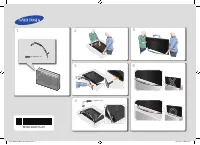 Samsung 105S9W (UE105S9WATXUA)
User Manual
Samsung 105S9W (UE105S9WATXUA)
User Manual
 Samsung 24N4500 (UE24N4500AUXUA)
User Manual
Samsung 24N4500 (UE24N4500AUXUA)
User Manual