Page 2 - Warning! Important Safety Instructions
English - 2 Warning! Important Safety Instructions (Please read the appropriate section that corresponds to the marking on your Samsung product before attempting to install the product.) CAUTION RISK OF ELECTRIC SHOCK DO NOT OPEN CAUTION: TO REDUCE THE RISK OF ELECTRIC SHOCK, DO NOT REMOVE COVER (OR...
Page 4 - Attaching the TV to the Stand; Installing the Wall Mount Kit; 2 Assembling the TV
English - 4 Attaching the TV to the Stand Make sure you have all the accessories shown, and that you assemble the stand following the provided assembly instructions. Mounting the TV on the Wall Using the Wall Mount Kit (Optional) If you mount this product on a wall, it should be mounted only as reco...
Page 5 - Providing Proper Ventilation for Your TV; Other Cautions
English - 5 English - For wall mounts that do not comply with the VESA standard screw specifications, the length of the screws may differ depending on the wall mount specifications. - Do not fasten the screws that are too strongly; this may damage the product or cause the product to fall, leading to...
Page 6 - Securing the TV to the Wall; To Avoid the TV from Falling; Arrange the cables using the Cable Holder
English - 6 Securing the TV to the Wall Caution: Pulling, pushing, or climbing on the TV may cause the TV to fall. In particular, ensure that your children do not hang on to or destabilize the TV. Doing so may cause the TV to tip over, resulting in serious injuries or death. Follow all safety precau...
Page 7 - Connecting devices to your TV; Attaching the CI Card Adapter; 3 Connections
English - 7 English Connecting devices to your TV You can connect various external devices using the connectors located at the back of the product. Check the connectors and then refer to the assembly instructions provided for more information on supported external devices. Connecting to a COMMON INT...
Page 8 - Using the “CI or CI+ CARD”; Connecting to a Network; Network Connection - Wireless
English - 8 Using the “CI or CI+ CARD” To watch paid channels, the “CI or CI+ CARD” must be inserted. - If you don’t insert the “CI or CI+ CARD”, some channels will display the “Scrambled Signal” message. - The pairing information containing a telephone number, the “CI or CI+ CARD” ID, the Host ID, ...
Page 9 - Network Connection - Wired
English - 9 English Network Connection - Wired There are three main ways to connect your TV to your network using cable, depending on your network setup. They are illustrated starting below: Modem Cable (Not Supplied) LAN Cable (Not Supplied) TV Rear Panel External Modem (ADSL / VDSL / Cable TV) The...
Page 10 - Remote Control
English - 10 Remote Control Learn where the function buttons are on your remote, such as: SOURCE , MUTE , Y , < P > , MENU , TOOLS , E , INFO , CH LIST , RETURN , GUIDE and EXIT . - This remote control has Braille points on the Power , Channel , and Volume buttons and can be used by visually i...
Page 11 - Turning on the TV
English - 11 English Installing the batteries (Battery size: AAA) Match the polarities of the batteries to the symbols in the battery compartment. 1 3 2 - Use the remote control within 7m of the TV. - Bright lights may affect the performance of the remote control. Avoid using the remote control near...
Page 12 - Initial setup; Password Change; Changing the TV’s password.; Selecting the video source; Button
English - 12 Initial setup The initial setup dialogue box appears when the TV is first activated. Follow the on-screen instructions to finish the initial setup process, including the selecting the menu language, scanning channels, connecting to the network, and more. During each step, either make a ...
Page 13 - Universal Remote Setup; Setting Up the Universal Remote Control
English - 13 English Controlling External Devices with the TV Remote ( Universal Remote Setup ) System > Universal Remote Setup - Availability depends on the specific model and area. The universal remote control feature lets you control cable boxes, Blu-ray players, home theatres, and other exter...
Page 14 - Viewing more TV features; Launching the e-Manual; Additional e-Manual Features; Loading Pages using Keywords
English - 14 Viewing more TV features The e-Manual contains more detailed information on the TV features. Refer to the embedded e-Manual ( Support > e-Manual ). Launching the e-Manual The embedded e-Manual contains information. - You can also download a copy of the e-Manual from Samsung's website...
Page 15 - Loading Pages from the Index Page; Updating the e-Manual to the Latest Version
English - 15 English Loading Pages from the Index Page Select Index from the side of the screen to bring up the index screen. Select a keyword from the list to navigate to the relevant page. Using the History to Load Previously Read Pages Select Recent pages from the side of the screen. A list of pr...
Page 16 - Troubleshooting
English - 16 Troubleshooting If you have any questions about the TV, first refer to the Troubleshooting list below. If none of these troubleshooting tips apply, please visit “www.samsung.com” and click on Support, or contact the call centre listed on the back cover of this manual. Issues Solutions a...
Page 18 - 0 Specifications and other information
English - 18 What is Remote Support? Samsung's Remote Support service offers you one-on-one support with a Samsung Technician who can remotely: • Diagnose your TV • Adjust your TV settings • Perform a factory reset for your TV • Install recommended firmware updates How Does it Work? Having a Samsung...
Page 19 - TV Specifications; Standby mode
English - 19 English 10 Specifications and other information TV Specifications Display Resolution 1920 x 1080 Environmental ConsiderationsOperating TemperatureOperating HumidityStorage TemperatureStorage Humidity 10°C to 40°C (50°F to 104°F) 10% to 80%, non-condensing -20°C to 45°C (-4°F to 113°F ) ...
Page 20 - Licences; Still image warning; Recommendation - EU Only
English - 20 Licences The terms HDMI and HDMI High-Definition Multimedia Interface, and the HDMI Logo are trademarks or registered trademarks of HDMI Licensing LLC in the United States and other countries. Still image warning Avoid displaying still images (such as jpeg picture files), still image el...
Page 21 - This page is intentionally
This page is intentionally left blank. [UH5500_5510-XH]BN68-06876C-00L16.indb 21 2014-09-25 5:08:06
Page 22 - Figyelmeztetés! Fontos biztonsági utasítások
Magyar - 2 Figyelmeztetés! Fontos biztonsági utasítások (A készülék üzembe helyezése előtt olvassa el a Samsung készüléken látható jelzésnek megfelelő részt.) VIGYÁZAT! ÁRAMÜTÉSVESZÉLY! NE NYISSA KI! VIGYÁZAT! AZ ÁRAMÜTÉS KOCKÁZATÁNAK CSÖKKENTÉSE ÉRDEKÉBEN NE TÁVOLÍTSA EL A BURKOLATOT (VAGY HÁTLAPOT...
Page 23 - A doboz tartalma
Magyar - 3 Magyar A doboz tartalma Távvezérlő és elemek (2 db AAA) Szabályozási útmutató Használati útmutató Tápkábel Jótállási jegy (egyes helyeken nem érhető el) CI-kártyaadapter Infra-hosszabbítókábel Kábeltartó Ferritgyűrű (2EA) (Modellenként változó) - Ellenőrizze, hogy az alábbi elemek melléke...
Page 24 - A TV-készülék állványra szerelése; A fali rögzítőkészlet felszerelése
Magyar - 4 A TV-készülék állványra szerelése Győződjön meg arról, hogy az ábrán látható minden tartozék a rendelkezésére áll, és az állványt az itt leírt módon szerelje össze. A TV-készülék rögzítése falra a fali rögzítőkészlettel (opcionális) Ha a készüléket falra szereli fel, ezt kizárólag a gyárt...
Page 25 - Egyéb figyelmeztetések
Magyar - 5 Magyar - A normál csavarokkal szemben előírt VESA követelményeknek nem megfelelő fali konzoloknál a csavarok hossza a fali konzol jellemzőitől függően eltérő lehet. - Ne húzza meg túl erősen a csavarokat, mert a termék megsérülhet, illetve a termék leeshet, ami személyi sérülést okozhat. ...
Page 26 - A TV-készülék biztonságos rögzítése a falon; A TV leesésének megakadályozása; Rendezze el a kábeleket a kábeltartó segítségével.
Magyar - 6 A TV-készülék biztonságos rögzítése a falon Vigyázat: A TV leeshet, ha elhúzzák, eltolják, vagy felmásznak a tetejére. Különösen arra ügyeljen, hogy gyermekei ne borítsák fel a TV-t, mert ez súlyos sérülést, sőt, akár halált is okozhat. Tartsa be a TV-hez mellékelt biztonsági tájékoztatób...
Page 27 - Eszközök csatlakoztatása a TV-készülékhez; A CI-kártyaadapter csatlakoztatása
Magyar - 7 Magyar Eszközök csatlakoztatása a TV-készülékhez Többféle külső eszközt csatlakoztat a készülék hátulján lévő csatlakozók segítségével. Ellenőrizze a csatlakozókat, majd nézze át a kapott összeszerelési utasításokat a támogatott külső eszközökkel kapcsolatban. Csatlakozás a KÖZÖS ILLESZTŐ...
Page 28 - A CI vagy CI+ kártya használata; Csatlakozás egy hálózathoz; Vezeték nélküli hálózati kapcsolat
Magyar - 8 A CI vagy CI+ kártya használata Fizetős csatornák megtekintéséhez be kell helyezni a CI vagy a CI+ kártyát. - Ha nem helyezi be a CI vagy CI+ kártyát, bizonyos csatornáknál a „Kódolt jel” üzenet jelenik meg a képernyőn. - Körülbelül 2-3 perc múlva megjelenik a telefonszámot, a CI vagy CI+...
Page 29 - Vezetékes hálózati kapcsolat
Magyar - 9 Magyar Vezetékes hálózati kapcsolat A TV-készüléket háromféleképpen csatlakoztathatja a hálózathoz kábel segítségével, a hálózati beállításoktól függően. Az egyes módszereket az alábbi ábrák szemléltetik: Modemkábel (nem tartozék) LAN-kábel (nem tartozék) A TV hátlapja Külső modem (ADSL/V...
Page 30 - Távvezérlő
Magyar - 10 Távvezérlő Ismerje meg a funkciógombok helyét a távvezérlőn: SOURCE , MUTE , Y , < P > , MENU , TOOLS , E , INFO , CH LIST , RETURN , GUIDE és EXIT . - A távirányítón Braille-pontok találhatók a Power , a Channel , és a Volume gombokon, így ezeket gyengénlátók is használhatják. A h...
Page 31 - A TV-készülék bekapcsolása
Magyar - 11 Magyar Az elemek behelyezése (elem mérete: AAA) Az elemek pólusainak meg kell egyezniük az elemtartón látható szimbólumokkal. 1 3 2 - A távvezérlőt a TV-készüléktől számított 7 méteren belül használja. - Az erős fény befolyásolhatja a távvezérlő teljesítményét. Kerülje a távvezérlő haszn...
Page 32 - gomb
Magyar - 12 Kezdeti beállítás A TV-készülék első bekapcsolásakor a kezdeti beállítási párbeszédablak jelenik meg. Kövesse a képernyőn megjelenő utasításokat a kezdeti beállítási műveletek befejezéséhez, pl. a menü nyelvének kiválasztásához, a csatornakereséshez, a hálózati csatlakozás beállításához ...
Page 33 - Az univerzális távvezérlő beállítása
Magyar - 13 Magyar Külső eszközök vezérlése a TV távvezérlőjével (Univerzális távvezérlő-beállító) Rendszer > Univerzális távvezérlő-beállító - A funkció csak bizonyos modellekben és területeken érhető el. Univerzális távvezérlő funkciója segítségével a készülék távvezérlőjével kábeltelevíziós eg...
Page 34 - További TV-funkciók megtekintése; Az e-Manual indítása; Az e-Manual további funkciói; Oldalak betöltése kulcsszavakkal
Magyar - 14 További TV-funkciók megtekintése Az e-Manual részletes információkat tartalmaz a TV funkcióiról. Nézze át a beépített e-Manual ( Terméktámogatás > e-Manual ). Az e-Manual indítása A beépített e-Manual információkat tartalmaz. - Az e-Manualt a Samsung weboldaláról is letöltheti, majd s...
Page 35 - Oldalak betöltése a Mutató oldalról; Az e-Manual frissítése a legújabb verzióra
Magyar - 15 Magyar Oldalak betöltése a Mutató oldalról A képernyő szélén látható Mutató elem kiválasztásával jelenítse meg a Mutató képernyőt. Válasszon ki egy kulcsszót a listából a kívánt oldal megnyitásához. Korábban már olvasott oldalak betöltése az Előzmények funkció segítségével Válassza ki a ...
Page 36 - Hibaelhárítás
Magyar - 16 Hibaelhárítás Ha bármilyen kérdése van a TV-készülékkel kapcsolatban, először nézze át a lenti Hibaelhárítási listát. Ha ezek közül a hibaelhárítási ötletek közül egyik sem vezet eredményre, látogasson el a www.samsung.com webhelyre, majd kattintson a Támogatás pontra, vagy forduljon az ...
Page 39 - A TV műszaki jellemzői; Készenléti üzemmód; Használati útmutató
Magyar - 19 Magyar A TV műszaki jellemzői A SAMSUNG mindenkor termékei javítását, fejlesztését tartja szem elôtt, Ezért a műszaki adatok és a használati útmutató megváltoztatásának jogát fenntartja, 2/1984, (III, 10,) BkM–IpM számú együttes rendelet alapján tanúsítjuk, hogy a UE32H5500 / UE32H5570 /...
Page 40 - Licencek; Állóképre vonatkozó figyelmeztetés; Javaslatok – Csak EU-országok esetén
Magyar - 20 Licencek The terms HDMI and HDMI High-Definition Multimedia Interface, and the HDMI Logo are trademarks or registered trademarks of HDMI Licensing LLC in the United States and other countries. Állóképre vonatkozó figyelmeztetés Kerülje el az állóképek (pl. jpeg képfájlok), állóképelemek ...
Page 42 - Ostrzeżenie! Ważne zasady bezpieczeństwa
Polski - 2 Ostrzeżenie! Ważne zasady bezpieczeństwa (Przed rozpoczęciem instalacji należy zapoznać się z informacjami w sekcji odpowiadającej oznaczeniom na urządzeniu firmy Samsung). PRZESTROGA RYZYKO PORAŻENIA PRĄDEM ELEKTRYCZNYM — NIE OTWIERAĆ PRZESTROGA: ABY ZMNIEJSZYĆ RYZYKO PORAŻENIA PRĄDEM, N...
Page 43 - Zawartość opakowania
Polski - 3 Polski Zawartość opakowania Pilot z bateriami (AAA x 2) Przewodnik po przepisach Instrukcja obsługi Przewód zasilający Karta gwarancyjna (niedostępna w niektórych krajach) Adapter kart CI Przedłużacz podczerwieni Uchwyt kabli Rdzeń ferrytowy (2 szt.) (w zależności od modelu) - Należy spra...
Page 44 - Mocowanie telewizora na podstawie; Instalowanie zestawu do montażu naściennego; Dane techniczne zestawu do montażu naściennego (VESA)
Polski - 4 Mocowanie telewizora na podstawie Należy sprawdzić, czy w zestawie znajdują się wszystkie pokazane akcesoria, po czym zamocować telewizor na podstawie zgodnie z dołączoną instrukcją montażu. Montowanie telewizora na ścianie za pomocą zestawu montażowego (opcjonalnego) Produkt należy insta...
Page 45 - Zapewnienie prawidłowej wentylacji telewizora; Inne przestrogi
Polski - 5 Polski - W przypadku wsporników naściennych, które nie spełniają standardowych wymagań VESA dla wkrętów, długość wkrętów może różnić się w zależności od ich parametrów. - Nie należy dokręcać wkrętów zbyt mocno, gdyż może to spowodować uszkodzenie produktu lub doprowadzić do jego upadku i ...
Page 46 - Mocowanie telewizora do ściany; Aby zapobiec upadkowi telewizora; Prowadzenie kabli za pomocą uchwytu kabli
Polski - 6 Mocowanie telewizora do ściany Przestroga: W wyniku szarpania, pchania lub ciągnięcia telewizor może spaść. W szczególności należy dopilnować, aby dzieci nie wieszały się na telewizorze ani nie powodowały jego destabilizacji. Mogłoby to spowodować upadek telewizora, a w rezultacie poważne...
Page 47 - Podłączanie urządzeń do telewizora; Podłączanie adaptera kart CI
Polski - 7 Polski Podłączanie urządzeń do telewizora Korzystając ze złączy znajdujących się z tyłu telewizora, można podłączyć do niego różne urządzenia zewnętrzne. Należy sprawdzić dostępne złącza, a następnie skorzystać z dołączonych instrukcji montażu w celu uzyskania dodatkowych informacji na te...
Page 48 - Korzystanie z karty CI lub CI+; Podłączanie do sieci; Połączenie sieciowe — bezprzewodowe
Polski - 8 Korzystanie z karty CI lub CI+ Aby oglądać kanały płatne, należy włożyć kartę CI lub CI+. - Jeśli karta CI lub CI+ nie zostanie włożona, dla niektórych kanałów zostanie wyświetlony komunikat „Sygnał zakodowany”. - Przez około 2–3 minuty wyświetlany będzie komunikat o parowaniu, zawierając...
Page 49 - Połączenie sieciowe — przewodowe
Polski - 9 Polski Połączenie sieciowe — przewodowe W zależności od konfiguracji sieci istnieją trzy główne sposoby łączenia telewizora z siecią za pomocą kabla. Zostały one przedstawione poniżej: Kabel modemowy (do nabycia osobno) Kabel sieci LAN (do nabycia osobno) Tylny panel telewizora Modem zewn...
Page 50 - Pilot
Polski - 10 Pilot Należy zapoznać się z rozmieszczeniem na pilocie przycisków funkcyjnych, takich jak: SOURCE , MUTE , Y , < P > , MENU , TOOLS , E , INFO , CH LIST , RETURN , GUIDE i EXIT . - Pilot jest przystosowany do obsługi przez osoby niedowidzące, ponieważ umieszczono na nim oznaczenia ...
Page 51 - Włączanie telewizora
Polski - 11 Polski Wkładanie baterii (baterie AAA) Dopasuj biegunowość baterii do symboli w komorze baterii. 1 3 2 - Pilot działa w odległości do 7 metrów od telewizora. - Działanie pilota może zostać zakłócone przez silne źródło światła. Nie należy używać pilota w pobliżu specjalnych lamp jarzeniow...
Page 52 - Konfiguracja wstępna; Zmiana hasła; Zmiana hasła telewizora.; Wybór źródła sygnału audio; Przycisk
Polski - 12 Konfiguracja wstępna Po pierwszym włączeniu telewizora wyświetlane jest okno dialogowe konfiguracji wstępnej. Zgodnie z instrukcjami wyświetlanymi na ekranie należy wykonać procedurę konfiguracji wstępnej, obejmującą wybór języka menu, wyszukiwanie kanałów, łączenie z siecią itd. Na każd...
Page 54 - Poznawanie kolejnych funkcji telewizora; Uruchamianie funkcji e-Manual; Funkcje dodatkowe instrukcji e-Manual; Wczytywanie stron z użyciem słów kluczowych
Polski - 14 Poznawanie kolejnych funkcji telewizora Instrukcja e-Manual zawiera więcej szczegółowych informacji o funkcjach telewizora. Patrz zapisana na stałe w pamięci telewizora instrukcja e-Manual ( Pomoc techniczna > e-Manual ). Uruchamianie funkcji e-Manual Zapisana na stałe w pamięci telew...
Page 55 - Wczytywanie stron ze strony indeksu; Aktualizacja instrukcji e-Manual do najnowszej wersji
Polski - 15 Polski Wczytywanie stron ze strony indeksu Wybierz opcję Indeks widoczną z boku ekranu, aby wyświetlić ekran indeksu. Wybierz słowo kluczowe z listy, aby przejść do odpowiedniej strony. Wczytywanie wcześniej przeglądanych stron za pomocą opcji Historia Wybierz opcję Otwarta strona widocz...
Page 56 - Rozwiązywanie problemów
Polski - 16 Rozwiązywanie problemów W przypadku jakichkolwiek pytań na temat telewizora należy zapoznać się z poniższą tabelą rozwiązywania problemów. Jeśli żadne z podanych rozwiązań nie dotyczy danego problemu, należy odwiedzić stronę „www.samsung.com” i kliknąć łącze Wsparcie lub skontaktować się...
Page 58 - Co to jest zdalna pomoc techniczna?; Przechowywanie i konserwacja
Polski - 18 Co to jest zdalna pomoc techniczna? Usługa zdalnej pomocy technicznej firmy Samsung obejmuje indywidualną pomoc techniczną serwisanta firmy Samsung, który może zdalnie: • zdiagnozować telewizor • wyregulować ustawienia telewizora • zresetować telewizor (przywrócić ustawienia fabryczne) •...
Page 59 - Dane techniczne telewizora; Tryb gotowości
Polski - 19 Polski Dane techniczne telewizora Rozdzielczość ekranu 1920 × 1080 Uwagi dotyczące warunków pracyTemperatura roboczaWilgotność podczas pracyTemperatura podczas przechowywaniaWilgotność podczas przechowywania 10 °C – 40 °C (50°F – 104°F) 10 – 80%, lecsapódásmentes -20 °C – 45 °C (-4 °F – ...
Page 60 - Licencje; Ostrzeżenie dotyczące nieruchomych obrazów
Polski - 20 Licencje The terms HDMI and HDMI High-Definition Multimedia Interface, and the HDMI Logo are trademarks or registered trademarks of HDMI Licensing LLC in the United States and other countries. Ostrzeżenie dotyczące nieruchomych obrazów Należy unikać wyświetlania na ekranie nieruchomych o...
Page 62 - Προειδοποίηση! Σημαντικές οδηγίες για την ασφάλεια
Ελληνικά - 2 Προειδοποίηση! Σημαντικές οδηγίες για την ασφάλεια (Διαβάστε την κατάλληλη ενότητα που αντιστοιχεί στα διακριτικά του προϊόντος Samsung προτού επιχειρήσετε να εγκαταστήσετε το προϊόν). ΠΡΟΣΟΧΗ ΚΙΝΔΥΝΟΣ ΗΛΕΚΤΡΟΠΛΗΞΙΑΣ - ΜΗΝ ΑΝΟΙΓΕΤΕ ΠΡΟΣΟΧΗ: ΓΙΑ ΝΑ ΜΕΙΩΘΕΙ Ο ΚΙΝΔΥΝΟΣ ΗΛΕΚΤΡΟΠΛΗΞΙΑΣ, ΜΗΝ ...
Page 63 - Τι περιέχει το κουτί
Ελληνικά - 3 Ελληνικά Τι περιέχει το κουτί; Τηλεχειριστήριο & μπαταρίες (AAA x 2) Εγχειρίδιο χρήσης Κάρτα εγγύησης (Δεν διατίθεται σε ορισμένες περιοχές) Οδηγός συμμόρφωσης με τους κανονισμούς Καλώδιο ρεύματος Προσαρμογέας κάρτας CI Card Καλώδιο προέκτασης υπερύθρων Στήριγμα καλωδίων Πυρήνας φερ...
Page 64 - Προσάρτηση της τηλεόρασης στη βάση; Εγκατάσταση του κιτ τοποθέτησης στον τοίχο; Προδιαγραφές (VESA) κιτ τοποθέτησης στον τοίχο
Ελληνικά - 4 Προσάρτηση της τηλεόρασης στη βάση Βεβαιωθείτε ότι διαθέτετε όλα τα εξαρτήματα που φαίνονται στην εικόνα και φροντίστε να συναρμολογήσετε τη βάση ακολουθώντας τις παρεχόμενες οδηγίες συναρμολόγησης. Στερέωση της τηλεόρασης στον τοίχο με το κιτ τοποθέτησης σε τοίχο (Προαιρετικό) Αν στερε...
Page 65 - Παροχή σωστού εξαερισμού για την τηλεόρασή σας; Άλλες προφυλάξεις
Ελληνικά - 5 Ελληνικά - Για τα στηρίγματα τοποθέτησης στον τοίχο που δεν πληρούν τις προδιαγραφές των τυπικών βιδών VESA, το μήκος των βιδών ενδέχεται να διαφέρει, ανάλογα με τις προδιαγραφές του στηρίγματος τοποθέτησης στον τοίχο. - Μη βιδώνετε τις βίδες υπερβολικά σφιχτά, καθώς ενδέχεται να προκλη...
Page 66 - Στερέωση της τηλεόρασης στον τοίχο; Για να αποτρέψετε την πτώση της τηλεόρασης; Διευθετήστε τα καλώδια χρησιμοποιώντας το στήριγμα κ; αλ; ωδίων
Ελληνικά - 6 Στερέωση της τηλεόρασης στον τοίχο Προσοχή: Αν τραβήξετε, σπρώξετε ή σκαρφαλώσετε επάνω στην τηλεόραση, ενδέχεται να προκαλέσετε την πτώση της. Πιο συγκεκριμένα, βεβαιωθείτε ότι τα παιδιά σας δεν κρέμονται από την τηλεόραση και δεν την αποσταθεροποιούν από τη θέση της. Αν συμβεί κάτι τέ...
Page 67 - Σύνδεση συσκευών στην τηλεόρασή σας; Σύνδεση του προσαρμογέα κάρτας CI Card
Ελληνικά - 7 Ελληνικά Σύνδεση συσκευών στην τηλεόρασή σας Μπορείτε να συνδέσετε διάφορες εξωτερικές συσκευές χρησιμοποιώντας τους συνδέσμους που βρίσκονται στο πίσω μέρος του προϊόντος. Ελέγξτε τους συνδέσμους και, στη συνέχεια, ανατρέξτε στις οδηγίες συναρμολόγησης που παρέχονται, για περισσότερες ...
Page 68 - Χρήση της κάρτας “CI ή CI+ CARD”; Σύνδεση σε δίκτυο; Σύνδεση δικτύου - Ασύρματη
Ελληνικά - 8 Χρήση της κάρτας “CI ή CI+ CARD” Για να παρακολουθήσετε συνδρομητικά κανάλια, πρέπει να εισάγετε την κάρτα "CI ή CI+ CARD". - Αν δεν εισάγετε την κάρτα "CI ή CI+ CARD", σε ορισμένα κανάλια εμφανίζεται το μήνυμα "Κωδικοποιημένο σήμα". - Οι πληροφορίες ζεύξης, οι ο...
Page 69 - Σύνδεση δικτύου - Ενσύρματη
Ελληνικά - 9 Ελληνικά Σύνδεση δικτύου - Ενσύρματη Ανάλογα με τη διαμόρφωση του δικτύου σας, υπάρχουν τρεις κύριοι τρόποι ενσύρματης σύνδεσης της τηλεόρασής σας στο δίκτυο. Αυτοί απεικονίζονται αρχίζοντας παρακάτω: Καλώδιο μόντεμ (Δεν παρέχεται) Καλώδιο LAN (Δεν παρέχεται) Πίσω πάνελ τηλεόρασης Εξωτε...
Page 70 - Τηλεχειριστήριο
Ελληνικά - 10 Τηλεχειριστήριο Μάθετε που βρίσκονται τα κουμπιά λειτουργιών στο τηλεχειριστήριό σας, όπως: SOURCE , MUTE , Y , < P > , MENU , TOOLS , E , INFO , CH LIST , RETURN , GUIDE και EXIT . - Το τηλεχειριστήριο αυτό φέρει κουκκίδες Braille στα κουμπιά Power , Channel και Volume , οπότε μ...
Page 71 - Τοποθέτηση των μπαταριών (Μέγεθος μπαταρίας:; Ενεργοποίηση της τηλεόρασης
Ελληνικά - 11 Ελληνικά Τοποθέτηση των μπαταριών (Μέγεθος μπαταρίας: Αντιστοιχίστε την πολικότητα των μπαταριών στα σύμβολα που υπάρχουν στο διαμέρισμα της μπαταρίας. 1 3 2 - Χρησιμοποιήστε το τηλεχειριστήριο σε απόσταση έως 7 μέτρα από την τηλεόραση. - Το έν τονο φως ενδέχεται να επηρεάσει την απόδο...
Page 72 - Αρχική ρύθμιση; Αλλαγή κωδικού πρόσβασης; Επιλογή της πηγής βίντεο; Κουμπί
Ελληνικά - 12 Αρχική ρύθμιση Το παράθυρο διαλόγου αρχικής ρύθμισης εμφανίζεται την πρώτη φορά που ενεργοποιείται η τηλεόραση. Ακολουθήστε τις οδηγίες επί της οθόνης για να ολοκληρώσετε τη διαδικασία αρχικής ρύθμισης, συμπεριλαμβανομένης της επιλογής γλώσσας μενού, της σάρωσης καναλιών, της σύνδεσης ...
Page 73 - Ρύθμιση του καθολικού τηλεχειριστηρίου
Ελληνικά - 13 Ελληνικά Έλεγχος εξωτερικών συσκευών με το τηλεχειριστήριο της τηλεόρασης (Ρύθμιση universal τηλεχειριστηρίου) Σύστημα > Ρύθμιση universal τηλεχειριστηρίου - Η διαθεσιμότητα εξαρτάται από το συγκεκριμένο μον τέλο και την περιοχή. Η δυνατότητα καθολικού τηλεχειριστηρίου σάς επιτρέπει...
Page 74 - Προβολή περισσότερων δυνατοτήτων της τηλεόρασης; Εκκίνηση του e-Manual; Πρόσθετες δυνατότητες του e-Manual; Φόρτωση σελίδων με χρήση λέξεων-κλειδιών
Ελληνικά - 14 Προβολή περισσότερων δυνατοτήτων της τηλεόρασης Το e-Manual περιέχει περισσότερες λεπτομερείς πληροφορίες σχετικά με τις δυνατότητες της τηλεόρασης. Ανατρέξτε στο ενσωματωμένο e-Manual ( Υποστήριξη > e-Manual ). Εκκίνηση του e-Manual Το ενσωματωμένο e-Manual περιέχει χρήσιμες πληροφ...
Page 75 - Φόρτωση σελίδων από τη σελίδα ευρετηρίου; Ενημέρωση του e-Manual στην τελευταία έκδοση
Ελληνικά - 15 Ελληνικά Φόρτωση σελίδων από τη σελίδα ευρετηρίου Επιλέξτε Ευρετήριο από τη μια πλευρά της οθόνης για να εμφανίσετε την οθόνη ευρετηρίου. Επιλέξτε μια λέξη-κλειδί από τη λίστα για να περιηγηθείτε στη σχετική σελίδα. Χρήση της επιλογής Ιστορικό για φόρτωση σελίδων που διαβάστηκαν προηγο...
Page 76 - Αντιμετώπιση προβλημάτων
Ελληνικά - 16 Αντιμετώπιση προβλημάτων Αν έχετε ερωτήσεις σχετικά με την τηλεόραση, ανατρέξτε πρώτα στη λίστα "Αντιμετώπιση προβλημάτων", παρακάτω. Αν δεν έχει εφαρμογή καμία από αυτές τις συμβουλές αντιμετώπισης προβλημάτων, επισκεφτείτε τη διαδικτυακή τοποθεσία "www.samsung.com" κα...
Page 78 - Τι είναι η απομακρυσμένη υποστήριξη; Πώς λειτουργεί; Φύλαξη και συντήρηση
Ελληνικά - 18 Τι είναι η απομακρυσμένη υποστήριξη; Η υπηρεσία απομακρυσμένης υποστήριξης της Samsung σάς προσφέρει προσωπική υποστήριξη με ένα τεχνικό της Samsung, ο οποίος μπορεί να κάνει τα εξής από απόσταση: • Διαγνωστικό έλεγχο της τηλεόρασής σας • Προσαρμογή των ρυθμίσεων της τηλεόρασής σας • Ε...
Page 79 - Προδιαγραφές τηλεόρασης; Κατάσταση αναμονής
Ελληνικά - 19 Ελληνικά Προδιαγραφές τηλεόρασης Ανάλυση οθόνης 1920 × 1080 Περιβαλλοντικές συνθήκεςΘερμοκρασία λειτουργίαςΥγρασία λειτουργίαςΘερμοκρασία φύλαξηςΥγρασία φύλαξης 10°C έως 40°C (50°F έως 104°F) 10% έως 80%, χωρίς συμπύκνωση υδρατμών -20°C έως 45°C (-4°F έως 113°F) 5% έως 95%, χωρίς συμπύ...
Page 80 - Άδειες; Προειδοποίηση σχετικά με τις στατικές εικόνες
Ελληνικά - 20 Άδειες The terms HDMI and HDMI High-Definition Multimedia Interface, and the HDMI Logo are trademarks or registered trademarks of HDMI Licensing LLC in the United States and other countries. Προειδοποίηση σχετικά με τις στατικές εικόνες Αποφεύγετε να προβάλλετε στην οθόνη στατικές εικό...
Page 84 - Свързване на телевизора към стойката; Инсталиране на комплект за монтиране на стена; Спецификации на комплекта за монтиране на стена (VESA)
Български - 4 Свързване на телевизора към стойката Уверете се, че разполагате с всички показани аксесоари и че сглобявате стойката, като следвате предоставените инструкции. Монтиране на телевизора на стена с комплекта за монтиране на стена (опция) Ако монтирате този продукт на стена, монтажът трябва...
Page 85 - Други предупреждения
Български - 5 Български - За конзоли за стена, които не отговарят на спецификациите за винтове на стандарта VESA, дължината на винтовете може да е различна, в зависимост от спецификациите на комплекта за монтиране на стена. - Не затягайте винтовете твърде много, защото това може да повреди продукта ...
Page 86 - Обезопасяване на телевизора на стената; За да предотвратите падане на телевизора; Подредете кабелите, като използвате държача на кабели
Български - 6 Обезопасяване на телевизора на стената Внимание: Дърпане, бутане или катерене върху телевизора може да го събори. Особено внимавайте децата да не се увисват на телевизора и да не го дестабилизират. Това може да доведе до падане на телевизора, което да причини сериозни наранявания или с...
Page 87 - Свързване на устройства към телевизора; Поставяне на адаптер за CI Card
Български - 7 Български Свързване на устройства към телевизора Можете да свържете различни външни устройства, като използвате конекторите, разположени на гърба на продукта. Проверете конекторите и направете справка с предоставените инструкции за сглобяване за повече информация за поддържаните външни...
Page 88 - Използване на CI или CI+ CARD; Свързване към мрежа; Мрежова връзка - безжична
Български - 8 Използване на CI или CI+ CARD За гледане на платени канали трябва да се постави карта CI или CI+ CARD. - Ако не се поставят CI или CI+ CARD, някои канали ще показват съобщението Кодиран сигнал. - Информацията за сдвояване, съдържаща телефонен номер, CI или CI+ CARD, Хост ID и друга инф...
Page 89 - Мрежова връзка - кабелна
Български - 9 Български Мрежова връзка - кабелна В зависимост от настройката на мрежата, има три основни начина за свързване на вашия телевизор към мрежата, като се използва кабел. Те са илюстрирани по-долу: Модемен кабел (Не е включен) LAN кабел (Не е включен) Задно табло на телевизора Външен модем...
Page 90 - Дистанционно управление
Български - 10 Дистанционно управление Научете къде се намират бутоните за функции на дистанционното управление, например: SOURCE , MUTE , Y , < P > , MENU , TOOLS , E , INFO , CH LIST , RETURN , GUIDE и EXIT . - Това дистанционно управление има точки от брайловата азбука върху бутоните Power ...
Page 91 - Включване на телевизора.
Български - 11 Български Поставяне на батериите (размер на батериите: AAA) Съблюдавайте съответствието на поляритета на батериите със символите в отделението за батерии. 1 3 2 - Дистанционното управление може да се използва на разстояние до 7 м от телевизора. - Силната светлина може да попречи на ра...
Page 92 - Първоначална настройка; Смяна на парола; Смяна на паролата на телевизора.; Избиране на източника на видео; Бутон
Български - 12 Първоначална настройка Диалоговият прозорец за първоначална настройка се появява, когато включите телевизора за първи път. Следвайте инструкциите на екрана, за да завършите процеса на първоначална настройка, включително избора на език на менюто, сканирането за канали, мрежовата връзка...
Page 93 - Управляване на външни устройства с; Настройка на универсалното дистанционно управление
Български - 13 Български Управляване на външни устройства с дистанционното управление на телевизора ( Настройка Универсално дистанционно ) Система > Настройка Универсално дистанционно - Наличността зависи от специфичния модел и зоната. Функцията за универсално дистанционно управление ви позволява...
Page 94 - Преглед на още функции на телевизора; Допълнителни функции на e-Manual; Зареждане на страници чрез ключови думи
Български - 14 Преглед на още функции на телевизора e-Manual съдържа повече информация за функциите на телевизора. Направете справка във вграденото e-Manual ( Поддръжка > e-Manual ). Стартиране на e-Manual. Вграденият e-Manual съдържа информация. - Можете също да изтеглите копие от e-Manual от уе...
Page 95 - Зареждане на страници от индексната страница; Актуализиране на e-Manual до най-новата версия
Български - 15 Български Зареждане на страници от индексната страница Изберете Индекс отстрани на екрана, за да отворите екрана на индекса. Изберете ключова дума от списъка, за да отидете в съответната страница. Използване на Хронология за зареждане на страници, които вече са четени. Изберете Отворе...
Page 96 - Отстраняване на неизправности
Български - 16 Отстраняване на неизправности Ако имате въпроси относно телевизора, първо проверете в този списък за отстраняване на неизправности по-долу. Ако нито един от съветите за отстраняване на неизправности, написани тук, не може да бъде приложен, посетете страницата на www.samsung.com, след ...
Page 98 - Какво е дистанционна поддръжка?; Съхранение и поддръжка
Български - 18 Какво е дистанционна поддръжка? Услугата за дистанционна поддръжка на Samsung ви предлага индивидуална поддръжка от техник на Samsung, който може дистанционно: • Да диагностицира вашия телевизор • Да регулира настройките на телевизора • Да върне фабричните настройки на вашия телевизор...
Page 99 - Спецификации на телевизора; Режим на готовност
Български - 19 Български Спецификации на телевизора Разделителна способност на дисплея 1920 x 1080 Съображения за околната средаРаботна температураРаботна влажностТемпература на съхраняванеВлажност на съхраняване 10°C до 40°C (50°F до 104°F) 10% до 80%, без конденз -20°C до 45°C (-4°F до 113°F) 5% д...
Page 100 - Лицензи; Предупреждение за неподвижен образ
Български - 20 Лицензи The terms HDMI and HDMI High-Definition Multimedia Interface, and the HDMI Logo are trademarks or registered trademarks of HDMI Licensing LLC in the United States and other countries. Предупреждение за неподвижен образ Избягвайте показването на екрана на неподвижни изображения...
Page 102 - Upozorenje! Važne sigurnosne upute
Hrvatski - 2 Upozorenje! Važne sigurnosne upute (Pročitajte odjeljak koji odgovara oznakama na vašem uređaju tvrtke Samsung prije pokušaja njegove instalacije.) OPREZ OPASNOST OD STRUJNOG UDARA, NE OTVARAJTE OPREZ: KAKO BI SE SMANJILA OPASNOST OD STRUJNOG UDARA, NE SKIDAJTE POKLOPAC (NITI STRAŽNJU S...
Page 103 - Sadržaj pakiranja
Hrvatski - 3 Hrvatski Sadržaj pakiranja Daljinski upravljač i baterije (AAA x 2)Korisnički priručnikJamstvena kartica (nije dostupna na nekim lokacijama) Vodič kroz zakonske propise Kabel za napajanje Adapter za CI karticu Infracrveni produžni kabel Držač za kabel Feritna jezgra (2EA) (ovisno o mode...
Page 104 - Pričvršćivanje televizora na postolje; Montiranje kompleta za postavljanje na zid
Hrvatski - 4 Pričvršćivanje televizora na postolje Provjerite imate li sve prikazane dodatke, a postolje trebate sastaviti slijedeći priložene upute za sastavljanje. Montiranje televizora na zid pomoću kompleta za postavljanje na zid (dodatno) Ako ga montirate na zid, televizor se mora montirati sam...
Page 105 - Ostala upozorenja
Hrvatski - 5 Hrvatski - Kod zidnih nosača koji ne odgovaraju specifikacijama za vijke unutar standarda VESA, dužina vijaka može se razlikovati ovisno o specifikacijama zidnih nosača. - Vijke nemojte prejako pritegnuti jer to može oštetiti uređaj i uzrokovati njegov pad, što može dovesti do tjelesnih...
Page 106 - Montiranje televizora na zid; Izbjegavanje pada televizora; Raspoređivanje kabela pomoću držača za kabele
Hrvatski - 6 Montiranje televizora na zid Oprez: potezanje, guranje ili penjanje na televizor može uzrokovati njegov pad. Naročito pripazite da se djeca ne ljuljaju na televizoru i da ga ne destabiliziraju. To može dovesti do prevrtanja televizora i rezultirati ozbiljnim povredama ili smrću. Slijedi...
Page 107 - Povezivanje uređaja s televizorom; Pričvršćivanje adaptera za CI karticu
Hrvatski - 7 Hrvatski Povezivanje uređaja s televizorom Možete priključiti različite vanjske uređaje, pomoću priključaka koji se nalaze na stražnjoj strani uređaja. Pregledajte priključke, a zatim u priloženim uputama za sastavljanje potražite više informacija o podržanim vanjskim uređajima. Poveziv...
Page 108 - Povezivanje s mrežom; Povezivanje s mrežom – bežična mreža
Hrvatski - 8 Korištenje kartice "CI ili CI+ CARD" Morate umetnuti karticu "CI ili CI+ CARD" kako biste mogli gledati kanale koji zahtijevaju plaćanje. - Ako ne umetnete karticu "CI ili CI+ CARD", neki će kanali prikazivati poruku "Kodirani signal". - Podaci o uparivan...
Page 109 - Povezivanje s mrežom – žičana mreža
Hrvatski - 9 Hrvatski Povezivanje s mrežom – žičana mreža Ovisno o postavkama mreže, televizor s mrežom pomoću kabela možete povezati na tri osnovna načina. Prikazani su u nastavku: Modemski kabel (nije u kompletu) LAN kabel (nije u kompletu) Stražnja ploča televizora Vanjski modem (ADSL / VDSL / ka...
Page 110 - Daljinski upravljač
Hrvatski - 10 Daljinski upravljač Pogledajte gdje se na daljinskom upravljaču nalaze funkcijski gumbi kao što su: SOURCE , MUTE , Y , < P > , MENU , TOOLS , E , INFO , CH LIST , RETURN , GUIDE i EXIT . - Ovaj daljinski upravljač ima točke po Brailleovom pismu za Power , Channel , i Volume , št...
Page 111 - Uključivanje televizora
Hrvatski - 11 Hrvatski Umetanje baterija (veličina baterija: AAA) Polove baterija uskladite sa simbolima u odjeljku za bateriju. 1 3 2 - Daljinski upravljač koristite na udaljenosti do 7 metara od televizora. - Jaka svjetlost može utjecati na rad daljinskog upravljača. Izbjegavajte korištenje u bliz...
Page 112 - Početno postavljanje; Promjena lozinke; Promjena lozinke televizora.; Odabir izvora videosignala; Gumb
Hrvatski - 12 Početno postavljanje Dijaloški okvir za početno postavljanje prikazuje se prilikom prvog aktiviranja televizora. Slijedite upute na zaslonu kako biste dovršili postupak početnog postavljanja, uključujući odabir jezika izbornika, skeniranje kanala, povezivanje s mrežom i drugo. U svakom...
Page 113 - Postavljanje univerzalnog daljinskog upravljača
Hrvatski - 13 Hrvatski Upravljanje vanjskim uređajima pomoću daljinskog upravljača televizora (Postavljanje univerzal. daljinskog) Sustav > Postavljanje univerzal. daljinskog - Dostupnost ovisi o određenom modelu i području. Univerzalni daljinski upravljač omogućuje upravljanje kabelskim uređajim...
Page 114 - Pregled drugih značajki televizora; Pokretanje značajke e-Manual; Dodatne značajke opcije e-Manual; Učitavanje stranica pomoću ključnih riječi
Hrvatski - 14 Pregled drugih značajki televizora e-Manual sadrže podrobnije informacije o značajkama televizora. Pogledajte ugrađene e-Manual ( Podrška > e-Manual ). Pokretanje značajke e-Manual Ugrađene upute e-Manual sadrže informacije. - Primjerak uputa e-Manual možete preuzeti i s web-mjesta ...
Page 115 - Učitavanje stranice sa stranice indeksa; Ažuriranje uputa e-Manual na najnoviju verziju
Hrvatski - 15 Hrvatski Učitavanje stranice sa stranice indeksa Odaberite Kazalo sa strane na zaslonu za otvaranje zaslona indeksa. Odaberite ključnu riječ s popisa kako biste došli do relevantne stranice. Korištenje opcije Povijest za učitavanje ranije pročitanih stranica Odaberite Otvorena stranica...
Page 116 - Rješavanje problema
Hrvatski - 16 Rješavanje problema Ako imate bilo kakva pitanja o televizoru, najprije pročitajte popis Rješavanje problema u nastavku. Ako se ne može primijeniti nijedan savjet za rješavanje problema, posjetite web-mjesto "www.samsung.com", a zatim pritisnite Podrška ili se obratite centru z...
Page 119 - Specifikacije televizora; Stanje pripravnosti
Hrvatski - 19 Hrvatski Specifikacije televizora Rezolucija zaslona 1920 × 1080 Uvjeti u okruženjuRadna temperaturaRadna vlažnostTemperatura pohraneVlažnost prilikom pohrane 10°C do 40°C (50°F do 104°F) od 10% do 80%, bez kondenzacije - 20°C do 45°C (- 4°F do 113°F) od 5% do 95%, bez kondenzacije Zvu...
Page 120 - Licence; Upozorenje o prikazivanju statičnih slika
Hrvatski - 20 Licence The terms HDMI and HDMI High-Definition Multimedia Interface, and the HDMI Logo are trademarks or registered trademarks of HDMI Licensing LLC in the United States and other countries. Upozorenje o prikazivanju statičnih slika Izbjegavajte prikazivanje statičnih slika na zaslonu...
Page 122 - Varování! Důležité bezpečnostní pokyny
Čeština - 2 Varování! Důležité bezpečnostní pokyny (Před zahájením instalace výrobku Samsung si přečtěte příslušný oddíl, který odpovídá na něm uvedenému označení.) UPOZORNĚNÍ NEBEZPEČÍ ÚRAZU ELEKTŘINOU – NEOTVÍREJTE UPOZORNĚNÍ: ABY SE SNÍŽILO RIZIKO ÚRAZU ELEKTŘINOU, NESNÍMEJTE KRYT (ANI ZADNÍ PANE...
Page 123 - Obsah balení
Čeština - 3 Čeština Obsah balení Dálkový ovladač & baterie (2x AAA) Regulační příručka Uživatelská příručka Napájecí kabel Záruční list (v některých zemích není k dispozici) Adaptér karet CI CARD Prodlužovací kabel IR Držák kabelu Feritové jádro (2 KS) (v závislosti na modelech) - Zkontrolujte, ...
Page 124 - Připevnění televizoru ke stojanu; Instalace sady pro upevnění na zeď; Specifikace sady pro upevnění na zeď (VESA)
Čeština - 4 Připevnění televizoru ke stojanu Zkontrolujte, zda máte všechno vyobrazené příslušenství, a stojan sestavte podle uvedených pokynů. Upevnění televizoru na zeď pomocí sady pro upevnění na zeď (volitelné) Jestliže budete tento výrobek upevňovat na zeď, je třeba tak učinit pouze v souladu s...
Page 125 - Zajištění dostatečné ventilace televizoru; Další upozornění
Čeština - 5 Čeština - V případě sad pro upevnění na zeď, které neodpovídají specifikacím pro šrouby VESA, se může délka šroubů lišit v závislosti na jejich specifikacích. - Vyvarujte se příliš silného utažení šroubů. To by mohlo způsobit poškození výrobku nebo vést ke zranění osob způsobeným pádem v...
Page 126 - Připevnění televizoru na zeď; Zamezení pádu televizoru; Uspořádání kabelů pomocí držáku kabelu
Čeština - 6 Připevnění televizoru na zeď Pozor: Posunování či tažení televizoru nebo lezení na něj může způsobit pád televizoru. Dbejte zejména na to, aby se na televizor nevěšely děti nebo jiným způsobem nenarušovaly jeho stabilitu. Mohlo by dojít k převrhnutí televizoru a vážným nebo i smrtelným z...
Page 127 - Připojení zařízení k televizoru; Připojení adaptéru karet CI
Čeština - 7 Čeština Připojení zařízení k televizoru Můžete připojit různá externí zařízení pomocí konektorů umístěných na zadní straně výrobku. Zkontrolujte konektory a pak si přečtěte další informace o podporovaných externích zařízeních v dodávaném návodu k instalaci. Připojení ke slotu COMMON INTE...
Page 128 - Používání karty „CI nebo CI+CARD“; Připojení k síti; Připojení k síti – bezdrátové
Čeština - 8 Používání karty „CI nebo CI+CARD“ Chcete-li sledovat placené kanály, musí být vložena karta „CI nebo CI+“. - Pokud nevložíte kartu „CI nebo CI+ CARD“, zobrazí některé kanály zprávu „Zakódovaný signál“. - Přibližně za 2 až 3 minuty se zobrazí přiřazovací údaje obsahující telefonní číslo, ...
Page 129 - Připojení k síti – kabelové
Čeština - 9 Čeština Připojení k síti – kabelové V závislosti na nastavení sítě existují tři hlavní způsoby, jak připojit televizor k síti kabelem. Zde jsou vyobrazené: Kabel modemu (není součástí dodávky) Kabel LAN (není součástí dodávky) Zadní panel televizoru Externí modem (ADSL / VDSL / kabelová ...
Page 130 - Dálkový ovladač
Čeština - 10 Dálkový ovladač Podívejte se, kde se na dálkovém ovladači nacházejí jednotlivá tlačítka funkcí, například: SOURCE , MUTE , Y , < P > , MENU , TOOLS , E , INFO , CH LIST , RETURN , GUIDE a EXIT . - Tento dálkový ovladač má tlačítka Power , Channel a Volume označena Braillovým písme...
Page 131 - Zapnutí televizoru
Čeština - 11 Čeština Instalace baterií (velikost baterií: AAA) Baterie vkládejte se správnou polaritou (viz symboly v prostoru pro baterie). 1 3 2 - Dálkový ovladač používejte do vzdálenosti 7 metrů od televizoru. - Funkce dálkového ovladače může být ovlivněna silným světlem. Nepoužívejte dálkový ov...
Page 132 - Počáteční nastavení; Změna hesla; Změna hesla televizoru; Výběr zdroje videa; Tlačítko
Čeština - 12 Počáteční nastavení Při první aktivaci televizoru se zobrazí dialogové okno pro počáteční nastavení. Podle pokynů na obrazovce dokončete proces počátečního nastavení, včetně výběru jazyka nabídky, vyhledání kanálů, připojení k sítí a tak dále. V každém kroku můžete vybrat možnost nebo k...
Page 133 - Nastavení univerzálního dálkového ovladače
Čeština - 13 Čeština Ovládání externích zařízení pomocí dálkového ovladače televizoru (Univerzální dálkové ovládání) Systém > Univerzální dálkové ovládání - Dostupnost závisí na konkrétním modelu a oblasti. Funkce univerzálního dálkového ovladače umožňuje ovládat přijímače kabelové televize, přeh...
Page 134 - Zobrazení dalších funkcí televizoru; Otevření příručky e-Manual; Další funkce příručky e-Manual; Načítání stránek pomocí klíčových slov
Čeština - 14 Zobrazení dalších funkcí televizoru V příručce e-Manual najdete podrobnější informace o funkcích televizoru. Viz integrovaná příručka e-Manual ( Podpora > e-Manual ). Otevření příručky e-Manual Integrovaná příručka e-Manual obsahuje informace. - Kopii příručky e-Manual si také můžete...
Page 135 - Načítání stránek ze stránky rejstříku; Aktualizace příručky e-Manual na nejnovější verzi
Čeština - 15 Čeština Načítání stránek ze stránky rejstříku Obrazovku rejstříku vyvoláte výběrem možnosti Rejstřík v horní části obrazovky. Výběrem klíčového slova ze seznamu přejdete na příslušnou stránku. Použití možnosti Historie k načtení přečtených stránek Vyberte možnost Otevřená stránka po str...
Page 136 - Odstraňování potíží
Čeština - 16 Odstraňování potíží Pokud máte ohledně televizoru jakékoli dotazy, nejprve si vyhledejte informace v tomto seznamu. Pokud se žádný z těchto tipů pro odstraňování potíží netýká vaší situace, navštivte webové stránky www.samsung.com a klepněte na tlačítko Podpora. Nebo použijte telefonní ...
Page 137 - Upozornění k Eko čidlu a jasu obrazovky
Čeština - 17 Čeština Upozornění k Eko čidlu a jasu obrazovky Eko čidlo měří úroveň světla v místnosti a automaticky optimalizuje jas televizoru, čímž šetří energii. Tato funkce způsobuje automatické zjasňování a ztmavování televizoru. Jestliže chcete tuto funkci vypnout, přejděte do nabídky Systém &...
Page 139 - Technické údaje televizoru; Pohotovostní režim
Čeština - 19 Čeština Technické údaje televizoru Rozlišení displeje 1920 x 1080 Provozní prostředíProvozní teplotaProvozní vlhkostSkladovací teplotaSkladovací vlhkost 10 °C až 40 °C (50°F až 104°F) 10% až 80%, bez kondenzace -20 °C až 45 °C (-4°F až 113°F) 5% až 95%, bez kondenzace Zvuk (výkon) 10W x...
Page 140 - Upozornění týkající se statických obrázků; Doporučení – pouze EU
Čeština - 20 Licence The terms HDMI and HDMI High-Definition Multimedia Interface, and the HDMI Logo are trademarks or registered trademarks of HDMI Licensing LLC in the United States and other countries. Upozornění týkající se statických obrázků Nezobrazujte na obrazovce statické obrázky (např. sou...
Page 142 - Upozornenie! Dôležité bezpečnostné pokyny
Slovenčina - 2 Upozornenie! Dôležité bezpečnostné pokyny (Pred pokusom o inštaláciu výrobku si prečítajte príslušnú časť, ktorá zodpovedá označeniu na vašom výrobku od spoločnosti Samsung.) VÝSTRAHA RIZIKO ZÁSAHU ELEKTRICKÝM PRÚDOM, NEOTVÁRAŤ UPOZORNENIE: NEBEZPEČENSTVO ZÁSAHU ELEKTRICKÝM PRÚDOM ZNÍ...
Page 144 - Pripevnenie televízora k stojanu; Montáž súpravy nástenného držiaka; Technické údaje súpravy nástenného držiaka (VESA)
Slovenčina - 4 Pripevnenie televízora k stojanu Uistite sa, že máte všetko zobrazené príslušenstvo a stojan zmontujte presne podľa poskytnutých montážnych pokynov. Montáž televízora na stenu pomocou súpravy nástenného držiaka (voliteľné) Ak tento produkt montujete na stenu, mali by ste to vykonať le...
Page 145 - Zaistenie dostatočného vetrania televízora; Ostatné upozornenia
Slovenčina - 5 Slovenčina - Pri nástenných držiakoch, ktoré nie sú v súlade s technickými údajmi pre skrutky podľa normy VESA, sa môže dĺžka skrutiek odlišovať v závislosti od technických údajov nástenného držiaka. - Skrutky nadmerne nedoťahujte, pretože sa tým môže poškodiť produkt alebo to môže sp...
Page 146 - Upevnenie televízora na stenu; Predchádzanie pádu televízora; Usporiadajte káble pomocou držiaka na káble
Slovenčina - 6 Upevnenie televízora na stenu Upozornenie: Ťahanie, tlačenie alebo lezenie na televízor môže spôsobiť, že televízor spadne. Zaistite najmä, aby sa deti nevešali na televízor a aby nenarušili jeho stabilitu. Takáto činnosť môže spôsobiť prevrhnutie televízora, čo by mohlo spôsobiť vážn...
Page 147 - Pripájanie zariadení k televízoru; Pripojenie adaptéra karty CI
Slovenčina - 7 Slovenčina Pripájanie zariadení k televízoru Pomocou konektorov nachádzajúcich sa na zadnej strane produktu môžete pripájať rôzne externé zariadenia. Skontrolujte konektory a v montážnych pokynoch potom vyhľadajte ďalšie informácie o podporovaných externých zariadeniach. Pripojenie k ...
Page 148 - Používanie karty „CI alebo CI+ CARD“; Pripojenie k sieti; Sieťové pripojenie – bezdrôtové
Slovenčina - 8 Používanie karty „CI alebo CI+ CARD“ Ak chcete sledovať platené kanály, musíte vložiť kartu „CI alebo CI+ CARD“. - Ak nevložíte kartu „CI alebo CI+ CARD“, niektoré kanály zobrazia správu „Kódovaný signál“. - Za približne 2 až 3 minúty sa zobrazí informácia o spárovaní, ktorá obsahuje ...
Page 149 - Sieťové pripojenie – káblové
Slovenčina - 9 Slovenčina Sieťové pripojenie – káblové V závislosti od nastavenia siete existujú tri hlavné spôsoby pripojenia televízora k sieti pomocou kábla. Sú znázornené nižšie: Kábel modemu (nedodáva sa) Kábel siete LAN (nedodáva sa) Zadný panel TV Externý modem (ADSL/VDSL/Káblová TV) Port mod...
Page 150 - Diaľkový ovládač
Slovenčina - 10 Diaľkový ovládač Spoznajte umiestnenie tlačidiel funkcií na diaľkovom ovládači, napríklad: SOURCE , MUTE , Y , < P > , MENU , TOOLS , E , INFO , CH LIST , RETURN , GUIDE a EXIT . - Tento diaľkový ovládač disponuje bodmi Braillovho písma na tlačidlách Power , Channel , a Volume ...
Page 151 - Zapnutie televízora
Slovenčina - 11 Slovenčina Inštalácia batérií (veľkosť batérií: AAA) Dbajte na to, aby sa polarita batérií zhodovala so symbolmi v priečinku na batérie. 1 3 2 - Diaľkový ovládač používajte do vzdialenosti 7 metrov od televízora. - Ostré svetlá môžu ovplyvniť výkon diaľkového ovládača. Nepoužívajte d...
Page 152 - Úvodné nastavenie; Zmena hesla; Zmena hesla televízora.; Výber zdroja videa; Tlačidlo
Slovenčina - 12 Úvodné nastavenie Pri prvom zapnutí televízora sa zobrazí dialógové okno úvodného nastavenia. Podľa pokynov na obrazovke dokončite úvodné nastavenie vrátane výberu jazyka ponuky, vyhľadania kanálov, sieťového pripojenia a ďalších položiek. V každom kroku buď vyberte požadovanú položk...
Page 153 - Nastavenie univerzálneho diaľkového ovládania
Slovenčina - 13 Slovenčina Ovládanie externých zariadení pomocou diaľkového ovládania TV (Nastavenie univer. diaľk. ovládača) Systém > Nastavenie univer. diaľk. ovládača - Dostupnosť v závislosti od konkrétneho modelu a oblasti. Funkcia univerzálneho diaľkového ovládania umožňuje ovládať prijímač...
Page 154 - Oboznámenie sa s ďalšími funkciami televízora; Spustenie príručky e-Manual; Ďalšie funkcie príručky e-Manual; Načítavanie stránok pomocou kľúčových slov
Slovenčina - 14 Oboznámenie sa s ďalšími funkciami televízora Príručka e-Manual obsahuje ďalšie podrobné informácie o funkciách televízora. Pozrite si vstavanú príručku e-Manual ( Podpora > e-Manual ). Spustenie príručky e-Manual Integrovaná príručka e-Manual obsahuje informácie. - Taktiež si môž...
Page 155 - Načítavanie strán zo strany registra; Aktualizácia príručky e-Manual na najnovšiu verziu
Slovenčina - 15 Slovenčina Načítavanie strán zo strany registra Výberom možnosti Register na bočnej strane obrazovky zobrazíte obrazovku indexu. Výberom kľúčového slova zo zoznamu prejdite na príslušnú stranu. Načítavanie predtým čítaných strán pomocou položky História Na bočnej strane obrazovky vyb...
Page 156 - Riešenie problémov
Slovenčina - 16 Riešenie problémov Ak máte akékoľvek otázky týkajúce sa televízora, najskôr si preštudujte nasledujúci zoznam riešenia problémov. Ak žiadny z tipov na riešenie problémov nie je vhodný, navštívte lokalitu „www.samsung.com“, potom kliknite na položku Podpora, prípadne sa obráťte na tel...
Page 159 - Technické údaje televízora; Pohotovostný režim
Slovenčina - 19 Slovenčina Technické údaje televízora Rozlíšenie displeja 1920 x 1080 Prevádzkové prostrediePrevádzková teplotaPrevádzková vlhkosťSkladovacia teplotaSkladovacia vlhkosť 10 °C až 40 °C (50 °F až 104 °F) 10% až 80%, bez kondenzácie -20 °C až 45 °C (-4 °F až 113 °F) 5 % až 95 %, bez kon...
Page 160 - Licencie; Upozornenie v súvislosti so statickým obrazom; Odporúčanie – len pre EÚ
Slovenčina - 20 Licencie The terms HDMI and HDMI High-Definition Multimedia Interface, and the HDMI Logo are trademarks or registered trademarks of HDMI Licensing LLC in the United States and other countries. Upozornenie v súvislosti so statickým obrazom Na obrazovke nenechávajte zobrazený statický ...
Page 162 - Avertisment! Instrucţiuni importante de siguranţă
Română - 2 Avertisment! Instrucţiuni importante de siguranţă (Vă rugăm să citiţi secţiunea corespunzătoare marcajului de pe produsul dvs. Samsung înainte de a încerca instalarea acestuia.) ATENŢIE PERICOL DE ELECTROCUTARE, NU DESCHIDEŢI ATENŢIE: PENTRU A REDUCE PERICOLUL DE ELECTROCUTARE, NU ÎNDEPĂR...
Page 163 - Care este conţinutul cutiei?
Română - 3 Română Care este conţinutul cutiei? Telecomandă & baterii (AAA x 2) Ghid de conformitate Manual de utilizare Cablu de alimentare Certificat de garanţie (Nu este disponibil în unele ţări) Adaptor CI Card Cablu prelungitor IR Suport pentru cabluri Miez de ferită (2EA) (În funcţie de mod...
Page 164 - Ataşarea televizorului pe suport; Instalarea kitului de montare pe perete; Specificaţiile kitului de montare pe perete (VESA)
Română - 4 Ataşarea televizorului pe suport Asiguraţi-vă că dispuneţi de toate accesoriile prezentate şi că asamblaţi suportul conform instrucţiunilor de montaj furnizate. Montarea televizorului pe perete utilizând kitul de montare pe perete (opţional) Dacă montaţi produsul pe perete, acesta trebuie...
Page 165 - Alte măsuri de precauţie
Română - 5 Română - Pentru suporturile de perete care nu respectă specificaţiile referitoare la şuruburi ale standardului VESA, lungimea şuruburilor poate fi diferită, în funcţie de specificaţiile suportului de perete. - Nu strângeţi şuruburile excesiv; acest lucru poate deteriora produsul sau poate...
Page 166 - Fixarea televizorului pe perete; Pentru a evita căderea televizorului; Aranjarea cablurilor cu ajutorul suportului pentru cabluri
Română - 6 Fixarea televizorului pe perete ATENŢIE: Dacă trageţi de televizor, dacă îl împingeţi sau dacă vă urcaţi pe acesta, televizorul poate să cadă. În special, nu lăsaţi copiii să se agaţe de televizor sau să-l destabilizeze. Toate acestea pot cauza răsturnarea televizorului, producând vătămăr...
Page 167 - Conectarea dispozitivelor la televizor; Ataşarea adaptorului CI Card
Română - 7 Română Conectarea dispozitivelor la televizor Puteţi conecta diferite dispozitive externe, utilizând conectorii situaţi în partea din spate a produsului. Verificaţi conectorii şi apoi consultaţi instrucţiunile de asamblare furnizate, pentru mai multe informaţii privind dispozitivele exter...
Page 168 - Utilizarea plăcii „CI sau CI+ CARD”; Conectarea la o reţea; Conectarea la reţea - Wireless
Română - 8 Utilizarea plăcii „CI sau CI+ CARD” Pentru urmărirea canalelor plătite, trebuie să aveţi inserată placa „CI sau CI+ CARD”. - Dacă nu inseraţi placa „CI sau CI+ CARD”, unele canale vor afişa mesajul „Semnal codificat”. - Informaţiile de asociere care conţin un număr de telefon, ID-ul pentr...
Page 169 - Conectarea la reţea - Prin cablu
Română - 9 Română Conectarea la reţea - Prin cablu Există trei moduri principale de a conecta televizorul la reţea prin cablu, în funcţie de configurarea reţelei. Acestea sunt ilustrate mai jos: Cablu de modem (nu este inclus) Cablu LAN (nu este inclus) Panoul posterior al televizorului Modem extern...
Page 170 - Telecomandă
Română - 10 Telecomandă Aflaţi unde se află butoanele funcţionale pe telecomanda dvs., precum: SOURCE , MUTE , Y , < P > , MENU , TOOLS , E , INFO , CH LIST , RETURN , GUIDE şi EXIT . - Această telecomandă are puncte Braille pe butoanele Power , Channel , şi Volume şi poate fi utilizată de per...
Page 171 - Pornirea televizorului
Română - 11 Română Instalarea bateriilor (Dimensiunea bateriei: AAA) Polarităţile bateriilor trebuie să corespundă cu simbolurile din compartimentul pentru baterii. 1 3 2 - Utilizaţi telecomanda la maxim 7 m de televizor. - Luminile puternice pot afecta performanţa telecomenzii. Evitaţi utilizarea t...
Page 172 - Configurare iniţială; Schimbare parolă; Modificarea parolei televizorului.; Selectarea sursei video
Română - 12 Configurare iniţială La prima activare a televizorului, este afişată caseta de dialog pentru configurarea iniţială. Urmaţi instrucţiunile de pe ecran pentru a finaliza procesul de configurare iniţială, inclusiv selectarea limbii meniurilor, scanarea canalelor, conectarea la reţea şi mult...
Page 173 - Configurarea telecomenzii universale
Română - 13 Română Controlul dispozitivelor externe cu telecomanda televizorului ( Configurare telecomandă universală ) Sistem > Configurare telecomandă universală - Disponibilitatea depinde de modelul şi de zona respectivă. Caracteristica de telecomandă universală vă permite să controlaţi cutii ...
Page 174 - Vizionarea mai multor caracteristici TV; Funcţii e-Manual suplimentare; Încărcarea paginilor utilizând cuvinte cheie
Română - 14 Vizionarea mai multor caracteristici TV Documentul e-Manual conţine mai multe informaţii detaliate privind caracteristicile televizorului. Consultaţi documentul e-Manual integrat ( Asistenţă > e-Manual ). Lansarea e-Manual e-Manual încorporat conţine informaţii. - De asemenea, puteţi ...
Page 175 - Încărcarea paginilor din pagina de index; Actualizarea e-Manual la ultima versiune
Română - 15 Română Încărcarea paginilor din pagina de index Selectaţi Index din partea laterală a ecranului pentru a accesa ecranul de index. Selectaţi un cuvânt cheie din listă pentru a naviga la pagina relevantă. Utilizarea Istoric pentru a încărca pagini citite anterior Selectaţi Pagini deschise ...
Page 176 - Depanare
Română - 16 Depanare Dacă aveţi întrebări legate de televizor, consultaţi mai întâi lista de depanare de mai jos. Dacă niciunul dintre aceste sfaturi de depanare nu se aplică, vă rugăm să vizitaţi site-ul Web „www.samsung.com” şi să faceţi clic pe Asistenţă sau să contactaţi Centrul de asistenţă din...
Page 179 - Specificaţii TV; Modul de aşteptare
Română - 19 Română Specificaţii TV Rezoluţie de afişare 1920 × 1080 Specificaţii legate de mediuTemperatură de funcţionareUmiditate de funcţionareTemperatură de depozitareUmiditate de depozitare 10°C ~ 40°C (50°F ~ 104°F) 10% ~ 80%, fără condens -20°C ~ 45°C (-4°F ~ 113°F) 5% ~ 95%, fără condens Sun...
Page 180 - Licenţe; Avertisment privind imaginile statice
Română - 20 Licenţe The terms HDMI and HDMI High-Definition Multimedia Interface, and the HDMI Logo are trademarks or registered trademarks of HDMI Licensing LLC in the United States and other countries. Avertisment privind imaginile statice Evitaţi afişarea pe ecran a imaginilor statice (cum sunt f...
Page 182 - Upozorenje! Važna bezbednosna uputstva
Srpski - 2 Upozorenje! Važna bezbednosna uputstva (Pročitajte odgovarajući odeljak u skladu sa oznakama na vašem Samsung proizvodu pre nego što započnete instalaciju.) OPREZ RIZIK OD STRUJNOG UDARA, NE OTVARATI OPREZ: NEMOJTE SKIDATI POKLOPAC (NITI POLEĐINU) DA BISTE SMANJILI RIZIK OD STRUJNOG UDARA...
Page 183 - Šta se nalazi u kutiji?
Srpski - 3 English Srpski Šta se nalazi u kutiji? Daljinski upravljač i baterije (AAA x 2) Regulatorni vodič Korisnički priručnik Kabl za napajanje Garantni list (nije dostupan na nekim lokacijama) Adapter za CI karticu Infracrveni produžni kabl Držač kabla Feritno jezgro (2 kom.) (u zavisnosti od m...
Page 184 - Montiranje televizora na postolje; Postavljanje nosača za montažu na zid; Specifikacije kompleta za montažu na zid (VESA)
Srpski - 4 Montiranje televizora na postolje Proverite da li imate sav prikazani dodatni pribor i sklopite postolje prema priloženim uputstvima. Montiranje televizora na zid pomoću nosača za montažu na zid (opcionalno) Ako proizvod montirate na zid, montaža se mora obaviti u skladu sa preporukama pr...
Page 185 - Obezbeđivanje pravilne ventilacije televizora; Ostale mere opreza
Srpski - 5 English Srpski - Kod kompleta za montažu na zid koji nisu u skladu sa specifikacijom za zavrtnje prema VESA standardu, dužina zavrtanja može da se razlikuje u zavisnosti od specifikacija zidnog nosača. - Nemojte previše da zatežete zavrtnje; to može da ošteti proizvod ili da prouzrokuje n...
Page 186 - Pričvršćivanje televizora na zid; Da biste sprečili pad televizora; Držač kablova služi da uredno prikupite kablove
Srpski - 6 Pričvršćivanje televizora na zid Oprez: Vučenje, guranje ili penjanje na televizor može da dovede do pada televizora. Posebno vodite računa da se deca ne kače za televizor i da ga ne pomeraju. U suprotnom, televizor može da se prevrne i izazove ozbiljne telesne povrede, pa čak i sa smrtni...
Page 187 - Povezivanje uređaja na televizor; Povezivanje adaptera za CI karticu
Srpski - 7 English Srpski Povezivanje uređaja na televizor Sa televizorom možete da povežete različite spoljne uređaje preko priključaka koji se nalaze na zadnjoj strani. Pregledajte priključke, a zatim u dobijenom uputstvu za sklapanje potražite više informacija o podržanim spoljnim uređajima. Pove...
Page 188 - Korišćenje „CI ili CI+ KARTICE“; Povezivanje na mrežu; Mrežna veza - bežična
Srpski - 8 Korišćenje „CI ili CI+ KARTICE“ Da biste gledali kanale čije se gledanje naplaćuje, morate umetnuti „CI ili CI+ KARTICU“. - Ukoliko niste umetnuli „CI ili CI+ KARTICU“, na nekim kanalima biće prikazana poruka „Šifrovan signal“. - Informacije o povezivanju, što podrazumeva broj telefona, I...
Page 192 - Početno podešavanje; Menjanje lozinke; Menjanje lozinke za televizor.; Biranje izvora video signala; Dugme
Srpski - 12 Početno podešavanje Kada prvi put uključite televizor, pojaviće se dijalog za početno podešavanje. Pratite uputstva na ekranu kako biste dovršili proces podešavanja, u koji spadaju biranje jezika menija, skeniranje kanala, povezivanje na mrežu i drugo. U svakom koraku podešavanja izaberi...
Page 193 - Podešavanje univerzalnog; Podešavanje univerzalnog daljinskog upravljača
Srpski - 13 English Srpski Upravljanje spoljnim uređajima pomoću daljinskog upravljača televizora ( Podešavanje univerzalnog upravljača ) Sistem > Podešavanje univerzalnog upravljača - Dostupnost zavisi od modela i regiona. Funkcija univerzalnog daljinskog upravljača omogućava da pomoću daljinsko...
Page 194 - Prikaz dodatnih funkcija televizora; Pokretanje priručnika e-Manual; Ako se sadržaj ne uklapa u dimenzije prozora...; Dodatne funkcije priručnika e-Manual; Otvaranje stranica na osnovu ključnih reči
Srpski - 14 Prikaz dodatnih funkcija televizora U e-Manual se nalaze detaljnije informacije o funkcijama televizora. Pogledajte ugrađeni e-Manual ( Podrška > e-Manual ). Pokretanje priručnika e-Manual Ugrađeni e-Manual sadrži informacije. - e-Manual možete da preuzmete i sa Web lokacije kompanije...
Page 195 - Otvaranje stranica preko stranice sa indeksom; Učitavanje stranica sa referencama; Kako se e-Manual ažurira na najnoviju verziju
Srpski - 15 English Srpski Otvaranje stranica preko stranice sa indeksom Pritisnite dugme Indeks uz bočnu ivicu ekrana da bi se otvorio prozor sa indeksom. Izaberite neku od ključnih reči sa liste da biste prešli na odgovarajuću stranicu. Prikaz ranije otvaranih stranica pomoću menija Istorija Priti...
Page 196 - Rešavanje problema
Srpski - 16 Rešavanje problema Ako imate pitanja u vezi sa televizorom, najpre pogledajte listu za rešavanje problema u nastavku. Ako ne uspete da pronađete odgovor u ovim savetima za rešavanje problema, posetite Web lokaciju „www.samsung.com“ i izaberite opciju „Podrška“ ili se obratite pozivnom ce...
Page 197 - Mere opreza za Eko senzor i osvetljenost ekrana
Srpski - 17 English Srpski Mere opreza za Eko senzor i osvetljenost ekrana Eko senzor meri osvetljenje u prostoriji i automatski prilagođava osvetljenost televizora kako bi se smanjila potrošnja električne energije. Zahvaljujući ovom senzoru, ekran televizora se automatski posvetljuje ili potamnjuje...
Page 199 - Režim mirovanja
Srpski - 19 English Srpski Specifikacije televizora Rezolucija ekrana 1920 × 1080 Zaštita okolineRadna temperaturaVlažnost vazduhaTemperatura za skladištenjeVlažnost pri skladištenju 10°C do 40°C (50°F do 104°F) 10% do 80%, bez kondenzacije -20°C do 45°C (-4°F do 113°F) 5% do 95%, bez kondenzacije Z...
Page 200 - Licenca; Upozorenje za statičnu sliku; Preporuka – samo za EU
Srpski - 20 Licenca The terms HDMI and HDMI High-Definition Multimedia Interface, and the HDMI Logo are trademarks or registered trademarks of HDMI Licensing LLC in the United States and other countries. Upozorenje za statičnu sliku Izbegavajte da prikazujete statične slike (kao što su jpeg datoteke...
Page 202 - Paralajmërim! Udhëzime të rëndësishme sigurie
Shqip - 2 Paralajmërim! Udhëzime të rëndësishme sigurie (Lexoni seksionin përkatës me shenjën që ndodhet te produkti i Samsung-ut para se të provoni të instaloni produktin.) KUJDES RREZIK GODITJEJE ELEKTRIKE - MOS E HAPNI KUJDES: PËR TË ULUR RREZIKUN E GODITJEVE ELEKTRIKE, MOS E HIQNI KAPAKUN (OSE P...
Page 204 - Montimi i televizorit te mbajtësja; Instalimi i bazamentit për mur
Shqip - 4 Montimi i televizorit te mbajtësja Sigurohuni që t'i keni të gjithë aksesorët e treguar dhe që ta montoni mbajtësen duke ndjekur udhëzimet e dhëna për montimin. Montimi i televizorit në mur me anë të bazamentit për mur (opsional) Nëse e montoni këtë produkt në mur, duhet të montohet vetëm ...
Page 205 - Sigurimi i ajrimit të duhur për televizorin; Vërejtje të tjera
Shqip - 5 Shqip - Për bazamentet për mur që nuk përputhen me specifikimet e vidave standarde VESA, gjatësia e vidave mund të ndryshojë në varësi të specifikimeve të tyre. - Mos i shtrëngoni fort vidat, pasi mund të dëmtoni produktin ose të shkaktoni rënien e produktit, për pasojë dhe lëndime. Samsun...
Page 206 - Sigurimi i televizorit në mur; Për të evituar rrëzimin e televizorit; Rregullojini kabllot me anë të mbajtësit të kabllove
Shqip - 6 Sigurimi i televizorit në mur Kujdes: Tërheqja, shtyrja ose ngjitja mbi televizor mund të bëjë që televizori të rrëzohet. Në veçanti, sigurohuni që fëmijët të mos varen apo të mos e çekuilibrojnë televizorin. Përndryshe mund të shkaktojnë rrëzimin e televizorit, me pasojë lëndime të rënda ...
Page 207 - Lidhja e pajisjeve me televizorin; Vendosja e përshtatësit të kartës CI
Shqip - 7 Shqip Lidhja e pajisjeve me televizorin Mund të lidhni disa pajisje të jashtme me anë të foleve në pjesën e pasme të produktit. Kontrolloni foletë dhe drejtojuni udhëzimeve të montimit që jepen, për më tepër informacion mbi pajisjet e jashtme që mbështeten. Lidhja në folenë e NDËRFAQES SË ...
Page 208 - Përdorimi i “KARTËS CI ose CI+”; Lidhja me rrjetin; Lidhja e rrjetit - Me valë
Shqip - 8 Përdorimi i “KARTËS CI ose CI+” Për të parë kanalet me pagesë, duhet të futet “KARTA CI ose CI+”. - Nëse nuk e fusni "KARTËN CI ose CI+", disa kanale shfaqin mesazhin "Sinjal i koduar". - Informacioni i çiftimit që përmban një numër telefoni, ID-në e “KARTËS CI ose CI+”, ID...
Page 209 - Lidhja e rrjetit - Me kabllo
Shqip - 9 Shqip Lidhja e rrjetit - Me kabllo Ka tri mënyra kryesore për të lidhur televizorin me rrjetin duke përdorur kabllo, në varësi të konfigurimit të rrjetit. Ato ilustrohen duke filluar nga sa më poshtë: Kablloja e modemit (nuk jepet) Kablloja LAN (nuk jepet) Paneli i pasmë i televizorit Mode...
Page 210 - Telekomanda
Shqip - 10 Telekomanda Mësoni vendndodhjen e butonave të funksioneve në telekomandë, si p.sh.: SOURCE , MUTE , Y , < P > , MENU , TOOLS , E , INFO , CH LIST , RETURN , GUIDE dhe EXIT . - Kjo telekomandë ka pika Braille në butonat Power , Channel , dhe Volume dhe mund të përdoret nga personat m...
Page 211 - Ndezja e televizorit
Shqip - 11 Shqip Vendosja e baterive (Madhësia e baterive: AAA) Përputhni polaritetet e baterive me simbolet në folenë e baterive. 1 3 2 - Përdoreni telekomandën brenda distancës 7 metra nga televizori. - Dritat e forta mund të ndikojnë në performancën e telekomandës. Shmangni përdorimin e telekoman...
Page 212 - Konfigurimi fillestar; Ndërrimi i fjalëkalimit; Ndryshimi i fjalëkalimit të televizorit.; Zgjedhja e burimit të videos; Butoni
Shqip - 12 Konfigurimi fillestar Dritarja e konfigurimit fillestar shfaqet kur televizori aktivizohet për herë të parë. Ndiqni udhëzimet në ekran për të përfunduar procesin e konfigurimit fillestar, duke përfshirë zgjedhjen e gjuhës së menysë, kërkimin për kanale, lidhjen me rrjetin dhe më shumë. Gj...
Page 213 - Konfigurimi i telekomandës universale
Shqip - 13 Shqip Komandimi i pajisjeve të jashtme me telekomandën e televizorit (Konfig. i telekomandës universale) Sistemi > Konfig. i telekomandës universale - Disponueshmëria varet nga modeli dhe rajoni specifik. Veçoria e telekomandës universale mundëson komandimin e dekoduesve kabllorë, luaj...
Page 214 - Shikimi i veçorive të tjera të televizorit; Veçori të tjera të e-Manual; Ngarkimi i faqeve me anë të fjalëve kyçe
Shqip - 14 Shikimi i veçorive të tjera të televizorit e-Manual përmban informacione më të detajuara mbi veçoritë e televizorit. Drejtojuni e-Manual të integruar ( Mbështet > e-Manual ). Hapja e e-Manual e-Manual i përfshirë përmban informacione. - Mund të shkarkoni një kopje të e-Manual edhe nga ...
Page 215 - Ngarkimi i faqeve nga faqja e treguesit; Përditësimi i e-Manual në versionin më të ri
Shqip - 15 Shqip Ngarkimi i faqeve nga faqja e treguesit Zgjidhni Treguesi në anë të ekranit për të shfaqur ekranin e treguesit. Zgjidhni një fjalë kyçe nga lista për të hapur faqen përkatëse. Përdorimi i Historia për të ngarkuar faqet e lexuara më parë Zgjidhni Faqe e hapur në anë të ekranit. Shfaq...
Page 216 - Zgjidhja e problemeve
Shqip - 16 Zgjidhja e problemeve Nëse keni ndonjë pyetje në lidhje me televizorin, fillimisht drejtojuni listës së zgjidhjes së problemeve si më poshtë. Nëse asnjëra nga këshillat e zgjidhjes së problemeve nuk zgjidh punë, vizitoni “www.samsung.com” dhe klikoni te Mbështetje ose kontaktoni numrin e ...
Page 219 - Specifikimet e televizorit; Modaliteti në pritje
Shqip - 19 Shqip Specifikimet e televizorit Rezolucioni i pamjes 1920 x 1080 Kushtet mjedisoreTemperatura e përdorimitLagështia e përdorimitTemperatura e ruajtjesLagështia e ruajtjes 10°C deri në 40°C (50°F deri në 104°F) 10% deri në 80%, jokondensuese -20°C deri në 45°C (-4°F deri në 113°F) 5% deri...
Page 220 - Licencat; Paralajmërim për figurat statike
Shqip - 20 Licencat The terms HDMI and HDMI High-Definition Multimedia Interface, and the HDMI Logo are trademarks or registered trademarks of HDMI Licensing LLC in the United States and other countries. Paralajmërim për figurat statike Evitoni shfaqjen e figurave statike (si p.sh. skedarë fotosh jp...
Page 222 - Предупредување! Важни безбедносни инструкции
Македонски - 2 Предупредување! Важни безбедносни инструкции (Ве молиме прочитајте го соодветниот дел кој одговара на ознаките на вашиот производ од Samsung пред да започнете да го поставувате производот.) ВНИМАНИЕ РИЗИК ОД ЕЛЕКТРИЧЕН УДАР, НЕ ОТВОРАЈТЕ ВНИМАНИЕ: ЗА ДА ГО НАМАЛИТЕ РИЗИКОТ ОД ЕЛЕКТРИЧ...
Page 224 - Прикачување на телевизорот со држачот; Монтирање на комплетот со ѕиден носач; Спецификации на комплетот со ѕиден носач (VESA)
Македонски - 4 Прикачување на телевизорот со држачот Проверете дали ја имате сета прикажана галантерија, а потоа составете го држачот следејќи ги понудените инструкции за составување. Монтирање на телевизорот на ѕид користејќи го комплетот со ѕиден носач (изборно) Ако го монтирате производот на ѕид,...
Page 225 - Други предупредувања
Македонски - 5 Македонски - За ѕидните носачи кои не се во согласност со VESA стандардите за спецификација на завртките, должината на завртките може да се разликува во зависност од спецификациите на ѕидниот носач. - Не ги прицврстувајте завртките премногу; бидејќи производот може да се оштети или, п...
Page 226 - За да избегнете паѓање на телевизорот; Подредете ги каблите со помош на држачот за кабли
Македонски - 6 Безбедносно прицврстување на телевизорот за ѕид Внимание: Повлекувањето, туркањето или качувањето на телевизорот може да предизвика паѓање на телевизорот. Особено внимавајте вашите деца да не се држат за телевизорот и да не го дестабилизираат. Ова може да доведе до превртување на теле...
Page 227 - Поврзување уреди на вашиот телевизор; Приклучување на адаптерот за CI картички
Македонски - 7 Македонски Поврзување уреди на вашиот телевизор Користејќи ги приклучоците кои се наоѓаат на задната страна на производот, можете да поврзувате разни надворешни уреди. Разгледајте ги приклучоците, а потоа погледнете ги испорачаните инструкции за составување за да дознаете повеќе инфор...
Page 228 - Користење на “CI или CI+ картичка”; Поврзување на мрежа; Мрежна врска - безжична
Македонски - 8 Користење на “CI или CI+ картичка” За гледање на канали кои треба да се платат, мора да вметнете “CI или CI+ картичка”. - Ако не вметнете “CI или CI+ картичка”, на некои канали ќе се прикаже пораката “Кодиран сигнал”. - По 2-3 минути ќе се прикажат информации за впарување кои содржат ...
Page 230 - Далечински управувач
Македонски - 10 Далечински управувач Дознајте каде се сместени функциските копчиња на вашиот далечински управувач, како на пример: SOURCE , MUTE , Y , < P > , MENU , TOOLS , E , INFO , CH LIST , RETURN , GUIDE и EXIT . - Овој далечински управувач располага со Braille точки на копчињата за Powe...
Page 231 - Вклучување на телевизорот
Македонски - 11 Македонски Поставување на батериите (големина на батерија: AAA) Усогласете ги поларитетите на батериите со симболите во одделот за батерии. 1 3 2 - Користете го далечинскиот управувач на оддалеченост до 7m од телевизорот. - Силните светилки можат да влијаат на перформансите на далечи...
Page 232 - Почетно поставување; Промена на лозинка; Избирање на видео извор; Копче
Македонски - 12 Почетно поставување Почетниот прозорец со дијалог за поставување ќе се појави при првото активирање на телевизорот. Следете ги упатствата на екранот за да го завршите почетниот процес за поставување, како и да изберете јазик на мени, пребарување на канали, поврзување на мрежа и друго...
Page 233 - Поставување на универзалниот далечински управувач
Македонски - 13 Македонски Контролирање на надворешни уреди со далечинскиот управувач на телевизорот (Поставки на универзално далечинско) Систем > Поставки на универзално далечинско - Достапноста зависи од специфичниот модел и областа. Функцијата за универзалниот далечински управувач ви овозможув...
Page 234 - Преглед на повеќе функции на телевизорот; Активирање на e-Manual; Дополнителни функции на e-Manual; Вчитување на страници со помош на клучни зборови
Македонски - 14 Преглед на повеќе функции на телевизорот e-Manual содржи подетални информации за функциите на телевизорот. Погледнете го вградениот e-Manual ( Поддршка > e-Manual ). Активирање на e-Manual Вградениот e-Manual содржи податоци. - Исто така, можете да преземете копија од e-Manual од ...
Page 235 - Вчитување на страници од индексната страница; Ажурирање на e-Manual со најновата верзија
Македонски - 15 Македонски Вчитување на страници од индексната страница Изберете Индекс од едната страна на екранот за да го отворите индексниот екран. Изберете клучен збор од листата за да отидете до потребната страница. Користење на функцијата Историја за вчитување на страници што сте ги читале пр...
Page 236 - Решавање на проблеми
Македонски - 16 Решавање на проблеми Доколку имате прашања за телевизорот, најпрво погледнете ја листата за решавање на проблеми подолу. Ако не можете да примените ниту еден од овие совети за решавање проблеми, посетете ја интернет страницата “www.samsung.com” и кликнете на Поддршка или обратете се ...
Page 239 - Спецификации на телевизорот; Режим на подготвеност
Македонски - 19 Македонски Спецификации на телевизорот Резолуција на екранот 1920 x 1080 Услови за заштита од опкружувањетоРаботна температураРаботна влажностТемпература на чувањеВлажност на чување 10°C до 40°C (50°F до 104°F) 10% до 80%, без кондензација -20°C до 45°C (-4°F до 113°F) 5% до 95%, без...
Page 240 - Лиценци; Предупредување за неподвижна слика
Македонски - 20 Лиценци The terms HDMI and HDMI High-Definition Multimedia Interface, and the HDMI Logo are trademarks or registered trademarks of HDMI Licensing LLC in the United States and other countries. Предупредување за неподвижна слика Избегнувајте прикажување фотографии на екранот (како фајл...
Page 242 - Opozorilo! Pomembna varnostna navodila
Slovenščina - 2 Opozorilo! Pomembna varnostna navodila (Pred namestitvijo Samsungovega izdelka preberite razdelek, ki ustreza oznaki na njem.) PREVIDNO NE ODPIRAJTE – NEVARNOST ELEKTRIČNEGA UDARA PREVIDNO: DA PREPREČITE NEVARNOST ELEKTRIČNEGA UDARA, NE ODSTRANJUJTE POKROVA (ALI HRBTNEGA DELA). V NOT...
Page 244 - Namestitev televizorja na stojalo; Namestitev opreme za pritrditev na steno; Specifikacije opreme za pritrditev na steno (VESA)
Slovenščina - 4 Namestitev televizorja na stojalo Prepričajte se, da imate vso prikazano dodatno opremo in da ste stojalo sestavili po priloženih navodilih za sestavljanje. Pritrjevanje televizorja na steno z uporabo opreme za pritrditev na steno (izbirno) Če boste izdelek pritrdili na steno, ga mor...
Page 245 - Druga previdnostna opozorila
Slovenščina - 5 Slovenščina - Pri opremi za pritrditev na steno, ki ne ustreza specifikacijam za vijake standarda VESA, se lahko dolžina vijakov razlikuje glede na njene specifikacije. - Vijakov ne privijajte premočno, saj lahko poškodujete izdelek ali povzročite, da ta pade, in tako poškodujete seb...
Page 246 - Pritrjevanje televizorja na steno; Da preprečite padec televizorja; Z držalom za kable uredite kable
Slovenščina - 6 Pritrjevanje televizorja na steno Pozor: televizorja ni dovoljeno vleči, potiskati ali nanj plezati, saj lahko pade. Posebno bodite pozorni na to, da se na televizor ne nagibajo ali ga premikajo otroci. Lahko se prevrne in povzroči težje telesne poškodbe ali smrt. Upoštevajte varnost...
Page 247 - Priklop naprav na televizor; Namestitev adapterja za kartico za splošni vmesnik
Slovenščina - 7 Slovenščina Priklop naprav na televizor Prek priključkov na hrbtni strani izdelka lahko priklopite različne zunanje naprave. Preverite priključke, nato pa več informacij o podprtih zunanjih napravah poiščite v priloženih navodilih za sestavljanje. Vstavitev v režo za SPLOŠNI VMESNIK ...
Page 248 - Povezava z omrežjem; Omrežna povezava – brezžična
Slovenščina - 8 Uporaba "KARTICE ZA SPLOŠNI VMESNIK ali KARTICE CI+" Za gledanje plačljivih kanalov mora biti vstavljena "KARTICA ZA SPLOŠNI VMESNIK ali KARTICA CI+". - Če ne vstavite "KARTICE ZA SPLOŠNI VMESNIK ali KARTICE CI+", se bo na nekaterih kanalih prikazalo sporočilo...
Page 249 - Omrežna povezava – žična
Slovenščina - 9 Slovenščina Omrežna povezava – žična Za kabelsko povezavo televizorja in omrežja so na voljo trije glavni načini, odvisno od nastavitve omrežja. Prikazani so spodaj: Modemski kabel (ni priložen) Kabel LAN (ni priložen) Hrbtna plošča televizorja Zunanji modem (ADSL / VDSL / kabelska t...
Page 250 - Daljinski upravljalnik
Slovenščina - 10 Daljinski upravljalnik Ugotovite, kje na daljinskem upravljalniku so funkcijski gumbi, kot so: SOURCE , MUTE , Y , < P > , MENU , TOOLS , E , INFO , CH LIST , RETURN , GUIDE in EXIT . - Ta daljinski upravljalnik lahko uporabljajo slabovidni, saj so gumbi Power , Channel , in V...
Page 251 - Vklop televizorja
Slovenščina - 11 Slovenščina Vstavljanje baterij (velikost baterije: AAA) Poli baterij se morajo ujemati s simboli v prostoru za baterije. 1 3 2 - Daljinski upravljalnik uporabljajte na oddaljenosti do 7m od televizorja. - Na delovanje daljinskega upravljalnika lahko vpliva močna svetloba. Izogibajt...
Page 252 - Začetna nastavitev; Spreminjanje gesla; Spremenite geslo televizorja.; Izbira video vira
Slovenščina - 12 Začetna nastavitev Ob prvem vklopu televizorja se prikaže pogovorno okno začetne nastavitve. Sledite navodilom na zaslonu, da dokončate začetno nastavitev, vključno z izbiro jezika menijev, iskanjem kanalov, omrežno povezavo in še več. V vsakem koraku lahko izberete možnost ali pa k...
Page 253 - Nastavitev univerzalnega daljinskega upravljalnika
Slovenščina - 13 Slovenščina Upravljanje zunanjih naprav z daljinskim upravljalnikom za televizor (Nastav. univ. dalj. upravljalnika) Sistem > Nastav. univ. dalj. upravljalnika - Na voljo odvisno od določenega modela in področja. Funkcija univerzalnega daljinskega upravljalnika omogoča upravljanj...
Page 254 - Ogled več funkcij televizorja; Dodatne funkcije e-Manual; Nalaganje strani z uporabo tipkovnice
Slovenščina - 14 Ogled več funkcij televizorja V e-Manual so podrobnejše informacije o funkcijah televizorja. Oglejte si vgrajeni e-Manual ( Podpora > e-Manual ). Zagon e-Manual V vdelanem priročniku e-Manual so informacije. - S spletnega mesta družbe Samsung lahko tudi prenesete kopijo priročnik...
Page 255 - Nalaganje strani iz strani s kazalom; Posodobitev priročnika e-Manual na najnovejšo različico
Slovenščina - 15 Slovenščina Nalaganje strani iz strani s kazalom Izberite možnost Kazalo ob robu zaslona za dostop do zaslona za indeksiranje. Izberite ključno besedo s seznama, da se pomaknete na zadevno stran. Uporaba Zgodovina za nalaganje prejšnjih prebranih strani Izberite možnost Odprta stran...
Page 256 - Odpravljanje težav
Slovenščina - 16 Odpravljanje težav Če imate vprašanja glede televizorja, si najprej oglejte seznam odpravljanja težav. Če noben od nasvetov za odpravljanje težav ni ustrezen, obiščite spletno mesto "www.samsung.com" in nato kliknite možnost za podporo ali pa pokličite klicni center, ki je n...
Page 259 - Specifikacije televizorja; Stanje pripravljenosti
Slovenščina - 19 Slovenščina Specifikacije televizorja Ločljivost zaslona 1920 × 1080 Okoljski vidikiDelovna temperaturaDelovna vlažnostTemperatura shranjevanjaVlažnost pri shranjevanju 10°C – 40°C (50°F – 104°F) 10 % – 80 %, brez kondenzacije -20°C – 45°C (-4°F–113°F) 5 – 95 %, brez kondenzacije Zv...
Page 260 - Opozorilo o mirujočih slikah
Slovenščina - 20 Licence The terms HDMI and HDMI High-Definition Multimedia Interface, and the HDMI Logo are trademarks or registered trademarks of HDMI Licensing LLC in the United States and other countries. Opozorilo o mirujočih slikah Izogibajte se prikazovanju mirujočih slik (npr. slikovnih dato...
Page 262 - Brīdinājums! Svarīgas drošības instrukcijas
Latviešu - 2 Brīdinājums! Svarīgas drošības instrukcijas (Pirms mēģināt uzstādīt izstrādājumu, lūdzu, izlasiet sadaļu, kas atbilst jūsu Samsung izstrādājuma marķējumam.) UZMANĪBU NEATVĒRT. ELEKTROŠOKA RISKS. UZMANĪBU: LAI IZVAIRĪTOS NO ELEKTROŠOKA RISKA, NENOŅEMIET VĀKU (VAI AIZMUGURI). IEKŠPUSĒ NAV...
Page 263 - Kas ir iekļauts komplektācijā?
Latviešu - 3 Latviešu Kas ir iekļauts komplektācijā? Tālvadības pults un baterijas (AAA x 2)Lietošanas rokasgrāmataGarantijas karte (Nav pieejama dažās atrašanās vietās) Regulatīvā rokasgrāmata Strāvas vads CI kartes adapteris IS paplašinātāja kabelis Kabeļu turētājs Ferīta serde (2 GAB.) (Atkarībā ...
Page 264 - Televizora statīva pievienošana; Sienas montāžas kronšteina komplekta uzstādīšana; Sienas montāžas kronšteinu specifikācijas (VESA)
Latviešu - 4 Televizora statīva pievienošana Pārliecinieties, ka jūsu rīcībā ir visi norādītie papildpiederumi un ka statīvs ir salikts atbilstoši nodrošinātajām montāžas instrukcijām. Televizora uzstādīšana pie sienas, izmantojot sienas montāžas kronšteina komplektu (papildaprīkojums) Ja izstrādāju...
Page 265 - Atbilstošas televizora ventilācijas nodrošināšana; Citi piesardzības pasākumi
Latviešu - 5 Latviešu - Sienas montāžas kronšteinu, kas neatbilst VESA standarta skrūvju specifikācijām, skrūvju garums var atšķirties atkarībā no specifikācijas. - Nepievelciet skrūves pārāk cieši, lai izvairītos no izstrādājuma sabojāšanas vai krišanas, kas var radīt savainojumus. Samsung neuzņema...
Page 266 - Televizora nostiprināšana pie sienas; Lai televizors nenokristu; Kabeļu sakārtošana, izmantojot kabeļu turētāju
Latviešu - 6 Televizora nostiprināšana pie sienas Uzmanību: ja stumsiet, grūdīsiet vai uzkāpsiet uz televizora, tas var nokrist. Pievērsiet īpašu uzmanību, lai bērni neliecas pāri televizoram un nepadara to nestabilu. Televizors var apgāzties, izraisot nopietnus savainojumus vai nāvi. Ievērojiet vis...
Page 267 - Ierīču pievienošana televizoram; CI kartes adaptera pievienošana
Latviešu - 7 Latviešu Ierīču pievienošana televizoram Izstrādājumam iespējams pievienot dažādas ārējās ierīces, izmantojot tā aizmugurē redzamos savienotājus. Pārbaudiet savienotājus un tad skatiet nodrošinātās montāžas instrukcijas, lai iegūtu plašāku informāciju par atbalstītajām ārējām ierīcēm. P...
Page 268 - „CI vai CI+ KARTES” izmantošana; Savienojums ar tīklu; Tīkla savienojums - bezvadu
Latviešu - 8 „CI vai CI+ KARTES” izmantošana Lai skatītos maksas kanālus, jāievieto „CI vai CI+ KARTE”. - Ja netiek ievietota „CI vai CI+ KARTE”, dažos kanālos tiek rādīts paziņojums „Traucēts signāls”. - Pēc 2-3 minūtēm parādās saistītā informācija, kas satur tālruņa numuru, „CI vai CI+ KARTES” ID,...
Page 269 - Tīkla savienojums - vadu
Latviešu - 9 Latviešu Tīkla savienojums - vadu Atkarībā no tīkla iestatījumiem, varat pievienot televizoru tīklam, izmantojot kabeli, trīs veidos. Veidi ir attēloti zemāk redzamajā attēlā: Modema kabelis (nav iekļauts komplektācijā) LAN kabelis (nav iekļauts komplektācijā) Televizora aizmugurējais p...
Page 270 - Tālvadības pults
Latviešu - 10 Tālvadības pults Iemācieties, kur atrodas funkciju pogas uz tālvadības pults, piemēram: SOURCE , MUTE , Y , < P > , MENU , TOOLS , E , INFO , CH LIST , RETURN , GUIDE un EXIT . - Šo tālvadības pulti var izmantot vājredzīgi cilvēki, jo uz tās pogām Power , Channel , un Volume atro...
Page 271 - Televizora ieslēgšana
Latviešu - 11 Latviešu Bateriju ievietošana (bateriju izmērs: AAA) Ievietojiet baterijas tā, lai to polaritāte atbilstu uz bateriju nodalījuma redzamajiem apzīmējumiem. 1 3 2 - Tālvadības pults darbojas 7 m attālumā no televizora. - Tālvadības pults darbību var ietekmēt spilgta gaisma. Neizmantojiet...
Page 272 - Sākotnējā iestatīšana; Paroles maiņa; Izmantojiet, lai mainītu televizora paroli.; Video avota atlase; Poga
Latviešu - 12 Sākotnējā iestatīšana Aktivējot televizoru pirmo reizi, parādās sākotnējais uzstādīšanas dialoglodziņš. Sekojiet ekrāna instrukcijām, lai pabeigtu sākotnējās uzstādīšanas procesu, ieskaitot izvēlnes valodas izvēli, kanālu skenēšanu, tīkla savienojumu u.c. Katrā solī varat izvēlēties va...
Page 273 - Universālās tālvadības pults iestatīšana
Latviešu - 13 Latviešu Ārējo ierīču vadīšana, izmantojot televizora pulti (Iestatīt universālo pulti) Sistēma > Iestatīt universālo pulti - Pieejamība ir atkarīga no konkrētā modeļa un reģiona. Universālās tālvadības pults funkcija ļauj kontrolēt televizoram pievienotus kabeļtelevīzijas vadības b...
Page 274 - Citu televizora funkciju aplūkošana; e-Manual papildfunkcijas; Lapu ielāde, izmantojot atslēgvārdus
Latviešu - 14 Citu televizora funkciju aplūkošana e-Manual pamācība satur vēl detalizētāku informāciju par televizora funkcijām. Skatiet iegulto e-Manual ( Atbalsts > e-Manual ). e-Manual palaišana Iegultā e-Manual pamācība satur informāciju. - Tāpat varat lejupielādēt e-Manual pamācības kopiju S...
Page 275 - Lapu ielāde no satura lapas; e-Manual pamācības jaunākās versijas atjaunināšana
Latviešu - 15 Latviešu Lapu ielāde no satura lapas Ekrāna sānu daļā atlasiet Indekss , lai atvērtu satura ekrānu. Sarakstā izvēlieties atslēgvārdu, lai pārrietu uz attiecīgo lapu. Vēsture izmantošana, lai ielādētu iepriekš skatītās lapas Ekrāna sānu daļā atlasiet Atvērtā lapa . Parādās saraksts ar i...
Page 276 - Traucējummeklēšana
Latviešu - 16 Traucējummeklēšana Ja saistībā ar televizora darbību radušies kādi jautājumi, vispirms skatieties šajā zemāk redzamajā traucējummeklēšanas sarakstā. Ja neviens no šiem traucējummeklēšanas padomiem nepalīdz, lūdzu, apmeklējiet vietni „www.samsung.com”, un tad uzklikšķiniet uz „Atbalsts”...
Page 279 - Televizora specifikācijas; Gaidstāves režīms
Latviešu - 19 Latviešu Televizora specifikācijas Displeja izšķirtspēja 1920 × 1080 Ar vidi saistīti apsvērumiDarbības temperatūraDarbības vides mitrumsUzglabāšanas temperatūraUzglabāšanas vides mitrums no 10°C līdz 40°C (no 50°F līdz 104°F) no 10% līdz 80%, nekondensējošs no -20°C līdz 45°C (no -4°F...
Page 280 - Brīdinājums par nekustīgiem attēliem
Latviešu - 20 Licences The terms HDMI and HDMI High-Definition Multimedia Interface, and the HDMI Logo are trademarks or registered trademarks of HDMI Licensing LLC in the United States and other countries. Brīdinājums par nekustīgiem attēliem Izvairieties no nekustīgu attēlu (piemēram, jpeg attēlu ...
Page 282 - Įspėjimas! Svarbūs saugos nurodymai
Lietuvių kalba - 2 Įspėjimas! Svarbūs saugos nurodymai (Prieš montuodami gaminį, skaitykite atitinkamą skyrių pagal „Samsung“ gaminio žymėjimą.) ATSARGIAI ELEKTROS IŠKROVOS PAVOJUS – NEATIDARYKITE ATSARGIAI. KAD SUMAŽINTUMĖTE ELEKTROS IŠKROVOS PAVOJŲ, NENUIMKITE DANGČIO (ARBA UŽPAKALINĖS DALIES). NĖ...
Page 283 - Dėžutės turinys
Lietuvių kalba - 3 Lietuvių kalba Dėžutės turinys Nuotolinio valdymo pultas ir & baterijos (AAA x 2)Naudotojo instrukcijaGarantinė kortelė (į komplektą įtraukiama ne visuose regionuose) Reguliavimo vadovas Maitinimo laidas CI kortelės adapteris IR ilgintuvo kabelis Laido laikiklis Feritinė šerdi...
Page 284 - Televizoriaus tvirtinimas prie laikiklio; Sieninio laikiklio komplekto montavimas; Sieninio laikiklio komplekto techniniai parametrai (VESA)
Lietuvių kalba - 4 Televizoriaus tvirtinimas prie laikiklio Įsitikinkite, kad turite visus parodytus priedus ir kad surenkate laikiklį pagal pateikiamas surinkimo instrukcijas. Televizoriaus kabinimas ant sienos, naudojant sieninio laikiklio komplektą (pasirinktinai) Jei kabinate šį gaminį ant sieno...
Page 285 - Tinkamo televizoriaus vėdinimo užtikrinimas; Kiti įspėjimai
Lietuvių kalba - 5 Lietuvių kalba - Sieninių laikiklių varžtų, kurie neatitinka VESA standartinių varžtų techninių reikalavimų, ilgis gali skirtis. Tai priklauso nuo sieninio laikiklio techninių parametrų. - Neprisukite varžtų pernelyg stipriai, nes galite pažeisti gaminį arba jis gali nukristi ir J...
Page 286 - Televizoriaus tvirtinimas ant sienos; Nurodymai, kad televizorius nenukristų; Sutvarkykite laidus naudodami laidų laikiklį
Lietuvių kalba - 6 Televizoriaus tvirtinimas ant sienos Perspėjimas. Jei trauksite, stumsite ar lipsite ant televizoriaus, jis gali nukristi. Ypač pasirūpinkite, kad vaikai nepersisvertų ant televizoriaus arba neišjudintų jo iš vietos. Televizorius gali apvirsti ir taip sukelti sunkų sužalojimą ar n...
Page 287 - Prietaisų jungimas prie televizoriaus; CI kortelės adapterio tvirtinimas
Lietuvių kalba - 7 Lietuvių kalba Prietaisų jungimas prie televizoriaus Galite prijungti įvairių išorinių prietaisų, naudodami jungtis, esančias gaminio užpakalinėje sienelėje. Patikrinkite jungtis, tada perskaitykite surinkimo instrukciją, kurioje rasite daugiau informacijos apie palaikomuosius išo...
Page 288 - CI arba CI+ kortelės naudojimas; Prijungimas prie tinklo; Belaidis tinklo ryšys
Lietuvių kalba - 8 CI arba CI+ kortelės naudojimas Norint žiūrėti mokamus kanalus, būtina įdėti Cl arba Cl+ kortelę. - Neįdėjus CI arba CI+ kortelės, per kai kuriuos kanalus gali būti rodomas pranešimas „Užšifruotas signalas“. - Po 2–3 minučių ekrane pasirodys papildoma informacija: telefono numeris...
Page 289 - Laidinis tinklo ryšys
Lietuvių kalba - 9 Lietuvių kalba Laidinis tinklo ryšys Yra trys pagrindiniai būdai, kaip prijungti televizorių prie tinklo laidu, atsižvelgiant į tinklo sąranką. Jie pavaizduoti toliau. Modemo laidas (netiekiamas) LAN laidas (netiekiamas) Užpakalinis televizoriaus skydelis Išorinis modemas (ADSL / ...
Page 290 - Nuotolinio valdymo pultas
Lietuvių kalba - 10 Nuotolinio valdymo pultas Įsiminkite, kur ant nuotolinio valdymo pulto yra funkcijų mygtukai, pavyzdžiui, SOURCE , MUTE , Y , < P > , MENU , TOOLS , E , INFO , CH LIST , RETURN , GUIDE ir EXIT . - Ant šio nuotolinio valdymo pulto mygtukų Power , Channel ir Volume yra Braili...
Page 291 - Kaip įjungti televizorių
Lietuvių kalba - 11 Lietuvių kalba Baterijų įdėjimas (baterijų dydis: AAA) Suderinkite baterijų poliškumą pagal simbolius baterijų skyrelyje. 1 3 2 - Nuotolinio valdymo pultą naudokite 7 metrų atstumu nuo televizoriaus. - Ryškios šviesos gali turėti neigiamos įtakos nuotolinio valdymo pulto veikimui...
Page 292 - Pradinė sąranka; Slaptažodžio keitimas; Televizoriaus slaptažodžio keitimas.; Vaizdo šaltinio pasirinkimas; Mygtukas
Lietuvių kalba - 12 Pradinė sąranka Pirmą kartą suaktyvinus televizorių, rodomas pradinės sąrankos dialogo langas. Vadovaudamiesi ekrane pateikiamomis instrukcijomis, atlikite pradinės sąrankos procesą, kuris apima kalbos pasirinkimą, kanalų paiešką, prisijungimą prie tinklo ir t. t. Atlikdami kiekv...
Page 293 - Universaliojo nuotolinio valdymo pulto sąranka
Lietuvių kalba - 13 Lietuvių kalba Išorinių įrenginių valdymas televizoriaus nuotolinio valdymo pultu (Universaliojo pulto sąranka) Sistema > Universaliojo pulto sąranka - Ši galimybė priklauso nuo konkretaus modelio ir regiono. Universaliojo nuotolinio valdymo funkcija leidžia nuotolinio valdymo...
Page 294 - Kitų TV funkcijų žiūrėjimas; e-Manual paleidimas; Papildomos e-Manual funkcijos; Puslapių įkėlimas pagal raktinius žodžius
Lietuvių kalba - 14 Kitų TV funkcijų žiūrėjimas e-Manual pateikiama daugiau informacijos apie TV funkcijas. Pereikite į integruotą e-Manual ( Pagalba > e-Manual ). e-Manual paleidimas Integruotoje „e-Manual“ pateikiama susijusi informacija. - Taip pat galite atsisiųsti „e-Manual“ kopiją iš „Samsu...
Page 295 - Puslapių įkėlimas iš rodyklės puslapio; Naujausios „e-Manual“ versijos diegimas
Lietuvių kalba - 15 Lietuvių kalba Puslapių įkėlimas iš rodyklės puslapio Ekrano šone pasirinkite Rodyklė , kad atsivertų rodyklės ekrano rodinys. Pasirinkite raktinį ˛odį iš sąrašo, kad pereitumėte į atitinkamą puslapį. Parinkties Praeitis naudojimas norint įkelti anksčiau skaitytus puslapius Ekran...
Page 296 - Trikčių šalinimas
Lietuvių kalba - 16 Trikčių šalinimas Jei iškilo klausimų apie televizorių, pirmiausia peržiūrėkite šį trikčių šalinimo sąrašą. Jei netinka nė vienas trikčių šalinimo patarimas, apsilankykite svetainėje www.samsung.com, tada spustelėkite „pagalba“ arba susisiekite su paskutiniame puslapyje išvardyta...
Page 297 - Įspėjimai apie ekonominį jutiklį ir ekrano ryškumą
Lietuvių kalba - 17 Lietuvių kalba Įspėjimai apie ekonominį jutiklį ir ekrano ryškumą Ekonominis jutiklis matuoja šviesos lygį kambaryje ir automatiškai optimizuoja televizoriaus šviesumą, kad sumažintų elektros energijos sąnaudas. Dėl to televizoriaus ekranas automatiškai pašviesėja arba patamsėja....
Page 299 - Televizoriaus techniniai parametrai; Budėjimo režimas
Lietuvių kalba - 19 Lietuvių kalba Televizoriaus techniniai parametrai Ekrano skyra 1920 × 1080 Aplinkos apsaugos gairėsVeikimo temperatūraVeikimo drėgnisLaikymo temperatūraLaikymo drėgnis 10 iki 40 °C (50°F iki 104°F) nuo 10 iki 80 %, be kondensacijos -20 iki 45 °C (-4°F iki 113°F) nuo 5 iki 95 %, ...
Page 300 - Licencijos; Įspėjimas dėl nejudančio vaizdo
Lietuvių kalba - 20 Licencijos The terms HDMI and HDMI High-Definition Multimedia Interface, and the HDMI Logo are trademarks or registered trademarks of HDMI Licensing LLC in the United States and other countries. Įspėjimas dėl nejudančio vaizdo Venkite palikti rodyti nejudančius vaizdus (pvz., JPE...
Page 302 - Hoiatus! Olulised ohutussuunised
Eesti - 2 Hoiatus! Olulised ohutussuunised (Enne seadme paigaldamist lugege läbi teie Samsungi seadmel olevale märgistusele vastav jaotis.) ETTEVAATUST! ELEKTRILÖÖGIOHT, AVAMINE KEELATUD! ETTEVAATUST! ELEKTRILÖÖGIOHU VÄHENDAMISEKS ÄRGE EEMALDAGE KATET (EGA TAGAOSA). SEADE EI SISALDA KASUTAJA HOOLDAT...
Page 304 - Teleri kinnitamine aluse külge; Seinakomplekti paigaldamine
Eesti - 4 Teleri kinnitamine aluse külge Veenduge, et teil on olemas kõik näidatud tarvikud. Aluse paigaldamisel järgige kindlasti kaasasolevaid paigaldussuuniseid. Teleri kinnitamine seinale, kasutades seinakomplekti (valikuline) Seadme seinale kinnitamisel tuleb järgida ainult tootja soovitusi. Ku...
Page 305 - Telerile piisava ventilatsiooni tagamine; Muud hoiatused
Eesti - 5 English Eesti - Seinakinnituste puhul, mis ei vasta VESA kruvide tehniliste andmete standardile, võivad kruvide pikkused sõltuvalt seinakinnituse tehnilistest andmetest erineda. - Ärge keerake kruvisid liiga kõvasti kinni, kuna nii võite seadet kahjustada või põhjustada selle allakukkumise...
Page 306 - Teleri kinnitamine seinale; Teleri kukkumise ärahoidmine; Korrastage kaableid kaablihoidiku abil
Eesti - 6 Teleri kinnitamine seinale Ettevaatust! Teleri tõmbamine, lükkamine või selle otsa ronimine võib põhjustada teleri allakukkumise. Eriti oluline on tagada, et lapsed ei ripu teleri otsas ega destabiliseeri seda. Teler võib selle tõttu ümber kukkuda, põhjustades tõsiseid vigastusi või surma....
Page 307 - Seadmete ühendamine teleriga; CI CARD-i adapteri kinnitamine
Eesti - 7 English Eesti Seadmete ühendamine teleriga Saate ühendada mitmesuguseid välisseadmeid, kasutades seadme tagaküljel olevaid pesasid. Kontrollige pesasid ja seejärel vaadake toetatud välisseadmete kohta lisateabe saamiseks kaasasolevaid paigaldussuuniseid. Pesaga COMMON INTERFACE ühendamine ...
Page 308 - Võrguga ühendamine; Võrguühendus – traadita
Eesti - 8 CI või CI+ CARD-i kasutamine Tasuliste kanalite vaatamiseks tuleb sisestada CI või CI+ CARD. - Kui te ei sisesta CI või CI+ CARD-i, võivad mõned kanalid kuvada teate „Kodeeritud signaal”. - 2–3 minuti jooksul kuvatakse sidumisteave, mis sisaldab telefoninumbrit, CI või CI+ CARD-i tunnust, ...
Page 309 - Võrguühendus – traadiga
Eesti - 9 English Eesti Võrguühendus – traadiga Teleri traadiga võrguühenduse abil võrku ühendamiseks on olenevalt võrgu seadistusest kolm põhimoodust. Neid on kujutatud allpool: Modemikaabel (ei kuulu komplekti) LAN-kaabel (ei kuulu komplekti) Teleri tagapaneel Väline modem (ADSL/VDSL/kaabeltelevis...
Page 310 - Kaugjuhtimispult
Eesti - 10 Lülitab teleriboksi sisse ja välja. Kuvab ja valib saadaolevad videoallikad. Kaugjuhtimispult Tutvuge, kus asuvad teie kaugjuhtimispuldil järgmised funktsiooninupud: SOURCE , MUTE , Y , < P > , MENU , TOOLS , E , INFO , CH LIST , RETURN , GUIDE ja EXIT . - Kaugjuhtimispuldi nupud Po...
Page 311 - Teleri sisselülitamine
Eesti - 11 English Eesti Patareide paigaldamine (patareide suurus: AAA) Veenduge, et patareide polaarsus vastab patareipesas olevatele sümbolitele. 1 3 2 - Kasutage kaugjuhtimispulti telerist 7 meetri ulatuses. - Ere valgus võib kaugjuhtimispuldi toimimist mõjutada. Vältige kaugjuhtimispuldi kasutam...
Page 312 - Algseadistus; Parooli muutmine; Teleri parooli muutmine; Videoallika valimine; Nupp
Eesti - 12 Algseadistus Teleri esmasel käivitamisel kuvatakse algseadistuse dialoogiboks. Järgige ekraanil kuvatavaid suuniseid, et lõpetada algseadistustoiming, sh menüükeele valimine, kanalite otsimine, võrguga ühendamine ja muu. Iga sammu juures tuleb teha valik või samm vahele jätta. Saate selle...
Page 313 - Universaalse kaugjuhtimise seadistamine
Eesti - 13 English Eesti Välisseadmete juhtimine teleri kaugjuhtimispuldiga (Universaalpuldi seadistus) Süsteem > Universaalpuldi seadistus - Saadavus oleneb konkreetsest mudelist ja piirkonnast. Universaalne kaugjuhtimisfunktsioon võimaldab juhtida kaabelvastuvõtjaid, Blu-ray-mängijaid, kodukino...
Page 314 - Teleri täiendavate funktsioonide vaatamine; e-Manuali täiendavad funktsioonid; Lehtede avamine märksõnade abil
Eesti - 14 Teleri täiendavate funktsioonide vaatamine Üksikasjalikumat teavet teleri funktsioonide kohta leiate e-Manual i. Vaadake integreeritud e-Manual i ( Tugi > e-Manual ). e-Manuali avamine Integreeritud e-Manual sisaldab teavet. - e-Manuali koopia saate alla laadida ka Samsungi veebisaidil...
Page 315 - Lehtede avamine registrilehelt; e-Manuali värskendamine uusimale versioonile
Eesti - 15 English Eesti Lehtede avamine registrilehelt Registriekraani avamiseks valige ekraani servast suvand Register . Valige loendist märksõna, et liikuda vastavale lehele. Varem loetud lehtede avamine suvandi Ajalugu abil Valige ekraani servast suvand Avatud leht . Kuvatakse varem loetud lehed...
Page 316 - Tõrkeotsing
Eesti - 16 Tõrkeotsing Kui teil tekib teleriga seoses probleeme, vaadake esmalt allolevat tõrkeotsinguloendit. Kui ükski nendest tõrkeotsingunõuannetest teid ei aita, külastage veebisaiti www.samsung.com ja valige seal suvand Tugi või võtke ühendust kõnekeskusega, mille andmed leiate selle juhendi t...
Page 317 - Hoiatused ökoanduri ja ekraani heleduse kohta
Eesti - 17 English Eesti Hoiatused ökoanduri ja ekraani heleduse kohta Ökoandur mõõdab toas olevat valgust ja optimeerib energiatarbe vähendamiseks automaatselt teleri heledust. Seetõttu muutub teleri pilt automaatselt heledamaks või tumedamaks. Kui soovite selle funktsiooni välja lülitada, avage Sü...
Page 318 - Hoiustamine ja hooldamine
Eesti - 18 Mis on kaugtugi? Samsungi kaugtoeteenus pakub teile Samsungi tehniku vahendusel individuaalset tuge, võimaldades tehnikul kaugelt: • teie telerile diagnostikat teha • reguleerida teie teleri seadeid • lähtestada teie teleri tehaseseaded • installida soovitatud püsivaravärskendusi . Kuidas...
Page 319 - Teleri tehnilised andmed; Ooterežiim
Eesti - 19 English Eesti Teleri tehnilised andmed Ekraani eraldusvõime 1920 x 1080 Keskkonnaga seotud andmedTöökeskkonna temperatuurTöökeskkonna niiskustaseHoiustamiskeskkonna temperatuurHoiustamiskeskkonna niiskustase 10 °C kuni 40 °C (50 °F kuni 104 °F) 10% kuni 80%, mittekondenseeruv -20 °C kuni ...
Page 320 - Litsentsid; Hoiatus liikumatute kujutiste kohta; Soovitus – ainult EL
Eesti - 20 Litsentsid The terms HDMI and HDMI High-Definition Multimedia Interface, and the HDMI Logo are trademarks or registered trademarks of HDMI Licensing LLC in the United States and other countries. Hoiatus liikumatute kujutiste kohta Vältige liikumatute kujutiste (nt jpeg-vormingus pildifail...


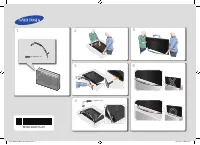 Samsung 105S9W (UE105S9WATXUA)
User Manual
Samsung 105S9W (UE105S9WATXUA)
User Manual
 Samsung 24N4500 (UE24N4500AUXUA)
User Manual
Samsung 24N4500 (UE24N4500AUXUA)
User Manual