Page 2 - Table of Contents; Basics; Applications
2 Table of Contents Basics 4 Read me first 6 Package contents 7 Device layout 10 Battery13 Wearing the Gear14 Replacing the strap18 Turning the Gear on and off18 Connecting the Gear to a mobile device 20 Remote connection21 Turning the screen on and off21 Using the bezel23 Touchscreen26 Navigating t...
Page 3 - Samsung Gear
Table of Contents 3 73 Power saving73 Gear info Samsung Gear 74 Introduction75 Watch faces75 Notifications76 Apps layout76 Send content to Gear77 Settings80 Find my Gear80 Samsung Gear Apps Appendix 81 Troubleshooting85 Removing the battery
Page 5 - Maintaining water and dust resistance
Basics 5 Maintaining water and dust resistance The device may be damaged if water or dust enters the device. Follow these tips carefully to prevent damage to the device and to maintain the water- and dust-resistant performance of the device. • Do not immerse the device in water deeper than 1.5 m and...
Page 6 - Instructional icons; Package contents
Basics 6 Instructional icons Warning : situations that could cause injury to yourself or others Caution : situations that could cause damage to your device or other equipment Notice : notes, usage tips, or additional information Package contents Check the product box for the following items: • Gear ...
Page 7 - Device layout; Gear
Basics 7 Device layout Gear ► SM-R720 : Bezel Light sensor Back key Home key (Power key) Microphone Touchscreen NFC antenna Heart rate sensor
Page 8 - Keys
Basics 8 ► SM-R732 : Bezel Touchscreen Light sensor NFC antenna Back key Microphone Home key (Power key) Heart rate sensor Keys Key Function Home/Power • Press and hold to turn the Gear on or off. • Press to turn on the screen. • Press and hold for more than 7 seconds to restart the Gear. • Press to...
Page 9 - Wireless charger dock
Basics 9 Wireless charger dock USB charger port LED indicator Wireless charging surface • Do not expose the Gear or the wireless charger dock to water. The devices are not completely waterproof. • Ensure that the strap is kept clean. Contact with contaminants, such as dust and dye, can cause stains ...
Page 10 - Battery; Charging the battery
Basics 10 Battery Charging the battery Charge the battery before using it for the first time or when it has been unused for extended periods. Use only Samsung-approved chargers, batteries, and cables. Unapproved chargers or cables can cause the battery to explode or damage the Gear. 1 Connect the US...
Page 11 - Checking the charging status
Basics 11 3 Place the Gear into the wireless charger dock. 4 After fully charging your Gear, disconnect it from the wireless charger dock. Unplug the charger from the wireless charger dock, and then unplug the charger from the electric socket. To save energy, unplug the charger when not in use. The ...
Page 12 - Reducing the battery consumption; Battery charging tips and precautions
Basics 12 Reducing the battery consumption Your Gear provides various options that help you conserve battery power. • When you are not using the Gear, switch to sleep mode by covering the screen with your palm. • Activate power saving mode. • Close unnecessary apps. • Deactivate the Bluetooth featur...
Page 13 - Wearing the Gear; Putting on the Gear
Basics 13 • The Gear can be used while it is charging, but it may take longer to fully charge the battery. • If the Gear receives an unstable power supply while charging, the touchscreen may not function. If this happens, disconnect the Gear from the wireless charger dock. • While charging, the Gear...
Page 14 - Strap tips and precautions; Replacing the strap
Basics 14 Strap tips and precautions • Be cautious when wearing the Gear. If you have sensitive skin or fasten the Gear too tightly, you may feel some discomfort. • Some people may experience discomfort when wearing the Gear for prolonged periods. • Skin irritation may occur if the strap is exposed ...
Page 18 - Turning the Gear on and off; Connecting the Gear to a mobile device
Basics 18 Turning the Gear on and off Press and hold the Power key for a few seconds to turn on the Gear. When you turn on the Gear for the first time or reset it, a pop-up window will appear. Follow the on-screen instructions to download and install the Samsung Gear app on your mobile device. Refer...
Page 20 - Connecting the Gear to a new mobile device; Remote connection
Basics 20 Connecting the Gear to a new mobile device When you connect the Gear to another mobile device, a pop-up window will ask you to reset the Gear. Make sure you back up any important data stored in your Gear. 1 Back up your Gear’s data on your mobile device.On your mobile device, open the Apps...
Page 21 - Turning the screen on and off; Using the bezel; Scrolling through screens
Basics 21 Turning the screen on and off To turn on the screen, rotate the bezel. Or, press the Home key or the Back key.To turn off the screen, cover it with your palm. Also, the screen will turn off if the Gear is not used for a specified period.You can also turn on the screen using a gesture. Refe...
Page 22 - Selecting an item
Basics 22 Selecting an item Rotate the bezel to highlight the item you want to select and then tap the item. When you rotate the bezel, the highlight indicator will move in the same direction. Adjusting the input value Rotate the bezel to adjust the volume or brightness. When adjusting the brightnes...
Page 23 - Touchscreen; Tapping
Basics 23 Touchscreen • Do not allow the touchscreen to come into contact with other electrical devices. Electrostatic discharges can cause the touchscreen to malfunction. • To avoid damaging the touchscreen, do not tap it with anything sharp or apply excessive pressure to it with your fingertips. T...
Page 24 - Tapping and holding
Basics 24 Tapping and holding Tap and hold the screen for two or more seconds to access the Edit mode or to view available options. Dragging To move an item, tap and hold it and drag it to the target position.
Page 25 - Swiping
Basics 25 Double-tapping Double-tap on an image or text to zoom in. Double-tap again to return. Swiping Swipe to the left or right to view other panels.
Page 26 - Navigating the screen; Switching between the Watch and Apps screen
Basics 26 Navigating the screen Switching between the Watch and Apps screen On the Watch screen, press the Home key to open the Apps screen.When you are not on the Watch screen, press the Home key to return to the Watch screen. Returning to the previous screen Press the Back key. You can also swipe ...
Page 27 - Home screen; Introduction; Notifications panel
Basics 27 Home screen Introduction The Home screen can have multiple panels. The Watch screen is the starting point of the Home screen. Rotate the bezel to view items on the screen, such as notifications and widgets. Notifications Watch Widgets Add widgets. Available widgets, notifications, and thei...
Page 28 - Viewing incoming notifications; Viewing other notifications
Basics 28 Viewing incoming notifications Tap the notification screen. You can view the notification’s detail. Access additional options. If a message includes long text or attachments, check the message details on your mobile device. Viewing other notifications Tap the number at the bottom of the pa...
Page 29 - Deleting notifications
Basics 29 Deleting notifications Delete a notification by swiping upwards from the bottom edge of the screen while viewing a notification. Blocking notifications 1 Select a notification from the app you want to block. 2 Tap the notification to view the details. 3 Tap , rotate the bezel to Block app ...
Page 30 - Watch screen; Changing the watch face
Basics 30 Watch screen View the current time. You can also check the battery life, the date, your step count, and more. Press the Home key to open the Watch screen when you are not on the Watch screen.When there are unchecked notifications, an orange dot will be visible on the screen. Changing the w...
Page 31 - Widgets
Basics 31 Widgets You can add widgets to the Home screen. Widgets are small apps that offer limited functionality to provide information and convenient access. You can use the following widgets by default. Weather Schedule Step tracker Heart rate tracker News Briefing World Clock Exercise tracker Mu...
Page 32 - Adding widgets; Status panel
Basics 32 Adding widgets You can add more widgets on the Home screen.Tap and select a widget. The selected widget will appear in a new panel. Removing widgets Tap and hold a widget and then tap . Status panel This panel allows you to view the current status and configure basic settings.On the Watch ...
Page 33 - Indicator icons; Playing music
Basics 33 Indicator icons Indicator icons appear at the top of the screen. The icons listed in the table below are most common. The indicator icons shown may vary depending on the region. Icon Meaning Bluetooth connectedBluetooth disconnectedBluetooth headset connectedWi-Fi connectedBattery power le...
Page 34 - Apps screen; Opening apps; Closing apps
Basics 34 Apps screen The Apps screen displays icons for all apps.On the Watch screen, press the Home key to go to the Apps screen.To view other panels, rotate the bezel. You can also tap or swipe the screen to the left or right. Opening apps On the Apps screen, tap an app icon to open the app.To op...
Page 35 - Moving items; Installing apps; Setting the screen lock; Setting a PIN
Basics 35 Moving items On the Apps screen, tap and hold the screen, tap and hold an app and then drag it to the desired location.You can also arrange the Gear’s apps on your mobile device. Refer to Apps layout in the Samsung Gear app for more information. Installing apps You can purchase and downloa...
Page 36 - Unlocking the Gear; Entering text
Basics 36 Unlocking the Gear Turn on the screen and enter the unlock code.To deactivate this feature, on the Apps screen, tap Settings → Screen lock → Screen lock , enter your PIN, and then tap None . Entering text Introduction A text input screen will appear automatically when you are able to enter...
Page 37 - Using the voice input
Basics 37 Using the voice input Tap and speak the message you want to enter. When you are finished, tap .To change the language recognised, tap → Language . Start or pause entering text by voice. Send your message. Access additional options. • This feature is not supported in some languages. • When ...
Page 38 - Using keyboard; Changing the input mode
Basics 38 Using keyboard A key has three or four characters. To enter a character, tap the corresponding key repeatedly until the desired character appears. • Text entry is not supported in some languages. To enter text, you must change the input language to one of the supported languages. • The key...
Page 39 - Screen capture; Updating over the air
Basics 39 Screen capture Capture a screenshot while using the Gear.Press and hold the Home key and swipe your finger to the right across the screen.You can view captured images in Gallery . It is not possible to capture a screenshot while using some apps and features. Updating the Gear The Gear can ...
Page 40 - Viewing messages; Sending messages
40 Applications Messages Introduction View messages and reply to or call the sender using the Gear. Viewing messages 1 Tap Messages on the Apps screen. 2 Scroll through the message list, and then select a contact to view your conversations. To view a message on your mobile device, tap → Show on phon...
Page 41 - Phone; Answering a call; Rejecting a call
Applications 41 3 Add a recipient and tap NEXT . 4 Enter text using one of available methods.Messages will automatically be sent to the recipients.If you type texts using voice input or the keyboard, tap to send the message. Phone Introduction You can initiate calls or receive notifications for inco...
Page 42 - Missed calls; Making calls; Making emergency calls
Applications 42 Missed calls If a call is missed, a notification appears on the screen. On the Watch screen, rotate the bezel anticlockwise to view missed call notifications. Alternatively, tap Phone on the Apps screen to view missed calls. Making calls Tap Phone on the Apps screen. Keypad Log list ...
Page 43 - Wearing the Gear correctly
Applications 43 S Health Introduction S Health helps you manage your wellness and fitness. Set fitness goals and regularly record and check your progress.When the Gear is synced with a compatible S Health app, you can use additional features. The additional features include checking your heart rate ...
Page 45 - 4-hour activity tracker
Applications 45 24-hour activity tracker Your Gear can monitor and record your activities during the day and encourage you to stay healthy.Tap S Health on the Apps screen. • Healthy activity : It indicates whether you are walking or running. If you have made more than 100 steps per minute for at lea...
Page 46 - Steps tracker
Applications 46 Steps tracker The Gear counts the number of steps you have taken and measures the distance travelled. 1 Tap S Health on the Apps screen. 2 Rotate the bezel clockwise and open the steps tracker panel. Current step total Target step number Tap the screen to view a graph of your step co...
Page 47 - Exercise tracker; Exercising with the Gear
Applications 47 Exercise tracker Record your exercise information and calories burned using S Health’s exercise feature. • When your Gear and mobile device are connected, this feature uses your mobile device’s location information. If the mobile device’s location feature is not activated, it is auto...
Page 49 - Heart rate tracker
Applications 49 Heart rate tracker Measure and record your heart rate. • The Gear’s heart rate tracker is intended for fitness and informational purposes only and is not intended for use in the diagnosis of disease or other conditions, or in the cure, mitigation, treatment, or prevention of disease....
Page 50 - Measuring your heart rate; Tracking your heart rate
Applications 50 Measuring your heart rate 1 Tap S Health on the Apps screen. 2 Rotate the bezel clockwise and open the heart rate tracker screen. 3 Tap to begin measuring your heart rate.After a moment, your current heart rate will be displayed on the screen. 4 Select a status tag for your status to...
Page 51 - Water tracker; Caffeine tracker
Applications 51 Water tracker Record and track how many glasses of water you drink. 1 Tap S Health on the Apps screen. 2 Rotate the bezel clockwise and open the water tracker screen. 3 Tap when you drink a glass of water.If you accidentally added an incorrect value, you can fix it in the S Health ap...
Page 52 - Additional information
Applications 52 3 Tap when you drink a cup of coffee.If you accidentally added an incorrect value, you can fix it in the S Health app on your mobile device. Tap the screen to view a graph of your records. To view records by day, rotate the bezel. Additional information • The purpose for such data co...
Page 53 - Running; Starting Running; Starting to exercise
Applications 53 Running Running records your exercising by tracking your distance, pace, and time. Check your monthly records and compare them with your friends. Starting Running You must download and install Running on the mobile device to use this app on the Gear. Gear 1 On the Apps screen, tap Ru...
Page 56 - Setting the language
Applications 56 2 Say a voice command.If the Gear recognises the command, the Gear will perform the corresponding action.To repeat a voice command or say a different command, tap . Tips for better voice recognition • Speak clearly. • Speak in quiet places. • Do not use offensive or slang words. • Av...
Page 57 - Alarm; Setting alarms; Timer
Applications 57 Alarm Setting alarms 1 Tap Alarm on the Apps screen. 2 Tap Add alarm . If you have a saved alarm, tap ADD on the alarms list. 3 Set the alarm time by rotating the bezel and tap NEXT . 4 Select the days for the alarm to repeat and tap SAVE . The saved alarm is added to the alarms list...
Page 58 - Stopwatch; Creating clocks
Applications 58 Stopwatch 1 Tap Stopwatch on the Apps screen. 2 Tap START to time an event. To record lap times while timing an event, tap LAP . 3 Tap STOP to stop timing. To restart the timing, tap RESUME . To clear lap times, tap RESET . To view the stopwatch log, swipe upwards from the bottom edg...
Page 59 - CNN
Applications 59 Bloomberg View the latest article summaries and stock indexes from Bloomberg.Tap Bloomberg on the Apps screen. This app may not be available depending on the region or service provider. Select a category and view the article summaries or stock indexes. To read the full article or vie...
Page 60 - Music Player
Applications 60 News Briefing View the latest articles in various categories. You can catch up on news categories that interest you. 1 Tap News Briefing on the Apps screen. 2 Rotate the bezel to select an article from a specific category.To edit categories, tap , rotate the bezel to Select topic , t...
Page 61 - Playing music on your mobile device
Applications 61 Playing music on your mobile device When you select a mobile device to play music from, you can control playback of the music with your Gear. The music will be played from your mobile device. 1 Tap Music Player . 2 Tap , rotate the bezel to Play music from , and then tap Play music f...
Page 62 - Zooming in or out; Deleting images
Applications 62 Gallery Introduction View and manage images stored in the Gear. Viewing images 1 Tap Gallery on the Apps screen. 2 Rotate the bezel to scroll through the image list and select an image. Zooming in or out While viewing an image, double-tap the image to zoom in or out.When the image is...
Page 63 - Importing and exporting images; Exporting images to your mobile device
Applications 63 Importing and exporting images Exporting images to your mobile device 1 Tap Gallery on the Apps screen. 2 Tap an image. 3 Tap and hold the image to export. 4 Rotate the bezel and select any images to export. 5 Tap , rotate the bezel to Send to phone , and then tap Send to phone . Imp...
Page 64 - Adding buddies; Email
Applications 64 Buddy Manage buddies on your Gear. You can select buddies from contacts saved in your mobile device. If you select a contact as a buddy, you can quickly initiate calls or send messages from the Gear.Tap Buddy on the Apps screen. Select a buddy and initiate a call or send a message. A...
Page 65 - Viewing the location of your mobile device; Maps; Voice Memo
Applications 65 Find My Phone If you misplace the mobile device, the Gear can help you find it. 1 Tap Find My Phone on the Apps screen. 2 Tap .The mobile device emits sounds and turns on the screen.Drag outside the large circle on the mobile device, or tap on the Gear. Viewing the location of your m...
Page 66 - Recording voice memos; Saving as a text memo
Applications 66 Recording voice memos 1 Tap Voice Memo on the Apps screen. 2 Tap to start recording. Speak into the microphone.Tap to pause recording. Access additional options. Start recording. 3 Tap to finish recording. The voice memo is saved in the Gear and the mobile device simultaneously.To sa...
Page 69 - Bluetooth
Settings 69 Connections Bluetooth Use Bluetooth to exchange data or media files with other Bluetooth-enabled devices. • Samsung is not responsible for the loss, interception, or misuse of data sent or received via Bluetooth. • Always ensure that you share and receive data with devices that are trust...
Page 70 - Connecting to a Wi-Fi network; NFC
Settings 70 Connecting to a Wi-Fi network This feature is available when the Gear is not connected to the mobile device via Bluetooth. 1 On the Settings screen, tap Connections → Wi-Fi , and then tap Wi-Fi switch to activate it. 2 Tap Wi-Fi networks → SCAN . 3 Select a network from the Wi-Fi network...
Page 71 - Making payments with the NFC feature; Alerts
Settings 71 Making payments with the NFC feature Before you can use the NFC feature to make payments, you must register for the mobile payment service. To register or get more information about the service, contact your service provider. 1 On the Settings screen, tap Connections → NFC and then tap t...
Page 72 - Screen lock; Input; Default keyboard
Settings 72 Screen lock Set the Gear to use the screen lock feature when you are not wearing it.On the Settings screen, tap Screen lock . • Screen lock : Activate or deactivate the screen lock feature. Refer to Setting the screen lock for more information. • Help : View help information for using th...
Page 73 - Power saving
Settings 73 – Auto capitalise : Set the Gear to automatically capitalise the first character after a final punctuation mark, such as a full stop, question mark, or exclamation mark. – Auto spacing : Set the Gear to automatically insert a space between words. – Auto punctuate : Set the Gear to insert...
Page 74 - Disconnecting the Gear
74 Samsung Gear Introduction To connect your Gear to a mobile device, you must install the Samsung Gear app on your mobile device. Using the Samsung Gear app, you can customise your Gear’s settings.Tap Samsung Gear on the Apps screen of the mobile device. If it is the first time connecting your Gear...
Page 75 - Watch faces
Samsung Gear 75 Watch faces You can change the type of watch to be displayed on the Watch screen.On the Apps screen of the mobile device, tap Samsung Gear → Watch faces and select a desired watch type. The watch face you selected will be applied on the Watch screen.Tap STYLISE to select background a...
Page 76 - Send content to Gear
Samsung Gear 76 Apps layout Customise the Gear’s Apps screen. You can select and rearrange apps.On the Apps screen of the mobile device, tap Samsung Gear → Apps layout . Uninstalling apps Tap UNINSTALL and select apps to remove from the Gear. Reordering apps Tap next to an app and drag it up or down...
Page 77 - Quick messages
Samsung Gear 77 Settings Quick messages Edit or add templates used for replying to messages. 1 On the Apps screen of the mobile device, tap Samsung Gear → Settings → Quick messages . 2 Tap General messages or Call-reject messages . 3 Select a template to edit.To create additional templates, enter te...
Page 78 - Double press Home key
Samsung Gear 78 Double press Home key Set an action to be performed when you press the Gear’s Home key twice.On the Apps screen of the mobile device, tap Samsung Gear → Settings → Double press Home key , and then select an option. Gear connection Customise your Gear’s wireless connection settings.On...
Page 79 - Adding primary contacts; Back up and restore
Samsung Gear 79 Adding primary contacts On the Apps screen of the mobile device, tap Samsung Gear → Settings → Send SOS messages → Send messages to . Tap ADD → Create contact and enter contact information or tap Select from contacts to add an existing contact as a primary contact. Back up and restor...
Page 80 - Find my Gear; Finding your Gear; Samsung Gear Apps
Samsung Gear 80 Find my Gear Remotely control your Gear when it is lost or misplaced.On the Apps screen of the mobile device, tap Samsung Gear → Find my Gear . • Reactivation lock : Set the Gear to require your Samsung account information after the device has been reset. This prevents others from re...
Page 81 - Appendix; Troubleshooting; Your Gear does not turn on
81 Appendix Troubleshooting Before contacting a Samsung Service Centre, please attempt the following solutions. Some situations may not apply to your Gear. Your Gear does not turn on When the battery is completely discharged, your Gear will not turn on. Charge the battery completely before turning o...
Page 82 - Your Gear freezes or has fatal errors; Another Bluetooth device cannot locate your Gear; A Bluetooth connection is not established or your Gear and the
Appendix 82 Your Gear freezes or has fatal errors If your Gear freezes or hangs, you may need to close apps or turn off the Gear and turn it on again. If your Gear is frozen and unresponsive, press and hold the Home key for more than 7 seconds to reset.If this does not solve the problem, perform a f...
Page 83 - The Internet is often disconnected; The battery icon is empty; The battery depletes faster than when first purchased; Your Gear is hot to the touch
Appendix 83 The Internet is often disconnected • Ensure that you are not blocking the Gear’s antenna area. • When you are in areas with weak signals or poor reception, you may lose reception. You may have connectivity problems due to issues with the service provider’s base station. Move to another a...
Page 84 - Your Gear cannot find your current location
Appendix 84 Your Gear cannot find your current location The Gear uses your mobile device’s location information. GPS signals may be obstructed in some locations, such as indoors. Set the mobile device to use Wi-Fi to find your current location. Data stored in the Gear has been lost Always make backu...
Page 85 - Removing the battery
Appendix 85 Removing the battery • To remove the battery, you must visit an authorised service centre with the provided instructions. • For your safety, you must not attempt to remove the battery. If the battery is not properly removed, it may lead to damage to the battery and device, cause personal...


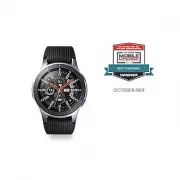 Samsung Galaxy Watch 4G
User Manual
Samsung Galaxy Watch 4G
User Manual
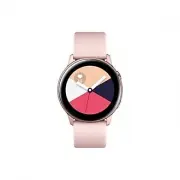 Samsung Galaxy Watch Active
User Manual
Samsung Galaxy Watch Active
User Manual
 Samsung Galaxy Watch Active2
User Manual
Samsung Galaxy Watch Active2
User Manual
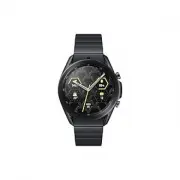 Samsung Galaxy Watch3
User Manual
Samsung Galaxy Watch3
User Manual
 Samsung Galaxy Watch4
User Manual
Samsung Galaxy Watch4
User Manual
 Samsung Galaxy Watch4 Classic
User Manual
Samsung Galaxy Watch4 Classic
User Manual
 Samsung Galaxy Watch5
User Manual
Samsung Galaxy Watch5
User Manual
 Samsung Galaxy Watch5 Pro
User Manual
Samsung Galaxy Watch5 Pro
User Manual
 Samsung Galaxy Watch6
User Manual
Samsung Galaxy Watch6
User Manual
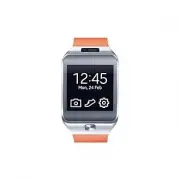 Samsung Gear 2
User Manual
Samsung Gear 2
User Manual
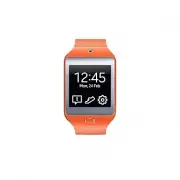 Samsung Gear 2 Neo
User Manual
Samsung Gear 2 Neo
User Manual
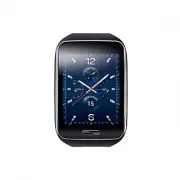 Samsung Gear S
User Manual
Samsung Gear S
User Manual
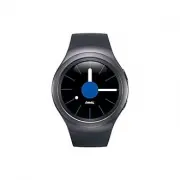 Samsung Gear S2
User Manual
Samsung Gear S2
User Manual
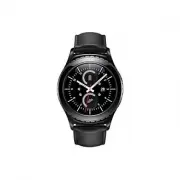 Samsung Gear S2 classic
User Manual
Samsung Gear S2 classic
User Manual
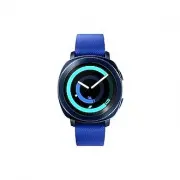 Samsung Gear Sport
User Manual
Samsung Gear Sport
User Manual
 Samsung SM-R380
User Manual
Samsung SM-R380
User Manual
 Samsung SM-R381
User Manual
Samsung SM-R381
User Manual
 Samsung SM-R382
User Manual
Samsung SM-R382
User Manual
 Samsung SM-R500
User Manual
Samsung SM-R500
User Manual
 Samsung SM-R600
User Manual
Samsung SM-R600
User Manual