Page 2 - Table of Contents; Getting Started
2 Table of Contents Getting Started 5 About the Galaxy Watch Active5 Read me first11 Device layout 11 Package contents12 Galaxy Watch Active14 Wireless charger 15 Battery 15 Charging the battery16 Battery charging tips and precautions 17 Wireless charging19 Power saving mode 20 Wearing the Galaxy Wa...
Page 3 - Apps and features
Table of Contents 3 87 Music 87 Introduction87 Playing music87 Importing music88 Playing music with your Galaxy Watch Active 88 Playing music with your mobile device 89 Playing music without connecting to a mobile device 89 Reminder90 Calendar91 Bixby 91 Introduction91 Launching Bixby92 Using Bixby9...
Page 4 - Using the Galaxy Watch; health; Appendix
Table of Contents 4 123 Find My Watch124 Account and backup125 Sync phone settings126 Accessibility126 About watch127 About Galaxy Wearable 128 Watch faces128 Discover Using the Galaxy Watch Active 129 Introduction129 Using as a personal coach for your health 129 Achieving your daily activity target...
Page 5 - About the Galaxy Watch Active
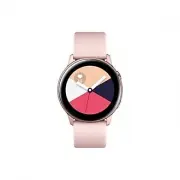
5 Getting Started About the Galaxy Watch Active The Galaxy Watch Active is a smartwatch that can analyse your exercise pattern, manage your health and allows you to use a variety of convenient apps for making phone calls and playing music. You can easily launch the various features with a simple tap...
Page 7 - Maintaining water and dust resistance
Getting Started 7 • Depending on the region or model, some devices are required to receive approval from the Federal Communications Commission (FCC). If your device is approved by the FCC, you can view the FCC ID of the Galaxy Watch Active. To view the FCC ID, tap ( Settings ) on the Galaxy Watch Ac...
Page 8 - Precautions for overheating
Getting Started 8 • Some features such as the touchscreen may not work properly if the device is used in water . • Your device has been tested in a controlled environment and certified to be water- and dust-resistant in specific situations and conditions. (Meets the requirements of the water-resista...
Page 9 - Cleaning and managing the Galaxy Watch Active
Getting Started 9 Cleaning and managing the Galaxy Watch Active Follow the points below to ensure your Galaxy Watch Active functions correctly and maintains its appearance. Failure to do so may damage the Galaxy Watch Active and cause the skin irritation. • Prevent the device from being exposed to d...
Page 11 - Device layout; Package contents
Getting Started 11 Device layout Package contents Refer to the quick start guide for package contents. • The items supplied with the Galaxy Watch Active, their images, and any available accessories may vary depending on the region or service provider. • The supplied items are designed only for this ...
Page 12 - Galaxy Watch Active
Getting Started 12 Galaxy Watch Active Back key Home key (Power key) Microphone Touchscreen GPS antenna Atmospheric pressure sensor NFC antenna Light sensor Heart rate sensor Band Pressure vent
Page 14 - Keys; Wireless charger
Getting Started 14 Keys Key Function Home/Power • Press and hold to turn the Galaxy Watch Active on or off. • Press to turn on the screen. • Press and hold for more than 7 seconds to restart the Galaxy Watch Active. • Press to open the Apps screen when you are on the Watch screen. • Press to open th...
Page 15 - Battery; Charging the battery
Getting Started 15 Battery Charging the battery Charge the battery before using it for the first time or when it has been unused for extended periods. Use only Samsung-approved chargers, batteries, and cables. Unapproved chargers or cables can cause the battery to explode or damage the Galaxy Watch ...
Page 16 - Checking the charging status; Battery charging tips and precautions
Getting Started 16 3 After fully charging, disconnect the Galaxy Watch Active from the wireless charger. First, disconnect the wireless charger from the charger and then unplug the charger from the electric socket. Checking the charging status Press any of the Galaxy Watch Active’s keys to turn on t...
Page 17 - Charging the battery with a wireless charging pad
Getting Started 17 • If the Galaxy Watch Active receives an unstable power supply while charging, the touchscreen may not function. If this happens, disconnect the Galaxy Watch Active from the wireless charger. • While charging, the Galaxy Watch Active may heat up. This is normal and should not affe...
Page 18 - Charging the battery using PowerShare
Getting Started 18 2 After fully charging, disconnect the Galaxy Watch Active from the wireless charging pad. Precautions for wireless charging Do not place the Galaxy Watch Active on the wireless charging pad when conductive materials, such as metal objects and magnets, are placed between the Galax...
Page 19 - Power saving mode
Getting Started 19 2 After fully charging, disconnect the Galaxy Watch Active from the device. • To charge properly, do not move or use the device or Galaxy Watch Active while charging. • If you charge the Galaxy Watch Active while charging the device that functions as a wireless charging pad, the c...
Page 20 - Wearing the Galaxy Watch Active; Putting on the Galaxy Watch Active
Getting Started 20 Wearing the Galaxy Watch Active Putting on the Galaxy Watch Active Open the buckle and place the band around your wrist. Fit the band to your wrist, insert the pin into an adjustment hole, and then secure the buckle to close it. Do not bend the band excessively. Doing so may damag...
Page 21 - Band tips and precautions
Getting Started 21 Band tips and precautions • When you wear the Galaxy Watch Active for a long time or do a high-intensity exercise while wearing it, skin irritation may occur due to friction and pressure. If you wearing your Galaxy Watch Active for a long time, remove the Galaxy Watch Active from ...
Page 23 - Turning the Galaxy Watch Active on and off
Getting Started 23 4 Slide the spring bar inwards and connect the new band. 1 2 Turning the Galaxy Watch Active on and off Press and hold the Home key (Power key) for a few seconds to turn on the Galaxy Watch Active.When you turn on the Galaxy Watch Active for the first time or reset it, on-screen i...
Page 24 - Restarting the Galaxy Watch Active; Connecting the Galaxy Watch Active to a mobile; Installing the Galaxy Wearable app; Connecting the Galaxy Watch Active to a mobile device via
Getting Started 24 Restarting the Galaxy Watch Active If your Galaxy Watch Active is frozen and unresponsive, press and hold the Home key (Power key) for more than 7 seconds to restart it. Connecting the Galaxy Watch Active to a mobile device Installing the Galaxy Wearable app You can use other vari...
Page 26 - Connecting the Galaxy Watch Active to a new mobile device; Remote connection
Getting Started 26 Connecting the Galaxy Watch Active to a new mobile device When you connect the Galaxy Watch Active to a new mobile device, the Galaxy Watch Active will be reset. When the prompt appears before connecting your Galaxy Watch Active to a new mobile device, tap Back up data > to sec...
Page 27 - Using the Galaxy Watch Active without a mobile
Getting Started 27 Using the Galaxy Watch Active without a mobile device You can use the Galaxy Watch Active without connecting it to a mobile device. Use your Galaxy Watch Active conveniently without connecting to a mobile device while doing outdoor activities such as climbing a mountain or exercis...
Page 28 - Controlling the screen; Touchscreen; Tapping
Getting Started 28 Controlling the screen Touchscreen • Do not allow the touchscreen to come into contact with other electrical devices. Electrostatic discharges can cause the touchscreen to malfunction. • To avoid damaging the touchscreen, do not tap it with anything sharp or apply excessive pressu...
Page 29 - Tapping and holding
Getting Started 29 Tapping and holding Tap and hold the screen for two or more seconds to access the edit mode or to view available options. Dragging To move an item, tap and hold it and drag it to the target position.
Page 30 - Spreading and pinching
Getting Started 30 Double-tapping Double-tap on an image to zoom in or out. Spreading and pinching Spread two fingers apart or pinch on an image to zoom in or out.
Page 31 - Swiping; Screen composition
Getting Started 31 Swiping Swipe to the left or right to view other panels. Screen composition The Watch screen is the starting point for accessing all of the Galaxy Watch Active’s many screens.You can view other screens by pressing the key or swiping your finger on the screen. Notifications Watch W...
Page 32 - Adding widgets; Removing widgets; Turning the screen on and off
Getting Started 32 Adding widgets You can add more widgets on the Home screen.Scroll left on the screen, tap , and select a widget. The selected widget will appear in a new panel. Moving widgets Tap and hold a widget and then drag it to the desired location. Removing widgets Tap and hold a widget an...
Page 33 - Switching the screen; Switching between the Watch and Apps screen; Apps screen
Getting Started 33 Switching the screen Switching between the Watch and Apps screen To open the Apps screen, press the Home key on the Watch screen.To return to the Watch screen, press the Home key. An app Watch screen Apps screen View recent apps. Apps screen The Apps screen displays icons for all ...
Page 34 - Opening apps; Returning to the previous screen
Getting Started 34 Opening apps On the Apps screen, tap an app icon to launch the app.To launch an app from the list of recently used apps, tap ( Recent apps ) on the Apps screen.Alternatively, swipe the screen to the left on the Watch screen and select the recently launched app or frequently used a...
Page 35 - Lock screen; Setting the screen lock; Watch; Watch screen
Getting Started 35 Lock screen Use the screen lock feature to protect your personal information by preventing others from accessing your Galaxy Watch Active. After activating the screen lock feature, the Galaxy Watch Active will require an unlock code whenever unlocking it. Setting the screen lock O...
Page 36 - Changing the watch face; Customise a watch face with a photo
Getting Started 36 Changing the watch face Tap and hold the Watch screen and swipe the screen to the left or right, and then select a watch face.You can also customise the watch by tapping Customise . To download more watch faces from the Galaxy Store app, tap Galaxy Store . You can also change the ...
Page 37 - Activating the watch always on feature
Getting Started 37 3 Select a photo to apply as a watch face and tap OK → OK . You can zoom in or out of the photo by double-tapping the image quickly, spreading two fingers apart, or pinching on an image. When the photo is zoomed in, swipe the screen to make a part of the photo appear on the screen...
Page 38 - Notification panel
Getting Started 38 Notifications Notification panel Check a notification such as a new message or a missed call on the notification panel. On the Watch screen, swipe to the right to open the notification panel. When there are unchecked notifications, an orange dot will be visible on the Watch screen...
Page 39 - Viewing incoming notifications; Deleting notifications
Getting Started 39 Viewing incoming notifications When you receive a notification, information about the notification, such as its type or the time you received it, will appear on the screen. If more than two notifications are received, swipe the screen to the left or right to view more notification...
Page 40 - Selecting apps for receiving notifications
Getting Started 40 Selecting apps for receiving notifications Select an app from your mobile device to receive notifications on your Galaxy Watch Active. 1 Launch the Galaxy Wearable app on your mobile device and tap Home → Notifications , and tap the switch. 2 Tap Manage notifications and tap the s...
Page 41 - Checking the indicator icons; Checking quick setting icons
Getting Started 41 Checking the indicator icons Indicator icons appear at the top of the quick panel and let you know the Galaxy Watch Active’s current status. The icons listed in the table below are most common. The indicator icons shown may vary depending on the region. Icon Meaning Bluetooth conn...
Page 42 - Adding a quick setting icon
Getting Started 42 Icon Meaning Activate power saving mode Activate flight mode Activate water lock mode / Connect the Wi-Fi network or connect the Wi-Fi network automaticallyActivate the location information feature Open the battery management menu Launch the Find My Phone app Activate the NFC feat...
Page 43 - Activating goodnight mode
Getting Started 43 Activating goodnight mode Activate goodnight mode for sleeping.On the quick panel, tap .The icon will appear at the top of the Watch screen. All notifications except for alarms are muted and the screen will not turn on when notifications are received while sleeping. Also, the wake...
Page 44 - Adjusting the brightness; Activating power saving mode; Activating the flight mode
Getting Started 44 Adjusting the brightness You can adjust the Galaxy Watch Active’s brightness as desired.On the quick panel, tap and adjust the brightness by tapping or . Activating theatre mode Activate theatre mode for watching movies.On the quick panel, tap .The icon will appear at the top of t...
Page 45 - Activating water lock mode
Getting Started 45 Activating water lock mode Activate water lock mode when you exercise in water.On the quick panel, tap .The touchscreen, the wake-up gesture feature, and the watch always on feature will be deactivated automatically.Press and hold the Home key until the circle disappears to turn o...
Page 46 - Launching the Find My Phone app; Activating the NFC feature; Playing or pausing music
Getting Started 46 Launching the Find My Phone app Launch the Find My Phone app and find your mobile device when you misplace it. On the quick panel, tap .The mobile device will emit sound and turn on the screen. Refer to Find My Phone for more information. This feature is not displayed when you use...
Page 47 - Entering text; Introduction; Using the voice input
Getting Started 47 Entering text Introduction A text input screen will appear when you are able to enter text, such as when sending a message. • The text input screen may be different depending on the app you launch. • When the Galaxy Watch Active is connected to a mobile device via Bluetooth, the l...
Page 48 - Using emoticons
Getting Started 48 • This feature is not supported in some languages. • Tips for better voice recognition – Speak clearly. – Speak in quiet places. – Do not use offensive or slang words. – Avoid speaking in dialectal accents. The Galaxy Watch Active may not recognise your spoken message depending on...
Page 49 - Using handwriting input mode or the keyboard; Changing the input mode
Getting Started 49 Using handwriting input mode or the keyboard Tap to open handwriting mode and write on the screen. This feature may not be available depending on the region. Changing the input mode Swipe the screen to the right from the left edge of the text input screen and select an input mode ...
Page 50 - Using the keyboard
Getting Started 50 Using the keyboard Swipe the screen to the right from the left edge of the text input screen and select . The keyboard will appear in text mode. • Text entry is not supported in some languages. To enter text, you must change the input language to one of the supported languages. • ...
Page 51 - Viewing messages
51 Apps and features Messages View messages and reply to using the Galaxy Watch Active. Viewing messages You may incur additional charges for receiving messages while you are roaming. 1 Tap ( Messages ) on the Apps screen. Or, swipe the screen to the right on the Watch screen to open the notificatio...
Page 52 - Sending messages
Apps and features 52 Sending messages You may incur additional charges for sending messages while you are roaming. 1 Tap ( Messages ) on the Apps screen. Create a new message. Messages list Contacts 2 Tap . Or, you can choose a message recipient by tapping on the contacts list. 3 Add a recipient and...
Page 53 - Deleting messages; Phone; Answering a call
Apps and features 53 Deleting messages 1 Tap ( Messages ) on the Apps screen. 2 Scroll through the message list, and then select a contact to view your conversations. 3 Tap , swipe upwards or downwards on the screen, and then tap Delete . The message will be deleted both from the Galaxy Watch Active...
Page 54 - Rejecting a call
Apps and features 54 Rejecting a call You can reject incoming calls and send a rejection message to the caller.When a call comes in, drag outside the large circle. To send a message when rejecting an incoming call, swipe upwards from the bottom edge of the screen. Missed calls If a call is missed, a...
Page 55 - Making calls
Apps and features 55 Making calls Tap ( Phone ) on the Apps screen. Keypad Contacts Log list Use one of the followings methods: • Tap , enter a number using the keypad, and then tap . • Tap , scroll through the contact list, select a contact, and then tap . • Scroll through the log list, select a lo...
Page 56 - Adding contacts; Adding medical information to my profile
Apps and features 56 Adding contacts 1 Tap ( Contacts ) on the Apps screen. 2 Tap on the top of the contacts list and enter the contact information. 3 Tap SAVE . Selecting the frequently used contacts on the widget Swipe the screen to the left on the Watch screen and add the frequently used contacts...
Page 57 - Samsung Pay; Setting up Samsung Pay; Making payments
Apps and features 57 Samsung Pay Register frequently used cards to Samsung Pay, a mobile payment service, to make payments quickly and securely. Samsung Pay supports near field communication (NFC) to allow payment through standard credit card readers.You can view more information, such as cards that...
Page 61 - Checking the daily activity
Apps and features 61 Daily activity Check your daily activity goal based on your target, such as the calories burned, exercise time, or activity time at a glance. Checking the daily activity Tap ( Samsung Health ) on the Apps screen, swipe upwards or downwards on the screen, and then open the daily ...
Page 62 - Setting the daily activity target; Steps; Measuring your step count and distance you walk
Apps and features 62 Setting the daily activity target 1 Swipe upwards or downwards on the daily activity tracker screen and tap Settings . 2 Tap Set targets and select an activity option. 3 Tap the target input field and swipe upwards or downwards on the screen to set the target. 4 Tap DONE . Setti...
Page 63 - Setting the step target; Setting up notifications
Apps and features 63 To view weekly records with a graph, swipe upwards or downwards on the screen. • When you start to measure your step, the step tracker monitors your steps and displays your step account after a brief delay because your Galaxy Watch Active accurately recognises your movement afte...
Page 64 - Floors; Measuring the floors you climb; Setting the target for climbing floors
Apps and features 64 Floors Record and track how many floors you climb. Measuring the floors you climb Tap ( Samsung Health ) on the Apps screen, swipe upwards or downwards on the screen, and then open the floors tracker screen. Target Current floors total To view weekly records with a graph, swipe ...
Page 65 - Calories
Apps and features 65 3 Tap the target input field and swipe upwards or downwards on the screen to set the target. 4 Tap DONE . Setting up notifications To receive a notification when reaching a target you set, swipe upwards or downwards on the screen, tap Settings , and then tap the Notifications sw...
Page 66 - Exercise; Starting the exercises
Apps and features 66 Exercise Record your exercise information and check the results, such as burned calories, with the exercise feature. • Before using this feature, pregnant women, the elderly, and young children, users suffering from conditions, such as chronic heart disease or high blood pressur...
Page 70 - Doing multiple exercises; Starting repetitive exercises
Apps and features 70 9 Press the Back key to pause the exercise.To restart the exercise, tap the Back key again after pausing the exercise.To finish exercising, tap Finish → after pausing the exercise. To finish swimming, tap and hold the Home key to deactivate water lock mode first, shake your Gala...
Page 72 - Customising the workout screen
Apps and features 72 8 Counting will begin with vibrations and beeps.Take a rest after completing a set. Or, tap Skip if you want to skip to the next set. The exercise will begin after you get into the proper position to start it by following the pose on the screen. 9 Press the Back key to pause the...
Page 73 - Automatic exercise recognition; Sleep
Apps and features 73 Automatic exercise recognition Once you have engaged in an activity for more than ten minutes while wearing the Galaxy Watch Active, it automatically recognises that you are exercising and records exercise information such as the exercise type, duration and calories burned.When ...
Page 74 - Measuring your sleep pattern
Apps and features 74 Measuring your sleep pattern 1 Sleep while wearing the Galaxy Watch Active.The Galaxy Watch Active will start to measure your sleep pattern. 2 Tap ( Samsung Health ) on the Apps screen after you wake up. 3 Swipe upwards or downwards on the screen and open the sleep tracker scree...
Page 75 - Heart rate
Apps and features 75 Heart rate Measure and record your heart rate. • The Galaxy Watch Active’s heart rate tracker is intended for fitness and informational purposes only and is not intended for use in the diagnosis of disease or other conditions, or in the cure, mitigation, treatment, or prevention...
Page 76 - Measuring your heart rate
Apps and features 76 Measuring your heart rate 1 Tap ( Samsung Health ) on the Apps screen. 2 Swipe upwards or downwards on the screen and open the heart rate tracker screen.Check your heart rate on the screen. You can also check the time information for each activity section. Swipe the screen to th...
Page 77 - Measuring your heart rate manually; Stress
Apps and features 77 Measuring your heart rate manually You can measure your heart rate manually when you want. 1 Swipe upwards or downwards on the heart rate tracker screen, tap Auto HR settings , and then select Never . 2 Tap Measure on the heart rate tracker screen to start measuring your heart r...
Page 78 - Measuring your stress level; Alleviating the stress
Apps and features 78 Measuring your stress level 1 Tap ( Samsung Health ) on the Apps screen. 2 Swipe upwards or downwards on the screen and open the stress tracker screen.Check your current stress level on the screen. Swipe the screen to the left on the Watch screen and check the measured stress le...
Page 79 - Measuring your stress level manually; Food; Recording the calories
Apps and features 79 Measuring your stress level manually You can measure your stress level manually when you want. 1 Swipe upwards or downwards on the stress tracker screen, tap Auto stress settings , and then tap the Always switch to deactivate the auto stress measurement feature. 2 Tap Measure on...
Page 80 - Deleting logs; Setting your target calories
Apps and features 80 3 Tap the input field, swipe upwards or downwards on the screen to set the calories you have consumed, and then tap DONE . To change the meal type, tap the meal type on the top of the screen and select an option. To view weekly records with a graph, swipe upwards or downwards on...
Page 81 - Weight management
Apps and features 81 Weight management Check the calories you intake and the calories burned through exercise or other activities you do throughout your day and helps you to reach the goal weight you set. You can also check the weight you entered in the Samsung Health app on your connected mobile de...
Page 82 - Water; Recording water consumption; Setting your target consumption
Apps and features 82 Water Record and track how many glasses of water you drink. Recording water consumption 1 Tap ( Samsung Health ) on the Apps screen. 2 Swipe upwards or downwards on the screen and open the water tracker screen. 3 Tap when you drink a glass of water.If you accidentally added an i...
Page 83 - Caffeine; Recording your coffee consumption; Setting your caffeine consumption limit
Apps and features 83 Caffeine Record and track how many cups of coffee you drink. Recording your coffee consumption 1 Tap ( Samsung Health ) on the Apps screen. 2 Swipe upwards or downwards on the screen and open the caffeine tracker screen. 3 Tap when you drink a cup of coffee.If you accidentally a...
Page 84 - Together
Apps and features 84 Together Compare your step count records with other Samsung Health users. You can set a goal, compete with your friends, and view the challenge status on your Galaxy Watch Active. • Activate the together feature in the Samsung Health app on your mobile device to check informatio...
Page 86 - GPS
Apps and features 86 • The content used in the Samsung Health app may vary depending on the software version of the app. The services provided with the app are subject to change or the cancellation of support without prior notice. • Available Samsung Health functions and services may vary depending ...
Page 87 - Music
Apps and features 87 Music Introduction Listen to music saved in the Galaxy Watch Active and in the mobile device. Playing music Tap ( Music ) on the Apps screen. When listening to music saved in the Galaxy Watch Active, swipe upwards from the bottom edge of the screen to open the library screen. On...
Page 88 - Playing music with your Galaxy Watch Active; Playing music with your mobile device
Apps and features 88 To sync music in your mobile device with your Galaxy Watch Active, tap the Auto sync switch under Music . The music in your mobile device will be synced automatically with your Galaxy Watch Active when it has more than 15 % of remaining battery power. Playing music with your Gal...
Page 89 - Playing music without connecting to a mobile device; Reminder; Creating a reminder
Apps and features 89 Playing music without connecting to a mobile device Listen to music or radio using the Galaxy Watch Active by itself. You must download music or a radio streaming app on the Galaxy Watch Active.On the Apps screen, tap ( Galaxy Store ). Browse and download music or a radio stream...
Page 90 - Viewing the reminder alarm; Calendar
Apps and features 90 Viewing the reminder alarm When an alarm appears, check the reminder details. Or, swipe the screen to the right on the Watch screen to open the notification panel and view a reminder. • All reminders on your Galaxy Watch Active will be synced with the connected mobile device aut...
Page 91 - Launching with the Home key
Apps and features 91 Bixby Introduction Bixby is a voice service that helps you use the Galaxy Watch Active more conveniently. You can talk to Bixby to launch a function or provide you with information. • This app may not be available depending on the region. • Make sure the Galaxy Watch Active’s mi...
Page 92 - Using Bixby
Apps and features 92 Using Bixby 1 Quickly press the Home key twice. Alternatively, say “Hi Bixby”. Alternatively, tap ( Bixby ) on the Apps screen. The Galaxy Watch Active begins voice recognition. Bixby settings View examples of voice commands. 2 Say a voice command.If the Galaxy Watch Active reco...
Page 93 - Setting the language; Weather
Apps and features 93 Setting the language 1 Tap ( Bixby ) on the Apps screen. 2 Tap , and swipe upwards or downwards on the screen, and then tap Language . 3 Select a language you want. • Bixby voice commands are not supported in some languages. • The selected language is applied to Bixby only, not ...
Page 94 - Alarm; Setting alarms
Apps and features 94 Alarm Set alarms and manage them. Setting alarms 1 Tap ( Alarm ) on the Apps screen. 2 Tap Add . If you have a saved alarm, tap Add on the top of the alarms list. 3 Tap the input field, swipe upwards or downwards on the screen to set the alarm time, and tap Next . 4 Select the d...
Page 95 - World clock; Creating world clocks; Gallery; Importing and exporting images
Apps and features 95 World clock Creating world clocks 1 Tap ( World clock ) on the Apps screen. 2 Tap Add . If you have a saved world clock, tap Add on the clocks list. 3 Swipe the screen to the left or right and select a time zone on the map.You can also tap All cities > and search for a city o...
Page 96 - Exporting images to your mobile device; Viewing images; Zooming in or out
Apps and features 96 4 Select files and tap Done . To sync images on your mobile device with your Galaxy Watch Active, tap the Auto sync switch under Images , tap Albums to sync , select albums to import to your Galaxy Watch Active, and then tap DONE . The selected albums will be automatically synce...
Page 97 - Deleting images; Viewing the location of your mobile device
Apps and features 97 Deleting images 1 Tap ( Gallery ) on the Apps screen. 2 Tap an image and then tap and hold the image again to delete it. 3 Swipe the screen to the left or right and select any images to delete more.To select all images, tap → Select all . 4 Tap Delete → . Find My Phone If you mi...
Page 98 - Find My Watch; Controlling the Galaxy Watch Active remotely
Apps and features 98 Find My Watch If you misplace your Galaxy Watch Active, the Galaxy Wearable app on your mobile device can help you find it. This feature is not available when you use the Galaxy Watch Active without connecting to a mobile device. 1 Launch the Galaxy Wearable app on your mobile d...
Page 99 - SOS messages; Setting up SOS messages; Adding emergency contacts; Sending SOS messages
Apps and features 99 SOS messages In an emergency situation, you can send an SOS message to the previously registered emergency contact by quickly pressing the Galaxy Watch Active’s Home key three times. Setting up SOS messages 1 Launch the Galaxy Wearable app on your mobile device and tap Home → Se...
Page 100 - Reading emails
Apps and features 100 Email View emails received on the mobile device and reply to them. Reading emails 1 Tap ( Email ) on the Apps screen. 2 Select an email to open the email screen. To view an email on the mobile device, tap , swipe upwards or downwards on the screen, and then select Show on phone...
Page 102 - Vibration
Apps and features 102 Vibration Change the Galaxy Watch Active’s vibration settings.On the Settings screen, tap Vibration . • Vibration intensity : Adjust the intensity of the vibration notification. • Long vibration : Set the Galaxy Watch Active to vibrate longer for incoming calls and notification...
Page 104 - Connections; Bluetooth
Apps and features 104 • Goodnight mode : Activate goodnight mode for sleeping. All notifications except for alarms are muted and the screen will not turn on when notifications are received while sleeping. Also, the wake-up gesture feature and watch always on feature will be deactivated automatically...
Page 106 - Using the NFC feature
Apps and features 106 NFC You can use the NFC feature.On the Settings screen, tap Connections → NFC . The Galaxy Watch Active contains a built-in NFC antenna. Handle the Galaxy Watch Active carefully to avoid damaging the NFC antenna. • NFC : Activate or deactivate the NFC feature. • Tap and pay : S...
Page 107 - Alerts
Apps and features 107 To set the default app, open the Settings screen and tap Connections → NFC → Tap and pay , and then select an app. The services list may not include all available apps. NFC antenna Alerts Set the Galaxy Watch Active to vibrate when it is disconnected from your mobile device.On ...
Page 108 - Location; Apps; App order; Auto open apps; Permissions
Apps and features 108 Location Set the Galaxy Watch Active to allow apps to use your current location information.On the Settings screen, tap Connections → Location . Tap the switch to activate it and select a method to collect your location data. Apps App order Select how to arrange the apps on the...
Page 109 - Security; Lock; Account
Apps and features 109 Security Lock Change the settings for securing the Galaxy Watch Active. When you use this feature, the Galaxy Watch Active may be locked automatically when it does not move for a period of time.On the Settings screen, tap Security → Lock . • Type : Select the Galaxy Watch Activ...
Page 110 - Accessibility; General; Input
Apps and features 110 Accessibility Configure various settings to improve accessibility to the Galaxy Watch Active.On the Settings screen, tap Accessibility . • Visibility enhancements : Customise the settings to improve accessibility for visually impaired users. • Advanced settings : Set the Galaxy...
Page 111 - Date and time
Apps and features 111 Date and time You can set the date and time manually.On the Settings screen, tap General → Date and time . The Date and time options are available only when you use the Galaxy Watch Active without connecting to a mobile device. • Set date : Set the date manually. • Set time : S...
Page 112 - Optimise battery; About watch
Apps and features 112 Battery Select the Galaxy Watch Active’s battery mode. You can reduce the battery consumption with some battery modes.On the Settings screen, tap Battery . • Default : Select when using your Galaxy Watch Active normally. You can use all features of the Galaxy Watch Active. • Po...
Page 113 - Connect to new phone
Apps and features 113 • Regulatory info : Check the Galaxy Watch Active’s information, such as the model name, manufacturer, and serial number. This option is not displayed depending on your region or service provider. • Open source licences : View the guide for checking the Galaxy Watch Active’s op...
Page 114 - Galaxy Wearable app
114 Galaxy Wearable app Introduction To connect your Galaxy Watch Active to a mobile device, you must install the Galaxy Wearable app on your mobile device. You can check the Galaxy Watch Active’s status and download recommended watch faces and apps. You can also customise your Galaxy Watch Active’s...
Page 118 - Uninstalling apps
Galaxy Wearable app 118 • Notification indicator : Set the Galaxy Watch Active to display an orange dot on the Watch screen to alert you to notifications that you have not checked. • Turn on screen : Set the Galaxy Watch Active to turn on the screen when the notification is received. • Show while us...
Page 119 - Hiding apps; Unhiding apps; Customising apps; Widgets; Adding or removing widgets
Galaxy Wearable app 119 Hiding apps Hide an app to not have it displayed on the Galaxy Watch Active’s Apps screen. 1 Tap → Hide . 2 Select an app and tap Apply . The app will appear under Hidden Apps and will not appear on the Galaxy Watch Active’s Apps screen. Unhiding apps 1 Tap → Hide . 2 Deselec...
Page 122 - Add content to your watch
Galaxy Wearable app 122 Add content to your watch Transfer saved audio or image files from your mobile device to your Galaxy Watch Active manually or automatically.Launch the Galaxy Wearable app on your mobile device and tap Home → Add content to your watch . • Music – Add tracks : Select audio file...
Page 123 - Send SOS requests
Galaxy Wearable app 123 Send SOS requests Set the Galaxy Watch Active to send an SOS message to the previously registered emergency contact by quickly pressing the Galaxy Watch Active’s Home key three times.Launch the Galaxy Wearable app on your mobile device, tap Home → Send SOS requests , and then...
Page 124 - Account and backup; Managing the data in the Galaxy Watch Active
Galaxy Wearable app 124 Account and backup Register your Samsung account and sign in to back up, or restore your Galaxy Watch Active’s data using Samsung Cloud. You can also remotely connect to your Galaxy Watch Active with your Samsung account.Launch the Galaxy Wearable app on your mobile device an...
Page 125 - Backing up data; Sync phone settings
Galaxy Wearable app 125 Backing up data To back up data saved in your Galaxy Watch Active, launch the Galaxy Wearable app on your mobile device, tap Home → Account and backup → Back up and restore → Backup settings , select the item to back up, and then tap Back up now . The data will be saved in Sa...
Page 127 - Updating software via the Galaxy Wearable app; About Galaxy Wearable
Galaxy Wearable app 127 • Legal information : View the legal information for the Galaxy Watch Active. • Install unknown apps : Set the Galaxy Watch Active to allow the installation of apps from unknown sources. • Device name : Change the Galaxy Watch Active’s name. • Device information : Check the G...
Page 128 - Watch faces
Galaxy Wearable app 128 Watch faces You can change the type of watch to be displayed on the Watch screen.Launch the Galaxy Wearable app on your mobile device, tap Watch faces , and then select a desired watch type. The watch face you selected will be applied on the Watch screen.Tap Customise to chan...
Page 129 - Using the Galaxy Watch Active; Achieving your daily activity target
129 Using the Galaxy Watch Active Introduction Use the helpful features of the Galaxy Watch Active to add convenience to your daily life and manage your health. Also, the customisation service of the Galaxy Watch Active analyses your usage patterns and status to provide services and information acco...
Page 130 - Managing stress and sleep quality; Managing stress; Checking your sleeping patterns; Experiencing enhanced exercises; Using the various exercise features; Doing multiple exercises in one session
Using the Galaxy Watch Active 130 Managing stress and sleep quality A more accurate heart rate sensor continuously measures your stress levels and sleep patterns. Managing stress When the stress level measurement is completed, you can relax by following the breathing directions that the Galaxy Watch...
Page 131 - Using as an intelligent planner; Checking out today’s information
Using the Galaxy Watch Active 131 Using as an intelligent planner Checking out today’s information Use the Galaxy Watch Active on an important day. You can view information such as schedules, reminders, and the alarm time on the Watch screen even if you do not run any applications.Tap and hold the W...
Page 132 - Managing my daily life; Being briefed twice a day
Using the Galaxy Watch Active 132 Managing my daily life The Galaxy Watch Active helps you enjoy your life comfortably. The customisation service of the Galaxy Watch Active identifies your lifestyle and taste and provides appropriate features according to your location or situation. Start and end yo...
Page 133 - Launching recommended apps by location and time
Using the Galaxy Watch Active 133 Launching recommended apps by location and time Launch your favourite apps conveniently with widgets. The Galaxy Watch Active analyses your usage patterns by time and place to automatically add your favourite apps that you have used at specific times or places to th...
Page 134 - Using dual clock when you are abroad; Using a convenient reminder; Registering reminders with your voice
Using the Galaxy Watch Active 134 Using dual clock when you are abroad If you are travelling abroad or travelling on a business trip, the Galaxy Watch Active automatically detects the changed time zone and suggests that you switch to the dual clock screen to see both the local time and your country’...
Page 135 - Troubleshooting; Your Galaxy Watch Active does not turn on
135 Appendix Troubleshooting Before contacting a Samsung Service Centre, please attempt the following solutions. Some situations may not apply to your Galaxy Watch Active. Your Galaxy Watch Active does not turn on When the battery is completely discharged, your Galaxy Watch Active will not turn on. ...
Page 136 - Your Galaxy Watch Active freezes or has errors; Another Bluetooth device cannot locate your Galaxy Watch Active
Appendix 136 Your Galaxy Watch Active freezes or has errors Try the following solutions. If the problem is still not resolved, contact a Samsung Service Centre. Restarting the Galaxy Watch Active If your Galaxy Watch Active freezes or hangs, you may need to close apps or turn off the Galaxy Watch Ac...
Page 137 - A Bluetooth connection is not established or your Galaxy Watch; Calls are not connected
Appendix 137 A Bluetooth connection is not established or your Galaxy Watch Active and the mobile device are disconnected • Ensure that the Bluetooth feature on both devices is activated. • Ensure there are no obstacles, such as walls or electrical equipment, between the devices. • Ensure that the l...
Page 138 - The battery does not charge properly (For Samsung-approved; The battery depletes faster than when first purchased; Your Galaxy Watch Active is hot to the touch
Appendix 138 The battery does not charge properly (For Samsung-approved chargers) • Ensure that you connect the Galaxy Watch Active to the wireless charger properly. • Visit a Samsung Service Centre and have the battery replaced. The battery depletes faster than when first purchased • When you expos...
Page 139 - A small gap appears around the outside of the Galaxy Watch Active; Removing the battery
Appendix 139 A small gap appears around the outside of the Galaxy Watch Active case • This gap is a necessary manufacturing feature and some minor rocking or vibration of parts may occur. • Over time, friction between parts may cause this gap to expand slightly. There is not enough space in the Gala...


 Samsung Galaxy Watch4 User Manual
 Samsung Galaxy Watch4 Classic User Manual
 Samsung Galaxy Watch 4G User Manual
 Samsung Galaxy Watch5 User Manual
 Samsung Galaxy Watch5 Pro User Manual
 Samsung Galaxy Watch Active2 User Manual
 Samsung Gear 2 User Manual
 Samsung Gear 2 Neo User Manual
 Samsung Gear S User Manual
 Samsung Gear S2 User Manual
 Samsung Gear S2 classic User Manual
 Samsung Gear Sport User Manual