Page 2 - English; Safety Information; Safety Warnings; WARNING; CAUTION; Wiring the Main Power Supply Plug (UK Only)
2 English Safety Information Safety Warnings TO REDUCE THE RISK OF ELECTRIC SHOCK, DO NOT REMOVE THE COVER(OR BACK).NO USER-SERVICEABLE PARTS ARE INSIDE. REFER SERVICING TO QUALIFIED SERVICE PERSONNEL. CAUTION RISK OF ELECTRIC SHOCK DO NOT OPEN This symbol indicates “dangerous voltage” inside the pr...
Page 3 - Accessories; Precautions
English 3 Accessories Check for the supplied accessories below. FUNCTIONTV SOURCE POWER DISC MENU MENU TITLE MENU MUTE REPEAT VOL TUNING /CH TOOLS RETURN EXIT INFO A B C D DSP /EQ V-SOUND 1 2 3 4 5 6 7 8 0 9 RECEIVER SLEEP DVD TV P.BASS GIGA DIMMER S.VOL AUDIO UPSCALE S/W LEVEL MO/ST USB REC TUNER M...
Page 4 - Cautions on Handling and Storing Discs; Holding discs; Handling and Storing Discs; Licence; Copyright
4 English Cautions on Handling and Storing Discs Small scratches on the disc may reduce sound and picture quality or cause skipping. Be especially careful not to scratch discs when handling them. Holding discs Do not touch the playback side of the disc. Hold the disc by the edges so that fi ngerprint...
Page 5 - Contents; SAFETY INFORMATION
English 5 Contents SAFETY INFORMATION 2 2 Safety Warnings 3 Precautions3 Accessories4 Cautions on Handling and Storing Discs 4 Licence4 Copyright4 Copy Protection GETTING STARTED 7 7 Icons that will be used in manual7 Disc Types and Characteristics 10 Description10 Front Panel 11 Rear Panel 12 Remot...
Page 6 - BASIC FUNCTIONS
6 English BASIC FUNCTIONS 25 25 Disc Playback 25 Audio CD(CD-DA)/MP3/WMA Playback 26 JPEG File Playback 26 Using the Playback Function 30 Sound Mode 31 Listening to Radio ADVANCED FUNCTIONS 32 32 USB Function 32 USB Recording OTHER INFORMATION 33 33 Troubleshooting34 Language code list 35 Specifi cat...
Page 7 - Getting Started; Icons that will be used in manual; Disc Types and Characteristics; Region Code
English 7 01 Getting Started Getting Started Icons that will be used in manual Make sure to check the following terms before reading the user manual. Icon Term Defi nition d DVD This involves a function available with DVD-Video or DVD±R/±RW discs that have been recorded and fi nalised in Video Mode. B...
Page 8 - Disc types that can be played; Do not use the following type of discs!
8 English Getting Started Disc types that can be played Disc Types & Mark (Logo) Recorded Signals Disc Size Max. Playing Time DVD-VIDEO AUDIO + VIDEO 12 cm Approx. 240 min. (single-sided) Approx. 480 min. (double-sided) 8 cm Approx. 80 min. (single-sided) Approx. 160 min. (double-sided) AUDIO-CD...
Page 9 - Format; Notes on USB connection
English 9 01 Getting Started DVD±R/±RW, CD-R/RW Discs Software updates for incompatible formats are not supported.(Example : QPEL, GMC, resolutions higher than 800 x 600 pixels, etc.) If a DVD-R/-RW disc has not been recorded properly in DVD Video format, it will not be playable. Supported Formats (...
Page 10 - Description; Front Panel
10 English Getting Started Description Front Panel 1 2 5 8 3 1 DISC TRAY Insert disc here. 2 DISPLAY Displays the playing status, time, etc. 3 REMOTE CONTROL SENSOR Detects signals from the remote control. 4 OPEN / CLOSE BUTTON ( ) Opens and closes the disc tray. 5 FUNCTION BUTTON ( ) The mode switc...
Page 11 - FM ANTENNA JACK; Rear Panel
English 11 01 Getting Started 1 COOLING FAN The fan always revolves when the power is on. Ensure a minimum of 10cm of clear space on all sides of the fan when installing the product. 2 SPEAKERS OUTPUT CONNECTORS Connect the front, subwoofer speakers. 3 EXTERNAL DIGITAL OPTICAL IN JACK (DIGITAL AUDIO...
Page 12 - Remote control; Tour of the Remote Control
12 English Getting Started FUNCTION TV SOURCE POWER DISC MENU MENU TITLE MENU MUTE REPEAT VOL TUNING /CH TOOLS RETURN EXIT INFO A B C D DSP /EQ V-SOUND 1 2 3 4 5 6 7 8 0 9 RECEIVER SLEEP DVD TV P.BASS GIGA DIMMER S.VOL AUDIO UPSCALE S/W LEVEL MO/ST USB REC TUNER MEMORY Remote control Tour of the Rem...
Page 13 - Setting the Remote Control
English 13 01 Getting Started Installing batteries in the Remote Control NOTE Place batteries in the remote control so they match the polarity : (+) to (+) and (–) to (–).Always replace both batteries at the same time.Do not expose the batteries to heat or fl ame.The remote control can be used up to ...
Page 14 - Connections; Connecting the Speakers; ei; Position of the product
14 English Connections This section involves various methods of connecting the product to other external components. Before moving or installing the product, be sure to turn off the power and disconnect the power cord. Connecting the Speakers Front Speakers ei Place these speakers in front of your l...
Page 15 - Speaker Components
English 15 02 Connections Speaker Components Assembled Speakers SCREW (3.5×15): 6EA FRONT (L) (R) SUBWOOFER SPEAKER CABLE STAND BASE SUBWOOFER FRONT SPEAKER Installing the Speakers on the Half Tallboy Stand Stretch out the speaker cables as shown and arrange it through the hole of the stand base. ...
Page 16 - Connecting The Speakers
16 English Connections Connecting The Speakers Press down the terminal tab on the back of the speaker. Insert the black wire into the black terminal (–) and the red wire into the red terminal (+), and then release the tab. Connect the connecting plugs to the back of the product by matching the colou...
Page 17 - Connecting the Video Out to your TV; METHOD 2 : Component Video; METHOD 4 : Composite Video; METHOD 1
English 17 02 Connections Connecting the Video Out to your TV Choose one of the four methods for connecting to a TV. METHOD 1 : HDMI Connect an HDMI cable (not supplied) from the HDMI OUT jack on the back of the product to the HDMI IN jack on your TV. METHOD 2 : Component Video If your television is...
Page 18 - HDMI FUNCTION
18 English Connections NOTE Resolutions available for the HDMI output are 480p(576p), 720p,1080i/1080p. See page 22 for the resolution setting. This product operates in Interlace scan mode 480i(576i) for component/composite output.After making the video connection, set the Video input source on your...
Page 19 - Connecting the FM Antenna
English 19 02 Connections Connecting the FM Antenna Connect the FM antenna supplied to the FM Antenna jack. Slowly move the antenna wire around until you fi nd a location where reception is good, then fasten it to a wall or other rigid surface. NOTE This product does not receive AM broadcasts. 1. 2. ...
Page 20 - Connecting Audio from External Components; AUX : Connecting an External Analogue Component; Optical Cable; White
20 English Connections Connecting Audio from External Components AUX : Connecting an External Analogue Component Analogue signal components such as a VCR. Connect AUX IN (Audio) on the back of the product to the Audio Out of the external Analogue component. Be sure to match the colours of the connec...
Page 21 - Setting the Setup menu; Setup
English 21 03 Setup Before Starting (Initial Settings) Press the POWER button when it is plugged in TV for the fi rst time.Initial Settings screen will be displayed. > Move " Select Initial settings > On-Screen Language Select a language for the on-screen displays English 한국어 Nederlands Fra...
Page 22 - Display; TV Aspect; On; Resolution; HDMI Format
22 English Setup Display You can confi gure various display options such as the TV Aspect, Resolution, etc. TV Aspect Depending on the type of television you have, you may want to adjust the screen setting. 4:3 Pan-Scan • Select when you want to see the 16:9 video supplied by the DVD without the blac...
Page 23 - Audio; AUDIO SYNC; System; Initial Settings
English 23 03 Setup Audio DRC (Dynamic Range Compression) This feature balances the range between the loudest and quietest sounds. You can use this function to enjoy Dolby Digital sound when watching movies at low volume at night. You can select either Full, 6/8, 4/8, 2/8, off. AUDIO SYNC Video and ...
Page 24 - Language; Parental Rating; If you forgot your password; Support; Product Information
24 English Setup DivX(R) Registration View DivX(R) VOD Registration Code to purchase and play DivX(R) VOD content. NOTE This option is not activated if you select OK.To activate this option, please activate the DivX(R) Deactivation.Even after you reset the system, the settings of DivX Registration w...
Page 25 - Disc Playback; TV Screen Saver/Power Saving Function; BA; Basic Functions
English 25 04 Basic Functions Disc Playback Press the OPEN/CLOSE ( ) button. Place a disc gently into the tray with the disc's label facing up. Press the OPEN/CLOSE ( ) button to close the disc tray. NOTE Resume function: When you stop disc play, the product remembers where you stopped, so when ...
Page 26 - JPEG File Playback; Rotate Function; Using the Playback Function; Forward/Reverse Search; Skipping Scenes/Songs; Slow Motion Play
26 English Basic Functions JPEG File Playback Images captured with a digital camera or camcorder, or JPEG fi les on a PC can be stored on a CD and then played back with this product. Insert a JPEG disc on the disc tray. Press the ◄► buttons to select Photo , and then press the ENTER button. Press the...
Page 27 - Step Motion Play
English 27 04 Basic Functions Step Motion Play d D Press the PAUSE button repeatedly. The picture moves forward one frame each time the button is pressed during playback. NOTE No sound is heard during step motion playback. 5 Minute Skip function D During playback, press the ◄ , ► button. Playback sk...
Page 28 - Displaying Disc Information
28 English Basic Functions CD/MP3 Repeat During the CD/ MP3 playback, press the REPEAT button repeatedly to select the repeat mode you want. B (Repeat Off Repeat Track Repeat Disc Random Repeat Section A-B) A (Repeat Off Repeat Track Repeat Dir (Directory) Repeat All Random) A-B Repeat Playback dB Y...
Page 29 - TOOLS menu; Selecting the Audio Language; Caption Function; Angle Function
English 29 04 Basic Functions TOOLS menu Title ( ) : To access the desired title when there is more than one in the disc. For example, if there is more than one movie on a DVD, each movie will be identifi ed as a Title. Chapter ( ) : Most DVD discs are recorded in chapters so that you can quickly fi n...
Page 30 - SLEEP; Sound Mode; GIGA; Press the
30 English Basic Functions SLEEP You can set the time that the Home Cinema will shut itself off. Press the SLEEP button. Each time the button is pressed, theselection changes as follows SLP 10 SLP 20 SLP 30 SLP 60 SLP 90 SLP 120 SLP 150 OFF . DIMMER You can adjust the brightness of the display on th...
Page 31 - Listening to Radio; Using buttons on the Remote Control; Presetting Stations
English 31 04 Basic Functions DSP (Digital Signal Processor)/EQ DSP (Digital Signal Processor) : DSP modes have been designed to simulate different acoustic environments. EQ : You can select POPS, JAZZ , ROCK, or USER to optimize the sound for the genre of music you are playing. Press the DSP/EQ but...
Page 32 - Advanced Functions; USB Function; Safe USB Removal; USB Recording
32 English Advanced Functions USB Function Playing Media Files using the USB Host Feature You can enjoy media fi les such as pictures, movies and music saved on an MP3 player, USB memory stick or digital camera in high quality video by connecting the storage device to the USB port of the product. Con...
Page 33 - Troubleshooting; Other Information
English 33 06 Other Information Troubleshooting Refer to the chart below when this product does not function properly. If the problem you are experiencing is not listed below or if the instruction below does not help, turn off the product, disconnect the power cord, and contact the nearest authorize...
Page 34 - Language code list
34 English Other Information Language code list Enter the appropriate code number for OTHERS in the Disc Menu, Audio and Subtitle. (See page 24). Code Language Code Language Code Language Code Language Code Language Code Language 1027 Afar 1142 Greek 1239 Interlingue 1345 Malagasy 1482 Kirundi 1527 ...
Page 35 - Specifi cations
English 35 06 Other Information Specifi cations General Weight 2.76 Kg Dimensions 430 (W) x 59 (H) x 249 (D) mm Operating Temperature Range +5°C~+35°C Operating Humidity Range 10 % to 75 % FM Tuner Signal/noise ratio 70 dB Usable sensitivity 10 dB Total harmonic distortion 0.5 % Disc DVD (Digital Ver...
Page 37 - Correct disposal of batteries in this product
Correct Disposal of This Product (Waste Electrical & Electronic Equipment (Applicable in the European Union and other European countries with separate collection systems) This marking on the product, accessories or literature indicates that the product and its electronic accessories (e.g. charge...
Page 38 - Guide de l'utilisateur; Imaginez; Pour obtenir notre service complet, veuillez
Système Home cinéma numérique Guide de l'utilisateur Imaginez les possibilités Merci d'avoir acheté ce produit Samsung. Pour obtenir notre service complet, veuillez enregistrer votre produit sur www.samsung.com/register HT-D423H HT-D423H-ZF-FR-1228.indd Sec1:1 HT-D423H-ZF-FR-1228.indd Sec1:1 2011-12...
Page 39 - Français; Consignes de sécurité; Avertissements de sécurité; AVERTISSEMENT; ATTENTION
2 Français Consignes de sécurité Avertissements de sécurité POUR RÉDUIRE LES RISQUES D’ÉLECTROCUTION, NE RETIREZ JAMAIS LE CAPOT (NI L’ARRIÈRE).LES PIÈCES DE CE PRODUIT NE SONT PAS RÉPARABLES PAR L’UTILISATEUR. VEUILLEZ CONTACTER UN TECHNICIEN QUALIFIÉ POUR TOUTE RÉPARATION. ATTENTION RISQUE D’ÉLECT...
Page 40 - Accessoires; Précautions
Français 3 Accessoires Vérifi ez que vous disposez bien des accessoires suivants. FUNCTIONTV SOURCE POWER DISC MENU MENU TITLE MENU MUTE REPEAT VOL TUNING /CH TOOLS RETURN EXIT INFO A B C D DSP /EQ V-SOUND 1 2 3 4 5 6 7 8 0 9 RECEIVER SLEEP DVD TV P.BASS GIGA DIMMER S.VOL AUDIO UPSCALE S/W LEVEL MO/S...
Page 41 - Manipulation des disques; Rangement des disques; Manipulation et rangement des disques; Droit d’auteur
4 Français Manipulation et rangement des disques - Précautions De petites érafl ures sur un disque risquent de réduire la qualité du son et de l’image ou de les faire sauter. Prenez garde à ne pas rayer les disques lorsque vous les manipulez. Manipulation des disques Ne touchez pas la face de lecture...
Page 42 - Table des matières; CONSIGNES DE SÉCURITÉ
Français 5 Table des matières CONSIGNES DE SÉCURITÉ 2 2 Avertissements de sécurité 3 Précautions3 Accessoires4 Manipulation et rangement des disques - Précautions 4 Licence4 Droit d’auteur 4 Protection contre la copie PRISE EN MAIN 7 7 Icones utilisées dans ce guide7 Types et caractéristiques des di...
Page 43 - FONCTIONS DE BASE
6 Français FONCTIONS DE BASE 25 25 Lecture d’un disque 25 Lecture de CD audio (CD-DA)/MP3/WMA 26 Lecture de fi chiers JPEG 26 Utilisation de la fonction de lecture 30 Mode sonore 31 Écoute de la radio FONCTIONS AVANCÉES 32 32 Fonction USB 32 Enregistrement sur périphérique USB AUTRES INFORMATIONS 33 ...
Page 44 - Prise en main; Icones utilisées dans ce guide; Types et caractéristiques des disques; Code de région
Français 7 01 Prise en main Prise en main Icones utilisées dans ce guide Assurez-vous de consulter les défi nitions des termes suivants avant de lire le guide d’utilisation. Icône Terme Défi nition d DVD Il s’agit d’une fonction disponible avec les disques DVD-Vidéo ou DVD±R/±RW ayant été enregistrés ...
Page 45 - Types de disques pouvant être lus
8 Français Prise en main Types de disques pouvant être lus Types de disques et marques (logos) Signaux enregistrés Dimensions du disque Temps de lecture maxi. DVD-VIDEO AUDIO + VIDÉO 12 cm Environ 240 min. (une face) Environ 480 min. (double face) 8 cm Environ 80 min. (une face) Environ 160 min. (do...
Page 46 - Notes sur la connexion USB
Français 9 01 Prise en main Disques DVD±R/±RW, CD-R/-RW Les mises à jour logicielles pour les formats incompatibles ne sont pas prises en charge.(Exemple : QPEL, GMC, résolution supérieure à 800 x 600 pixels, etc.) Si un disque DVD-R/-RW n’a pas été enregistré correctement au format DVD Vidéo, il ne...
Page 47 - Panneau avant
10 Français Prise en main Description Panneau avant 1 2 5 8 3 1 TIROIR DISQUE Insérez le disque ici. 2 AFFICHAGE Affi che le statut de lecture, l’heure, etc. 3 CAPTEUR DE LA TÉLÉCOMMANDE Détecte les signaux provenant de la télécommande. 4 TOUCHE OUVRIR/FERMER ( ) Permet d’ouvrir et de fermer le tiroi...
Page 48 - Panneau arrière
Français 11 01 Prise en main 1 VENTILATEUR Le ventilateur reste en activité tant que l'appareil est sous tension. Lors de l’installation de l’appareil, prévoyez un espace d’au moins 10 cm de chaque côté du ventilateur. 2 CONNECTEURS DE SORTIE DES ENCEINTES Connectez les enceintes avant et le caisson...
Page 49 - Télécommande; Fonctions de la télécommande
12 Français Prise en main Télécommande Fonctions de la télécommande FUNCTION TV SOURCE POWER DISC MENU MENU TITLE MENU MUTE REPEAT VOL TUNING /CH TOOLS RETURN EXIT INFO A B C D DSP /EQ V-SOUND 1 2 3 4 5 6 7 8 0 9 RECEIVER SLEEP DVD TV P.BASS GIGA DIMMER S.VOL AUDIO UPSCALE S/W LEVEL MO/ST USB REC TU...
Page 50 - Réglage de la télécommande
Français 13 01 Prise en main Installation des piles dans la télécommande REMARQUE Placez les piles dans la télécommande en respectant les polarités : (+) avec (+) et (–) avec (–).Remplacez toujours les deux piles en même temps.N’exposez pas les piles à la chaleur ou à une fl amme.La portée de la télé...
Page 51 - Connexions; Connexion des enceintes; Position de l’appareil
14 Français Connexions Enceintes avant ei Placez ces enceintes devant votre position d'écoute, face vers l'intérieur (environ 45 degrés) et dans votre direction. Placez-les de façon à ce que les haut-parleurs d'aigus soient à la hauteur de vos oreilles. Caisson de graves g Son emplacement n’est pas ...
Page 52 - Composants des enceintes
Français 15 02 Connexions Composants des enceintes Enceintes assemblées VIS (3.5×15): x6 AVANT ( G ) (D) CAISSON DE GRAVES CÂBLE D’ENCEINTE BASE DU SOCLE CAISSON DE GRAVES ENCEINTE AVANT Installation des enceintes sur le socle Half Tallboy Tirez les câbles des enceintes tel qu’indiqué et faites- l...
Page 54 - Raccordement de la sortie Video Out à votre téléviseur; MÉTHODE 2 : Vidéo composant; MÉTHODE 4 : Vidéo Composite
Français 17 02 Connexions Raccordement de la sortie Video Out à votre téléviseur Sélectionnez l'une des quatre méthodes de connexion à votre téléviseur. MÉTHODE 1 : HDMI Connectez la prise de sortie HDMI OUT située à l’arrière de l'appareil à la prise d’entrée HDMI IN de votre téléviseur au moyen du...
Page 55 - FONCTION HDMI
18 Français Connexions REMARQUE Les résolutions disponibles pour la sortie HDMI sont les suivantes : 480p(576p), 720p, 1080i/1080p. Reportez-vous à la page 22 pour le réglage de la résolution.Ce produit fonctionne en mode Balayage entrelacé 480i (576i) pour la sortie composant/composite.Après avoir ...
Page 56 - Connexion de l'antenne FM
Français 19 02 Connexions Connexion de l'antenne FM Connectez l’antenne FM fournie à la prise d'antenne FM. Déplacez lentement le fi l de l’antenne jusqu’à ce que vous trouviez un emplacement permettant une bonne réception. Fixez-le ensuite sur le mur ou sur toute autre surface rigide. REMARQUE Cet a...
Page 57 - Raccordement audio des périphériques; AUX : Raccordement d'un périphérique analogique; Câble optique; Blanc
20 Français Connexions Raccordement audio des périphériques AUX : Raccordement d'un périphérique analogique Périphériques à signal analogique tels qu’un magnétoscope. Raccordez AUX IN (Audio) situé à l'arrière de l'appareil à la sortie audio du périphérique analogique. Assurez-vous de respecter les ...
Page 58 - Avant de commencer (Installation initiale); Réglage du menu Setup; Confi guration
Français 21 03 Confi guration Avant de commencer (Installation initiale) Appuyez sur la touche POWER lorsqu'il est connecté sur le téléviseur pour la première fois.L'écran Initial setting (Installation initiale) s’affi che. > Move " Select Initial settings > On-Screen Language Select a langu...
Page 59 - Affi chage; Format d’écran; Oui; Résolution; Format HDMI
22 Français Confi guration Affi chage Vous pouvez confi gurer diverses options d'affi chage telles que le format d’écran, la résolution, etc. Format d’écran En fonction du type de téléviseur que vous possédez, vous pouvez souhaiter ajuster le réglage de l'écran. 4:3 Recadrage • Format sélectionné lorsqu...
Page 60 - AUDIO HDMI; Canal retour audio; Système; Installation initiale
Français 23 03 Confi guration Audio DRC (Compression dynamique) Cette fonction équilibre la plage entre les sons les plus forts et les plus faibles. Vous pouvez utiliser cette fonction pour bénéfi cier du son Dolby Digital lorsque vous visionnez un fi lm à faible volume (ex. : la nuit). Vous pouvez sél...
Page 61 - Langue; Modifi cation du mot de passe; Si vous oubliez votre mot de passe; Assistance; Informations sur le produit
24 Français Confi guration Enregistrement DivX(R) Code d'enregistrement View DivX(R) VOD pour acheter et lire le contenu d'un DivX(R) VOD. REMARQUE Cette option ne sera pas activée si vous sélectionnez OK. Pour activer cette option, veuillez activer l’option DivX(R) Désactivation.Même une fois le sys...
Page 62 - Lecture d’un disque; Fonctions de base
Français 25 04 Fonctions de base Lecture d’un disque Appuyez sur la touche OUVERTURE/ FERMETURE ( ). Déposez avec précaution le disque sur le plateau, avec l’étiquette du disque sur le dessus. Appuyez sur le bouton OUVERTURE/ FERMETURE ( ) pour ouvrir le tiroir du disque. REMARQUE Fonction Repri...
Page 63 - Lecture de fi chiers JPEG; Fonction rotation; Utilisation de la fonction de lecture; Recherche avant/arrière; Saut de scènes/chansons; Lecture en vitesse lente
26 Français Fonctions de base Lecture de fi chiers JPEG Les images capturées avec un appareil photo numérique ou un caméscope, ou les fi chiers JPEG sur un ordinateur peuvent être enregistrés sur un CD et ensuite lus avec cet appareil. Insérez un disque JPEG dans le tiroir disque. Appuyez sur les touc...
Page 64 - Lecture en mode pas à pas; Répétition des DVD/DivX
Français 27 04 Fonctions de base Lecture en mode pas à pas d D Appuyez sur le bouton PAUSE à plusieurs reprises. La vidéo avance image par image chaque fois que vous appuyez sur cette touche en cours de lecture. REMARQUE Aucun son n'est audible pendant la lecture en mode pas à pas. Fonction saut de ...
Page 65 - Répétition des disques CD/MP3; Lecture répétée de la section A-B; Affi chage des informations du disque
28 Français Fonctions de base Répétition des disques CD/MP3 Pendant la lecture d'un CD/ MP3, appuyez de façon répétée sur la touche REPEAT pour sélectionner le mode de répétition que vous souhaitez. B (Répéter Non Répéter disque Répéter tout Aléatoire Répéter Section A-B) A (Répéter Non Répéter pist...
Page 66 - Menu OUTILS; Titre; Sélection de la langue Audio; Fonction de sous-titrage; Fonction Angle
Français 29 04 Fonctions de base Menu OUTILS Titre ( ) : pour accéder au titre désiré lorsque le disque en comporte plusieurs.¨Par exemple, s'il y a plusieurs fi lms sur un DVD, chaque fi lm sera identifi é par un titre. Chapitre ( ) : la plupart des disques DVD sont enregistrés en chapitres ainsi vous...
Page 67 - Mode sonore; Appuyez sur la touche
30 Français Fonctions de base SLEEP Vous pouvez défi nir l’heure à laquelle le Home cinéma doit automatiquement s’arrêter. Appuyez sur le bouton SLEEP . À chaque fois que vous appuyez sur ce bouton, la sélection change comme suit : SLP 10 SLP 20 SLP 30 SLP 60 SLP 90 SLP 120 SLP 150 OFF . DIMMER Vous ...
Page 68 - Écoute de la radio; Utilisation des touches de la télécommande; Préréglage des stations
Français 31 04 Fonctions de base DSP (Traitement du signal numérique)/EQ DSP (Traitement du signal numérique) : Les modes DSP ont été défi nis pour simuler différents environnements acoustiques. EQ : Vous pouvez sélectionner POPS, JAZZ, ROCK ou USER afi n d’optimiser le son en fonction du genre de mus...
Page 69 - Fonctions avancées; Fonction USB; Retrait sécuritaire d’un dispositif USB; Enregistrement sur périphérique USB
32 Français Fonctions avancées Fonction USB Lecture des fi chiers multimédia en utilisant Accédez à vos fi chiers multimédia, qu’il s’agisse de photos, de fi lms ou de fi chiers musicaux enregistrés sur un lecteur MP3, une carte mémoire fl ash ou une caméra numérique en qualité vidéo supérieure, simpleme...
Page 70 - Autres informations; Dépannage
Français 33 06 Autres informations Autres informations Dépannage Reportez-vous au tableau ci-dessous lorsque l'appareil ne fonctionne pas correctement. Si le problème que vous constatez ne fi gure pas dans la liste ci-dessous ou si les instructions ci-dessous ne vous aident pas, mettez l'appareil hor...
Page 71 - Problème; Liste des codes de langue
34 Français Autres informations Problème Vérifi cation/Solution • L'appareil ne fonctionne pas. (Exemple : Le courant se coupe, la touche du panneau avant ne fonctionne pas ou un bruit étrange se fait entendre.) • L'appareil ne fonctionne pas normalement. • Appuyez pendant 5 secondes ou plus sur la t...
Page 72 - Caractéristiques
Français 35 06 Autres informations Caractéristiques Généralités Poids 2,76 Kg Dimensions 430 (L) x 59 (H) x 249 (P) mm Plage de températures de fonctionnement +5°C à +35°C Plage de taux d’humidité de fonctionnement 10 % à 75 % Syntoniseur FM Rapport signal/bruit 70 dB Sensibilité utilisable 10 dB Di...
Page 74 - Elimination des batteries de ce produit
Code No. AH68-02259B Les bons gestes de mise au rebut de ce produit (Déchets d’équipements électriques et électroniques) (Applicable dans les pays de l’Union Européenne et dans d’autres pays européens pratiquant le tri sélectif) Ce symbole sur le produit, ses accessoires ou sa documentation indique ...
Page 75 - Digitales Heimkino-System; Bedienungsanleitung; Erleben; Danke, dass Sie sich für dieses Produkt von Samsung
Digitales Heimkino-System Bedienungsanleitung Erleben Sie die Möglichkeiten Danke, dass Sie sich für dieses Produkt von Samsung entschieden haben. Registrieren Sie Ihr Produkt unter folgendem Link, und profi tieren Sie von unserem umfassenden Kundenservice: www.samsung.com/register HT-D423H HT-D423H-...
Page 76 - Deutsch; Sicherheitsinformationen; Sicherheitshinweise; WARNUNG; ACHTUNG
2 Deutsch Sicherheitsinformationen Sicherheitshinweise ZUR VERMEIDUNG VON STROMSCHLÄGEN DARF DIESES GERÄT NICHT GEÖFFNET WERDEN. ES ENTHÄLT KEINE BAUTEILE, DIE VOM BENUTZER GEWARTET ODER REPARIERT WERDEN KÖNNEN. WARTUNGS- UND REPARATURARBEITEN DÜRFEN NUR VON FACHPERSONAL AUSGEFÜHRT WERDEN. ACHTUNG G...
Page 77 - Vorsichtsmaßnahmen; Zubehör
Deutsch 3 Vorsichtsmaßnahmen Stellen Sie sicher, dass die Stromversorgung in Ihrem Haus den auf der Rückseite Ihres Produkts angegebenen Anforderungen entspricht. Stellen Sie den Player horizontal auf einer geeigneten Unterlage (Möbel) auf, so dass um ihn herum ausreichend Platz (7,5-10 cm) zur Belü...
Page 78 - Vorsichtsmaßnahmen beim Verwenden; Halten der Disks; Verwenden und Lagern von Disks; Lizenz
4 Deutsch Vorsichtsmaßnahmen beim Verwenden und Lagern von Disks Kratzer auf der Disk könnten die Ton- und Bildqualität verringern sowie Sprünge bei der Wiedergabe verursachen. Achten Sie besonders darauf, den Disks bei der Handhabung keine Kratzer zuzufügen. Halten der Disks Berühren Sie nicht die ...
Page 79 - Inhalt; SICHERHEITSINFORMATIONEN
Deutsch 5 Inhalt SICHERHEITSINFORMATIONEN 2 2 Sicherheitshinweise3 Vorsichtsmaßnahmen3 Zubehör4 Vorsichtsmaßnahmen beim Verwenden und Lagern von Disks 4 Lizenz4 Copyright4 Kopierschutz ERSTE SCHRITTE 7 7 Symbole in dieser Bedienungsanleitung7 Merkmale der einzelnen Disks 10 Beschreibung10 Vorderseit...
Page 80 - GRUNDFUNKTIONEN
6 Deutsch GRUNDFUNKTIONEN 25 25 Disks wiedergeben 25 Audio-CDs und MP3/WMA-Disks wiedergeben 26 JPEG-Dateien wiedergeben 26 Wiedergabefunktion verwenden 30 Tonmodus31 Radio hören ZUSATZFUNKTIONEN 32 32 USB-Funktion verwenden 32 USB Aufnahme SONSTIGE INFORMATIONEN 33 33 Fehlerbehebung34 Sprachcode-Li...
Page 81 - Erste Schritte; Symbole in dieser Bedienungsanleitung; Merkmale der einzelnen Disks; Regionalcode
Deutsch 7 01 Erste Schritte Erste Schritte Symbole in dieser Bedienungsanleitung Informieren Sie sich vor dem Lesen der Bedienungsanleitung über die nachstehenden Begriffe. Symbol Begriff Erklärung d DVD Hier handelt es sich um eine Funktion, die bei DVD-Video oder DVD±R/±RW zur Verfügung steht, die...
Page 82 - Abspielbare Disktypen; Folgende Disktypen nicht verwenden!
8 Deutsch Erste Schritte Abspielbare Disktypen Disktyp & Kennzeichnung (Logo) Aufnahmesignale Disk- Größe Maximale Spieldauer DVD-VIDEO AUDIO + VIDEO 12 cm ca. 240 Minuten (einseitig) ca. 480 Minuten (doppelseitig) 8 cm ca. 80 Minuten (einseitig) ca. 160 Minuten (doppelseitig) AUDIO-CD AUDIO 12 ...
Page 83 - Notizen zum USB-Anschluss
Deutsch 9 01 Erste Schritte DVD±R/±RW und CD-R/RW Softwareaktualisierungen für inkompatible Formate werden nicht unterstützt. (Beispiel: QPEL, GMC, höhere Aufl ösung als 800 x 600 Pixel, usw.) Wenn eine DVD-R/-RW nicht korrekt im DVD-Videoformat aufgenommen wurde, kann sie nicht wiedergegeben werden....
Page 84 - Beschreibung; Vorderseite des Geräts
10 Deutsch Erste Schritte Beschreibung Vorderseite des Geräts 1 DISKFACH Disk hier einlegen. 2 DISPLAY Zeigt den Wiedergabe-Status, die Uhrzeit usw. an. 3 FERNBEDIENUNGSSENSOR Erkennt die Signale der Fernbedienung. 4 TASTE ZUM ÖFFNEN UND SCHLIESSEN DES DISKFACHS ( ) Zum Öffnen und Schließen des Disk...
Page 85 - Rückseite des Geräts
Deutsch 11 01 Erste Schritte 1 LÜFTER Der Lüfter ist ständig in Betrieb, wenn das Gerät eingeschaltet ist. Beim Aufstellen des Geräts ist ein Abstand von mindestens 10 cm auf allen Seiten des Lüfters einzuhalten. 2 LAUTSPRECHER ANSCHLÜSSE Zum Anschließen der Front-Lautsprecher und des Subwoofers. 3 ...
Page 86 - Fernbedienung; Übersicht über die Fernbedienung
12 Deutsch Erste Schritte FUNCTION TV SOURCE POWER DISC MENU MENU TITLE MENU MUTE REPEAT VOL TUNING /CH TOOLS RETURN EXIT INFO A B C D DSP /EQ V-SOUND 1 2 3 4 5 6 7 8 0 9 RECEIVER SLEEP DVD TV P.BASS GIGA DIMMER S.VOL AUDIO UPSCALE S/W LEVEL MO/ST USB REC TUNER MEMORY Fernbedienung Übersicht über di...
Page 87 - Batterien in die Fernbedienung einsetzen
Deutsch 13 01 Erste Schritte Batterien in die Fernbedienung einsetzen HINWEIS Setzen Sie die Batterien polrichtig in die Fernbedienung ein: (+) zu (+) und (-) zu (-).Tauschen Sie stets beide Batterien gleichzeitig aus.Halten Sie die Batterien von Hitze und Feuer fern.Die Fernbedienung hat eine Reich...
Page 88 - Anschlüsse; Lautsprecher anschließen; Aufstellung des Heimkino-Geräts
14 Deutsch Anschlüsse In diesem Kapitel werden verschiedene Möglichkeiten erläutert, das Heimkino-Gerät mit anderen externen Komponenten zu verbinden.Bevor Sie das Heimkino-Gerät installieren oder an einer anderen Stelle aufstellen, müssen Sie es ausschalten und den Netzstecker ziehen. Lautsprecher ...
Page 89 - Lautsprecherkomponenten
Deutsch 15 02 Anschlüsse Lautsprecherkomponenten Zusammengebaute Lautsprecher SCHRAUBE (3.5×15): 6 St. FRONT (L) (R) SUBWOOFER LAUTSPRECHERKABEL BODENPLATTE SUBWOOFER FRONT- LAUTSPRECHER Installieren der Lautsprecher auf dem Half Tallboy Ständer. Die Lautsprecherkabel wie dargestellt abwickeln und...
Page 91 - Fernsehgerät anschließen; METHODE 1
Deutsch 17 02 Anschlüsse Fernsehgerät anschließen Wählen Sie eine von vier Methoden für den Anschluss an ein Fernsehgerät aus. FM ANT FA NET (Only For Service) GITAL DIO IN TICAL HDMI OUT AUX IN COMPONENT OUT VIDEO OUT FM ANT FA NET (Only For Service) GITAL DIO IN AUX IN SCART IN METHOD 1 : HDMI Ver...
Page 92 - Automatische HDMI-Erkennung
18 Deutsch Anschlüsse HINWEIS Folgende Aufl ösungen sind für die HDMI-Übertragung verfügbar: 480p (576p), 720p, 1080i/1080p. Informationen über die Aufl ösungseinstellung fi nden Sie auf Seite 22.Über den Component/Composite-Ausgang gibt das Gerät Signale im Interlace Scan-Modus 480i (576i) aus.Nach de...
Page 93 - UKW-Antenne anschließen
Deutsch 19 02 Anschlüsse UKW-Antenne anschließen Verbinden Sie die mitgelieferte UKW-Antenne mit dem UKW-Antennenanschluss. Bewegen Sie den Antennendraht langsam hin und her, bis Sie einen guten Empfang haben. Befestigen Sie den Draht an der Wand oder einer anderen festen Fläche. HINWEIS Dieses Heim...
Page 94 - Andere Audiogeräte anschließen; Optisches Kabel; Weiß; AUX : Analoge Geräte anschließen
20 Deutsch Anschlüsse Andere Audiogeräte anschließen FM ANT FA NET (Only For Service) DIGITAL AUDIO IN OPTICAL SUBWOOFER HDMI OUT SPEAKERS OUT AUX IN COMPONENT OUT VIDEO OUT FM ANT FA NET (Only For Service) HDMI OUT SPEAKERS OUT COMPONENT OUT VIDEO OUT Optisches Kabel (nicht mitgeliefert) Audiokabel...
Page 95 - Setup-Menü einstellen
Deutsch 21 03 System-Setup Bevor Sie beginnen (Ersteinstellung) Schließen Sie das Gerät an das Fernsehgerät an und drücken Sie die Taste POWER . Wenn das Gerät das erste Mal an ein Fernsehgerät angeschlossen ist, wird das Startmenü angezeigt. > Move " Select Initial settings > On-Screen La...
Page 96 - Ein; Aufl ösung; Video Ausgangssignal
22 Deutsch System-Setup Display Sie können verschiedene Displayoptionen, z. B. Fernsehbildformat, Aufl ösung usw. konfi gurieren. TV-Bildformat Sie haben die Möglichkeit, die Bildschirmeinstellungen je nach Art Ihres verwendeten Fernsehgeräts anzupassen. 4:3 Passend • Selbst wenn Sie ein Fernsehgerät ...
Page 97 - HDMI AUDIO; Audioausgabekanal; Ersteinstellung
Deutsch 23 03 System-Setup Audio DRC (Dynamic Range Compression) Mit dieser Funktion wird der Bereich zwischen größter und kleinster Lautstärke geregelt. Mithilfe dieser Funktion kommen Sie auch dann in den Genuss von Dolby Digital Sound, wenn Sie sich spät abends Filme mit niedriger Lautstärke anse...
Page 98 - Sprache; Sicherungsstufe; Falls Sie Ihr Passwort vergessen haben; Unterstützung; Produktinformationen
24 Deutsch System-Setup DivX(R)-Registrierung Zeigen Sie den DivX(R) VOD-Registrierungscode an, um DivX(R) VOD-Inhalte zu erwerben und wiederzugeben. HINWEIS Diese Option wird nicht aktiviert, wenn Sie OK auswählen. Um diese Option zu aktivieren, müssen Sie DivX(R)-Deaktivierung aktivieren.Auch wenn...
Page 99 - Disk wiedergeben; Grundfunktionen
Deutsch 25 04 Grundfunktionen Disk wiedergeben Drücken Sie die Taste ÖFFNEN/SCHLIESSEN ( ). Legen Sie vorsichtig eine Disk mit der bedruckten Seite nach oben ein. Drücken Sie die Taste ÖFFNEN/SCHLIESSEN ( ), um das Diskfach zu schließen. HINWEIS Fortsetzungsfunktion: Wenn Sie die Wiedergabe anha...
Page 100 - JPEG-Dateien wiedergeben; Rotationsfunktion; Wiedergabefunktion verwenden; Suchlauf vorwärts/rückwärts; Überspringen von Szenen/Liedern; Wiedergabe in Zeitlupe
26 Deutsch Grundfunktionen JPEG-Dateien wiedergeben Mit einer digitalen Kamera oder einem Camcorder aufgenommene Bilder oder JPEG-Dateien von einem Computer können auf einer CD gespeichert werden und anschließend mit dem Heimkino-Gerät wiedergegeben werden. Legen Sie eine JPEG-Disk in das Diskfach e...
Page 101 - Einzelbildwiedergabe
Deutsch 27 04 Grundfunktionen Einzelbildwiedergabe d D Drücken Sie wiederholt die PAUSE . Jedes Mal, wenn Sie während der Wiedergabe diese Taste drücken, wird das jeweils nächste Einzelbild angezeigt. HINWEIS Bei der Einzelbildwiedergabe erfolgt keine Tonwiedergabe. Funktion 5-Minuten-Sprung D Drück...
Page 102 - Anzeige von Diskinformationen
28 Deutsch Grundfunktionen CD/MP3 wiederholen Drücken Sie während der CD/ MP3-Wiedergabe wiederholt die Taste REPEAT , um den gewünschten Wiederholmodus auszuwählen. B (Wiederholung Aus Disk wiederholen Alle wiederholen Zufallswiedergabe Abschnitt A-B wiederholen) A (Wiederholung Aus Titel wiederhol...
Page 103 - Wiedergabesprache wählen; Untertitelfunktion
Deutsch 29 04 Grundfunktionen TOOLS-Menü Titel ( ): Zum Auswählen des gewünschten Titels auf einem Datenträger, auf dem sich mehrere Titel befi nden. Zum Beispiel: wenn sich mehr als ein Film auf einer DVD befi ndet, wird jeder Film als Titel erkannt. Kapitel ( ): DVDs werden meistens kapitelweise auf...
Page 104 - Tonmodus; Drücken Sie die Taste
30 Deutsch Grundfunktionen SLEEP Es kann die Zeit eingestellt werden, nach der sich das Gerät automatisch ausschaltet. Drücken Sie die Taste SLEEP . Durch wiederholtes Drücken der Taste ändert sich die Auswahl wie folgt: SLP 10 SLP 20 SLP 30 SLP 60 SLP 90 SLP 120 SLP 150 OFF . DIMMER Mit dieser Funk...
Page 105 - Radio hören; Mithilfe der Tasten auf der Fernbedienung; Sender programmieren
Deutsch 31 04 Grundfunktionen DSP (Digital Signal Processor)/EQ DSP (Digital Signal Processor): Mit DSP-Modi können verschiedene akustische Umgebungen simuliert werden. EQ : Sie können zwischen POPS, JAZZ, ROCK oder USER (BENUTZER) auswählen, um den Ton an das wiedergegebene Musikgenre anzupassen. D...
Page 106 - Zusatzfunktionen; USB-Gerät sicher entfernen; USB Aufnahme
32 Deutsch Zusatzfunktionen USB-Funktion Mediendateien über den USB-Host-Anschluss wiedergeben Sie können Mediendateien wie Bilder, Filme und Musik, die Sie auf einem MP3-Player, einem USB-Speichergerät oder einer Digitalkamera gespeichert haben, mit dem Heimkino-Gerät in guter Qualität wiedergeben....
Page 107 - Fehlerbehebung; Sonstige Informationen
Deutsch 33 06 Sonstige Informationen Fehlerbehebung Ziehen Sie die folgende Tabelle zu Rate, wenn das Gerät nicht ordnungsgemäß funktioniert. Wenn das bei Ihnen auftretende Problem nicht aufgeführt ist oder die u. a. Anweisungen zu keiner Lösung führen, schalten Sie das Gerät aus, ziehen Sie das Net...
Page 108 - Problem
34 Deutsch Sonstige Informationen Sprachcode-Liste Geben Sie für die Optionen Disc-Menü, Audio und Untertitel den Sprachcode der gewünschten Sprache ein. (Siehe Seite 24). Code Sprache Code Sprache Code Sprache Code Sprache Code Sprache Code Sprache 1027 Afar 1142 Greek 1239 Interlingue 1345 Malagas...
Page 109 - Technische Daten
Deutsch 35 06 Sonstige Informationen Technische Daten Allgemein Gewicht 2,76 kg Abmessungen 430 (B) x 59 (H) x 249 (T) mm Betriebstemperaturbereich +5°C~+35°C Zulässiger Luftfeuchtigkeitsbereich 10 % bis 75 % UKW-EMPFÄNGER Signal/Rauschabstand 70 dB Verwendbare Empfi ndlichkeit 10 dB Klirrfaktor (Tot...
Page 112 - manuale utente; Immagina; Grazie per avere acquistato questo prodotto Samsung.
Sistema Home Entertainment digitale manuale utente Immagina le possibilità Grazie per avere acquistato questo prodotto Samsung. Per ricevere un servizio più completo, registrare il prodotto all'indirizzo www.samsung.com/register HT-D423H HT-D423H-ZF-IT-1228.indd Sec1:1 HT-D423H-ZF-IT-1228.indd Sec1:...
Page 113 - Italiano; Informazioni sulla sicurezza; Avvertenze per la sicurezza; AVVERTENZA; ATTENZIONE
2 Italiano Informazioni sulla sicurezza Avvertenze per la sicurezza PER RIDURRE IL RISCHIO DI SCOSSE ELETTRICHE, NON RIMUOVERE IL COPERCHIO (O LA PARTE POSTERIORE). ALL'INTERNO NON VI SONO PARTI RIPARABILI DALL'UTENTE. PER LA MANUTENZIONE RIVOLGERSI AL PERSONALE DI ASSISTENZA QUALIFICATO ATTENZIONE ...
Page 114 - Accessori; Precauzioni
Italiano 3 Accessori Controllare di seguito gli accessori forniti. FUNCTIONTV SOURCE POWER DISC MENU MENU TITLE MENU MUTE REPEAT VOL TUNING /CH TOOLS RETURN EXIT INFO A B C D DSP /EQ V-SOUND 1 2 3 4 5 6 7 8 0 9 RECEIVER SLEEP DVD TV P.BASS GIGA DIMMER S.VOL AUDIO UPSCALE S/W LEVEL MO/ST USB REC TUNE...
Page 115 - Precauzioni per la manipolazione e la; Manipolazione dei dischi; Licenza
4 Italiano Precauzioni per la manipolazione e la conservazione dei dischi I graffi sui dischi, anche piccoli, possono ridurre la qualità dell'audio e dell'immagine o far "saltare" i dischi. Prestare particolare attenzione a non graffi are i dischi. Manipolazione dei dischi Non toccare il lato ...
Page 116 - Indice; INFORMAZIONI SULLA
Italiano 5 Indice INFORMAZIONI SULLA SICUREZZA 2 2 Avvertenze per la sicurezza 3 Precauzioni3 Accessori4 Precauzioni per la manipolazione e la conservazione dei dischi 4 Licenza4 Copyright4 Protezione contro la copia OPERAZIONI PRELIMINARI 7 7 Icone utilizzate nel manuale7 Tipi di dischi e caratteri...
Page 117 - FUNZIONI DI BASE
6 Italiano FUNZIONI DI BASE 25 25 Riproduzione di un disco 25 Riproduzione di CD audio (CD-DA)/MP3/WMA 26 Riproduzione di fi le JPEG 26 Utilizzo della funzione di riproduzione 30 Modo audio 31 Radio FUNZIONI AVANZATE 32 32 Funzione USB 32 Registrazione USB ALTRE INFORMAZIONI 33 33 Risoluzione dei pro...
Page 118 - Operazioni preliminari; Icone utilizzate nel manuale; Tipi di dischi e caratteristiche; Codice regionale
Italiano 7 01 Operazioni preliminari Operazioni preliminari Icone utilizzate nel manuale Prima di leggere il manuale utente, tener presente le seguenti indicazioni. Icona Termine Defi nizione d DVD Indica una funzione disponibile per i dischi DVD-Video o DVD±R/±RW registrati e fi nalizzati in modo Vid...
Page 119 - Tipi di dischi riproducibili; Non utilizzare i seguenti tipi di dischi!
8 Italiano Operazioni preliminari Tipi di dischi riproducibili Tipi di dischi e marchio (logo) Segnali registrati Dimensioni disco Tempo di riproduzione max DVD-VIDEO AUDIO + VIDEO 12 cm Circa 240 min. (lato singolo) Circa 480 min. (doppio lato) 8 cm Circa 80 min. (lato singolo) Circa 160 min. (dopp...
Page 120 - Formato; Appunti sul collegamento USB
Italiano 9 01 Operazioni preliminari Dischi DVD±R/±RW, CD-R/RW Gli aggiornamenti software per i formati incompatibili non sono supportati. (esempio: QPEL, GMC, risoluzione superiore a 800 x 600 pixel, ecc.) I dischi DVD-R/-RW non registrati correttamente in formato DVD Video non possono essere ripro...
Page 121 - Descrizione; Pannello anteriore
10 Italiano Operazioni preliminari Descrizione Pannello anteriore 1 2 5 8 3 1 VANO DEL DISCO Inserire il disco qui. 2 DISPLAY Mostra lo stato di riproduzione, l'ora, etc. 3 SENSORE TELECOMANDO Rileva i segnali del telecomando. 4 TASTO DI APERTU RA/CHIUSURA ( ) Apre e chiude il vano del disco. 5 TAST...
Page 122 - CONNETTORE ANTENNA FM; Pannello posteriore
Italiano 11 01 Operazioni preliminari 1 VENTOLA DI RAFFREDDAMENTO La ventola è sempre in funzione quando l'apparecchio è acceso. Durante l'installazione del prodotto, verifi care che su tutti i lati della ventola ci siano almeno 10cm di spazio libero. 2 CONNETTORI DI USCITA DEI DIFFUSORI Collegano i ...
Page 123 - Remote Telecomando; Descrizione del telecomando
12 Italiano Operazioni preliminari FUNCTION TV SOURCE POWER DISC MENU MENU TITLE MENU MUTE REPEAT VOL TUNING /CH TOOLS RETURN EXIT INFO A B C D DSP /EQ V-SOUND 1 2 3 4 5 6 7 8 0 9 RECEIVER SLEEP DVD TV P.BASS GIGA DIMMER S.VOL AUDIO UPSCALE S/W LEVEL MO/ST USB REC TUNER MEMORY Remote Telecomando Des...
Page 124 - Inserimento delle batterie nel telecomando; Elenco codici marche TV
Italiano 13 01 Operazioni preliminari Inserimento delle batterie nel telecomando NOTA Inserire le batterie nel telecomando rispettando la polarità: (+) con (+) e (–) con (–).Sostituire sempre tutte le batterie insieme.Non esporre le batterie a fonti di calore o fi amme libere.Il telecomando ha una po...
Page 125 - Collegamenti; Collegamento dei diffusori; Posizione del prodotto
14 Italiano Collegamenti Questa sezione illustra vari metodi per collegare il prodotto ad altri componenti esterni.Prima di spostare o installare il prodotto, spegnere l'apparecchio e staccare il cavo di alimentazione. Collegamento dei diffusori Diffusori anteriori ei Posizionare questi diffusori da...
Page 126 - Composizione dei diffusori
Italiano 15 02 Collegamenti Composizione dei diffusori Diffusori montati VITI (3.5×15): X 6 ANTERIORI (L) (R) SUBWOOFER CAVI DIFFUSORI BASI SUPPORTI SUBWOOFER DIFFUSORI ANTERIORI Installazione dei diffusori sul supporto a mezza colonna Distendere i cavi del diffusore come indicato e farli passare ...
Page 128 - Collegamento dell'uscita video al televisore; METODO 2: Video Component; METODO 4: Video composito
Italiano 17 02 Collegamenti Collegamento dell'uscita video al televisore Selezionare uno dei quattro metodi per il collegamento a un televisore. METODO 1: HDMI Collegare un cavo HDMI (non fornito) tra il connettore HDMI OUT nella parte posteriore del prodotto e il connettore HDMI IN del televisore. ...
Page 129 - FUNZIONE HDMI
18 Italiano Collegamenti NOTA Le risoluzioni disponibili per l'uscita HDMI sono 480p (576p), 720p,1080i/1080p. Vedere a pagina 22 per l'impostazione della risoluzione.Questo prodotto opera in modo scansione interlacciata 480i(576i) per l'uscita Component/composita.Dopo aver eseguito il collegamento ...
Page 130 - Collegamento dell'antenna FM
Italiano 19 02 Collegamenti Collegamento dell'antenna FM Collegare l'antenna FM fornita al connettore antenna FM. Muovere lentamente il fi lo dell'antenna fi nché non si trova una posizione con una buona ricezione, quindi fi ssarlo a un muro o a un'altra superfi cie rigida. NOTA Questo prodotto non rice...
Page 131 - Collegamento dell'audio da apparecchi esterni; AUX : Collegamento di un componente analogico esterno; Cavo ottico; Bianco
20 Italiano Collegamenti Collegamento dell'audio da apparecchi esterni AUX : Collegamento di un componente analogico esterno Componenti con segnale analogico come un videoregistratore. Collegare AUX IN (Audio) nella parte posteriore del prodotto all'uscita audio del componente analogico esterno. Ass...
Page 132 - Operazioni preliminari (impostazioni iniziali); Impostazione del menu di confi gurazione; Confi gurazione
Italiano 21 03 Confi gurazione Operazioni preliminari (impostazioni iniziali) Al primo collegamento con il televisore, premere il tasto di ACCENSIONE . Viene visualizzata la schermata di confi gurazione iniziale. > Move " Select Initial settings > On-Screen Language Select a language for the...
Page 133 - Formato del televisore; : la risoluzione originale del disco DVD viene; Risoluzione; Formato HDMI
22 Italiano Confi gurazione Display È possibile confi gurare diverse opzioni per il display, quali formato, risoluzione, ecc. Formato del televisore Per alcuni tipi di televisore, è possibile che si desideri regolare l'impostazione dello schermo. 4:3 Pan-Scan • Selezionare questa opzione se si desider...
Page 134 - Impostazione iniziale
Italiano 23 03 Confi gurazione Audio DRC (compressione del livello audio) Questa funzione permette il bilanciamento tra i suoni più alti e quelli più bassi. Questa funzione permette di apprezzare l'audio Dolby Digital quando si guardano fi lm a basso volume di notte. È possibile selezionare Pieno, 6/8...
Page 135 - Lingua; Livello Blocco; Se non si ricorda la password; Supporto; Informazioni prodotto
24 Italiano Confi gurazione Registrazione DivX(R) Vedere il codice di registrazione DivX(R) VOD per acquistare e riprodurre contenuti DivX(R) VOD. NOTA Questa opzione non è attivata se si seleziona OK (OK). Per attivare questa opzione, attivare la disattivazione DivX(R).Le impostazioni di registrazio...
Page 136 - Riproduzione di un disco; Funzioni di base
Italiano 25 04 Funzioni di base Riproduzione di un disco Premere il tasto di APERTURA/CHIUSURA ( ). Inserire delicatamente un disco nel vano, con l'etichetta rivolta verso l'alto. Premere il tasto APERTURA/CHIUSURA ( ) per chiudere il vano del disco. NOTA Funzione di ripresa della riproduzione: ...
Page 137 - Riproduzione di fi le JPEG; Funzione di rotazione; Utilizzo della funzione di riproduzione; Ricerca avanti/indietro; Salto di scene/canzoni; Riproduzione al rallentatore
26 Italiano Funzioni di base Riproduzione di fi le JPEG Le immagini riprese con una fotocamera o una videocamera e i fi le JPEG memorizzati su PC possono essere copiati su CD e riprodotti con questo prodotto. Inserire un disco JPEG nel vano del disco. Premere i tasti ◄► per selezionare Foto , quindi p...
Page 138 - Funzione di salto di 5 minuti
Italiano 27 04 Funzioni di base Riproduzione fotogramma per fotogramma d D Premere ripetutamente il tasto PAUSA . L'immagine avanza di un fotogramma ogni volta che si preme questo tasto durante la riproduzione. NOTA L'audio non è disponibile durante la riproduzione fotogramma per fotogramma. Funzion...
Page 139 - Ripetizione della riproduzione A-B; Visualizzazione delle informazioni sul disco
28 Italiano Funzioni di base Ripetizione CD/MP3 Durante la riproduzione CD/ MP3, premere il tasto REPEAT ripetutamente per selezionare il modo di ripetizione desiderato. B (Ripeti disattivato Ripeti disco Ripeti tutto Casuale Ripeti sezione A-B) A (Ripeti disattivato Ripeti traccia Directory di ripe...
Page 140 - Menu TOOLS; Selezione della lingua dell'audio; Funzione Didascalie; Funzione Angolo
Italiano 29 04 Funzioni di base Menu TOOLS Titolo ( ) : Per accedere al titolo desiderato quando sul disco è presente più di un titolo. Se ad esempio un DVD contiene più di un fi lmato, ognuno di essi viene identifi cato come Titolo. Capitolo ( ) : La maggior parte dei dischi DVD è registrata in capit...
Page 141 - Modo audio
30 Italiano Funzioni di base SLEEP È possibile impostare l'ora in cui il sistema home cinema si spegnerà da solo. Premere il tasto SLEEP . Ogni volta che si preme questo tasto, la selezione cambia nella sequenza indicata di seguito: SLP 10 SLP 20 SLP 30 SLP 60 SLP 90 SLP 120 SLP 150 OFF . DIMMER È p...
Page 142 - Radio; Utilizzo dei tasti del telecomando; Impostazione mono/stereo
Italiano 31 04 Funzioni di base DSP (Digital Signal Processor)/EQ DSP (Digital Signal Processor): I modi DSP sono stati progettati per simulare diversi ambienti acustici. EQ: È possibile selezionare POPS, JAZZ, ROCK o USER per ottimizzare l'audio in base al genere di musica che si sta ascoltando. Pr...
Page 143 - Funzioni avanzate; Funzione USB; Rimozione sicura del dispositivo USB; Registrazione USB
32 Italiano Funzioni avanzate Funzione USB Riproduzione di fi le multimediali utilizzando la funzione Host USB Collegando il dispositivo di memorizzazione alla porta USB del prodotto, è possibile riprodurre fi le multimediali come immagini, video e brani musicali salvati su un lettore MP3, su una Memo...
Page 144 - Altre informazioni; Risoluzione dei problemi
Italiano 33 06 Altre informazioni Altre informazioni Risoluzione dei problemi Se il prodotto non funziona correttamente, consultare la tabella che segue. Se il problema non è elencato nella tabella o se le istruzioni fornite non portano a una soluzione, spegnere il prodotto, scollegare il cavo di al...
Page 145 - Sintomo; Elenco codici lingue
34 Italiano Altre informazioni Sintomo Controlli/rimedi • Il prodotto non funziona. (esempio: L'apparecchio si spegne, il tasto del pannello anteriore non funziona o si sentono strani rumori). • Il prodotto non funziona normalmente. • Tenere premuto il tasto di ARRESTO ( ) sul telecomando per alme...
Page 146 - Specifi che
Italiano 35 06 Altre informazioni Specifi che Generale Peso 2,76 kg Dimensioni 430 (W) x 59 (H) x 249 (D) mm Temperatura di esercizio +5°C~+35°C Umidità di esercizio 10% fi no al 75% Sintonizzatore FM Rapporto segnale/rumore 70 dB Sensibilità utile 10 dB Distorsione armonica totale 0.5 % Dischi DVD (D...
Page 148 - Corretto smaltimento delle batterie del prodotto
Corretto smaltimento del prodotto (rifiuti elettrici ed elettronici) (Applicabile nell’Unione Europea e in altri paesi europei con sistema di raccolta differenziata) Il marchio riportato sul prodotto, sugli accessori o sulla documentazione indica che il prodotto e i relativi accessori elettronici (q...


 Samsung HT-DS1870
User Manual
Samsung HT-DS1870
User Manual
 Samsung HT-DS400
Manual
Samsung HT-DS400
Manual
 Samsung HT-H6550WM
User Manual
Samsung HT-H6550WM
User Manual
 Samsung HT-KD800
User Manual
Samsung HT-KD800
User Manual
 Samsung HT-KP10
User Manual
Samsung HT-KP10
User Manual
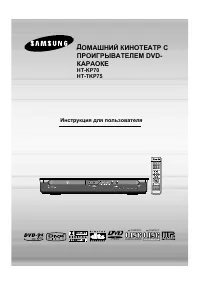 Samsung HT-KP70
User Manual
Samsung HT-KP70
User Manual
 Samsung HT-P10
User Manual
Samsung HT-P10
User Manual
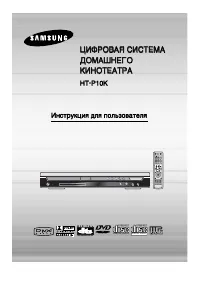 Samsung HT-P10K
User Manual
Samsung HT-P10K
User Manual
 Samsung HT-P70K
User Manual
Samsung HT-P70K
User Manual
 Samsung HT-Q20
User Manual
Samsung HT-Q20
User Manual
 Samsung HT-TP33K
User Manual
Samsung HT-TP33K
User Manual
 Samsung HT-UP30K
User Manual
Samsung HT-UP30K
User Manual
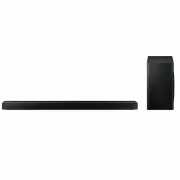 Samsung HW-Q60T/XY
User Manual
Samsung HW-Q60T/XY
User Manual
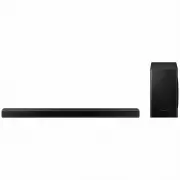 Samsung HW-Q70TXY
User Manual
Samsung HW-Q70TXY
User Manual
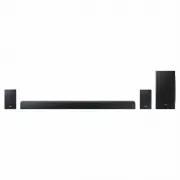 Samsung HW-Q90R/XY
User Manual
Samsung HW-Q90R/XY
User Manual
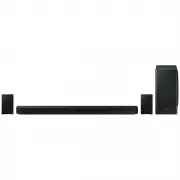 Samsung HW-Q950TXY
User Manual
Samsung HW-Q950TXY
User Manual
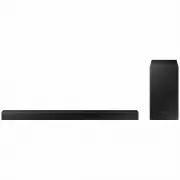 Samsung HW-T450XY
User Manual
Samsung HW-T450XY
User Manual
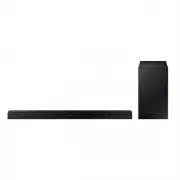 Samsung HW-T550XY
User Manual
Samsung HW-T550XY
User Manual
 Samsung HT-A100
User Manual
Samsung HT-A100
User Manual