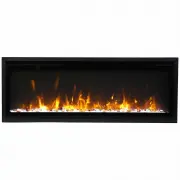
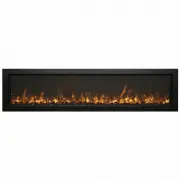
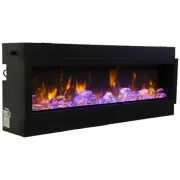
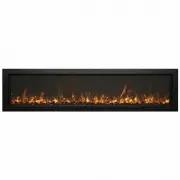
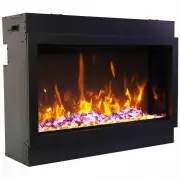
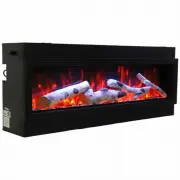
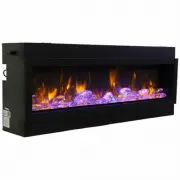
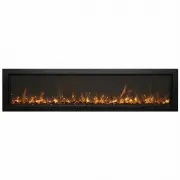
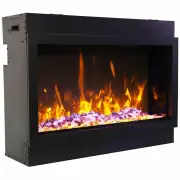
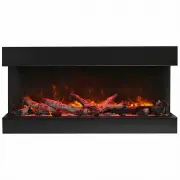
Page 2 - TABLE OF CONTENTS; from your Remii Electric Fireplace.
2 TABLE OF CONTENTS Please read and carefully follow all of the instruction found in this manual. The instructions included here will assure that you have many years of dependable and enjoyable service from your Remii Electric Fireplace. IMPORTANT INSTRUCTIONS ..........................................
Page 4 - the left side if the fireplace.; PLUG INSTALLATION
Your power cord will come separate from the unit, please locate it when unpacking your fireplace. The plug contained inside the box is predetermined at the factory and according to orders placed by authorized dealers. Please following the instructions to correctly install the plug into your fireplac...
Page 5 - UNPACKING AND TESTING THE APPLIANCE; fireplace to reach room temperature before turning it on.; CHOOSING FIREPLACE LOCATION
5 UNPACKING AND TESTING THE APPLIANCE Carefully remove the appliance from the box. Prior to installing the appliance, test to make sure the appliance operates properly by plugging the power supply cord into a conveniently located 240 Volt grounded outlet. Test all aspects of its operation (manual sw...
Page 8 - INSTALLATION
8 NOTE: Due to the many different materials used to build walls, it is highly recommended that you consult your local builder before you install this appliance on a wall. 1. Select a location that is not prone to moisture and is located at least 0.91 m or 3 feet away from combustible materials such ...
Page 9 - NOTE: Due to the many different materials used to build walls, it; Preparation; from combustible materials such as curtains, d; plugging the power supply cord into a 120; BUILT IN INSTALLATION
9 NOTE: Due to the many different materials used to build walls, it you consult your local builder before you install this appliance on a wall. Preparation 1. Select a location that is not prone to moisture and is located at least 0.91m or 3 feet away from combustible materials such as curtains, d 2...
Page 10 - Put the fireplace into the wall opening and fix it to be the wall.
2. Unscrew the 2 screws located on each side and take off the inner 3. Put the fireplace into the wall op Unscrew the 2 screws located on each side and take off the inner side steel panels. Put the fireplace into the wall opening and fix it to be the wall. side steel panels. inner side steel panels ...
Page 12 - MEDIA OPTIONS; Clear glass; DECORATIVE MEDIA INSTALLATION; INSTALLING THE DECORATIVE MEDIA; installing the fire glass.; NSTALLING THE DECORATIVE MEDIA; the front glass panel upward a bit to
MEDIA OPTIONS The only media that comes with this appliance optional decorative media if they choose. See dealer for more details. 12 he only media that comes with this appliance is ‘Clear glass’. Consumers may purchase optional decorative media if they choose. See dealer for more details. Clear gla...
Page 13 - OPERATION; MANUAL OPERATION; Plug the fireplace into a 15 Amp wall socket.
13 OPERATION Plug the fireplace into a 15 Amp wall socket. MANUAL OPERATION Plug the fireplace into a 15 Amp wall socket. The Fireplace operates by using either the touch panel located on the upper left hand corner or by remote control. 1. 2. Press to turn on and off the fireplace. Press to adjust t...
Page 14 - REMOTE CONTROL OPERATION; H1 means the fireplace on Low Heat/950W
14 REMOTE CONTROL OPERATION For remote to function make sure the fireplace is plugged in and the remote has batteries. Important: When operating the remote make sure you point the remote to the center of the fireplace. Each time you press the button, the buzzer inside the unit will beep once. It tak...
Page 16 - There are 2 ways to install TuyaSmart; WIFI SETTING AND FIREPLACE OPERATION; FIG.1 FIG. 2 FIG.3
WIFI OPERATION INSTALL TuyaSmart life There are 2 ways to install TuyaSmart; 1. Search for “TuyaSmart life” in the APP store on your phone, download and install. 2. Scan the QR code below with your mobile phone. WIFI SETTING AND FIREPLACE OPERATION 1. Create an account and log in. 2. When you log in...
Page 18 - FIG.7; NOTE: Turn off the flashing blue Wifi indicator light
6. Now you are in the interface like FIG.7. You can operate the fireplace via Wi-fi. FIG.7 18 NOTE: Turn off the flashing blue Wifi indicator light Touch the (power button) once, the blue light will stop flashing.
Page 19 - ENVIRONMENTAL PROTECTION; Recycling
19 CARE AND MAINTENANCE CAUTION: Do not use harsh detergents, chemical cleaners or solvents as they may damage the surface finish of the plastic components. CONFORMITY WITH DIRECTIVES Conforms to all relevant European directives ENVIRONMENTAL PROTECTION Recycling This symbol is known as the 'Crossed...
Page 20 - REPLACEMENT PARTS
20 REPLACEMENT PARTS NO DESCRIPTION QTY PART NUMBER WM-SLIM-55 (SM-X190055-1/EU2) WM-SLIM-65 (SM-X190065-1/EU2) 1 TRIM 1 3238503 3240503 2 FRONT GLASS ASSEMBLY 1 3238507 3240507 3 TRAY GLASS 1 107022382 107022402 4 BACK GLASS 1 107022381 107022401 5 LED STRIP LIGHT FOR FLAME Qty Required Based on Si...
Page 23 - SERVICE HISTORY; This heater must be serviced annually depending on usage.; Date
SERVICE HISTORY This heater must be serviced annually depending on usage. Date Dealer Name Service Technician Name Service Performed Special Concerns NOTES: 23