Page 2 - Warranty and Service; MORE INFORM ATION; This w arranty covers only the initial purchaser of the product.; WHAT IS NOT COVERED?
2 Warranty and Service Walter M eier (M anufacturing) Inc., w arrants every product it sells. If one of our tools needs service or repair, one of our Authorized Service Centers located throughout the United States can give you quick service. In m ost cases, any of these Walter M eier Authorized Serv...
Page 3 - Table of Contents
3 Table of Contents W arranty and Service ................................................................................................................................................... 2 Table of Contents .............................................................................................
Page 5 - not
5 Warni ng 1. Read and understand t he entire owner’s manual before attempting assembly or operation. 2. Read and understand t he war nings posted on t he mac hine and in this manual. Failure to comply wit h all of these warnings may caus e serious injury. 3. Replace t he warning labels if they beco...
Page 6 - possible machine damage.
6 21. Give your work undivided attention. Looking around, carrying on a conversation and “ horse-play” are careless acts that can result in serious injury. 22. Maintain a balanced stance at all times so that you do not fall or lean against the blade or other moving parts. Do not overreac h or use ex...
Page 7 - Model Number
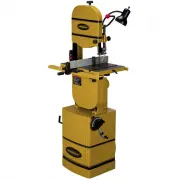
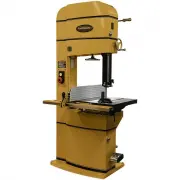
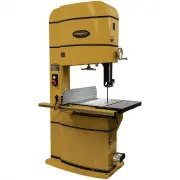
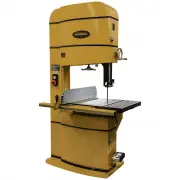
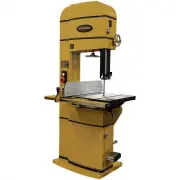
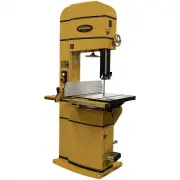
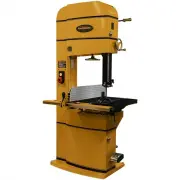
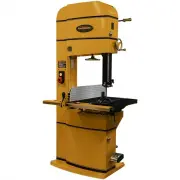
7 Introduction This manual is provided by Walter Meier (Manufact uring), Inc. covering t he safe operation and maintenanc e procedures for a Powermatic Model 2013 or 2415 Band Saw. This manual contains instructions on installation, safety precautions, general operating procedures, maintenance instr ...
Page 9 - Unpacking; Contents of the Shipping Container
9 Unpacking Open s hipping container and c heck for s hipping damage. Report any damage immediately to your distributor and shipping agent. Do not discard any s hipping material until the Band Saw is set up and r unning properly. Compare the contents of your c ontainer wit h t he following parts lis...
Page 10 - Assembly; Tools required for assembly:; Forklift or hoist with straps; Installing Fence and Rails; Pus h the front and rear rails upward (toward
10 Assembly Tools required for assembly: Forklift or hoist with straps 10-12mm wrenc h (provided) 14mm wrenc h (NOTE: A socket wrenc h set may speed assembly time) Remove all crating and plastic from around the band saw. Remove any lag screws or holding straps whic h sec ure t he band s aw to the wo...
Page 12 - Dust Collection; Grounding Instructions; Electrical connect ions must; Figure 4
12 14. Check t he clearanc e between the table and the fence. The fenc e s hould not rub against the table s urface but be slightly above it. This gap s hould be t he same at the front of the table as it is at the rear. See Figure 4. 15. If the gap between fence and table is not cons istent, loosen ...
Page 13 - As received from t he factory, the; 30 Volt, Three Phase Operation; The; Table 1; Figure 7
13 Check with a qualified electrician or servic e personnel if the grounding instructions are not completely understood, or if in doubt as to whether the tool is properly grounded. Repair or replace a damaged or worn cord immediately. Make sure the voltage of your power supply matches the specificat...
Page 14 - Three-Phase Test Run; disconnect machine from power.; Figure 8
14 Converting from 230 Volt to 460 Volt (Three Phase Only) To convert from 230 volt to 460 volt: 1. Remove t he four Phillips head screws on the switc h plate (Figure 8) and tilt t he switc h plate down. Then remove the cover of the switch box. 2. Replace t he c urrent contactor with the 460V magnet...
Page 15 - Adjustments; Table Tilt; Check and adjust this 90° stop as follows:
15 Adjustments Table Tilt 1. Loosen the lever (Figure 10). 2. Rotate the handwheel (Figure 10) clockwise to tilt table up to 45 degrees to the right, or counterclockwise to tilt t he table up to 10 degrees to the left (as viewed from the operator’s position). NOTE: If you tilt the table to the left,...
Page 16 - Installing/Changing Blades; Always wear gloves when; Blade Tension
16 Installing/Changing Blades Always wear gloves when handling blades. New blades are usually packaged in a coiled position; to prevent injury uncoil them slowly and carefully, while wearing gloves and safety glasses. 1. Disconnect mac hine from power source. 2. Decrease blade tension by rotating bl...
Page 17 - Blade Tracking; before
17 Changes in blade width and the type of material being c ut will have an effect on blade tens ion. Keep in mind t hat too little or too muc h blade tension can cause blade breakage and/or poor cutting performance. TIP: When the band saw is not being used, slightly releas e the tension on t he blad...
Page 18 - Upper Blade Guide Assembly
18 Upper Blade Guide Assembly 1. Disconnect mac hine from power source. 2. Loosen lock k nob (see B, Figure 14) and raise or lower upper blade guide assembly by turning the handw heel (C, Figure 14). 3. Position the blade guide assembly about 3/16” above the material to be cut. The scale (J, Figure ...
Page 20 - Miter Gauge; To adjust the angle of the miter gauge:; Belt Tension; Disconnect mac hine from power source.
20 Miter Gauge A miter gauge is provided for crosscutting operations. Install the miter gauge by sliding the end of the miter gauge bar into t he T-slot in the table, as shown in Figure 22. To adjust the angle of the miter gauge: 1. Loosen the handle (A, Figure 22). 2. Rotate the gauge body until th...
Page 21 - Belt Alignment; Rotate clockwise one of the set screws; Blade Speed Adjustment; To change the speed:; Operating Controls; After the machine is shut off,
21 Belt Alignment If the drive belt is not aligned properly, it can be aligned with one or more of the four set screws located behind t he steel plate. Figure 25 s hows two of the set screws. 1. Loosen the four hex nuts (A, Figure 23) 2. Rotate clockwise one of the set screws (Figure 25) with a 4mm ...
Page 22 - Brake Pedal; Operation; General Procedure; Whenever possible, use a
22 Brake Pedal An alter nate method of stopping t he mac hine is to press the brake pedal, s hown in Figure 29. The band saw will s hut off when t he brake pedal is pressed. The brake pedal is als o usef ul for stopping the blade quick ly, instead of waiting for the blade to coast slowly to a stop a...
Page 23 - Using the fence in; Resawing; Fenc e is not parallel to miter slot and blade.
23 Ripping Ripping is c utting lengthwise dow n the workpiece, and wit h t he grain (of wood stock). See Figure 31. Crosscutting Crosscutting is c utting across the grain of the workpiece, while using t he miter gauge to feed the workpiece into the blade. Slide t he bar of the miter gauge into the e...
Page 24 - Blade Selection
24 If replacement of t he blade is not c urrently a n option, t he blade lead can be compensated for by skewing the fence. Proceed as follows: 1. Cut a scrap piece of wood about t he same length as t he band saw table, and joint one edge along its lengt h, or rip it on a table saw to give it a strai...
Page 27 - Maintenance; Before doing maintenance,; Tire Replacement; look; Band Wheel Replacement; The cast iron band wheels
27 Maintenance Before doing maintenance, disconnect machine from electrical supply by pulling out the plug or switching off the main switch! Failure to comply may cause serious injury. Clean the band saw regularly to remove any resinous deposits and sawdust. Keep t he miter slot in t he table free o...
Page 28 - Blade Selection Guide; For Radius Cutting
28 Blade Selection Guide Identify the material and t hick ness of your workpiece. The c hart will s how t he recommended PITCH, blade TYPE, and FEED RATE. Key: H – Hook L – Low S – Skip M – Medium R – Regular H – High Example: 10/H/M means 10 teeth per inc h / Hook Type Blade / Medium Feed For Radiu...
Page 29 - Troubleshooting; – Operational Problems; Trouble Probable
29 Troubleshooting – Operational Problems Trouble Probable Cause Remedy Table tilt does not hold position under load. Locking lever is not tight. Tighten locking lever (see page 15). Trunnion lock ing mec hanis m is broken or worn. Replace trunnion lock ing mec hanis m. Table will not tilt. Trunnion...
Page 31 - – Mechanical and Electrical Problems; Band Saw frequently trips.
31 Troubleshooting – Mechanical and Electrical Problems Trouble Probable Cause Remedy Machine will not start/restart or repeatedly trips circuit breaker or blows fuses. No incoming power. Verify mac hine is connected to power source. Make sure START button is pus hed in completely, and t he STOP but...
Page 32 - Miswiring of the unit.; Replacement Parts
32 Trouble Probable Cause Remedy Machine will not start/restart or repeatedly trips circuit breaker or blows fuses. Miswiring of the unit. Double c heck to confir m all electrical connections are correct. Refer to appropriate wiring diagrams on pages 54 through 57 to make any needed corrections. Swi...
Page 56 - Magnetic Switch; Motor
56 Electrical Connections: 230 Volt, 3 Phase – Models 2013 and 2415 5 L3 A1 3 L2 13 NO 1 L 2 2 T1 4 T2 6 T3 14 NO 2 T1 4 T2 6 T3 A2 G ROUND GREEN GREEN BL ACK WH ITE 9 5 96 98 97 WHIT E B LACK GREEN Magnetic Switch RE D RED 17 18 GRE EN BLAC K WHIT E Motor RED WHIT E RED BLACK
Page 58 - NOTES