Page 2 - Contents; Turn on and off; Product specifications
2 EN Contents 1 Important safety instructions 3 Safety 3 Care for your product 5 Care of the environment 5 Declaration of conformity 5 FCC and IC information 5 Help and support 6 2 Your Soundbar 7 What’s in the box 7 Soundbar 8 Connectors 8 Remote control 9 Prepare the Remote Control 9 Placement 10 ...
Page 3 - Safety; Know these safety symbols; CAUTION; Risk of electric shock or fire!; accessories near naked flames or; Risk of short circuit or fire!; For identification and supply ratings,
3 EN 1 Important safety instructions Read and understand all instructions before you use your product. If damage is caused by failure to follow instructions, the warranty does not apply. Safety Know these safety symbols The marking information is located at the bottom or back of product. CAUTION CAU...
Page 4 - Risk of injury or damage to this; confined space. Always leave a; Battery usage CAUTION; Don’t disposal of a battery into fire or
4 EN Risk of injury or damage to this product! • For wall mounting, this product must be securely attached to the wall in accordance with the installation instructions. Use only the supplied wall mount bracket (if available). Improper wall mounting may result in accident, injury or damage. If you ha...
Page 5 - Care for your product; Use only microfiber cloth to clean the; Care of the environment; Disposal of your old product and; Declaration of conformity; by turning the equipment off and on,
5 EN Care for your product Use only microfiber cloth to clean the product. Care of the environment Disposal of your old product and battery Your product is designed and manufactured with high quality materials and components, which can be recycled and reused.This symbol on a product means that the p...
Page 6 - Changes or modifications to this unit; Avis d’Industrie Canada: CAN ICES; Help and support; find answers to frequently answered
6 EN FCC&IC Warning • This equipment should be installed and operated with minimum distance 20cm between the radiator & your body. • Changes or modifications to this unit not expressly approved by the party responsible for compliance could void the user’s authority to operate the equipment. ...
Page 7 - Your Soundbar; welcome to Philips! To fully benefit from; What’s in the box
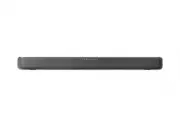
7 EN 2 Your Soundbar Congratulations on your purchase, and welcome to Philips! To fully benefit from the support that Philips offers, register your soundbar at www.philips.com/support. What’s in the box Check and identify the items in the package:• Soundbar x 1 • Remote control x 1 (AAA batteries x ...
Page 8 - Soundbar; Remote control sensor; Connectors; Audio in
8 EN Soundbar This section includes an overview of the soundbar. 6 4 3 2 1 5 1 (Standby-On) • Switch the soundbar On or to Standby. • Long press for 8 seconds in power on state to enable or disable Auto- Standy (15 minutes Auto-Standby). 2 (Source) button Select an input source for the Soundbar. 3 (...
Page 9 - Remote control; EQ; Prepare the Remote; operated within the effective range
9 EN 5 Optical in Connect to an optical audio output on the TV or a digital device. 6 Wall bracket slot Remote control This section includes an overview of the remote control. 1 2 3 5 6 7 8 9 10 11 4 1 (Standby-On) • Switch the soundbar on or to standby. • Long press for 8 seconds in power on state ...
Page 10 - Never use different types of batteries; Placement
10 EN control devices using infra-red rays are used near the unit, it may operate incorrectly. Conversely, the other products may operate incorrectly. Replace the Remote Control Battery 1 Press and slide the back cover to open the battery compartment of the remote control. 2 Insert two AAA size batt...
Page 11 - Wall mount; Note; Screw length/diameter; first before wall mounting the soundbar.
11 EN Wall mount Note • Improper wall mounting may result in accident, injury or damage. If you have any query, contact Consumer Care in your country. • Before wall mounting, make sure the wall can support the weight of your soundbar. • Before wall mounting, you need not remove the rubber feet at th...
Page 12 - Connect; Connect to HDMI ARC; TV might be labeled differently. For; Connect to Optical; Connect to Audio in; Use 3.5mm audio cable
12 EN 3 Connect This section helps you connect your soundbar to a TV and other devices, and then set it up. Note • For identification and supply ratings, see the type plate at the back or bottom of the product. • Before you make or change any connections, make sure that all devices are disconnected ...
Page 13 - Connect to power
13 EN Audio out Audio in TV Headphone (3.5mm) Use 3.5mm-RCA audio cable • Use a RCA to 3.5mm audio cable to connect the TV’s audio output sockets to the Audio in socket on the soundbar. Audio in R L Audio out TV Connect to power • Before connecting the AC power cord, ensure you have completed all ot...
Page 14 - Before you start; App download; When you first connect the soundbar; Auto Standby; Select modes
14 EN 4 Use your soundbar This section helps you use the soundbar to play audio from connected devices. Before you start • Make the necessary connections described in the quick start guide and the user manual. • Switch the soundbar to the correct source for other devices. App download Scan the QR co...
Page 15 - Adjust the Volume; Adjust the Soundbar’s Volume; Music; Adjust bass/treble level; Effect; Select predefined sound modes to suit; Indicator; OFF
15 EN Adjust the Volume Adjust the Soundbar’s Volume • Press Vol+/Vol- (Volume) to increase or decrease a volume level. » When adjusting the volume, the indicator will increase / decrease the amount of light. According to the corresponding light display / blinking (Fig), determine the current volume...
Page 16 - different sources and types of; Play from Bluetooth; audio files stored on the device through; DTS Virtual X; three-dimensional sound field; Auto. volume leveling
16 EN Status LED State OFF ● ● ● ● ● ● ● ● ON ● ● ● ● ● ● ● ● NIGHT ● ● ● ● ● ● ● ● • OFF : Do not use “Auto volume”. • ON : Responds in real time to different sources and types of content to maintain consistent loudness. • NIGHT : Maintain even loudness for all sources and types of content, and enh...
Page 17 - If your mobile phone supports LE; Philips; Listen to an external device; HDMI ARC
17 EN 4 Select and play audio files or music on your Bluetooth device. • During play, if a call is coming, music play is paused. Play resumes when the call ends. • If your Bluetooth device supports AVRCP profile, on the remote control you can press / to skip to a track, or press to pause/resume play...
Page 18 - Play audio through USB; as an MP3 player and USB flash memory,; Factory reset
18 EN Play audio through USB Enjoy audio on a USB storage device, such as an MP3 player and USB flash memory, etc. 1 Insert the USB device. 2 Press the (Source) button repeatedly on the soundbar or on the remote control to select the USB mode. 3 During playback: Button Action Start, pause or resume ...
Page 19 - Bluetooth; Amplifier Section
19 EN 5 Product specifications Note • Specifications and design are subject to change without notice. Bluetooth Bluetooth profiles A2DP, AVRCP Bluetooth version V 5.4 Bluetooth frequency range / Transmitter power (EIRP) 2402 ~ 2480MHz < 10dBm Amplifier Section Total RMS 60W @THD < =10% Max. 12...
Page 20 - Troubleshooting; No power; output. Confirm that the audio; Distorted sound or echo.; compatible profiles required for the
20 EN 6 Troubleshooting Warning • Risk of electric shock. Never remove the casing of the product. To keep the warranty valid, never try to repair the product yourself. If you have problems using this product, check the following points before you request service. If you still have a problem, get sup...
Page 22 - Trademarks; configuration est simple. Utilisez
22 EN 7 Trademarks The Adopted Trademarks HDMI, HDMI High-Definition Multimedia Interface, HDMI trade dress and the HDMI Logos are trademarks or registered trademarks of HDMI Licensing Administrator, Inc. in the United States and other countries. Dolby, Dolby Audio and the double-D symbol are regist...
Page 23 - instrucciones que aparecen en
23 EN instrucciones que aparecen en pantalla. Roku TV, Roku TV Ready y el logotipo de Roku TV Ready son marcas comerciales de Roku, Inc. Este producto es compatible con Roku TV Ready en Estados Unidos, canadá, reino unido, méxico y brasil. Los países están sujetos a cambios. Para obtener la lista má...