Philips SPF7010/12 - Manuals
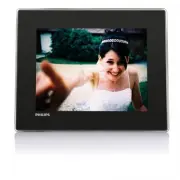
Philips SPF7010/12 – User Manual, Quick Guide, Manual in PDF format online.
Manuals:
User Manual Philips SPF7010/12


Summary
2 EN Transfer from PC (SPF5008/ SPF5208/SPF5010/SPF5210) 18 4 Play 19 Play photos 19 Play video 20 Play background music 21 Display a theme clock (SPF5008/ SPF5208/SPF7008/SPF7208/SPF7010/SPF7210) 22 5 Browse and manage photos/video or albums 24 %URZVHSKRWRVYLGHRÀOHVLQ album mode 24 $GGDSKRWRYLGHRÀO...
3 English EN Set time/date 42 Set time/date format 42 Smar t Power setting 43 Specify time to auto on/off 43 Specify brightness to auto on/off 44 Hibernate your PhotoFrame 45 Set Auto Orientation 46 Turn on/off button sound 46 Protect/Unprotect content on a storage device 47 Set Demo 48 Bluetooth (S...
4 Notice Warranty No components are user ser viceable. Do not open or remove covers to the inside of the product. Repairs may only be done by Philips 6HU YLFH&HQWUHVDQGRIÀFLDOUHSDLUVKRSV Failure to do so shall void any warranty, stated or implied. Any operation expressly prohibited in this manua...
Quick Guide Philips SPF7010/12


Summary
What you also need What’s in the box Philips Digital PhotoFrame AC power socket AC-DC power adaptor AC Memory card / USB Stand Computer CD-ROM, including • Digital User Manual • (SPF7008/SPF7208/ SPF7010/SPF7210) Philips PhotoFrame Manager (Software and User Manual) USB cable (not supplied to SPF501...
Install the stand 1 Inser t the stand into the PhotoFrame. 2 Position the indication on the stand to the position. 3 ( SPF5008/SPF5208 ) Turn the stand anti- clockwise 45 degrees to the position and lock it to the PhotoFrame fi rmly. ( • SPF5010/SPF5210/SPF7008/SPF7208/ SPF7010/SPF7210 ) Turn the st...
For other times when the on screen language is selected : 1 Press and hold for more than 1 second. The home screen is displayed. » To turn off the PhotoFrame, press and hold • for about 2 seconds. Transfer photos/music or video fi les from an SD card Caution Do not remove a storage device from the P...
Manual Philips SPF7010/12


Philips Manuals
-
 Philips 50PFL5907/F7
User Manual
Philips 50PFL5907/F7
User Manual
-
Philips 50PFL5907/F7
Quick Guide
-
 Philips 32PFL4508/F7
User Manual
Philips 32PFL4508/F7
User Manual
-
Philips 32PFL4508/F7
Quick Guide
-
 Philips 39PFL2908/F7
User Manual
Philips 39PFL2908/F7
User Manual
-
Philips 39PFL2908/F7
Quick Guide
-
Philips 55PFL5907/F7
User Manual
-
Philips 55PFL5907/F7
Quick Guide
-
Philips 46PFL5907/F7
User Manual
-
Philips 46PFL5907/F7
Quick Guide
-
Philips 40PFL4908/F7
User Manual
-
Philips 40PFL4908/F7
Quick Guide
-
Philips 40PFL4708/F7
User Manual
-
Philips 40PFL4708/F7
Quick Guide
-
Philips 40PFL1708/F7
User Manual
-
Philips 29PFL4908/F7
User Manual
-
Philips 29PFL4908/F7
Quick Guide
-
Philips 42PFL5907/F7
User Manual
-
Philips 42PFL5907/F7
Quick Guide
-
 Philips 32PFL5708/F7
User Manual
Philips 32PFL5708/F7
User Manual