Page 2 - Safety
English 1 Important Safety a Read these instructions. b Keep these instructions. c Heed all warnings. d Follow all instructions. e Do not use this apparatus near water. f Clean only with dry cloth. g Do not block any ventilation openings. Install in accordance with the manufacturer’s instructions. h...
Page 4 - Hearing safety
Warning Never remove the casing of this Micro Hi-Fi. • Never lubricate any par t of this Micro Hi-Fi. • Never place this Micro Hi-Fi on other electrical equipment. • Keep this Micro Hi-Fi away from direct sunlight, naked flames or heat. • Never look into the laser beam inside the Micro Hi-Fi. • Ensu...
Page 5 - Notice
Listen for reasonable periods of time: Prolonged exposure to sound, even at normally ‘safe’ levels, • can also cause hearing loss. Be sure to use your equipment reasonably and take • appropriate breaks. Be sure to observe the following guidelines when using your headphones. Listen at reasonable volu...
Page 6 - Recycling; Introduction
Recycling Your product is designed and manufactured with high quality materials and components, which can be recycled and reused.When you see the crossed-out wheel bin symbol attached to a product, it means the product is covered by the European Directive 2002/96/EC: Never dispose of your product wi...
Page 8 - What’s in the box
When you activate record from disc to tape, this Micro Hi-Fi star ts disc play automatically. The Micro Hi-Fi suppor ts the following media formats: What’s in the box Check and identify the contents of your package: Main unit • Loudspeaker boxes x 2 • Remote control • MP3 link cable •
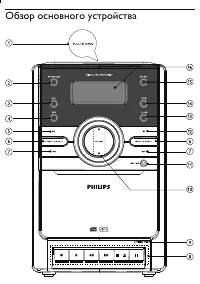
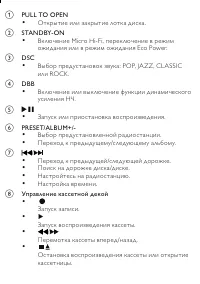
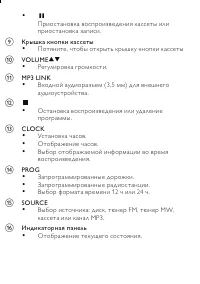
Page 9 - Overview of the main unit
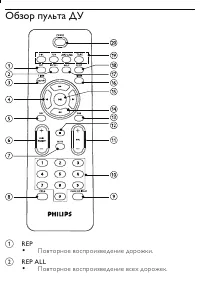
Page 12 - Overview of the remote control
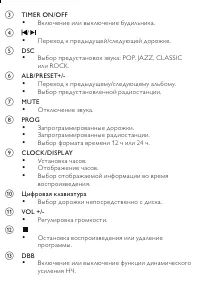
Overview of the remote control a REP Play a track repeatedly. • b REP ALL Play all tracks repeatedly. • c TIMER ON/OFF Turn on or off alarm timer. •
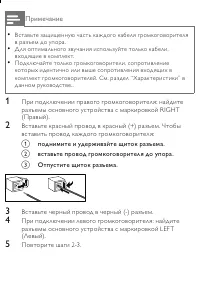
Page 14 - Connect; Connect speakers
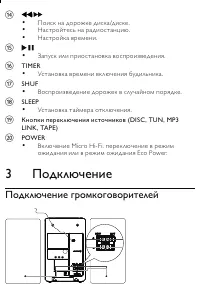
p TIMER Set the alarm timer. • q SHUF Play tracks randomly. • r SLEEP Set the sleep timer. • s Source selection keys (DISC, TUN, MP3 LINK, TAPE) t POWER Turn on the unit or switch to standby mode. • 3 Connect Connect speakers
Page 16 - Connect power; Get started
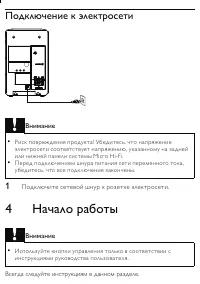
Connect power Caution Risk of product damage! Ensure that the power supply voltage • corresponds to the voltage printed on the back or the underside of the Micro Hi-Fi. Before connecting the AC power cord, ensure you have completed • all other connections. 1 Connect the AC power cord to the wall soc...
Page 17 - Prepare the remote control
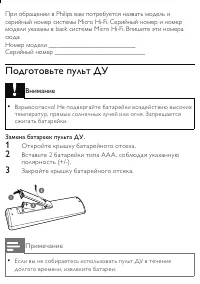
If you contact Philips, you will be asked for the model and serial number of your Micro Hi-Fi. The model number and serial number are on the back of your Micro Hi-Fi. Write the numbers here: Model No. __________________________ Serial No. ___________________________ Prepare the remote control Cautio...
Page 19 - Turn on; Switch to standby; Play; Play disc; Play tape
Turn on 1 Press POWER . The Micro Hi-Fi switches to the last selected source. » Switch to standby 1 Press POWER to switch the Micro Hi-Fi to standby mode. The backlight on the display panel is reduced. » The clock (if set) appears on the display panel. » 5 Play Play disc 1 Press DISC to select the d...
Page 20 - Disc play options; Skip to a track; Search within a track; Play all tracks or an album repeatedly
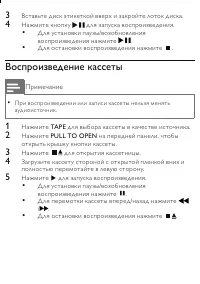
3 Press to open the tape door. 4 Load the tape with the open side downward and the full spool to the left. 5 Press to star t play. To pause/resume play, press • . To fast rewind or wind the tape, press • / . To stop play, press • . 6 Disc play options Skip to a track For CD: 1 Press / to select anot...
Page 21 - Play a track repeatedly; Random play; Program tracks
For MP3 only, [REP ALB] (repeat album) is displayed : the » current album is played repeatedly. 2 To return to normal play, press REP ALL repeatedly until repeat mode is no longer displayed. Play a track repeatedly 1 During play, press REP . [REP] (repeat) is displayed: the current track is played »...
Page 22 - Display play information; Adjust sound; Adjust volume level; Enhance bass; Mute sound
4 Repeat steps 2 to 3 to select and store all tracks to program. 5 Press to play the programmed tracks. During play, [PROG] (program) is displayed. » To erase the program, in the stop position, press • . Display play information 1 During play, press CLOCK/DISPLAY repeatedly to select different play ...
Page 23 - Listen to radio; Tune to a radio station; Program radio stations automatically; Program radio stations manually
8 Listen to radio Tune to a radio station 1 Press TUN repeatedly to select FM or MW. 2 Press and hold / for more than 2 seconds. [SEARCH] (search) is displayed. » The radio tunes to a station with strong reception » automatically. 3 Repeat step 2 to tune to more stations. To tune to a weak station, ...
Page 24 - Select a preset radio station; Record
4 Repeat the above steps to program other stations. Tip To over write a programmed station, store another station in its • place. Select a preset radio station 1 In tuner mode, press ALB/PRESET+/- to select a preset number. Tip Position the antenna as far as possible from T V, VCR or other • radiati...
Page 25 - Auto record from CD to tape; Record a section of a disc to tape
Auto record from CD to tape 1 Select the disc source. 2 Load a disc. 3 Pull at PULL TO OPEN on the front panel to open the tape button cover. 4 Press to open the tape door. 5 Load a tape. 6 Press to star t recording. Disc play star ts automatically from the beginning of the disc. » To pause recordin...
Page 26 - Record from radio to tape; 0 Other features; Set the alarm timer
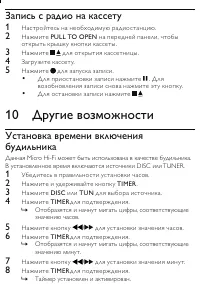
Record from radio to tape 1 Tune to the desired radio station. 2 Press PULL TO OPEN on the front panel to open the tape button cover. 3 Press to open the tape door. 4 Load a tape. 5 Press to star t recording. To pause recording, press • . To resume, press this button again. To stop recording, press ...
Page 27 - Activate and deactivate the alarm timer; Set the sleep timer; Listen to an external device
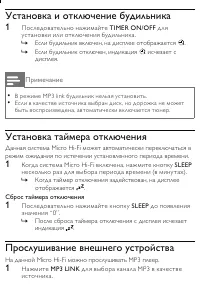
Activate and deactivate the alarm timer 1 Press TIMER ON/OFF repeatedly to activate or deactivate the timer. If the timer is activated, the display shows » . If the timer is deactivated, » disappears on the display. Note In MP3 link mode, the alarm timer cannot be set. • If disc source is selected a...
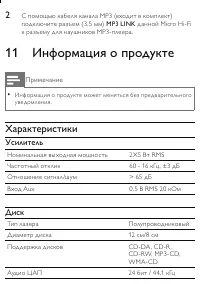
Page 28 - 1 Product information; Specifications; Amplifier
11 Product information Note Product information is subject to change without prior notice. • Specifications Amplifier Rated Output Power 2X5W RMS Frequency Response 60 - 16kHz, ±3dB Signal to Noise Ratio >65dB Aux Input 0.5 V RMS 20kohm Disc Laser Type Semiconductor Disc Diameter 12cm/8cm Suppor ...
Page 29 - Tuner; Tape deck; Speakers
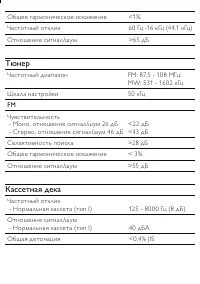
Tuner Tuning Range FM: 87.5 - 108MHz; MW: 531 - 1602kHz Tuning grid 50KHz FM Sensitivity - Mono, 26dB S/N Ratio - Stereo, 46dB S/N Ratio <22 dBf <43 dBf Search Selectivity >28dBf Total Harmonic Distor tion <3% Signal to Noise Ratio >55dB Tape deck Frequency response - Normal tape (typ...
Page 30 - General information-Specs; Supported MP3 disc formats
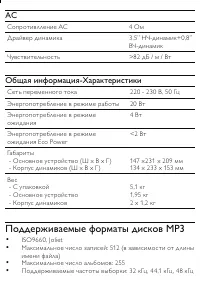
General information-Specs AC power 220 - 230V, 50Hz Operation Power Consumption 20W Standby Power Consumption <2W Dimensions - Main Unit (W x H x D) - Speaker Box (W x H x D) 147 x231 x 209 mm 134 x 233 x 153 mm Weight - With Packing - Main Unit - Speaker Box 5.1 kg 1.95 kg 2 x 1.2 kg Supported M...
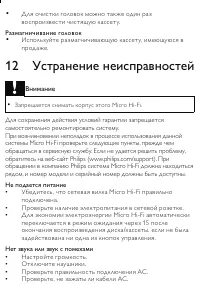
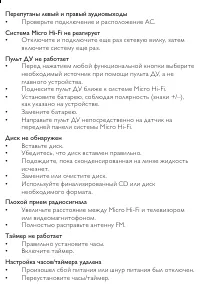
Page 31 - 2 Troubleshooting
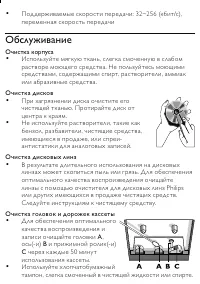
Clean the disc lens After prolonged use, dir t or dust may accumulate at the disc • lens. To ensure good play quality, clean the disc lens with Philips CD lens cleaner or any commercially available cleaner. Follow the instructions supplied with cleaner. Clean the heads and the tape paths To ensure g...