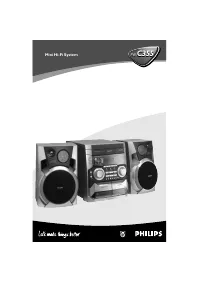
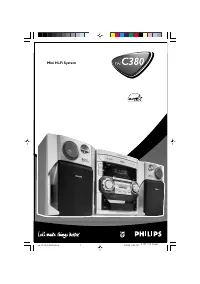
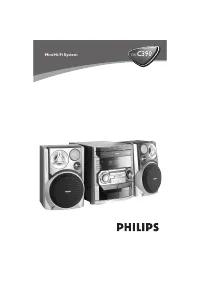
Page 2 - Norge; DICHIARAZIONE DI CONFORMITA’; CAUTION
3140 115 xxxxx 2 Important notes for users in theU.K. Mains plug This apparatus is fitted with an approved 13Amp plug. To change a fuse in this type of plugproceed as follows: 1 Remove fuse cover and fuse. 2 Fix new fuse which should be a BS1362 5 Amp,A.S.T.A. or BSI approved type. 3 Refit the fuse ...
Page 4 - SF
3140 115 xxxxx 4 DK Advarsel: Usynlig laserstråling ved åbningnår sikkerhedsafbrydere er ude af funktion.Undgå utsættelse for stråling. Bemærk: Netafbr yderen er sekundærtindkoblet og ofbryder ikke strømmen franettet. Den indbyggede netdel er derfortilsluttet til lysnettet så længe netstikketsidder ...
Page 5 - rançais; ÏÏËÓÈο; Index
3140 115 xxxxx 5 English F rançais Po rtuguês Español Deutsch Nederlands Italiano Sv enska Dansk Suomi E ÏÏËÓÈο Index English ------------------------------------------------ 6 Français -------------------------------------------- 20 Español --------------------------------------------- 35 Deutsch ...
Page 6 - English; Contents
3140 115 xxxxx 6 English Contents General Information Environmental information ................................ 7Supplied accessories ............................................ 7Safety information ................................................ 7 Preparations Rear connections ......................
Page 7 - General Information; Environmental Information
English 3140 115 xxxxx 7 General Information This product complies with the radiointerference requirements of the EuropeanCommunity. Environmental Information All unnecessar y packaging has been omitted. Wehave tried to make the packaging easy toseparate into three materials: cardboard (box),polysty...
Page 8 - Preparations; Rear connections; Power; Speakers
3140 115 xxxxx 8 English Preparations Rear connections The type plate is located at the rear of thesystem.For users in the U.K.: please follow theinstructions on page 2. A Power Before connecting the AC power cord to thewall outlet, ensure that all other connectionshave been made. WARNING!– For opti...
Page 9 - Optional connection
English 3140 115 xxxxx 9 FM Antenna ● For better FM stereo reception, connect anoutdoor FM antenna to the FM AERIAL (FMANTENNA) terminal. C Speakers Connection Front Speakers Connect the speaker wires to the SPEAKERSterminals, right speaker to " RIGHT " and left speaker to " LEFT ", ...
Page 10 - Controls
3140 115 xxxxx 10 English Controls (illustrations on page 3) Controls on the system andremote control 1 STANDBY-ON/ ECO POWER – switches the system on or to Eco Power standby. 2 Display – shows the status of the system. 3 OPEN • CLOSE ç – opens/ closes the CD door. 4 IR – remote sensor 5 VOLUME ( 3 ...
Page 11 - Basic Functions; Switching the system on; Power Saving Automatic Standby
English 3140 115 xxxxx 11 Basic Functions IMPORTANT!Before you operate the system, completethe preparation procedures. Switching the system on ● Press STANDBY-ON / 2 . ➜ The system will switch to the last selected source. ● Press SOURCE (or CD , TUNER or AUX on the remote control). ➜ The system will...
Page 12 - STOP; Selecting a different track; Finding a passage within a track; SOURCE; OPEN • CLOSE; CD Operation
3140 115 xxxxx 12 English 4 Press ÉÅ to star t playback. ➜ Current track number and elapsed playing time of the track are displayed during discplayback. 5 To interrupt playback press ÉÅ . Press ÉÅ again to resume play. 6 To stop disc playback, press STOP 9 . Note: CD play will also stop when;– the C...
Page 13 - Programming track numbers; Reviewing the program
English 3140 115 xxxxx 13 CD Operation Different play modes: SHUFFLEand REPEAT You can select and change the various playmodes before or during playback. The REPEATmodes can also be combined with PROGRAM. SHUFFLE ......... tracks of the entire disc areplayed in random order SHUFFLE and REPEAT ALL …t...
Page 14 - Radio Reception; Tuning to radio stations; Programming radio stations; Tuning to preset radio stations
3140 115 xxxxx 14 English Radio Reception Tuning to radio stations 1 Press SOURCE to select TUNER. ➜ TUNER is displayed briefly. 2 Press BAND (or TUNER on the remote control) once or more to select your waveband(FM/ MW). 3 Press and hold TUNE à or á . ➜ The radio automatically tunes to a station wit...
Page 15 - RDS
English 3140 115 xxxxx 15 Radio Reception RDS Radio Data System is a ser vice that allows FM stations to show additional information. Ifyou are receiving a RDS station, and the station name are displayed.When automatic programming is used, RDSstations will be programmed first. Scrolling through diff...
Page 17 - Setting the clock; Press; TIMER; on the remote to turn off the
English 3140 115 xxxxx 17 Clock/Timer Setting the clock 1 In standby mode or system on, press and hold CLOCK SET on the remote control for more than 3 seconds. ➜ SET CLOCK scrolls on the display. ➜ The clock digits for the hour s flash. 2 Press VOLUME + / - to set the hours. 3 Press CLOCK SET again....
Page 18 - Maintenance
3140 115 xxxxx 18 English Cleaning the Cabinet ● Use a soft cloth slightly moistened with a milddetergent solution. Do not use a solutioncontaining alcohol, spirits, ammonia or abrasives. Cleaning Discs ● When a disc becomes dir ty,clean it with a cleaning cloth.Wipe the disc from the centreout. ● D...
Page 19 - Problem; Troubleshooting
English 3140 115 xxxxx 19 WARNINGUnder no circumstances should you try to repair the system yourself, as this will invalidate thewarranty. Do not open the system as there is a risk of electric shock. If a fault occurs, first check the points listed below before taking the system for repair. If youar...