Page 2 - Contents
3 EN Contents 1 Important 4 Safety 4Notice 6 2 Your Mini Hi-Fi System 8 Introduction 8What's in the box 8 Over view of the main unit 9 Over view of the remote control 11 3 Get started 12 Prepare the remote control 12 Connect power 12 Turn on 13 4 Play 13 Basic play operations 13 Play from iPod/iPhon...
Page 3 - Important; Safety; Know these safety symbols
4 EN 1 Important Safety Know these safety symbols This 'bolt of lightning' indicates uninsulated material within your unit may cause an electrical shock. For the safety of ever yone in your household, please do not remove product covering. The 'exclamation point' calls attention to features for whic...
Page 4 - Mains fuse; Hearing safety
5 EN is damaged, liquid has been spilled or objects have fallen into the apparatus, the apparatus has been exposed to rain or moisture, does not operate normally, or has been dropped. n Battery usage CAUTION – To prevent battery leakage which may result in bodily injury, property damage, or damage t...
Page 5 - Notice
6 EN & Be careful not to adjust the volume as your hearing adapts. & Do not turn up the volume so high that you can't hear what's around you. & You should use caution or temporarily discontinue use in potentially hazardous situations. Do not use headphones while operating a motorized veh...
Page 7 - System; Introduction
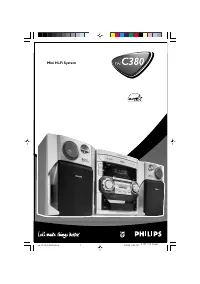
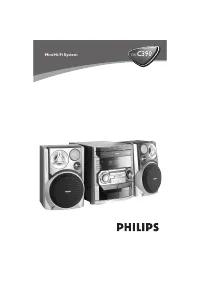
8 EN 2 Your Mini Hi-Fi System Congratulations on your purchase, and # >Z=! suppor t that Philips offers, register your product at www.philips.com/welcome. Introduction With this Hi-Fi system, you can: & enjoy audio from your iPod/iPhone, USB storage devices, or other external devices & ch...
Page 8 - Overview of the main unit; r q p
9 EN Overview of the main unit a MIC 1/MIC 2 & Connect microphones. a b c d f e o s r q p n l m k g h i j FM b MIC VOL & Adjust volume of the connected microphone(s).
Page 11 - started; Prepare the remote control; Connect power
12 EN 3 Get started Caution & Use of controls or adjustments or performance of procedures other than herein may result in hazardous radiation exposure or other unsafe operation. Always follow the instructions in this chapter in $<If you contact Philips, you will be asked for the model and ser...
Page 12 - Turn on; Switch to standby mode; Basic play operations; Play from iPod/iPhone
13 EN Turn on 1 Turn the POWER ON/OFF switch on the back panel to the | position. 2 Press . » The unit switches to the last selected source. Switch to standby mode & Press to switch the unit to standby mode. » The backlight on the display panel turns off. 4 Play Basic play operations You can con...
Page 13 - Compatible iPod/iPhone; Charge the iPod/iPhone
14 EN Compatible iPod/iPhone The unit suppor ts the following iPod/iPhone models.Made for.& iPod touch (1st, 2nd, 3rd, and 4th generation) & iPod classic & iPod nano (2nd, 3rd, 4th, 5th, and 6th generation) & iPhone 4S & iPhone 4 & iPhone 3GS & iPhone 3G & iPhone Load...
Page 14 - Play from USB; Play options; Listen through headphone
15 EN Play from USB Note & Make sure that the USB device contains playable audio content. 1 Inser t a USB mass storage device into the socket on either the left (A) or the right (B). 2 Press SOURCE repeatedly to select the USB source. » Play star ts automatically. Play options ? & Press MODE...
Page 15 - Listen to radio; Tune to radio stations; Store radio stations; Select a preset radio station
16 EN 5 Listen to radio Tune to radio stations Note & To improve FM reception, fully extend and adjust the position of the FM antenna attached to the back panel. 1 Press FM to select the FM tuner source. 2 Press and hold for three seconds. » The Hi-Fi system tunes to a station with strong recept...
Page 16 - Adjust speaker volume; Boost sound power; Mute sound
17 EN 6 Adjust sound Adjust speaker volume & During play, press VOL +/- to increase/ decrease speaker volume. Select a sound effect Note & You cannot use different sound effects at the same time. Boost sound power This feature allows you to give an instant boost to the sound power.& Pres...
Page 18 - Enjoy simultaneous play; Adjust decoration light
19 EN Enjoy simultaneous play You can output audio to multiple compatible Hi-Fi systems (FWP1000) to enjoy simultaneous play. 1 Connect audio cables (white/red) to:& the !@0)QQ@\!@0)Q(" sockets on the back panel of this unit. & the !@0)Q)*!@0)Q(" sockets on a compatible Hi-Fi system ...
Page 19 - Speakers; USB playability information
20 EN 8 Product information Note & Product information is subject to change without prior notice. ; ! Rated Output Power 300 W RMS Max Power }$= 35 Hz - 20 kHz, - 3 dB Signal to Noise Ratio > 70 dB \_$ Tuning Range 87.5 - 108 MHz Tuning grid 100 KHz Sensitivity - Mono, 50 dB S/N Ratio 18 - 22...
Page 20 - Troubleshooting
21 EN 9 Troubleshooting Warning & Never remove the casing of this apparatus. To keep the warranty valid, never tr y to repair the system yourself. If you encounter problems when using this apparatus, check the following points before $ J *< !unsolved, go to the Philips web site (www.philips.c...