Page 2 - WARNING; For Southeast Asia; Inside of product; Dear customer; : indicates features applicable to SC-VK960 only
2 RQTV0239 LANG - 5 LANG - 4 FRANÇAIS DANSK ENGLISH System SC-VK960 SC-VK860 SC-VK760 Main unit SA-VK960 (1 unit) SA-VK860 (1 unit) SA-VK760 (1 unit) Front speakers SB-PF960 (2 units) SB-PF860 (2 units) SB-PF760 (2 units) Center speaker SB-PC960 (1 unit) SB-PC860 (1 unit) SB-PC760 (1 unit) Surround ...
Page 3 - GETTING ST; Safety precautions; Placement
3 RQTV0239 LANG - 5 LANG - 4 FRANÇAIS DANSK ENGLISH GETTING ST ARTED Safety precautions Placement Set the unit up on an even surface away from direct sunlight, high temperatures, high humidity, and excessive vibration. These conditions can damage the cabinet and other components, thereby shortening ...
Page 4 - Table of contents; GETTING STARTED; SUPPLIED ACCESSORIES; Please check and identify the supplied accessories.
4 RQTV0239 LANG - 5 LANG - 4 FRANÇAIS DANSK ENGLISH Table of contents GETTING STARTED Safety precautions ..................................... 3Simple setup ............................................... 5Disc information ........................................11QUICK SETUP ..........................
Page 5 - Simple setup; • Using other speakers can damage the unit and sound; Caution; Center speaker; Surround
5 RQTV0239 LANG - 5 LANG - 4 FRANÇAIS DANSK ENGLISH GETTING ST ARTED Simple setup Placement of speakers Placement of speakers Use only the supplied speakers • Using other speakers can damage the unit and sound quality will be negatively affected. • Set the speakers up on an even surface to prevent t...
Page 6 - Speaker connections; Connect all the speakers as illustrated.
6 RQTV0239 LANG - 5 LANG - 4 FRANÇAIS DANSK ENGLISH Simple setup (continued) Speaker connections Speaker connections Connect all the speakers as illustrated. Connect so cord colors match the terminal colors. Note: Never shor t-circuit positive (+) and negative (–) speaker wires. Incorrect connection...
Page 7 - Other speaker setup options – attaching to a wall; Screw; Surround speaker; Connecting center and surround speakers
7 RQTV0239 LANG - 5 LANG - 4 FRANÇAIS DANSK ENGLISH GETTING ST ARTED Other speaker setup options – attaching to a wall Other speaker setup options – attaching to a wall You can attach the surround and center speakers to a wall. 1 Drive a screw (not included) into the wall. Ø7.5 to 9.4 mm 30 to 35 mm...
Page 8 - Video connections; Select “480p” or “576p” for “Video Output Mode” (Picture Menu,; Making the connections
8 RQTV0239 LANG - 5 LANG - 4 FRANÇAIS DANSK ENGLISH To household AC power socket Video connections Video connections • Do not connect the unit through a video cassette recorder Due to copy guard protection, the picture may not be displayed correctly.• Turn the television off before connecting, and r...
Page 9 - Set the voltage; Optional antenna connections; Use outdoor antenna if radio reception is poor.; AM outdoor antenna; Rear panel of; • Run a piece of vinyl wire horizontally across a window; Antenna connections; AM loop antenna; FM indoor antenna
9 RQTV0239 LANG - 5 LANG - 4 FRANÇAIS DANSK ENGLISH GETTING ST ARTED Set the voltage Set the voltage For Southeast Asia Before connecting the AC power supply cord, set the voltage. Voltage Selector Use a fl at-head screwdriver to set the voltage selector on the back of the main unit to the appropria...
Page 10 - Preparing the remote control; • Do not use; Use; Aim at the remote control signal sensor (; DEMO function; DEMO ON; Language code list
10 RQTV0239 LANG - 5 LANG - 4 FRANÇAIS DANSK ENGLISH Simple setup (continued) Preparing the remote control Insert so the poles (+ and –) match those in the remote control. • Do not use rechargeable type batteries. 2,2!! Do not: • mix old and new batteries.• use different types of the batteries at th...
Page 11 - Discs that can be played; Commercial discs; Recorded discs; Note about using a DualDisc; Discs that cannot be played; Disc information
11 RQTV0239 LANG - 5 LANG - 4 FRANÇAIS DANSK ENGLISH GETTING ST ARTED Discs that can be played Discs that can be played ■ Commercial discs Disc Logo Indicated in these instructions by Remarks DVD -Video High quality movie and music discs. Video CD Music discs with video.Including SVCD (Conforming to...
Page 12 - Overview of controls; Main unit; QUICK SETUP
12 RQTV0239 LANG - 5 LANG - 4 FRANÇAIS DANSK ENGLISH 1 SINGLE CHANGE MULTI CHANGE OPEN/CLOSE 2 3 4 5 MIC VOL MIC 1 MIC 2 OPEN STOP FF REW TAPE DVD/CD RECORD DECK 1/2 DISPLAY TUNER EXT-IN DEMO SUBWOOFER SOUND EQ SUPER SOUND EQ SUPER SURROUND SURROUND ENHANCER MUSIC PORT OPEN USB AC IN Disc trays Remo...
Page 13 - To dim the display panel.; Setting; AUTO OFF; Remote control; channel selection, time adjustment
13 RQTV0239 LANG - 5 LANG - 4 FRANÇAIS DANSK ENGLISH GETTING ST ARTED To mute the sound. • Press the button to activate. • Press the button again or adjust the volume to cancel. • Muting is also canceled when you switch the unit to standby. To dim the display panel. Every time you press the button. ...
Page 14 - Load a disc in the current tray.; Remove the disc from its cartridge before use.; Discs — Basic play; Stop; Handling of the disc trays and discs; Not doing the following will cause damage to the unit.; Removing the power plug; • Do not push or pull out the tray by hand as this will; Inserting a disc; • Place the disc correctly label-up as shown in the
14 RQTV0239 LANG - 5 LANG - 4 FRANÇAIS DANSK ENGLISH 1 OPEN/CLOSE 2 OPEN/CLOSE 3 DVD/CD 1 2 3 4 5 Open the tray. The unit turns on. Load a disc in the current tray. Remove the disc from its cartridge before use. Close the tray. Start play. You can also press [1 ] ~ [5 ] to select and play the other ...
Page 15 - DISC OPERA
15 RQTV0239 LANG - 5 LANG - 4 FRANÇAIS DANSK ENGLISH DISC OPERA TIONS Main unit display Time display ↔ Information display When Slideshow ( page 20) is on: SLIDE ↔ Information display When Slideshow ( page 20) is off: PLAY ↔ Information display Search (during play) Play speed increases up to 5 steps...
Page 16 - Discs — Advanced play; While stopped; Disc Information; To clear the screen; Repeat play; During play; Functions; Displaying current playback; To exit the screen
16 RQTV0239 LANG - 5 LANG - 4 FRANÇAIS DANSK ENGLISH Discs — Advanced play CD sequential play (CD MODE) CD sequential play (CD MODE) This feature is very convenient if you want to play several music CDs sequentially. Make sure that the applicable disc is in the play position before playing.DVD, JPEG...
Page 17 - To exit program or random play mode; Discs — Program and Random play; To select an item using the cursor buttons; Random play
17 RQTV0239 LANG - 5 LANG - 4 FRANÇAIS DANSK ENGLISH DISC OPERA TIONS (While stopped or in RESUME mode) Start program/random Play and select the desired mode. Program and random playback screens appear sequentially.Every time you press the button: Program → Random → Off (Normal play) To exit program...
Page 18 - Discs — Using navigation menus; Playing data discs; Playing items in order; Using the sub menu; Video; Searching by content or group title; Find
18 RQTV0239 LANG - 5 LANG - 4 FRANÇAIS DANSK ENGLISH Discs — Using navigation menus Playing data discs Playing data discs You can play JPEG, MPEG4 and DivX video contents on DVD-VR or play HighMAT discs without using the HighMAT function ( page 22, “Play as Data Disc” in Other Menu). Playing items i...
Page 19 - Playing from the selected; Titles appear with CD Text disc playback.; • Titles appear only if the titles are recorded on the
19 RQTV0239 LANG - 5 LANG - 4 FRANÇAIS DANSK ENGLISH DISC OPERA TIONS Playing from the selected Playing from the selected track in the CD track in the CD Titles appear with CD Text disc playback. 1 Press [TOP MENU] or [MENU]. Example: CD text CD Text 1/14 0:53 Disc Title : Celine Dion One Heart Disc...
Page 20 - Other Settings; Play Menu; Displays the; Discs — Using on-screen menus
20 RQTV0239 LANG - 5 LANG - 4 FRANÇAIS DANSK ENGLISH Items shown differ depending on the type of disc as well as the recording format. Functions Menu Functions Menu Program Group Title Chapter Track Playlist Content To start from a specifi c item Example: To select program 12 Press the numeric butto...
Page 21 - Picture Menu; Display Menu
21 RQTV0239 LANG - 5 LANG - 4 FRANÇAIS DANSK ENGLISH DISC OPERA TIONS Other Settings (continued) Other Settings (continued) Play Menu (continued) Marker Except To mark up to 5 positions to play again Press [ENTER ]. (The unit is now ready to accept markers.)To mark a position:Press [ENTER ] at the d...
Page 22 - Other Menu; Player settings; “Disc” tab; Display the Setup menu.; If you have not set QUICK SETUP (; Discs — Changing the player settings
22 RQTV0239 LANG - 5 LANG - 4 FRANÇAIS DANSK ENGLISH Discs — Using on-screen menus (continued) Other Settings (continued) Other Settings (continued) Display Menu (continued) Just Fit Zoom To select the appropriate screen size to fi t your television screen Auto American Vista 4 : 3 Standard Cinemasc...
Page 23 - Discs — Changing the player settings (continued); “Video” tab; “Audio” tab; “Others” tab
23 RQTV0239 LANG - 5 LANG - 4 FRANÇAIS DANSK ENGLISH DISC OPERA TIONS Discs — Changing the player settings (continued) QUICK SETUP enables successive settings of the items in the shaded area. Player settings (continued) Player settings (continued) “ Disc ” tab (continued) Advanced Disc Review ( \ pa...
Page 24 - About DivX VOD content; Display the unit’s registration code; Changing the delay time of the speakers; Effective when playing multi-channel audio; To enter the speaker setting; ] to select the delay time box and press; Center delay time; To fi nish the speaker setting
24 RQTV0239 LANG - 5 LANG - 4 FRANÇAIS DANSK ENGLISH Discs — Changing the player settings (continued) About DivX VOD content About DivX VOD content DivX Video-on-Demand (VOD) content is encrypted for copyright protection. In order to play DivX VOD content on this unit, you fi rst need to register th...
Page 25 - Tips for making data discs; Naming folders and fi les; Disc handling precautions
25 RQTV0239 LANG - 5 LANG - 4 FRANÇAIS DANSK ENGLISH DISC OPERA TIONS Tips for making data discs Tips for making data discs • When there are more than eight groups, the eighth group onwards will be displayed on one vertical line in the menu screen. • There may be differences in the display order on ...
Page 26 - Using the radio; TUNED; To change the step from 9 kHz to 10 kHz; Memory preset; Preparation; Tune to the frequency where pre-setting is to begin.; Basic play
26 RQTV0239 LANG - 5 LANG - 4 FRANÇAIS DANSK ENGLISH Using the radio Playing and recording using the cassette tapes Manual tuning Manual tuning 1 Press [BAND , TUNER] to select “FM” or “AM”. 2 Press [ ] or [ ¡ ] (main unit: [ , / REW] or [ ¢ , / FF ]) to select the frequency of the required station....
Page 27 - OTHER OPERA; Playing and recording using the cassette tapes (continued); Stop recording
27 RQTV0239 LANG - 5 LANG - 4 FRANÇAIS DANSK ENGLISH OTHER OPERA TIONS Playing and recording using the cassette tapes (continued) Stop recording Stop recording If the tape fi nishes before the disc The disc continues playing. Press [ ] (main unit: [ , STOP]) to stop it. To erase a recorded sound To ...
Page 28 - Enjoying karaoke with karaoke; Enjoying karaoke; Enjoying karaoke with other; Audio mode
28 RQTV0239 LANG - 5 LANG - 4 FRANÇAIS DANSK ENGLISH Adjusting the echo effect Adjusting the echo effect 1 Lower the volume with [- MIC VOL+] then connect the microphone(s) to the microphone jack(s). 2 Adjust the microphone volume with [- MIC VOL+]. 3 Press [ECHO] on the remote control. Every time y...
Page 29 - Using sound effects; Using the Manual Equalizer; Within 12 seconds or so; To cancel; Using the sound fi eld control; To check the current setting; To record your karaoke; To record from VCD with playback control; Recording your voice; To stop recording; Changing the pitch
29 RQTV0239 LANG - 5 LANG - 4 FRANÇAIS DANSK ENGLISH OTHER OPERA TIONS You cannot use Surround Enhancer, Center Focus, Super Surround and Subwoofer level if you have connected headphones (“ERROR” appears on the display).You may experience a reduction in sound quality when these sound fi eld systems ...
Page 30 - Using the Dolby Pro Logic; Using the subwoofer
30 RQTV0239 LANG - 5 LANG - 4 FRANÇAIS DANSK ENGLISH Speaker level adjustments Speaker level adjustments This is one of the ways to get appropriate surround effects. Preparation Press [ 3 , DVD/CD] and then [ 7 ]. 1 While stopped and no on-screen display is shown Press and hold [–TEST] to output a t...
Page 31 - Using the timers; Setting the time; Within 7 seconds or so; Displaying the time; Using the play or record timer; within 7 seconds; To activate the timer; To adjust speaker level during play
31 RQTV0239 LANG - 5 LANG - 4 FRANÇAIS DANSK ENGLISH OTHER OPERA TIONS Using the timers Setting the time Setting the time This is a 24-hour clock. 1 Press [CLOCK / TIMER] to select “CLOCK”. Every time you press the button: CLOCK ˚ PLAY Original display ˚ REC 2 ( Within 7 seconds or so ) Press [ 4 , ...
Page 32 - Playing or recording from a portable; Connecting to other external unit; Rear panel of this unit; Playing or recording from an external unit; Using other equipment; Using the sleep timer
32 RQTV0239 LANG - 5 LANG - 4 FRANÇAIS DANSK ENGLISH Connecting to a portable audio equipment Connecting to a portable audio equipment This feature enables you to enjoy music from a portable audio equipment. Portable audio equipment (not included) Audio cord (not included) MUSIC PORT jack Playing or...
Page 33 - Operating a television; USB enabled device; Compatible Devices
33 RQTV0239 LANG - 5 LANG - 4 FRANÇAIS DANSK ENGLISH OTHER OPERA TIONS Operating a television Operating a television Point the remote control at the television for the following operations. To switch the television on or off To switch the television’s video input mode Adjust the volume Changing chan...
Page 34 - Glossary; If the surfaces are dirty; When moving the unit
34 RQTV0239 LANG - 5 LANG - 4 FRANÇAIS DANSK ENGLISH Decoder A decoder restores the coded audio signals on DVDs to normal. This is called decoding. DivX DivX is a popular media technology created by DivX, Inc. DivX media fi les contain highly compressed video with high visual quality that maintains ...
Page 35 - REFERENCE; Troubleshooting guide; Power; Subtitle position is wrong.
35 RQTV0239 LANG - 5 LANG - 4 FRANÇAIS DANSK ENGLISH REFERENCE Troubleshooting guide Before requesting service, make the following checks. If you are in doubt about some of the check points, or if the remedies indicated in the chart do not solve the problem, consult your dealer for instructions. Pow...
Page 36 - Point B is automatically set.; A beat sound is heard.
36 RQTV0239 LANG - 5 LANG - 4 FRANÇAIS DANSK ENGLISH A-B repeat Page Point B is automatically set. • The end of an item becomes point B when it is reached. 20 Marker Cannot add markers. • You cannot add markers with DVD-VR.• If the disc’s elapsed play time doesn’t appear on the unit’s display, you c...
Page 37 - Unit displays
37 RQTV0239 LANG - 5 LANG - 4 FRANÇAIS DANSK ENGLISH REFERENCE Unit displays Page Although the unit is on standby mode, the display lights up and changes continuously. • Turn off the demo function. • If you set the clock, demo function will be turned off automatically. 10 — The display is dark. • Pr...
Page 38 - AMPLIFIER SECTION; CASSETTE DECK SECTION; Specifi cations
38 RQTV0239 LANG - 5 LANG - 4 FRANÇAIS DANSK ENGLISH AMPLIFIER SECTION VK960 RMS Output Power : Dolby Digital Mode Front Ch (High Ch) 110 W per channel (3 Ω ), 1 kHz, 10% THD Front Ch (Low Ch) 55 W per channel (6 Ω ), 100 Hz, 10% THD Surround Ch 110 W per channel (3 Ω ), 1 kHz, 10% THD Center Ch 110...
Page 39 - SPEAKER SECTION
39 RQTV0239 LANG - 5 LANG - 4 FRANÇAIS DANSK ENGLISH REFERENCE Pick up Wavelength CD 785 nm DVD 662 nm Laser power CD CLASS 1M DVD CLASS 1 Audio output (Disc) Number of channels (FL, FR, C, SL, SR, SW) 5.1 ch Audio performance (measurement at: Rec Out terminal) Frequency response (CD-Audio) 4 Hz to ...
Page 40 - Center speaker SB-PC760; Impedance; GENERAL
Matsushita Electric Industrial Co., Ltd.Web Site: http://panasonic.net RQTV0239-1L L0507KE1067 En VK760 Center speaker SB-PC760 Type 1 way, 1 speaker system (Bass refl ex) Speaker unit(s) Impedance 3 Ω 1. Full range 6.5 cm Cone type 2. Full range 6.5 cm Cone type Input power (IEC) 110 W (Max) Output...


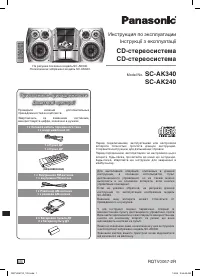 Panasonic SC-AK340
Manual
Panasonic SC-AK340
Manual
 Panasonic SC-AKX320E-K
User Manual
Panasonic SC-AKX320E-K
User Manual
 Panasonic SC-AKX320GSK
User Manual
Panasonic SC-AKX320GSK
User Manual
 Panasonic SC-BMAX3GN-K
User Manual
Panasonic SC-BMAX3GN-K
User Manual
 Panasonic SC-HC295GN-K
User Manual
Panasonic SC-HC295GN-K
User Manual
 Panasonic SC-HC300EG-K
User Manual
Panasonic SC-HC300EG-K
User Manual
 Panasonic SC-HC300EG-W
User Manual
Panasonic SC-HC300EG-W
User Manual
 Panasonic SC-HC302GN-K
User Manual
Panasonic SC-HC302GN-K
User Manual
 Panasonic SC-HC39
User Manual
Panasonic SC-HC39
User Manual
 Panasonic SC-HC40
Manual
Panasonic SC-HC40
Manual
 Panasonic SC-MAX9000GN
User Manual
Panasonic SC-MAX9000GN
User Manual
 Panasonic SC-PM86D
Manual
Panasonic SC-PM86D
Manual
 Panasonic SC-PMX5
Manual
Panasonic SC-PMX5
Manual
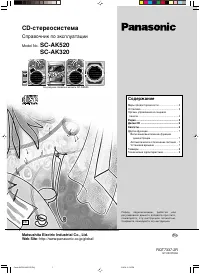 Panasonic SC-AK520
Manual
Panasonic SC-AK520
Manual
 Panasonic SC-VK660
Manual
Panasonic SC-VK660
Manual
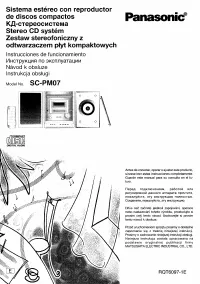 Panasonic SC-PM07
Manual
Panasonic SC-PM07
Manual
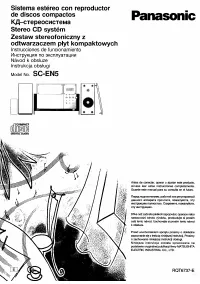 Panasonic SC-EN5
Manual
Panasonic SC-EN5
Manual