Page 2 - Dear customer; Table of contents; DATE OF PURCHASE
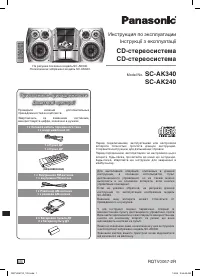
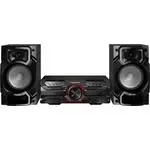
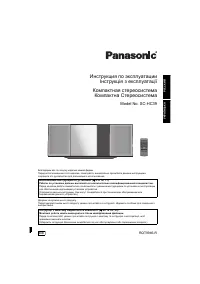
RQT6734 2 Dear customer Thank you for purchasing this product.For optimum performance and safety, please read these instructionscarefully. These instructions are applicable to the SC-EN5 and SC-EN53 stereosystems and the supplied RAPX0042 speakers. Supplied accessories .................................
Page 3 - Supplied accessories; Listening caution
RQT6734 3 Please check and identify the supplied accessories.Use numbers indicated in parentheses when askingfor replacement parts. (Only for U.S.A.)To order accessories contact 1-800-332-5368 orweb site (http://www.panasonic.com). Remote controltransmitter ....................... 1 pc.(EUR7101010) ...
Page 4 - IMPORTANT SAFETY INSTRUCTIONS
RQT6734 4 Read these operating instructions carefully before using the unit. Follow the safety instructions on the unit and the applicable safety instructionslisted below. Keep these operating instructions handy for future reference. 1) Read these instructions. 2) Keep these instructions. 3) Heed al...
Page 5 - Batteries; The remote control; Use
RQT6734 5 Batteries The remote control Placement of speakers Notes • Keep your speakers at least 10 mm ( 13 / 32 ˝) away from the system for proper ventilation. • These speakers do not have magnetic shielding. Do not place themnear televisions, personal computers or other devices easilyinfluenced by...
Page 6 - Before using; Preparation; AC adaptor; Speaker cords
Before using RQT6734 6 (4 Ω ) AM ANT Set-up Connect the AC adaptor only after all other connections have been made. Preparation Twist and pull off the vinyl tip of the speaker cords. 3 AC adaptor Use only the supplied speakers. The combination of the main unit and speakers provide the bestsound. Usi...
Page 7 - Display; Front panel controls
Before using RQT6734 7 1 Display 2 AUX button (AUX) ...................................................... 11 3 Tuner/band select button (TUNER/BAND) .............. 10 4 CD stop, CD lid open/close button ( L / c ) ................. 8 5 CD play/pause button ( CD : / J ) .................................
Page 8 - Cassette deck operations; Direct access play; ] to select the desired track; CDs; CD selection; Load a CD with the label facing outward.
RQT6734 Cassette deck operations 8 One touch play When a CD is loaded and the unit is off, press [CD : / J ]. The unit comes on and starts play. Note • During random play ( A page 9), you cannot skip to tracks which have already been played. • During program play or random play ( A page 9), you cann...
Page 9 - Repeat play and random play; Remote control only
RQT6734 Recording operations Cassette deck operations 9 Repeat play and random play Program play This function allows you to program up to 24 tracks. Remote control only Preparation: Press [CD : / J ] and then [ L ]. 1 (In the stop mode) Press [PGM/–CLEAR]. 2 Press [ g / ∂ ∂ ∂ ∂ ∂ ] or [ µ µ µ µ µ /...
Page 10 - The radio: manual tuning; Selecting channels; The radio: preset tuning
RQT6734 Cassette deck operations 10 The radio: manual tuning Manual pre-setting Remote control only Pre-set the stations one at a time. 1 Press [PGM/–CLEAR] then press [ g / ∂ ∂ ∂ ∂ ∂ ] or [ µ µ µ µ µ / f ] to tune to the required station. 2 Press [PGM/–CLEAR] then press [ g / ∂ ∂ ∂ ∂ ∂ ] or [ µ µ µ...
Page 11 - Setting the time; Sound quality; EQ; External unit connections; Using the built-in sound quality; -D sound with the Live Virtualizer; Listening to an external source; Using an external unit
Timer operations RQT6734 Reference 11 Setting the time Remote control only This is a 12-hour clock. 1 Press [ f f f f f ] to turn the unit on. 2 Press [CLOCK/TIMER ADJ] to select “CLOCK”. 3 Within 10 seconds Press [ g g g g g / ∂ ] or [ µ / f f f f f ] to set the time. Press and hold to change the t...
Page 12 - Timer operations; Using the sleep timer; Using the play timer; Using the timers
Timer operations RQT6734 12 To cancel the timer Press [TIMER ON/OFF] to clear the timer indicator from the display.The timer comes on at the set time everyday if the timer is on. To change the settings (when the unit is on) To change the play times Do steps 1, 2, 3 and 5. To change the source or vol...
Page 13 - Troubleshooting guide; Maintenance
Timer operations RQT6734 Reference 13 Troubleshooting guide Before requesting service, make the below checks. If you are in doubt about some of the check points, or if the remedies indicated in thechart do not solve the problem:In the U.S.A., contact the Panasonic Customer Call Center at 1-800-211-7...
Page 14 - Panasonic/Technics Audio Products; all Customer Service inquiries please contact:
Timer operations RQT6734 14 Panasonic/Technics Audio Products Limited Warranty Panasonic Consumer Electronics Company,Division of Matsushita Electric Corporation of America One Panasonic Way Secaucus, New Jersey 07094 Panasonic Sales Company, Division of Matsushita Electricof Puerto Rico, Inc. Ave. ...
Page 15 - Product Service; Product information; Specifications; Radio
Timer operations RQT6734 Reference 15 1. Damage requiring service —The unit should be serviced by qualified service personnel if:(a) The AC power supply cord or AC adaptor has been damaged; or(b)Objects or liquids have gotten into the unit; or(c) The unit has been exposed to rain; or(d)The unit does...
Page 16 - Panasonic Canada Inc.
Timer operations RQT6734 16 Panasonic Consumer ElectronicsCompany, Division of MatsushitaElectric Corporation of America One Panasonic Way Secaucus,New Jersey 07094 http://www.panasonic.com Panasonic Sales Company,Division of Matsushita Electric ofPuerto Rico, Inc. (“PSC”) Ave. 65 de Infantería, Km....