2 R Q TN 01 74 Safety precautions WARNING! Unit • To reduce the risk of fire, electric shock or product damage, – Do not expose this unit to rain, moisture, dripping or splashing. – Do not place objects filled with liquids, such as vases, on this unit. – Use only the recommended accessories.– Do not...
Page 3 - Troubleshooting; General; Specifications
3 R Q TN 01 74 Troubleshooting General Sound is distorted or no sound. • Adjust the volume.• Check and adjust the antenna.• Move the unit to another location and do a full scan again. • An AC mains lead or fluorescent light is near the cables. Keep other appliances and cords away from the cables of ...
4 R Q TN 01 74 Limited Warranty Panasonic Australia Pty. Limited ACN 001 592 187 ABN 83 001 592 187 1 Innovation Road, Macquarie Park NSW 2113 PRO-031-F11 Issue: 4.0 01-01-2011 If you require assistance regarding warranty conditions or any other enquiries, please visit the Panasonic Australia websit...
Page 5 - Overview of controls
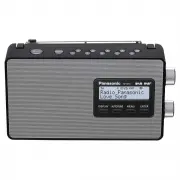
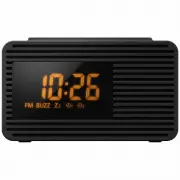
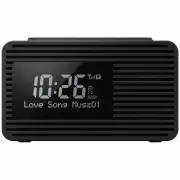
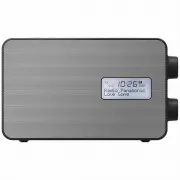
5 R Q TN 01 74 Overview of controls A Standby/on switch [ 1 ] Press to switch the unit from on to standby mode or vice versa. In standby mode, the unit is still consuming a small amount of power. B Select FM or DAB radio C Direct preset buttons D Adjust the volume E Select desired frequency in manua...
Page 6 - Power sources; Using the household mains socket; Getting started; DAB operation; Remove unavailable listed stations
6 R Q TN 01 74 Power sources Using the household mains socket Connect the AC mains lead firmly to the unit and the household mains socket. Note: • Do not use an AC mains lead from other equipment.• This unit consumes a small amount of power when it is in standby mode. Disconnect the power supply if ...
Page 7 - FM radio; Listening to a preset station
7 R Q TN 01 74 Listening to a station 1 Turn [ TUNE/SELECT ] to select a station from the station list. 2 Press [ENTER] to tune to the selected station. Note: “ ” indicates a secondary service station. Secondary service stations are always listed next to their primary station in the station list. Pr...
Page 8 - System settings; To view the System menu; To navigate around the menu
8 R Q TN 01 74 System settings █ To view the System menu When in DAB mode 1 Press [MENU]. 2 Turn [ TUNE/SELECT ] to select “System” and then press [ENTER]. When in FM mode Press [MENU]. █ To navigate around the menu Turn [ TUNE/SELECT ] to select an item or option. Press [ENTER] to confirm. Example:...