Page 3 - Table of Contents; Before Operation; Maintenance
Table of Contents Before Operation Safety Instructions.......................................................................................................................................1Installation and General Instructions ...........................................................................
Page 4 - Safety Instructions; Important Instructions; Earthing Instructions; WARNING
– 1 – Safety Instructions Precautions to be taken when usingMicrowave Ovens for Heatingfoodstuffs INSPECTION FOR DAMAGE. A microwave oven should only be used if an inspection confirms all of the following conditions:1. The door fits squarely and securely and opens and closes smoothly. 2. The door hi...
Page 5 - Installation and General Instructions; General Use; Placement of Oven; Circuits
Installation and General Instructions – 2 – General Use 1. In order to maintain high quality, do not operate the oven when empty. The microwave energy will reflectcontinuously throughout the oven if no food or wateris present to absorb energy, this can lead todamage to the microwave oven including a...
Page 6 - Microwaves and How They Work; Paper Products and Freezer Wrap; Straw, Wicker and Wood; Cookware and Utensils Guide
Microwaves and How They Work – 3 – Microwaves are a form of high frequency radio wavessimilar to those used by a radio, including AM, FMand CB. They are similar to a television where theradio waves are converted to a picture on the screen.However, microwaves are much shorter than radiowaves; approxi...
Page 7 - Plastics; Cookware and Utensil Chart
Cookware and Utensils Guide (continued) Plastics Plastic dishes, cups and some freezer containers should be used with care in a microwave oven.Choose plastic containers carefully, as some plasticcontainers may become soft, melt and may scorch.The majority of plastic dishes, even those designedfor us...
Page 8 - Feature Diagram; Oven Light
Feature Diagram – 5 – Oven Light Oven Light will turn on during cooking and also when door is opened. NOTE: The above illustration is for reference only. Flat Table 1. If the flat table is hot, allow cooling down before cleaning.2. Do not cook directly on the flat table. Always put the food in the c...
Page 9 - Control Panel; Word Prompters; Display Window
Control Panel – 6 – (1) (2)(3) (5) (13) (10) (14) (12) (8) (9) (4) (7)(6) (1) Display Window (2) Micro Power Button (pg.9) (3) Grill Button (pg.12) (4) Convection Button (pg.14-15) (5) Auto Reheat Button (pg.17) (6) Inverter Turbo Defrost Button (pg.10) (7) Combination Button (pg.13) (8) Auto Cook B...
Page 10 - Let’s Start To Use Your Oven!; Plug in; Set Time; Operation Guide in the Display Window
Let’s Start To Use Your Oven! – 7 – 1 Plug in Plug into a properly earthed electrical outlet. “WELCOME TO PANASONIC MICROWAVE OVENCOOKING” appears in the Display Window. (This will immediately cease when any pad is pressed.) 2 Open Door Open the door and place container with food on Flat Table in th...
Page 11 - To Set Clock; Press once.; To Use Child Safety Lock
To Set Clock – 8 – You can use the oven without setting the clock. 1 Press once. Colon will blink in Display Window. 2 Enter Time of Day Enter time of day using the Time/Weight Dial e.g. 12:35. Clock is a 12 hour display. There isn’t a.m. or p.m. setting. 3 Press once Colon stops blinking; time of d...
Page 12 - Micro Power and Time; Select Micro Power Level; Set Cooking Time
To Cook / Reheat / Defrost by Micro Power and Time – 9 – 1 Select Micro Power Level Press Micro Power Button until the desired power level appears in the Display Window.(see chart below) Note: When selecting High on the first stage, you can start from step 2. 2 Set Cooking Time Select the cooking ti...
Page 13 - Turbo Defrost; Select Inverter Turbo Defrost Button; Press; Defrost by Micro Power and Time Setting; To Defrost
Turbo Defrost This feature allows you to defrost meat, poultry and seafood automatically by just setting the weight of thefood. 1 Select Inverter Turbo Defrost Button The shape and size of the food will determine the maximum weight the oven can accommodate. Therecommended maximum weight of food depe...
Page 14 - Defrosting Tips and Techniques; Preparation for Freezing:; Defrosting Technique:
Defrosting Tips and Techniques – 11 – Preparation for Freezing: 1. Heavy-duty plastic wraps, bags and freezer wrap are suitable.2. Freeze meats, poultry and fish in packages with only 1 or 2 layers of food. To aid in separating layers, place two pieces of wax paper between them. 3. REMOVE ALL AIR an...
Page 15 - Select Grill Setting; To Cook on Grill by Time Setting
There are three grill setting modes. (1-High, 2-Medium, 3-Low)Directions for Grill Cooking: There are three power levels for grill. When grilling, heat is radiated from the two heater. The oven door mustbe kept closed to prevent cooking odours from spreading in the kitchen and so as not to waste ene...
Page 16 - To Cook on Combination by Time Setting; Select Combination Setting
– 13 – To Cook on Combination by Time Setting There are three combination setting modes. There is no need to set the temperature or theMicro Power Level.Directions for Combinations Cooking: The combination means that it is possible to combine the microwave and grill function for thawing, cooking,and...
Page 17 - To Cook on Convection by Time Setting
To Cook on Convection by Time Setting – 14 – This Pad offer a choice of convection temperatures 40 °C and 100 °C ~250 °C in 10 °C increments. For quickselection of the most commonly used cooking temperatures, the temperatures start at 150 °C and count up to250 °C then 40 °C and 100 °C. Without Prehe...
Page 18 - Ferment Setting (For proving yeast dough); Placement of Oven Tray
To Cook on Convection by Time Setting – 15 – Ferment Setting (For proving yeast dough) 1 Press to set 40 °C 2 Set ferment time Set desired ferment time by using Time/Weight Dial. (max. 9 hours) 3 Press The cooking time appears in the display window and begins to count down. Placement of Oven Tray Wh...
Page 19 - To Cook using the Recipe Store Button
This feature allows you to program 3 Stages of cooking continuously. E.g.: Continually set [Medium power] 2 minutes, [Combination High] 3 minutes and [Grill High] 2 minutes. NOTES: 1. When operating, two beeps will sound between each stage.2. This feature is not available for Turbo Defrost, Auto Coo...
Page 20 - To Reheat Food Using; Auto Reheat; INGREDIENT CONVERSION CHART
– 17 – To Reheat Food Using Auto Reheat 1 Press 2 Rotate Desired Weight Select the desired weight by turning the Time/Weight Dial until the desired food Weight appears in the Display Window. (see below chart) 3 Press Reheating time appears in the Display Window and begins to count down. For best res...
Page 21 - To Cook Food Using; Auto Cook Menu
This feature allows you to cook or reheat most of your favourite foods by setting the weight only. The ovendetermines the Microwave power level and/or Combination setting, then the cooking time automatically. Selectthe category of food and then just enter the weight. Only enter the weight of the foo...
Page 22 - Frozen Vegetables
– 19 – Auto Cook Menu 1. Fresh Vegetables (uses microwave only) Suitable for cooking a variety of fresh vegetables.Place prepared vegetables into a shallow container.Add 15 ml (1tbsp) of water per 100 g . Cover with pierced cling film or lid. Place the container on theFlat Table on the base of the o...
Page 24 - To Use as a Kitchen Timer; To Set Standing Time; To Set Delay Start; To Use Timer Button
To Use as a Kitchen Timer Press once. Set desired amount of time Press Start. by turning Time/Weight Dial. Time will count down (up to 1 hour and 30 minutes) without oven operating. To Set Standing Time Press once. Set desired amount of standing time Press Start. by turning Time/Weight Dial. Cooking...
Page 25 - Before Requesting Service; THESE THINGS ARE NORMAL
Before Requesting Service – 22 – THESE THINGS ARE NORMAL The oven causesinterference with my TV. Steam accumulates on theoven door and warm aircomes from the ovenvents. I accidentally ran mymicrowave oven withoutany food in it. There are humming andclicking noises from myoven when I cook usingCombin...
Page 26 - PROBLEM
Before Requesting Service – 23 – PROBLEM POSSIBLE CAUSE REMEDY Oven will not turn on. The oven is not plugged in Remove plug from outlet, wait securely. 10 seconds and re-insert. Circuit breaker or fuse is tripped or blown.There is a problem with the Plug another appliance into the outlet. outlet to...
Page 27 - Care of Your Oven
Care of Your Oven – 24 – Oven Door: Wipe with a soft cloth whensteam accumulates inside oraround the outside of the ovendoor. This may occur when themicrowave oven is operatedunder high humidity conditionsand in no way indicates amalfunction of the unit or ofmicrowave leakage. BEFORE CLEANING: Remov...
Page 28 - Technical Specifications
Technical Specifications – 25 – * IEC Test Procedure Specifications subject to change without notice.As for the voltage requirement, the production month, country and serial number, please refer to theidentification plate on the microwave oven. Power Supply: 230 - 240 V 50 Hz Power Consumption: Micr...
Page 29 - Panasonic Warranty; SHOULD BE RETAINED BY THE CUSTOMER AT ALL TIMES; please visit the; Panasonic Australia; website; Panasonic Australia Pty. Limited
Panasonic Warranty – 26 – 1. The product is warranted for 12 months from the date of purchase. Subject to the conditions of this warranty Panasonic or it's Authorised Service Centre will perform necessary service on the product without charge for parts or labour if, in theopinion of Panasonic, the p...
Page 30 - Quick Guide to Operation
Quick Guide to Operation – 27 – Feature How to Operate To Set: Display To Cancel: Display Press 3 times. Press 3 times. Select power. Set the cooking time. To Set / Cancel Child Safety Lock ( ☞ page 8) To Cook / Reheat / Defrost by MicroPower and TimeSetting ( ☞ page 9) To use Inverter Turbo Defrost...
Page 32 - Food Characteristics; Techniques for Preparation
– 29 – Microwave Recipe Preparation and T echniques Microwaves penetrate the surface of the food to adepth of about two to three centimetres and thenthe heat is gradually conducted in a random pattern.Some parts of food matter cook faster than others.Special microwave techniques are used to promote ...
Page 34 - Increasing & Decreasing Recipes; Cooking for One
– 31 – Microwave Recipe Preparation and T echniques Menu Planning for Microwave Cooking How to Keep Everything Hot at The Same Time Plan your meals so that the food will not all needlast minute cooking or attention at the same time.The special features of microwave cookery make iteasy to serve meals...
Page 35 - Reheat
– 32 – Reheat Reheating One of the most common uses for a microwaveoven is to reheat food. Your Panasonic microwaveallows you to either reheat by placing food into theoven and you choose the micro power level andlength of heating time or you may reheatautomatically by using the AUTO REHEAT buttonson...
Page 38 - Soups and Snacks
– 35 – Soups and Snacks P UMPKIN S OUP Å Å Serves: 4 Ingredients: 1 kg pumpkin, peeled and chopped 1 onion, diced 2 cups chicken stock 1 teaspoon curry powderpepper Method: Place pumpkin, onion and curry powder in a 2-litrecasserole dish. Cover and cook on High for 12minutes. Add chicken stock and p...
Page 40 - Fish and Shellfish; Cooking Fish and Shellfish by Micro power; Cooking Fish and Shellfish using Micro power
– 37 – Fish and Shellfish Directions for cooking fish by Auto Cook Å Å • Minimum weight 100 g / Maximum weight 400 g • Suitable for cooking whole fish and fish fillets.• Select fish suitable for microwave cooking and place in a single layer in a shallow dish, with skin-side down. • Add butter, spice...
Page 43 - Poultry and Eggs; Cooking Whole Poultry by Micro power; Cooking Poultry by Micro power
– 40 – Poultry and Eggs Season as desired, but salt after cooking. Browningsauce mixed with equal parts of butter will enhancethe appearance. Poultry must be unstuffed. Tie legs together withcotton string. Place on a microwave rack set in arectangular dish. Place poultry breast-side down:turn over h...
Page 48 - Meat; Cooking Tender Cuts of Meat by Micro power
– 45 – Meat Cooking Tender Cuts of Meat by Micro power For best results, select roasts that are uniform inshape. Place meat on a microwave rack in a suitable dish.Beef rib roast should be placed cut-side down. Otherbone-in roasts should be placed fat-side down.Boneless roasts should be placed fat-si...
Page 52 - egetables and Legumes; Cooking Fresh Vegetables by Micro power
– 49 – V egetables and Legumes Cooking Fresh Vegetables by Micro power Vegetables should be covered and cooked on High power for best results. Weights given are trimmed weights. APPROX. COOKING VEGETABLE QUANTITY COOKING PROCEDURE TIME (in minutes) on High Asparagus 250 g Covered dish with 1 ⁄ 4 cup...
Page 53 - Cooking Frozen Vegetables by Micro power; Cooking Dried Beans and Peas by
– 50 – V egetables and Legumes C OOKING F ROZEN V EGETABLES BY M ICRO P OWER Remove vegetables from package and place in anappropriate sized container. Vegetables frozen in apouch should be placed on a dish and the toppierced. Cook on High according to directions givenin chart. Vegetables should be ...
Page 54 - Root Vegetables
– 51 – V egetables and Legumes Root Vegetables • Minimum weight 250 g / Maximum weight 900 g • Suitable for cooking root vegetables such as potatoes, sweet potatoes, pumpkin, onions, swede,carrots, turnip and beetroot. • All vegetables should be trimmed or prepared and cut into even sized pieces. • ...
Page 57 - Rice, Pasta and Noodles; Cooking Rice by Micro power
– 54 – Rice, Pasta and Noodles Cooking Rice by Micro power Follow directions in chart for recommended dishsize, amounts of water and cooking time. Add rice towater. Add salt and butter according to packagedirections. Cook on High for time recommended in chart. Allow to stand, covered, before serving...
Page 58 - Cooking Pasta by Micro power
– 55 – Rice, Pasta and Noodles C HICKEN AND A SPARAGUS R ISOTTO Serves: 4 Ingredients: 300 g fresh asparagus, chopped 2 tablespoon olive oil 1 1 ⁄ 2 cups arborio rice 1 clove garlic, crushed 4 cups boiling chicken stock 2 cups coarsely chopped cooked chicken 1 ⁄ 4 cup grated fresh parmesan cheese 1 ...
Page 60 - Cooking Dried Noodles by Micro power
– 57 – Rice, Pasta and Noodles T ERIYAKI T OFU V EGETABLE N OODLES Serves: 4 Ingredients: 1 tablespoon sesame oil 350 g firm tofu, diced 1 onion, cut into petals 300 g stir fry vegetables 1 tablespoon hoisin sauce 1 tablespoon teriyaki sauce 85 g 2 minute noodles 2 cups boiling water Method: Place o...
Page 61 - Cakes, Desserts and Slices; Cooking Cakes by Micro power; Cooking Fruit by Micro Power
– 58 – Cakes, Desserts and Slices Cooking Cakes by Micro power • The texture of cakes cooked in the microwave oven is not the same as cakes cooked in a conventionaloven, but it is a convenient way of cooking cakes. • Do not use metal cake tins. Plastic dishes and pyrex, give the best results when co...
Page 68 - Sauces and Extras; Preserving Precautions
– 65 – Sauces and Extras Preserving Precautions Do not use your oven for home canning or theheating of any closed jar. Pressure will build up andthe jar may explode. In addition, the microwave ovencannot maintain the food at the correct canningtemperature. Improperly canned food may spoil andbe dang...
Page 70 - Bread and Pizza; To prove dough
– 67 – Bread and Pizza To prove dough Prove on CONVECTION 40 °C until doubled in size. The microwave is also useful for defrosting andwarming frozen bread products, taking individualslices or items from the freezer as required. S TANDARD /W HOLE B READ Makes 2 loaves or 12 rollsDish: 2 x 450 g loaf ...
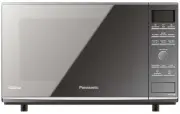


 Panasonic NE-1054F
User Manual
Panasonic NE-1054F
User Manual
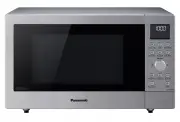 Panasonic NN-CD58JSQPQ
User Manual
Panasonic NN-CD58JSQPQ
User Manual
 Panasonic NN-CD87KS
User Manual
Panasonic NN-CD87KS
User Manual
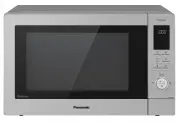 Panasonic NN-CD87KSQPQ
User Manual
Panasonic NN-CD87KSQPQ
User Manual
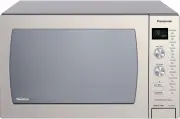 Panasonic NNCD997S
User Manual
Panasonic NNCD997S
User Manual
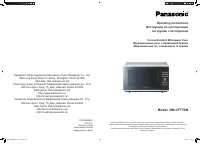 Panasonic NN-CF770M
User Manual
Panasonic NN-CF770M
User Manual
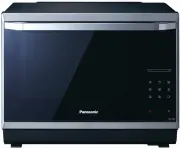 Panasonic NN-CF874BQPQ
User Manual
Panasonic NN-CF874BQPQ
User Manual
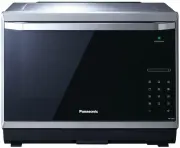 Panasonic NN-CS894SQPQ
User Manual
Panasonic NN-CS894SQPQ
User Manual
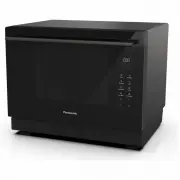 Panasonic NN-CS89LBQPQ
User Manual
Panasonic NN-CS89LBQPQ
User Manual
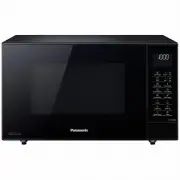 Panasonic NN-CT56MBQPQ
User Manual
Panasonic NN-CT56MBQPQ
User Manual
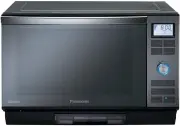 Panasonic NNDS592B
User Manual
Panasonic NNDS592B
User Manual
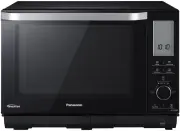 Panasonic NN-DS596BQPQ
User Manual
Panasonic NN-DS596BQPQ
User Manual
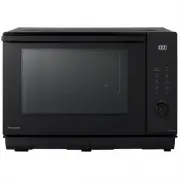 Panasonic NN-DS59NBQPQ
User Manual
Panasonic NN-DS59NBQPQ
User Manual
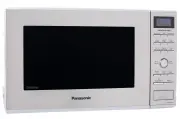 Panasonic NNGD682S
User Manual
Panasonic NNGD682S
User Manual
 Panasonic NN-GM230
User Manual
Panasonic NN-GM230
User Manual
 Panasonic NN-GM231W
User Manual
Panasonic NN-GM231W
User Manual
 Panasonic NN-GM342W
User Manual
Panasonic NN-GM342W
User Manual
 Panasonic NN-GM342WZPE
User Manual
Panasonic NN-GM342WZPE
User Manual