Page 3 - Table of Contents; Before Operation; Cooking Guide
– 3 – Table of Contents Before Operation Important Safety Instructions .......................................................................................................6-7 Installation and General Instructions .......................................................................................
Page 4 - Quick Guide to Operation
– 4 – Quick Guide to Operation Feature How to Operate To Set Clock ( page 14) Press twice. Press once. Set time of day. (Max 12:59) To Set/Cancel Child Safety Lock ( page 14) To set Press 3 times. Display. or To cancel Press 3 times. Display. To Cook/Defrost by on Micro Power by Time Setting ( page ...
Page 6 - Important Safety Instructions; READ CAREFULLY AND KEEP FOR FUTURE REFERENCE; Precautions To Be Taken When; Important Instructions; Circuits
– 6 – Important Safety Instructions READ CAREFULLY AND KEEP FOR FUTURE REFERENCE Precautions To Be Taken When Using Microwave Ovens For Heating Foodstuffs INSPECTION FOR DAMAGE: A microwave oven should only be used if an inspection con fi rms all of the following conditions: 1. The door fi ts square...
Page 7 - Earthing Instructions; WARNING; General Use
– 7 – Important Safety Instructions (continued) Earthing Instructions This microwave oven must be earthed. In the event of an electrical short circuit, earthing reduces the risk of electric shock by providing an escape wire for the electric current. This microwave oven is equipped with a cord having...
Page 8 - Installation and General Instructions; Placement of Oven; Building-in your oven; Food
– 8 – Installation and General Instructions (continued) Placement of Oven 1. The oven must be placed on a fl at, stable surface. For correct operation, the oven must have suf fi cient air fl ow. Allow more than 15 cm of space on the top of the oven, 10 cm at the back, and 5 cm on both sides. If one ...
Page 9 - Re; How to Test a Container for Safe; Paper Products and Freezer Wrap
– 9 – Microwaves and How They Work Cookware and Utensils Guide Microwaves are a form of high frequency radio waves similar to those used by a radio, including AM, FM and CB. They are similar to a television where the radio waves are converted to a picture on the screen. However, microwaves are much ...
Page 10 - Cookware and Utensils Guide; Plastics; Jars and Bottles; Straw, Wicker and Wood
– 10 – Cookware and Utensils Guide (continued) Plastics Plastic dishes, cups and some freezer containers should be used with care in a microwave oven. Choose plastic containers carefully, as some plastic containers may become soft, melt and may scorch. The majority of plastic dishes, even those desi...
Page 11 - Feature Diagram; Note
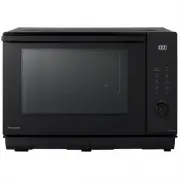
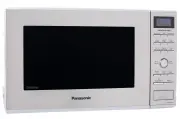
– 11 – Feature Diagram Door Safety Lock System Oven Window Oven window with vapor barrier film (do not remove) Oven Air Vent Menu Label Glass Tray a. DO NOT operate the oven without the Roller Ring and Glass Tray in place. b. Only use the Glass Tray spec...
Page 12 - Control Panel; Beep Sound
– 12 – Control Panel Start Pad One press allows oven to begin functioning. If door is opened or Stop/Reset pad is pressed once during oven operation, Start pad must again be pressed to restart oven. Display Window (Pg. 13) Stop/Reset Pad Before cooking: One press clears all your instructions. During...
Page 13 - Press
– 13 – Let’s Start To Use Your Oven! Display Window 1 Plug in. Plug into a properly earthed electrical outlet. “ ” appears in the display window, then you can start to operate. 2 Open Door. Open the door and place container with food in a dish on Glass Tray in the oven. Then close the door. 3 Select...
Page 14 - To Set Clock; To Use Child Safety Lock
– 14 – To Set Clock You can use the oven without setting the clock. 1 Press Twice. Colon will blink in the display window. 2 Enter Time of Day. e.g. 12:35 Enter time of day using Time Pads. 12 times 3 times 5 times Time appears in the display window, colon is blinking. Verify time of day in the disp...
Page 15 - To Cook on Micro Power by Time Setting
– 15 – To Cook on Micro Power by Time Setting 1 Press to Select Micro Power Level. Press Micro Power pad until your desired power level appears in the display window. (see chart below) Press Power Level Example Of Use once 1100 W (HIGH) Boil water. Reheat. Cook vegetables, rice, pasta and noodles. t...
Page 16 - To Defrost on Micro Power by Time Setting; To Defrost Using Turbo Defrost; Select Desired Weight.
– 16 – To Defrost on Micro Power by Time Setting This feature allows you to defrost meat, poultry and seafood by 300 W and time. 1 Press . Press 5 times to select 300 W. (Defrost power level, refer to page 15) 2 Set Defrosting Time. Set defrosting time by using Time pads. (up to 1 hour and 30 minute...
Page 17 - Tips for Turbo defrost
– 17 – To Defrost Using Turbo Defrost (continued) Tips for Turbo defrost Meat, which is with bones. For example, if the meat with bones has the same weight as the pure meat, the meat in the former one is lighter than the latter one. So, subtract 0.5 k g for 2 k g meat with bones is better for defros...
Page 18 - To Cook Using the Quick 30 Feature; Using the Add Time Feature
– 18 – To Cook Using the Quick 30 Feature Note 1. This feature is not available for Turbo Defrost, Beverage, Melt & Soften, Sensor Reheat and Sensor Cook menus . 2. The Add Time feature will not operate after 1 minute cooking.3. The Add Time feature can be used after the 3-stage cooking.4. The p...
Page 19 - To Use Sensor Reheat Feature
– 19 – To Use Sensor Reheat Feature Note 1. If desired, press More/Less/Weight pads to adjust the cooking time before pressing Start . 2. Reheating by Sensor is suitable for pre-cooked foods. There is a setting for frozen and refrigerator temperature or room temperature foods. It is suitable for cas...
Page 20 - To Use Beverage Feature
– 20 – To Use Beverage Feature Note 1. Use a microwave safe cup. Heated coffee/milk can erupt if not mixed with air. Do not heat coffee/ milk in your microwave oven without stirring before and halfway through heating. 2. Care must be exercised not to overheat coffee/milk when using the Beverage feat...
Page 21 - To Use Sensor Cook Menus; Press Desired Food Category Pad.
– 21 – To Use Sensor Cook Menus This feature allows you to cook foods without selecting time and power level . Only set desired menu number and Serving/Weight, the oven will cook your food automatically. 1 Press Desired Food Category Pad. Select and press the desired food category pad. Menu number w...
Page 25 - Feature; For best results on Melt & Soften, follow these recommendations:
– 25 – To Use Melt & Soften Feature ■ Chocolate: Remove wrapper and place chocolate into a microwave safe dish. Cook without cover. After heating, stir until completely melted. Note: Chocolate holds its shape even when softened. ■ Butter : Remove wrapper, cut butter into 3 cm cubes, and place in...
Page 27 - To Use Timer; To Use as a Kitchen Timer; To Set Delay Start
– 27 – To Use Timer This feature allows you to program standing after cooking is completed and to program the oven as a minute or a second timer or program delay start. To Use as a Kitchen Timer 1. Press once. 2. Set desired amount of time. (up to 99 minutes and 50 seconds) 3. Press Start. Time will...
Page 28 - Defrosting Chart
– 28 – Defrosting Chart The times given below are a guideline only. Always check the progress of the food by opening the oven door and then re-starting. For larger quantities adjust times accordingly. Food should not be covered during defrosting. Food Weight/Quantity Time & Mode Method Beef/Lamb...
Page 29 - Reheating Chart
– 29 – Reheating Chart The times given in the charts below are a guideline only, and will vary depending on starting temperature, dish size etc. Food Weight/ Quantity Time & Mode Method Drinks-Coffee-Milk Coffee 1 mug 235 ml 1100 W 1 min 30 secs Stir before, and after reheating. Coffee 2 mugs 47...
Page 30 - Cooking Chart
– 30 – Cooking Chart Food Weight/Quantity Time & Mode Method Beans & Pulses-should be pre-soaked (except lentils) Chick peas 225 g 1100 W 8 mins then 440 W 15-20 mins Use 600 ml (1 pt) boiling water in a large bowl. Cover. Stir halfway. Lentils 225 g 440 W 35-40 mins Red kidney beans 225 g 1...
Page 31 - Before Requesting Service; THESE THINGS ARE NORMAL; PROBLEM
– 31 – Before Requesting Service THESE THINGS ARE NORMAL The oven causes interference with my TV. Some radio, TV, Wi-Fi, cordless telephone, baby monitor, blue tooth or other wireless equipment interference might occur when you cook with the microwave oven. This interference is similar to the interf...
Page 32 - Care of your Microwave Oven
– 32 – Care of your Microwave Oven Turn the oven off and remove the power plug from the wall socket before cleaning. The outside oven surfaces should be cleaned with a damp cloth. To prevent damage to the operating parts inside the oven, water should not be allowed to seep into the ventilation openi...
Page 34 - Panasonic Warranty
– 34 – Panasonic Warranty (For Australia) F0003CA00QP_OI_07_180507.indd 34 2018/5/8 14:00:57
Page 39 - Reheat
– 39 – Reheat Converting Recipes from Other Sources When the recipe is written with a wattage different than your oven, adjust the cooking time by approxi- mately 10% per 100 watts, e.g. 6 minutes would be adjusted by 36 seconds. Alternately, adjust the power level by one level. If your wattage is h...
Page 42 - Soups and Snacks
– 42 – Soups and Snacks P UMPKIN S OUP Serves: 4 Ingredients: 1 kg diced pumpkin 1 onion, diced 2 cups chicken stock 1 teaspoon curry powder pepper Method: Place pumpkin, onion and curry powder in a 2-litre casserole dish. Cover and cook on 1100 W for 12 minutes. Add chicken stock and pepper. Cook o...
Page 46 - Poultry and Eggs
– 46 – Poultry and Eggs Season as desired, but salt after cooking. Browning sauce mixed with equal parts of butter will enhance the appearance. Poultry must be unstuffed. Tie legs together with cot- ton string. Place on a microwave rack set in a rectan- gular dish. Place poultry breast-side down: tu...
Page 50 - Main Fare Meats
– 50 – Main Fare Meats Cooking Tender Cuts of Meat using Micro Power For best results, select roasts that are uniform in shape. Place meat on a microwave rack in a suitable dish. Beef rib roast should be placed cut-side down. Other bone-in roasts should be placed fat-side down. Boneless roasts shoul...
Page 54 - Vegetables and Legumes
– 54 – Vegetables and Legumes Cooking Fresh Vegetables By Micro Power Place vegetables in a casserole dish. Add 2 to 3 tablespoons of water per 500 g of vegetables. Add salt to water or add after cooking. Do not place salt directly on vegetables. Cover dish with glass lid or plastic wrap. Cook on 11...
Page 60 - Rice, Pasta and Noodles
– 60 – Rice, Pasta and Noodles Cooking Rice by Micro power Follow directions in chart for recommended dish size, amounts of water and cooking time. Add rice to water. Add salt and butter according to package directions. Cook on 1100 W for time recommended in chart. Allow to stand, covered, before se...
Page 64 - Cakes, Desserts and Slices
– 64 – Cakes, Desserts and Slices S ULTANA C AKE Serves: 4 to 6 Ingredients: 100 g butter 1 cup sultanas 1 cup brown sugar 1 cup milk 1 egg, beaten 2 cups self-raising fl our Method: Place butter, sultanas, brown sugar and milk in heat resistant mixing bowl. Cook on 1100 W for 3 to 4 minutes. Stir h...
Page 70 - Sauces and Extras
– 70 – Sauces and Extras B ASIC W HITE S AUCE Makes: 1 cup Ingredients: 2 tablespoons butter 2 tablespoons fl our salt and white pepper 1¼ cups milk Method: Place butter in a 4-cup jug. Cook on 1100 W for 30 to 40 seconds. Stir in fl our, salt and pepper. Gradually add milk, stirring until smooth. C...