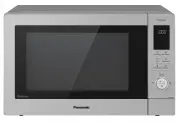
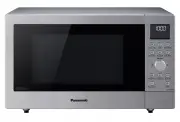
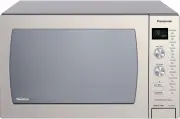
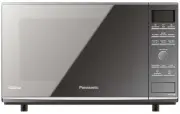
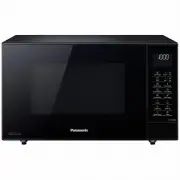
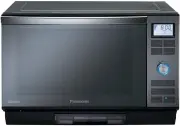
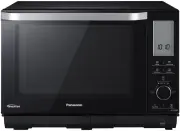
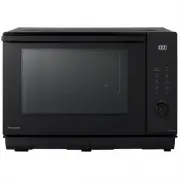
Page 3 - Table of Contents; Before Operation
– 3 – Table of Contents Before Operation Important Safety Instructions ........................................................................................................................ 8-9 Installation and General Instructions .....................................................................
Page 4 - Quick Guide to Operation
– 4 – Quick Guide to Operation Feature How to Operate To Set/Cancel Child Safety Lock )page 17( Key appears in the display window. To set: Display: Press 3 times NN-CD58JS Press 3 times NN-CD58JS To Cancel: Display: Colon or time of day appears in the display window To Set Clock )page 18( Press twic...
Page 8 - Important Safety Instructions; Caution! Hot surfaces; Important Instructions; READ CAREFULLY AND KEEP FOR FUTURE REFERENCE
– 8 – Important Safety Instructions Precautions to be taken when using Microwave Ovens for Heating Foodstuffs INSPECTION FOR DAMAGE: A microwave oven should only be used if an inspection confirms all of the following conditions:1. The grille is not damaged or broken.2. The door fits squarely, secure...
Page 9 - WARNING; Circuits
– 9 – WARNING a( The door seals and door seal areas should be cleaned with a damp cloth. The appliance should be inspected for damage to the door seals and door seal areas and if these areas are damaged the appliance should not be operated until it has been repaired by a qualified service technician...
Page 10 - Installation and General Instructions; General Use; Placement of the Oven
– 10 – Installation and General Instructions General Use 1. In order to maintain high quality, do not operate the oven when empty. The microwave energy will reflect continuously throughout the oven if no food or water is present to absorb energy. This can lead to damage to the microwave oven includi...
Page 11 - Microwaves and How They Work
– 11 – Installation and General Instructions (continued) 4. Potatoes, apples, egg yolks, chicken wings, whole squash and sausages are examples of foods with nonporous skins. This type of food must be pierced before cooking, to prevent bursting. 5. When heating liquids, e.g. soup. sauces and beverage...
Page 12 - Cookware and Utensils Guide
– 12 – Cookware and Utensils Guide It is important to use the correct container when cooking in a microwave oven. The following will help you make the right selection. How to Test a Container for Safe Microwave Oven Use TO TEST A CONTAINER FOR SAFE MICROWAVE OVEN USE : Fill a 1-cup glass measure wit...
Page 13 - Cookware and Utensil Chart
– 13 – Cookware and Utensil Chart Microwave Grill Convection Combination Combi 1 (Grill + Microwave) Combi 2/3/4/5 (Convection + Microwave) Enamel tray )oven accessories( no yes yes yes yes Wire rack )oven accessories( no yes yes yes yes Aluminium foil for shielding yes yes for shielding for shieldi...
Page 14 - Feature Diagram; Notes
– 14 – Feature Diagram Door Release Button Push to open the door. Opening the door during cooking will stop the cooking process without cancelling the program. Cook resumes as soon as the door is closed and Start Button is pressed. It is quite safe to open the door at any time during a cooking pro...
Page 15 - Control Panel; Beep Sound
– 15 – Control Panel Notes If an operation is set and Start button is not pressed, after 6 minutes, the oven will automatically cancel the operation. This display will revert back to clock or colon mode. Beep Sound When a button is pressed correctly, a beep sound will be heard. If a button is presse...
Page 17 - Let’s Start To Use Your Oven!
– 17 – 1. Plug in. Plug into a properly earthed electrical outlet. "REFER TO OPERATING INSTRUCTIONS BEFORE USE" will appear in the display window, then you can start to operate. 2. Press NN-CD58JS twice to set clock. Set clock as a 12 hour clock. Turn dial to select the time, then press Time...
Page 18 - To Set Clock; Operation Guide Setting
– 18 – To Set Clock 1. Press NN-CD58JS twice. “SET TIME” will appear in the display window, and the colon starts to blink. 2. Turn dial. Enter the time by turning the dial. The time appears in the display. 3. Press NN-CD58JS . The colon stops blinking. Time of day is now locked into the display. Not...
Page 19 - Cooking Modes
– 19 – Cooking Modes The diagrams shown below are examples of the accessories. It may vary depending on recipe/dish used. Further information can be found in the Cooking Guide section. Cooking Modes Uses Recommended Accessories Containers MICROWAVE • Defrosting. • Reheating. • Melting: butter, choco...
Page 20 - Micro Power by Time Setting; Oven Accessories to Use
– 20 – To Cook/Reheat/Defrost on Micro Power by Time Setting This feature allows you to set the desired power and time for cooking by yourself. 1. Open Door. Open the door and place container with food on the glass tray. Then close the door. 2. Press NN-CD58JS . Press this button until the power you...
Page 21 - Defrosting Using Defrost Microwave and Time
– 21 – Defrosting Using Defrost Microwave and Time Select Defrost microwave. The times given below are a guideline only. Always check the progress of the food by opening the oven door and then re-starting.For larger quantities adjust times accordingly. Food should not be covered during defrosting. F...
Page 22 - To Defrost Using Turbo Defrost; Press the dial to confirm the program selection.
– 22 – To Defrost Using Turbo Defrost This feature allows you to defrost meat, poultry and seafood automatically by just setting the weight. The serving/weight is 0.1 kg to 3.0 kg . The weight can be programmed in grams. The weight starts from the minimum weight. 1. Turn . Select the desired program...
Page 23 - Defrosting Guidelines; To Use the Add Time Feature
– 23 – To Defrost Using Turbo Defrost (continued) Defrosting Guidelines For Best Results:1. Place foods in a suitable container. Meat joints and chickens should be placed on an upturned saucer or on a plastic rack if you have one. 2. Check food during defrosting, as foods vary in their defrosting sp...
Page 24 - To Cook on Grill by Time Setting
– 24 – To Cook on Grill by Time Setting The grill system on the oven gives fast efficient cooking for a wide variety of foods e.g. chops, sausages, steaks, toast, etc. There are 3 different grill settings available. The glass tray must always be in position when using the oven. 1. Press NN-CD58JS . ...
Page 26 - To Cook on Convection by Time Setting; Without Preheating:
– 26 – To Cook on Convection by Time Setting Your microwave oven can be used in convection mode which incorporates a heating element with a fan. For best results always place food in a preheated oven. The enamel tray must be on the glass tray when preheating. Without Preheating: 1. Press NN-CD58JS ....
Page 28 - To Cook on Combination by Time Setting
– 28 – To Cook on Combination by Time Setting Your oven has two methods of cooking by Combination.1. Grill and Microwave )preheat is not possible(2. Convection and Microwave )with and without preheat( Combination cooking is ideal for many foods. The microwave power cooks them quickly, whilst the con...
Page 32 - To Use Timer; To Set Kitchen Timer.; To Set Standing Time:
– 32 – To Use Timer (Kitchen Timer/Standing Time/Delay Start) This feature allows you to program the oven as a kitchen timer. It can be also used to program a stand time after cooking is completed or to program a delay start. To Set Kitchen Timer. NN-CD58JS Set desired amount of time by using the di...
Page 34 - One Push Reheating; How it works
– 34 – One Push Reheating This unique feature ‘the Genius’ built in sensor allows you to reheat a chilled meal with one push of the dial. It is not necessary to select the power level or cooking time. The built-in sensor measures the humidity of the food and calculates the microwave power level toge...
Page 35 - Auto Weight Program Setting; Auto Programs without Preheating
– 35 – One Push Reheating (continued) Notes 1. This feature is not suitable for foods that cannot be stirred eg. lasagne / shepherds pie.2. Do not reheat bread or pastry products )raw or uncooked(, or beverages. 3. The oven automatically calculates the reheating time or the remaining reheating time....
Page 36 - Auto Programs with Preheating
– 36 – Auto Weight Program Setting (continued) This feature allows you to cook or reheat foods by setting the weight only. The oven determines the Microwave power level and/or Convection and/or Combination setting, then the cooking time automatically. Select the category of food and then just enter ...
Page 37 - Auto Weight Programs; Minimum/Maximum Weights for Auto Weight Programs
– 37 – Auto Weight Programs Minimum/Maximum Weights for Auto Weight Programs Program Minimum weight Maximum weight 2. Tea/Coffee 200 g 400 g 3. Milk/ Hot Chocolate/ Milky Coffee 200 g 600 g 4. Soup 200 g 1000 g Program Minimum weight Maximum weight 5. Baguette/Crusty Rolls 100 g 500 g 6. Croissants ...
Page 38 - Auto Weight Beverage Programs Setting; Milky Coffee; Re-Bake Bread Programs; Rolls
– 38 – Auto Weight Beverage Programs Setting 2. Tea/Coffee For reheating one beverage with a fixed weight of 200 g or two beverages of 200 g each from room temperature eg. tea, coffee or hot chocolate. Turn dial to select program 2, Tea/Coffee. Press the dial to confirm the program. Select 200 g for...
Page 39 - Junior menu programs
– 39 – Junior menu programs The Junior Menu offers a range of programs catering for babies, toddlers and older children - great for time saving and convenience. The fruit and vegetable purées are ideal first foods for weaning babies. Homemade purées taste like real food and cost less than jars or pa...
Page 40 - Auto Combi/Roast Programs Setting; Frozen Potato Products
– 40 – Auto Combi/Roast Programs Setting 22. Frozen Pizza + For reheating and browning frozen, purchased pizza. Turn the dial to select program 22, Frozen Pizza. Press the dial to confirm the program. Remove all packaging and place pizza on wire rack on enamel tray on glass tray. Turn the dial to en...
Page 41 - Auto Sensor Programs; Adjust to Taste
– 41 – Auto Sensor Programs This feature allows you to cook or reheat foods without entering the weight. The built-in sensor measures the humidity of the food and calculates the recommended microwave power level together with a suggested cooking time. How it works Once the food has been selected and...
Page 43 - Frozen Vegetables
– 43 – Auto Sensor Programs (continued) 7. Fresh Vegetables To cook fresh vegetables. Place prepared vegetables into a suitable sized container.Sprinkle with 1 tbsp water per 100 g vegetables. Cover with cling film. Pierce cling film with a sharp knife once in the centre and four times around the ed...
Page 45 - Before Requesting Service; ALL THESE THINGS ARE NORMAL:
– 45 – Before Requesting Service ALL THESE THINGS ARE NORMAL: The oven causes interference with my TV. Some radio, TV, Wi-Fi, cordless telephone, baby monitor, blue tooth or other wireless equipment interference might occur when you cook with the oven. This interference is similar to the interferenc...
Page 46 - PROBLEM
– 46 – Before Requesting Service (continued) PROBLEM POSSIBLE CAUSE REMEDY Oven will not turn on. The oven is not plugged in securely. Remove plug from outlet, wait 10 seconds and re-insert. Circuit Breaker or fuse is tripped or blown. Reset circuit breaker or replace fuse. There is a problem with t...
Page 47 - Care of your Microwave Oven
– 47 – Care of your Microwave Oven Turn the oven off and remove the power plug from the wall socket before cleaning. If steam accumulates inside or around the outside of the oven door, wipe with a soft cloth. This may occur when the microwave oven is operated under high humidity conditions and in no...
Page 48 - Technical Specifications
– 48 – Technical Specifications Model NN-CD87KS Power Supply: 230 - 240 V, 50 Hz Power Consumption*: Microwave 4.8 A 1110 W Grill 5.7 A 1350 W Combination 8.9 A 2130 W Convection 5.7 A 1350 W Power Requirement: (Maximum) 2130 W Output power*: Microwave 1000 W Grill 1300 W Convection 1300 W Outside D...
Page 49 - Panasonic Warranty