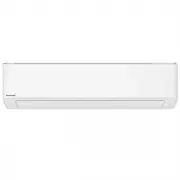
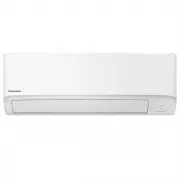
Page 2 - Quick Guide; Flexibility to connect; Inserting the batteries; • Press; for
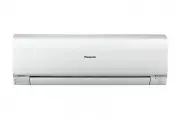
2 A new built-in Network Adaptor that allows you to control your air conditioner unit operation from anywhere. Use the remote control within 8 m from the remote control receiver on the indoor unit. Quick Guide Flexibility to connect Single Split System or Multi Split System Air Conditioner to suit y...
Page 3 - Table of Contents; Accessories; Basic operation; POWER; English
3 Table of Contents Safety Precautions …… 4-11 How to Use ………………… 12-14 To Learn More... ……… 15-16 Cleaning the Air Conditioner ……………… 17 Troubleshooting ………… 18-21 Information………………… 22 Accessories • Remote control• AAA or R03 batteries × 2• Remote control holder• Screws for remote control holder ×...
Page 4 - Safety Precautions; WARNING; Remote control
4 Safety Precautions To prevent personal injury, injury to others or property damage, please comply with the following: Incorrect operation due to failure to follow instructions below may cause harm or damage, the seriousness of which is classi fi ed as below: This appliances is not intended for acc...
Page 5 - Power supply; CAUTION
5 Power supply Do not use a modi fi ed cord, joint cord, extension cord or unspeci fi ed cord to prevent overheating and fi re. To prevent overheating, fi re or electric shock: • Do not share the same power outlet with other equipment. • Do not operate with wet hands. • Do not over bend the power su...
Page 6 - Indoor unit and outdoor unit
6 Safety Precautions WARNING This appliance is fi lled with R32 (mild fl ammable refrigerant). If the refrigerant is leaked and exposed to an external ignition source, there is a risk of fi re. Indoor unit and outdoor unit The appliance shall be installed, and/or operated in a room with fl oor area ...
Page 12 - How to Use
12 How to Use To adjust air fl ow direction To adjust air fl ow direction Upper direction Lateral direction • Do not adjust the fl ap by hand. * For details operation, refer “To Learn More....” POWERFUL/ ECO nanoeX Indicators POWER TIMER nanoeX FAN SPEED: • When FAN AUTO is selected, the fan speed i...
Page 13 - To switch between POWERFUL/ECO; (4°F) from the set temperature to accelerate the room cooling effect.; To reach the desired temperature quickly; the indicator brightness has been manually dimmed.; To maximise comfort while sleeping
13 See "To Learn More..." for details. POWERFUL:To reach the desired temperature quickly • This operation is automatically stop after 20 minutes. ECO: • To reduce power consumption for better energy saving without sacri fi cing comfort. • ECO function cannot be activated during iAUTO-X mode....
Page 14 - To set the timer; Note
14 How to Use To set the timer You can set the timer to turn on and off the unit at 2 different preset time. • To cancel the timer, press or to select the respective setting or , then press . • If the timer has been cancelled manually or due to power failure, you can restore the timer again. Press o...
Page 15 - To
15 Energy saving temperature setting You may save energy when operating the unit within the recommended temperature range. HEAT : 20.0 °C ~ 24.0 °C / 68 °F ~ 75 °F. COOL: 26.0 °C ~ 28.0 °C / 79 °F ~ 82 °F. Air fl ow direction In COOL/DRY mode: The horizontal fl ap swings up/down automatically. Once ...
Page 16 - Operating conditions
16 To Learn More... Operating conditions Use this air conditioner in the temperature range indicated in the table. Temperature °C (°F) Indoor Single split outdoor unit * 1 Multi split outdoor unit * 2 DBT WBT DBT WBT DBT WBT COOL Max. 32 (89.6) 23 (73.4) 46 (114.8) 26 (78.8) 46 (114.8) 26 (78.8) Min...
Page 17 - Cleaning the Air Conditioner; Air; Indoor unit
17 Cleaning the Air Conditioner nanoeX Aluminium fi n Front panel Air fi lters Cleaning has to be carried out at regular intervals to ensure the unit is at optimal performance. A dirty unit may cause malfunction and you may retrieve “H 99” error code. Consult an authorised dealer. • Before cleaning,...
Page 18 - Troubleshooting; The following symptoms do not indicate malfunction.; Symptom
18 Troubleshooting The following symptoms do not indicate malfunction. Symptom Cause POWER indicator blinks before the unit is switched on. • This is the preliminary step to prepare for the TIMER operation after it has been set.When Timer is set ON, the unit may start earlier (up to 35 minutes) befo...
Page 19 - Check the following before calling for servicing.; roubleshooting
19 Check the following before calling for servicing. Symptom Check Operation in HEAT/COOL mode is not workingef fi ciently. • Set the temperature correctly.• Close all doors and windows.• Clean or replace the fi lters. • Clear any obstruction at the air inlet and air outlet vents. Noisy during opera...
Page 20 - The remote control is missing or a malfunction has occurred; The indicators are too bright
20 Troubleshooting When... ■ The remote control is missing or a malfunction has occurred AUTO OFF/ON ( Structure of the unit may vary depending on the model) 1. Raise the front panel. 2. Press AUTO OFF/ON once to use in AUTO mode. 3. Press AUTO OFF/ON until you hear 1 beep, then release to use in fo...
Page 21 - How to retrieve error codes
21 How to retrieve error codes If the unit stops and the TIMER indicator blinks, use the remote control to retrieve the error code. Press for 5 seconds Press for 5 seconds to quit checking 1 3 Press until you hear beep sound, then write down the error codeTurn the unit off and inform the error code ...
Page 22 - Information; Pb
22 Information Information for Users on Collection and Disposal of Old Equipment and used Batteries [Information on Disposal in other Countries outside the European Union] These symbols are only valid in the European Union. If you wish to discard these items, please contact your local authorities or...
Page 23 - Memo
Page 24 - Panasonic Corporation
Printed in Malaysia Panasonic Corporation 1006 Kadoma, Kadoma City,Osaka, Japan Website: http://www.panasonic.com © Panasonic Corporation 2021 ACXF55-31440 SS0621-0