Panasonic CSCUS12PKR - User Manual
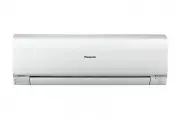
Panasonic CSCUS12PKR Air Conditioner – User Manual, read for free online in PDF format. We hope this helps you resolve any issues you may have. If you have further questions, please contact us through the contact form.


Table of Contents:
- Page 2 – Quick guide; Inserting the batteries; POWER
- Page 3 – English; Table of contents
- Page 4 – Safety precautions; WARNING; Remote control
- Page 5 – CAUTION
- Page 6 – How to use; To adjust horizontal airfl ow direction; To select operation mode; To select fan speed
- Page 7 – To adjust airfl ow direction; Note; To set the timer; Select ON or OFF timer
- Page 9 – Cleaning instructions; Remove the front panel; Air fi lters; Remove air fi lter; Anti-bacterial fi lter; Indoor unit; To
- Page 10 – The following symptoms do not indicate malfunction.; Check the following before calling for servicing.; Symptom; Troubleshooting; NON SERVICEABLE CRITERIAS
- Page 11 – Information; Pb
- Page 12 – Printed in Malaysia; Panasonic Corporation; © Panasonic Corporation 2013
English
Model No.
Indoor Unit
Outdoor Unit
CS-S9PKR
CS-S12PKR
CS-S18PKR
CS-S24PKR
CS-S28PKR
CU-S9PKR
CU-S12PKR
CU-S18PKR
CU-S24PKR
CU-S28PKR
Operating Instructions
Air Conditioner
F569363
Operating Instructions
Air Conditioner
Thank you for purchasing Panasonic Air Conditioner.
Installation instructions attached.
Before operating the unit, read these operating
instructions thoroughly and keep them for future
reference.
"Loading the manual" means you need to wait until the file loads and becomes available for online reading. Some manuals are very large, and the time they take to appear depends on your internet speed.
Summary
2 Quick guide Inserting the batteries 1 Pull out the back cover of remote control 2 Insert AAA or R03 batteries (can be used ~ 1 year) 3 Close the cover Clock setting 1 Press CLOCK 2 Set the time 3 Confi rm Basic operation 1 Select the desired mode FAN AUTO COOL DRY 2 Start/stop the operation POWER ...
3 English Table of contents Safety precautions ................................ 4-5 How to use............................................ 6-7 To learn more... ...................................... 8 Cleaning instructions ............................... 9 Troubleshooting ..............................
4 Safety precautions To prevent personal injury, injury to others or property damage, please comply with the following: Incorrect operation due to failure to follow instructions below may cause harm or damage, the seriousness of which is classi fi ed as below: WARNING This sign warns of death or ser...


