Oregon Scientific BAR339DP - Manuals
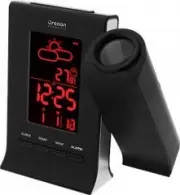
Manual Oregon Scientific BAR339DP


Summary
2 E N OVERVIEW FRONT VIEW 1. SNOOZE : Activate snooze alarm; turn on backlight; flip projected image 180º 2. Weather forecast 3. Outdoor remote sensor battery low 4. Radio controlled clock reception icon 5. PM: Indicates PM (12 hour mode) 6. Indicate alarm time is displayed 7. Indicate daily alarm is...
4 E N • Plug AC/DC adaptor into socket. Make sure the adapter is not obstructed and is easily accessible to the unit. To completely disconnect from power, the adapter should be disconnected from the main unit. NOTE The main unit and adapter should not be exposed to wet conditions. No objects filled w...
8 E N SPECIFICATIONS MAIN UNIT TYPE DESCRIPTION L x W x H 142 x 42 x 158 mm(5.59 x 1.65 x 6.22 in) Weight 270g (9.52 oz) without battery Power 5V AC adaptor2 x CR2032 batteries (for backup) REMOTE RF CLOCK THERMO SENSOR TYPE DESCRIPTION L x W x H 64 x 25 x 98 mm (2.52 x 0.98 x 3.86 in) Weight 80 g (...