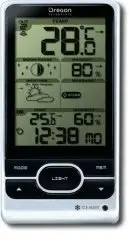
Page 2 - MODE; deactivate clock reception signal; M E M; : V i e w c u r r e n t , m a x i m u m a n d m i n i m u m; LIGHT; : Activate backlight for 5 seconds
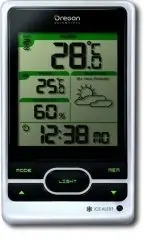
2 E N OVERVIEWFRONT VIEW (FIG 1) 1. Remote sensor reception indicator2. Moon phase reading3. Weather forecast4. Indoor temperature with temperature trend5. Clock signal reception indicator6. MODE : Change settings / display 7. / : Increase / decrease settings; activate / deactivate clock reception s...
Page 3 - : Reset unit to default settings; Wall mount hole; RESET; hole; CHANNEL; switch; RESET; after each battery change.
3 E N BACK VIEW (FIG 2) 1 2 3 1. °C / °F : Select temperature unit 2. EU / UK : Select the nearest radio signal 3. RESET : Reset unit to default settings REMOTE SENSOR (FIG 3) 1. LED status indicator2. Wall mount hole 3. Battery compartment 4. RESET hole 5. CHANNEL switch GETTING STARTEDINSERT BATTE...
Page 5 - MANUALLY SET CLOCK
5 E N ICON DESCRIPTION Main unit is searching for sensor(s). A channel has been found. The sensor cannot be found. TIP The transmission range may vary depending on many factors. You may need to experiment with various locations to get the best results. CLOCK CLOCK RECEPTION This product is designed ...
Page 7 - Star icons around the moon phase will be displayed; BACKLIGHT
7 E N WEATHER TRENDS The temperature, humidity and pressure trend icons are based on recent sensor readings. RISE STEADY FALL MOON PHASE In moon phase mode, press or to scan through the years (2001 to 2099). New Moon Full Moon Waxing Crescent Waning Gibbous First quarter Last quarter Waxing Gibbous ...
Page 8 - NOTE; SPECIFICATIONS; TYPE; ABOUT OREGON SCIENTIFIC; COUNTRIES RTTE APPROVAL COMPLIED; All EC countries, Switzerland
8 E N NOTE The technical specifications for this product and the contents of the user manual are subject to change without notice. SPECIFICATIONS TYPE DESCRIPTION MAIN UNIT L x W x H 94 x 51 x 182.5 mm (3.70 x 2.01 x 7.19 in) Weight 241 g (8.5 oz) without battery Temperature range -5°C to 50°C (23°F ...