Page 2 - Checking the contents of the box; Step; Preparing the Camera; Step; Shooting and Playing Back Images; Step; How to Use the Camera; Step; Printing; Contents
2 EN Step 1 Other accessories not shown: warranty cardContents may vary depending on purchase location. Checking the contents of the box LI-42B Lithium Ion Battery USB cable OLYMPUS Setup CD-ROM F-2AC USB-AC adapter or Step 2 Preparing the Camera “Preparing the Camera” (p. 12) Step 3 Shooting and Pl...
Page 3 - Camera Settings; Using the Direct Buttons; Arrow pad
3 EN Camera Settings Using the Direct Buttons Using the Direct Buttons Frequently used functions can be accessed using the direct buttons. Shutter button (p. 20) Zoom buttons (p. 21) q button (switch between shooting and playback) (p. 20, 22) m button (p. 5) E button (menu guide) (p. 25) Arrow pad H...
Page 4 - Function menu; To select the shooting mode; PROGRAM AUTO; Shooting
4 EN Using the Menu Using the Menu Use the menu to change camera settings such as the shooting mode. There may be menus that are unavailable depending on other related settings or the s mode (p. 26). Function menu Function menu Press the H button during shooting to display the function menu. The fun...
Page 5 - Setup menu
5 EN 1 Press the m button. The setup menu is displayed. DIGITAL ZOOM OFF AF MODE FACE/iESP MENU OK SET EXIT 1 2 DATE STAMP ICON GUIDE ON OFF RESET RESET COMPRESSION NORMAL 2 Press H to highlight the page tabs. Use FG to select the desired page tab and press I . 1 MENU OK SET EXIT POWER SAVE OFF VIDE...
Page 6 - Menu Index; Menus for Shooting Functions; Shooting mode
6 EN Menu Index Menus for Shooting Functions 1 Shooting mode P (PROGRAM AUTO) ......p. 19 M (iAUTO) ...................p. 26 N (DIS MODE) ..............p. 26 s (SCENE MODE) .....p. 26 P (MAGIC FILTER) ....p. 28 ~ (PANORAMA) ..............p. 29 A (MOVIE) ......................p. 20 2 Flash .............
Page 7 - Menus for Playback, Editing, and Printing Functions; KEEP; Menus for Other Camera Settings
7 EN Menus for Playback, Editing, and Printing Functions 1 r (Settings 1) MEMORY FORMAT/FORMAT ....................... p. 40BACKUP ....................... p. 40 q POWER ON ........... p. 40 KEEP K SETTINGS ... p. 40 PW ON SETUP ............ p. 41SOUND SETTINGS *1 ... p. 41 BEEP *2 .....................
Page 8 - Camera unit
8 EN Names of Parts Names of Parts Camera unit 1 3 7 6 5 4 8 9 2 8 7 4 5 6 1 2 3 FE-4050 1 Strap eyelet .................... p. 9 2 Multi-connector .................. p. 14, 16, 43, 46 3 Battery/card compartment cover ........................... p. 12 4 Self-timer lamp ............. p. 31 5 Flash .....
Page 9 - Attaching the camera strap
9 EN 4 3 6 8 2 2 1 5 7 9 10 1 3 FE-4050 1 n button ........ p. 17, 19 2 Indicator lamp ... p. 13, 14, 16 3 Shutter button ............... p. 20 4 Monitor ................... p. 19, 53 5 m button .................. p. 5 6 Zoom buttons ............... p. 21 7 q button (switch between shooting and play...
Page 10 - Monitor; Shooting mode display
10 EN Monitor Shooting mode display Shooting mode display 1/100 F2.8 F2.8 P P 1/100 44 z z N ORM P P 0.0 0.0 AUTO WB AUTO WB AUTO ISO AUTO ISO 14 M DATE ON ON # # 1 2 3 4 5 6 7 8 9 10 14 15 16 11 17 18 19 20 21 13 Still image Movie 0:34 0:34 ON ON 0.0 0.0 AUTO WB AUTO WB VGA z z 1 2 4 5 6 7 13 14 9 ...
Page 12 - Inserting the battery and the SD/SDHC
12 EN Preparing the Camera Preparing the Camera Inserting the battery and the SD/SDHC memory card (sold separately) Always use SD/SDHC memory cards with this camera. Do not insert any other types of memory card. 1 2 2 11 11 FE-5050 FE-4050 Battery/card compartment cover 2 Write-protect switch Batter...
Page 13 - Charging the battery and setting up; Windows; Insert the supplied CD in a CD-ROM drive.; Windows XP; Follow the on-screen instructions on your
13 EN To remove the SD/SDHC memory card To remove the SD/SDHC memory card 1 2 Press the card in until it clicks and comes out slightly, then grab the card and pull it out. Charging the battery and setting up using the supplied CD Connect the camera to the computer to charge the battery and use the s...
Page 14 - Register your Olympus product.; OLYMPUS Viewer 2; Install the camera manual.
14 EN Connecting the camera Connecting the camera FE-5050 FE-4050 Multi-connector USB cable (supplied) Computer (on and running) Indicator lamp When the camera is connected to another device via USB, a message will be displayed prompting you to choose a connection type. Select [STORAGE]. 3 Register ...
Page 15 - Copy the camera manual.; Charging the battery with the supplied
15 EN Macintosh Macintosh 1 Insert the supplied CD in a CD-ROM drive. Double-click the CD (OLYMPUS Setup) icon on the desktop. Double-click the “Setup” icon to display the “Setup” dialog. ● ● 2 Install OLYMPUS Viewer 2. Check the system requirements before beginning installation. Click the “OLYMPUS ...
Page 16 - cable; When to charge the batteries
16 EN The included USB-AC adapter has been designed to be used only for charging. Make sure that operations such as shooting, viewing images and so on are not being used while the USB-AC adapter is connected to the camera. Example: USB-AC adapter with an AC Example: USB-AC adapter with an AC cable c...
Page 17 - Use
17 EN Operation guide Operation guides displayed at the bottom of the screen indicate that the m button, H button, or zoom buttons should be used. MENU OK SEL. IMAGE ERASE/CANCEL Operation guide OK SET 1 2 MENU OK SET EXIT DIGITAL ZOOM OFF AF MODE FACE/iESP DATE STAMP ICON GUIDE ON OFF RESETCOMPRESS...
Page 18 - FGHI
18 EN 3 Press I to save the setting for [Y]. : . . 2010 X Y / M / D MENU Y M D TIME CANCEL - - - - - - - - - - 4 As in Steps 2 and 3, use FGHI and the H button to set [M] (month), [D] (day), [TIME] (hours and minutes), and [Y/M/D] (date order). For a more accurate setting, press the H button when th...
Page 19 - Hold the camera and compose the shot.
19 EN Shooting, Viewing, and Erasing Shooting, Viewing, and Erasing Shooting with the optimum aperture value and shutter speed [PROGRAM AUTO] In this mode, automatic shooting settings are activated while also allowing changes to a wide range of other shooting menu functions, such as exposure compens...
Page 21 - Press the shutter button halfway down to; REC; Gently press the shutter button all the way; Using the zoom
21 EN 3 Press the shutter button halfway down to focus on the subject, and gently press the button all the way down to start recording. 0:00 REC REC 0:34 0:00 0:34 0:00 REC REC 0:34 0:00 0:34 Lights up red when recording Current length Press halfway Press fully Continuous recording length (p. 61) 4 ...
Page 22 - Image size; Changing the shooting information; Press; Viewing images
22 EN [OFF] selected for [DIGITAL ZOOM]: Image size Zoom bar 14M (FE-5050)12M (FE-4050) Optical zoom range Other Image zoomed and cropped. *1 [ON] selected for [DIGITAL ZOOM]: Image size Zoom bar 14M (FE-5050)12M (FE-4050) Digital zoom range Other Image zoomed and cropped. *1 Digital zoom range *1 T...
Page 24 - To stop movie playback; Erasing images during playback; Display the image you want to erase and
24 EN Recorded audio can not be played back on the FE-4050. Connect the camera to a television or computer for playback. Operations during pausing playback Operations during pausing playback During pause 00:14/00:34 00:14/00:34 Cueing Press F to display the fi rst frame and press G to display the la...
Page 25 - Index view and close-up view; Press the zoom buttons.; To select an image in index view; To scroll an image in close-up view; Changing the image information; Using the menu guide
25 EN Index view and close-up view Index view enables quick selection of a desired image. Close-up view (up to 10× magnifi cation) allows checking of image details. 1 Press the zoom buttons. 12:30 ’10/10/26 ’10/10/26 12:30 4/30 4/30 ’10/10/26 12:30 ’10/10/26 ’10/10/26 12:30 4/30 4/30 2 44 ’10/10/26 ...
Page 26 - To change the shooting mode; Shooting with automatic settings; Using the best mode for the shooting; Set the shooting mode to
26 EN Using Shooting Modes Using Shooting Modes To change the shooting mode To change the shooting mode The shooting mode ( P , M , N , s , P , ~ , A ) can be changed by using the function menu. “Using the Menu” (p. 4) Shooting with automatic settings [iAUTO] According to the scene, the camera autom...
Page 27 - Option; To take pictures of a moving subject like a
27 EN 2 Press G to go to the submenu. 44 PORTRAIT PORTRAIT 0.0 0.0 AUTO WB AUTO WB 14 M 3 Use HI to select the best shooting mode for the scene, and press the H button. 44 0.0 0.0 AUTO WB AUTO WB 14 M # # Icon indicating [SCENE MODE] that is set In [SCENE MODE], the optimum shooting settings are pre...
Page 28 - Shooting with special effects
28 EN Shooting with special effects [MAGIC FILTER] Add an artistic effect to your photo by selecting the desired magic fi lter. 1 Set the shooting mode to P . 44 MAGIC FILTER MAGIC FILTER 0.0 0.0 AUTO WB AUTO WB 14 M 2 Press G to go to the submenu. POP ART 0.0 0.0 AUTO WB AUTO WB 14 M 3 Use HI to se...
Page 29 - Creating panoramic images
29 EN 3 Press the shutter button to take the fi rst frame, and then compose the second shot. 1 2 1 2 MENU EXIT OK SET Before fi rst shot After fi rst shot After the fi rst shot, the area shown in the white frame reappears on the side of the display opposite the pan direction. Frame subsequent photog...
Page 30 - Using the fl ash; Using Shooting Functions
30 EN “Using the Menu” (p. 4) Using the fl ash The fl ash functions can be selected to best match the shooting conditions. 1 Select the fl ash option in the shooting function menu. 44 P P 0.0 0.0 AUTO WB AUTO WB AUTO ISO AUTO ISO 14 M FLASH AUTO FLASH AUTO 2 Use HI to select the setting option, and ...
Page 31 - To cancel the self-timer after it starts; Adjusting the brightness
31 EN Using the self-timer After the shutter button is pressed all the way down, the picture is taken after a short delay. 1 Select the self-timer option in the shooting function menu. 44 P P 0.0 0.0 AUTO WB AUTO WB AUTO ISO AUTO ISO 14 M 12 12 22 Y OFF Y OFF 2 Use HI to select the setting option, a...
Page 32 - Adjusting to a natural color scheme; Selecting the ISO sensitivity
32 EN Adjusting to a natural color scheme (White balance) For more natural coloring, choose a white balance option suited to the scene. 1 Select the white balance option in the shooting function menu. WB AUTO WB 0.0 0.0 AUTO WB AUTO WB AUTO ISO AUTO ISO 14 M P P 2 Use HI to select the setting option...
Page 33 - Selecting the size of still images; Select the image size option in the shooting
33 EN Selecting the size of still images 1 Select the image size option in the shooting function menu. P P 0.0 0.0 AUTO WB AUTO WB AUTO ISO AUTO ISO 8 44 M 14 M 16:9S 14M 14M # # 2 Use HI to select the setting option, and press the H button to set. Option Description FE-5050: 14M (4288×3216)FE-4050:...
Page 34 - Restoring the shooting functions to the; RESET; Selecting a compression mode for still; COMPRESSION; Selecting the image quality for movies; IMAGE SIZE/FRAME RATE
34 EN Menus for Shooting Functions Menus for Shooting Functions The default settings of the function are highlighted in . Restoring the shooting functions to the Restoring the shooting functions to the default settings [RESET] default settings [RESET] z (Shooting menu) X RESET Submenu 2 Application ...
Page 35 - AF MODE; To focus on a moving subject; Shooting at higher magnifi cations than; DIGITAL ZOOM; Reducing blur due to camera shake; IS MOVIE MODE
35 EN For information on using the menus, see “Using the Menu” (p. 4). Selecting the focusing area [AF MODE] Selecting the focusing area [AF MODE] z (Shooting menu) X AF MODE Submenu 2 Application FACE/iESP The camera focuses automatically. (If a face is detected, it is shown by a white frame *1 ; w...
Page 36 - Recording sound when shooting; ICON GUIDE; Imprinting the date of recording; DATE STAMP
36 EN Recording sound when shooting Recording sound when shooting movies [ movies [ R R ]] A (Movie menu) X R Submenu 2 Application OFF No sound is recorded. ON Sound is recorded. When set to [ON], only the digital zoom can be used during movie recording. To record the movie with the optical zoom, s...
Page 37 - Playing back pictures automatically; SLIDESHOW; To start a slideshow; Changing the image size [; EDIT; Adding sound to still images [; EDIT
37 EN For information on using the menus, see “Using the Menu” (p. 4). Menus for Playback, Editing, and Printing Functions Menus for Playback, Editing, and Printing Functions Playing back pictures automatically Playing back pictures automatically [SLIDESHOW] [SLIDESHOW] q (Playback menu) X SLIDESHOW...
Page 38 - ERASE; Submenu 1
38 EN 3 Press the H button. Recording starts. The camera adds (records) sound for approx. 4 seconds while playing back the image. Retouching images [PERFECT FIX] Retouching images [PERFECT FIX] q (Playback menu) X EDIT X PERFECT FIX Depending on the picture, the editing may not be effective. The ret...
Page 39 - To individually select and erase images; Saving print settings to the image data; PRINT ORDER
39 EN For information on using the menus, see “Using the Menu” (p. 4). To individually select and erase images To individually select and erase images [SEL. IMAGE] [SEL. IMAGE] 1 Use FG to select [SEL. IMAGE], and press the H button. 2 Use HI to select the image to be erased, and press the H button ...
Page 40 - Erasing data completely; FORMAT; Copying images in the internal memory; BACKUP; Turning on the camera with the; POWER ON; Saving the mode when the camera is
40 EN Menus for Other Camera Settings Menus for Other Camera Settings Erasing data completely Erasing data completely [MEMORY FORMAT]/[FORMAT] [MEMORY FORMAT]/[FORMAT] r (Settings 1) X MEMORY FORMAT/ FORMAT Before formatting, check that no important data is left in the internal memory or card. Cards...
Page 41 - PW ON SETUP
41 EN For information on using the menus, see “Using the Menu” (p. 4). Choosing the opening screen display [PW ON SETUP] Choosing the opening screen display [PW ON SETUP] r (Settings 1) X PW ON SETUP Submenu 2 Application OFF No opening screen is displayed. ON The opening screen is displayed when th...
Page 42 - BEEP; Adjusting the CCD and the image; PIXEL MAPPING; To adjust the CCD and the image; Adjusting the brightness of the monitor
42 EN Setting the operation sound [BEEP] Setting the operation sound [BEEP] (FE-4050) (FE-4050) r (Settings 1) X BEEP Submenu 2 Application OFF/ON Turns off or on the operating sound/warning sound of the camera buttons. Adjusting the CCD and the image Adjusting the CCD and the image processing funct...
Page 43 - VIDEO OUT; To play back camera images on a TV
43 EN For information on using the menus, see “Using the Menu” (p. 4). Selecting a video signal system to match your TV [VIDEO OUT] Selecting a video signal system to match your TV [VIDEO OUT] s (Settings 2) X VIDEO OUT The TV video signal system varies depending on the countries and regions. Before...
Page 44 - Saving battery power between shots; POWER SAVE; To resume standby mode; Changing the display language [; Setting the date and time [; To select the date display order
44 EN Saving battery power between shots Saving battery power between shots [POWER SAVE] [POWER SAVE] s (Settings 2) X POWER SAVE Submenu 2 Application OFF Cancels [POWER SAVE]. ON When the camera is not being used for approx. 10 seconds, the monitor automatically turns off to save battery power. To...
Page 45 - WORLD TIME
45 EN For information on using the menus, see “Using the Menu” (p. 4). Switching between home and travel destination time zones [WORLD TIME] Switching between home and travel destination time zones [WORLD TIME] s (Settings 2) X WORLD TIME You will not be able to select a time zone using [WORLD TIME]...
Page 46 - Direct printing (PictBridge; Printing images at the printer’s
46 EN Printing Printing Direct printing (PictBridge *1 ) By connecting the camera to a PictBridge-compatible printer, you can print images directly without using a computer. To fi nd out if your printer supports PictBridge, refer to the printer’s instruction manual. *1 PictBridge is a standard for c...
Page 47 - Changing the printer’s settings for; press the; to select the print mode, and press
47 EN To exit printing To exit printing After a selected image is displayed on the screen, disconnect the USB cable from the camera and printer. OK PRINT EXIT Changing the printer’s settings for printing [CUSTOM PRINT] 1 Follow Steps 1 and 2 for [EASY PRINT] (p. 46), and press the H button. 2 Use FG...
Page 48 - To make the detailed printer settings
48 EN 4 Use FG to select [SIZE] (Submenu 3), and press I . If the [PRINTPAPER] screen is not displayed, the [SIZE], [BORDERLESS], and [PICS/SHEET] are set to the printer’s standard. PRINTPAPER SIZE BORDERLESS STANDARD OK SET MENU BACK STANDARD STANDARD 5 Use FG to select the [BORDERLESS] or [PICS/SH...
Page 49 - If necessary, repeat Steps 6 and 7 to select
49 EN Submenu 5 Submenu 6 Application < × 0 to 10 This selects the number of prints. DATE WITH/WITHOUT Selecting [WITH] prints the images with the date.Selecting [WITHOUT] prints the images without the date. FILE NAME WITH/WITHOUT Selecting [WITH] prints the fi le name on the image.Selecting [WIT...
Page 50 - To cancel printing; Press the; Print Reservations (DPOF
50 EN 10 Use FG to select [PRINT], and press the H button. Printing starts. When [OPTION SET] is selected in [ALL PRINT] mode, [PRINT INFO] screen is displayed. When printing is fi nished, the [PRINT MODE SELECT] screen is displayed. PRINT MODE SELECT MULTI PRINT PRINT ORDER ALL INDEX MENU OK SET EX...
Page 52 - Resetting the print reservation data
52 EN Reserving one print each of all images on the card [ U ] 1 Follow Steps 1 and 2 in [ < ] (p. 51). 2 Use FG to select [ U ], and press the H button. 3 Follow Steps 5 and 6 in [ < ]. Resetting all print reservation data 1 Follow Steps 1 and 2 in [ < ] (p. 51). 2 Use FG to select either ...
Page 53 - Troubleshooting; “An error message is displayed”.
53 EN Usage Tips Usage Tips If the camera does not work as intended, or if an error message is displayed on the screen, and you are unsure of what to do, refer to the information below to fi x the problem(s). Troubleshooting Battery Battery “The camera does not work even when batteries are installed...
Page 54 - Error message
54 EN Date and time function Date and time function “Date and time settings return to the default setting”. If the batteries are removed and left out of the camera for about a day *2 , the date and time settings return to the default setting, and must be reset. *2 The time until the date and time se...
Page 56 - Camera shake; “Taking pictures without camera shake”; Taking pictures at a high ISO sensitivity
56 EN Object with no vertical lines *1 *1 It is also effective to compose the shot by holding the camera vertically to focus, and then returning to the horizontal position to take the picture. When objects are at different distances Fast-moving object The subject is not in the center of the frame Ca...
Page 57 - Playback/Editing tips
57 EN Color hue “Taking pictures with colors at the same shade as they appear” Taking pictures by selecting white balance (p. 32) Best results in most environments can normally be obtained with the [WB AUTO] setting, but for some subjects, you should try experimenting with different settings. (This ...
Page 58 - Camera care; Exterior; Lens; Storage; The battery and USB-AC adapter
58 EN Appendix Appendix Camera care Exterior Wipe gently with a soft cloth. If the camera is very dirty, soak the cloth in mild soapy water and wring well. Wipe the camera with the damp cloth and then dry it with a dry cloth. If you have used the camera at the beach, use a cloth soaked in clean wate...
Page 59 - Cards compatible with this camera
59 EN The included USB-AC adapter is designed to be used only with this camera. Other cameras cannot be charged with this USB-AC adapter.Do not use with other devices.For plug-in type USB-AC adapter:The included USB-AC adapter is intended to be correctly orientated in a vertical or fl oor mount posi...
Page 60 - Current memory indicator
60 EN Using a new card Using a new card Cards must be formatted with this camera before fi rst use or after being used with other cameras or computers. [MEMORY FORMAT]/[FORMAT] (p. 40) Checking the image saving location Checking the image saving location The memory indicator shows whether the intern...
Page 61 - internal memory and SD/SDHC memory cards; Still images; IMAGE SIZE
61 EN Number of storable pictures (still images)/Continuous recording length (movies) in the Number of storable pictures (still images)/Continuous recording length (movies) in the internal memory and SD/SDHC memory cards internal memory and SD/SDHC memory cards The fi gures for the number of storabl...
Page 62 - Increasing the number of pictures that can be taken
62 EN Movies Movies IMAGE SIZE FRAME RATE Continuous recording length Internal memory SD/SDHC memory card (1 GB) With sound Without sound With sound Without sound 8 640×480 N 51 sec. 52 sec. 8 min. 55 sec. 8 min. 58 sec. O 1 min. 43 sec. 1 min. 44 sec. 17 min. 44 sec. 17 min. 56 sec. 9 320×240 N 2 m...
Page 63 - SAFETY PRECAUTIONS; CAUTION; General Precautions; WARNING
63 EN SAFETY PRECAUTIONS CAUTION RISK OF ELECTRIC SHOCK DO NOT OPEN CAUTION: TO REDUCE THE RISK OF ELECTRICAL SHOCK, DO NOT REMOVE COVER (OR BACK). NO USER-SERVICEABLE PARTS INSIDE. REFER SERVICING TO QUALIFIED OLYMPUS SERVICE PERSONNEL. An exclamation mark enclosed in a triangle alerts you to impor...
Page 64 - Battery Handling Precautions; DANGER; Caution for Usage Environment
64 EN Never hold or operate the camera with wet hands.Do not leave the camera in places where it may be subject to extremely high temperatures. Doing so may cause parts to deteriorate and, in some circumstances, cause the camera to catch fi re. Do not use the charger or USB-AC adapter if it is cover...
Page 66 - For customers in USA; For customers in Canada
66 EN Warning Warning Unauthorized photographing or use of copyrighted material may violate applicable copyright laws. Olympus assumes no responsibility for unauthorized photographing, use or other acts that infringe upon the rights of copyright owners. Copyright Notice Copyright Notice All rights r...
Page 68 - WHAT TO DO WHEN SERVICE IS NEEDED; WHERE TO SEND PRODUCT FOR SERVICE; For customers in Europe
68 EN Representations and warranties made by any person, including but not limited to dealers, representatives, salespersons, or agents of Olympus, which are inconsistent or in confl ict with or in addition to the terms of this limited warranty, shall not be binding upon Olympus unless reduced to wr...
Page 70 - Provisions of warranty
70 EN For customers in Asia For customers in Asia Provisions of warranty 1 lf this product proves to be defective, although it has been used properly (in accordance with the written Handling Care and Operating instructions supplied with it), during a period of up to one year from the date of purchas...
Page 71 - Disclaimer of Warranty; Trademarks
71 EN Disclaimer of Warranty Olympus makes no representations or warranties, either expressed or implied, by or concerning any content if these written materials or software, and in no event shall be liable for any implied warranty of merchantability or fi tness for any particular purpose or for any...
Page 72 - SPECIFICATIONS; Camera
72 EN SPECIFICATIONS Camera Camera Product type : Digital camera (for shooting and displaying) Recording system Still pictures : Digital recording, JPEG (in accordance with Design rule for Camera File system (DCF)) Applicable standards : Exif 2.2, Digital Print Order Format (DPOF), PRINT Image Match...


 Olympus C-120
Manual
Olympus C-120
Manual
 Olympus C-2 Zoom
Manual
Olympus C-2 Zoom
Manual
 Olympus C-220 Zoom
Manual
Olympus C-220 Zoom
Manual
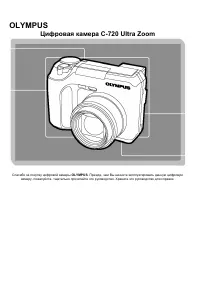 Olympus C-720 Ultra Zoom
User Manual
Olympus C-720 Ultra Zoom
User Manual
 Olympus D-380
Manual
Olympus D-380
Manual
 Olympus D-520 Zoom
Manual
Olympus D-520 Zoom
Manual
 Olympus E-3
User Manual
Olympus E-3
User Manual
 Olympus E-30
User Manual
Olympus E-30
User Manual
 Olympus E-330
User Manual
Olympus E-330
User Manual
 Olympus E-400
User Manual
Olympus E-400
User Manual
 Olympus E-410
User Manual
Olympus E-410
User Manual
 Olympus E-5
User Manual
Olympus E-5
User Manual
 Olympus E-500
User Manual
Olympus E-500
User Manual
 Olympus E-520
User Manual
Olympus E-520
User Manual
 Olympus E-600
User Manual
Olympus E-600
User Manual
 Olympus FE-120
User Manual
Olympus FE-120
User Manual