Page 2 - Introduction; Safety precautions; Convention used in this manual
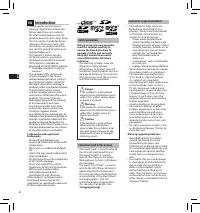
2 EN C S D A DE ES F R NL P L RU S V • Thank you for purchasing an Olympus Digital Voice Recorder. Please read these instructions for information about using the product correctly and safely. Keep the instructions handy for future reference. To ensure successful recordings, we recommend that you tes...
Page 4 - Getting started; Identification of parts
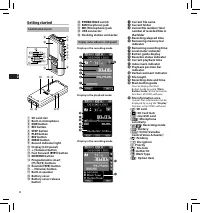
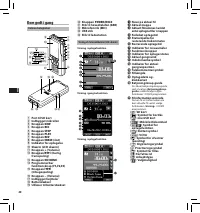
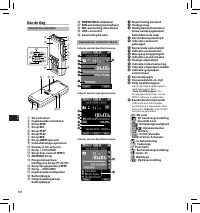
4 EN C S D A DE ES F R NL P L RU S V Getting started Identification of parts Display status indicators (LCD panel) 9 0 & 1 2 3 8 4 5 67 $ ! @ % # ^ q =- w ) ( * 1 SD card slot 2 Built-in microphone 3 NEW button 4 REC button 5 STOP button 6 PLAY button 7 REV button 8 ERASE button 9 Record indicat...
Page 6 - Inserting and ejecting a SD card
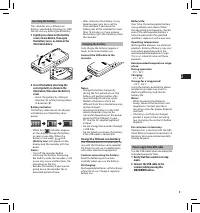
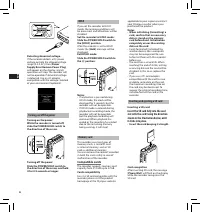
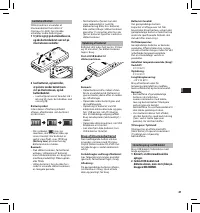
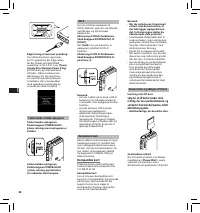
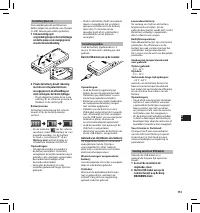
6 EN C S D A DE ES F R NL P L RU S V Turning on/off the power Turning on the power: While the recorder is turned off, slide the POWER/HOLD switch to the direction of the arrow. Memory card This recorder uses two types of memory cards: a microSD card as internal memory, and an SD card as additional m...
Page 7 - Basic operations; NEW
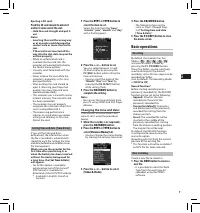
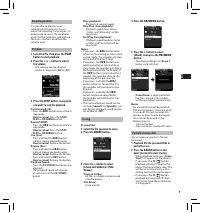
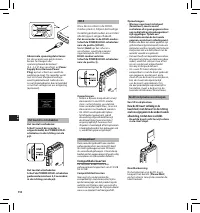
7 EN C S D A DE ES F R NL P L RU S V Setting time and date [Time & Date] If you set the time and date beforehand, the information when the file is recorded is automatically stored for each file. Setting the time and date beforehand enables easier file management. When you use the recorder for th...
Page 10 - VERBAL; Advanced operations; FOLDER; ERASE
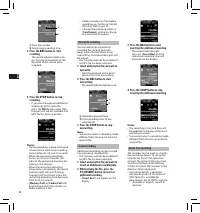
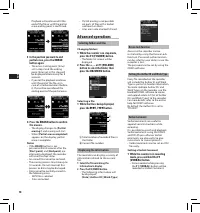
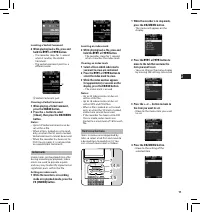
10 EN C S D A DE ES F R NL P L RU S V Verbal Comment Verbal comments are useful to append vocal instructions while recording. It is possible to search and playback Verbal comments using the ODMS and DSS Player software. Verbal comments are also useful to give instructions to transcriptionists. • Ver...
Page 12 - Menu items
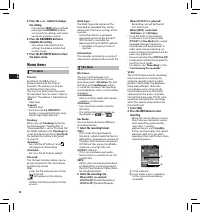
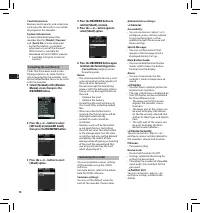
12 EN C S D A DE ES F R NL P L RU S V Rec Menu Mic Sense: You can switch between two microphone sensitivities to meet recording needs: [ Dictation ] for oral dictation and [ Conference ] which is suited for situations like meetings and conferences with a small number of people. [ Conference ]: High-...
Page 14 - General
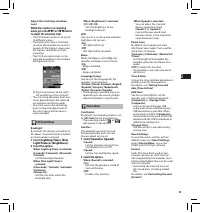
14 EN C S D A DE ES F R NL P L RU S V Customizing the recorder You can customize various settings of the recorder using the ODMS software. For more details, refer to the online help for ODMS software. Common settings: You can set the default values for each of the recorder’s Menu items. 3 Press the ...
Page 15 - Managing files on your PC; ODMS and DSS Player software
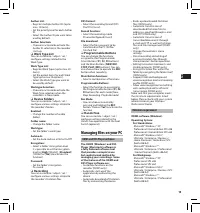
15 EN C S D A DE ES F R NL P L RU S V Author List: • Register multiple Author IDs (up to max. 10 items). • Set the priority level for each Author ID. • Select the Author ID you want to be used by default. Author Selection: • Choose to activate/deactivate the Author ID selection at the recorder start...
Page 16 - Other information; Troubleshooting
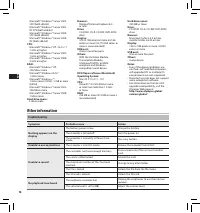
16 EN C S D A DE ES F R NL P L RU S V Other information Troubleshooting Symptom Probable cause Action Nothing appears on the display The batter y power is low. Charge the batter y. The recorder is turned of f. Turn the power on. The recorder is currently in Power Save mode. Press any button. Unable ...
Page 18 - Specifications
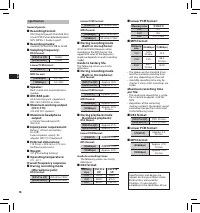
18 EN C S D A DE ES F R NL P L RU S V Specifications General points: 4 Recording format: DS2 (Digital Speech Standard Pro) Linear PCM (Pulse Code Modulation) MP3 (MPEG -1 Audio Layer3) 4 Recording media: microSD, SD card (512 MB to 32 GB) 4 Sampling frequency: DS2 format: [DSS Pro QP] 16 kHz [DSS Pr...
Page 19 - Technical assistance and support; For customers in Europe:
19 EN C S D A DE ES F R NL P L RU S V Technical assistance and support The DS-3500 is part of the Olympus Professional Dictation System. Your certified professional dealer has been fully trained on the entire Olympus Professional Dictation range, including dictation, transcription devices and softwa...
Page 20 - Úvod; Bezpečnostní zásady
20 EN C S D A DE ES F R NL P L RU S V • Děkujeme, že jste zakoupili digitální diktafon Olympus. Informace o správném a bezpečném používání tohoto produktu naleznete v těchto pokynech k použití. Uschovejte si je pro budoucí použití. Aby bylo nahrávání úspěšné, doporučujeme před použitím diktafonu ote...
Page 22 - Začínáme; Popis částí; Konektor USB
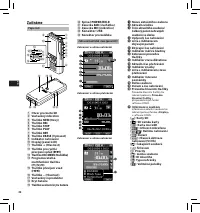
22 EN C S D A DE ES F R NL P L RU S V Začínáme Popis částí Zobrazení kontrolek stavu (panel LCD) 1 Otvor pro kartu SD 2 Vestavěný mikrofon 3 Tlačítko NEW (Nový) 4 Tlačítko REC 5 Tlačítko STOP 6 Tlačítko PLAY 7 Tlačítko REV 8 Tlačítko ERASE (Vymazat) 9 Indikátor nahrávání 0 Displej (panel LCD) ! Tlač...
Page 23 - Nabíjení baterie; Stiskněte a podržte tlačítko
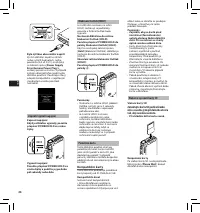
23 EN C S D A DE ES F R NL P L RU S V Vložení baterie V tomto diktafonu je použita lithium-iontová baterie předepsaná společností Olympus (LI-42B). Nepoužívejte žádný jiný typ baterie. 1 Lehce zatlačte na tlačítko uvolnění krytu baterie a otevřete kryt baterií (viz obrázek níže). 2 Vložte baterii a ...
Page 25 - Device Menu; Základní obsluha
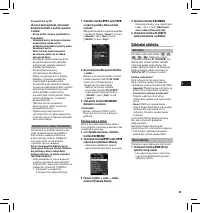
25 EN C S D A DE ES F R NL P L RU S V Nastavení času a data [Time & Date] Nastavíte-li na začátku datum a čas, uloží se automaticky ke každému nahranému souboru informace o čase, kdy byl nahrán. Počáteční nastavení data a času umožní snadnější správu souborů. Při prvním použití diktafonu po zako...
Page 27 - Stiskněte tlačítko
27 EN C S D A DE ES F R NL P L RU S V Přehrávání 1 Vyberte soubor a potom stisknutím tlačítka PLAY spusťte nahrávání. 2 Stisknutím tlačítka + nebo – upravíte hlasitost. • Hlasitost lze nastavit na hodnotu v rozmezí [ 00 ] až [ 30 ]. 3 Stisknutím tlačítka STOP zastavíte přehrávání v jakémkoli místě. ...
Page 28 - Pokročilá obsluha
28 EN C S D A DE ES F R NL P L RU S V Nastavení ID mluvčího a typu nahrávky Součástí hlavičky všech souborů nahraných do diktafonu je ID mluvčího a typ nahrávky. Seznam ID mluvčích a typů nahrávky v diktafonu vytvoříte pomocí dodaného softwaru ODMS. Nahrajte pomocí něj seznam dat (seznam ID mluvčích...
Page 29 - INDEX
29 EN C S D A DE ES F R NL P L RU S V Indexové značky Indexové značku mohou být do souboru umístěny během nahrávání nebo přehrávání. Indexové značky představují rychlý a snadný způsob, jak identifikovat důležité a významné pasáže souboru. Vložení indexové značky 1 Pokud je diktafon v režimu nahráván...
Page 30 - Položky nabídky; On
30 EN C S D A DE ES F R NL P L RU S V Rec Menu Mic Sense (Citlivost mikrofonu): Vybírat můžete ze dvou režimů citlivosti mikrofonu: [ Dictation ] (Diktát) v případě diktátu a [ Conference ] (Konference) v případě schůzí a konferencí s malým počtem osob.[ Conference ]: Vysoce citlivý režim, při které...
Page 33 - Správa souborů v počítači; Software ODMS a DSS Player
33 EN C S D A DE ES F R NL P L RU S V Seznam autorů: • Umožňuje zaregistrovat více ID autorů (max. 10 položek). • Umožňuje nastavit úroveň priority pro každé ID autora. • Umožňuje vybrat výchozí ID autora. Výběr autora: • Výběrem této možnosti aktivujte/ deaktivujte výběr ID autora při spuštění dikt...
Page 34 - Další informace; Odstraňování potíží
34 EN C S D A DE ES F R NL P L RU S V Další informace Odstraňování potíží Příznak Pravděpodobná příčina Řešení Na displeji se nic nezobrazí Nízk ý stav baterie. Nabijte baterii. Je v ypnuto napájení. Zapněte diktafon. Diktafon se nachází v úsporném režimu. Stiskněte jakékoli tlačítko. Nelze používat...
Page 36 - Technické údaje
36 EN C S D A DE ES F R NL P L RU S V Technické údaje Obecné: 4 Formát nahrávání: DS2 (Digital Speech Standard Pro)lineární PCM (Pulse Code Modulation)MP3 (MPEG-1 Audio Layer3) 4 Nahrávací médium: karty SD, micro SD (512 MB až 32 GB) 4 Vzorkovací frekvence: Formát DS2: [DSS Pro QP] 16 kHz [DSS Pro S...
Page 37 - Technická pomoc a podpora; Pro zákazníky v Evropě:
37 EN C S D A DE ES F R NL P L RU S V Technická pomoc a podpora Diktafon DS-3500 je součástí systému Olympus Professional Dictation System. Prodejce, u nějž jste produkt zakoupili, by měl být schopen vyřešit, případně opravit, mnoho obvyklých problému, se kterými se při používání tohoto systému může...
Page 38 - Introduktion; Sikkerhedsregler; Særligt for denne vejledning
38 EN C S D A DE ES F R NL P L RU S V • Tak, fordi du har købt en digital Olympus diktermaskine. Læs denne vejledning for at få yderligere oplysninger om, hvordan produktet bruges korrekt og sikkert. Gem betjeningsvejledningen til senere brug. Vi anbefaler, at du afprøver optagefunktionen og lydstyr...
Page 40 - Kom godt i gang; Delenes betegnelser
40 EN C S D A DE ES F R NL P L RU S V Kom godt i gang Delenes betegnelser Visning af statusindikatorer (LCD-skærm) 1 Port til SD kort 2 Indbygget mikrofon 3 Knappen NEW 4 Knappen REC 5 Knappen STOP 6 Knappen PLAY 7 Knappen REV 8 Knappen ERASE (slet) 9 Indikator for optagelse 0 Skærm (LCD skærm) ! Kn...
Page 41 - Isættelse af batteri; Opladning af batteriet; Strømforsyning via USB kablet
41 EN C S D A DE ES F R NL P L RU S V Isættelse af batteri Diktermaskinen anvender et litiumionbatteri fremstillet af Olympus (LI-42B). Der må ikke anvendes andre batterityper. 1 Tryk forsigtigt på batteriudløseren, og åbn batteridækslet som vist på illustrationen nedenfor. 2 Isæt batteriet, og kont...
Page 42 - Sådan isættes og udtages et SD kort
42 EN C S D A DE ES F R NL P L RU S V Hukommelseskort Denne diktermaskine bruger to typer hukommelseskort: Et microSD kort som indbygget hukommelse, og et SD kort som ekstra hukommelse. Du kan sikkert slette optaget indhold fra begge kort i tilfælde af fejl på diktermaskinen. Kompatible kort Dikterm...
Page 43 - Grundlæggende betjening
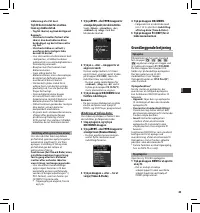
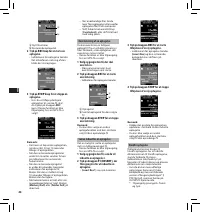
43 EN C S D A DE ES F R NL P L RU S V Indstilling af tid og dato [Time & Date] Hvis du indstiller tiden og datoen på forhånd, gemmes oplysningerne automatisk med hver fil, når filen optages. Indstilling af tid og dato på forhånd gør det lettere at administrere filerne. Funktionen [ Set Time &...
Page 46 - Avanceret betjening
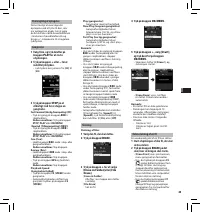
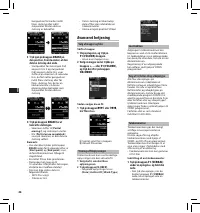
46 EN C S D A DE ES F R NL P L RU S V Låsefunktion Adgangen til diktermaskinen kan begrænses ved at slå låsefunktionen til. Godkendelse via en adgangskode kan beskytte dine data, hvis du mister diktermaskinen.Registrering af en adgangskode kan udføres ved hjælp af ODMS programmet. Valg af forfatter-...
Page 48 - Menupunkter
48 EN C S D A DE ES F R NL P L RU S V Rec Menu Mic Sense (Mik.følsomhed): Mikrofonen har to følsomhedsniveauer, som du kan skifte imellem for at opfylde dine optagebehov: [ Dictation ] til diktering og [ Conference ], der egner sig til situationer som møder og konferencer med få deltagere.[ Conferen...
Page 51 - Filhåndtering på din pc; ODMS- og Player program
51 EN C S D A DE ES F R NL P L RU S V Forfatterliste: • Registrer flere forfatter-ID'er (op til maks. 10). • Vælg prioritetsniveau for hvert forfatter-ID. • Vælg det forfatter-ID, som du vil anvende som standard. Valg af forfatter: • Vælg, om du vil aktivere/deaktivere valg af forfatter-ID ved opsta...
Page 52 - Øvrige oplysninger; Fejlfinding
52 EN C S D A DE ES F R NL P L RU S V Øvrige oplysninger Fejlfinding Symptom Mulig årsag Afhjælpning Skærmen er tom Batteriet er fladt. Oplad batteriet. Optageren er slukket. Tænd for strømmen. Diktermaskinen er i energisparefunktion. Tr yk på en vilkårlig knap. Knapperne kan ikke anvendes Optageren...
Page 54 - Tekniske data
54 EN C S D A DE ES F R NL P L RU S V Tekniske data Generelt: 4 Optageformat: DS2 (Digital Speech Standard Pro)Lineær PCM (Pulse Code Modulation)MP3 (MPEG-1 Audio Layer3) 4 Optagemedie: microSD, SD card (512 MB til 32 GB) 4 Samplingfrekvens: DS2-format: [DSS Pro QP] 16 kHz [DSS Pro SP] 12 kHz Lineær...
Page 55 - Teknisk hjælp og support; Til brugere i Europa:
55 EN C S D A DE ES F R NL P L RU S V Teknisk hjælp og support DS-3500 er en del af Olympus Professional Dictation System. Din forhandler er uddannet til at fejlfinde og løse de mest almindelige problemer, der kan opstå på maskinen. Hvis du får brug for teknisk assistance eller hjælp i forbindelse m...
Page 56 - Einführung; Sicherheitshinweise; In dieser Anleitung verwendete Begriffe
56 EN C S D A DE ES F R NL P L RU S V • Vielen Dank für das Vertrauen in Olympus-Produkte, dass Sie uns mit dem Kauf des Digital Voice Rekorders erwiesen haben. Machen Sie sich bitte gründlich mit dem Inhalt dieser Bedienungsanleitung vertraut, damit stets ein einwandfreier und sicherer Betrieb des ...
Page 57 - Speicherkarte
57 EN C S D A DE ES F R NL P L RU S V Sicherheitshinweise bei der Rekorderhandhabung f Achtung: • Halten Sie den Rekorder von Kindern und Kleinkindern fern, um folgende Gefahrensituation und die Gefahr schwerer Verletzungen zu vermeiden: 1 Versehentliches Verschlucken von Akkus, Speicherkarten oder ...
Page 58 - Allgemeines; Bezeichnung der Teile
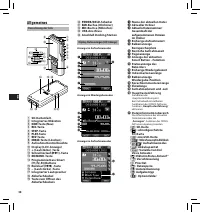
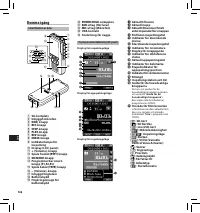
58 EN C S D A DE ES F R NL P L RU S V Allgemeines Bezeichnung der Teile Display-Statusanzeigen (LCD-Anzeige) 9 0 & 1 2 3 8 4 5 67 $ ! @ % # ^ q =- w ) ( * 1 SD-Kartenfach 2 Integriertes Mikrofon 3 NEW -Taste (Neu) 4 REC -Taste 5 STOP -Taste 6 PLAY -Taste 7 REV -Taste 8 ERASE -Taste (Löschen) 9 A...
Page 59 - Aufladen des Akkus
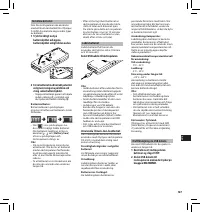
59 EN C S D A DE ES F R NL P L RU S V Einlegen des Akkus Der Rekorder arbeitet mit einem Lithium-Ionen-Akku von Olympus (LI-42B). Verwenden Sie keinen anderen Akku. 1 Drücken Sie die Taste zum Öffnen des Akkufachdeckels etwas herunter und öffnen Sie den Akkufachdeckel wie in der Abbildung unten darg...
Page 61 - Grundlegende Bedienung
61 EN C S D A DE ES F R NL P L RU S V Einstellung von Uhrzeit und Datum [Time & Date] Nach der Einstellung von Uhrzeit und Datum werden mit der Aufnahme jeder Audiodatei automatisch die entsprechenden Zeitdaten abgespeichert. Durch die Einstellung von Uhrzeit und Datum wird die Verwaltung der Au...
Page 64 - Erweiterte Anleitung
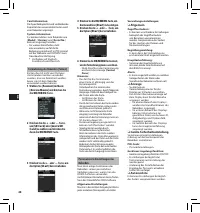
64 EN C S D A DE ES F R NL P L RU S V Einstellung der Autoren-ID und Aufgabentyp Der Dateikopf jeder auf dem Rekorder aufgenommenen Datei enthält die Autoren-ID und Aufgabentyp (=Arbeitsart). Verwenden Sie zur Erstellung mehrerer Autoren-ID und Aufgabentyp auf dem Rekorder das ODMS-Softwarepaket, um...
Page 66 - Menüpunkte
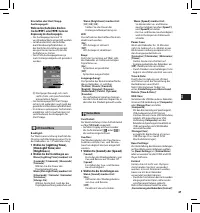
66 EN C S D A DE ES F R NL P L RU S V Rec Menu Mic Sense: Man kann je nach Art der Aufnahme zwischen zwei Empfindlichkeiten für das Mikrofon wechseln: [ Dictation ] für Diktate und [ Conference ] für Situationen wie Besprechungen und Konferenzen mit wenigen Teilnehmern. [ Conference ]: Hochempfindli...
Page 70 - Zusätzliche Informationen; Fehlersuche
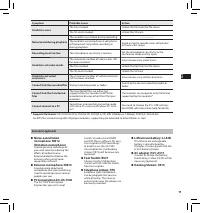
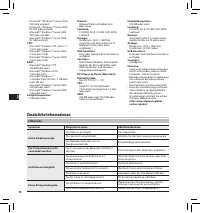
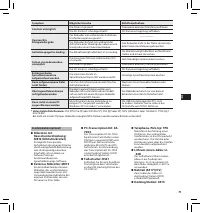
70 EN C S D A DE ES F R NL P L RU S V Zusätzliche Informationen Fehlersuche Symptom Mögliche Ursache Abhilfemaßnahme Keine Displayanzeige Der Akku ist erschöpf t. Den Akku laden. Das Gerät ist ausgeschaltet. Schalten Sie die Spannungsversorgung ein. Der Rekorder befindet sich im Energiesparbetrieb. ...
Page 71 - Mikrofon mit
71 EN C S D A DE ES F R NL P L RU S V Symptom Mögliche Ursache Abhilfemaßnahme Löschen unmöglich Die Datei ist gesperr t. Dateisperre über das [File Menu] aufheben. Die SD -Kar te ist schreibgeschützt. SD -Kar tenverriegelung aufheben. Verrauschte Klangwiedergabe Der Rekorder war während der Aufnahm...
Page 72 - Technische Daten
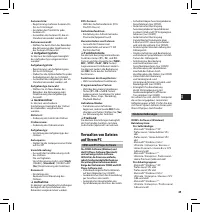
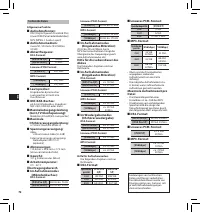
72 EN C S D A DE ES F R NL P L RU S V Technische Daten Allgemeine Punkte: 4 Aufnahmeformat: DS2 (Digital Speech Standard Pro)Linear PCM (Pulse Code Modulation)MP3 (MPEG -1 Audio Layer3) 4 Aufnahmemedium: micro SD, SD -Kar te (512 MB bis 32 GB) 4 Abtastfrequenz: DS2-Format: [DSS Pro QP] 16 kHz [DSS P...
Page 73 - Technische Hilfe und Support; Für Kunden in Europa:
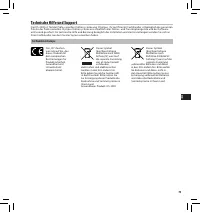
73 EN C S D A DE ES F R NL P L RU S V Technische Hilfe und Support Der DS-3500 ist Teil der Professionellen Diktiersysteme von Olympus. Ihr zer tifizier ter Fachhändler ist bezüglich der gesamten Palette der Professionellen Olympus Diktiersysteme einschließlich aller Diktier- und Transkriptiongeräte...
Page 74 - Introducción; Precauciones de seguridad; Convenciones Utilizadas en este Manual
74 EN C S D A DE ES F R NL P L RU S V • Gracias por haber comprado esta grabadora de voz digital Olympus. Lea estas instrucciones para información sobre el uso correcto de este producto y para su seguridad. Guarde estas instrucciones en un lugar a mano para su referencia en el futuro. Para tener éxi...
Page 76 - Para empezar; Identificación de las piezas
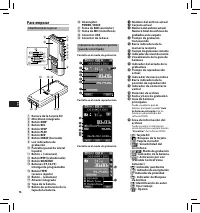
76 EN C S D A DE ES F R NL P L RU S V Para empezar Identificación de las piezas Indicadores de estado de la pantalla (panel de cristal líquido) 1 Ranura de la tarjeta SD 2 Micrófono integrado 3 Botón NEW 4 Botón REC 5 Botón STOP 6 Botón PLAY 7 Botón REV 8 Botón ERASE (borrado) 9 Luz indicadora de gr...
Page 78 - Colocación y extracción de la tarjeta SD
78 EN C S D A DE ES F R NL P L RU S V Tarjeta de memoria Esta grabadora usa dos tipos de tarjetas de memoria: una tarjeta microSD como memoria interna y una tarjeta SD como memoria adicional. Puede retirar el contenido grabado en ambas tarjetas de forma segura en caso de mal funcionamiento de la gra...
Page 79 - Operaciones Básicas
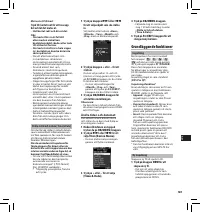
79 EN C S D A DE ES F R NL P L RU S V 1 Pulse el botón 9 o 0 para seleccionar el elemento que desee ajustar. Seleccione entre “ Hora ”, “ Minuto ”, “ Año ”, “ Mes ” y “ Día ” destacando el elemento. Expulsión de la tarjeta SD Empuje la tarjeta SD hacia dentro para desbloquearla y deje que salga de l...
Page 82 - Funciones avanzadas
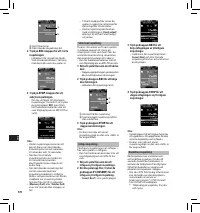
82 EN C S D A DE ES F R NL P L RU S V Configuración de identificación de autor y tipo de trabajo Cada archivo de grabación de la grabadora incluirá la identificación de autor y el tipo de trabajo como parte de la información del encabezado. Para crear múltiples identidades de autor y tipos de trabaj...
Page 84 - Elementos del menú
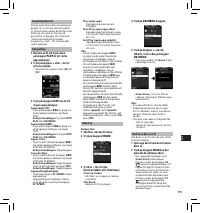
84 EN C S D A DE ES F R NL P L RU S V Rec Menu Mic Sense: Puede elegir entre dos sensibilidades del micrófono según las necesidades de grabación: [ Dictation ] para dictado oral y [ Conference ], más apropiado para reuniones y conferencias con un número reducido de asistentes.[ Conference ]: Adecuad...
Page 88 - Otra información; Resolución de fallos
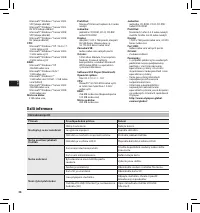
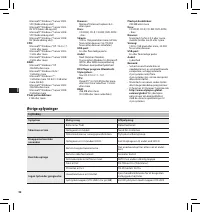
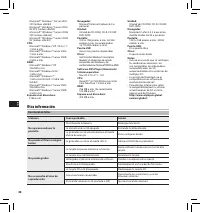
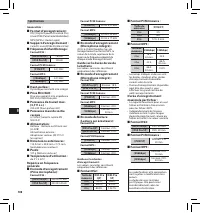
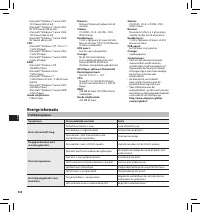
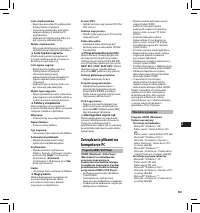
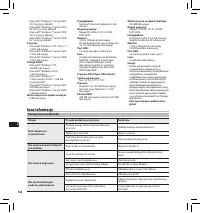
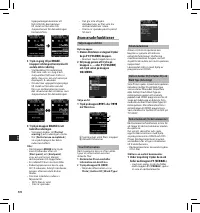
88 EN C S D A DE ES F R NL P L RU S V Microsoft® Windows® Server 2003 SP2 (ambos x86/64)Microsof t® Windows® Ser ver 2003 R2 SP2 (ambos x86/64)Microsof t® Windows® Ser ver 2008 SP2 (ambos x86/64)Microsof t® Windows® Ser ver 2008 R2 (ambos x86/64) CPU: Microsoft® Windows® XP / Vista / 7: 1 GHz o másM...
Page 89 - Accesorios opcionales
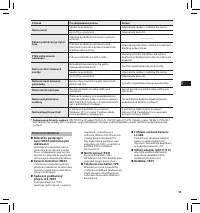
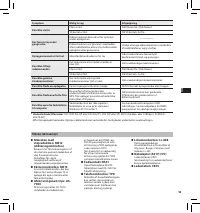
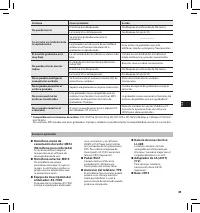
89 EN C S D A DE ES F R NL P L RU S V Síntoma Causa probable Acción No puede borrar El archivo está bloqueado. Desbloquee el archivo desde file menu. La tarjeta SD está bloqueada. Desbloquee la tarjeta SD. Se escucha un ruido durante la reproducción Se movió la grabadora durante la grabación. ——— La...
Page 90 - Especificaciones
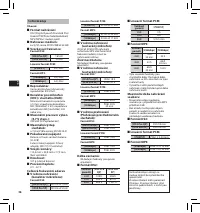
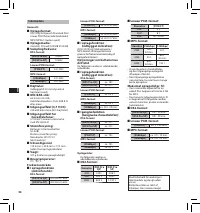
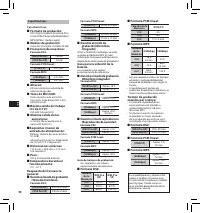
90 EN C S D A DE ES F R NL P L RU S V Especificaciones Caractreristicas: 4 Formato de grabación: DS2 (Digital Speech Standard Pro)Linear PCM (Pulse Code Modulation)MP3 (MPEG-1 Audio Layer3) 4 Medios de grabación: micro SD, SD-tarjeta: 512 MB a 32 GB) 4 Frecuencia de muestreo: Formato DS2: [DSS Pro Q...
Page 91 - Asistencia y ayuda técnica; Información para clientes europeos:
91 EN C S D A DE ES F R NL P L RU S V Asistencia y ayuda técnica DS-3500 es un sistema profesional de dictado de Olympus. El representante profesional cer tificado de Olympus ha recibido una amplia formación acerca de la gama de sistemas profesionales de dictado de Olympus, incluyendo sof tware y di...
Page 92 - Précautions de sécurité; Conventions utilisées dans ce manuel
92 EN C S D A DE ES F R NL P L RU S V • Merci d’avoir porté votre choix sur cet enregistreur vocal numérique. Lisez ce mode d’emploi pour les informations concernant l’utilisation de l’appareil. Conservez-le à portée de la main pour toute question ultérieure. Nous vous recommandons de tester la fonc...
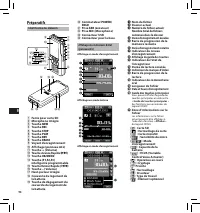
Page 94 - Préparatifs; Identification des éléments
94 EN C S D A DE ES F R NL P L RU S V Préparatifs Identification des éléments Affichage des indicateurs d’état (panneau ACL) 1 Fente pour carte SD 2 Microphone intégré 3 Touche NEW 4 Touche REC 5 Touche STOP 6 Touche PLAY 7 Touche REV 8 Touche ERASE 9 Voyant d’enregistrement 0 Affichage (panneau ACL...
Page 97 - Opérations de base
97 EN C S D A DE ES F R NL P L RU S V Opérations de base Enregistrement L’enregistreur possède cinq dossiers par défaut, [ A ], [ B ], [ C ], [ D ] et [ E ], et vous pouvez les sélectionner en appuyant sur la touche F1 ( FOLDER ). Vous pouvez utiliser ces cinq dossiers de manière sélective pour diff...
Page 100 - Opérations avancées
100 EN C S D A DE ES F R NL P L RU S V Réglage de l’Identifiant Auteur et du type de travail Chaque fichier enregistré sur l’appareil comprend l’Identifiant Auteur et le type de travail, qui font partie des informations d’en-tête. Pour créer des Identifiant Auteur et des types de travail, utilisez l...
Page 102 - Eléments de menu
102 EN C S D A DE ES F R NL P L RU S V Rec Menu Mic Sense : Vous pouvez choisir entre deux sensibilités de microphone correspondant à vos besoins d’enregistrement : [ Dictation ] pour la dictée orale ou [ Conference ], plus adaptée aux situations telles que les réunions ou les conférences accueillan...
Page 106 - Autres informations; Dépannage
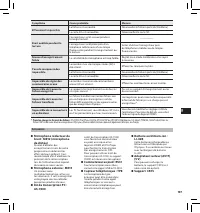
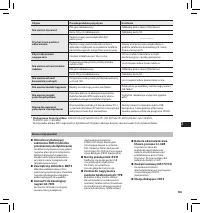
106 EN C S D A DE ES F R NL P L RU S V Autres informations Dépannage Symptôme Cause probable Mesure Rien n’apparaît sur l’affichage La charge de la batterie est faible. Rechargez la batterie. L’alimentation est coupée. Allumez l’alimentation. L’enregistreur est actuellement en mode d’économie d’éner...
Page 107 - Microphone réducteur de
107 EN C S D A DE ES F R NL P L RU S V Symptôme Cause probable Mesure Effacement impossible Le fichier est verrouillé. Déverrouillez le fichier à partir du [File Menu]. La car te SD est verrouillée. Déverrouillez la car te SD. Bruit audible pendant la lecture L’enregistreur a été secoué pendant l’en...
Page 108 - Spécifications
108 EN C S D A DE ES F R NL P L RU S V Spécifications Généralités : 4 Format d’enregistrement : DS2 (Digital Speech Standard Pro)Linear PCM (Pulse Code Modulation)MP3 (MPEG-1 Audio Layer3) 4 Support d’enregistrement : Carte SD, micro SD (de 512 Mo à 32 Go) 4 Fréquence d’échantillonnage : Format DS2 ...
Page 109 - Assistance technique et soutien; Pour les clients résidant en Europe :
109 EN C S D A DE ES F R NL P L RU S V Assistance technique et soutien Le DS-3500 fait partie du système de dictée professionnel Olympus. Votre revendeur professionnel certifié a été entièrement formé à toute la gamme de systèmes de dictée professionnels Olympus, y compris les dispositifs et logicie...
Page 110 - Inleiding; Veiligheidsmaatregelen
110 EN C S D A DE ES F R NL P L RU S V • Hartelijk dank voor uw aankoop van een Olympus digitale voicerecorder. Lees deze instructies voor informatie over een correct en veilig gebruik van het product. Houd de instructies bij de hand zodat u deze later opnieuw kunt raadplegen. Voor geslaagde opnamen...
Page 112 - Aan de slag; Overzicht van onderdelen
112 EN C S D A DE ES F R NL P L RU S V Aan de slag Overzicht van onderdelen Statusindicaties scherm (LCD-scherm) 1 SD card-sleuf 2 Ingebouwde microfoon 3 Knop NEW 4 Knop REC 5 Knop STOP 6 Knop PLAY 7 Knop REV 8 Knop ERASE (wissen) 9 Indicatielampje opnemen 0 Display (LCD-scherm) ! Knop + (VOLUME) @ ...
Page 113 - De batterij opladen; Voeding vanaf een USB-kabel
113 EN C S D A DE ES F R NL P L RU S V De batterij plaatsen Deze recorder gebruikt een lithium-ion-batterij volgens de specificaties van Olympus (LI-42B). Gebruik geen ander type batterij. 1 Druk voorzichtig op de ontgrendelingsknop van het batterijklepje om het te openen, zoals weergegeven in de on...
Page 115 - Basisbewerkingen
115 EN C S D A DE ES F R NL P L RU S V De tijd en datum instellen [Time & Date] Als u de tijd en datum vooraf instelt, wordt voor elk bestand automatisch bijgehouden wanneer het werd opgenomen. Het is eenvoudiger bestanden te beheren als u de tijd en datum vooraf instelt. Als u de recorder voor ...
Page 118 - Geavanceerde bewerkingen
118 EN C S D A DE ES F R NL P L RU S V De auteursnaam en het werktype instellen Elk bestand dat op de recorder is opgenomen, zal de auteursnaam en het werktype bevatten als onderdeel van de koptekstinformatie. Om meerdere auteursnamen en werktypes op de recorder te maken, kunt u de bijgeleverde ODMS...
Page 120 - Menuopties
120 EN C S D A DE ES F R NL P L RU S V Rec Menu Mic Sense: U kunt schakelen tussen twee microfoongevoeligheden om te voldoen aan uw opnamebehoeften: [ Dictation ] voor een mondeling dictaat en [ Conference ] dat geschikt is voor situaties zoals vergaderingen en conferenties met een klein aantal deel...
Page 123 - Bestanden beheren op uw PC; Minimumvereisten
123 EN C S D A DE ES F R NL P L RU S V Lijst met auteurs: • U kunt meerdere auteur-ID's registreren (maximaal 10 vermeldingen). • Het prioriteitsniveau instellen voor elke auteur-ID. • De auteur-ID selecteren die u standaard wilt gebruiken. Auteurkeuze: • Hiermee kunt u de keuze van de auteur-ID bij...
Page 124 - Overige informatie; Problemen oplossen
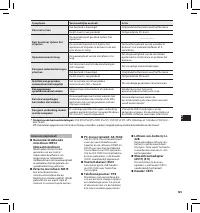
124 EN C S D A DE ES F R NL P L RU S V Overige informatie Problemen oplossen Symptoom Vermoedelijke oorzaak Actie Het scherm blijft leeg De batterijstroom is laag. Laad de batterij op . De voeding is uitgeschakeld. Schakel de voeding in. De recorder staat momenteel in de energiebesparingsmodus. Druk...
Page 126 - Specificaties; Tijdens de opnamemodus
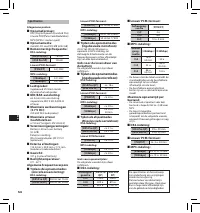
126 EN C S D A DE ES F R NL P L RU S V Specificaties Alegemene punten: 4 Opnameformaat: DS2 (Digital Speech Standard Pro)Lineaire PCM (Pulse Code Modulation)MP3 (MPEG-1 Audio Layer3) 4 Opnamemedia: microSD, SD-card (512 MB tot 32 GB) 4 Bemonsteringsfrequentie: DS2-indeling: [DSS Pro QP] 16 kHz [DSS ...
Page 127 - Technische bijstand en ondersteuning; Voor klanten in Europa:
127 EN C S D A DE ES F R NL P L RU S V Technische bijstand en ondersteuning De DS-3500 is een onderdeel van het professionele dictaatsysteem van Olympus. Uw dealer is opgeleid om vaak voorkomende problemen met alle dictaatsystemen van Olympus, zoals problemen met het opnemen, de transcriptieapparatu...
Page 128 - Wprowadzenie; Środki ostrożności; Konwencje stosowane w tym podręczniku
128 EN C S D A DE ES F R NL P L RU S V • Dziękujemy Państwu za zakup dyktafonu cyfrowego firmy Olympus. Prosimy o przeczytanie tej instrukcji obsługi w celu uzyskania informacji na temat prawidłowego i bezpiecznego korzystania z tego urządzenia. Instrukcję obsługi należy zachować do użytku w przyszł...
Page 130 - Pierwsze kroki; Nazwy elementów
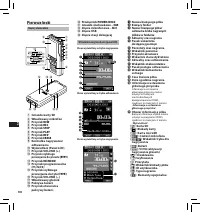
130 EN C S D A DE ES F R NL P L RU S V Pierwsze kroki Nazwy elementów Wskaźniki na wyświetlaczu (panel LCD) 1 Gniazdo karty SD 2 Wbudowany mikrofon 3 Przycisk NEW 4 Przycisk REC 5 Przycisk STOP 6 Przycisk PLAY 7 Przycisk REV 8 Przycisk ERASE 9 Kontrolka nagrywania/ odtwarzania 0 Wyświetlacz (Panel L...
Page 131 - Ładowanie baterii akumulatorowej; Zasilanie kablem USB
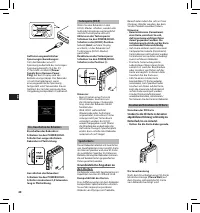
131 EN C S D A DE ES F R NL P L RU S V Instalacja baterii akumulatorowej Ten dyktafon jest zasilany z litowo-jonowej baterii akumulatorowej firmy Olympus (LI-42B). Nie należy używać baterii żadnego innego typu. 1 Naciśnij lekko przycisk zwalniania pokrywy baterii i otwórz ją w sposób pokazany na rys...
Page 132 - Wkładanie i wyjmowanie karty SD
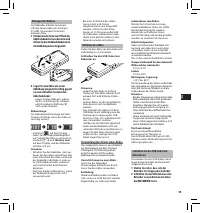
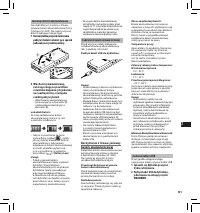
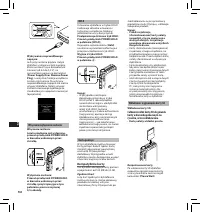
132 EN C S D A DE ES F R NL P L RU S V Wykrywanie nieprawidłowego napięcia: Jeśli przy zasilaniu prądem stałym dyktafon wykryje wartość napięcia, która nie mieści się w dozwolonym zakresie (od 4,4 do 5,5 V ), na wyświetlaczu pojawi się komunikat [ Power Supply Error Remove Power Plug ], a wszystkie ...
Page 133 - Podstawowe operacje
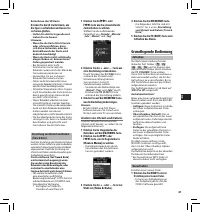
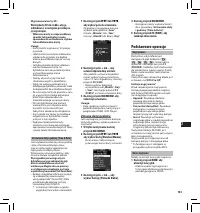
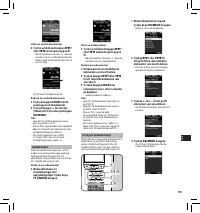
133 EN C S D A DE ES F R NL P L RU S V 2 Naciśnij przycisk + lub –, aby ustawić odpowiednią wartość. Aby podczas ustawiania godzin i minut wybrać tryb wyświetlania czasu 12- lub 24-godzinny, naciśnij przycisk F2 ( 24H ). • Można wybrać kolejność wyświetlania pól „ Month ”, „ Day ” i „ Year ”, nacisk...
Page 135 - Naciśnij przycisk
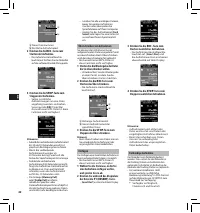
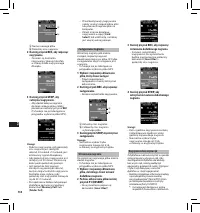
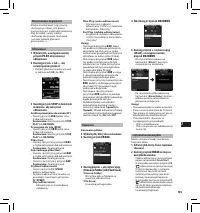
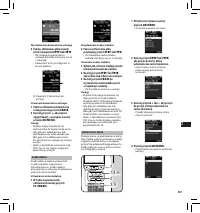
135 EN C S D A DE ES F R NL P L RU S V Odtwarzanie 1 Wybierz plik, a następnie naciśnij przycisk PLAY , aby rozpocząć odtwarzanie. 2 Naciśnij przycisk + lub –, aby ustawić poziom głośności. • Poziom głośności można ustawić w zakresie od [ 00 ] do [ 30 ]. 3 Naciśnij przycisk STOP w dowolnym momencie,...
Page 136 - Zaawansowane operacje
136 EN C S D A DE ES F R NL P L RU S V Ustawianie ID użytkownika i typu nagrania ID użytkownika i typ nagrania to część nagłówka każdego pliku nagranego w dyktafonie. Aby utworzyć kilka ID użytkownika i typów nagrań w dyktafonie, należy użyć dostarczonego w zestawie programu ODMS Player w celu utwor...
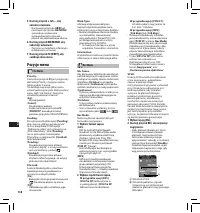
Page 138 - Pozycje menu
138 EN C S D A DE ES F R NL P L RU S V Rec Menu Mic Sense: Aby dostosować dyktafon do określonych potrzeb dotyczących nagrywania, można przełączać się między dwoma czułościami mikrofonu: [ Dictation ] w przypadku dyktowania i [ Conference ] w przypadku spotkań i konferencji w małej grupie ludzi.[ Co...
Page 140 - Ogólny
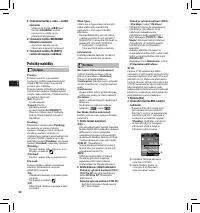
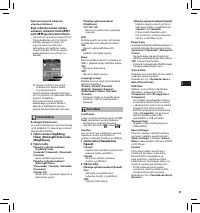
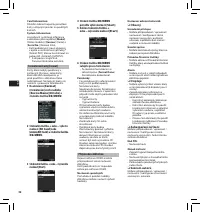
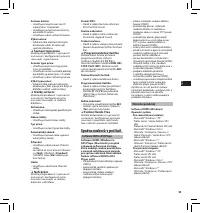
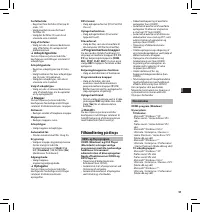
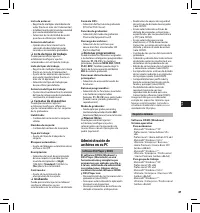
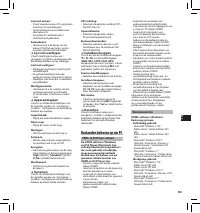
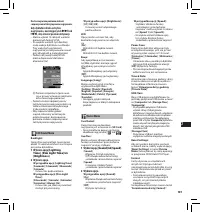
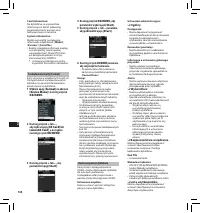
140 EN C S D A DE ES F R NL P L RU S V Ustawienia administracyjne: ❏ Ogólny Dostępność: • Można dopasować/wyregulować/ ustawić/skonfigurować różne ustawienia związane z uwierzytelnianiem użytkownika, takie jak uniemożliwienie usuwania plików i ustawień Menu. Komunikat powitalny: • Można określić tre...
Page 141 - Obsługa bez użycia rąk
141 EN C S D A DE ES F R NL P L RU S V Lista użytkowników: • Rejestrowanie wielu ID użytkownika (maksymalnie 10 pozycji). • Ustawienie poziomów priorytetu odpowiadających każdemu ID użytkownika. • Wybranie ID użytkownika, który ma być używany jako domyślny. Wybór użytkownika: • Aktywacja/dezaktywacj...
Page 142 - Inne informacje; Rozwiązywanie problemów
142 EN C S D A DE ES F R NL P L RU S V Inne informacje Rozwiązywanie problemów Objaw Prawdopodobna przyczyna Działanie Brak obrazu na w yświetlaczu Poziom energii baterii akumulatorowej jest niski. Naładuj baterię akumulatorową. Wyłączone zasilanie. Włącz zasilanie. Dyktafon działa obecnie w tr ybie...
Page 144 - Specyfikacja techniczna
144 EN C S D A DE ES F R NL P L RU S V Specyfikacja techniczna Punkty ogólne: 4 Format zapisu: DS2 (Digital Speech Standard Pro)Linear PCM (Pulse Code Modulation)MP3 (MPEG -1 Audio Layer3) 4 Nośniki danych: Karty microSD, SD: 512 MB do 32 GB 4 Częstotliwość próbkowania: Format DS2: [DSS Pro QP] 16 k...
Page 145 - Wsparcie techniczne; Informacja dla użytkowników w Europie:
145 EN C S D A DE ES F R NL P L RU S V Wsparcie techniczne Dyktafon DS-3500 należy do linii profesjonalnych rozwiązań do dyktowania firmy Olympus. Lokalni certyfikowani sprzedawcy zostali kompleksowo przeszkoleni z zakresu wszystkich rozwiązań do dyktowania firmy Olympus, w tym z urządzeń i programó...
Page 146 - Введение; Меры предосторожности
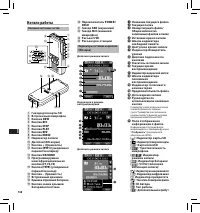
146 EN C S D A DE ES F R NL P L RU S V • Благодарим Вас за покупку ЦИФРОВОГО ДИКТОФОНА OLYMPUS. Внимательно прочтите эту инструкцию, содержащую информацию о правильном и безопасном использовании диктофона. Храните инструкцию в доступном месте, чтобы в будущем Вы могли легко ее найти. Для обеспечения...
Page 148 - Начало работы; Названия составных частей
148 EN C S D A DE ES F R NL P L RU S V Начало работы Названия составных частей Индикаторы состояния на дисплее (ЖК-экран) 1 Гнездо для карты SD 2 Встроенный микрофон 3 Кнопка NEW 4 Кнопка REC 5 Кнопка STOP 6 Кнопка PLAY 7 Кнопка REV 8 Кнопка ERASE 9 Индикатор записи 0 Дисплей (ЖК-экран) ! Кнопка + (...
Page 149 - Зарядка батареи; Питание от сетевого USB-кабеля
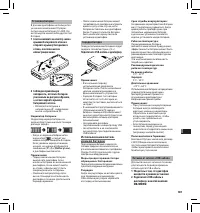
149 EN C S D A DE ES F R NL P L RU S V Установка батареи В данном диктофоне используется указанная компанией Olympus литий-ионная батарея (LI-42B). Не используйте какой-либо другой тип батарей. 1 Слегка нажмите на кнопку замка крышки батарейного отсека и откройте крышку батарейного отсека, как показ...
Page 151 - Основные операции
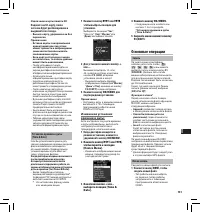
151 EN C S D A DE ES F R NL P L RU S V Установка времени и даты [Time & Date] Если Вы устанавливаете время и дату заранее, информация о времени создания файла автоматически записывается для каждого файла. Предварительная установка времени и даты облегчает задачу управления файлами. Когда диктофо...
Page 154 - Расширенные операции
154 EN C S D A DE ES F R NL P L RU S V Голосовой комментаpий Голосовые комментарии полезны для добавления голосовых указаний в процессе записи. Выполнять поиск и воспроизведение голосовых комментариев можно с помощью программного обеспечения ODMS и DSS Player. Голосовые комментарии также полезны для...
Page 156 - REC; Пункты меню
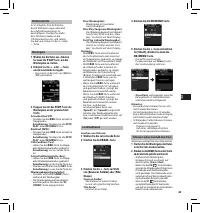
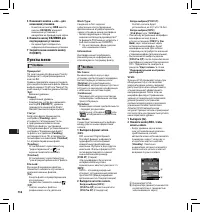
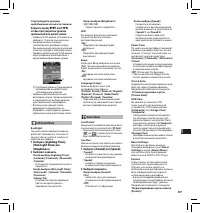
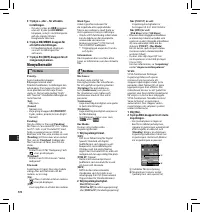
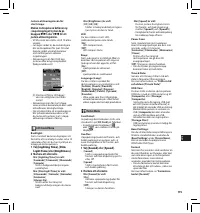
156 EN C S D A DE ES F R NL P L RU S V 5 Нажимайте кнопки + или – для изменения установки. • Нажатие на кнопку 0 вместо кнопки OK/MENU отменяет изменение установок с возвратом на предыдущий экран. 6 Нажмите кнопку OK/MENU для подтверждения установки. • На экране будет отображаться информация об изме...
Page 159 - Минимальные требования
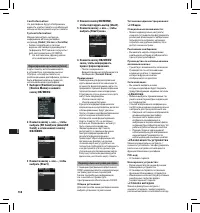
159 EN C S D A DE ES F R NL P L RU S V Список авторов: • зарегистрировать несколько идентификаторов авторов (максимум 10). • установить уровень приоритета для каждого идентификатора автора. • выбрать используемый по умолчанию идентификатор автора. Выбор автора: • выберите для включения/ выключения в...
Page 160 - Прочая информация; Устранение возможных неполадок
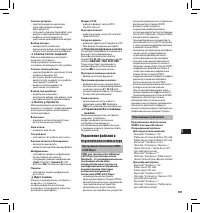
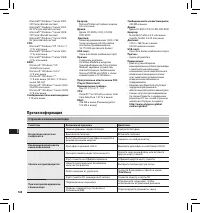
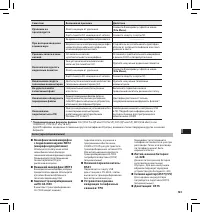
160 EN C S D A DE ES F R NL P L RU S V Прочая информация Устранение возможных неполадок Симптом Возможная причина Действие На дисплее ничего не появляется Низкий уровень заряда батареи. Зарядите батарею. Вык лючено питание. Вк лючите питание. В настоящий момент диктофон находится в режиме экономии э...
Page 162 - Спецификации
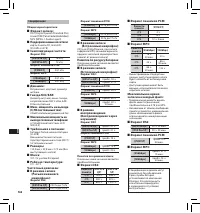
162 EN C S D A DE ES F R NL P L RU S V Спецификации Общие харак теристики 4 Формат записи: DS2 (Digital Speech Standard Pro)Linear PCM (Pulse Code Modulation)MP3 (MPEG -1 Audio Layer3) 4 Поддерживаемые носители: карты памяти SD, microSD: (512 МБ a 32 ГБ) 4 Семплирующая частота: Формат DS2: [DSS Pro ...
Page 163 - Техническая помощь и обслуживание; Для покупателей в Европе:
163 EN C S D A DE ES F R NL P L RU S V Техническая помощь и обслуживание DS-3500 является частью профессиональной системы дик товки Olympus Professional Dictation System. Ваш уполномоченный профессиональный дилер прошел полный к урс обучения по всему ассортимент у профессиональной системы дик товки ...
Page 164 - Säkerhetsföreskrifter
164 EN C S D A DE ES F R NL P L RU S V • Tack för att du köpte en digital diktafon från Olympus. Läs dessa instruktioner för information om hur produkten används på ett korrekt och säkert sätt. Ha instruktionerna till hands för framtida användning. För att säkerställa lyckade inspelningar, rekommend...
Page 166 - Komma igång; Identifikation av delar
166 EN C S D A DE ES F R NL P L RU S V Komma igång Identifikation av delar Displayens statusindikatorer (LCD-panel) 1 SD-kortplats 2 Inbyggd mikrofon 3 NEW , knapp 4 REC -knapp 5 STOP -knapp 6 PLAY -knapp 7 REV -knapp 8 ERASE -knapp 9 Indikatorlampa för inspelning 0 Display (LCD-panel) ! + (Volume),...
Page 167 - Ladda batteriet; Kraftförsörjning via USB-kabeln
167 EN C S D A DE ES F R NL P L RU S V Installera batteriet Den här röstinspelaren ska användas med ett litium-Ion-batteri från Olympus (LI-42B). Använd inte några andra typer av batterier. 1 Tryck försiktigt ned på batteriskyddet och öppna batteriskyddet enligt bilden nedan. 2 För in batteriet med ...
Page 169 - Grundläggande funktioner
169 EN C S D A DE ES F R NL P L RU S V Ställa in tid och datum [Time & Date] Om du i förväg ställer in tid och datum, sparas automatiskt informationen om när filen spelades in, för varje fil. Genom att i förväg ställa in tid och datum förenklas filhanteringen. När du använder röstinspelaren för ...
Page 172 - Avancerade funktioner
172 EN C S D A DE ES F R NL P L RU S V Ställa in Author ID (Författar-ID) och Work Type (Arbetstyp) Varje fil som spelas in med röstinspelaren inkluderar Author ID och Work Type som en del av filhuvudet. Skapa flera olika Author ID och Work Type på röstinspelaren genom att använda paketet med ODMS p...
Page 174 - Menyalternativ
174 EN C S D A DE ES F R NL P L RU S V Rec Menu Mic Sense: Du kan växla mellan två känslighetsnivåer för mikrofonen för att uppfylla inspelningsbehov: [ Dictation ] för oral diktering och [ Conference ] som passar för situationer som möten och konferenser med ett litet antal personer.[ Conference ]:...
Page 176 - Allmänt
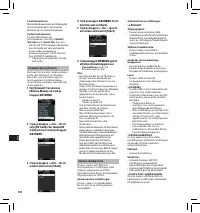
176 EN C S D A DE ES F R NL P L RU S V Anpassa röstinspelaren Du kan anpassa ett flertal av röstinspelarens inställningar med hjälp av programvaran ODMS.Mer information finns i onlinehjälpen till programvaran ODMS. Gemensamma inställningar: Du kan ställa in standardvärden för var och en av röstinspe...
Page 177 - Hantera filer på din PC; Programvaran ODMS och DSS Player
177 EN C S D A DE ES F R NL P L RU S V Lista över upphovsmän: • Registrera flera ID för upphovsmän (upp till max 10 poster). • Justera prioritetsnivån för varje upphovsmans-ID. • Välj vilket upphovsmans-ID som du vill använda som standard. Val av upphovsman: • Välj om du vill aktivera/avaktivera val...
Page 178 - Övrig information; Felsökning
178 EN C S D A DE ES F R NL P L RU S V Övrig information Felsökning Symtom Trolig orsak Åtgärd Ingenting visas på displayen Batterinivån är låg. Ladda batteriet. Diktafonen är avstängd. Slå på strömmen. Röstinspelaren befinner sig i energisparläget. Tr yck på vilken knapp som helst. Det går inte att...
Page 179 - Brusminskande mikrofon:
179 EN C S D A DE ES F R NL P L RU S V Symtom Trolig orsak Åtgärd Radering fungerar inte Filen är låst. Ta bor t spärren från filen från [File Menu]. SD -kor tet är låst. Ta bor t spärren från SD -kor tet. Brus hörs under uppspelning Röstinspelaren skakades under inspelning. ——— Röstinspelaren place...
Page 180 - Specifikationer
180 EN C S D A DE ES F R NL P L RU S V Specifikationer Allmänt: 4 Inspelningsformat: DS2 (Digital Speech Standard Pro)Linjär PCM (Pulse Code Modulation)MP3 (MPEG -1 Audio Layer3) 4 Inspelningsmedia: microSD, SD kor t (512 MB till 32 GB) 4 Samplingsfrekvens: DS2-format: [DSS Pro QP] 16 kHz [DSS Pro S...
Page 181 - Teknisk hjälp och support
181 EN C S D A DE ES F R NL P L RU S V Teknisk hjälp och support DS-3500 är den del av Olympus Professional Dictation System. Din återförsäljare har genomgått en fullständig utbildning för att kunna göra felsökningar på alla produkter i Olympus Professional Dictation-sortimentet, inklusive diktering...
Page 182 - MEMO
Page 183 - Olympus Service Department
183 Olympus Service Department OLYMPUS IMAGING & AUDIO KeyMed House, Stock Road, Southend-on-Sea, Essex, SS2 5QH, United KingdomSales: 0800 111 4777Service: 0800 111 4888Facsimile: +44 (0)1702445134email: [email protected]http://www.olympus.co.uk OLYMPUS CZECH GROUP S.R.O. Evropska 176, 160 41 P...
Page 184 - 2 Waterloo Rd, North Ryde NSW 2113, Australia
E1-BS0846 - 01 AP1202 OLYMPUS IMAGING CORP. Shinjuku Monolith, 3-1 Nishi-Shinjuku 2-chome, Shinjuku-ku, Tokyo 163- 0914, Japan. Tel. +81 (0)3-3340 -2111 http://www.olympus.com OLYMPUS EUROPA HOLDING GMBH (Premises/Goods deliver y) Wendenstrasse 14-18, 20097 Hamburg, Germany. Tel. +49 (0)40 -237730 (...








 Olympus DM-10
Manual
Olympus DM-10
Manual
 Olympus DM-20
Manual
Olympus DM-20
Manual
 Olympus DM-3
Manual
Olympus DM-3
Manual
 Olympus DM-420
Manual
Olympus DM-420
Manual
 Olympus DM-450
Manual
Olympus DM-450
Manual
 Olympus DM-5
Manual
Olympus DM-5
Manual
 Olympus DM-550
Manual
Olympus DM-550
Manual
 Olympus DM-901
Manual
Olympus DM-901
Manual
 Olympus DR-1200
User Manual
Olympus DR-1200
User Manual
 Olympus DR-2100
User Manual
Olympus DR-2100
User Manual
 Olympus DR-2200
User Manual
Olympus DR-2200
User Manual
 Olympus DR-2300
User Manual
Olympus DR-2300
User Manual
 Olympus DS-10
User Manual
Olympus DS-10
User Manual
 Olympus DS-20
Manual
Olympus DS-20
Manual
 Olympus DS-2300
Manual
Olympus DS-2300
Manual
 Olympus DS-2400
Manual
Olympus DS-2400
Manual
 Olympus DS-30
Manual
Olympus DS-30
Manual
 Olympus DS-3400
Manual
Olympus DS-3400
Manual