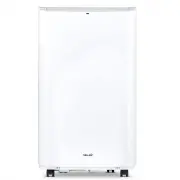
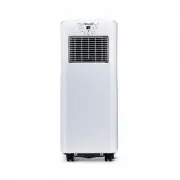
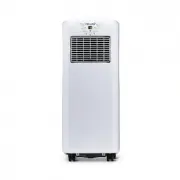
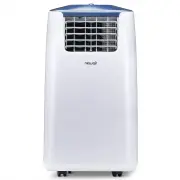
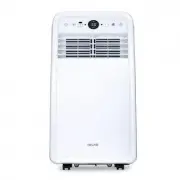
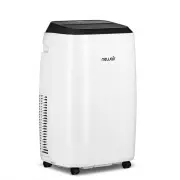
Page 2 - EAD AND SAVE THESE INSTRUCTIONS; TABLE OF CONTENTS; SP ECIFIC AT ION S; Width
2 newair.com R EAD AND SAVE THESE INSTRUCTIONS . TABLE OF CONTENTS Register Your Product Online ............................................................................... 3 Safety Information & Warnings ........................................................................... 4 Product Fe...
Page 3 - REG I ST ER YOUR PRODUC T ONLI NE; Register Your NewAir Product Online Today!; necessary
3 REG I ST ER YOUR PRODUC T ONLI NE Register Your NewAir Product Online Today! Take advantage of all the benefits product registration has to offer: Service and Support Troubleshoot, diagnose, and service issues faster and more accurately Recall Notifications Stay up to date on safety, system update...
Page 4 - SAFETY INFO RMATI O N & WARNINGS
4 newair.com SAFETY INFO RMATI O N & WARNINGS Please read the following guidelines carefully before using this air conditioner. • Only use this unit in household or residential settings. • Always keep the unit on a flat surface and in a dry place. Keep at least 20 inches of space on all sides of...
Page 5 - PRODU CT FEATU RES
5 PRODU CT FEATU RES 1. Control Panel 2. Main Vent 3. Exhaust Hose 4. Casters 5. Carrying Handle 6. Rear Air Intake 7. Power Cord 8. Dust Filter 9. Exhaust Outlet 10. Power Cord Storage Brackets 11. Water Drain
Page 6 - CONT ROL P ANEL AND R EM OT E
6 newair.com CONT ROL P ANEL AND R EM OT E 1. TIMER Press this button to set the timer. After pressing it, the screen will display “0.” Press the up and down arrows (#4 above) to change the timer in 1 hour increments from 0 to 24 hours. After choosing your time, wait a few seconds, and the timer wil...
Page 7 - REMOTE CONTROL
7 4. UP/DOWN CONTROLS These buttons are used to adjust the temperature and time settings. Press these two buttons simultaneously to change the displayed temperature from Fahrenheit to Celsius. 5. MODE Press this button to cycle between “cool,” “dry,” and “fan” mode. “Cool” mode is the normal air con...
Page 8 - SAFET Y FE AT URES; COMPRESSOR 3-MINUTE DELAY
8 newair.com SAFET Y FE AT URES ANTI-FROST PROTECTION While the air conditioner is running, if the temperature of the internal pipes gets too cold, the unit will automatically shut off in order to prevent frost buildup, and the display will show “DF.” Once the pipes have warmed enough, the unit will...
Page 9 - ASSEMBLY & INSTAL L ATION; Assembling the Exhaust
9 ASSEMBLY & INSTAL L ATION Choosing a Location Always keep the unit on a flat surface and in a dry place. Keep at least 20 inches of space on all sides of the unit to maintain efficiency and safety. Assembling the Exhaust • Connect the exhaust pipe to the round joiner disc, turning counter- clo...
Page 10 - Installing the Window Plate; extend the plate to match the correct length.
10 newair.com Installing the Window Plate The window plate is designed to be adjusted for almost any standard vertical/horizontal window opening. Measure the gap in the window, and extend the plate to match the correct length.
Page 11 - CLEANING & MAINTE NANCE; CL EANIN G; Before performing any cleaning, remember to turn off and unplug; Cleaning the Dust Filter; the unit. Soak in warm water and neutral detergent, or use a vacuum or
11 CLEANING & MAINTE NANCE CL EANIN G Warning: Before performing any cleaning, remember to turn off and unplug the unit. Cleaning the Outside Surface Clean the surface of the unit with a duster or damp, soft cloth. Do not use chemical reagents such as benzene, alcohol, gasoline, etc. as the surf...
Page 12 - L ONG-T ERM ST ORAGE; Turn off the unit and unplug the power cord.
12 newair.com L ONG-T ERM ST ORAGE During the winter, or any time the unit will not be used for several months at a time, it is recommended that you follow these measures to keep your unit in good shape. • Drain the water tank by removing the drain plug from the bottom of the back of the unit. • Dry...
Page 13 - TROU BLE SH OOT ING
13 TROU BLE SH OOT ING If any of the following problems arise, and the solutions below do not solve the problem, please contact customer service at [email protected] ISSUE CAUSE SOLUTION The air conditioner does not work The unit is not turned on or plugged in, the power source is not functioning, t...
Page 14 - LIMITED MANUFA CTU RER’ S WAR RANTY; Warranty Exclusions:
14 newair.com LIMITED MANUFA CTU RER’ S WAR RANTY This appliance is covered by a limited manufacturer’s warranty. For one year from the original date of purchase, the manufacturer will repair or replace any parts of this appliance that prove to be defective in materials and workmanship, provided the...