Page 2 - Contents; Page 1; Safety Precautions; DISCLAIMER; System; Maximum Line Set Length and Height Specifications*; damage or failure, and WILL VOID THE WARRANTY.
Contents Page 1 mrcool.com Safety Precautions Warnings .................................................................................................................................. 3Cautions ...........................................................................................................
Page 3 - Page 2; Unwind Quick Connect® Line Set* to necessary length 24
Contents Indoor Unit Installation ...........16 1. Selecting an installation location .........16 4. Prepare refrigerant piping ....................19 5. Mount indoor unit ..................................19 Outdoor Unit Installation ...... 20 1. Selecting an installation location ..... 202. Instal...
Page 4 - Page 3; Read Before Using; Incor; WARNING; to the unit, or other surrounding property.
Page 3 mrcool.com Read Before Using Incor rect usage may cause serious damage or injury. W ARNING CAUTION WARNING ! Safety Precautions The symbols below are used throughout this manual to indicate instructions that should be followed closely or actions that should be avoided to prevent death, injury...
Page 5 - Page 4; DO NOT
Page 4 Safety Precautions mrcool.com DO NOT pull the power cord to unplug the unit. Hold the plug firmly and pull it from the outlet. Pulling directly on the cord can damage it, which could lead to fire and/or electric shock. DO NOT modify the length of the power supply or use an extension cord to pow...
Page 6 - Page 5; Note about Fluorinated Gases:; equivalent or more, but less than 50 tonnes of CO; • For R-290 refrigerant models, the minimum room size needed:; • For units with a capacity less than or equal to 9,000 Btu/h: 13m
Page 5 Safety Precautions mrcool.com Note about Fluorinated Gases: 1. This unit contains fluorinated greenhouse gases. 2. For specific information on the type of gas and the amount, please refer to the relevant label on the unit itself. 3. Service, maintenance, and repair of this unit must be performe...
Page 7 - Page 6; Electrical; Wall Mounting Plate; Fresh Air Filter; in; Outdoor Unit; Electrical Access; NOTE ON ILLUSTRATIONS; Parts Overview; Indoor Unit; Quick Connect® Line Set
Page 6 Safety Precautions mrcool.com Electrical Access Front Panel Wall Mounting Plate Fresh Air Filter Ai r inlet rear A ir in let si e Air outlet Air outlet bottom Outdoor Unit (Exterior/Condenser) Air inlet rear Electrical Access Air Filter NOTE: The installation must be performed in accordance w...
Page 8 - Overview - Indoor Unit Display; Display Code Meanings; shape of your and size of your indoor unit may be different.; Front Panel; in a different color depending on the mode the unit is operating in:
Overview - Indoor Unit Display mrcool.com Display Code Meanings Page 7 NOTE: Different models will have a different front panel and display window. Not all of the features listed below will be equipped on the unit you have purchased. Please check the indoor unit display window of the unit purchased to...
Page 9 - Page 8; Accessories; fixing screw
Page 8 Accessories mrcool.com Note: Illustrations are for explanatory purposes only - The actual shape and size may vary. Batteries 2 1 1 1 Small Filter Seal (for cooling & heating models) Drain joint (for cooling & heating models) Fixing screw for remote controller holder 2 Remote Controlle...
Page 10 - Page 9; connectors of the pipe)
Page 9 mrcool.com Accessories 1 1 1 2 (Apply to the quick connectors of the pipe) 1 2 1 (w/ Manual in Controller Box) Installation & Owner’s Manual Remote Control Manual Smart Controller Kit Sound Deadening Pads Quick Connect ® Line Set* (refrigerant pipe) Insulation Material Non-Adhesive U.V. T...
Page 11 - CAUTION; Operating Temperature Ranges; Operating Instructions; DRY Mode; might be activated and cause the unit to function abnormally.; FOR OUTDOOR UNITS WITH AUXILIARY ELECTRIC HEATER:; When the outside temperature; Manual control button; turn the unit off.
Page 10 Safety Precautions mrcool.com CAUTION Manual Operation (without remote) Operating Temperature Ranges Fig 2.1 2 Operating Instructions DRY Mode HEAT Mode COOL Mode Room Temperature 62°F - 90°F (17°C - 32°C) 12K-24K Capacity -13°F - 122°F (-25°C - 50°C) 32°F - 122°F (0°C - 50°C) 36K Capacity 5...
Page 12 - Horizontal Louver; Vertical; Range; Horizontal; Louver; will change airflow direction of the indoor unit to; Airflow Directional Control
Page 11 Operating Instructions mrcool.com Range Fig. 2.3 Horizontal Louver (Horizontal Airflow Grill inside) Vertical Louver Range Fig. 2.2 Horizontal CAUTION DO NOT put your fingers into the panel of the blower and suction side. The high speed fan inside may cause injury. DO NOT operate the unit for ...
Page 13 - SLEEP Operation While Cooling; Optimal Operation; How the Air Conditioner Works; and off. The fan speed is set to; put any objects near the air inlets/outlets.
When ECO function is activated (some units)Units of measure, displays as either °C (Celcius) or °F (Fahrenheit). It will display in a different color depending on the mode the unit is operating in: • Under COOL or DRY mode, it will display as a cool color (Blue). • Under HEAT mode it will display as ...
Page 14 - Special Functions; button on; LED; button; LED; When the unit is turned off, in
Page 13 Operating Instructions mrcool.com Special Functions Refrigerant Leakage Detectio n : Louver Angle Memory Function (some units): Anti - Mildew Function (some units): Auto-Restart (some units) : Wireless Smart Control Function: Clean Air Filter Reminder (optional): LED button on Replace Air Fi...
Page 15 - Tab; Care and Maintenance; a cloth soaked in warm water.
Operating Instructions mrcool.com Tab CAUTION 1 2 3 Care and Maintenance Wipe the unit with a soft dry cloth. If the unit is very dirty, wipe it with a cloth soaked in warm water. DO NOT use bleach or abrasives . NOTE: A clogged air filter can greatly reduce heating and cooling efficiency of this unit....
Page 16 - Panel buckles; Removal
Page 15 Care and Maintenance mrcool.com Panel buckles . 4 3 5 6 3. Then, extract the filter by gently drawing it downward. Replace as necessary. 4. Unclip the small air freshening filter from the larger air filter. Replace if necessary. Otherwise, clean it with a vacuum and clip it back into place afte...
Page 17 - Installation Summary - Indoor Unit; Installation Instructions; Before installing the indoor unit, you must choose; Indoor Unit Installation; If there is no fixed refrigerant piping:; Near flammable items such as
Page 16 mrcool.com Installation Summary - Indoor Unit Installation Instructions – Indoor Unit PRIOR TO INSTALLATION: Before installing the indoor unit, refer to the label on the product box to make sure that the model numbers of the indoor unit and outdoor unit match. Step 1: Selecting an installati...
Page 18 - NOTE FOR CONCRETE OR BRICK WALLS:; recommended distance from floor; Step 3: Drill Wall Hole for Connective Piping; flush with the exterior wall. This will protect the; NOTE; Selecting; Make sure that the mounting plate is flat against
mrcool.com Indoor Unit Installation Refer to Fig. 4.2 to ensure proper distance from walls, ceiling, and floor when mounting unit: NOTE FOR CONCRETE OR BRICK WALLS: If the wall is made of brick, concrete, or a similar material, drill 0.2 in (5 mm) diameter holes in the wall and insert the sleeve anch...
Page 19 - MOUNTING PLATE DIMENSIONS; Different models have different mounting plates.; attempt a left rear wall hole.; Correct orientation of Mounting Plate; NOTE REGARDING WALL STUDS; Correct Angle to Drill Wall Hole; the unit. If you find that there is not enough room; UNIT IS ADJUSTABLE; Wall Hole Sleeve Installation; Series 36K Models
Page 18 mrcool.com Indoor Unit Installation MOUNTING PLATE DIMENSIONS Different models have different mounting plates. In order to ensure that you have ample room to mount the indoor unit, the diagrams to the right show different types of mounting plates along with the following dimensions: • Height &a...
Page 20 - this could negatively affect the performance.; Step 4: Prepare indoor unit refrigerant piping; NOTE: Refrigerant piping should exit the indoor; piping away from the back of the unit roughly 90; Refer to; Step 5: Mount the Indoor Unit; tape the ends of the piping; pan to overflow, which could lead to fire or water; DRAIN HOSE MUST BE ON BOTTOM; through the wall hole, might be difficult for; Check that the unit is hooked firmly on the
Page 19 mrcool.com Indoor Unit Installation CAUTION Be extremely careful not to dent or damage the piping while bending it away from the unit, as this could negatively affect the performance. Fig. 4.7 Step 4: Prepare indoor unit refrigerant piping The piping of the indoor unit is attached to the back...
Page 21 - Installation Instructions –; Step 1: Selecting an Installation Location; Before installing the outdoor unit, you must; Proper installation locations should meet; install unit in the following; Outdoor Unit Installation; Minimum Clearance; Minimum Clearance
Page 20 mrcool.com Indoor Unit Installation Installation Instructions – Outdoor Unit Step 1: Selecting an Installation Location Before installing the outdoor unit, you must choose an appropriate location. Use the following guidelines to help you select an appropriate location. Proper installation lo...
Page 22 - necessary airflow. See; Step 2: Install drain joint; DRAINAGE IN COLD CLIMATES; Seal; different types of drain joints depending on
Page 21 mrcool.com Outdoor Unit Installation SPECIAL CONSIDERATIONS FOR EXTREME WEATHERIf the unit is exposed to heavy wind: Install the unit so the air outlet fan is at a 90° angle to the direction of the wind. If needed, build a barrier in front of the unit to protect it from extremely heavy winds...
Page 23 - Outdoor Unit Dimensions:; WHEN DRILLING INTO CONCRETE, EYE; Air Outlet; Air Inlet; If you are installing the outdoor unit on the; UNIT MOUNTING DIMENSIONS; The following is a list of different outdoor unit sizes; TOP VIEW; Step 3: Anchor Outdoor Unit; FRONT VIEW
Page 22 mrcool.com Outdoor Unit Installation Outdoor Unit Dimensions: Inches (Millimeters) Width (W) x Height (H) x Depth (D) Mounting Dimensions: Inches (Millimeters) Width (A) Depth (B) 30.12 in x 21.85 in x 11.93 in (765 mm x 555 mm x 303 mm) 17.8 in (452 mm) DIY-24-HP-C-230C DIY-18-HP-C-230C DIY...
Page 24 - If you are installing the unit on a wall-mounted; Thread expansion bolts through the holes in the
mrcool.com Outdoor Unit Installation If you are installing the unit on a wall-mounted bracket, follow these steps: TO REDUCE VIBRATION OF WALL-MOUNTED UNIT Before installing a wall-mounted unit, make sure that the wall is made of solid brick, concrete, or a similarly strong material. The wall must b...
Page 25 - Refrigerant Piping Connection; Step 1: Prepare exterior wall hole; Install finishing ring/cap to the exterior portion of; Be extremely careful not to dent or damage the; Step 2: Unwind Quick Connect® Line Set to; connectors are close to flat on the ground (with; When bending connective refrigerant piping, it; MINIMUM BEND RADIUS
mrcool.com Page 24 Refrigerant Piping Connection Step 1: Prepare exterior wall hole Before the refrigerant piping can be installed and connected to the indoor and outdoor units, some additional steps are required to prepare the exterior. 1. Install finishing ring/cap to the exterior portion of the wa...
Page 26 - PLEASE READ FULLY BEFORE PROCEEDING TO NEXT STEP; remove the sealing caps and stoppers; smoke during the installation.; Connecting the Quick Connect; piping from the indoor unit and tighten the first few; crescent wrenches that can be adjusted to fit the size; much torque, the screw connections could suffer
Page 25 mrcool.com Step 3: Connect Line Set to Indoor Unit Refrigerant Pipe Connectors (both ends): IMPORTANT: IMPORTANT: Before you continue, it is essential that you read the following instructions fully and carefully. 3.2 IMPORTANT INFORMATION PLEASE READ FULLY BEFORE PROCEEDING TO NEXT STEP } . ...
Page 27 - TORQUE REQUIREMENTS; torque requirements shown in the table below.; HVAC technician.; tighten the connector to the specified torque; * If an HVAC torque wrench is NOT available:
Page 26 mrcool.com Refrigerant Piping Connection TORQUE REQUIREMENTS 1. Excessive force can break the connector or damage the refrigerant piping. You must not exceed the torque requirements shown in the table below. 2. You can find the Outer Pipe Diameter stamped (in inches) on the valve set of the c...
Page 28 - IMPORTANT; NOTE: Ensure the adapters attached to the; the first few threads by hand.; Step 4: Connect Line Set to the Outdoor Unit; Using the first image below as a guide, starting with; NOTE: work quickly and make sure the screw; tighten the connector to the specified torque rating,; *If an HVAC torque wrench is NOT available:; Repeat the same process for the top screw connector,
Page 27 mrcool.com Refrigerant Piping Connection CAUTION IMPORTANT 1 1 2 2 2. Do not remove the plastic seals from the outdoor unit piping connectors and corresponding refrigerant pipes (line set to be attached) until immediately before you connect them. NOTE: Ensure the adapters attached to the out...
Page 29 - exceed the torque requirements shown in the table below.; contact a qualified HVAC technician.; Stamp
Page 28 mrcool.com Refrigerant Piping Connection 1. Excessive force can break the connector or damage the refrigerant piping. You must not exceed the torque requirements shown in the table below. 2. You can find the Outer Pipe Diameter stamped (in inches) on the valve set of the condenser. Refer to t...
Page 30 - cover on the top valve, using a 19 mm open-ended; Electrical and Gas Leak Checks; Step 5: Opening the refrigerant valves of the outdoor unit; Electrical and Gas Leaks Checks
Page 29 mrcool.com Refrigerant Piping Connection IMPORTANT: 1. Using the images below as a guide, remove the cover on the top valve, using a 19 mm open-ended wrench or a crescent (adjustable-type) wrench. Then, insert a 5 mm Allen key and open the valve by turning it counter-clockwise as far as it w...
Page 31 - Step 6: Wrap Piping Connections; wrap the end of the drain hose.; MRCOOL; sizes to fit your particular application.
Refrigerant piping Drain hose Non-Adhesive U.V. Tape Fig. 6.2 Wrapping the piping upward will prevent rain/moisture from seeping into the overlaps of the tape Page 30 mrcool.com Refrigerant Piping Connection IMPORTANT Step 6: Wrap Piping Connections In this step you will wrap and insulate the expose...
Page 32 - NOTE ON DRAIN HOSE PLACEMENT; Make sure to arrange the drain hose correctly; kink the drain hose.; create a water trap.; put the end of the drain hose in; Remove the air filter from the indoor unit and pour a
Page 31 mrcool.com Refrigerant Piping Connection NOTE ON DRAIN HOSE PLACEMENT Make sure to arrange the drain hose correctly according to Fig. 6.3a. DO NOT kink the drain hose. DO NOT create a water trap. DO NOT put the end of the drain hose in water or a container that will collect water. ENSURE UNU...
Page 33 - BEFORE PERFORMING ELECTRICAL WORK, READ THESE REGULATIONS; moving parts within the unit.; licensed electrician.
Page 32 mrcool.com Refrigerant Piping Connection BEFORE PERFORMING ELECTRICAL WORK, READ THESE REGULATIONS DO NOT connect another appliance to the outlet for the unit. Only connect the unit to an individual branch circuit outlet. DO NOT allow wires to touch or rest against the refrigerant piping, co...
Page 34 - Electrical Connections; POWER SUPPLY; L N; L N; TO INDOO UNIT; POWER SUPPLY; RE; WIRE CONNECTING DIAGRAM (All other units); Connect the MC Cable/signal wire and power cable; WIRES AND TERMINALS ARE NUMBERED
7 Electrical Connections Page 33 mrcool.com TO INDOO UNIT 115 POWER SUPPLY Y/G RE D 3 2 L N 1 3 2 1 W HI TE BL AC K L N OUT DOO UNIT T E MIN L TO INDOO UNIT 208 / 230 POWER SUPPLY Y/G RE D 3 2 L1L2 1 3 2 1 W HI TE BL AC K L1 L2 OUT DOO UNIT T E MIN L Fig. 7.1 WIRE CONNECTING DIAGRAM (12K Unit Only) ...
Page 35 - See table below for gauge requirements; NOTE ABOUT FUSE SPECIFICATIONS; Cover; Appliance; AWG; Model Series
Page 34 mrcool.com Electrical Connections SELECT THE CORRECT CABLE • See table below for gauge requirements NOTE: The table below is a standard chart, the AWG ratings and wiring needs will change based on wire length and temperature. ALL WIRING MUST BE INSTALLED STRICTLY IN ACCORDANCE WITH THE WIRIN...
Page 36 - Then, you will connect the wires to the terminal; Ground wire
Page 35 mrcool.com Electrical Connections 4. Now, secure the MC cable to the electrical cover by pushing the threaded end of the cable into the hole and reinstalling the retaining nut previously removed onto the end of the cable. Please refer to the images below. 5. Then, you will connect the wires ...
Page 37 - After confirming that all of the refrigerant; Soap and Water Method; If electrical leakage is detected, turn off the; After installation is complete, confirm that all; Electrical Safety Checks; WARNING – RISK OF; A: Low pressure stop valve
Page 36 mrcool.com Refrigerant Piping Connection AFTER PERFORMING GAS LEAK CHECKS After confirming that all of the refrigerant pipe connections points DO NOT leak, replace the valve cover on the outside unit and wrap and insulate the piping connections of the indoor unit. 8 BEFORE TEST RUN 8 Using a ...
Page 38 - Before Test Run; Outdoor; Test Run; You should perform the Test Run for at least 30
Page 37 mrcool.com Refrigerant Piping Connection Before Test Run Test Run Instructions P ASS/FAIL Outdoor (2): Indoor (2): No electrical leakage Unit is properly grounded All electrical terminals properly covered Indoor and outdoor units are solidly installed Wall Hole Sleeve is packed airtight All ...
Page 39 - DOUBLE-CHECK PIPE CONNECTIONS; IF THE AMBIENT TEMPERATURE IS; THANK YOU; Manual Control Button; on the right-hand side of the unit (Refer; After the Test Run is successfully completed, and
Page 38 mrcool.com Test Run DOUBLE-CHECK PIPE CONNECTIONS IF THE AMBIENT TEMPERATURE IS BELOW 63°F (17°C) THANK YOU Fig. 9.1 Manual Control Button During operation, the pressure of the refrigerant circuit/piping will increase. This may reveal leaks that were not present during your initial leak chec...
Page 41 - DO NOT ATTEMPT TO CORRECT
Page 40 mrcool.com Poor Cooling Performance The unit is not working The unit starts and stops frequently Poor heating performance Symptom Solution Possible Causes Before calling for service assistance, troubleshoot a problem by performing the following checks: The heat exchanger on the indoor or out...
Page 42 - Indicator lamps continue flashing; Symptom; safely. If the indicator lamps continue to flash or; Indoor Unit Error Display; When the indoor unit encounters a recognized error
Indicator lamps continue flashing Error code appears and begins with the letters, as shown below in window display of the indoor unit:• EH(xx), EL(xx), EC(xx) • PC(xx) Page 41 mrcool.com Symptom Solution The unit may stop operation or continue to run safely. If the indicator lamps continue to flash or...
Page 43 - LED flash f; di; Problem
mrcool.com Page 42 For other errors: The display boar d may show a garbled code or a code undefined by the service manual. Ensu re that this code is not a temperature reading. Troubleshooting: Test the unit using the remote control. If the unit does not respond to the remote, the indoor PCB requires ...
Page 44 - Troubleshooting by Error Code; ror diagnosis and solution); Troubleshooting and repair:
mrcool.com Page 43 Troubleshooting by Error Code 10.1 Error Code: EH 00/EC 51 (EEPROM parameter er ror diagnosis and solution) Description: Indoor or outdoor PCB main chip does not receive feedback from EEPROM chip. Recommended parts to prepare: • Indoor PCB • Outdoor PCB Troubleshooting and repair:...
Page 45 - Indoor unit can not communicate with outdoor unit; Recommended parts to prepare:; could not be removed separately. In this
mrcool.com Page 44 10.2 Error Code: EL 01 (Indoor and outdoor unit communication error diagnosis and solution) Description: Indoor unit can not communicate with outdoor unit Recommended parts to prepare: • Indoor PCB • Outdoor PCB • Short-circuited component Troubleshooting and repair: Does the erro...
Page 46 - S and N
mrcool.com Page 45 Remarks: • Use a multimeter to test the DC voltage between 2 port(or S or L2 port) and 3 port(or N or S port) of the outdoor unit. The red pin of the multimeter connects with 2 ports (or S or L2 port) while the black pin is for 3 port (or N or S port). • When AC is normal running,...
Page 48 - Indoor AC Fan Motor; measur; The error codes and descriptions are for
mrcool.com Index: 1. Indoor or Outdoor DC Fan Motor(control chip is in fan motor) Power on and when the unit is in standby, measure the voltage of pin1-pin3, pin4-pin3 in the fan motor connector. If the value of the voltage is not in the range shown in the table below, the PCB needs to be replaced. ...
Page 49 - If the sampling voltage is lower than 0.06V or higher than 4.94; Connection wires
Description: If the sampling voltage is lower than 0.06V or higher than 4.94 V, the LED displays the failure code. Recommended parts to prepare: • Connection wires • Sensors • PCB Troubleshooting and repair: Check the connection between temperature sensor and PCB. Replace indoo r PCB (EH 60/EH 61) o...
Page 50 - rd communication error diagnosis and solution); Indoor PCB does not receive feedback from the display board.; Communication wire
mrcool.com Page 49 10.6 Error Code: EH 0b (Indoor PCB / Display boa rd communication error diagnosis and solution) Derscription: Indoor PCB does not receive feedback from the display board. Recommended parts to prepare: • Communication wire • Indoor PCB • Display board Troubleshooting and repair: Is...
Page 51 - In the initial 5 minutes after the comp; T2 sensor
mrcool.com Page 50 10.7 Error Code: EL 0C (Refrigerant Leakage Detection diagnosis and solution) Description: Measure the evaporator coil temperature (T2) of the compressor as it just starts running as Tcool. In the initial 5 minutes after the comp ressor starts up, if the following events occur 3 t...
Page 52 - rong current protection diagnosis and solution); will display the failure code and the A/C will turn off.
mrcool.com Page 51 10.8 Error Code: PC 00 (IPM malfunction or IGBT over -st rong current protection diagnosis and solution) Description: When the voltage signal that the IPM sends to the compressor drive chip is abnormal, the LED will display the failure code and the A/C will turn off. Recommended pa...
Page 53 - Power supply wires
mrcool.com Page 52 10.9 Error Code: PC 01 (Over voltage or too low voltage protection diagnosis and solution) Description: Abnormal increases or decreases in voltage ar e detected by checking the specified voltage detection circuit. Recommended parts to prepare: • Power supply wires • IPM module boar...
Page 54 - diagnosis and solution); ff the system because the
mrcool.com Page 53 10.10 Error Code: PC 02 (High temperature protection of IPM module or High pressure protection diagnosis and solution) Description: If the temperature of the IPM module is higher than a certain value, the LED displays the failure code.For some models with a high pressure switch, t...
Page 56 - ff the system because p
mrcool.com Page 55 10.11 Error Code: PC 03 (Low pressure protection diagnosis and solution)Description: Outdoor pressure switch cut o ff the system because p ressur e has become lower than 0.13 MPa. If this occurs, the LED will display the failure code. Recommended parts to prepare: • Connection wire...
Page 58 - Outdoor PCB
mrcool.com Page 57 10.13 Error Code: PC 08 (Overload current protection diagnosis and solution) Description: An abnormal curr ent rise is detected by checking the specified cur rent detection circuit. Recommended parts to prepare: • Outdoor PCB • Connection wires • Compressor Troubleshooting and repa...
Page 59 - EU Disposal Guidelines; Special notice; the law requires special collection and treatment.
Page 58 mrcool.com Refrigerant Piping Connection 11 EU Disposal Guidelines Special notice Correct Disposal of This Product (Electrical Waste & Electronic Equipment) This appliance contains refrigerant and other potentially hazardous materials. When disposing of this appliance, the law requires s...
Page 60 - ensure you have the latest version of this manual.; DIY
Due to updates and constantly improving performance, the information and instructions within this manual are subject to change without notice. Please visit www.mrcool.com/documentation to ensure you have the latest version of this manual. DIY ® E Star ™ Series
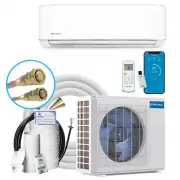


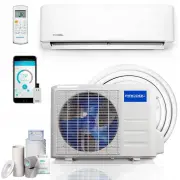 MRCOOL A-09-HP-115B-LG
User Manual
MRCOOL A-09-HP-115B-LG
User Manual
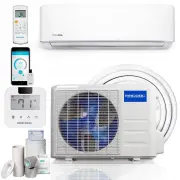 MRCOOL A-09-HP-115B-MS
User Manual
MRCOOL A-09-HP-115B-MS
User Manual
 MRCOOL A-09-HP-115C
User Manual
MRCOOL A-09-HP-115C
User Manual
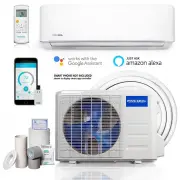 MRCOOL A-09-HP-230B-LG
User Manual
MRCOOL A-09-HP-230B-LG
User Manual
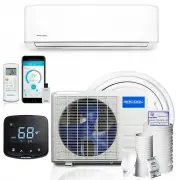 MRCOOL A-09-HP-230B-MS
User Manual
MRCOOL A-09-HP-230B-MS
User Manual
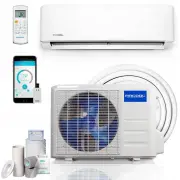 MRCOOL A-12-HP-115B-LG
User Manual
MRCOOL A-12-HP-115B-LG
User Manual
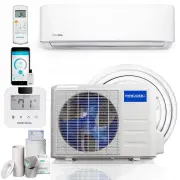 MRCOOL A-12-HP-115B-MS
User Manual
MRCOOL A-12-HP-115B-MS
User Manual
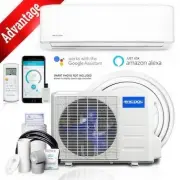 MRCOOL A-12-HP-115C
User Manual
MRCOOL A-12-HP-115C
User Manual
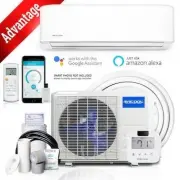 MRCOOL A-12-HP-115C-MS
User Manual
MRCOOL A-12-HP-115C-MS
User Manual
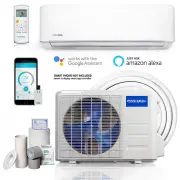 MRCOOL A-12-HP-230B-LG
User Manual
MRCOOL A-12-HP-230B-LG
User Manual
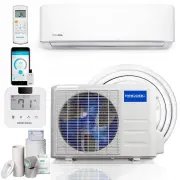 MRCOOL A-12-HP-230B-MS
User Manual
MRCOOL A-12-HP-230B-MS
User Manual
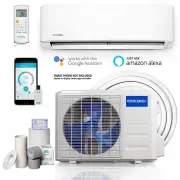 MRCOOL A-18-HP-230B-LG
User Manual
MRCOOL A-18-HP-230B-LG
User Manual
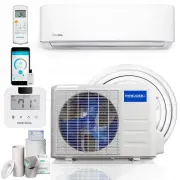 MRCOOL A-18-HP-230B-MS
User Manual
MRCOOL A-18-HP-230B-MS
User Manual