Page 2 - Unit Specifications and Features; Owner’s Manual; Table of Contents; Safety Precautions
Unit Specifications and Features ...........................................................07 Owner’s Manual Table of Contents Safety Precautions ...............................................................................03 Care and Maintenance .....................................................
Page 3 - Installation Manual
Installation Manual Accessories .........................................................................................17 Unit Parts ............................................................................................19 Indoor Unit Installation ................................................
Page 4 - Read Safety Precautions Before Operation and Installation; WARNING; or MrCool®; Do not; CLEANING AND MAINTENANCE WARNINGS; Do not; WARNING; This symbol indicates the possibility; CAUTION; This symbol indicates the possibility of
Safety Precautions Read Safety Precautions Before Operation and Installation The seriousness of potential damage or injuries is classified as either a WARNING or CAUTION . Incorrect installation due to ignoring instructions can cause serious damage or injury. Safety Precautions Page 3 WARNING Th...
Page 5 - ELECTRICAL WARNINGS; or similarly qualified persons in order to avoid a hazard.; can cause fire or electrical shock.; TAKE NOTE OF FUSE SPECIFICATIONS
Safety Precautions Page 4 CAUTION • Turn off the air conditioner and disconnect the power if you are not going to use it for a long time. • Turn off and unplug the unit during storms. • Make sure that water condensation can drain unhindered from the unit. • Do not operate the air conditioner wit...
Page 6 - WARNINGS FOR PRODUCT INSTALLATION; do not; the
Safety Precautions Page 5 WARNINGS FOR PRODUCT INSTALLATION 1. Installation must be performed by an authorized dealer or specialist. Defective installation can cause water leakage, electrical shock, or fire. 2. Installation must be performed according to the installation instructions. Improper i...
Page 7 - Page 6; Disposal Guidelines; dispose of this product as; Special notice; C o rrect D isp o sal o f T h is Pro d u ct; WARNING for Using R32/R290 Refrigerant; where the room size corresponds to the room area as specifie; UL; IEC; Standard Requirements)
Safety Precautions Page 6 E U Disposal Guidelines This appliance contains refrigerant and other potentially hazardous materials. When disposing of this appliance, the law requires special collection and treatment. Do not dispose of this product as household waste or unsorted municipal waste. Whe...
Page 8 - Page 7; Indoor unit display; Display Code; Different models have
Page 7 Unit Specifications and Features Unit Specifications and Featur es Indoor unit display Display Code Meanings Power Cable (Some Units ) Remote Control Remote Control Holder (Some Units) Functional Filter (On Back of Main Filter - Some Units) Louver Front Panel Display window (A) (B) (C) (D...
Page 9 - Page 8
Unit Specifications and Featur es Page 8 (E) Power Cable (Some Units ) Remote Control Remote Control Holder (Some Units) Functional Filter (On Back of Main Filter - Some Units) Louver Front Panel Display window Display window The unit has a build-in light sensor to detect the ambient brightness....
Page 10 - Page 9; Operating temperature; To further optimize the performance of your unit, do the following:; Keep doors and windows closed.; Inverter Split Type; When outside
Unit Specifications and Featur es Page 9 Operating temperature When your air conditioner is used outside of the following temperature ranges, certain safetyprotection features may activate and cause the unit to disable. Room Temperature 17°C-32°C (62°F-90°F) 0°C-30°C (32°F-86°F) 10°C-32°C (50°F-...
Page 11 - Other Features; to; Wireless Control; manual; Sleep Operation; HEAT
Page 10 Unit Specifications and Featur es Other Features • Auto-Restart (some units) If the unit loses power, it will automatically restart with the prior settings once power has been restored. • Anti-mildew (some units) When turning off the unit from COOL, AUTO (COOL), or DRY modes, the air con...
Page 12 - Do not put your fingers in or near the blower; Deflector; Setting vertical angle of air flow; NOTE ON LOUVER ANGLES; Setting Angle of Air Flow
Page 11 Unit Specifications and Featur es Manual control button The horizontal angle of the airflow must be set manually. Grip the deflector rod (See Fig.B ) and manually adjust it to your preferred direction. For some units, the horizontal angle of the airflow can be set by remote control. plea...
Page 13 - Cleaning Your Air Filter; Care and Maintenance
Page 12 Cleaning Your Indoor Unit BEFORE CLEANING OR MAINTENANCE ALWAYS TURN OFF YOUR AIR CONDITIONERSYSTEM AND DISCONNECT ITS POWER SUPPLYBEFORE CLEANING OR MAINTENANCE. CAUTION Only use a soft, dry cloth to wipe the unit clean. If the unit is especially dirty, you can use a cloth soaked in war...
Page 15 - Common Issues; Issue; Troubleshooting; A rushing air sound may occur when the louver resets its position.; SAFETY PRECAUTIONS; The power cord is damaged or abnormally warm
Page 14 Common Issues The following problems are not a malfunction and in most situations will not require repairs. Issue Possible Causes Unit does not turn on when pressing ON/OFF button The Unit has a 3-minute protection feature that prevents the unit from overloading. The unit cannot be resta...
Page 16 - Problem
Page 15 Issue Possible Causes The outdoor unitmakes noises The unit will make different sounds based on its current operating mode. Dust is emitted from either the indoor or outdoor unit The unit may accumulate dust during extended periods of non-use, which will be emitted when the unit is turne...
Page 18 - L iq u id sid e
Page 17 Accessories The air conditioning system comes with the following accessories. Use all of the installation parts and accessories to install the air conditioner. Improper installation may result in water leakage, electrical shock and fire, or cause the equipment to fail. The items are not ...
Page 19 - Installation Summary - Indoor Unit; Select Installation Location; Wrap Piping and Cable
Page 18 Installation Summary -Indoor Unit Installation Summary - Indoor Unit Select Installation Location Attach Mounting Plate Determine Wall Hole Position 1 2 3 Drill Wall Hole 4 12cm (4.75in) 2.3m (90.55in) 12cm (4.75in) 15cm (5.9in) Mount Indoor Unit STEP 8 Wrap Piping and Cable (not applica...
Page 20 - NOTE ON ILLUSTRATIONS; Unit Parts
Page 19 Unit Parts NOTE ON ILLUSTRATIONS Illustrations in this manual are for explanatory purposes. The actual shape of your indoor unit may be slightly different. The actual shape shall prevail. NOTE: The installation must be performed in accordance with the requirement of local and national st...
Page 21 - DO NOT; install unit in the following; NOTE FOR CONCRETE OR BRICK WALLS:; Indoor Unit Installation
Page 20 Indoor Unit Installation Installation Instructions – Indoor unit PRIOR TO INSTALLATION Before installing the indoor unit, refer to the label on the product box to make sure that the model number of the indoor unit matches the model number of the outdoor unit. Step 1: Select installation ...
Page 22 - Step 3: Drill wall hole for connective piping; MOUNTING PLATE DIMENSIONS; When drilling the wall hole, make sure to; Type A
Page 21 Indoor Unit Installation Step 3: Drill wall hole for connective piping 1. Determine the location of the wall hole based on the position of the mounting plate. Refer to Mounting Plate Dimensions. Wall Indoor Outdoor m m 7- 5 (0.2-0.275in) Fig.3.2 MOUNTING PLATE DIMENSIONS Different models...
Page 23 - Step 4: Prepare refrigerant piping; Based on the position of the wall hole relative; Connect Drain Hose; NOTE ON PIPING ANGLE; Connect drain hose; PLUG THE UNUSED DRAIN HOLE
Page 22 Indoor Unit Installation Step 4: Prepare refrigerant piping The refrigerant piping is inside an insulating sleeve attached to the back of the unit. You must prepare the piping before passing it through the hole in the wall. 1. Based on the position of the wall hole relative to the mounti...
Page 24 - NOTE
Page 23 Indoor Unit Installation BEFORE PERFORMING ANY ELECTRICAL WORK, READ THESE REGULATIONS 1. All wiring must comply with local and national electrical codes, regulations and must be installed by a licensed electrician. 2. All electrical connections must be made according to the Electrical C...
Page 25 - DO NOT MIX UP LIVE AND NULL WIRES; This is dangerous, and can cause the air; NOTE ABOUT WIRING; Indoor Unit
Page 24 Indoor Unit Installation 1. O pen front panel of the indoor unit. 2. Using a screwdriver, open the wire box cover on the right side of the unit. This will reveal the terminal block. Terminal block Wire cover Screw Cable clamp WARNING 3. Unscrew the cable clamp below the terminal block an...
Page 26 - UNIT IS ADJUSTABLE
Page 25 Indoor Unit Installation Move to left or right 30-50mm (1.18-1.96in) 30-50mm (1.18-1.96in) UNIT IS ADJUSTABLE Keep in mind that the hooks on the mounting plate are smaller than the holes on the back of the unit. If you find that you don’t have ample room to connect embedded pipes to the ...
Page 27 - below; Outdoor Unit Installation
Outdoor Unit Installation Page 26 Installation ev o ba ) ni 42 ( mc 06 60cm (24in) on right 30cm (12in) on left 200cm (79in) in front 30cm (12in) from back wall Installation Instructions – Outdoor unit Step 1: Select installation location Before installing the outdoor unit, you must choose an ap...
Page 28 - If the drain joint comes with a rubber seal; Insert the drain joint into the hole in the base; If the drain joint doesn’t come with a rubber; IN COLD CLIMATES; Air inlet
Page 27 Outdoor Unit Installation Step 2: Install drain joint(Heat pump unit only) Before bolting the outdoor unit in place, you must install the drain joint at the bottom of the unit. Note that there are two different types of drain joints depending on the type of outdoor unit. If the drain joi...
Page 29 - Unit Model
Page 28 Outdoor Unit Installation If you will install the unit on a wall-mounted bracket , do the following: 1.Mark the position of bracket holes based on dimensions chart. 2. Pre-drill the holes for the expansion bolts. 3. Place a washer and nut on the end of each expansion bolt. 4. Thread expa...
Page 30 - Step 4: Connect signal and power cables; USE THE RIGHT CABLE; PAY; ATTENTION TO LIVE WIRE; CHOOSE THE RIGHT CABLE SIZE
Outdoor Unit Installation Page 29 Step 4: Connect signal and power cables The outside unit’s terminal block is protected by an electrical wiring cover on the side of the unit. A comprehensive wiring diagram is printed on the inside of the wiring cover. WARNING 1. Prepare the cable for connection...
Page 31 - let substances or gases other than the specified; DO NOT DEFORM PIPE; Model; Refrigerant Piping Connection
Page 30 Note on Pipe Length The length of refrigerant piping will affect the performance and energy efficiency of the unit. Nominal efficiency is tested on units with a pipe length of 5 meters (16.5ft)( In North America, the standard pipe length is 7.5m (25’). A minimum pipe run of 3 metres is r...
Page 32 - Step 4: Connect pipes; MINIMUM BEND RADIUS; Instructions for Connecting Piping to; Step 3: Flare pipe ends; PIPING EXTENSION BEYOND FLARE FORM; Outer Diameter of
6. Place flaring tool onto the form. 7. Turn the handle of the flaring tool clockwise until the pipe is fully flared. 8. Remove the flaring tool and flare form, then inspect the end of the pipe for cracks and even flaring. Step 4: Connect pipes When connecting refrigerant pipes, be careful not to us...
Page 33 - Torque Requirements; Instructions for Connecting Piping to Outdoor Unit; TORQUE REQUIREMENTS; Tightening Torque; DO NOT USE EXCESSIVE TORQUE; torque requirements shown in the table above.
Page 32 Refrigerant piping Connection 2. Tighten the flare nut as tightly as possible by hand. 3. Using a spanner, grip the nut on the unit tubing. 4. While firmly gripping the nut on the unit tubing, use a torque wrench to tighten the flare nut according to the torque values in the Torque Requi...
Page 34 - Preparations and Precautions; BEFORE PERFORMING EVACUATION; Evacuation Instructions; OPEN VALVE STEMS GENTLY; Air Evacuation
Page 33 Air Evacuation Preparations and Precautions Air and foreign matter in the refrigerant circuit can cause abnormal rises in pressure, which can damage the air conditioner, reduce its efficiency, and causeinjury. Use a vacuum pump and manifold gauge to evacuate the refrigerant circuit, remo...
Page 35 - Note on Adding Refrigerant; mix refrigerant types.; ADDITIONAL REFRIGERANT PER PIPE LENGTH; Connective Pipe
Page 34 Air Evacuation Note on Adding Refrigerant Some systems require additional charging depending on pipe lengths. The standard pipe length variesaccording to local regulations. For example, in North America, the standard pipe length is 7.5m (25’).In other areas, the standard pipe length is 5...
Page 36 - Electrical Safety Checks; Electrical and Gas Leak Checks
Page 35 Electrical and Gas Leak Checks Electrical Safety Checks After installation, confirm that all electrical wiring is installed in accordance with local and national regulations, and according to the Installation Manual. BEFORE TEST RUN Check Grounding Work Measure grounding resistance by vi...
Page 37 - Test Run Instructions; List of Checks to Perform
Page 36 Test Run Instructions You should perform the Test Run for at least 30 minutes. 1. Connect power to the unit. 2. Press the ON/OFF button on the remote controller to turn it on. 3. Press the MODE button to scroll through the following functions, one at a time: • COOL – Select lowest possib...
Page 38 - Instructions for packing and unpacking the unit:; Please keep all packaging items if you may need in the future.; Packing and unpacking the unit
Page 37 Packing and unpacking the unit Instructions for packing and unpacking the unit: Unpacking:Indoor unit: 1.Cut the sealing tape on the carton with a knife, one cut on the left, one cut in the middle and one cut on the right. 2.Use the vice to take out the sealing nails on the top of the ca...
Page 39 - Advantage Series; Consult with the sales agency or manufacturer for details.; INSTALLATION LOCATION:
Advantage Series The design and specifications of this product and/or manual are subject to change without prior notice. Consult with the sales agency or manufacturer for details. ELECTRICIAN and/or HVAC TECHNICIAN: LICENSE #: INSTALLATION DATE: INSTALLATION LOCATION: SERIAL NUMBER:
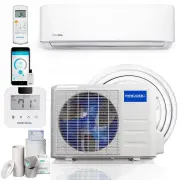


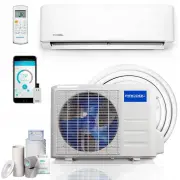 MRCOOL A-09-HP-115B-LG
User Manual
MRCOOL A-09-HP-115B-LG
User Manual
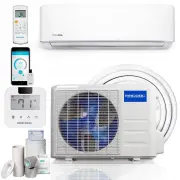 MRCOOL A-09-HP-115B-MS
User Manual
MRCOOL A-09-HP-115B-MS
User Manual
 MRCOOL A-09-HP-115C
User Manual
MRCOOL A-09-HP-115C
User Manual
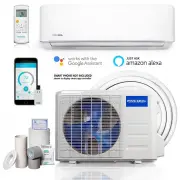 MRCOOL A-09-HP-230B-LG
User Manual
MRCOOL A-09-HP-230B-LG
User Manual
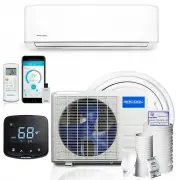 MRCOOL A-09-HP-230B-MS
User Manual
MRCOOL A-09-HP-230B-MS
User Manual
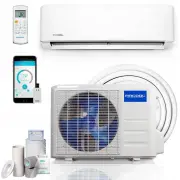 MRCOOL A-12-HP-115B-LG
User Manual
MRCOOL A-12-HP-115B-LG
User Manual
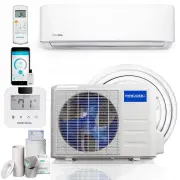 MRCOOL A-12-HP-115B-MS
User Manual
MRCOOL A-12-HP-115B-MS
User Manual
 MRCOOL A-12-HP-115C
User Manual
MRCOOL A-12-HP-115C
User Manual
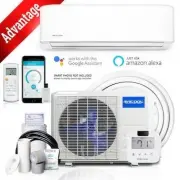 MRCOOL A-12-HP-115C-MS
User Manual
MRCOOL A-12-HP-115C-MS
User Manual
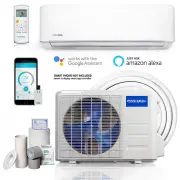 MRCOOL A-12-HP-230B-LG
User Manual
MRCOOL A-12-HP-230B-LG
User Manual
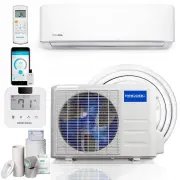 MRCOOL A-12-HP-230B-MS
User Manual
MRCOOL A-12-HP-230B-MS
User Manual
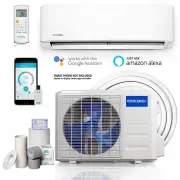 MRCOOL A-18-HP-230B-LG
User Manual
MRCOOL A-18-HP-230B-LG
User Manual
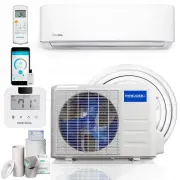 MRCOOL A-18-HP-230B-MS
User Manual
MRCOOL A-18-HP-230B-MS
User Manual