Page 2 - Contents; Language
Contents 2 Warning and safety instructions ................................................................................ 6 Caring for the environment ......................................................................................... 13 Guide to the appliance ..................................
Page 3 - Alarm + minute minder
Contents 3 Date .................................................................................................................................. 36 Lighting............................................................................................................................. 37 Start screen ...
Page 6 - Warning and safety instructions; Appropriate use
Warning and safety instructions 6 This oven complies with all current local and national safetyrequirements. However, inappropriate use can lead to personalinjury and damage to property.Read the operating and installation instructions carefully beforeusing the oven. They contain important informatio...
Page 7 - Safety with children
Warning and safety instructions 7 Safety with children Activate the system lock to ensure that children cannot switch the oven on by mistake. Children under 8 years of age must be kept away from the oven unless they are constantly supervised. Children aged 8 and older may only use the oven wit...
Page 9 - Correct use
Warning and safety instructions 9 If the oven is delivered without a power connection cable, a special cable must be installed by a Miele authorised service technician (see“Installation”, “Electrical connection”). If the connection cable is damaged, it must be replaced with a special connection ...
Page 11 - The following applies to stainless steel surfaces:; Cleaning and care
Warning and safety instructions 11 Risk of injury caused by steam. Pouring a cold liquid onto a hot surface creates steam, which can cause severe scalding. The suddentemperature change can also cause damage to hot enamelledsurfaces. Never pour cold liquids directly onto hot enamelledsurfaces. Da...
Page 12 - Accessories
Warning and safety instructions 12 Coarse soiling in the oven compartment can cause thick smoke to develop. Coarse soiling should be removed from the ovencompartment before running the pyrolytic cleaning programme. Risk of injury caused by hazardous steam. During pyrolytic cleaning, steam, which...
Page 13 - Caring for the environment; Disposing of your old appliance
Caring for the environment 13 Disposing of the packagingmaterial The packaging material is used forhandling and protects the appliancefrom transport damage. The packagingmaterial used is selected from materialswhich are environmentally friendly fordisposal and can generally be recycled.Recycling the...
Page 14 - Guide to the appliance; Oven
Guide to the appliance 14 Oven a Control elements b Door lock c Top heat/grill element with wireless food probe antenna d Steam inlet openings e Water intake pipe for the steam injection system f Wireless food probe g Camera h Side runners with 3 shelf levels i Air inlet for the fan with ring heatin...
Page 15 - Controls
Controls 15 a Recessed On/Off sensor control For switching the oven on and off b sensor control For controlling the oven via yourmobile device c Movement sensorFor switching on the oven interiorlighting and the display, and toacknowledge the buzzer whenmovement is detected d Touch displayFor d...
Page 16 - On/Off sensor control; The
Controls 16 On/Off sensor control The On/Off sensor control is recessed and reacts to touch.Use this sensor control to switch theoven on and off. Movement (proximity) sensor The movement sensor is located on thetop left on the control panel. Themovement sensor detects when youapproach the touch d...
Page 17 - Sensor controls; Sensor control Function; setting and touch this sensor control. The sensor control
Controls 17 Sensor controls The sensor controls react to touch. Every touch of a sensor control is confirmedwith an audible tone. This audible tone can be switched off by selectingthe Volume | Keypad tone | Off setting. If you want the sensor controls to respond even when the oven is switched of...
Page 18 - Touch display; header; centre; OK
Controls 18 Touch display The sensitive surface of the touch display can be scratched by pointed or sharpobjects, e.g. pens.Only touch the display with your fingers.Make sure that water cannot get behind the touch display. The touch display is split into multiple areas. Oven functions 12:00 Automati...
Page 19 - Symbols; Symbol
Controls 19 Symbols The following symbols may appear in the display: Symbol Meaning This symbol indicates that there is additional information andadvice about using the appliance. Press the OK sensor control to confirm the information. … This indicates that there are more options available, whi...
Page 20 - Using the appliance; orange; Selecting a menu option; Changing a setting in a list
Using the appliance 20 You operate the oven via the touchdisplay by touching the desired menuoption.Each time you touch a possible option,the relevant characters (word and/orsymbol) light up orange . Fields for confirming an operating stepare highlighted in green (e.g. OK ). Selecting a menu option ...
Page 22 - Features; Data plate; Side runners
Features 22 A list of the models described in theseoperating and installation instructionscan be found on the back page of thisbooklet. Data plate The data plate is located on the frontframe, visible when the door is open.The data plate states the model number,the serial number as well as connection...
Page 23 - Universal tray HUBB 91:
Features 23 Universal tray and rack with anti-tipsafety notches Universal tray HUBB 91: Rack HBBR 92: These accessories are inserted into theoven between the two rails of a siderunner.Always place the rack with the loadingsurface in the lower position.These accessories have non-tip safetynotches on ...
Page 24 - Rotisserie
Features 24 Rotisserie The rotisserie can be used to grill thickeritems such as stuffed meat and poultry.The food will be grilled evenly on allsides as it rotates.The rotisserie can hold a maximum of5 kg.Special clamps for grilling poultry andkebabs on the rotisserie are availablefrom Miele as optio...
Page 25 - Fitting and removing FlexiClip runners; Danger of injury caused by hot; do not
Features 25 Fitting and removing FlexiClip runners Danger of injury caused by hot surfaces.The oven gets hot during operation.You could burn yourself on theheating elements, oven compartmentor accessories.Allow the heating elements, ovencompartment and the accessories tocool before fitting or remo...
Page 27 - Food probe; suction cup for descaling the oven
Features 27 HUB Gourmet oven dishesHBD Gourmet oven dish lids Miele Gourmet oven dishes can beplaced directly on the rack. The surfaceof the Gourmet oven dishes has a non-stick coating and is suitable forinduction hobs.Gourmet oven dishes are available indifferent depths. The width and theheight are...
Page 28 - Safety features; System lock; for pyrolytic cleaning; PerfectClean treated surfaces; perforated; Pyrolytic accessories
Features 28 Safety features - System lock (see “Settings – Safety”) - Sensor lock (see “Settings – Safety”) - Cooling fan (see “Settings – Cooling fan run-on”) - Safety switch-off This safety switch-off is activatedautomatically if the oven has beenoperating for an unusually long periodof time. ...
Page 29 - Before using for the first time; Availability of the WiFi connection
Before using for the first time 29 Miele@home Your oven is equipped with anintegrated WiFi module. In order to use it, you will need: - A WiFi network- The Miele app- A Miele user account The user account can be created via the Mieleapp. The Miele app will guide you as youconnect your oven to your h...
Page 30 - Basic settings; Setting the language; Setting the date; Setting the time
Before using for the first time 30 Basic settings The following settings must be madebefore starting up for the first time. Youcan change these settings again at alater time (see “Settings”). Risk of injury caused by hot surfaces.The oven gets hot during operation.For safety reasons, the oven may ...
Page 32 - Risk of injury caused by steam.
Before using for the first time 32 After a short time, a burst of steam willbe released automatically. Risk of injury caused by steam. The steam escaping is very hot.Do not open the door when the burstof steam is being released. Heat the oven for at least an hour. After at least an hour, switch ...
Page 33 - Settings; Settings overview; Menu option; * Factory default setting
Settings 33 Settings overview Menu option Available settings Language ... | deutsch | english | ... Location Time Display On * | Off | Night dimming Clock type Analogue * | Digital Clock format 24 h * | 12 h (am/pm) Set DateLighting On“On” for 15 seconds * Off Start screen Main menu * Oven func...
Page 36 - Opening the “Settings” menu; Display; Date
Settings 36 Opening the “Settings” menu In the Settings menu, you can personalise your oven by adapting thefactory default settings to suit yourrequirements.You are in the main menu. Select Settings . Select the desired setting. You can check settings or change them. Settings cannot be...
Page 37 - Lighting; Brightness; Volume; Buzzer tones
Settings 37 Lighting - On The oven interior lighting is switchedon during the entire cooking period. - “On” for 15 seconds The oven interior lighting switches off15 seconds after a cookingprogramme has begun. Press the sensor control to switch the oven interior lighting on again for15 seconds. - ...
Page 38 - Keypad tone; Units; Temperature; Booster; Pyrolytic
Settings 38 Keypad tone The volume of the tone that soundseach time you touch a sensor control isrepresented by a bar with sevensegments. - Maximum volume - Tone is switched off Welcome melody The melody that sounds when youtouch the On/Off sensor control can be sw...
Page 39 - and leave food in the oven; Camera in oven; If you have selected the setting; Movement sensor; Switch the light on; sensor control; Switch the appliance on
Settings 39 Condensate can damage the ovenhousing unit and the worktop andlead to corrosion in the oven.If you have set the cooling fan to Time controlled and leave food in the oven compartment to keep warm,moisture levels in the oven willincrease, leading to condensationforming on the fascia panel...
Page 40 - Acknowledge buzzer; Safety; symbol for at least; Sensor lock; The sensor lock is activated. Touch; Furniture front recognition; Turn off Furniture front recognition
Settings 40 Acknowledge buzzer - On As soon as you approach the touchdisplay, the buzzers switch off. - Off The movement sensor does notrespond when you approach the touchdisplay. Switch the buzzers offmanually. Safety System lock The system lock prevents the ovenbeing switched on by mistake.You c...
Page 41 - Activating MobileStart
Settings 41 Miele@home The oven is a Miele@home-compatible appliance with SuperVisionfunctionality.Your oven is fitted ex-works with aWiFi communication module and issuitable for wireless communication. There are a number of ways ofconnecting your oven to your WiFinetwork. We recommend connectingyou...
Page 42 - SuperVision display; RemoteUpdate; Activating /deactivating
Settings 42 SuperVision The oven is a Miele@home-compatible appliance with SuperVision functionality for monitoring other household appliances in theMiele@home system. The SuperVision function cannot be activated until the Miele@home systemhas been set up. SuperVision display - On The SuperVision ...
Page 43 - Running a RemoteUpdate; Software version; Legal information; Showroom programme; Demo mode; Factory default
Settings 43 Running a RemoteUpdate Information about the content andscope of an update will be provided inthe Miele app. A message will appear in your ovendisplay if a software update is available.You can install the update immediatelyor postpone this until later. When theoven is switched on again, ...
Page 44 - Using the Alarm function; Setting the alarm
Alarm + minute minder 44 Using the sensor control, you can set a minute minder, e.g. for boiling eggs, oran alarm for a specific time. Two alarms can be set simultaneously;two minute minder durations or analarm and a minute minder duration. Using the Alarm function The alarm can be used to spe...
Page 45 - Setting the minute minder
Alarm + minute minder 45 Using the Minuteminder function The minute minder can be used to time other activities in the kitchen,e.g. boiling eggs.The minute minder can also be used atthe same time as a cooking programmefor which the cooking duration start andfinish times have been set (e.g. as are...
Page 48 - Energy saving tips; Cooking programmes
Energy saving tips 48 Cooking programmes - If possible, use the automatic programmes for cooking food. - Remove all accessories from the oven compartment that are not required forcooking. - In general, if a range of temperatures is given in a recipe or chart, it is bestto select the lower temperatur...
Page 49 - Residual heat utilisation
Energy saving tips 49 Residual heat utilisation - In cooking programmes using temperatures greater than 140 °C andwith cooking durations longer than30 minutes, the temperature can beturned down to the lowest possiblelevel about 5 minutes before the endof the cooking programme. Theresidual heat in th...
Page 50 - Operation; Setting cooking durations
Operation 50 Switch the oven on. The main menu will appear. Place the food in the ovencompartment. Select Oven functions . Select the operating mode you wantto use. The operating mode and therecommended temperature will appear. Change the recommendedtemperature if necessary. The recomm...
Page 51 - Changing the set cooking durations; Deleting the set cooking durations
Operation 51 - Duration Enter the required cooking duration forthe food. The heating will switch offautomatically once this duration haselapsed. The maximum cookingduration that can be set depends onthe operating mode that you haveselected. - Finish at Specify when you want the cookingprocess to end...
Page 53 - Switching on Pre-heat; Crisp function; Switching on Crisp function; Changing the function
Operation 53 Switching on Pre-heat The Pre-heat function can be used with any operating mode and has to beswitched on separately for each cookingprogramme. Example: you have selected a functionand the required settings such as thetemperature.You want to switch on the Pre- heat function for this co...
Page 54 - Moisture plus; Suitable food items; Yeast doughs
Moisture plus 54 Your oven is equipped with a steaminjection system for cookingprogrammes aided by moisture. Baking,roasting and cooking using the Moisture plus function guarantees optimum steam and air flow for even cooking andbrowning results.You can also use this moistureassistance feature wi...
Page 55 - Setting the temperature
Moisture plus 55 Starting a cooking programmewith Moisture plus It is normal for condensation to formon the inside of the door during steaminjection. This will evaporate during thecourse of the cooking programme. Prepare the food and place it in theoven compartment. Select Oven functions . ...
Page 56 - Confirm with; Releasing bursts of steam; Danger of injury caused by; Automatic; will
Moisture plus 56 Preparing and starting the waterintake process Fill a suitable container with therequired amount of fresh tap water. Open the door. Pull the water intake pipe forwards(located below the control panel onthe left). Immerse the end of the water intakepipe in the container with ...
Page 57 - Manual; Evaporate residual moisture
Moisture plus 57 Manual You can release the steam as soon as Burst of steam appears and Start is shown in green. Please wait until the heating-up phaseis completed to allow the steam to bedistributed evenly by the warm air inthe oven. Tip: Refer to the supplied recipe book or the Miele app for tips ...
Page 58 - Skipping residual water evaporation
Moisture plus 58 Starting residual water evaporationimmediately Danger of injury caused by steam.Steam can cause severe scalding.Do not open the door whilst steam isbeing released. Select a function or an automaticprogramme that uses moisture. The prompt Evaporate residual moisture? will then ap...
Page 59 - Categories; Handy hints
Automatic programmes 59 The wide range of automaticprogrammes enables you to achieveexcellent results with ease. Categories The automatic programmes are sorted into categories to provide abetter overview. Simply select theappropriate programme for the type offood you are cooking and follow theins...
Page 60 - Search
Automatic programmes 60 Search (Depending on language)Under Automatic programmes , you can search by the name of the categoriesand the automatic programmes.There is a full text search function whichcan also be used to search for parts ofwords.You are in the main menu. Select Automatic programmes ...
Page 61 - Defrost; Tips; Drying
Special applications 61 This section provides information on thefollowing applications: - Defrost- Drying- Heat crockery- Prove dough- Low temp. cooking- Sabbath programme- Keeping warm- Frozen food/ready meals Defrost Gentle defrosting of frozen goodsensures that most of the vitamins andminerals ar...
Page 62 - Removing the dried food; Heat crockery; Prove dough
Special applications 62 Turn the food for drying on theuniversal tray at regular intervals. The drying times are longer for wholeor halved food items. Food fordrying [°C] [h] Fruit 60–70 2–8 Vegetables 55–65 4–12 Mushrooms 45–50 5–10 Herbs* 30–35 4–8 Special application/Operating ...
Page 63 - Keeping warm
Special applications 63 Keeping warm You can keep food warm in the ovencompartment for several hours. In order to maintain the quality of food,select the shortest possible time. Select Special applications . Select Keeping warm . Place the food to be kept warm in theoven compartment and ...
Page 64 - Using the Conventional heat function; Sabbath programme
Special applications 64 Danger of burning due to hot surfaces.The oven gets hot during operation.You could burn yourself on theheating elements, oven compartmentor accessories.Use oven gloves when placing food inthe oven or removing it and whenworking in the hot ovencompartment. As soon as Inser...
Page 65 - Using Sabbath programme
Special applications 65 You will not be able to start the specialapplication if you have set a minuteminder or alarm.Once a special application has started,it cannot be changed or saved under User programmes . In case of a power failure, the specialapplication will be cancelled. Theoven will only re...
Page 66 - not; Frozen food/Ready meals; Tips for cakes, pizza and baguettes
Special applications 66 Sabbath – do not open the door appears. After around 45 minutes, this warningswitches off and reappears from time totime. When this warning is not shown, you can open and close the door severaltimes. The oven heating will remain switched on . If you want to end the speciala...
Page 67 - MyMiele; Adding entries; Deleting entries
MyMiele 67 Under MyMiele , you can save frequently used applications.It is particularly useful with automaticprogrammes as you do not need to workthrough every menu level in order tostart your programme. Tip: You can also set menu options that you have entered in MyMiele as your start screen (se...
Page 68 - User programmes; Creating User programmes
User programmes 68 You can create and save up to 20 Userprogrammes. - You can combine up to 10 cooking stages to accurately programme yourfavourite or most frequently usedrecipes. In each cooking stage, youcan select settings such as thefunction, temperature and cookingduration. - You can specify th...
Page 69 - Starting User programmes; Changing cooking stages
User programmes 69 A message will appear in the displayconfirming that the programme namehas been saved. Confirm with OK . You can start the saved programmeimmediately, delay the start or changethe cooking stages. Starting User programmes Place the food in the ovencompartment. Select User pr...
Page 70 - Renaming User programmes; Deleting User programmes
User programmes 70 Renaming User programmes Select User programmes . Touch the programme you want tochange and keep your finger on it untilthe context menu appears. Select Rename . Change the programme name usingthe keyboard. You can add a line break for longerprogramme names using the...
Page 71 - Baking; Tips on baking; - Position rectangular tins with the; Notes on the cooking charts; Follow the instructions in the display.
Baking 71 Handling food carefully will helpprotect your health.Cakes, pizzas and french fries shouldbe cooked until golden, not darkbrown. Tips on baking - Set a cooking duration. If used for baking, do not delay the start for toolong. Cake mixture or dough will dryout, and the raising agents will l...
Page 73 - Roasting; Tips for roasting
Roasting 73 Tips for roasting - You can use all crockery made from temperature-resistant materials, e.g.roasting dishes, roasting pans with lid,ovenproof glass dishes, roasting bags,dishes made from earthenware orcast iron, the universal tray, rack and/or anti-splash insert (if available) ontop of t...
Page 74 - Notes on the functions
Roasting 74 Selecting the cooking duration Unless otherwise stated, the durationsgiven in the cooking chart are for anoven compartment which has not beenpre-heated. The traditional British method forcalculating the roasting time is toallow 15 to 20 minutes per lb/450 grammes, according to type ...
Page 75 - How it works
Roasting 75 Food probe The food probe allows the temperatureto be monitored precisely during acooking programme. How it works The metal tip of the food probe must befully inserted into the centre of the foodall the way to the handle. There is atemperature sensor in the metal tipwhich measures the co...
Page 76 - Important usage notes
Roasting 76 Important usage notes To ensure the probe works correctly,please observe the followinginstructions. The metal tip of the food probe canbreak.Do not use the food probe to lift orcarry the food. - Do not use tall, narrow metal cooking containers as these can weaken thesignal. - For wireles...
Page 77 - Using the food probe; Risk of injury caused by hot; and; Time left display
Roasting 77 Using the food probe Remove the food probe from itsholder in the door. Insert the metal tip of the food probecompletely into the centre of the foodall the way to the handle. If you are cooking several pieces ofmeat at the same time, insert the foodprobe into the largest piece of meat...
Page 78 - Grilling; Tips for grilling; - Add a little oil to lean meat if
Grilling 78 Risk of injury caused by hot surfaces.If you grill with the door open, hot airwill escape from the oven instead ofbeing cooled by the cooling fan. Thecontrol elements will get hot.Grill with the oven door closed. Tips for grilling - Pre-heating is necessary when grilling. Pre-heat the ...
Page 79 - Place flat food on shelf level 2 or 3.
Grilling 79 Notes on the cooking charts You can find the cooking charts at theend of this book. Take note of the temperature range,the shelf levels and the durations.These take the size of the meat andcooking practices into account. Check the food after the shortestduration quoted. Selecting the...
Page 81 - Grilling with the rotisserie
Grilling 81 Grilling with the rotisserie The rotisserie can be used with the Large rotisserie and Small rotisserie functions. The rotisserie can hold a maximum of5 kg. Push the rotisserie holders into thesides of the universal tray until theyclick into position. Fix the food centrally on...
Page 82 - Unsuitable cleaning agents
Cleaning and care 82 Danger of injury caused by hot surfaces.The oven gets hot during operation.You could burn yourself on theheating elements, oven compartmentor accessories.Allow the heating elements, ovencompartment and the accessories tocool before manual cleaning. Risk of injury due to elec...
Page 83 - Removing normal soiling; Dry all surfaces with a soft cloth.
Cleaning and care 83 Removing normal soiling There is a delicate fibreglass sealaround the oven compartment toseal the glass in the oven door. Thiscan be damaged by rubbing orscouring.Avoid cleaning the fibreglass seal. Removing normal soiling Remove normal soiling immediatelywith warm water, wash...
Page 84 - Preparing for pyrolytic cleaning; Place the rack on the top shelf level.; Starting pyrolytic cleaning; Risk of injury caused by
Cleaning and care 84 Pyrolytic cleaning of the ovencompartment Instead of cleaning the ovencompartment manually you can run the Pyrolytic function. During pyrolytic cleaning the ovencompartment reaches temperatures inexcess of 400 °C. Any residual soiling isburnt off and turned to ash by the hig...
Page 86 - Finalising pyrolytic cleaning; will appear in the display and a
Cleaning and care 86 Finalising pyrolytic cleaning When the time remaining has fullyelapsed, a message will appear in thedisplay to tell you that the door isunlocking. Finished will appear in the display and a buzzer will sound as soon as the doorhas been unlocked. Confirm the message shown with O...
Page 87 - Descaling process sequence; Miele descaling tablets are; Carrying out the descaling process; Select; Select
Cleaning and care 87 Descale The frequency of descaling will dependon the water hardness level in your area.The descaling process can be run at anytime.However, to ensure that the ovenfunctions correctly, you will beautomatically prompted to run thedescaling process for the steaminjection system aft...
Page 88 - activation phase; first rinse
Cleaning and care 88 Push the universal tray into the topshelf level as far as it will go to collectthe descaling solution after it hasbeen used. Confirm the messageshown with OK . Place the container with the descalingsolution on the floor of the oven. Attach one end of the plastic tube tothe...
Page 89 - second; third rinse; Finalising the descaling process
Cleaning and care 89 Instructions for preparing the second rinse will appear. Take the universal tray with thecollected rinse water out of the ovenand empty it. Place the tray back inthe oven again on the top shelf level. Remove the plastic tube from thecontainer and fill it with approx. 1 litre...
Page 90 - Door removal
Cleaning and care 90 Door removal The door weighs approx. 14 kg. The oven door is connected to the doorhinges by retainers.Before removing the door from theretainers, the locking clamps on bothdoor hinges have to be released. Open the door fully. Release the locking clamps by turningthem as far ...
Page 91 - Dismantling the door; Risk of injury caused by the door; Gently; lift the inner pane up and out
Cleaning and care 91 Dismantling the door The oven door is an open system with 4glass panes which have a heat-reflectivecoating on some of their surfaces.When the oven is operating, air isdirected through the door to keep theouter pane cool.If soiling has worked its way in betweenthe glass panes, th...
Page 92 - Dry all parts with a soft cloth.
Cleaning and care 92 Remove the seal. Carefully lift the upper of the twomiddle panes up and take it out. Then lift the lower of the two middlepanes up carefully and take it out. Clean the door panes and other partswith a clean sponge and a solution ofhot water and washing-up liquid or aclea...
Page 93 - The door is now reassembled.; Fitting the door
Cleaning and care 93 Push the inner pane with the mattprinted side facing downwards intothe plastic strip and place it betweenthe retainers. Flip both the glass pane retainersinwards to close them. The door is now reassembled. Fitting the door Hold the door securely on both sidesand carefully ...
Page 94 - Reassemble; by following these
Cleaning and care 94 To relock the locking clamps, turnthem back up to the horizontalposition as far as they will go. Removing the side runners withFlexiClip runners The side runners can be removedtogether with the FlexiClip runners (ifinserted).If you wish to remove the FlexiCliprunners separatel...
Page 96 - Problem solving guide; Problem
Problem solving guide 96 Many malfunctions and faults that can occur in daily operation can be easilyremedied. You can save time and money in many cases, as you do not need to callthe Miele Customer Service Department.Information to help you rectify faults yourself can be found at www.miele.com/serv...
Page 99 - Switch the oven back on.
Problem solving guide 99 Problem Cause and remedy The oven has switcheditself off. To save power, the oven switches off automatically if abutton is not pressed after a certain amount of time orafter a cooking programme has ended. Switch the oven back on. Cakes/biscuits are notcooked properly after...
Page 101 - Service; Contact in the event of a fault
Service 101 Information to help you rectify faultsyourself and about Miele spare partscan be found at www.miele.com/service. Contact in the event of a fault In the event of any faults which youcannot remedy yourself, please contactyour Miele dealer or the MieleCustomer Service Department. You can bo...
Page 102 - Installation; Installation dimensions; Dimensions are given in mm.; Installation in a tall or base unit
Installation *INSTALLATION* 102 Installation dimensions Dimensions are given in mm. Installation in a tall or base unit When building the oven into a base unit underneath a hob, please also observethe installation instructions for the hob as well as the building-in depth requiredfor the hob.The HAL ...
Page 103 - Tall unit side view
Installation *INSTALLATION* 103 Tall unit side view
Page 104 - Base unit side view; The HAL 90 trim is available as an optional accessory.
Installation *INSTALLATION* 104 Base unit side view The HAL 90 trim is available as an optional accessory. Fix the HAL trim into the niche under the worktop.
Page 105 - Connections and ventilation; Front view
Installation *INSTALLATION* 105 Connections and ventilation a Front view b Mains connection cable, length = 2000 mm c No connections permitted in this area d Ventilation cut-out, min. 150 cm ²
Page 106 - Installing the oven; Remove the carrying handles.
Installation *INSTALLATION* 106 Installing the oven For safety reasons, the oven may onlybe used when it has been fullyinstalled. The oven requires a sufficient supplyof cool air for efficient operation. Therequired supply of cool air must notbe excessively heated by other heatsources (e.g. solid fu...
Page 107 - Electrical connection; Connection to a switched socket; or if the; Connection data; is given on the data
Installation *INSTALLATION* 107 Electrical connection Danger of injury! Installation, repairs and othermaintenance work by unqualifiedpersons could be dangerous. Mielecannot be held liable forunauthorised work. The appliance may only beconnected to the mains electricitysupply by a qualified electr...
Page 108 - AC 230 V wiring diagram; of
Installation *INSTALLATION* 108 3N AC 230 V wiring diagram AC 230 V wiring diagram This oven is intended for connection toa power supply system where themaximum value of external phaseneutral loop impedance Z max of 0.42 Ohms at the point of distributorsupply connection is not exceeded.The user has ...
Page 109 - Cooking charts; Batter; CF
Cooking charts 109 Batter Cakes/biscuits (accessories) [°C] [min] CF Muffins (1 tray) 150–160 – 2 25–35 – Muffins (2 trays) 150–160 – 1+3 30–40 2 – Small cakes (1 tray)* 140 – 1 30–40 – 160 1 – 2 20–30 – Small cakes (2 trays)* 150 – 1+3 30–40 – Madeira cake (loaf tin, 30 cm) 15...
Page 110 - Shortcrust pastry
Cooking charts 110 Shortcrust pastry Cakes/biscuits (accessories) [°C] [min] CF Biscuits (1 tray) 140–150 – 1 20–30 – 150–160 – 2 25–35 – Biscuits (2 trays) 140–150 – 1+3 25–35 2 – Drop cookies (1 tray)* 140 – 1 35–45 – 160 1 – 2 20–30 – Drop cookies (2 trays)* 140 – 1+3 40–50 ...
Page 111 - Yeast dough
Cooking charts 111 Yeast dough Cakes/biscuits (accessories) [°C] [min] CF Bundt cake (Bundt cake tin, 24 cm) 160–170 1 45–55 – 160–170 1 50–60 – Stollen 150–160 – 1 50–60 – 160–170 1 45–55 – Streusel cake with/without fruit (tray) 160–170 – 1 50–60 165–175 – 2 50–60 ...
Page 112 - Quark dough; Sponge mixture
Cooking charts 112 Quark dough Cakes/biscuits [°C] [min] CF Fresh fruit cake (tray) 160–170 – 2 40–50 – 170–180 – 2 40–50 – Apple turnovers/raisin whirls (1 tray) 160–170 2 25–35 Apple turnovers/raisin whirls (2 trays) 150–160 1+3 25–35 1 Function, Temperature, Boo...
Page 114 - Savoury dishes; Food
Cooking charts 114 Savoury dishes Food (accessories) [°C] [min] CF Savoury flan (tray) 220–230 3 1 30–40 180–190 – 1 40–50 Onion tart (tray) 180–190 3 2 25–35 – 170–180 – 2 30–40 Pizza, yeast dough (tray) 170–180 2 30–40 210–220 3 – 2 25–35 Pizza, quark dough (t...
Page 115 - Beef
Cooking charts 115 Beef Food (accessories) [°C] [min] [°C] Braised beef, approx. 1 kg(oven dish with lid) 2 150–160 3 1 120–130 5 – 2 170–180 3 1 120–130 5 – 2 170–180 – 1 160–180 6 – Fillet of beef, approx. 1 kg(universal tray) 2 180–190 3 1 25–60 45–75 Fillet of beef (rar...
Page 116 - Veal
Cooking charts 116 Veal Food (accessories) [°C] [min] [°C] Braised veal, approx. 1.5 kg(oven dish with lid) 2 160–170 3 1 120–130 4 – 2 170–180 3 1 120–130 4 – Fillet of veal, approx. 1 kg(universal tray) 2 160–170 3 1 30–60 45–75 Fillet of veal (pink), approx. 1 kg 1 2 80–...
Page 117 - Pork; Bacon
Cooking charts 117 Pork Food (accessories) [°C] [min] [°C] Pork joint/pork neck roast,approx. 1 kg (oven dish with lid) 160–170 1 130–140 5 80–90 180–190 1 140–150 5 80–90 Pork joint with crackling,approx. 2 kg (oven dish) 180–190 1 140–150 6,7,8 80–90 190–200 1 130–150 7...
Page 120 - Notes for test institutes; Test food
Notes for test institutes 120 Test food according to EN 60350-1 Test food (accessories) [°C] [min] CF Small cakes (1 universal tray 1 ) 140 – 1 30–40 – 160 4 – 2 20–30 – Small cakes (2 universal trays 1 ) 150 – 1+3 30–40 – Drop cookies (1 universal tray 1 ) 140 – 1 35–45 – 160 4 ...
Page 121 - Energy efficiency rating according to EN 60350-1; - Testing is undertaken using the; Data sheet for household ovens
Notes for test institutes 121 Energy efficiency rating according to EN 60350-1 The energy efficiency rating is determined in accordance with EN 60350-1. Energy efficiency rating: APlease observe the following when conducting testing: - Testing is undertaken using the Eco Fan heat function. - Se...
Page 122 - Technical data; EU Conformity declaration; This; Statement of Compliance; confirms this Miele product fully complies with the; Paul Wright
Technical data 122 Frequency band of the WiFi module 2.4000 GHz – 2.4835 GHz Maximum transmitting power of the WiFi module < 100 mW Frequency band of the food probe 433.2 MHz – 434.6 MHz Maximum transmitting power of the food probe < 10 mW EU Conformity declaration Miele hereby declares that t...
Page 123 - Copyrights and Licences; in the appliance for the Open Source components contained
Copyrights and Licences 123 Miele uses their own and third party software which is not subject to any so-calledOpen Source Licence for the operation and control of the appliance. This software/these software components are protected by copyright. The copyright powers ofMiele and third parties have t...
Page 124 - Copyrights and licences for the communication module
Copyrights and licences for the communication module 124 For the purpose of operating andcontrolling the communication module,Miele uses proprietary or third-partysoftware that is not covered by opensource licensing terms. These items ofsoftware/software components areprotected by copyright. The cop...
Page 127 - United Kingdom
United Kingdom Miele Co. Ltd., Fairacres, Marcham Road, Abingdon, Oxon, OX14 1TWTel: 0330 160 6600, Internet: www.miele.co.uk, E-mail: [email protected] Australia Miele Australia Pty. Ltd.ACN 005 635 398ABN 96 005 635 398Level 4, 141 Camberwell RoadHawthorn East, VIC 3123Tel: 1300 464 353E-mail: [em...
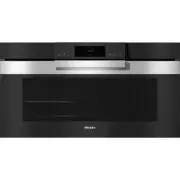


 Miele 11876420
User Manual
Miele 11876420
User Manual
 Miele H 176 MB
Manual
Miele H 176 MB
Manual
 Miele H 320
Manual
Miele H 320
Manual
 Miele H 373
Manual
Miele H 373
Manual
 Miele H 399 B
Manual
Miele H 399 B
Manual
 Miele H 4140
Manual
Miele H 4140
Manual
 Miele H 4220
Manual
Miele H 4220
Manual
 Miele H 4250
Manual
Miele H 4250
Manual
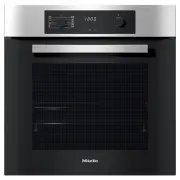 Miele H2267-1B
User Manual
Miele H2267-1B
User Manual
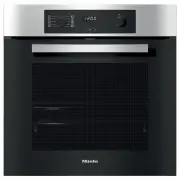 Miele H2267-1BP
User Manual
Miele H2267-1BP
User Manual
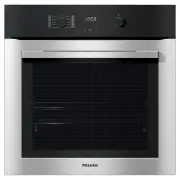 Miele H2760B
User Manual
Miele H2760B
User Manual
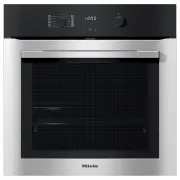 Miele H2760BP
User Manual
Miele H2760BP
User Manual
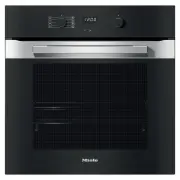 Miele H2860B
User Manual
Miele H2860B
User Manual
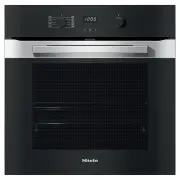 Miele H2860BP
User Manual
Miele H2860BP
User Manual
 Miele H 5981 BP
Manual
Miele H 5981 BP
Manual
 Miele H 5688 BP
Manual
Miele H 5688 BP
Manual
 Miele H 5681 BP
Manual
Miele H 5681 BP
Manual
 Miele H 5461 B
Manual
Miele H 5461 B
Manual