Page 2 - Contents
Warning and Safety instructions . . . . . . . . . . . . . . . . . . . . . . . . . . . . . . . . . . . . . 5 Caring for the environment . . . . . . . . . . . . . . . . . . . . . . . . . . . . . . . . . . . . . . . . . 10 Guide to the appliance . . . . . . . . . . . . . . . . . . . . . . . . . . . . ....
Page 3 - Moisture plus function; Settings; Language
Operation . . . . . . . . . . . . . . . . . . . . . . . . . . . . . . . . . . . . . . . . . . . . . . . . . . . . . . . 27 Automatic programmes . . . . . . . . . . . . . . . . . . . . . . . . . . . . . . . . . . . . . . . . . . . . . 27SpeedLight during the heating-up phase . . . . . . . . . . . . ....
Page 5 - Warning and Safety instructions
This appliance conforms to currentsafety requirements. Inappropriateuse can, however, lead to personalinjury and damage to property. To avoid the risk of accidents anddamage to the appliance, pleaseread these instructions carefullybefore using it for the first time. Theycontain important notes onins...
Page 6 - Technical safety
Technical safety ~ Installation, maintenance and repairs may only be carried out by asuitably qualified and competentperson in strict accordance with currentnational and local safety regulations.Repairs and other work by unqualifiedpersons could be dangerous. Themanufacturer cannot be held liable fo...
Page 7 - Correct use
~ During installation, maintenance and repair work, the appliance must bedisconnected from the mains electricitysupply. It is only completely isolatedfrom the electricity supply when: – the mains fuse is disconnected, – the screw-out fuse is removed (in countries where this is applicable), – it is s...
Page 9 - Accessories
~ Do not heat up unopened tins or jars of food in the oven. Pressure can buildup and they may explode, resulting ininjury or damage. ~ Do not push pots and pans around on the oven floor as this could damagethe surface. ~ Do not lean or sit on an open oven door, or place heavy items on it. Makesure t...
Page 10 - Caring for the environment
Disposal of the packingmaterial The transport and protective packinghas been selected from materials whichare environmentally friendly fordisposal, and can normally berecycled. Ensure that any plastic wrappings,bags, etc. are disposed of safely andkept out of the reach of babies andyoung children. D...
Page 11 - Guide to the appliance
H 5981 BP a Control panel b Door lock for pyrolytic operation c Top heat/grill element d Steam inlet openings for Moisture plus e Back panel with air inlets for the fan and receiver for the wireless food probe f Side runners with three shelf levels g Water intake tube for the steam injection system ...
Page 12 - System lock; Features
Oven controls In addition to operating the variouscooking programmes to bake, roastand grill, the controls also offer thefollowing:– a time of day display,– a minute minder,– a timer for programming cooking durations, – user programmes,– automatic programmes,– settings that can be customised. SpeedL...
Page 13 - Door lock for pyrolytic operation; Moisture plus; This sensor controls; Pyrolytic cleaning; The; FlexiClip telescopic runners; also
Door lock for pyrolytic operation For safety reasons the door is locked assoon as the pyrolytic cleaningprogramme is started. After thepyrolytic programme has finished, thedoor will remain locked until thetemperature in the oven has fallenbelow 280°C. Moisture plus This function injects moisture dur...
Page 14 - ” without the
Door contact switch If the door is opened during operation,the door contact switch automaticallyswitches off the heating elements, andthe fan if a "Fan" setting is being used. This helps reduce the amount of heatlost from the oven interior, e.g. whenchecking food. Vented oven door The oven d...
Page 16 - When fitting the telescopic runners; do not
FlexiClip telescopic runners The FlexiClip telescopic runners can beclipped into any of the existing shelfrunners. Push the telescopic runners right inbefore placing a tray or rack onthem. To prevent the risk of a rack or traysliding off the runners, make sure thatthey are sitting securely on theirr...
Page 19 - Sensors; Meaning; Display; Controls
The appliance is operated via the display c and the electronic sensors next to and below the display. These react to finger contact. A keypad tone will soundeach time a sensor is touched. The volume of the keypad tone can be adjusted orswitched off altogether (see "Settings - Volume"). Senso...
Page 20 - Main menu
Display All information about functions,temperature, cooking durations, Auto-matic programmes and settings isshown in the display. After the appliance has been switchedon, the Main menu appears in the display with a list of options available: Main menu ß Fan plus ß Conventional heat ß Full grill ß P...
Page 23 - Functions
Your oven has a range of oven functions for preparing a wide variety of recipes. Function Notes Fan plus – For baking and roasting. – You can bake and roast on two levels at the same time. – Lower temperatures can be used than with "Conventional heat" as the Fan plus system distributes the h...
Page 25 - To enter the basic settings; Welcome screen; Before using for the first time
To enter the basic settings The oven will switch on automaticallywhen it is connected to the electricitysupply. Welcome screen A welcome screen will appear in thedisplay, and you will then be requestedto select some basic settings which areneeded before the appliance can beused. Follow the instructi...
Page 26 - Calibration of the Auto sensor; all accessories
Calibration of the Auto sensor The built-in auto sensor will start tocalibrate after the setting up processhas been completed. A message to thiseffect will appear in the display. Theprocess takes approximately fiveminutes. During this time, the sensorsets itself according to conditions in theoven. C...
Page 27 - Automatic programmes; Operation
Automatic programmes Your oven has a wide range of Auto-matic programmes to enable you toachieve excellent results with ease. You can call up the Automaticprogrammes by selecting the "Automat-ic" option from the main menu. ^ Switch the oven on with the K sensor. ^ Select "Automatic"....
Page 28 - Manual operation; Place the food in the oven.; Cooling fans
SpeedLight during theheating-up phase As soon as the oven is started, theSpeedLight lights up yellow. The risingtemperature is shown by the change inthe colour of the light from yellow viaorange to red. When the required temperature isreached, the SpeedLight turns red. Assoon as the temperature drop...
Page 29 - Selecting a function; recommended
Selecting a function ^ Switch the oven on. You will hear a polyphonic tune. ^ Select the function required. After selecting an oven function,options which can be entered orchanged for the cooking programmewill appear in the display, e.g.: ß Temperature ß Duration ß Start time ß Finish ß Heating-up p...
Page 33 - Activating moisture reduction; Change function; The times already entered will be kept.
Activating moisture reduction It is a good idea to use this functionwhen cooking items which are moist onthe inside but which should be crispyon the outside, e.g. frozen chips,croquettes or pork with crackling. It is also suitable for deep filled freshfruit cakes, such as plum or applecake. You can ...
Page 35 - To create a User programme; Finally set the shelf level to be used.
To create a User programme If programmes already exist under Userprogrammes, the "Create" option has tobe selected in order to save additionalprogramme stages to memory. ^ Select and confirm the cookingfunction you want. ^ Alter and confirm the pre-setrecommended temperature ifrequired. ^ Se...
Page 36 - How the food probe works; temperature sensor; in the metal tip; core temperature; core temperature value; is; Food probe
Using the wireless food probe enablesthe temperature during the cookingprocess to be monitored simply andaccurately. How the food probe works The metal tip of the food probe isinserted into the food. There is a temperature sensor in the metal tip which measures the core temperature of the food durin...
Page 37 - Applications
Applications Apart from Automatic programmes, thefood probe can be used with thefollowing functions: ß Auto roast ß Fan plus ß Moisture plus ß Conventional heat ß Fan grill ß Slow cooking Important notes about usingthe food probe , To ensure optimum results, please observe the followinginstructions....
Page 38 - To use the food probe; Time left display
– If the meat is very heavily marbled with fat, select the highest coretemperature given in the roastingchart in the User instructions booklet. – When using roasting bags, insert the probe through the bag into thecentre of the meat. You can alsoplace the meat, with the food probeinserted, inside the...
Page 40 - The steam injection system
The "Moisture plus" function uses asteam injection system. Water is taken in via the tubeunderneath the control panel on the left.The water is then injected as bursts ofsteam into the oven compartmentduring the cooking process.The steam inlets are located at the rearleft corner of the roof o...
Page 41 - Night baking
Automatic programmes Automatic programmes with Moistureplus set the optimium temperature, thedegree of moisture and also theduration automatically. At the beginning of the programme youwill be prompted to allow a specifiedamount of water to be drawn into theoven.The amount of water specified will be...
Page 42 - Dough mixtures
Moisture plus function d When using the Moisture plus functionyou will need to enter– the temperature and– the number of bursts of steam.You can also enter the cookingduration, start time or you can use thefood probe. Number of bursts of steam and whenthey are injected The number of bursts of steam ...
Page 43 - Using Moisture plus; – Automatic burst of steam; When it is time to inject steam:
Using Moisture plus d ^ Place the food in the oven. ^ Select Moisture plus d . ^ Select Automatic burst of steam orselect the number of bursts of steam. ^ Select the temperature. ^ Fill a suitable container with thequantity of water specified.Automatic/1 burst of steam: approx. 100 ml2 bursts of ste...
Page 45 - To set the minute minder; Touch the
The minute minder can be used to timeany activity in the kitchen, e.g. boilingeggs. You can enter a time of up to amaximum of 9 hours, 59 minutes and59 seconds. You can set the minute minder at thesame time as another timedprogramme, e.g. as a reminder to stir adish or add seasoning etc. To set the ...
Page 47 - Lighting
Clock format The time of day can be altered from a24-hour display to a 12-hour display. Setting the time of day You cannot set the time of day whilea cooking programme is in progress. Use + or - to enter the time of day. First enter the hours and confirm with "OK".Then enter the minutes and ...
Page 48 - lead to corrosion in the oven.; Pyrolytic; Rapid; Start; The following features can be changed:
Do not leave food in the oven tokeep it warm if you have set thecooling fans to timed operation.Moisture levels in the oven couldincrease, leading to condensationforming on the control panel andsurrounding kitchen furniture anddrops of moisture collecting underthe worktop. Condensate can– damage the...
Page 49 - Volume; Keypad tone; SpeedLight; Safety; system lock
Volume ß Buzzer tones (polyphonic tune) The volume of the polyphonic tunecan be changed. ß Keypad tone Each time a sensor is pressed thereis a beep. The volume of this beepcan be changed or the soundswitched off completely. To switch off the tone or change thevolume P P P P G G GM The volume is repr...
Page 50 - To switch the system lock on or off; Units
To switch the system lock on or off ^ Touch the sensor next to the 1 symbol. You can choose between: ß OnThe appliance cannot be operated.It has been locked. 0 appears in the display. ß OffThe appliance can be operated.It has been unlocked. 1 appears in the display. The minute minder can still be us...
Page 51 - Appliance front; Cleaning and care
Miele branded cleaning andconditioning products are availablefrom the Miele Spare Parts Departmentor via the internet onwww.miele-shop.com. , Do not use a steam cleaner to clean the appliance. The steamcould reach electrical componentsand cause a short circuit. Appliance front Remove any soiling imm...
Page 54 - surface; of the universal tray and; PerfectClean
PerfectClean The surface of the universal tray and the anti-splash insert has been treatedwith a special type of enamelling called" PerfectClean ". This surface has very good anti-stickproperties and is much easier to keepclean than conventional oven enamel, ifcleaned regularly. Food can be ...
Page 55 - couple of minutes only!
Allow the PerfectClean surfaces to cooldown to room temperature beforeapplying an oven spray. Apply a spray oven cleaner to thesoiled areas. Leave to take effect for a couple of minutes only! If necessary use a soft sponge, softnylon brush or a scraper suitable forglass surfaces to loosen the soilin...
Page 56 - Oven interior; The oven interior is coated with dark; pyrolytic enamel; which facilitates; Manual cleaning of the oven interior
Oven interior The oven interior is coated with dark pyrolytic enamel which facilitates cleaning. This is a particularly hard enamel withan extremely smooth surface and verygood anti-stick properties. Manual cleaning of the oven interior Allow the oven to cool down beforecleaning by hand.Danger of bu...
Page 59 - To remove the oven door
To remove the oven door Take care when removing the door -it weighs approx. 13.5 kg. The oven door is connected to the ovenby hinges. Before removing the door, the lockingclamps on both hinges have to bereleased. ^ Open the door fully. ^ To release the locking clamps on thehinges turn them upwards a...
Page 60 - To dismantle the oven door
To dismantle the oven door The oven door is made up of fourpanes of glass and has vents at the topand bottom. When the oven is operating, air iscirculated through the door to keep theouter pane cool. If condensate has worked its way inbetween the glass panes, the door canbe dismantled in order to cl...
Page 61 - Gently; lift the inner pane up and pull
You can now remove the inner and thetwo middle panes. ^ Gently lift the inner pane up and pull out of the cover strip. ^ Remove the glass fibre seal. To do sopull the ends out of the fixings at theside. ^ Now gently lift up the upper of thetwo middle panes and remove it. ^ Gently lift up the lower o...
Page 64 - To refit the door
To refit the door ^ Hold the door securely at both sidesand carefully fit it back onto the hingeguides. Make sure that the door goes backon straight. ^ Open the door fully. ^ Flip both locking clamps back up asfar as they will go into a horizontalposition. It is essential that the clamps arelocked a...
Page 65 - Refit the runners; carefully as; To remove the side runners; Reassemble in the reverse order
To remove the FlexiCliptelescopic runners Make sure the oven heatingelements are switched off and cool.Danger of burning. ^ Lift the FlexiClip runner up at the frontand pull it out along the rail. Refit the runners carefully as described in "Features". To remove the side runners Make sure th...
Page 67 - Descaling
Descaling Only use the descaling tabletssupplied with the appliance. Thesehave been specially formulated andare available from the Miele SpareParts Department or via the interneton www.miele-shop.com.Other types of descaling agents willdamage the oven. Follow the instructions on thepackage carefully...
Page 68 - – the time left for the activation phase; at the end of the; to remove all traces
Once the descaling solution has beendrawn into the appliance – "Activation phase" will appear in the display. The activation phase takesapprox. 60 minutes. – the time left for the activation phase will be shown counting down in thedisplay. The system will take in more liquid atapproximately ...
Page 69 - Problem solving guide
With the aid of the following guide, minor problems can be easily correctedwithout contacting Miele. , Installation, maintenance and repairs may only be carried out by a suitably qualified and competent person in strict accordance with current national andlocal safety regulations.Repairs and other w...
Page 70 - The halogen lamp needs replacing.
Problem Possible cause and remedy The heating worksbut not the ovenlighting. Light in the side wall: The halogen lamp needs replacing. ^ Disconnect the appliance from the electricity supply.Switch off and unplug at the socket, or remove the fuse,or switch off at the isolator as appropriate. ^ Remove...
Page 73 - After sales service
In the event of any faults which youcannot remedy yourself, or if theappliance is under guarantee, pleasecontact – your Miele Dealer or – the Miele Customer Contact Centre (see back cover for address). Please note that telephone calls maybe monitored and recorded toimprove our service. When contacti...
Page 74 - Optional accessories
The following accessories may come as standard with some models. They arealso available to order at extra cost via the internet on www.miele-shop.com, yourMiele Dealer or the Miele Spare Parts Department. FlexiClip telescopic runners More FlexiClip telescopic runners canbe installed in the oven in a...
Page 76 - voltage and connected load; are; Electrical connection
All electrical work should beundertaken by a suitably qualifiedand competent person in strictaccordance with current nationaland local safety regulations (BS7671 in the UK).Installation, repairs and other workby unqualified persons could bedangerous. The manufacturercannot be held liable forunauthor...
Page 77 - Appliance dimensions and unit cut-out; Installation in a base unit; Appliances with glass front
Appliance dimensions and unit cut-out Installation in a base unit HAL 5900 trim, available as an optional accessory, is only required whenbuilding the oven into a base unit. ^ Fix the HAL 5900 trim into the unit cut-out under the worktop (see lower sectionof diagram). * Appliances with glass front *...
Page 78 - Installation in a tall unit
Installation in a tall unit Building-in diagrams 78
Page 79 - Front dimensions
Front dimensions * Appliances with glass front ** Appliances with metal front Building-in diagrams 79
Page 80 - Installing the oven
, The appliance must not be operated until it has been correctlyinstalled in its housing unit.Otherwise it poses an electric shockhazard.To ensure adequate ventilation tothe oven once installed:– do not fit a rear panel into the housing unit. – make sure that the shelf on which the appliance is plac...


 Miele 11876420
User Manual
Miele 11876420
User Manual
 Miele H 176 MB
Manual
Miele H 176 MB
Manual
 Miele H 320
Manual
Miele H 320
Manual
 Miele H 373
Manual
Miele H 373
Manual
 Miele H 399 B
Manual
Miele H 399 B
Manual
 Miele H 4140
Manual
Miele H 4140
Manual
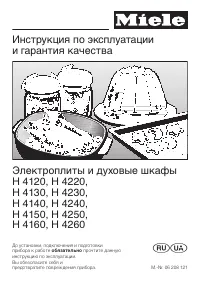 Miele H 4220
Manual
Miele H 4220
Manual
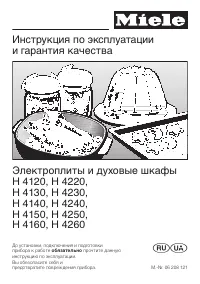 Miele H 4250
Manual
Miele H 4250
Manual
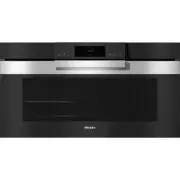 Miele H 7890 BP
User Manual
Miele H 7890 BP
User Manual
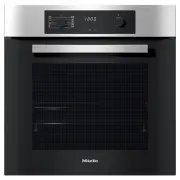 Miele H2267-1B
User Manual
Miele H2267-1B
User Manual
 Miele H2267-1BP
User Manual
Miele H2267-1BP
User Manual
 Miele H2760B
User Manual
Miele H2760B
User Manual
 Miele H2760BP
User Manual
Miele H2760BP
User Manual
 Miele H2860B
User Manual
Miele H2860B
User Manual
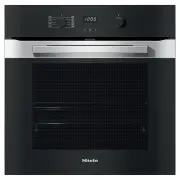 Miele H2860BP
User Manual
Miele H2860BP
User Manual
 Miele H 5688 BP
Manual
Miele H 5688 BP
Manual
 Miele H 5681 BP
Manual
Miele H 5681 BP
Manual
 Miele H 5461 B
Manual
Miele H 5461 B
Manual