Page 2 - Contents
Warning and Safety instructions . . . . . . . . . . . . . . . . . . . . . . . . . . . . . . . . . . . . . 5 Caring for the environment . . . . . . . . . . . . . . . . . . . . . . . . . . . . . . . . . . . . . . . . . 12 Guide to the appliance . . . . . . . . . . . . . . . . . . . . . . . . . . . . ....
Page 4 - Grilling guide (Grill
Grilling guide (Grill Y ) . . . . . . . . . . . . . . . . . . . . . . . . . . . . . . . . . . . . . . . . . . . . . 60 Defrosting without microwave power . . . . . . . . . . . . . . . . . . . . . . . . . . . . . . . . 61 Defrosting times . . . . . . . . . . . . . . . . . . . . . . . . . . . . . . . ...
Page 5 - Correct application; This microwave compact oven is; Warning and Safety instructions
This appliance complies with allrelevant legal safety requirements.Improper use of the appliance can,however, present a risk of bothpersonal injury and materialdamage. To avoid the risk of accidents anddamage to the appliance, pleaseread these instructions carefullybefore installation and before usi...
Page 8 - Correct use
Correct use Caution! Danger of burning.The oven interior will become veryhot when operating with functionswhich do not use microwave powerand also combination programmeswhich do use microwave power. ~ Use oven gloves when placing food in the oven, turning or removing it andwhen adjusting oven shelve...
Page 10 - and; When heating liquids, the boiling rod
~ The microwave combination oven is not suitable for cleaning or disinfectingitems.Items can get extremely hot and thereis a danger of burning when the item isremoved. ~ Before serving, remember to allow a sufficient standing time and thenalways check the temperature of theactual food itself after t...
Page 11 - Accessories
~ Make sure that you only use microwave safe containers when usingthe Microwave (Solo) function or acombination programme which usesmicrowave power. Observe theinstructions given in "Suitablecontainers for microwave ovens". ~ Ovenproof earthenware can retain a considerable amount of moisture...
Page 12 - Caring for the environment
Disposal of the packingmaterial The transport and protective packinghas been selected from materials whichare environmentally friendly for disposaland can normally be recycled. Ensure that any plastic wrappings,bags, etc. are disposed of safely andkept out of the reach of babies andyoung children. D...
Page 13 - Appliance overview; Control panel; Guide to the appliance
Appliance overview Control panel a Function selector b Display c Sensors V , OK, W , N d Temperature selector Oven interior e Grill element f Light g Three shelf levels h Oven door Guide to the appliance 13
Page 14 - Accessories supplied; Glass tray; use the glass tray when; Rack with non-tip safety notches; The rack has; non-tip safety notches
Accessories supplied Glass tray The glass tray is suitable for use with allcooking functions. Always use the glass tray when using the Microwave (Solo) function. Do not place items weighing morethan 8 kg on it. Do not place the hot glass tray on acold surface, such as a tiled orgranite worktop.The g...
Page 15 - We recommend using the; rack; when; Boiling rod
When pushing the rack back in,always ensure that the safetynotches are at the rear of the oven(see illustration). To remove the rack, lift it upwardsslightly at the front when the safetynotches connect with the sides of theoven. We recommend using the rack together with the glass tray when cooking i...
Page 16 - Description of functions
Functions Use Microwave _ (Solo) For defrosting, reheating and cooking food quickly. Functions withoutmicrowave For cooking food when a crisp finish is required. Combination programmes (with microwave) The combination programmes enable food to bereheated and cooked quickly with even browningresults....
Page 18 - Microwave; – food can generally be cooked; Power level; Functions
_ Microwave In a microwave oven there is a high-frequency tube called a magnetron.This converts electrical energy intomicrowaves. These microwaves aredistributed evenly throughout the oveninterior and rebound off the metal sidesof the oven interior to reach the foodfrom all sides. In order for micro...
Page 20 - Setting the time of day; Changing the time of day; Before using for the first time
Before the oven can be used, youwill need to– release the controls by pressingthem if they are retracted whendelivered. – set the time of day. Setting the time of day The time of day can only be enteredwhen the function selector is at "0". In the display: – the clock symbol m will light up. ...
Page 21 - – take; all accessories; out of the oven
Cleaning and heating up forthe first time Remove any protective foil from thefront of the appliance. See "Cleaning and care" for moreinformation. Before using the appliance for the firsttime, – take all accessories out of the oven and wash them. – heat up the appliance once withnothing in it...
Page 22 - Microwaves; – are reflected by metal,; Material and shape; Ovenproof earthenware can; Metal; Suitable containers for microwave ovens
Microwaves – are reflected by metal, – pass through glass, porcelain, plastic and card, – and are absorbed by food. Material and shape The material and shape of containersused affect cooking results and times.Heat distribution is more even in roundand oval shaped flat containers than inrectangular c...
Page 24 - Plastic items may only be used; Roasting bags and tubes; can be
Wood Wooden dishes are not suitable.Moisture contained in the woodevaporates when exposed tomicrowave energy, causing thewood to dry and crack. Plastics Only plastic containers and plasticdisposable containers which arespecified by the manufacturer assuitable for use in a microwave ovenmay be used. ...
Page 25 - Select the microwave function; Placing the dish in the oven
Testing dishes for theirsuitability If in doubt as to whether glass,earthenware or porcelain plates ordishes are suitable for use in amicrowave oven, a simple test canbe performed: ^ Insert the glass tray in the oven at thelowest shelf level and place theempty item you wish to test on theglass tray....
Page 26 - Do not use a cover
A cover (optional accessories) – prevents too much steam escaping, especially when cooking foods whichneed longer to cook, such aspotatoes. – speeds up the cooking process. – prevents food from drying out. – helps keep the oven interior clean. When using programmes which use themicrowave function al...
Page 27 - Controls
Function selector The left-hand control is used to selectthe function. It can be turned clockwise or anti-clockwise.The function selector can only beretracted when it is at "0". _ Microwave a Microwave+Fan plus b Microwave+Grill M Microwave+Fan grill S Rapid heat-up U Fan plus Y Grill \ Fan ...
Page 28 - Sensors; Use
Sensors The sensors underneath the displayreact to touch. A keypad tone will sound each time asensor is touched. You can switch off thekeypad tone (see "Settings % – P 4 "). Use OK – For calling up the functions in the display. The triangle V will appear in the display. – For confirming an e...
Page 29 - Display; Symbols; T S
Display N I2:00 h W min % W m T S 0 Start V Symbols The following symbols will appear in thedisplay depending on the position ofthe function selector and/or whether asensor has been touched: Symbols Meaning % Temperature W Microwave power setting u Time of day T Duration S Finish 0 System lock Sta...
Page 30 - Functions without microwave; Cooling fan; Recommended temperature; Changing the temperature; Operation
Functions without microwave ^ Place the food in the oven. ^ Select the function you want (e.g. FanPlus U ). The following will appear in the display: I60 % V – "160" - the recommended temperature, – the temperature indicator light , – the triangle V under the % symbol. At the same time t...
Page 33 - Finish
Delaying the start with Automaticswitch-off To switch a programme on and offautomatically, enter both the cookingduration and the finish time. We recommend using automaticswitching on and off when roasting.However, do not delay the start fortoo long when baking as the cakemixture or dough will dry o...
Page 35 - Microwave function; At the end of the duration
Microwave function _ The following power levels can beselected:80 W, 150 W, 300 W, 450 W, 600 W,850 W, 1000 W. ^ Turn the function selector toMicrowave _ . The display will show a suggestedpower level of 1000 W. I000 W W V ^ Whilst the triangle V is flashing, use the V sensor to select a lower setti...
Page 36 - Combination programmes; Select the function you want.
Combination programmes Combination programmes combinemicrowave power with anothercooking function, e.g. Fan Plus, Grillor Fan Grill. Microwave+Fan plus a , Microwave+Fan grill M ^ Select the function you want. The display will show a suggested powerlevel of 300 W. You can also selected apower level ...
Page 37 - The end of a cooking programme
Microwave+Grill b ^ Select the Microwave+Grill b function. The display will show a suggestedpower level of 300 W. This can bechanged to 150 W or 80 W if you wish. 300 W W V ^ Whilst the triangle V is flashing, use the V sensor to select a lower setting. After a short while or after touching theOK se...
Page 38 - To set the minute minder
The minute minder can be used to timeany activity in the kitchen, e.g. boilingeggs. A maximum minute minder time of59 minutes and 55 seconds can be set. You can set the minute minder at thesame time as another timedprogramme, e.g. as a reminder to stir adish or add seasoning etc. To set the minute m...
Page 39 - System lock
The system lock 0 prevents the appliance being operatedunintentionally, by children forexample. ^ Turn the function selector to "0". 0 0 V ^ Touch the W sensor repeatedly until triangle V is underneath the 0 symbol. ^ Touch the OK sensor. I 0 V ^ Whilst triangle V is flashing under the 0 sym...
Page 40 - Settings
Your oven is supplied with standard factory default settings.You can select alternative settings by changing the status " s " of a setting " P " (see chart). Setting Status (* Standard default setting) P I Time of daydisplay S 0 When the time of day display is switched off and the fu...
Page 41 - P I
To change the status of asetting ^ Select "Settings % ". ^ Touch the OK sensor. P I " P I " will appear in the display. ^ Touch the V or W sensor repeatedly until the setting required appears inthe display. ^ Touch the OK sensor. S 0 The current status " S " of the setting wi...
Page 42 - Defrosting, reheating and cooking using microwave power
Function Power level /Temperature Suitable for: Defrost Microwave _ 80 W Very delicate foods such ascream, butter, cream andbutter creamgateaux, cheese 150 W All other types of food Reheat Microwave _ 450 W Food for babies and children 600 W All types of food;frozen ready-meals which donot need brow...
Page 43 - With combination programmes; After reheating food, especially
Before defrosting, reheating andcooking ^ Place food (including frozen) in adish that is suitable for themicrowave, and cover it. ^ Place the container in the middle ofthe glass tray and insert it at thelowest shelf level. With combination programmes Only use heat-resistant containerswhich are micro...
Page 44 - function as this may lead to the
Guidance on reheating food Food for babies and young childrenor the elderly must not be allowed toget too hot. We do not recommendheating or reheating foods or drinksfor babies or young children in themicrowave oven. Any decision to dothis is the responsibility of the user,and should only be done wi...
Page 45 - Useful tips; Reheating food; Problem
Useful tips Use Tips Defrosting largequantities of food atonce, e.g. 2 kg fish The glass tray placed on the lowest level can be usedfor defrosting food. Reheating food Always cover food when reheating it, except whenreheating meat/fish coated in breadcrumbs. Cooking vegetables Add a little water to ...
Page 46 - Chart for defrosting
Chart for defrosting Microwave power setting Quantity 150 W Time in min. 80 W Time in min. Standing time 1) in min. Dairy products CreamButterCheese slicesMilkQuark / Cream cheese 250 ml 250 g250 g 500 ml 250 g ––– 14 – 1610 – 12 13 – 17 8 – 10 6 – 8 –– 10 – 15 5 – 10 10 – 1510 – 1510 – 15 Cakes / P...
Page 47 - Chart for reheating food
Chart for reheating food Drinks 2) Microwave power setting Quantity 1000 W Time in min. 450 W Time in min. Standing time 1) in min. Coffee,drinking temperature 60 – 65 °CMilk,drinking temperature 60 – 65 °CWater,bringing to the boilBaby bottles (milk)Mulled wine, punch,drinking temperature 60 – 65 °...
Page 48 - Chart for cooking food
Chart for cooking food Microwave power setting Quantity 850 W Time in min. + 450 W Time in min. Standing time 1) in min. Meat Meatballs in gravy (400 g meat)Stew (750 g meat) 10 – 12 16 + 15 2 – 32 – 3 Poultry Chicken in mustard sauceChicken curryChicken risotto Approx. 800 gApprox. 900 g Approx. 1....
Page 49 - The baking duration is shorter.; Bakeware; Fan Plus; Baking
Functions ß Fan Plus U Ideal for baking biscuits, sponges,choux pastry, puff pastry and filopastry. ß Microwave+Fan Plus a Suitable for doughs which requirelonger baking, such as rubbed in andbeaten mixtures and yeast recipes. The baking duration is shorter. A microwave power level of no morethan 15...
Page 51 - Check that the correct temperature has been set.
Problem Possible cause and remedy Cakes or biscuits arenot properly cookedafter the timerecommended in thechart. Check that the correct temperature has been set. Check whether there has been a change to the recipe.The addition of more liquid or more eggs makes amoister mix which would take longer to...
Page 52 - Baking chart
Fan Plus U Microwave+Fan Plus a Temperature in °C Time in min. Power level in W Temperature in °C Time in min. Creamed mixture Victoria spongeFruit cakeMuffins 1) Marble cake (tin)Fresh fruit flanwith topping (glass tray) 1) Fresh fruit cake (glass tray) 1) Fresh fruit cake (tin)Flan baseBiscuits 14...
Page 53 - The roasting time is shorter.; not; Containers; Roasting
Functions ß Fan Plus U Suitable for meat and poultry disheswith a crispy topping. ß Microwave+Fan Plus a The roasting time is shorter. The following microwave power levelsshould be used throughout the cookingduration. – For meat and fish: max. 300 W, – For poultry: 150 W. This combination programme ...
Page 54 - Pot roasting; – The meat stays succulent,; Shelf level; Temperature; Please refer to the roasting chart.
Pot roasting Roasting in a covered pot is highlyrecommended: – The meat stays succulent, – and the oven stays cleaner, too. – It also ensures that sufficient stock remains for making gravy. Season the meat and place it in the pot.Add some butter or margarine or bastewith a little oil or cooking fat....
Page 55 - Roasting on the rack
Roasting time The roasting time will depend on thetype of meat, the size and thickness ofthe cut, The traditional British method isto allow 20 minutes per lb/450 g,according to the type of meat, plus20 minutes, adjusting the duration asroasting proceeds to obtain therequired result. Browning only oc...
Page 56 - Roasting chart
Fan Plus U Microwave+Fan Plus a Temperature in °C 1) 2) Time in min. Power level in W Temperature in °C 2) Time in min. Roast beef (approx. 1 kg) 170 – 190 100 – 120 – – – Beef fillet 3), 4) (approx. 1 kg) 190 – 210 40 – 60 – – – Haunch of venison(approx. 1 kg) 180 – 200 100 – 120 – – – Saddle of ve...
Page 57 - The grilling time is shorter.; Preparing food for grilling; Select the grill function you want.; Grill; Grilling
Functions ß Grill Y Suitable for flat items, such as: cutlets,steak, burgers, toast, cheese toast. ß Fan Grill \ Suitable for grilling thick cuts, such as:kebabs, rolled meat, poultry. ß Microwave+Grill b ß Microwave+Fan Grill M The grilling time is shorter. A microwave power level of no morethan 30...
Page 58 - Fan Grill; Grilling duration
Fan Grill \ Temperature 220 °C For thin, lean cuts ofmeat(e. g. steak) 180 - 200 °C For other foods To grill thicker pieces of food moregradually after an initial hightemperature, continue grilling at a lowertemperature setting to allow the food tocook through to the centre. Shelf level ^ Depending ...
Page 59 - Fan Grilling guide (Fan Grill; – Use the Fan Grill function for meat, fish, poultry and vegetables.; Grilling tips
Fan Grilling guide (Fan Grill \ ) – Use the Fan Grill function for meat, fish, poultry and vegetables. – Always pre-heat for at least 5 minutes before Fan Grilling. – It is not necessary to turn food when Fan Grilling. – The door must be closed during Fan Grilling. – When using red meat, pat the mea...
Page 60 - – Select the appropriate shelf level for the thickness of the food.
Grilling guide (Grill Y ) – Use for thick toasts, muffins, cheese on toast, foccacia, bruschetta. – Pre-heat grill for at least 5 minutes. – Select the appropriate shelf level for the thickness of the food. – Thinner foods can be positioned on shelf 3, while thicker foods should be grilled on shelf ...
Page 61 - Function; Defrost; It is particularly important to; Defrosting without microwave power
Function ß Defrost P The air in the oven is kept at roomtemperature and circulated by the fanto gently defrost frozen food. Shelf level ^ Place the food to be defrosted on theglass tray or into a suitable dish. Small pieces of poultry can be placedon an upturned saucer in the glass tray.This way it ...
Page 62 - Oven interior; Cleaning and care
, Do not use a steam cleaner to clean the appliance. The steamcould reach electrical componentsand cause a short circuit. Clean the oven interior, inside of thedoor and door seal as soon as it hascooled down. Waiting too long canmake cleaning unnecessarilydifficult and in some casesimpossible.In cer...
Page 64 - Oven interior roof; Make sure the oven heating
Oven interior roof If the oven interior roof is badly soiled,the grill element can be lowered tomake cleaning easier. , Make sure the oven heating elements are switched off and cool.Danger of burning. ^ To lower the grill element, the nutneeds to be unscrewed. ^ Lower the grill element gently. Do no...
Page 65 - Door interior and door seal; The oven interior can get hot; Appliance front
Door interior and door seal , The oven interior can get hot during use. Danger of burning. Clean the front using a damp microfibrecloth or with a clean sponge and asolution of hot water and washing-upliquid. Wipe the surfaces dry using asoft cloth. , Check the door and door seal at regular intervals...
Page 66 - Rack
Avoid damage to the surface. Toprevent damage to your appliancewhen cleaning, do not use: – Cleaning agents containing soda, ammonia, acids or chlorides – Cleaning agents containing descaling agents – Abrasive cleaning agents, e.g. powder cleaners and cream cleaners – Solvent-based cleaning agents –...
Page 67 - P i; Problem solving guide
With the aid of the following guide, minor problems can be easily correctedwithout contacting Miele.If you then can't remedy the problem yourself, please call Miele (see back coverfor details). Please note that a call-out charge will be applied for unnecessary ser-vice visits where the problem could...
Page 68 - Pull the halogen lamp out.
Problem Possible cause and remedy A noise is heard after aprogramme hasfinished. The cooling fan continues to run for a while after theoven has been switched off to prevent any humiditybuilding up in the oven, on the control panel or on theoven housing unit. When the temperature has fallensufficient...
Page 69 - Reconnect the appliance to the mains supply.; Possible cause and remedy
^ Replace the halogen lamp.Specification:12 V, 10 W,heat resistant to 300 °C,fitting G4, Osram, type 64418. Do not touch the halogen lamp with bare fingers.Please follow the manufacturer's instructions. ^ Replace the glass piece in the mounting, and refit thelamp cover. Make sure that the lug on the...
Page 70 - A lid is available separately.; Optional accessories
Miele offers a range of useful accessories, as well as cleaning and conditioningproducts for your appliance. These products can be purchased via the internet atwww.miele-shop.com or from Miele (see back cover for contact details) or yourMiele Chartered Agent. Gourmet oven dish Do not use the gourmet...
Page 72 - After sales service; – your Miele Chartered Agent; Warranty; After sales service and warranty
After sales service In the event of any faults which youcannot remedy yourself, please contact – your Miele Chartered Agent or – Miele. You will find the contact details forMiele on the back cover of thismanual. When contacting Miele, please quotethe model and serial number of yourappliance. These a...
Page 73 - data plate; situated at; Electrical connection
All electrical work should be carried outby a competent person, in accordancewith national and local safetyregulations. Depending on the version, theappliance is supplied with a mainscable, or a mains cable and plug forconnection to AC 50 Hz, 230 V. The voltage, rated load and fuse ratingare given o...
Page 74 - Installation
Appliance dimensions and unitcut-out Installation in a tall unit * Appliances with glass front** Appliances with metal front Installation in a base unit If fitted underneath a hob, theinstallation instructions for the hobmust also be taken into account. * Appliances with glass front** Appliances wit...
Page 75 - The appliance must not be
Front dimensions A Appliances with glass front: 22 mmAppliances with metal front: 23 mm B H 5030: 53.2 mmH 5040: 47.5 mm C Appliances with glass front: 1.5 mmAppliances with metal front:0.5 mm Installation , The appliance must not be operated until it has been correctlyinstalled in its housing unit....


 Miele 11876420
User Manual
Miele 11876420
User Manual
 Miele H 176 MB
Manual
Miele H 176 MB
Manual
 Miele H 320
Manual
Miele H 320
Manual
 Miele H 373
Manual
Miele H 373
Manual
 Miele H 399 B
Manual
Miele H 399 B
Manual
 Miele H 4140
Manual
Miele H 4140
Manual
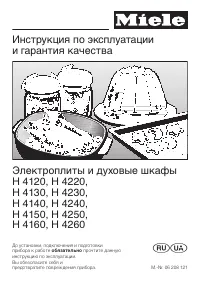 Miele H 4220
Manual
Miele H 4220
Manual
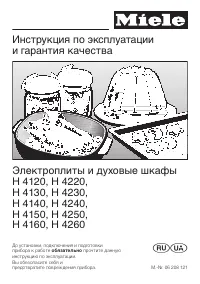 Miele H 4250
Manual
Miele H 4250
Manual
 Miele H 7890 BP
User Manual
Miele H 7890 BP
User Manual
 Miele H2267-1B
User Manual
Miele H2267-1B
User Manual
 Miele H2267-1BP
User Manual
Miele H2267-1BP
User Manual
 Miele H2760B
User Manual
Miele H2760B
User Manual
 Miele H2760BP
User Manual
Miele H2760BP
User Manual
 Miele H2860B
User Manual
Miele H2860B
User Manual
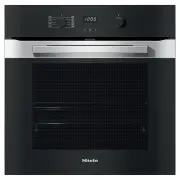 Miele H2860BP
User Manual
Miele H2860BP
User Manual
 Miele H 5981 BP
Manual
Miele H 5981 BP
Manual
 Miele H 5688 BP
Manual
Miele H 5688 BP
Manual
 Miele H 5681 BP
Manual
Miele H 5681 BP
Manual