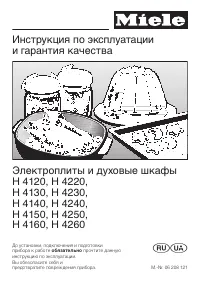
Miele H 176 MB - Manuals
Miele H 176 MB Oven – Manual in PDF format online.
Manuals:
Manual Miele H 176 MB
Summary
a Display field (according to model)– for operating modes– MANUAL / AUTOMATIC b Data entry display c Selected settings display d Display for: - Food groups- Automatic-Programmes - e Status display for the clock f Function selector g "– /+" Touch controls with indicatorlight for selecting a m...
Description of the appliance . . . . . . . . . . . . . . . . . . . . . . . . . . . . . . . . . . . . . . . . . 2 Accessories . . . . . . . . . . . . . . . . . . . . . . . . . . . . . . . . . . . . . . . . . . . . . . . . . . . . . . . 3 Description of the functions . . . . . . . . . . . . . . . . . ...
Functions User responsive The appliance is designed to be "userresponsive". When the user presses afunction control the relevant displayand indicator light will automaticallylight up. * See "Operating modes" for further de-tails. "Solo" functions * Each of the following funct...
Safety features Door lock Once a cooking process using the mi-crowave has begun, the door will re-main locked until the end of theprogramme.You can cancel the door lock by press-ing the Stop/C touch control. Theprogramme will then be interrupted. Programming lock The programming lock prevents func-t...
This appliance complies with all rele-vant legal safety requirements. Im-proper use of the appliance can,however, present a risk of both per-sonal injury and material damage. Before installation and before usingthe appliance for the first time, readthe operating instructions carefully.They contain i...
The electrical safety of this appli-ance can only be guaranteed when continuity is complete between the ap-pliance and an effective earthing sys-tem, which complies with local and na-tional regulations. It is most importantthat this basic safety requirement istested by a qualified electrician. Thema...
Under no circumstances use asteam cleaner to clean this appli- ance. The steam could attack the elec-trical components and cause a shortcircuit, or permanent damage to thesurface and to components, for whichthe manufacturer of the oven cannotaccept any responsibility. Do not use the oven to heat up ...
Wait until the grill element hascooled down before lowering it for cleaning. Do not use force to pull it down asthis can cause the element to break. Bottling Bottling should only be undertaken byan experienced cook who has receivedproper training in this method ofpreserving fruit and vegetables in a...
Disposal of the packing mate-rial The transport and protective packinghas been selected from materials whichare environmentally friendly for disposaland can normally be recycled. Ensure that any plastic wrappings,bags etc. are disposed of safely andkept out of the reach of babies andyoung children. ...
^ Wipe out the oven interior with hotwater and a little washing up liquid.Dry using a soft cloth. Do not shut the oven door until theinterior is completely dry, to avoidodours and the possibility of corro-sion developing. ^ Wash the accessories. With new appliances there is usually asmell during the...
Microwave h Microwave cooking offers the benefitsof speed, convenience and nutritionaladvantages when food does not requirebrowning or crisping. Functional description This oven is equipped with twomagnetrons a , which convert electrical energy into microwaves. There are two stirrer fans b , one abo...
Traditional oven functions Fan Heat D Auto Roast E Grill n Fan Grill N These cook and brown the food. Fan Heat D The fan circulates heat constantlyaround the oven, giving a very eventemperature throughout. It sucks in the air, heats it over a ring el-ement and blows it back through thecarefully spac...
Combination programmes h + D Microwave + Fan Heat h + E Microwave + Auto Roast h + n Microwave + Grill h + N Microwave + Fan Grill The combination programmes enablethe grill, fan and Auto roast settings tobe used in conjunction the the micro-wave facility. In general when using the combinationprogra...
Microwaves – are reflected by metal, – pass through glass, chinaware, plas- tic and card, – and are absorbed by food. Material and shape The material and shape of containersused affect cooking results and times.Heat distribution is more even in roundand oval shaped dishes than in rectan-gular contai...
Make sure that the aluminium foil isat least 2 cm from the oven walls atall times. It must not touch the walls. Metal meat skewers or clamps shouldonly be used if they are very small incomparison to the size of the cut ofmeat. The rack supplied with the appliance is suitable for use in a microwave o...
Special plastic utensils, designed foruse in microwave ovens are availablefrom good retail outlets. Melamine wareis not suitable as it absorbs energy andheats up. When purchasingplasticware, make sure that it is suitablefor use in a microwave oven. Disposable containers, such as traysmade from polys...
^ Confirm by pressing "Enter". ^ Enter a time of 30 seconds with the"+" control. ^ Press the Start control. If a crackling noise is heard accom-panied by sparks during the test,switch off the appliance immediately.Turn the function selector to the "0"position. Any crockery wh...
Sealed glass containers, such asjars of food, must be opened beforethey are placed in the oven. Do not use a cover if – cooking meals which are to be given a crisp finish, – cooking breaded or battered foods – using a combination programme. Suitable containers for microwave ovens 24
The function selector and the touchcontrols are used to operate the appli-ance. Function selector The function selector can be turnedclockwise and anti-clockwise. "Solo" programmes: h Microwave D Fan Heat E Auto Roast n Grill N Fan Grill Combination programmes: h + D Microwave + Fan Heat h +...
After the appliance has been con-nected to the power supply or after apower cut "12:00" will appear in the dis-play. The colon will flash. If the time of day is not then entered im-mediately, the time will start to run from"12:00" onwards. Setting time of day (24 hourclock) To enter ...
Selecting a function ^ Use the function selector to choosethe function you require: See "Operating modes" and "Operation– Controls". Depending on model the following willappear in the display: – MANUAL for a "solo" or combinationprogramme. – h AUTOMATIC, when an Automatic Pro...
When using traditional oven functions the following settings are possible: Solo, combination programmes: Fan Heat . . . . . . . . . . . . . . . 30 – 200 °CAuto Roast . . . . . . . . . . . . 110 – 200 °CGrill . . . . . . . . . . . . . . . . . . 200 – 250 °CFan Grill. . . . . . . . . . . . . . . 100 –...
With solo microwave, a power level andtime are entered. With traditional ovenfunctions a temperature is selected anda time can also be entered. ^ Use the function selector to select therequired function. The display will show the suggestedpower level or temperature. ^ If these are not suitable alter...
If the two operating modes are run for adifferent length of time from each other,a time must be entered for the tradi-tional oven function at the start of theprogramme. ^ After selecting the temperature, pressthe Enter touch control. "0h:00" will appear in the data entry dis-play. ^ Use the ...
Before starting a process If you discover before the start of a pro-cess that you have made an error withthe data entry then ^ Press the Stop/C touch control once. The power level entered (for microwaveand combination programmes) or thetemperature (for traditional oven func-tions) will appear in the...
When using the microwave differentpower levels may be required by theone process, e.g. defrosting followedby reheating or cooking food. These different power levels can bestored together with the relevant timesrequired and called up all at once usingthe Memory touch control. Food shouldbe left to st...
Using the short step system you canstore microwave power levels and timesfor frequently used processes. ^ Turn the function selector to micro-wave mode. ^ Press the c touch control. Up to a maximum of 5 programmetimes can be stored. Call up the individ-ual programmes by pressing the c touch control ...
Starting the Short Step system ^ Select the programme by pressingthe c touch control once or several times. ^ If necessary, alter the stored settingsusing the touch controls. ^ Begin the process by pressing theStart touch control. The time will count down in the data en-try display. Short step syste...
You can delay the actual start of aprogramme by up to 23 hours and59 minutes after programming a pro-cess. ^ Make sure the correct time of dayshows in the display before starting(refer to "Setting the time of day"),and that the door is shut. ^ Enter the process required. All operating modes ...
After a microwave process has startedthe door will remain locked until thetime entered has elapsed. In order to cancel the door lock youmust interrupt the process. ^ Press the Stop/C touch control to re-lease the door lock. The time is halted at the point of inter-ruption. The cool air fan continues...
Audible tone An audible tone will sound 3 times atthe end of a process. A colon will appear in the data entrydisplay. If the appliance is not then attended to,the audible tone will sound at 5 minuteintervals for approx. one hour . This reminder can be terminated by ^ turning the function selector to...
You can set the minute minder to timeother activities in the kitchen, e.g. boil-ing eggs on a hob. The function selector must be at "0"before the minute minder is used. ^ Press the m touch control once. The text/symbol for "Minute minder" ap-pears in the display. ^ Use the " – /+...
If preferred you can – programme the appliance so that the display is not as bright at night("Night time dimming" function), – switch off the oven compartment light. "Night time dimming" When this function is switched on thedisplay is programmed to be less brightbetween 10 pm and 6 a...
This safety feature prevents functionsbeing entered unintentionally. To activate the programming lock: The programming lock can only beactivated when– no minute minder entry has beenmade,– the function selector is at "0". ^ Press the "–" touch control until a keysymbol appears in the...
Automatic defrosting N This programme is suitable for defrost-ing meat, poultry, fish, fruit, bread,soup, plated meals, casseroles andvegetables. This programme is also the best for de-frosting dishes containing other ingredi-ents besides meat, poultry or fish, e.ggoulash, casseroles, soups etc. Sel...
Chart for defrosting food Quantity Auto- Weight 150 W 80.W time in mins. Standing time in mins * at room temperature Dairy products CreamButterCheese slicesMilkCream cheese 1 / 4 l 250 g250 g 1 / 2 l 250 g ––––– ––– 12 – 1410 – 12 12–148 – 10 6 – 8 –– 5 – 105 – 10 10 – 1510 – 1510 – 15 Cakes / Pastr...
Automatic reheating P This programme is suitable for reheat-ing meat, poultry, fish, soup, platedmeals, casseroles and vegetables. See "Automatic programmes" for detailson using this programme. Microwave h Microwave mode is suitable for reheat-ing foods which are unsuitable for theautomatic ...
Stir or turn food from time to time duringcooking. Stir the food from the outsidetowards the middle, as food heats morequickly from the outside. With the auto-matic programme an audible tonesounds as a reminder. Heating on two levels Because of the way that microwavesare distributed from top and bot...
Chart for reheating food Drinks ** Quantity Automatic- Programme Microwave setting 1200 W 450 W Time Time in mins. in mins. Standing time in mins * at room temperature. Coffee,drinking temp. 60 – 65 °CMilk,drinking temp. 60 – 65 °CWaterto the boilBaby bottle (Milk) !!Mulled wine, Grogdrink temp. 60–...
Automatic Cooking Q is suitable for cooking meat and poultry which are notrequired to be crisped or browned, fish,soups, casseroles and vegetables. See "Automatic programmes" for detailson using this programme. Microwave h This method is suitable for cooking noo-dles, pasta, rice and semolin...
Fan Heat D This method is recommended for every-day cooking, e.g. cakes, pastry, me-ringues, pizza, potatoes and other veg-etables. Slide the glass tray with the rack intothe lowest runner level. The following containers are suitable: Ovenproof china or glassware, earthen-ware, pans with heat resist...
Chart for cooking food Quantity Automatic- Programme Microwave setting 850 W + 450 W Time Time mins. mins. Standing time * in mins at room temperaure. Trout 2 at 250 g – 4 ++ 5 – 6 2 – 3 Desserts Apricot cremeVanilla creme 1 / 2 l 1 / 2 l –– 4 – 55 – 6 –– –– Fish and Poultry dishes(not browned),Fish...
Chart for cooking and crisping/browning food Pre-cook* Microwave Cook + Brown, Crisp Microwave + Grill 850 W Time in mins. + Microwave setting in W Temperature in °C Time in mins. Paprika boats 1) Root veg. Lasagne 1) Emmental-Noodles 2) Vegetable Burger 3) Potato Dauphinoise 3) Coated Fish 1) Fish ...
The following grill settings are suitablefor browning food: Grill n is suitable for browning dishes such as cauliflower cheese. It can beused for grilling very thin meat or fish. Fan Grill N is suitable for grilling larger pieces of meat, e.g. poultry andkebabs. Combination programmes: Microwave + G...
Chart for grilling Pre-heat the grill for approx five minutes. Flat items 1) Grill Temp. in °C Total grill time in mins. 3) Steaks 250 10 – 20 Burgers 220 10 – 20 Sausage 240 8 – 14 Fish fillet 250 10 – 20 Toast 250 2 – 5 Toast with topping 250 5 – 7 Tomatoes 250 8 – 10 Peaches 230 6 – 10 Larger pie...
When open roasting on the rack fitthe grease filter in front of the fangrille at the rear of the oven. Auto Roast E Use Auto Roast E to give meat or poultry a crisp browned finish. Microwave + Auto Roast h + E Select combination programmeMicrowave + Auto Roast h + E to cook in a shorter time. The co...
Browning only occurs towards the endof the roasting time.15 – 20 minutes before the end of roast-ing time take the lid off the pot. Do not select a higher temperature thanthat advised. This would brown, but notcompletely cook the meat. Microwave + Auto Roast h + E Slide the glass tray with the rack ...
Chart for roasting Auto Roast 1) Microwave + Auto Roast 1) Temperature in °C 2) Time in mins. Microwave- setting in W Temperature in °C 2) Time in mins. Beef topside(appx. 1 kg) 180 – 200 100 – 120 300 190 76 – 86 Sirloin,Steak 3) (appx. 1 kg) 190 – 200 35 – 45 – – – Venison (appx. 1 kg) 180 – 200 9...
Fan Heat D This method is suitable for baking smallcakes, swiss roll, pastry doughs. Most types of heat-resistant tins ordishes are suitable, including thin-walled and bright, non-reflective metaltins. Slide the glass tray with the rack intothe 1st runner from the bottom, andplace the baking tin on ...
Chart for baking Fan Heat Microwave + Fan Heat Temp. in °C Time in mins. Microwave setting in W Temp. in °C Time in mins. Creamed mixture Victoria sandwichFarmhouse fruit cakeNut cake (glass tray) 1) Nut cake (tin)Fresh fruit cake withtopping (glass tray)Fresh fruit cake(glass tray)Fresh fruit cake ...
Appliance front and controlpanel ^ All external surfaces and controls canbe cleaned using warm water with alittle washing up liquid applied with asoft sponge. ^ Wipe the surfaces dry using a softcloth. E-Cloth A microfibre "E-Cloth" is available fromthe Miele UK Spare Parts Department,Part n...
Stainless steel fronted appli-ances The appliance front and controls aresusceptible to scratches and abrasion. Please observe the cleaning instruc-tions for – stainless steel surfaces, – stainless steel coloured controls Stainless steel surfaces Stainless steel surfaces can be cleanedusing a proprie...
Oven interior The oven interior is stainless steel. Thehigh temperatures possible when oper-ating in a traditional oven mode cancause the steel to darken slightly. The oven interior is hot after use.Take care not to burn yourself. Cleanthe oven interior regularly, preferablyafter each use. If left t...
Oven interior roof If the oven interior roof is particularlysoiled, the grill element can be loweredto make cleaning easier. Wait until the grill element hascooled down before lowering it toavoid the danger of being burnt. ^ Pull the fixing knob downwards tolower the grill element. ^ Lower the grill...
Repairs to this appliance shouldonly be carried out by a suitablyqualified and competent servicetechnician approved by Miele. Un-authorised repairs could be danger-ous. The following can be corrected withoutcalling the Miele Service Department: What to do if . . . . . . . the display area is dark ^ ...
Customer contact In the events of any faults which youcannot easily remedy, please contact – your Miele dealer or – the nearest Miele Service Depart- mentSee address on the back page. – When contacting the Service depart- ment please quote the Model andSerial number of your appliance,given on the da...
Non-rewireable plugs BS 1363 If this machine or appliance is fittedwith a non-rewireable plug, the follow-ing information applies: if the socketoutlets are not suitable for the plug sup-plied with this product, it must be cut offand an appropriate plug fitted. The fusecarrier and fuse should be remo...
All electrical work should be carried outby a competent person, in accordancewith national and local safety regula-tions. Depending on the version, the appli-ance is supplied with a mains cable, ora mains cable and plug for connectionto a.c. 50 Hz, 230 - 240 V. The voltage, rated load and fuse ratin...
Possibilities for installationand combination The appliance is suitable for installa-tion: – in a tall unit in combination with an oven, – in a tall unit, – in a base unit. Installation measurements Installation in a tall unit in combina-tion with an oven Installation in a tall unit Installation in ...
Installation instructions ^ Turn off the mains electricity supplyfor connecting to an isolator. ^ Connect the oven to the electricitysupply. ^ Push the oven into the furniture unitas far as the oven trim and align. ^ Open the oven door, and with twoscrews secure the oven to the sidewalls of the furn...
Miele Ovens Manuals
-
Miele 11804470
User Manual
-
Miele 11804480
User Manual
-
Miele 11804510
User Manual
-
Miele 11804520
User Manual
-
Miele 11804530
User Manual
-
Miele 11804570
User Manual
-
Miele 11804580
User Manual
-
Miele 11804590
User Manual
-
Miele 11804600
User Manual
-
Miele 11804610
User Manual
-
Miele 11804620
User Manual
-
Miele 11804630
User Manual
-
Miele 11804640
User Manual
-
Miele 11804650
User Manual
-
Miele 11804660
User Manual
-
Miele 11804670
User Manual
-
Miele 11804680
User Manual
-
Miele 11804690
User Manual
-
Miele 11804700
User Manual
-
Miele 11804710
User Manual