Page 2 - Contents
Contents 2 IMPORTANT SAFETY INSTRUCTIONS ............................................................ 4 Caring for the environment .............................................................................. 13 Guide to the ventilation hood ............................................................
Page 3 - Installation
Contents 3 Appliance warranty and product registration ...................................................... 33 Installation .......................................................................................................... 34 Before installation ...............................................
Page 4 - IMPORTANT SAFETY INSTRUCTIONS; Appropriate use
IMPORTANT SAFETY INSTRUCTIONS 4 READ AND SAVE THESE INSTRUCTIONS This appliance complies with current safety requirements.Improper use of the appliance can lead to personal injury andmaterial damage. Read all instructions before installing or using the appliance for thefirst time. Only use the appli...
Page 5 - Safety with children
IMPORTANT SAFETY INSTRUCTIONS 5 Safety with children Children must be kept away from the ventilation hood unless they are constantly supervised. Children must not be allowed to clean or service the hood. Please supervise children in the vicinity of the hood and do not let them play with it. ...
Page 6 - Technical safety
IMPORTANT SAFETY INSTRUCTIONS 6 Technical safety WARNING: TO REDUCE THE RISK OF FIRE, ELECTRIC SHOCK, OR INJURY TO PERSONS, OBSERVE THE FOLLOWING: - Use this appliance only in the manner intended by the manufacturer. If you have questions, contact Miele. - Before servicing or cleaning the applianc...
Page 8 - Correct use
IMPORTANT SAFETY INSTRUCTIONS 8 If the power cord is damaged, it must only be replaced by a qualified service technician. During installation, maintenance, and repair work, the ventilation hood must be disconnected from the electrical supply. It is onlycompletely isolated from the electricity su...
Page 9 - – 1) You have a class ABC extinguisher, and you know how to operate it.
IMPORTANT SAFETY INSTRUCTIONS 9 WARNING: TO REDUCE THE RISK OF INJURY TO PERSONS IN THE EVENT OF A COOKTOP GREASE FIRE, OBSERVE THEFOLLOWING*: - a) SMOTHER FLAMES with a close fitting lid, cookie sheet, or metal tray then turn off the burner. BE CAREFUL TO PREVENTBURNS. If the flames do not go out...
Page 10 - Proper installation
IMPORTANT SAFETY INSTRUCTIONS 10 Overheated oil and fat can ignite, causing fire damage to the ventilation hood.Do not leave cookware, pans, and deep-fat fryers unattended whencooking with oil or fat. Similarly, never leave an open flameunattended when grilling. Fat and debris deposits impair th...
Page 12 - Cleaning and maintenance; instructions in this manual.; Accessories and parts; other manufacturers are used, the warranty may become void.
IMPORTANT SAFETY INSTRUCTIONS 12 Cleaning and maintenance There is a risk of fire if cleaning is not completed according to the instructions in this manual. Never use a steam cleaner to clean the ventilation hood. The steam can reach the electrical components and cause a shortcircuit. Accessorie...
Page 13 - Caring for the environment; Disposal of your old appliance
Caring for the environment 13 Disposal of the packingmaterial The cardboard box and packingmaterials protect the appliance duringshipping. They have been designed tobe biodegradable and recyclable. Ensure that any plastic wrappings,bags, etc. are disposed of safely andkept out of the reach of childr...
Page 14 - Guide to the ventilation hood
Page 16 - Description of functions; Extraction mode
Description of functions 16 The following functions are available onyour ventilation hood, depending on themodel: Extraction mode Air entering through the intake iscleaned by the grease filters andconducted out of the building. Recirculation mode (only with conversion kit and charcoalfilters as opti...
Page 17 - Before using for the first time; Setting up Miele@home
Before using for the first time 17 Selecting extraction mode orrecirculation mode The ventilation hood can be operatedwith either extraction mode orrecirculation mode. The power of theblower is adapted to suit the selectedmode of operation. The ventilationhood is set up at the factory forrecirculati...
Page 18 - Miele@home availability
Before using for the first time 18 Miele@home availability The ability to use the Miele appdepends on the availability of theMiele@home service in your country. The Miele@home service is notavailable in every country. For information about availability,please visit www.miele.com. Miele App The Miele...
Page 19 - Connecting via WPS
Before using for the first time 19 Switch the ventilation hood off. Press and hold the control. Press the lighting control at the same time. 2 will light up constantly, 3 will flash on and off. The ventilation hood will be ready forconnection in the next 2 minutes. Follow the instructio...
Page 22 - Operation; Turning on the fan
Operation 22 Turning on the fan Switch the fan on as soon as you startcooking. This is to ensure that vaporsare captured right from the start. Pull out the canopy. To ensureoptimum extraction and a low noiselevel, pull the canopy all the way out. The fan switches on at power level 2 . Selecting th...
Page 23 - control again until; Power management; - The overhead lighting will switch off
Operation 23 Dimming/switching thecooktop lighting on/off You can turn the cooktop lighting onand off by pulling out the canopy andpushing it in again or by pressing thelighting control . The lighting will switch on at maximumbrightness. With the lighting switched on, pressand hold the lighti...
Page 25 - Changing settings
Changing settings 25 Adjusting the grease filter filtersaturation indicator The filter saturation indicator can be setto suit the customer’s cooking habits. The factory default setting is a cleaninginterval of 30 hours. - Select a shorter interval of 20 hours if food is fried regularly. - A shorter ...
Page 27 - Cleaning and care; Before proceeding with any; Stainless steel housing; General information
Cleaning and care 27 Before proceeding with any maintenance or cleaning task, theventilation hood must bedisconnected from the power supply,see “IMPORTANT SAFETYINSTRUCTIONS”. Stainless steel housing General information Unsuitable cleaning agents candamage the surfaces and controlelements.Do not u...
Page 28 - Filter saturation indicator; Cleaning intervals
Cleaning and care 28 Filter saturation indicator The ventilation hood registers the lengthof time it has been operated. Filter saturation indicators show whenthe filters need to be cleaned orchanged by lighting up the grease filtersymbol or charcoal filter symbol . You can set the filter satur...
Page 29 - Removing the grease filters
Cleaning and care 29 Removing the grease filters When handling the grease filter, be careful not to drop it.This can result in damage to the filterand the cooktop below.Make sure you hold the filter securelyat all times when handling it. Pull out the deflector plate. Support the grease filter ...
Page 30 - After cleaning
Cleaning and care 30 After cleaning After cleaning, leave the filters on anabsorbent surface to dry. When removing the filter for cleaning,also clean off any residues of oil or fatfrom the now accessible casing toprevent the risk of these catching fire. Reinsert the grease filter. Resetting th...
Page 31 - OdorFree Charcoal Filter; Remove the charcoal filter packaging.
Cleaning and care 31 OdorFree Charcoal Filter With recirculation mode, two charcoalfilters must be inserted in addition tothe grease filter. These are designed toabsorb cooking odors. The charcoal filters are fitted in thecanopy above the grease filter. Charcoal filters are available to order viathe...
Page 32 - before
Cleaning and care 32 When to change the OdorFreeCharcoal Filter Replace the charcoal filters when theyno longer absorb kitchen odorseffectively, and at least every 6 months. The filter saturation indicator remindsyou to regularly replace the charcoalfilters by illuminating the charcoal filtersymbol ...
Page 33 - Customer Service; Contact in the event of a fault
Customer Service 33 Contact in the event of a fault In the event of a fault which you cannotremedy yourself, please contact yourMiele dealer or Miele Customer Service. You can book a Miele Service Callonline at www.miele.com/service. Contact information for MieleCustomer Service can be found at thee...
Page 34 - Before installation; Before installation, it is important; Installation recommendations; - The cooktop should be no wider than; Installation materials; mounting plates
Installation *INSTALLATION* 34 Before installation Before installation, it is important to read the information contained inthis chapter and in the “IMPORTANTSAFETY INSTRUCTIONS” chapter. Information is subject to change. Pleaserefer to our website to obtain the mostcurrent product specification, ...
Page 35 - Installation plan
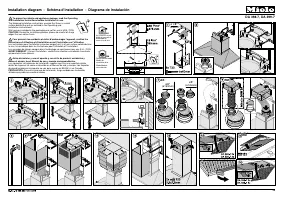
Installation *INSTALLATION* 35 4 screws, M4 x 8 mm 5 (9)* screws, 4 x 15 mm 4 screws, 4 x 30 mm 8 (12)* screws, 4 x 15 mm 4 screws, M4 x 12 mm* 4 screws, M4 x 8.5 mm* 2 screws, 3.9 x 7.5 mm with cover caps * For 35 ¹/₄" (896 mm) wide appliances Montage Installation Montaje Montaggio Montering Mo...
Page 36 - Appliance dimensions
Installation *INSTALLATION* 36 Appliance dimensions Diagram 1: DAS 4720 in a 23 5/8" (600 mm) wide cabinet. The drawing is not to scale.
Page 38 - Footnotes for diagrams 1 to 3:
Installation *INSTALLATION* 38 Diagram 3: DAS 4920 in a 23 5/8" (600 mm) wide cabinet or in a 35 7/16" (900 mm) widecabinet with side compartments The drawing is not to scale. See diagram 1 for side view. Footnotes for diagrams 1 to 3: a Vented or recirculation with DUU 150 conversion kit b ...
Page 39 - Distance between cooktop and ventilation hood (S)
Installation *INSTALLATION* 39 Distance between cooktop and ventilation hood (S) Provided a larger distance is not given by the manufacturer of the cooktop,follow the minimum safety distances between a cooktop and the bottom of thehood.Please also observe the information contained in the “IMPORTANT ...
Page 40 - depth stop lip facing backward
Installation *INSTALLATION* 40 Installing the depth stop(optional) You can limit how far the deflector platecan be pushed in. For example, if the deflector plateshould sit flush with the front edge ofthe cabinet door when pushed in, ratherthan with the front edge of the cabinethousing, you can posit...
Page 41 - Slide the covers back again.
Installation *INSTALLATION* 41 Slide the depth stops forward to theposition shown. Slide the covers back again. Carefully push in the deflector plateas far as the required position. This will push the depth stops into therequired position. Use a pen to mark the back edge ofthe deflector plat...
Page 42 - Air venting; Ventilation stack
Installation *INSTALLATION* 42 Air venting WARNING: Danger of toxic fumes.Gas cooking appliances releasecarbon monoxide that can beharmful or fatal if inhaled.To reduce the risk of fire and toproperly exhaust air, the exhaustgases extracted by the hood shouldbe vented outside of the building only.Do...
Page 43 - Condensate
Installation *INSTALLATION* 43 Condensate If the ducting is to run through coolrooms or ceiling space, for example, thesignificant variations in temperaturebetween the different areas can causecondensate to form. Insulate theducting to reduce temperaturevariations. If the ducting is to be laid horiz...
Page 44 - Electrical connection; Grounding Instructions
Installation *INSTALLATION* 44 Electrical connection WARNING: TO REDUCE THE RISKOF FIRE, ELECTRIC SHOCK, ORINJURY TO PERSONS, OBSERVETHE FOLLOWING:All electrical work should beperformed by a qualified electricianin strict accordance with nationalregulations (for USA: ANSI-NFPA 70)and local safety re...
Page 45 - Technical data; WiFi module; Optional accessories for recirculation mode
Technical data 45 Fan motor 350 W Overhead lighting 3 W Total connected load 353 W Supply voltage, frequency 120 V AC, 60 Hz Fuse rating 15 A Power cord length 2.5 ft (0.75 m) Weight DAS 4720 35.3 lbs (16 kg) DAS 4920 37.5 lbs (17 kg) WiFi module Frequency range 2.400–2.4835 GHz Maximum transmission...
Page 47 - National Headquarters; Canada; Headquarters and Miele Centre
9 Independence WayPrinceton, NJ 08540www.mieleusa.com U.S.A. Miele, Inc. National Headquarters Please have the model and serial numberof your appliance available whencontacting Customer Service. Canada ImporterMiele Limited Headquarters and Miele Centre Customer Support Phone: 888-99-MIELE (64353)[e...