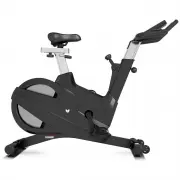
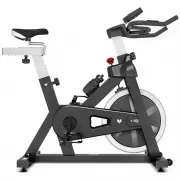
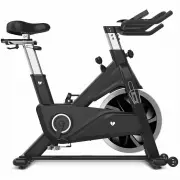
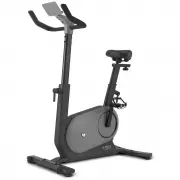
Page 4 - INSTRUCTIONS; WARNING: Read all instructions before using this machine.
4 I. IMPORTANT SAFETY INSTRUCTIONS WARNING: Read all instructions before using this machine. It is important your machine receives regular maintenance to prolong its useful life. Failing toregularly maintain your machine may void your warranty. | IMPORTANT SAFETY INSTRUCTIONS Please always keep this...
Page 5 - BATTERY USAGE; II. CARE INSTRUCTIONS; IMPORTANT
5 • Batteries are to be installed or replaced by adult only. • Do not use rechargeable batteries. Do not mix different battery types. Do not mix old and new batteries. Do not mix alkaline, standard (Carbon- Zinc), or rechargeable (Nickel-Cadmium) batteries. • Remove batteries when product is not in ...
Page 6 - III. EXPLODED DIAGRAM
6 III. EXPLODED DIAGRAM 68 74 77 77 78 78 37 37 4 39 39 28 69 64 95 86 86 83 83 85 91 11R 10 R 49 16 14 88 95 15 7 17 94 93 92 47 36 44 8 58 61 60 63 60 59 58 36 44 83 84 80 83 65 90 15 79 81 81 97 89 96 2 41 9 43 35 64 73 34 12 49 66 27 32 31 48 29 110 10 8 10 4 10 7 10 2 10 9 10 9 10 9 10 9 10 0 9...
Page 11 - V. ASSEMBLY INSTRUCTIONS
11 V. ASSEMBLY INSTRUCTIONS 1. Attach the Front Stabilizer (pt.88) to the Main Frame (pt.1) with two sets of Ø 8 Flat Washer (pt.81), M8 Domed Nut (pt.82) and M8*42 Carriage Bolt (pt.80). 2. Attach the Rear Stabilizer (pt.79) to the Main Frame (pt.1) with two sets of Ø 8 Flat Washer (pt.81), M8 Dome...
Page 15 - ADJUSTING THE TENSION
15 1. Adjust the Resistance 2. The Emergency Brake Function To increase resistance (requiring more strength to pedal), turn the Resistance Control Knob (pt.75) to the right. To decrease resistance (requiring less strength to pedal), turn the Resistance Control Knob (pt.75) to the left. The Emergency...
Page 16 - Seat Adjustment
16 VI. SEAT AND HANDLEBAR ADJUSTMENT Seat Adjustment Handlebar Adjustment To adjust the seat height, slacken the spring knob on the vertical post stem on the main frame and pull back the knob. Position the vertical seat post for the desired height so that holes are aligned, then release the knob and...
Page 17 - VII. COMPUTER OPERATION; BUTTONS
17 VII. COMPUTER OPERATION BUTTONS FUNCTIONS OPERATION PROCEDURE MODE To confirm all settings. SET To set up the value of TIME, DISTANCE, CALORIES and PULSE. You can hold the button to increase the value fast. (The computer has to be in stop condition). RESET To clear the set-up value. Press RESET k...
Page 23 - X. HAND PULSE TECHNOLOGY
23 This product comes equipped with hand pulse sensors which are used to pick up tiny EKG/ECG signals that run through the body when your heart beats. These electrical EKG/ECG signals are very small and that they must be amplified 1000 times to make the signal useful for the computer to display your...