Page 2 - TABLE OF CONTENTS
2 TABLE OF CONTENTS TABLE OF CONTENTS 3 IMPORTANT SAFETY INSTRUCTIONS 6 PRODUCT OVERVIEW 6 Parts6 Hood Features 7 OPERATION 7 Main Power Switch 7 Operation 9 MAINTENANCE 9 Care and Cleaning 10 Maintenance 11 TROUBLEShOOTINg 11 Before Calling for Service 12 WARRANTY
Page 3 - IMPORTANT SAFETY INSTRUCTIONS; WARNINg; TO REDUCE ThE RISK OF FIRE, ELECTRIC ShOCK, OR INJURY TO PERSONS,; CAUTION; STATE OF CALIFORNIA PROPOSITION 65 WARNINgS; WARNINg
3 IMPORTANT SAFETY INSTRUCTIONS IMPORTANT SAFETY INSTRUCTIONS Read and follow all instructions when using the range to prevent the risk of fire, electric shock, personal injury, or damage. This guide does not cover all possible conditions that may occur. Always contact your service agent or manufact...
Page 4 - gENERAL SAFETY PRECAUTIONS
4 IMPORTANT SAFETY INSTRUCTIONS gENERAL SAFETY PRECAUTIONS To reduce the risk of fire, electric shock, serious injury or death when using the range hood, follow basic safety precautions, including the following: WARNINg • If you receive a damaged product, immediately contact your dealer or builder. ...
Page 5 - READ AND SAVE ThESE INSTRUCTIONS
5 IMPORTANT SAFETY INSTRUCTIONS WARNINg • TO REDUCE THE RISK OF INJURY TO PERSONS IN THE EVENT OF A RANGE- TOP GREASE FIRE: – SMOTHER FLAMES with a close-fitting lid, cookie sheet or metal tray, then turn off the burner. BE CAREFUL TO PREVENT BURNS. If the flames do not go out immediately, EVACUATE ...
Page 6 - PRODUCT OVERVIEW; Parts
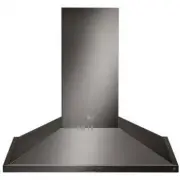
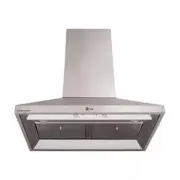
6 PRODUCT OVERVIEW PRODUCT OVERVIEW Parts 1 4 4 5 2 3 1 hOOD The hood directs heat and smoke into the fan located inside the unit. The fan forces heat and smoke into the duct system which vents to the outside. The filter and the lights are located on the bottom of the hood. 2 CONTROL PANEL Use the k...
Page 7 - OPERATION; Main Power Switch; Turning on the Fan; Timed Feature
7 OPERATION OPERATION WARNINg Never operate the range hood without the filter(s) in place. Also, do not operate the hood with grimy or grease-laden filters. Personal injury, fire or damage to the range hood could result. 1 2 3 4 5 Main Power Switch The main power switch must be on to operate any of ...
Page 8 - Turning On the Lights; Clean Filter Reminder Light; Important Operating Tips
8 OPERATION Turning On the Lights • Touch the Light key 3 to turn the lights on at the high setting. • Touch the Light key a second time to set the lights to low. • Touch the Light key a third time to turn the lights off. Clean Filter Reminder Light After 50 hours of fan operation, the CLEAN FILTER ...
Page 9 - MAINTENANCE; Care and Cleaning; Cleaning Stainless Steel Surfaces
9 MAINTENANCE MAINTENANCE Care and Cleaning WARNINg To avoid the risk of fire, electric shock or personal injury: • Turn off power to the hood at the circuit breaker panel or fuse box before cleaning. • Clean the hood only in the manner specified. • Use only the types of cleaning solutions specified...
Page 10 - Maintenance; Light Bulb Replacement
10 MAINTENANCE Maintenance Light Bulb Replacement WARNINg • To prevent electric shock, turn off power at the fuse or junction box before replacing the light bulb. • To avoid personal injury, make sure the cooktop or range, the hood, and the light are cool before changing the light bulb. Light bulb r...
Page 11 - TROUBLEShOOTINg; Before Calling for Service
11 TROUBLESHOOTING TROUBLEShOOTINg Before Calling for Service Symptoms Possible Causes / Solutions Nothing Works. Control panel is not lit. Fan does not work. • Power to hood is off.- Turn on power at junction or fuse box. Check for tripped breaker or blown fuse. • Power outage.- Call electric compa...
Page 13 - MEMO
Page 16 - Customer Information Center
Customer Information Center For inquires or comments, call;1-855-790-6655 USA Printed in Korea