LG OLED88Z2PUA - Manuals
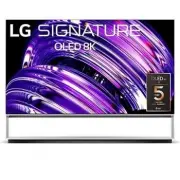
User Manual LG OLED88Z2PUA


Summary
2 Important Safety Instruction • Read these instructions. • Keep these instructions. • Heed all warnings. • Follow all instructions. • Do not use this apparatus near water. • Clean only with dry cloth. • Do not block any ventilation openings. Install in accordance with the manufacturer’s instruction...
3 Warning! Safety instructions CAUTION RISK OF ELECTRIC SHOCK DO NOT OPEN CAUTION: TO REDUCE THE RISK OF ELECTRIC SHOCK, DO NOT REMOVE COVER (OR BACK). NO USER-SERVICEABLE PARTS INSIDE. REFER TO QUALIFIED SERVICE PERSONNEL. This symbol is intended to alert the user to the presence of uninsulated “da...
5 Installation Lifting and moving the TV When moving or lifting the TV, read the following to prevent the TV from being scratched or damaged and for safe transportation regardless of its type and size. • It is recommended to move the TV in the box or packing material that the TV originally came in. ...
LG TVs Manuals
-
 LG 19
User Manual
LG 19
User Manual
-
 LG 37
User Manual
LG 37
User Manual
-
 LG 42
User Manual
LG 42
User Manual
-
 LG 19LD355
User Manual
LG 19LD355
User Manual
-
 LG 19LE3300
User Manual
LG 19LE3300
User Manual
-
 LG 19LS3500
Manual
LG 19LS3500
Manual
-
 LG 19LV2300
User Manual
LG 19LV2300
User Manual
-
 LG 19LV2500
Manual
LG 19LV2500
Manual
-
 LG 19MN43D-PZ
User Manual
LG 19MN43D-PZ
User Manual
-
 LG 22LB491U
User Manual
LG 22LB491U
User Manual
-
 LG 22LD351
User Manual
LG 22LD351
User Manual
-
 LG 22LD355
User Manual
LG 22LD355
User Manual
-
 LG 22LE5500
User Manual
LG 22LE5500
User Manual
-
LG 22LE5500
Manual
-
 LG 22LK330
User Manual
LG 22LK330
User Manual
-
 LG 22LS3510
Manual
LG 22LS3510
Manual
-
 LG 22LV2300
User Manual
LG 22LV2300
User Manual
-
 LG 26LD355
User Manual
LG 26LD355
User Manual
-
 LG 26LE5500
User Manual
LG 26LE5500
User Manual
-
LG 26LE5500
Manual