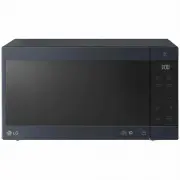
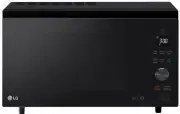
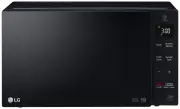
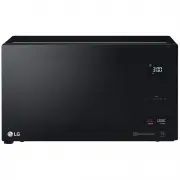
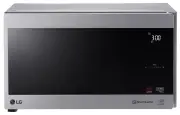
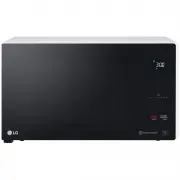
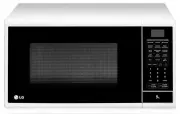
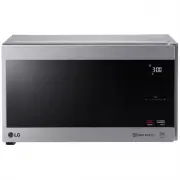
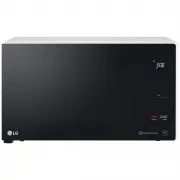
Page 2 - How the Microwave Function Works; A very safe appliance; CONTENTS; Reheat
CONTENTS How the Microwave Function Works Microwaves are a form of energy similar to radio, television waves, and ordinary daylight. Normally, microwaves spread outwards as they travel through the This oven, however, has a magnetron that is designed to make use of the energy in microwaves. Electrici...
Page 4 - e careful when handling the container.; trays and racks; ot doing so could cause them to burst or rupture.
mode (for ovens with Combination function) will be • B e careful when handling the container. M icrowave heating of beverages can result in delayed eruptive boiling, therefore care must be taken when handing the container. - his model doesn't provide a temperature probe. T trays and racks (for ovens...
Page 6 - damage or electric shock.
O nly connect the supply lead plug to an earthed power outlet socket that has the same rating and T his product is intended for domestic household applications only and not for commercial use. I t must not be used in mobile applications. specification requirement of the oven. I f you are unsure abou...
Page 8 - UNPACKING & INSTALLING; NOTE; microwave safe container; NOTE; ROTATING RING
UNPACKING & INSTALLING BEFORE USE B y following the b a sic steps on these two p a ges yo u will be a ble to qu ickly check th a t yo u r oven is oper a ting correctly. P le a se p a y p a rtic u l a r a ttention to the g u idelines on where to inst a ll yo u r oven. W hen u np a cking yo u r ov...
Page 9 - Be careful when removing the container it may be hot.
6 P ress the STOP/CLEAR b u tton , a nd press the START b u tton one time to set 30 seconds of cooking time. 7 T he DISPLAY will co u nt down from 30 seconds. W hen it re a ches 0 it will so u nd BEEP . O pen the oven door a nd test the temper a t u re of the w a ter. I f yo u r oven is oper a ting ...
Page 10 - CONTROL PANEL; Part; Door; Display Picto
CONTROL PANEL 10 BEFORE USE Sensor C o ok See page 14 " Sensor Cook ” See page 16 "Inverter Cook” Touch this key to set a cooking power. R eheat See page 13 “Reheat” Inverter Defrost See page 18 “Inverter Defrost” Power Level Number Keys Start / Enter / +30s Stop / Clear / Lock Part Inverter...
Page 11 - OPERATION; CAUTION; CAUTION; Clock; can; Interrupting Cooking
Setting the Clock for 10:30 AM 11 OPERATION OPERATION This section introduces you to the basics you need to know to operate the microwave oven. Please read this information before using the oven. CAUTION To avoid risk of personal injury or property damage, do not use stoneware, metal cookware, or me...
Page 12 - Quick Start; Energy Saving; unless the time of day is set to show; Setting Manual Cooking; Microwave Power Levels; MICROWAVE POWER LEVELTABLE
12 OPERATION Quick Start The Quick Start feature allows you to set 30-second intervals of High power cooking with each touch of the START/Clear/+30s button. NOTE The oven will immediately start cooking for 30 seconds on high power. Press START/Enter/+30s repeatedly to extend the cook time by 30 seco...
Page 13 - Ute
REHEAT Your oven’s menu has been preprogrammed to automatically roast food. Tell the oven what you want and how many items there are. Then let your microwave oven roast your selections. REHEAT MENU INSTRUCTIONS Weight Initial Cod e Menu Instructions Ute nsil Limit Temperature 1 Beverage 1 - 2 cups R...
Page 14 - kg; Bacon
SENSOR COOK Your oven’s menu has been preprogrammed to automatically cook food. Tell the oven what you want and how many items there are. Then let your microwave oven cook your selections. SENSOR COOK MENU INSTRUCTIONS 14 Example: Cooking 0.8 kg Jacket Potatoes 1. 2. Touch STOP/Clear . Touch Sensor ...
Page 16 - Soften
Weight Initial Code Menu Instructions Utensil Limit Temperature 8 Risotto 1.2 kg Room 1. Add all ingredients in a deep and large microwave-safe Microwave- bowl and mix well. Cover with plastic wrap and vent. safe bowl 2 . Place food in the oven. Choose the menu, press START. 3 . After cooking, stir ...
Page 18 - INVERTER DEFROST
Food should still be somewhat icy in the center when removed from the oven. sequence is recommended for the food you are defrosting. For added convenience, the INVERTER DEFROST includes a built-in beep mechanism that reminds you to check, turn over, separate, or rearrange to getthe best defrost resu...
Page 20 - FOOD CHARACTERISTICS & MICROWAVE COOKING
FOOD CHARACTERISTICS & MICROWAVE COOKING FOOD CHARACTERISTICS & MICROWAVE COOKING 20
Page 22 - TO CLEAN YOUR OVEN / SMART FUNCTIONS; TO CLEAN YOUR OVEN; times and may even damage the oven.
TO CLEAN YOUR OVEN / SMART FUNCTIONS 22 TO CLEAN YOUR OVEN times and may even damage the oven. Disconnect the mains plug from the power outlet before cleaning the oven to eliminate the possibility of electric shock. STOP Steam or condensation build up inside the door is normal if foods are heated fo...
Page 24 - TECHNICAL SPECIFICATIONS
TECHNICAL SPECIFICATIONS TECHNICAL SPECIFICATIONS 24 * When operating at 100%, 90%, and 80% power levels for prolonged periods, the output power will be reduced gradually to help prevent the unit from electrically overheating. Microwave Frequency : 2450 MHz +/- 50 MHz (Group 2 / Class B) ** Group 2 ...
Page 25 - Printed in China
Printed in China LG Electronics Australia 2 Wonderland Drive Eastern Creek NSW 2766 (ABN : 98 064 531 264) FOR CUSTOMER SERVICE PLEASE CONTACT LG Service on 1300 LG CARE (1300 54 2273) AUSTRALIA or 0800 LG CARE (0800 54 2273) NEW ZEALAND www.lg.com